
Introduction
Running a small business today means juggling countless moving parts at once: projects, tasks, follow-ups, client calls, marketing, and the work itself. Most teams spread this across multiple tools—one for managing operations, another for communication, and a separate CRM for deals. The outcome is predictable: information gets fragmented, important opportunities slip through the cracks, and sales momentum becomes difficult to maintain.
Across thousands of small teams, we see the same pattern: day-to-day operations are handled reasonably well, but the sales pipeline lives in someone’s head, buried in spreadsheets, or scattered across chat threads. This disconnect between internal operations and revenue-generating activities creates friction and slows growth.
In this guide, we outline a practical, streamlined approach for integrating team operations and sales pipelines into one unified flow that small teams can easily maintain. To make the process concrete, we’ll illustrate each step using a simple, lightweight CRM—LEADer—as an example.
Team Operations vs CRM – Where Each Tool Really Fits
Before you can connect team operations with your sales pipeline, it’s important to clearly understand the role each tool plays in a small business.
Team operations tools focus on:
- Tasks, deadlines, and recurring checklists
- Projects, milestones, and workloads
- Coordination and collaboration between team members
They help answer questions like:
- What is everyone working on this week?
- What tasks or dependencies are blocking progress?
- Are we on track with internal delivery and client commitments?
CRM tools focus on:
- Contacts, companies, and deal stages
- Communication history, calls, and notes
- Quotes, proposals, and follow-up tracking
They help answer questions like:
- Which deals are expected to close this month?
- Which leads still need a reply or callback?
- How much potential revenue is currently in the pipeline?
Small teams rarely need a complex setup—but they do need both sides.
Team operations keep the internal engine running.
CRM ensures new business continues to flow in.

A Simple 3-Layer Model for Small Teams
To understand how everything fits together, it helps to visualize the modern tool stack as three essential layers:
1. Communication Layer
Channels where conversations happen:
- Email, phone, WhatsApp, messaging apps
- Video calls and meetings
This is where information originates—but it shouldn’t be where information stays.
2. Team Operations Layer
Where execution lives:
- Tasks, deadlines, deliverables
- Projects and internal workflows
- Client work and service delivery
This layer ensures promises made to customers are actually fulfilled.
3. Sales & CRM Layer
Where revenue activity is tracked:
- New leads, deals, and opportunities
- Sales status, follow-ups, and reminders
- Revenue forecasts and sales metrics
This layer ensures no opportunity is lost and the pipeline stays healthy.
Why Small Teams Feel the Pain When Layers Don’t Connect
When any of these layers is missing or disconnected, small teams feel the impact immediately. Calls take place, but nobody logs what was agreed. Proposals get sent, but no system reminds the team to follow up. Tasks are assigned, yet they aren’t linked back to real client work or active deals. Over time, these gaps lead to missed opportunities, repeated mistakes, and a constant sense of playing catch-up rather than moving proactively.
The goal isn’t to add more tools to the stack. The goal is to create a simple, cohesive system where communication, team operations, and sales pipelines all speak to each other and support the same workflow.
Where a CRM Fits in Team Operation Processes
A CRM plays a central role in organizing how teams handle leads, clients, communication, and ongoing opportunities. While operational tools focus on internal execution, a CRM ensures every revenue-related interaction is tracked in a consistent, structured way. This prevents important details from disappearing into notes, emails, or individual inboxes.
CRMs built for small, communication-heavy teams usually focus on the day-to-day reality rather than offering a massive all-in-one system. They centralize client information, log calls and messages, display clear timelines of interactions, support visual deal pipelines, and offer simple tools for generating quotes and keeping follow-ups on track. These practical capabilities help teams stay organized without adding unnecessary complexity.
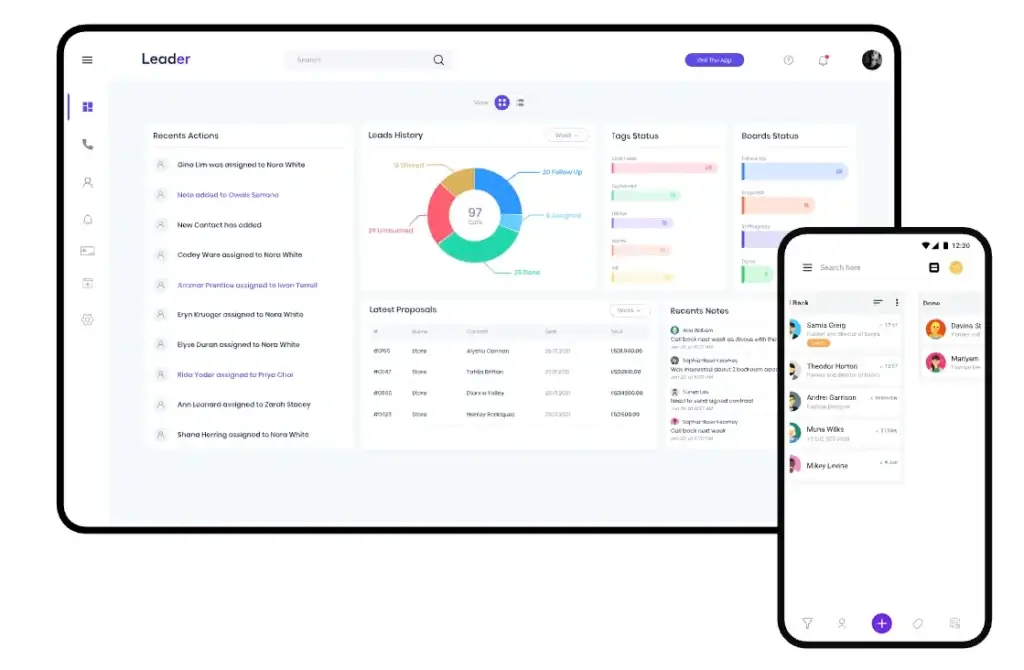
Lightweight CRMs like LEADer demonstrate this approach well. They bring together caller identification, unified activity timelines, straightforward quote creation, and availability across multiple devices. This type of CRM supports fast-moving environments where responsiveness matters and where teams need quick context during conversations, not after.
In practice, the value of a CRM is not to replace operational tools, but to complement them. It provides visibility into what is happening with prospects and clients, while the work management system handles the actual delivery. When these two layers work together, teams gain a complete view of commitments, progress, and next steps—making it much easier to operate with clarity and consistency.
How to Connect Team Operations and Sales Pipelines
Connecting sales activity with everyday team operations doesn’t require complex software. What matters is building a simple, repeatable system that reflects how your team actually works. The steps below outline a practical approach that any small team can adopt, regardless of the specific tools they use.
Step 1 – Map Your Real Sales Process
Before configuring any CRM or workflow, start by understanding what actually happens when your team wins a deal. Look at your last set of closed opportunities and outline the typical journey:
- How did the lead first appear
- What conversations or checkpoints happened before a proposal
- What caused delays or moved the deal forward
- What steps consistently repeat across deals
Based on this, define a clear set of pipeline stages (usually 5 to 7). Common examples include new lead, contacted, qualified, proposal sent, follow up, and closed.
A CRM’s visual board format can mirror this structure, but the important thing is that the stages reflect reality—not theory.
Step 2 – Separate Delivery Tasks from Sales Tasks
A common issue for small teams is mixing operational work with sales follow-ups. When everything lives in the same place, sales activity becomes cluttered and inconsistent.
A useful rule of thumb is:
- If a task is about moving a deal forward, it belongs in the CRM.
- If a task is about delivering work or managing internal projects, it belongs in the operations tool.
For example:
- “Call back with pricing details” is a CRM task.
- “Prepare onboarding materials” is an operations task.
This division keeps your CRM focused on revenue and your operations tool focused on execution.
Step 3 – Make Communication Transparent
Small teams often lose time repeating the same questions:
Who spoke to this lead last? What did the client say? Was a quote sent?
Choose a CRM that centralizes activity such as calls, notes, messages, and documents in a single client timeline. Tools like LEADer use caller identification and enriched context views to surface information during the call itself. This reduces uncertainty and improves team coordination.
Your operations tool does not need to store the same communication history. Instead, it should link to the relevant client or deal in the CRM. Adding a CRM deal link inside related operational tasks works well for maintaining context without duplication.
Step 4 – Connect Deals to Delivery Through Clear Documentation
The transition from “deal won” to “work starts” is where many teams lose clarity. Important information sits in emails or scattered notes, and the delivery team ends up guessing what was agreed.
A clearer handoff looks like this:
- Create a detailed quote inside the CRM.
- Once approved, convert it into a proforma invoice or finalized document.
- Use this finalized record to initiate delivery work in your operations tool.
CRMs that support quote-to-invoice workflows keep this information attached to the same deal, so the history stays intact. Your operations system can then create a project or task using precise information instead of assumptions.
Step 5 – Establish a Daily Routine the Team Can Follow
Tools help, but habits create consistency. A simple daily rhythm works well for most small teams:
-
Start the day in the CRM
-
Review callbacks
-
Update deal stages
-
Prepare for important conversations using client timelines or insights
-
-
Switch to the operations tool
-
Review delivery tasks
-
Coordinate internal priorities
-
Adjust workload based on deals likely to close soon
-
-
End the day with a pipeline check
-
Identify new leads without first contact
-
Spot deals stuck in the same stage for too long
-
A routine like this keeps sales momentum steady and prevents operational surprises.
Step 6 – Revisit and Adjust Your Setup Every Quarter
Sales workflows evolve. What worked three months ago may not work now. Reviewing your system quarterly helps you stay aligned with real-world practices.
Consider questions like:
- Are pipeline stages still accurate
- Is sales activity being logged consistently
- Are deals slipping because follow-ups are missed
- Is too much work still happening in spreadsheets or inboxes
Small, frequent improvements create a system that stays effective without major overhaul.
Conclusion
Small teams often juggle multiple tools, conversations, and responsibilities at once. When sales pipelines and day-to-day operations run separately, important information gets lost, follow-ups are missed, and projects start without clear context.
But connecting the two doesn’t require a complex system. A clear workflow, a well-structured CRM, and a reliable operations tool are enough to create a unified rhythm for the entire business.
A CRM keeps revenue activity organized – calls, conversations, proposals, and follow-ups.
A team operations tool keeps delivery on track – tasks, deadlines, and project work.
When these two layers align, small teams work with far greater clarity. Deals move smoothly, delivery begins with complete context, and the business grows without depending on memory or scattered notes.
The goal isn’t adopting dozens of tools. It’s creating a simple, connected environment where communication, sales, and operations reinforce each other. With the right structure, even a small team can operate with the discipline and efficiency of a much larger organization.
FAQ
1. Do small teams really need both a CRM and a work management tool?
Yes. A CRM manages leads, clients, deals, and follow-ups, while a work management tool handles tasks, delivery, and internal workflows. When both systems are used correctly, each supports a different part of the business without creating overlap or confusion.
2. How do I know which tasks belong in the CRM vs. our operations tool?
A simple rule:
- If the task helps move a deal forward, put it in the CRM.
- If the task is about delivering work or managing internal projects, keep it in the operations tool.
This separation prevents clutter and keeps each system focused on its purpose.
3. What is the biggest mistake small teams make when connecting sales and operations?
Trying to manage everything in one place. When client communication, delivery tasks, and sales steps are mixed together, the team loses clarity. Structured separation + simple connections work far better than a “one tool for everything” approach.
4. How often should we revisit our sales pipeline or workflow setup?
Quarterly reviews work best. Over time, your real sales process evolves, and outdated stages or routines can slow the team down. Small, regular adjustments keep your tools aligned with how your business truly operates.
5. What’s the fastest way to make communication more transparent for the team?
Use a CRM that centralizes calls, notes, quotes, and messages in a single timeline per client. This eliminates repetitive questions and gives every team member the same context before each interaction.
6. How can we create a smoother handoff from sales to delivery?
Document agreements inside the CRM using quotes or structured deal records. Then use that information to create tasks or projects in the operations tool. This prevents misunderstandings and reduces the back-and-forth between teams.
7. Does a small team need automation to make this work?
Automation helps, but it’s not required. What matters most is consistency. Even one or two simple automations – such as reminders or linking tasks to deals – can significantly reduce mistakes and follow-up gaps.
8. Can tools like LEADer replace a full project management system?
No. CRMs are built for revenue activities, not for complex delivery work. Tools like LEADer can streamline communication and sales processes, but project planning, task tracking, and team workload management still belong in the operations layer.