Introduction
Choosing the right accounting software in 2026 is not just about recording income and expenses. It is about finding a system that helps you invoice clients, track cash flow, manage expenses, stay tax-ready, and understand your financial performance without adding unnecessary complexity.
The best accounting software for your business depends on how you work. A freelancer may need simple invoicing, time tracking, and payment reminders. A growing small business may need payroll, bank reconciliation, inventory tracking, and accountant access. A larger company may need deeper reporting, approval workflows, multi-entity accounting, and ERP-level controls.
That is why this guide compares accounting software by practical business fit, not just by feature count. You will see where each platform performs best, what type of business it suits, and which limitations you should consider before choosing a plan.
In this guide, you will find:
- Clear recommendations based on business size, workflow, and accounting needs
- Side-by-side comparisons covering pricing, features, strengths, and limitations
- Practical buying guidance for freelancers, small businesses, product-based teams, and scaling companies
If you are moving away from spreadsheets or replacing an accounting system that no longer fits, this comparison will help you choose software that supports your current workflow and gives you room to grow.
Best Accounting Software at a Glance
Here is a quick comparison of the top accounting software options in 2026. Use this table to narrow your shortlist before reading the full reviews.
| Best For | Top Pick | Starting Price | Why It Stands Out |
| Freelancers and service businesses | FreshBooks | From around $19/month before promotions | Excellent invoicing, time tracking, estimates, retainers, and client billing |
| Automation and value | Zoho Books | Free plan available, paid plans vary by region | Affordable accounting with workflow automation and strong Zoho ecosystem integration |
| Inventory-focused accounting | Sage 50 | Pricing varies by plan and region | Strong desktop-powered accounting, inventory, job costing, and reporting depth |
| All-round small business accounting | QuickBooks Online | Pricing varies by country and offer period | Broad feature set, accountant adoption, payroll options, and a large app marketplace |
| Free accounting software | Wave | Free plan available | Simple invoicing and bookkeeping for freelancers, side hustlers, and very small businesses |
| Localized accounting for ANZ markets | MYOB Business | Pricing varies by region | Strong fit for Australian and New Zealand businesses needing local payroll and tax features |
| ERP accounting for scaling companies | Oracle NetSuite | Custom pricing | Advanced financial management, multi-entity accounting, inventory, and ERP capabilities |
| Simple accounting for solo users | Kashoo | Pricing varies by plan | Straightforward bookkeeping for users who want less setup and fewer advanced features |
| Advanced financial management | Sage Intacct | Custom pricing | Strong reporting, automation, multi-entity consolidation, and finance team controls |
How We Evaluated the Best Accounting Software
To make this comparison useful, we looked beyond basic bookkeeping features. The right accounting software should match the way your business operates today while giving you enough flexibility to grow.
For example, a freelancer may prioritize fast invoicing and payment collection, while a retail business may need inventory tracking and purchase orders. A scaling company may care more about reporting, approval workflows, permissions, and multi-entity accounting.
Core Accounting Features
We considered whether each platform covers essential accounting tasks such as invoicing, expense tracking, bank reconciliation, accounts payable, accounts receivable, tax reporting, and financial statements.
Software with strong core accounting features should help you reduce manual work, keep records accurate, and prepare cleaner reports for your accountant, bookkeeper, or finance team.
Ease of Use
Accounting software should be powerful, but it should not feel difficult to operate. We looked at how simple each platform is to navigate, how quickly users can create invoices or categorize expenses, and whether the dashboard provides useful financial visibility.
This is especially important for small business owners who do not have a full finance department. A platform may have advanced features, but if your team avoids using it, the value drops quickly.
Pricing and Plan Flexibility
We reviewed starting prices, free plans, plan limits, promotional pricing, and common add-on costs. Many accounting platforms advertise a low entry price, but features such as payroll, extra users, advanced reporting, inventory, project tracking, or payment processing may increase the total cost.
For this reason, we recommend comparing the real monthly cost based on the features you need, not only the lowest advertised plan.
Scalability
Good accounting software should support your next stage of growth. We considered whether each tool can handle more users, more transactions, more clients, more products, more currencies, or more complex reporting requirements.
Freelancers and micro-businesses may be fine with a lightweight tool. Growing companies should pay closer attention to upgrade paths, integrations, permissions, and reporting depth.
Integrations and Ecosystem
We also looked at how well each platform connects with other business systems. Strong integrations can save time by syncing data from payment processors, ecommerce platforms, CRM tools, payroll providers, expense apps, and inventory systems.
This matters because accounting rarely operates alone. The stronger the ecosystem, the easier it is to build a connected finance workflow.
Reporting and Financial Visibility
Useful accounting software should help you understand performance, not just store transactions. We considered reports such as profit and loss, balance sheet, cash flow, unpaid invoices, expense categories, inventory value, project profitability, and budget tracking.
For larger businesses, reporting depth becomes even more important. Multi-location, multi-entity, department-level, and project-based reporting can make a major difference in financial decision-making.
Security and Compliance
Because accounting software stores sensitive financial data, security is a major factor. We looked for features such as user permissions, secure login, audit trails, data encryption, backup controls, and role-based access.
We also considered tax and compliance support where relevant, including regional features for VAT, GST, payroll compliance, and financial reporting standards.
Accounting Software Comparison by Business Type
The best accounting software is not the same for every business. Before choosing a platform, it helps to match each tool to the type of work you do, the size of your team, and the complexity of your financial operations.
| Business Type | Recommended Software | Reason to Choose It |
| Freelancers and consultants | FreshBooks or Wave | Simple invoicing, expense tracking, payment collection, and client billing |
| Small service businesses | FreshBooks or QuickBooks Online | Strong invoicing, reporting, accountant access, and scalable features |
| Budget-conscious small businesses | Zoho Books or Wave | Free or affordable plans with practical accounting tools |
| Product-based businesses | Sage 50, Zoho Books, or QuickBooks Online | Inventory, purchase orders, product tracking, and financial reporting |
| Ecommerce businesses | QuickBooks Online, or Zoho Books | Useful integrations, bank feeds, sales tracking, and multi-channel workflow support |
| Growing companies | QuickBooks Online or Sage Intacct | More users, stronger reporting, permissions, and workflow control |
| Mid-market and enterprise teams | NetSuite or Sage Intacct | Advanced reporting, multi-entity accounting, automation, and finance team controls |
| ANZ-based businesses | MYOB Business | Localized accounting, payroll, tax, and compliance support for Australia and New Zealand |
The Best Accounting Software Compared
Now that you know what to look for, let’s compare the top accounting software platforms in more detail. The reviews below focus on who each tool is best for, where it performs well, where it may fall short, and how it compares to other options on the market.
FreshBooks

Top Traits
- Excellent for invoicing, payments, and client billing
- Simple interface built for non-accountants
- Strong fit for freelancers and service-based businesses
Unique Features
- Customizable Invoicing – Create polished invoices with branding, payment links, recurring billing, and automatic reminders
- Built-In Time Tracking – Track billable hours by client or project and turn them into invoices quickly
- Client Portal – Let clients view invoices, make payments, and keep billing communication organized
- Online Payments – Accept credit card and bank transfer payments directly from invoices
- Retainer Management – Track prepaid client work and monitor how time is used against retainer balances
In-Depth Analysis
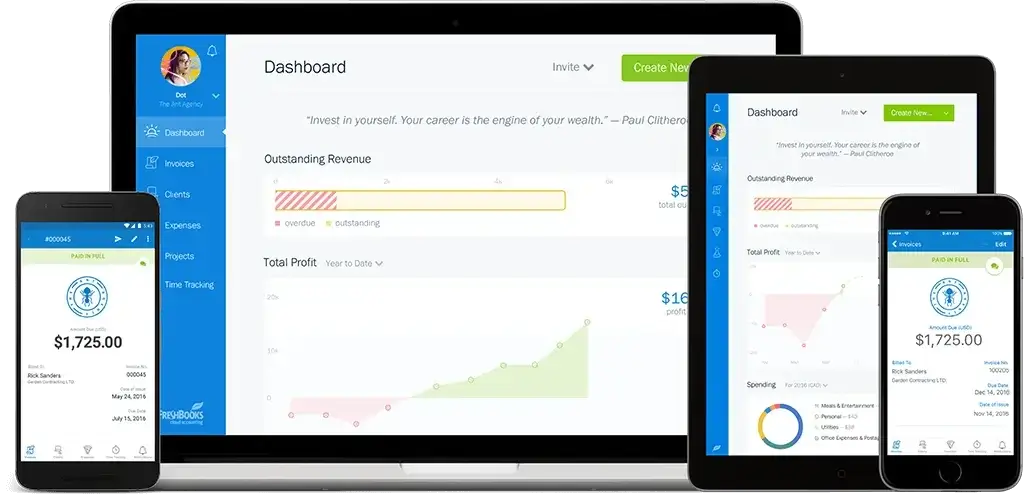
FreshBooks is one of the strongest accounting software options for freelancers, consultants, and service-based small businesses. It is designed around client billing first, which makes it feel more practical than many traditional accounting tools if your main workflow is sending invoices, tracking time, and getting paid.
The biggest advantage is ease of use. FreshBooks keeps the interface clean and approachable, so you can manage invoices, expenses, projects, and payments without needing deep accounting experience. That makes it especially useful for solo professionals and small teams that want to spend less time managing books and more time serving clients.
Its time tracking and invoicing workflow is where it performs best. You can track hours by client or project, add expenses, and turn that work into an invoice without rebuilding everything manually. FreshBooks also supports online payments and reminders, which can help reduce awkward follow-ups and improve cash flow.
Where FreshBooks falls short is in more advanced accounting needs. It is not the best choice for inventory-heavy businesses, complex reporting, or companies that need deep financial controls. If you need stronger accounting depth, Xero or QuickBooks may be better. If you need ERP-level scalability, NetSuite or Sage Intacct will be more suitable.
Why Choose FreshBooks?
Choose FreshBooks if your business is built around clients, projects, and repeat billing. It is especially useful when you need accounting software that feels simple, modern, and focused on service-based work rather than complex finance operations.
It’s a strong fit if:
- You invoice clients regularly and want to get paid faster
- You track time for hourly or project-based work
- You manage retainers, recurring billing, or ongoing client work
- You want a lighter alternative to more complex accounting systems
FreshBooks is not just a bookkeeping tool. For the right type of business, it works as a practical system for client billing, cash flow, and service-based financial management.
Pricing and Plans
FreshBooks offers several plans, usually structured around client volume and feature access. The Lite plan is best for freelancers with a small number of clients, while Plus and Premium are better for growing service businesses that need more automation, stronger reporting, and more client capacity.
Pricing can change based on promotions, annual billing, region, and add-ons. Team members, Advanced Payments, and payroll integrations may cost extra, so it is important to check the current plan details before choosing. FreshBooks also uses client limits, and both active and archived clients can count toward those limits.
Pros and Cons
Positive
✅ Very easy for non-accountants
✅ Excellent invoicing and online payments
✅ Built-in time tracking and project billing
✅ Strong mobile app for working on the go
Negative
❌ Client limits can affect growing businesses
❌ Not ideal for inventory-based companies
❌ Reporting is lighter than Xero or QuickBooks
❌ Extra users and add-ons can increase costs
Zoho Books

Top Traits
- Best-in-Class Automation Tools
- Strong tax compliance and audit trails
- Seamless Zoho app integrations
Unique Features
- Workflow Automation – Automate tasks like reminders, approvals, and journal entries
- Client Portal – Share quotes, invoices, and get feedback in one place
- End-to-End Tax Compliance – GST, VAT, and sales tax automation (region-specific)
- Zoho App Ecosystem Integration – Works natively with Zoho CRM, Projects, Inventory, etc.
- Custom Reports & Schedules – Generate and email reports automatically on a schedule
In-Depth Analysis
Zoho Books is a powerful accounting platform built for modern businesses that want to automate processes and save time. It’s part of the larger Zoho ecosystem, which includes everything from CRM to project management, so if you’re already using any of those tools, Zoho Books fits in seamlessly.
Its biggest strength is automation. You can set up custom rules that trigger when certain actions happen (like sending payment reminders, auto-tagging expenses, or generating reports). This means less manual work and fewer chances for errors.
Zoho Books also does a great job with tax compliance. Whether you need automated VAT, GST, or sales tax calculations, the system stays updated with regional rules, ideal for international teams or businesses in regulated industries.
The interface is clean, but not as beginner-friendly as FreshBooks. You’ll need some setup time and familiarity with accounting terms. But once you’re in the groove, it’s an incredibly efficient and customizable solution.
Why Choose Zoho Books?
If your business is growing, and you’re looking for a tool that can grow with it, Zoho Books is a strong choice.
It’s a great fit if you:
- Want to automate repetitive finance tasks
- Use or plan to use other Zoho tools
- Work in industries with complex tax needs or multiple teams
- Need more control over reporting and internal approvals
It may not be the simplest tool on this list, but it’s one of the smartest once it’s set up.
Pros and Cons
Positive
✅ User-Friendly Interface
✅ All-in-One Ecosystem Integration
✅ Affordable Pricing, Including a Free Plan
✅ Automation at Every Level
Negative
❌ Limited Third-Party Integrations
❌ Advanced Features Locked Behind Higher Plans
❌ Not Ideal for Complex Enterprises
❌ Fewer Accountants Support It
Sage 50cloud
Top Traits
- Advanced desktop functionality
- Strong reporting and compliance tools
- Payroll and inventory built-in
Overview
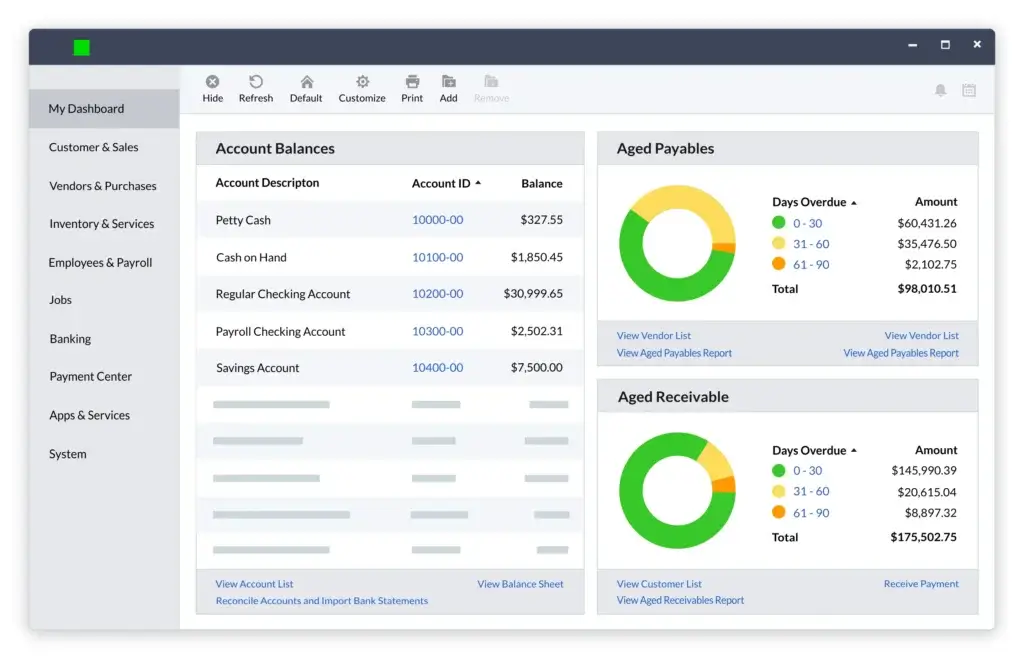
Sage 50cloud combines the power of desktop software with optional cloud access. It’s built for businesses that need control over inventory, fixed assets, and detailed reporting, especially those with strict compliance needs.
It’s not as intuitive as cloud-native tools, but it’s incredibly feature-rich and secure for teams that prefer on-premise control.
Why Choose Sage 50cloud?
Choose Sage 50cloud if:
- You need detailed reporting and audit trails
- Your business relies on inventory and payroll
- You want desktop reliability with cloud backups
It’s not ideal for users seeking a lightweight, modern UI.
Pros and Cons
Positive
✅ Deep Accounting Power
✅ Customizable Reports and Financial Insights
✅ Advanced Inventory Control
✅ Data Ownership and Control
Negative
❌ Mobile Access Is Limited
❌ User Interface Feels Outdated
❌ Steeper Learning Curve
❌ Higher Cost at Scale
QuickBooks Online


Top Traits
- Trusted by Accountants – Most pros already use or support it
- Scalable Features – Works for startups and multi-user teams
- Deep Integration Ecosystem – Easily connects with other business tools
Unique Features
- Real-Time Financial Dashboard – Get instant visibility into your cash flow, income, and expenses
- 750+ Integrations – Sync with tools like Shopify, Gusto, Zapier, and many CRMs
- Automated Invoicing & Payments – Set up recurring billing and accept online payments
- Built-In Tax Tracking – Categorizes expenses and calculates sales tax automatically
- Advanced Reporting Tools – Run P&L, balance sheet, and cash flow reports in a few clicks
In-Depth Analysis
QuickBooks Online is one of the most complete and flexible accounting platforms available in 2026. If you’re looking for a system that can scale with your business and handle everything from invoicing to payroll and reporting, this is a top-tier option.
You get a modern dashboard that shows where your money is going in real-time. The setup process is straightforward, especially with the guided onboarding steps.
Where QuickBooks really shines is in automation and depth. You can automate recurring invoices, categorize transactions from your bank, and even integrate with payroll and time tracking.
It’s also incredibly popular among accountants and bookkeepers, which means less friction if you’re outsourcing or collaborating with professionals.
However, it may be overkill for very small or non-financial users. The sheer number of features can feel overwhelming if you just need to track expenses or send basic invoices.
Why Choose QuickBooks Online?
If you want powerful accounting software that’s still accessible, QuickBooks Online strikes a strong balance.
It’s especially helpful if you:
- Plan to grow your business and scale your finance team
- Need to collaborate with your accountant or bookkeeper
- Want an ecosystem that works with your CRM, ecommerce platform, or payroll system
This isn’t just a digital ledger; it’s a complete financial command center for your business.
Pros and Cons
Positive
✅ Trusted and Familiar
✅ Excellent Invoicing and Reporting
✅ Robust App Ecosystem
✅ Cloud-Based with Mobile Access
Negative
❌ Advanced Features Get Expensive
❌ Support Quality Can Vary
❌ Customization is Limited
❌ Bank Feed Glitches Happen
Wave
Top Traits
- 100% Free core accounting features
- Simple interface for non-accountants
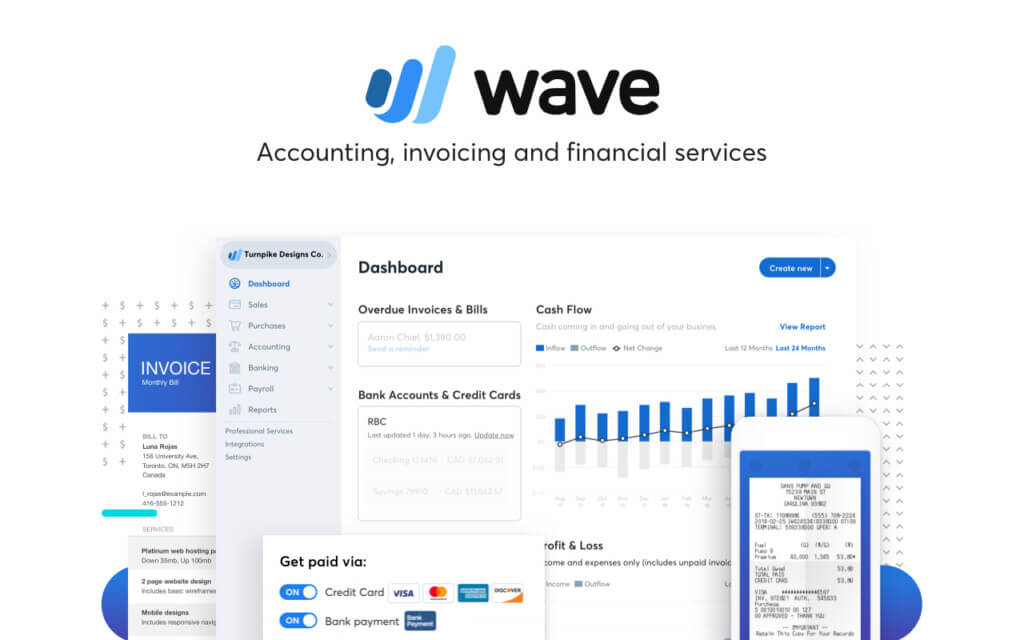
- Built-in invoicing and payments in one dashboard
Unique Features
- Invoicing & Estimates – Create and send unlimited professional invoices
- Online Payments – Accept credit cards and bank transfers (fees apply)
- Expense Tracking – Auto-import bank transactions and categorize expenses
- Basic Financial Reports – Profit & loss, cash flow, and balance sheet
- Multi-Currency Support – Send invoices and accept payments globally
In-Depth Analysis
Wave is one of the best free accounting platforms on the market, and not just because it’s free. It delivers real functionality for small businesses, freelancers, and side hustlers who don’t need advanced features.
You can send unlimited invoices, connect your bank account, track expenses, and view essential reports, all without paying a monthly fee. The platform is especially intuitive for non-finance folks and is often the first step away from spreadsheets.
Its weaknesses are in scaling. If you need things like inventory tracking, payroll outside the US/Canada, or integrations with third-party apps, you may outgrow Wave quickly.
But if your needs are basic and you want to keep costs low, it’s one of the smartest ways to start.
Why Choose Wave?
Wave is perfect for you if:
- You’re a freelancer or a very small business with basic needs
- You want to avoid monthly software fees
- You’re just starting and not ready for complex systems
- You need clean invoices and basic reporting in one place
Just remember, while it’s free, you trade off some flexibility and integrations.
Pros and Cons
Positive
✅ It’s completely free
✅ User-friendly and intuitive
✅ Professional invoicing tools
✅ Helpful mobile app
Negative
❌ Limited scalability
❌ No advanced reports or forecasting
❌ Bank auto-import is a paid feature
❌ Customer support is gated behind paid add-ons
MYOB

Top Traits
- Localized tax and payroll tools
- Built-in timesheets and superannuation
- Desktop + cloud hybrid access
Overview
MYOB is built for compliance-heavy Australian and Kiwi businesses. It covers GST, BAS, STP Phase 2, and superannuation reporting, making it easy to meet ATO and IRD standards.
Its hybrid model lets you manage your books from a desktop or online, making it ideal for teams who want the best of both worlds.
Why Choose MYOB?
Choose MYOB if:
- You operate in Australia or New Zealand
- You want ATO/IRD-compliant payroll and tax features
- You prefer software with both desktop and cloud access
It’s less relevant if your business operates outside these regions.
Positive
✅ All-in-One Accounting + Payroll
✅ Best-in-Class for AU/NZ Compliance
✅ Inventory + Time Billing Built In
✅ Desktop + Cloud Flexibility
Negative
❌ Limited Global Relevance
❌ Outdated Interface in Some Areas
❌ Add-Ons Can Drive Up Cost
❌ Smaller Integration Ecosystem
NetSuite
Top Traits
- End-to-end ERP with accounting
- Real-time financial visibility
- Scales globally with multi-entity support
Overview
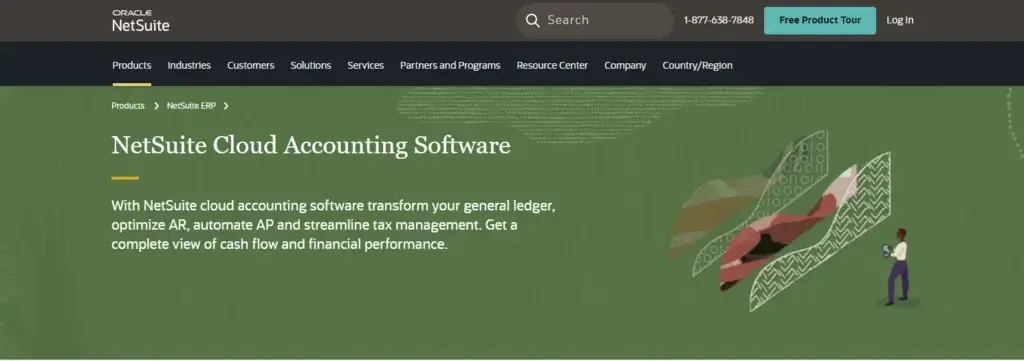
NetSuite is more than just accounting software; it’s a full cloud-based ERP platform. It centralizes finance, CRM, inventory, and procurement under one roof, making it ideal for businesses managing multiple entities, currencies, and teams.
With powerful automation, audit trails, and customizable dashboards, NetSuite offers deep visibility into every corner of your operations. But it comes with enterprise-level pricing and complexity, so it’s best suited for companies with a dedicated finance team.
Why Choose NetSuite?
Choose NetSuite if:
- You manage complex operations or multiple subsidiaries
- You need real-time financial data across global teams
- You want advanced automation, compliance, and control
It’s overkill for small teams, but better for scaling companies with structured finance workflows.
Pros and Cons
Positive
✅ Comprehensive ERP solution
✅ Real-time financial management
✅ Scalable cloud platform
Negative
❌ High cost
❌ Complex for small businesses
❌ Resource-intensive implementation
Kashoo
Top Traits
- Easy setup and use
- Automatic bank reconciliation
- Unlimited users on all plans
Overview
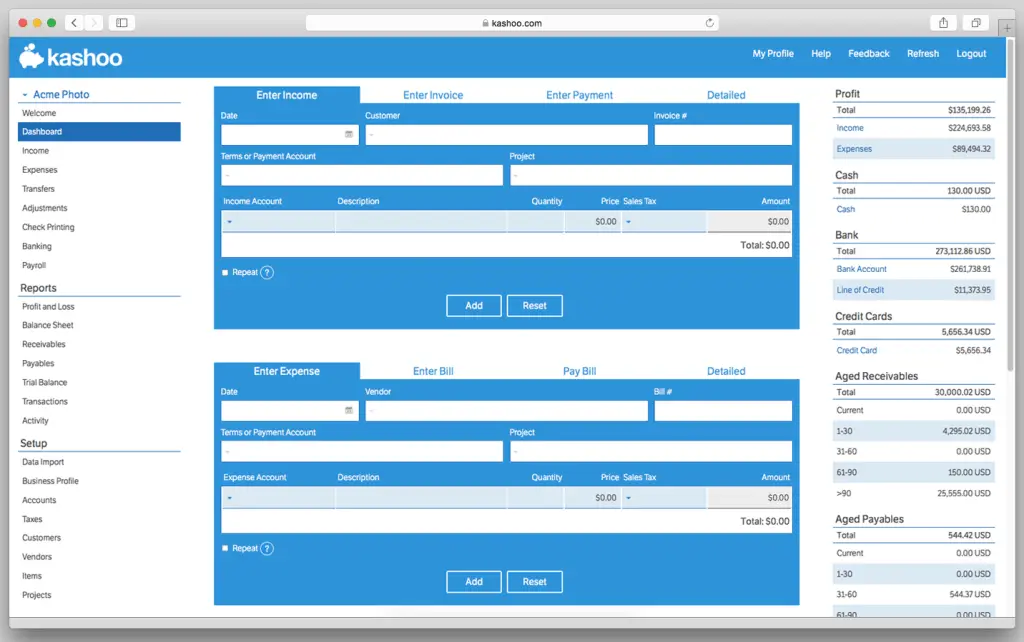
Kashoo is a minimalist accounting platform made for freelancers and solopreneurs who want something straightforward. You get automatic bank feeds, income and expense tracking, and simple invoicing, all without the clutter of complex features.
It lacks deep integrations or advanced reports, but for basic bookkeeping? It’s fast, reliable, and beginner-friendly.
Why Choose Kashoo?
Choose Kashoo if:
- You want simplicity over bells and whistles
- You’re a solo user or small team
- You need basic accounting features that “just work”
It’s not ideal for users who need project tracking, inventory, or advanced analytics.
Pros and Cons
Positive
✅ Easy-to-use interface
✅ Automatic reconciliation
✅ Unlimited users
Negative
❌ Basic accounting features
❌ Limited reporting capabilities
❌ Few third-party integrations
AccountEdge Pro

Top Traits
- Full-featured desktop software
- Built-in payroll and inventory tools
- One-time license option
Overview
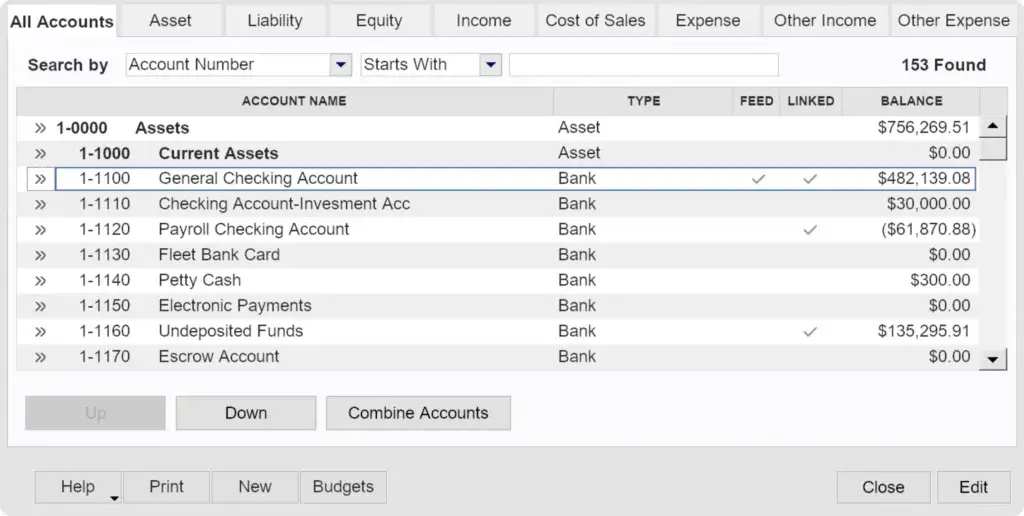
AccountEdge Pro is old-school, in a good way. It’s one of the few accounting platforms that still offers a desktop-first experience with powerful tools for managing payroll, inventory, and job costing, all without needing a cloud connection.
It’s packed with functionality, but requires installation and may feel dated compared to modern cloud platforms. Great for users who prefer local control and rich offline features.
Why Choose AccountEdge?
Choose AccountEdge if:
- You prefer a desktop-first experience
- You manage inventory or in-depth job costing
- You want a one-time license instead of monthly billing
It’s not ideal for mobile teams or businesses needing real-time cloud collaboration.
Pros and Cons
Positive
✅ Advanced inventory management
✅ Integrated payroll billing
✅ Comprehensive toolset
Negative
❌ Desktop-only solution
❌ Complex implementation
❌ Limited accessibility
Side-by-Side Comparison
Top Accounting Software in 2026
| Software | Best For | Starting Price | Free Plan | Key Features |
| FreshBooks | Freelancers & creatives | $19/month | ❌ | Invoicing, Time tracking, Payments, Client portal |
| Zoho Books | Automation & Zoho users | $15/month | ✅ (under revenue cap) | Workflows, Client portal, Tax, Custom reports |
| QuickBooks Online | All-around SMB accounting | $35/month | ❌ | Reports, Invoicing, Payroll, 750+ integrations |
| Wave | Free accounting | $0 | ✅ | Invoicing, Reports, Payments, Expense tracking |
| Sage 50cloud | Desktop + compliance | $58.92/month | ❌ | Inventory, Payroll, Fixed assets, Audit trail |
| MYOB Business | ANZ-based businesses | $28/month | ❌ | BAS/GST tools, Timesheets, Payroll, Hybrid access |
| Oracle NetSuite | Enterprise ERP | Custom | ❌ | Real-time insights, Global ops, Compliance, Full ERP |
| Kashoo | Solopreneurs needing simplicity | $20/month | ❌ | Auto bank feeds, Invoicing, Reports, Unlimited users |
| AccountEdge Pro | Offline desktop control | $599 one-time | ❌ | Inventory, Payroll, Desktop-first, Job costing |
Cloud, Desktop, and ERP Accounting Software: What’s the Difference?
Before comparing individual tools, it helps to understand the main types of accounting software. Most businesses will choose between cloud accounting software, desktop accounting software, or ERP accounting software.
Cloud Accounting Software
Cloud accounting software runs online, so you can access your books from a browser or mobile app. It is usually easier to update, easier to collaborate on, and better suited for remote teams or businesses working with outside accountants.
Tools like FreshBooks, Xero, Zoho Books, QuickBooks Online, and Wave fall into this category. They are usually the best fit for freelancers, small businesses, and growing teams that want convenience and automation.
Desktop Accounting Software
Desktop accounting software is installed locally or designed around a desktop-first workflow. It can be appealing for businesses that prefer local control, deeper traditional accounting features, or specific inventory and job costing workflows.
Sage 50 and AccountEdge are common examples. These tools can be powerful, but they may feel less modern than cloud-first systems and may require more attention to hosting, backups, updates, and add-ons.
ERP Accounting Software
ERP accounting software connects finance with broader business operations such as inventory, procurement, order management, projects, CRM, and multi-entity reporting. These systems are usually more expensive and more complex to implement.
NetSuite and Sage Intacct are stronger fits for companies that have outgrown basic accounting software and need deeper financial controls, automation, reporting, and scalability.
Key Features to Look For in Accounting Software
When comparing accounting platforms, focus on the features that will directly improve your workflow. A long feature list is not always better. The right features are the ones that reduce manual work, improve accuracy, and help you make better financial decisions.
Invoicing and Payment Collection
Invoicing is one of the most important features for freelancers, agencies, consultants, and service businesses. Good accounting software should let you create professional invoices, send payment reminders, accept online payments, and track unpaid invoices.
FreshBooks is especially strong here because it was originally built around invoicing and client billing. Wave is also useful for simple invoicing, while QuickBooks Online and Xero are better if invoicing needs to connect with deeper accounting workflows.
Expense Tracking and Receipt Capture
Expense tracking helps you understand where your money goes and keeps your records ready for tax time. Strong software should let you categorize expenses, attach receipts, import bank transactions, and separate business spending from personal transactions.
Zoho Books, Xero, and QuickBooks Online are strong choices for businesses that want more automation around expenses and bank feeds.
Bank Reconciliation
Bank reconciliation is the process of matching transactions in your accounting system with your bank records. This is essential for accurate books, clean reports, and fewer end-of-month errors.
Xero is well known for its clean reconciliation workflow, while QuickBooks Online and Zoho Books also provide strong bank feed and matching tools.
Payroll and Tax Support
If you have employees or contractors, payroll support becomes a major consideration. Some accounting platforms include payroll options directly, while others rely on integrations or regional add-ons.
QuickBooks Online is often a strong option for businesses that want accounting and payroll in the same ecosystem. MYOB can be a better fit for businesses in Australia and New Zealand that need localized payroll and compliance features.
Inventory Management
Inventory features matter if you sell physical products, manage stock levels, or need purchase orders. The right accounting software should help you track products, monitor stock value, manage costs, and connect sales with financial records.
Sage 50 is a strong option for businesses that need more traditional inventory accounting. Zoho Books can also work well for smaller product-based businesses, especially when paired with the broader Zoho ecosystem.
Reporting and Analytics
Basic reports such as profit and loss, balance sheet, cash flow, and accounts receivable are essential. As your business grows, you may also need project profitability, department-level reporting, budget tracking, and custom dashboards.
QuickBooks Online and Xero offer strong reporting for small businesses. Sage Intacct and NetSuite are better suited for advanced reporting, multi-entity accounting, and finance teams that need deeper analysis.
Integrations
Integrations help your accounting software connect with the tools you already use. This may include payment processors, CRM platforms, ecommerce systems, inventory tools, payroll providers, time tracking apps, or expense management platforms.
QuickBooks Online, Xero, and Zoho Books stand out for small business integrations. NetSuite and Sage Intacct are stronger for companies that need broader system connectivity and more advanced finance workflows.
Security and User Permissions
Accounting software stores sensitive financial data, so security should never be treated as a secondary feature. Look for secure login, role-based permissions, audit trails, encryption, backup policies, and clear user access controls.
This becomes more important as your team grows. A solo freelancer may only need simple account protection, while a finance team may need detailed permissions, approval workflows, and audit-ready records.
Hidden Costs to Watch For Before Choosing Accounting Software
The cheapest accounting software plan is not always the most affordable long-term choice. Many platforms charge extra for features that growing businesses eventually need.
Before choosing a provider, check whether the following items are included in your plan or billed separately:
- Additional users or team members
- Payroll processing
- Payment processing fees
- Bank feeds and receipt capture
- Inventory management
- Project tracking and job costing
- Advanced reports and analytics
- Multi-currency support
- Priority support or onboarding
- Data migration and implementation help
This is especially important if you are comparing a free or low-cost plan against a more complete paid plan. A free tool may be enough when you are starting out, but a paid platform can become more cost-effective if it saves time, reduces errors, or supports your growth.
When Should You Upgrade Your Accounting Software?
Many businesses start with spreadsheets or a basic bookkeeping tool. That can work for a while, but it becomes risky when your financial workflow becomes more complex.
You should consider upgrading your accounting software when:
- You spend too much time manually entering transactions
- You manage multiple clients, projects, products, or locations
- You need better visibility into cash flow and profitability
- You have employees, contractors, or payroll requirements
- You need inventory tracking or purchase order management
- Your accountant needs cleaner access to your books
- You are expanding into new regions, currencies, or tax requirements
- You need approvals, permissions, or audit trails
As a simple rule, choose software that solves your current pain points but does not create a ceiling too quickly. The best accounting software should make your financial workflow easier now and still support you as your business becomes more complex.
How to Choose the Right Accounting Software
When you’re picking accounting software, it’s easy to get overwhelmed by features, pricing, and technical jargon. But the truth is, you don’t need the most popular tool; you need the right one for your business.
Let’s walk through how to evaluate your options and focus on what really matters.
Understand Your Business Needs
Before you compare software, take a step back and think about your workflow. Ask yourself:
- Are you a freelancer, a small business, or part of a growing team?
- Do you bill by the hour or sell physical products?
- Do you handle payroll or work with contractors?
- Do you have an accountant or manage finances yourself?
Knowing where you are now and where you’re headed will shape your ideal tool.
Examples:
- Freelancer with a service business? You’ll want simple invoicing, time tracking, and expense categorization.
- Running a small eCommerce store? Look for inventory management and sales tax automation.
- Managing a growing company with a team? You may need advanced reporting, payroll, and multi-user permissions.
Core Features That Matter
Here’s a breakdown of the must-have features that make a difference in real-world use:
✅ Essentials You Shouldn’t Skip:
- Invoicing & Billing – Automate and track client payments with ease
- Expense Tracking – Sync with bank accounts or credit cards
- Financial Reporting – Generate P&L, cash flow, and balance sheet reports
- Bank Reconciliation – Match transactions without manual work
- Tax Tools – Automatically categorize deductions and generate tax summaries
🎯 Bonus Features (based on your needs):
- Multi-user Access – Invite your accountant or team with role-based permissions
- Time Tracking – Essential for billing hourly projects
- Inventory Management – Track product quantities, reorder levels, and costs
- Recurring Invoices & Subscriptions – Great for SaaS and retainer-based businesses
- Multi-Currency Support – Helpful if you invoice globally
Cloud vs. Desktop vs. ERP Systems
Accounting platforms come in different formats. Your choice here affects cost, access, and flexibility.
Cloud-Based (SaaS)
- Accessible from anywhere
- Always up to date
- Ideal for modern teams and remote work
✔ Best for: Most freelancers and SMBs
Desktop Software
- Installed on your local device
- May offer stronger offline security
- More traditional and often complex
✔ Best for: Local businesses with no need for cloud sync
ERP Systems (Enterprise Resource Planning)
- Combines accounting with inventory, HR, CRM, etc.
- Expensive and complex to implement
- Offers massive scalability and automation
✔ Best for: Midsize to large businesses with multiple departments
Test Before You Commit
Most tools offer a free trial, and you should take full advantage of it. Here’s what to do:
- Set up a test invoice or two
- Link a bank account (if possible)
- Upload some expenses and run a report
- Ask your bookkeeper/accountant to take a look
Don’t just click around; mimic real tasks. It’s the best way to know if the software fits your process.
What Makes a Tool “Right” for You?
At the end of the day, the best accounting software is the one you’ll actually use consistently. Look for something that:
- Matches your current and future business size
- Offers features you need (without overwhelming you with extras)
- Fits your budget and gives you room to grow
- Makes your accounting feel easier, not more complicated
If it saves you time, reduces stress, and keeps your finances organized, that’s your winner.
Final Recommendation
Choosing the Best Accounting Software for Your Business
The truth is, there’s no one-size-fits-all “best” accounting software. The right tool depends on your business size, complexity, and growth plans.
Here’s how to make the smartest choice moving forward:
✅ Go With a Tool That Matches Your Workflow
- If you’re a freelancer or service-based solo pro, tools like FreshBooks or Wave will keep things simple and affordable.
- For small to mid-sized businesses looking to scale, QuickBooks Online, and Zoho Books offer more advanced features with plenty of automation.
- Running a compliance-heavy business or inventory operation? Look into Sage 50cloud, MYOB, or AccountEdge Pro.
- Need enterprise-level automation and cross-entity visibility? You’ll want an ERP like Oracle NetSuite or Sage Intacct.
Frequently Asked Questions
What is the best accounting software for small businesses in 2026?
QuickBooks Online is a top choice for small businesses due to its powerful features, scalability, and wide adoption. Zoho Books and Xero are also excellent, depending on your budget and needs.
Is there any truly free accounting software?
Yes. Wave offers a 100% free plan for invoicing, expense tracking, and reporting, no monthly fee required. It’s ideal for freelancers, startups, or side hustles with basic needs.
Which accounting software is best for freelancers?
FreshBooks is built specifically for freelancers and consultants. It includes time tracking, client portals, and easy invoicing. Wave is another strong (and free) option.
Can I do accounting without hiring an accountant?
Yes, many platforms like Xero, QuickBooks, and Zoho Books are designed to be user-friendly for non-accountants. However, it’s still smart to consult an accountant for tax season or complex reporting.
Is cloud accounting software secure?
Yes. Most modern platforms use bank-grade encryption, automatic backups, and two-factor authentication to keep your data safe. Cloud tools are also more disaster-resilient than local backups.
How much should I expect to spend on accounting software?
Costs range from $0 (Wave) to $20–$60/month for most SMB tools. ERP systems like NetSuite can run over $1,000/month depending on your configuration and team size.
What’s the difference between accounting software and bookkeeping software?
Bookkeeping software focuses on recording financial transactions, while accounting software includes reporting, compliance tools, tax tracking, and often payroll and automation features.
Which tool is best for inventory and product-based businesses?
Sage 50cloud, Zoho Books (Elite/Ultimate), and AccountEdge Pro offer solid inventory tracking. For advanced needs, look at ERP options like NetSuite or Odoo.
Can I switch to another accounting platform later?
Yes, most platforms allow you to export data as CSV or PDF, and some offer migration services. Still, it’s best to switch at the start of a fiscal period to avoid confusion.