
Introduction
If you are looking for a business phone system that feels familiar, modern, and tightly connected to meetings, chat, and day-to-day collaboration, Zoom Phone is one of the strongest options to consider. It is a cloud-based VoIP phone system built inside Zoom Workplace, which means it goes beyond basic calling and gives teams a single environment for voice, SMS, voicemail, video meetings, and internal communication. For companies that already rely on Zoom, it can be one of the easiest ways to bring phone service into the same workflow without adding another disconnected communications tool.
In this Zoom Phone review, you will explore how the platform works, which features matter most, how pricing is structured, and where Zoom Phone fits against alternatives like RingCentral, Nextiva, Dialpad, and Microsoft Teams Phone. You will also see which businesses benefit most from its combination of calling, collaboration, global coverage, and admin simplicity, and where it may fall short if your team needs a deeper contact center product rather than a business phone system. If you want a practical review that helps you decide whether Zoom Phone is the right fit for your company, this guide will walk you through the most important points.
Key Features
How Zoom Phone Works
Cloud business telephony inside Zoom Workplace
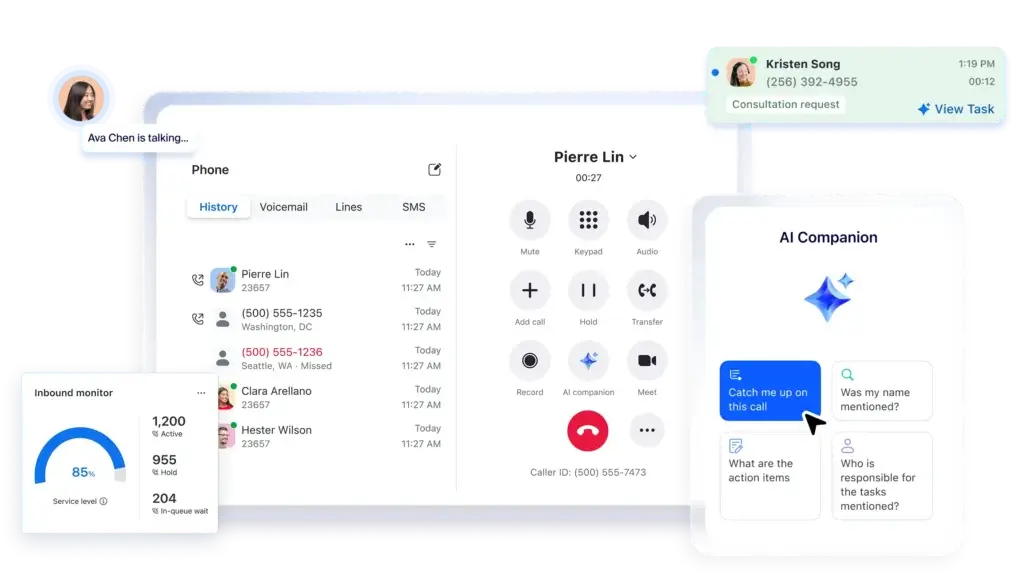
Zoom Phone is best understood as the voice layer inside Zoom Workplace. Instead of buying a traditional PBX system or using a separate phone vendor, businesses can manage calling, voicemail, SMS, routing, and user administration inside the same Zoom environment many teams already use for meetings and chat. This gives Zoom Phone an immediate usability advantage for organizations that want fewer tools and a more unified communication stack.
That positioning matters because Zoom Phone is not trying to be a legacy desk-phone replacement only. It is designed to let users make and receive calls from desktop, mobile, certified desk phones, and shared devices, while staying connected to meetings, chat, docs, and other Zoom services. In practical terms, it is a UCaaS product with a strong business-phone identity rather than a standalone niche VoIP app.
Calling plans, number management, and global reach
Zoom Phone supports several plan models, including metered, regional unlimited, and Global Select. That gives businesses more flexibility than many SMB-focused VoIP tools that offer only simple domestic plans. Companies can choose lower-cost usage models for lighter teams, unlimited regional calling for standard business needs, or Global Select for multinational environments that want domestic calling within a supported country and more centralized management across locations.
Global reach is one of Zoom Phone’s biggest strengths. Zoom promotes global coverage, BYOC options, and local telephony support across a large and growing footprint. That makes the platform especially relevant for distributed companies, international teams, and organizations trying to standardize communications under one vendor instead of managing separate local carriers in each region.
Call handling and day-to-day business communication
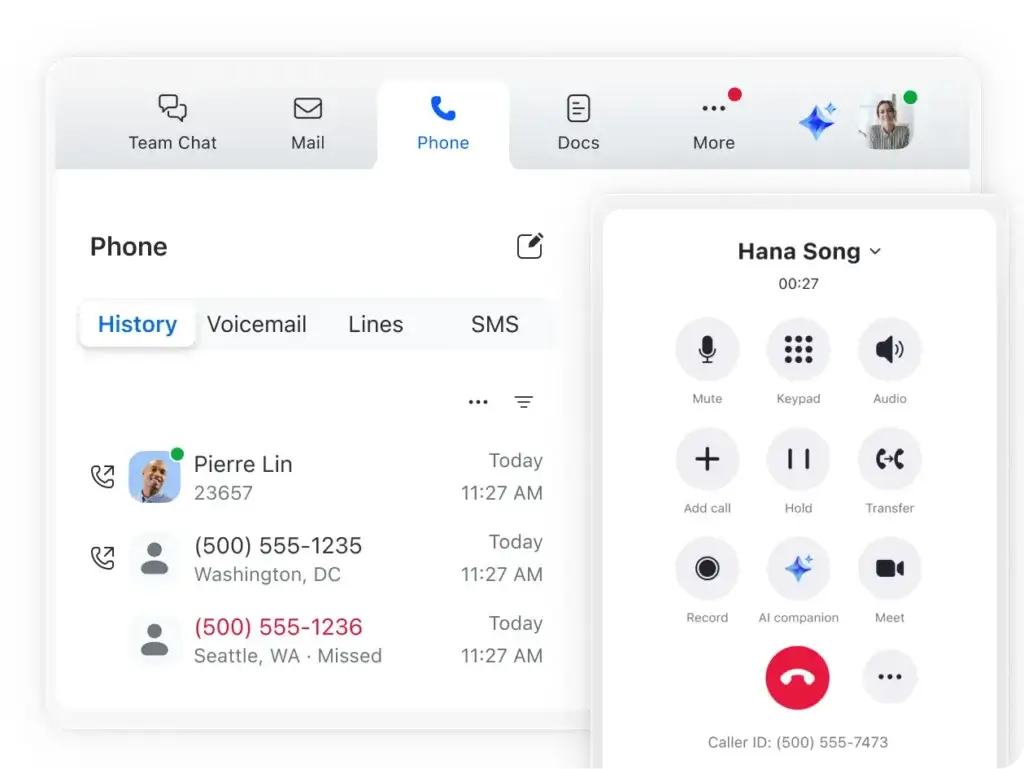
On the day-to-day operational side, Zoom Phone covers the core features most businesses expect from a modern business phone system. These include auto receptionists, call queues, call forwarding, voicemail, call recording, number assignment, shared lines, SMS, and MMS in supported markets, and support for multiple devices. For many teams, that is already enough to replace a traditional office phone setup and avoid the complexity of older telecom systems.
Where Zoom Phone feels especially polished is in the connection between telephony and the rest of Zoom’s interface. Users do not have to think of phone calls as a separate product. That reduces training friction and makes the platform easier to roll out across customer-facing teams, operations teams, internal departments, and hybrid employees who switch between desktop and mobile regularly.
AI assistance and the Customer Engagement Pack
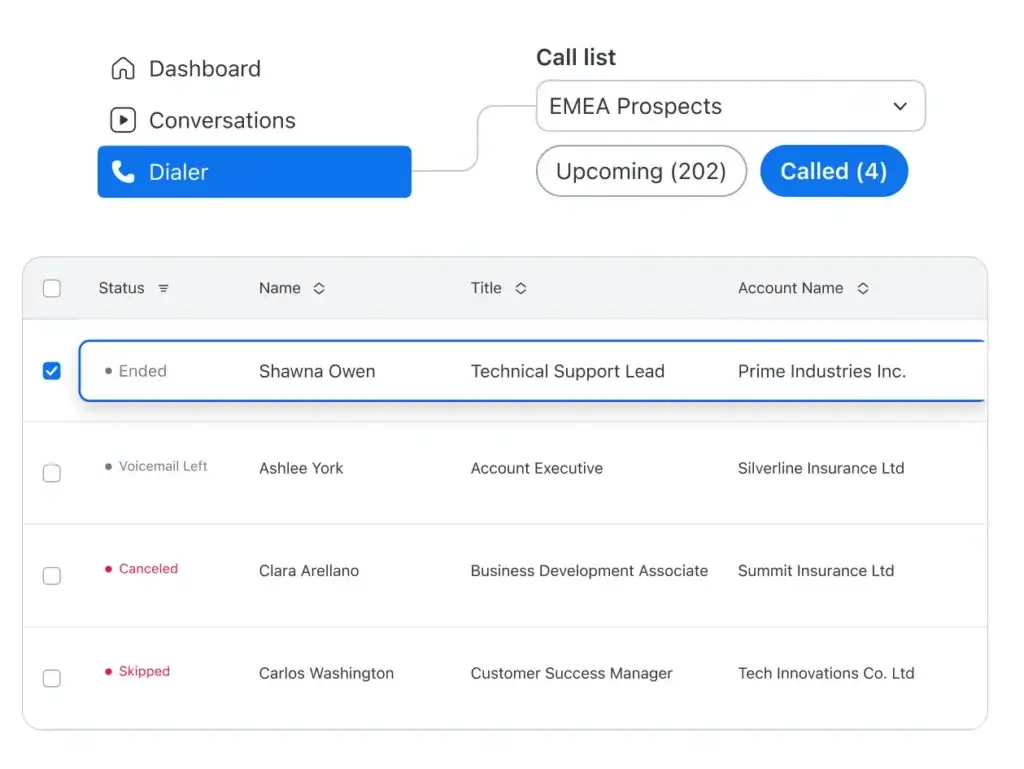
Zoom has been pushing harder into AI and customer communication, and that is now showing up more clearly inside Zoom Phone. AI Companion is part of the broader Zoom story, and Zoom Phone increasingly benefits from features such as smarter call handling, summaries, voicemail prioritization, and workflow support. On top of that, the optional Customer Engagement Pack, formerly called Power Pack, adds more advanced analytics and queue visibility for teams that handle higher call volumes or want a lighter alternative to full contact center software.
This is an important distinction for buyers. Zoom Phone, by itself, is a strong business phone platform. With the Customer Engagement Pack, it starts to look more capable for customer-facing teams that need better visibility, queue intelligence, and analytics without immediately moving into a separate CCaaS product.
Zoom Phone Key Features
Zoom Phone is strongest when you evaluate it as a business communications platform rather than as a basic VoIP line. Below are the features that matter most when assessing its real value.
Unified calling, meetings, and messaging
The most compelling part of Zoom Phone is the fact that it lives inside the same platform as Zoom Meetings and Zoom Chat. For businesses already standardized on Zoom, this creates a cleaner employee experience than buying a standalone phone tool and forcing users to switch between separate apps all day. It also strengthens Zoom Phone’s appeal for hybrid teams that want voice, meetings, and internal collaboration to feel connected rather than fragmented.
Auto receptionists and call queues
Zoom Phone includes the routing tools businesses need to manage inbound calls at scale, including auto receptionists and call queues. These features are essential for customer support teams, front-desk workflows, service businesses, and multi-location organizations that need to direct callers to the right department or user. Zoom’s technical documentation also makes clear that these are part of the more capable Zoom Phone Pro experience, which is worth mentioning because the product becomes more useful once you move beyond the most basic license layer.
Multi-device support and flexible deployment
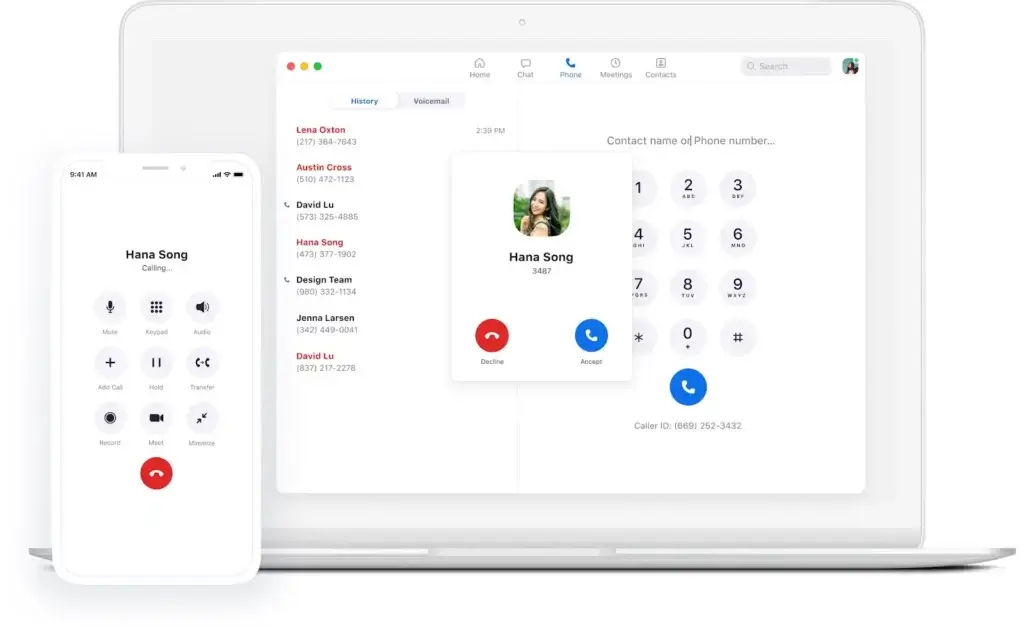
One of Zoom Phone’s practical advantages is the ability to make and receive calls across desktop apps, mobile apps, web access, and supported hardware. That makes it a good fit for remote teams, field staff, and hybrid organizations that do not want communications tied to a single desk. It also helps IT teams because they can support a mix of softphones, desk phones, common-area devices, and mobile-first users under one admin structure.
Integrations and workflow compatibility
Zoom Phone integrates with major business systems including Salesforce, Zendesk, Slack, Microsoft Teams, Google, and Zoom Contact Center, while the broader Zoom App Marketplace gives buyers access to a much larger ecosystem. This is one of the areas where Zoom Phone feels more mature than newer VoIP providers. The integration story is not just theoretical, it is backed by a large marketplace and direct use cases for CRM, helpdesk, and communication workflows.
BYOC and hybrid migration paths
Zoom Phone is also stronger than many SMB-focused rivals when it comes to enterprise migration flexibility. Its BYOC option and support for hybrid deployment scenarios make it easier for larger organizations to move toward cloud telephony without replacing every carrier relationship or legacy system at once. That will not matter to every small business, but it is a major plus for enterprises or multinational teams with more complex telecom environments.
Pros and Cons
Advantages and Disadvantages
Pros
✅ Strong Zoom ecosystem fit
✅ Global plan flexibility
✅ Mature integrations
✅ Easy hybrid and remote deployment
✅ Optional advanced analytics path
Cons
❌ Pricing is not as simple as some SMB tools
❌ Best experience often depends on the wider Zoom stack
❌ Not the deepest option for call center operations
❌ Advanced capabilities may require upgrades
Zoom Phone has a lot going for it, but it is not automatically the best choice for every business. Its biggest strengths show up when a company wants voice and collaboration under one roof, while its limitations become more obvious when buyers need deeper contact center functionality or the cheapest possible standalone VoIP setup.
✅ Strengths
- Strong Zoom ecosystem fit: If your team already lives in Zoom, adding Zoom Phone is one of the cleanest upgrades you can make.
- Global plan flexibility: Metered, regional unlimited, Global Select, and BYOC options make the platform more adaptable than many simpler VoIP rivals.
- Mature integrations: Zoom Phone connects with CRM, support, collaboration, and marketplace apps in a way that feels proven and scalable.
- Easy hybrid and remote deployment: Desktop, mobile, web, and hardware support make rollout easier across different work models.
- Optional advanced analytics path: The Customer Engagement Pack gives growing customer-facing teams more insight without requiring a full contact center move immediately.
❌ Weaknesses
- Pricing is not as simple as some SMB tools: The base plan may look attractive, but bundles, add-ons, and different license combinations can make evaluation less straightforward.
- Best experience often depends on the wider Zoom stack: If you do not already use Zoom Meetings or Zoom Workplace, some of the platform advantage becomes less meaningful.
- Not the deepest option for call center operations: Zoom Phone can support customer-facing teams well, but it is not the same as choosing a dedicated CCaaS platform like Five9 or Talkdesk.
- Advanced capabilities may require upgrades: Auto receptionists, call queues, analytics, and engagement-focused tools become more compelling as you move up the stack or add paid extras.
Overall, Zoom Phone is most attractive for businesses that want a serious business phone system with strong collaboration tie-ins, rather than a cheap virtual number tool or a full enterprise contact center platform.
Pricing
How Much Does Zoom Phone Cost?
Zoom Phone pricing is more layered than many small-business VoIP tools because it can be purchased as a standalone phone service or as part of Zoom Workplace bundles. Zoom currently promotes entry pricing starting at $10.50 per user per month, while the US and Canada Unlimited Phone + Workplace Basic bundle is shown from $16 per user per month billed annually. From there, pricing expands into higher Workplace bundles and larger enterprise packages.
Entry-level and bundled options
For many buyers, the first real comparison is not just metered versus unlimited calling, but standalone phone service versus bundled Zoom Workplace plans. If your team already uses Zoom heavily, the bundled route can make more sense because it combines voice, meetings, chat, and AI capabilities under one subscription model. If you only need telephony, a simpler license path may be enough, but that is not where Zoom Phone feels most differentiated.
Regional and global calling plans
Zoom Phone supports metered, regional unlimited, and Global Select calling models. Regional unlimited plans are useful for businesses with predictable in-country or in-region calling needs, while Global Select is more attractive for multinational organizations that want more consistent domestic calling support across supported countries. This flexibility is one of the better reasons to shortlist Zoom Phone over smaller rivals that offer less international planning depth.
Customer Engagement Pack and enterprise upgrades
Businesses that need more analytics, queue visibility, and customer-facing workflow tools should expect to look at add-ons such as the Customer Engagement Pack, which replaced the old Power Pack naming. Larger organizations may also end up evaluating enterprise bundles, support upgrades, and other Zoom Workplace entitlements. In other words, Zoom Phone pricing works best when matched to business complexity, not just compared at the headline entry rate.
Pricing overview table
| Plan / Approach | Published Starting Point | Best For |
| Zoom Phone entry pricing | From $10.50 per user/month | Businesses wanting a lower-cost entry into Zoom Phone |
| US & CA Unlimited Phone + Workplace Basic | From $16 per user/month billed annually | Teams wanting unlimited domestic calling plus basic Zoom Workplace access |
| Pro Plus Phone + Workplace Pro | Higher bundle tier | Teams wanting broader collaboration and AI features with Zoom Phone |
| Business Plus / Enterprise options | Custom or higher-tier pricing | Growing and enterprise organizations needing deeper capabilities and support |
How to choose the right pricing path
If you already use Zoom Meetings and want your phone system to live in the same environment, a Zoom Workplace bundle is usually the more logical option. If your company only needs telephony and wants the lowest starting cost, a simpler calling-plan path may be enough. For larger businesses, the real pricing conversation should include global calling needs, admin requirements, and whether the Customer Engagement Pack or contact center capabilities will eventually matter.
Implementation tips
- Map current Zoom usage: If your users already depend on Zoom, bundling can improve both value and adoption.
- Check calling geography: Zoom Phone is more compelling when you actually benefit from its regional or global options.
- Model add-ons early: If you need advanced queue analytics or engagement features, do not compare only the base rate.
- Separate phone from contact center needs: If your use case is true CCaaS, Zoom Phone alone may not be the final answer.
User Experience
Ease of Use & Setup
Familiar interface and low adoption friction
Ease of use is one of Zoom Phone’s clearest advantages. Businesses do not need to train users on an entirely new communication environment if they already know Zoom. The phone experience feels like a natural extension of the Zoom app, which lowers resistance to rollout and helps non-technical teams start using the system quickly.
Admin experience and provisioning
Zoom’s technical documentation points to a fairly robust admin model for managing users, devices, permissions, roles, reporting, and sites. That matters because Zoom Phone serves both small teams and more complex organizations. It can handle straightforward deployments well, but it also has enough admin structure to support organizations that need more formal telecom control.
Where setup may feel more complex
The main caveat is that Zoom Phone’s flexibility can create a more layered setup experience than ultra-simple SMB phone tools. Choosing between bundles, calling plans, roles, phone numbers, add-ons, and deployment models requires more planning than just buying a single business number app. For many organizations, that is a worthwhile tradeoff. For very small teams, it may feel like more platform than they actually need.
Integrations & Compatibility
How Zoom Phone Integrates with Other Tools
CRM and support integrations
Zoom Phone integrates with important business systems such as Salesforce and Zendesk, which is especially valuable for sales teams and support operations that want calling activity tied to customer records. The Salesforce integration supports features like in-app calling, click-to-dial, call logging, and call history, which are exactly the features most customer-facing teams care about in practice.
Collaboration and productivity ecosystem
Zoom Phone also connects with Slack, Microsoft Teams, Google services, Zoom Contact Center, and the broader Zoom App Marketplace. This gives businesses plenty of room to build workflows around the phone system rather than treating it as an isolated telecom product. It is one of the stronger arguments in Zoom Phone’s favor versus more limited or younger competitors.
Developer and enterprise flexibility
Zoom also supports API-based extensibility and hybrid integration scenarios, which makes the product more credible for larger IT environments. That is not a headline feature for every buyer, but it does strengthen Zoom Phone’s position for organizations that want communications embedded into broader internal systems or migration strategies.
Customer Support
How Good is Zoom Support
Standard support and self-service resources
Zoom provides a broad support framework including its knowledge base, community resources, and digital support channels. For many businesses, especially smaller teams, those self-service options will cover the basics. Because Zoom is a mainstream platform with a large installed base, finding documentation and community guidance is generally easier than with lesser-known VoIP vendors.
Premier support options for larger organizations
For organizations that need faster response times, prioritized help, and deeper technical coverage, Zoom offers Premier Support tiers. This is a meaningful plus for larger teams because communications downtime is more serious than downtime in many other SaaS categories. It also reinforces Zoom Phone’s enterprise credibility, even if smaller businesses will not always need premium support packages.
Reliability considerations
Zoom has also publicly highlighted an available SLA of up to 99.999% and local survivability options in its Zoom Phone reliability messaging. That does not mean every deployment will experience perfect uptime, but it does show that Zoom is positioning phone reliability as a serious enterprise topic, not just a marketing add-on.
Best Use Cases
Ideal Use Cases & Industries
Best use cases
Zoom Phone makes the most sense for businesses that want one communications platform for voice, meetings, and collaboration. The strongest use cases include:
- Existing Zoom customers: Businesses already using Zoom Meetings or Zoom Workplace
- Hybrid and remote teams: Organizations that need calling across desktop, mobile, and distributed environments
- Multi-location businesses: Companies that need centralized routing and number management
- International organizations: Teams that benefit from regional unlimited, Global Select, or BYOC options
- Customer-facing departments: Teams that need call queues, reception flows, analytics, and CRM connectivity
Who may need something else
Zoom Phone is less ideal for businesses that want a bare-bones low-cost phone line with minimal platform overhead, or for companies that primarily need a dedicated contact center rather than a business phone system. Those buyers may be better served by a simpler SMB VoIP vendor or by moving directly into a CCaaS platform.
Alternatives & Competitors
How Zoom Phone Compares to Alternatives
Zoom Phone competes in a crowded market, but its real differentiator is not just telephony. It is the ability to combine business calling with the rest of the Zoom workplace experience.
RingCentral
RingCentral is one of the closest and strongest alternatives. It is often the better fit for buyers who want a more traditional enterprise UCaaS leader with long-standing telephony depth. Zoom Phone, however, feels cleaner and more natural for teams already invested in Zoom’s collaboration ecosystem.
Nextiva
Nextiva is a solid option for businesses that want communications paired with customer experience positioning and service-oriented workflows. Compared with Nextiva, Zoom Phone usually has the stronger advantage in meeting and collaboration integration, while Nextiva may appeal more to businesses thinking in terms of broader customer communication operations.
Dialpad
Dialpad is one of the more relevant modern alternatives because it also combines cloud calling with AI features and a clean interface. Dialpad often feels more voice-first, while Zoom Phone feels more platform-first. If your business already centers communication around Zoom, Zoom Phone usually makes more strategic sense.
Microsoft Teams Phone
Microsoft Teams Phone is the most direct alternative for organizations already standardized on Microsoft 365 and Teams. The decision between these two often comes down less to raw phone features and more to which broader ecosystem your company wants to live in. For Zoom-first organizations, Zoom Phone is the better and more natural choice. For Microsoft-first organizations, Teams Phone may be harder to displace.
Zoom Phone Alternatives Comparison Table
| Provider | Best For | Main Strength | Potential Limitation |
| Zoom Phone | Businesses that want calling inside the Zoom ecosystem | Unified phone, meetings, chat, and strong global flexibility | Best value is tied to wider Zoom usage |
| RingCentral | Organizations wanting mature UCaaS depth | Established enterprise communications platform | Can feel heavier and less streamlined |
| Nextiva | Service-focused businesses and CX-minded teams | Strong business communications and customer-facing positioning | Less natural if your company already runs on Zoom |
| Dialpad | Teams wanting modern AI-first calling | Clean voice-first experience with strong AI appeal | Less ecosystem advantage for Zoom-centric companies |
| Microsoft Teams Phone | Microsoft 365-first organizations | Deep fit inside the Microsoft collaboration stack | Less compelling for Zoom-first businesses |
Conclusion
Final Thoughts
Zoom Phone is one of the most sensible business phone systems for organizations that want voice calling to sit inside a broader collaboration platform rather than in a separate telecom product. Its strongest advantages are ecosystem fit, ease of use, global flexibility, integration maturity, and the fact that it works well for modern hybrid teams. It is not just a VoIP line, it is part of a wider communications strategy.
That said, Zoom Phone is not automatically the best option for every business. Smaller teams that only want a simple virtual number may find the platform broader than necessary, and contact-center-heavy organizations may eventually need more than Zoom Phone alone. But for companies that already use Zoom, or want a unified communications foundation that handles phone, meetings, messaging, and collaboration together, Zoom Phone is a very strong shortlist candidate.
If your priority is replacing an old PBX with something cloud-based, flexible, and familiar, Zoom Phone is easy to recommend. If your priority is deeper CCaaS functionality, more specialized outbound sales tooling, or a non-Zoom ecosystem, you may still want to compare it closely against RingCentral, Nextiva, Dialpad, or Microsoft Teams Phone before making the final decision.
Frequently Asked Questions
Have more questions?
What is Zoom Phone?
Zoom Phone is a cloud-based business phone system that provides VoIP calling, SMS, voicemail, call routing, and admin tools inside Zoom Workplace.
Is Zoom Phone the same as Zoom Meetings?
No. Zoom Meetings is the video conferencing product, while Zoom Phone is the cloud telephony product. They work together inside the same broader Zoom ecosystem.
How much does Zoom Phone cost?
Zoom currently promotes Zoom Phone pricing starting at $10.50 per user per month, while the US and Canada Unlimited Phone + Workplace Basic bundle starts at $16 per user per month billed annually.
Does Zoom Phone support international calling?
Yes. Zoom Phone supports metered, regional unlimited, and Global Select calling models, plus BYOC options for organizations with more complex global requirements.
Is Zoom Phone good for small businesses?
Yes, especially for small businesses already using Zoom. It is also a good fit for hybrid teams that want calling, meetings, and chat in one interface.
Does Zoom Phone include call queues and auto attendants?
Yes. Zoom Phone supports auto receptionists and call queues, though the most capable setup depends on the license and plan configuration you choose.
What is the Customer Engagement Pack?
The Customer Engagement Pack is Zoom Phone’s renamed Power Pack add-on. It adds more advanced analytics, queue visibility, and customer-facing workflow features.
Does Zoom Phone integrate with Salesforce and Zendesk?
Yes. Zoom Phone supports integrations with Salesforce, Zendesk, Slack, Microsoft Teams, and many more apps through the Zoom App Marketplace.
Is Zoom Phone better than RingCentral?
It depends on your environment. Zoom Phone is often the better option for Zoom-centric organizations, while RingCentral may be stronger for buyers prioritizing longstanding UCaaS depth.
Who should choose Zoom Phone?
Businesses that want a unified cloud phone system inside a broader collaboration platform should strongly consider Zoom Phone, especially if they already use Zoom Meetings or Zoom Workplace.