
Introduction
Why Accounting Software Features Matter
Choosing the right software starts with knowing what to look for. That is where this guide to the key features of accounting software can help you make a smarter decision in 2026.
Accounting software is no longer just a digital ledger. The best platforms help you manage cash flow, automate repetitive work, reduce manual errors, and keep your financial records audit-ready.
Whether you are a freelancer, small business owner, growing company, or finance leader managing multiple entities, the features inside your accounting system can shape how efficiently you operate.
The challenge is that not every business needs the same feature set. A solo consultant may care most about invoicing, expense tracking, and tax reports. A product-based company needs inventory, COGS tracking, and sales tax support. A scaling finance team may need multi-entity consolidation, workflow approvals, security controls, and advanced reporting.
In this guide, you will learn the most important accounting software features to look for, how each one supports your financial workflow, and which features matter most based on your business model.
What Is Accounting Software?
Accounting software is a digital system that helps you record, organize, report, and analyze your financial activity. It can manage core accounting tasks such as invoicing, expense tracking, bank reconciliation, accounts payable, accounts receivable, payroll entries, tax reports, and financial statements.
At a basic level, accounting software replaces spreadsheets and manual bookkeeping. At a more advanced level, it becomes the financial operating system for your business.
The right platform gives you a reliable source of truth for your numbers. Instead of switching between bank accounts, invoices, receipts, payroll reports, and spreadsheets, you can manage financial data in one connected system.
That matters because your accounting software affects more than bookkeeping. It influences cash flow decisions, tax preparation, budget planning, vendor payments, customer collections, and management reporting.
Quick Summary
Key Features of Accounting Software
Before going into each feature in detail, here is a quick overview of the accounting software features that matter most for most businesses.
| Feature | What It Does | Why It Matters |
| Core Accounting | Manages the general ledger, chart of accounts, AP, AR, and journal entries | Creates the financial foundation for accurate bookkeeping |
| Bank Reconciliation | Matches bank transactions to invoices, bills, and records | Saves time and helps catch errors early |
| Invoicing and Billing | Creates invoices, recurring bills, payment links, and reminders | Improves cash flow and speeds up collections |
| Accounts Payable and Receivable | Tracks money owed to vendors and money owed by customers | Improves working capital control |
| Expense Tracking | Captures receipts, categorizes spend, and syncs expenses | Improves tax readiness and spending visibility |
| Financial Reporting | Generates P&L, balance sheet, cash flow, and custom reports | Helps you make decisions based on accurate numbers |
| Budgeting and Forecasting | Compares actual results against budgets and future scenarios | Supports better planning and cash flow management |
| Inventory and COGS | Tracks stock, reorder points, and cost of goods sold | Improves margin accuracy for product-based businesses |
| Tax Compliance | Tracks sales tax, VAT, GST, tax forms, and audit records | Reduces filing risk and improves compliance |
| Automation and AI | Automates categorization, approvals, reminders, and reporting tasks | Reduces manual work and improves consistency |
| Security and Controls | Manages permissions, audit trails, backups, and approvals | Protects sensitive financial data |
| Mobile and Cloud Access | Lets you manage finances from any device | Supports remote work and real-time collaboration |
Core Accounting, General Ledger, and Chart of Accounts
Why It Matters: Your accounting software is only as useful as the financial structure behind it.
Before looking at automation, dashboards, or mobile apps, you need to make sure the platform can handle the accounting basics properly.
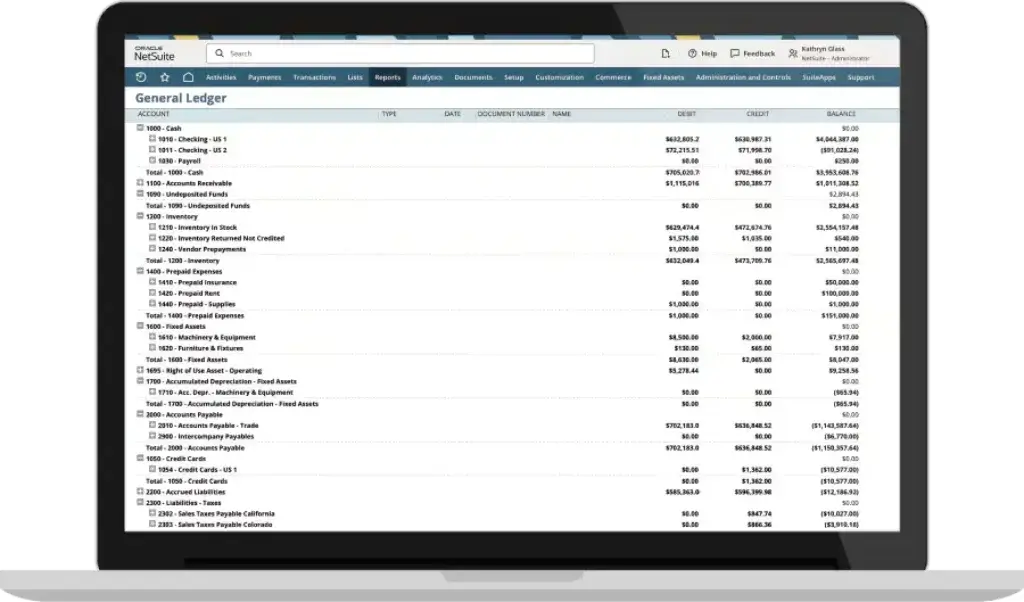
The general ledger is the central record of your business finances. It organizes all transactions into accounts such as revenue, expenses, assets, liabilities, and equity. The chart of accounts gives structure to those records, making it possible to produce accurate reports.
Good accounting software should support double-entry accounting, journal entries, account reconciliation, and accountant access. This is especially important if you want your books to follow generally accepted accounting practices and remain clean enough for tax preparation, financing, or audits.
What to Look For:
- General ledger and chart of accounts management
- Double-entry accounting support
- Accounts payable and accounts receivable tracking
- Manual and recurring journal entries
- Accountant or bookkeeper access
- Clean export options for financial records
How This Helps You:
- Keeps your books accurate and structured
- Makes financial reports more reliable
- Reduces the risk of messy year-end cleanup
- Gives your accountant better visibility into your records
Pro Tip: If you are moving from spreadsheets, start by checking whether the software lets you customize the chart of accounts. This gives you more control over how revenue, expenses, departments, and projects are reported.
Automated Bank Feeds and Reconciliation
Why It Matters: Saves time, reduces manual entry, and catches errors early.
Manual bank reconciliation is one of the most repetitive parts of bookkeeping. You need to compare transactions in your accounting records against your bank and credit card activity. If done manually, this can take hours and create room for mistakes.
Automated bank feeds solve this problem by pulling transactions directly from your connected bank accounts and credit cards. Your software can then suggest matches against invoices, bills, receipts, and expense entries.
This feature is especially useful for businesses with frequent transactions. Instead of waiting until month-end, you can keep your records updated throughout the week.
Tools like QuickBooks Online, Xero, and Zoho Books are strong examples of platforms that support automated bank feeds and reconciliation workflows.
What to Look For:
- Secure bank and credit card connections
- Automatic transaction imports
- Suggested matches for invoices and bills
- Custom bank rules for recurring transactions
- Duplicate transaction detection
- Reconciliation reports for month-end review
How This Helps You:
- Reduces manual transaction entry
- Improves cash flow visibility
- Helps identify missing or duplicate transactions
- Makes month-end close faster
Pro Tip: Set bank rules carefully. If rules are too broad, the system may categorize transactions incorrectly, which can affect reports and tax categories.
Invoicing and Billing Tools
Why It Matters: Late invoices and weak payment follow-up can create serious cash flow pressure.
Invoicing is one of the most important accounting software features for small businesses, freelancers, agencies, and service providers. A strong invoicing system helps you create professional invoices, send them quickly, track payment status, and follow up automatically.
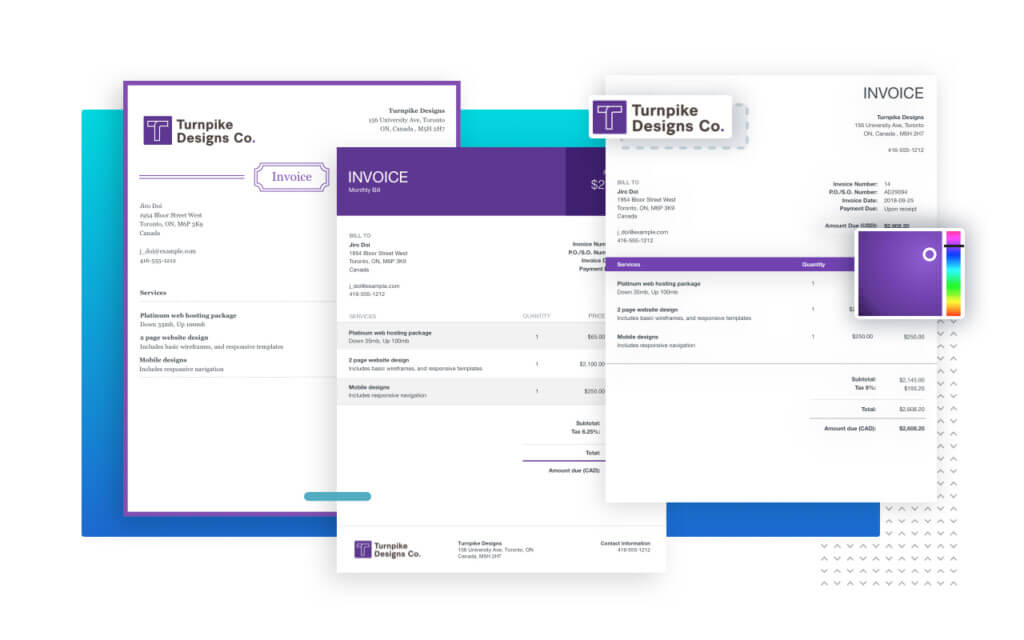
The best tools let you customize invoice templates, add payment links, charge late fees, send recurring invoices, and automate reminders. This reduces the manual work of chasing payments and helps you collect revenue faster.
For service-based businesses, invoicing should also connect with time tracking, estimates, proposals, and project billing. For product-based businesses, invoices should connect to sales orders, inventory, and sales tax calculations.
FreshBooks is especially strong for service businesses that rely on invoicing and time tracking. Xero and Zoho Books also offer strong invoicing workflows for small businesses.
What to Look For:
- Custom invoice templates
- Recurring invoices and retainers
- Online payment links
- Automatic payment reminders
- Late fee support
- Invoice status tracking
How This Helps You:
- Improves collection speed
- Reduces manual follow-ups
- Creates a more professional client experience
- Makes revenue easier to forecast
Accounts Payable and Accounts Receivable
Why It Matters: Strong AP and AR controls help you manage money going out and money coming in.
Many businesses focus on invoicing and expenses but overlook the importance of accounts payable and accounts receivable. These two areas have a major impact on cash flow.
Accounts payable helps you manage vendor bills, approval workflows, due dates, payment schedules, and outstanding obligations. Accounts receivable helps you track customer invoices, overdue balances, payment history, and collection activity.
If your AP and AR processes are weak, you may pay vendors late, miss early payment discounts, overlook overdue customer balances, or struggle to understand your short-term cash position.
For growing companies, AP and AR features become even more important. You may need approval rules, vendor records, bill attachments, purchase orders, payment batches, customer statements, and aging reports.
What to Look For:
- Vendor bill management
- Customer invoice aging reports
- Approval workflows for bills
- Payment scheduling and reminders
- Purchase order matching
- Customer statements and collection tracking
How This Helps You:
- Improves working capital visibility
- Helps prevent missed vendor payments
- Makes overdue customer balances easier to manage
- Supports stronger internal controls
Pro Tip: If your business handles many vendor bills, consider whether you need dedicated AP automation tools such as Tipalti, Stampli, or Plooto alongside your accounting platform.
Expense Tracking and Receipt Capture
Why It Matters: Gives you a cleaner, real-time view of business spending.
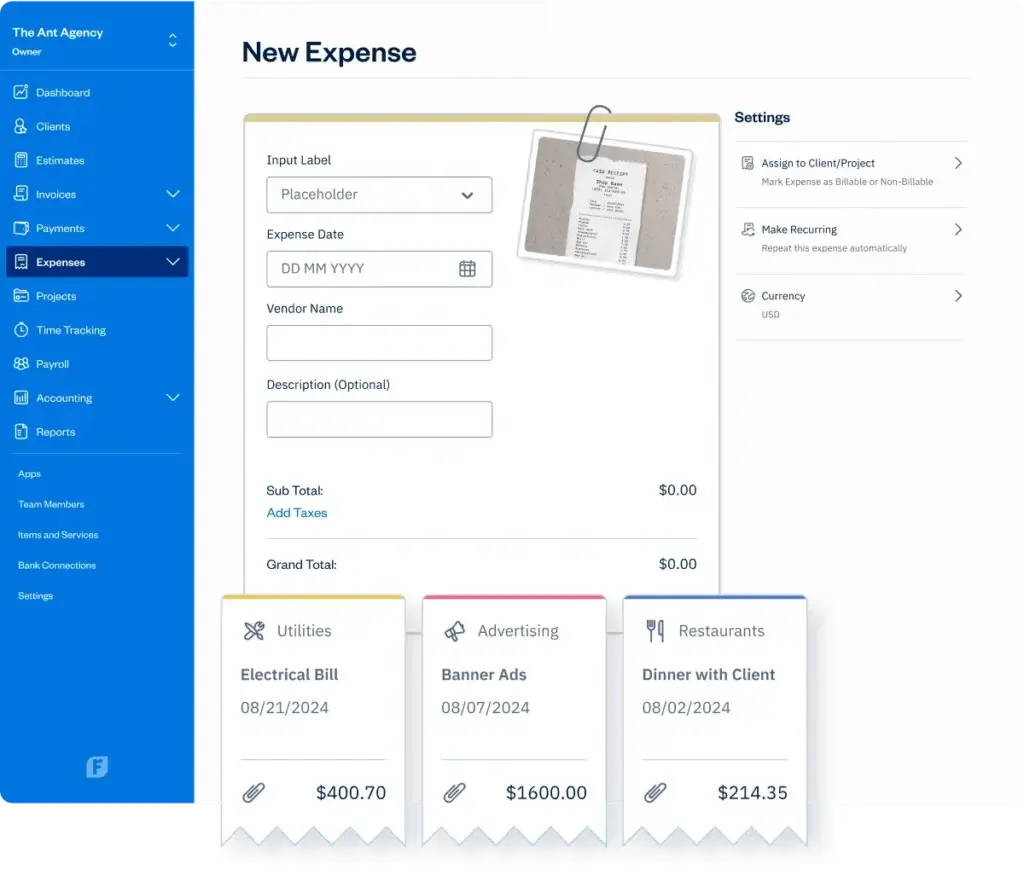
Expense tracking helps you understand where your money is going. It also makes tax preparation easier because your receipts, categories, and supporting documents are stored in one place.
Modern accounting software often includes mobile receipt capture. You can upload a receipt, let the system read it with OCR, and match it to the related bank transaction.
This is useful for travel, meals, office supplies, subscriptions, software tools, and reimbursable expenses. It also helps reduce the risk of missing deductions because receipts are captured closer to the time of purchase.
Tools like QuickBooks Online, Zoho Books, and Wave are common options for expense tracking and receipt capture.
What to Look For:
- Mobile receipt scanning
- Expense categorization rules
- Receipt attachment storage
- Employee expense claims
- Reimbursable expense tracking
- Syncing with bank transactions
How This Helps You:
- Improves spending visibility
- Supports tax-ready documentation
- Reduces lost receipts
- Makes reimbursements easier to manage
Reporting and Dashboards
Why It Matters: Good reporting turns financial data into business insight.
Your accounting software should make it easy to understand your financial position without waiting for a manual spreadsheet update.
At a minimum, you should be able to generate three core financial statements: the Profit and Loss statement, the Balance Sheet, and the Cash Flow Statement.
Each report answers a different question. The Profit and Loss statement shows whether your business is profitable. The Balance Sheet shows what you own and owe. The Cash Flow Statement shows whether you have enough liquidity to pay bills, payroll, taxes, and vendors.
More advanced platforms allow you to filter reports by department, location, project, class, customer, product line, or subsidiary. This is especially useful if your business has multiple revenue streams or cost centers.
What to Look For:
- Profit and Loss, Balance Sheet, and Cash Flow reports
- Custom dashboards and KPIs
- Report filters by department, project, or location
- Scheduled report delivery
- Drill-down transaction details
- Export options for Excel or PDF
How This Helps You:
- Improves decision-making
- Helps detect financial issues early
- Makes accountant and stakeholder reporting easier
- Reduces reliance on manual spreadsheets
Pro Tip: For growing businesses, look beyond basic reports. Tools like NetSuite, Sage Intacct, and Microsoft Dynamics 365 are often stronger for multi-dimensional reporting.
Budgeting and Forecasting
Why It Matters: Helps you plan ahead instead of only looking backward.
Accounting software should not only tell you what happened last month. It should help you understand what may happen next.
Budgeting tools let you set targets for revenue, expenses, hiring, marketing, payroll, inventory, and other business costs. Forecasting tools help you estimate future cash flow based on historical performance and assumptions.
This matters because profitable businesses can still run into cash flow problems. A forecast can help you prepare for seasonal dips, expansion costs, tax payments, loan obligations, or hiring plans.
For small businesses, basic budgeting may be enough. For growing companies, you may need scenario planning, rolling forecasts, departmental budgets, and variance reports.
What to Look For:
- Monthly and annual budget creation
- Actual vs. budget reporting
- Cash flow forecasting
- Scenario planning
- Department or project budgets
- Variance alerts
How This Helps You:
- Improves financial planning
- Helps identify overspending
- Supports hiring and growth decisions
- Gives lenders and investors more confidence
Inventory Management and COGS Tracking
Why It Matters: Product-based businesses need accurate inventory data to understand margins.
If you sell physical products, inventory management is one of the most important accounting software features. Without it, you may struggle to understand stock levels, product costs, gross margin, and reorder timing.
Inventory features help you track SKUs, quantities, purchase costs, sales orders, stock adjustments, and cost of goods sold. This directly affects your Profit and Loss statement because COGS influences gross profit.
The right software can help you avoid overstocking, stockouts, and inaccurate margin reporting. Some platforms also support reorder points, warehouse tracking, serial numbers, batch tracking, and inventory valuation methods.
Zoho Books, QuickBooks, Odoo, and NetSuite are examples of tools that may fit inventory-heavy businesses, depending on company size and complexity.
What to Look For:
- Real-time stock tracking
- SKU and product catalog management
- Low-stock alerts and reorder points
- COGS tracking
- FIFO, LIFO, or weighted average costing
- Sales order and purchase order support
How This Helps You:
- Improves gross margin accuracy
- Reduces stockouts and overbuying
- Connects sales activity with accounting records
- Helps product businesses make better purchasing decisions

Time Tracking and Project Accounting
Why It Matters: Helps service businesses understand billing accuracy and project profitability.
If you bill by the hour, manage client projects, or track work by job, time tracking and project accounting are essential.
Time tracking lets you capture billable and non-billable hours. Project accounting connects those hours to revenue, labor cost, expenses, budgets, and profitability.
This is especially valuable for consultants, agencies, professional services firms, contractors, and businesses that need job costing.
For example, a project may look profitable based on invoice value, but once you include team hours, subcontractor costs, software expenses, and scope changes, the actual margin may be much lower.
What to Look For:
- Built-in time tracking
- Billable and non-billable hour tracking
- Timesheet-to-invoice conversion
- Project budgets and cost tracking
- Project-level profitability reports
- Expense allocation by client or project
How This Helps You:
- Prevents underbilling
- Shows which projects are profitable
- Improves client billing transparency
- Helps identify scope creep earlier
Pro Tip: If you run a service business, do not evaluate accounting software only by invoicing features. Look closely at how well it tracks time, expenses, and profitability by client or project.
Tax Compliance and Audit Trails
Why It Matters: Accurate tax records and audit logs reduce compliance risk.
Tax compliance is one of the main reasons businesses invest in accounting software. The right platform can help calculate sales tax, VAT, GST, payroll tax entries, tax reports, and transaction histories.
Tax features vary significantly by country and region. A tool that works well for a US-based company may not support the same VAT, GST, or statutory reporting requirements in another market.
Audit trails are just as important. They show who changed a transaction, what changed, and when the change happened. This helps protect your business during audits and strengthens internal accountability.
For larger teams, audit trails also support internal controls. If multiple users can create bills, approve payments, edit journal entries, or change vendor records, you need visibility into that activity.
What to Look For:
- Sales tax, VAT, or GST tracking
- Tax form and report generation
- Audit trails with user history
- Transaction change logs
- Tax software integrations
- Document attachments for audit support
How This Helps You:
- Reduces tax preparation stress
- Improves compliance readiness
- Protects your financial records from unauthorized changes
- Creates cleaner documentation for accountants and auditors
Multi-Currency, Multi-Entity, and Global Compliance
Why It Matters: International and multi-entity businesses need more than basic bookkeeping.
If you sell internationally, pay global vendors, or operate in more than one legal entity, you need stronger accounting functionality.
Multi-currency support helps you send invoices, record bills, accept payments, and report balances in different currencies. It should also handle exchange rate updates and realized or unrealized gains and losses.
Multi-entity accounting goes further. It helps businesses manage multiple subsidiaries, locations, or legal entities inside one financial system. This can include intercompany transactions, consolidation, eliminations, and entity-level reporting.
Small business tools may offer basic multi-currency support. More advanced systems like NetSuite, Sage Intacct, and Microsoft Dynamics 365 are generally better suited for multi-entity structures.
What to Look For:
- Multi-currency invoices and bills
- Automatic exchange rate updates
- Foreign currency gain and loss tracking
- Multi-entity consolidation
- Intercompany transaction support
- Country-specific tax and reporting support
How This Helps You:
- Improves international transaction accuracy
- Supports expansion into new markets
- Reduces manual consolidation work
- Gives leadership clearer global financial visibility
Payroll Integration
Why It Matters: Payroll affects expenses, liabilities, taxes, and cash flow.
Payroll is one of the areas where manual data entry can create costly accounting errors. If payroll is disconnected from your accounting software, you may need to manually post wage expenses, employer taxes, benefits, deductions, and payroll liabilities.
A good payroll integration syncs payroll activity into your books automatically. This reduces duplication and helps keep your financial reports accurate after every pay cycle.
Some accounting platforms offer built-in payroll. Others connect with payroll providers such as Gusto, ADP, Paychex, or region-specific payroll systems.
What to Look For:
- Automatic payroll journal entries
- Employee and contractor payment tracking
- Payroll tax support
- Direct deposit integration
- PTO and benefits syncing
- Payroll liability tracking
How This Helps You:
- Reduces payroll posting errors
- Keeps wage expenses current
- Improves tax and liability reporting
- Saves time every pay period
AI and Intelligent Automation
Why It Matters: AI can reduce repetitive accounting work and help finance teams spot issues faster.
AI is becoming a bigger part of modern accounting software. While it does not replace accounting judgment, it can help automate repetitive tasks and improve visibility.
Common AI-assisted features include transaction categorization, receipt reading, duplicate detection, anomaly alerts, invoice matching, cash flow forecasting, and report summaries.
For small businesses, AI can reduce bookkeeping admin. For larger finance teams, intelligent automation can support faster close cycles, better approval workflows, and stronger anomaly detection.
The key is to treat AI as a productivity layer, not a substitute for financial review. You still need proper controls, accurate categories, accountant oversight, and approval workflows.
What to Look For:
- AI-powered transaction categorization
- Receipt OCR and automatic data extraction
- Duplicate invoice or payment detection
- Cash flow forecasting assistance
- Anomaly alerts for unusual transactions
- AI-assisted reporting or summaries
How This Helps You:
- Reduces repetitive bookkeeping work
- Helps identify unusual financial activity
- Improves forecasting and reporting speed
- Supports a faster month-end close
Pro Tip: When reviewing AI features, ask whether the system explains its suggestions. Transparent recommendations are easier to review than a black-box automation that simply changes categories.
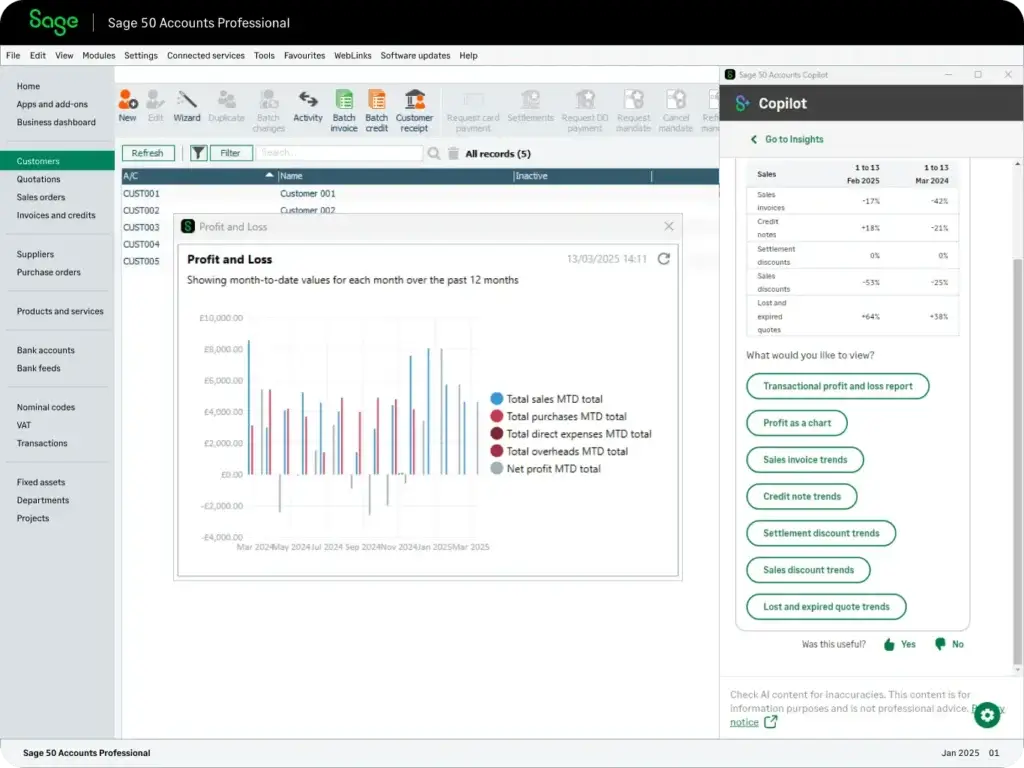
Security
Why It Matters: Your accounting data includes some of the most sensitive information in your business.
Accounting software contains bank details, vendor information, customer records, payroll data, tax reports, financial statements, and payment history. That makes security a core feature, not an optional extra.
At a minimum, your platform should support secure login, two-factor authentication, encrypted data, automatic backups, user permissions, and audit logs.
For growing teams, role-based permissions are especially important. Not every user should be able to edit bank details, approve bills, delete transactions, or access payroll information.
Larger companies should also look for approval workflows, segregation of duties, audit trails, and compliance support. These controls help prevent fraud, reduce unauthorized changes, and make audits easier to manage.
What to Look For:
- Two-factor authentication
- Role-based permissions
- Audit logs and user activity tracking
- Approval workflows
- Data encryption and secure backups
- SOC 2, ISO 27001, GDPR, or relevant compliance support
How This Helps You:
- Protects sensitive financial data
- Reduces unauthorized access risk
- Improves accountability across finance workflows
- Supports stronger audit readiness
Mobile Access and Cloud Accessibility
Why It Matters: Cloud accounting gives you access to real-time financial data wherever work happens.
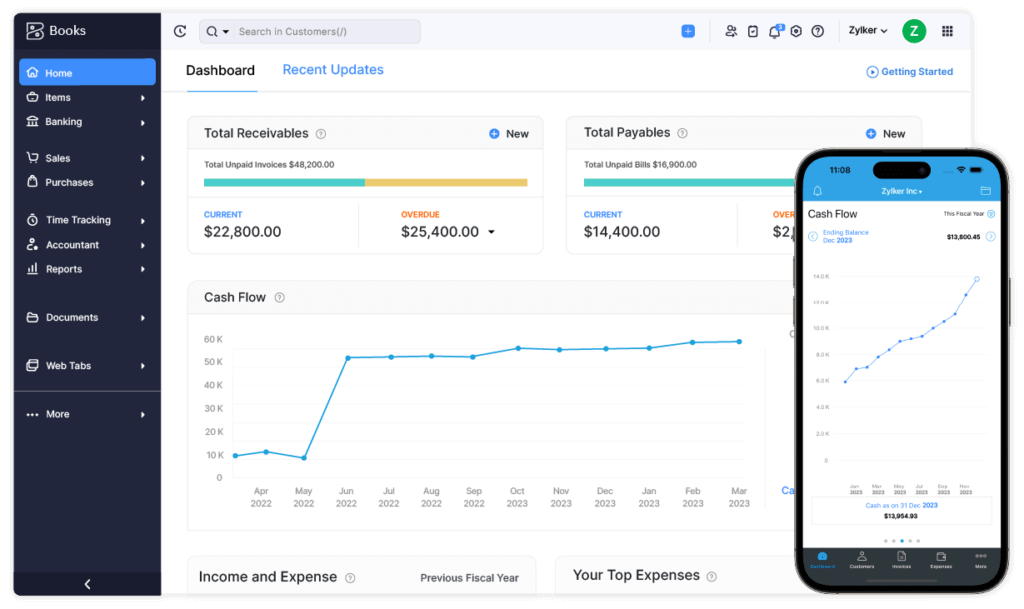
Cloud-based accounting software lets you access your books from a browser or mobile app. This is useful if you work remotely, travel often, collaborate with an accountant, or manage finances across locations.
Mobile access can help you send invoices, upload receipts, check balances, approve expenses, view dashboards, or review reports without waiting until you are back at your desk.
Cloud access also supports real-time collaboration. Your accountant, bookkeeper, or finance team can work from the same data instead of sending spreadsheets back and forth.
What to Look For:
- Browser-based access
- Mobile apps for iOS and Android
- Real-time syncing across devices
- Mobile receipt capture
- Cloud backup
- Accountant collaboration tools
How This Helps You:
- Keeps your books updated from anywhere
- Improves collaboration with advisors
- Reduces delays in financial admin
- Supports remote and hybrid teams
Basic vs Advanced Features
Not every business needs enterprise-level functionality from day one. The goal is to choose software that matches your current needs while giving you room to grow.
Basic accounting features usually cover the daily financial work needed by freelancers, small businesses, and early-stage companies. Advanced features are more important for growing businesses, multi-location teams, international companies, and finance departments with stricter reporting needs.
| Feature Level | Best For | Typical Features |
| Basic Accounting Features | Freelancers, solopreneurs, and small businesses | Invoicing, expenses, bank feeds, basic reports, tax summaries |
| Intermediate Accounting Features | Growing SMBs and service teams | AP, AR, payroll integration, time tracking, inventory, budgets |
| Advanced Accounting Features | Mid-market and enterprise finance teams | Multi-entity accounting, advanced approvals, revenue recognition, audit controls |
| Industry-Specific Features | Retail, SaaS, construction, nonprofits, and global companies | POS sync, subscription billing, job costing, fund accounting, global compliance |
How to Choose the Right Accounting Software Features for Your Business
The best accounting software is not always the platform with the longest feature list. It is the platform that fits your accounting workflow, business model, budget, and growth plans.
Start by identifying how money moves through your business. Do you invoice clients? Sell products? Manage projects? Pay contractors? Operate internationally? Need payroll? Handle multiple entities?
Your answers should guide your feature priorities.
Match Features to Your Business Type
| Business Type | Must-Have Features | Recommended Software Direction |
| Freelancers and Solopreneurs | Invoicing, expenses, time tracking, basic reports | FreshBooks, Wave, QuickBooks, Xero |
| Service-Based Businesses | Project accounting, billable time, recurring invoices, client reporting | FreshBooks, Xero, Zoho Books, QuickBooks |
| Retail and eCommerce Businesses | Inventory, sales tax, COGS, POS and payment integrations | QuickBooks, Zoho Books, Odoo, NetSuite |
| Growing SMBs | AP, AR, payroll, budgets, approval workflows, integrations | QuickBooks, Xero, Zoho Books, Sage, Microsoft Dynamics 365 |
| International Businesses | Multi-currency, tax localization, global reporting, entity controls | Xero, NetSuite, Sage Intacct, Microsoft Dynamics 365 |
| Mid-Market and Enterprise Teams | Multi-entity consolidation, advanced reporting, audit controls, automation | NetSuite, Sage Intacct, Microsoft Dynamics 365, SAP, Workday |
Other Factors to Consider
- Scalability: Will the software still work when transaction volume increases?
- Integrations: Does it connect to your CRM, payroll, POS, eCommerce, or payment tools?
- Ease of use: Can your team use it without constant accountant support?
- Controls: Can you limit who can edit, approve, or delete financial data?
- Reporting depth: Can you report by project, department, location, or entity?
- Support: Does the vendor offer onboarding, documentation, chat, phone, or partner support?
Common Mistakes to Avoid When Choosing Accounting Software
Choosing accounting software is a financial decision, not just a software decision. A low-cost tool can become expensive if it creates reporting gaps, manual work, or migration problems later.
Choosing Based Only on Price
Free or low-cost software can be a smart choice for very small businesses, but it may not include inventory, payroll, advanced reports, multi-currency, or strong support. Look at the total value, not only the monthly fee.
Ignoring Accountant Access
Your accountant or bookkeeper may need access to review transactions, make adjustments, and prepare reports. Choose software that makes collaboration easy.
Forgetting About Integrations
If your accounting software does not connect with your payment processor, payroll system, CRM, eCommerce store, or POS system, you may end up doing too much manual data entry.
Overlooking Security Controls
As your team grows, you need stronger permissions. A small business owner may be comfortable with full access, but a larger team needs role-based controls and approval workflows.
Buying Enterprise Software Too Early
Advanced platforms can be powerful, but they also require setup, training, and implementation support. Choose a system that matches your stage, not just your ambition.
Final Thoughts
The key features of accounting software go far beyond invoicing and expense tracking. A strong platform should help you manage core accounting, automate reconciliation, track AP and AR, generate reliable reports, support tax compliance, protect financial data, and scale with your business.
If you are a small business, focus first on usability, bank feeds, invoicing, expense tracking, reporting, and tax readiness. If you are growing, pay closer attention to payroll, inventory, project accounting, approvals, integrations, and forecasting.
If you manage multiple entities, international operations, or complex finance workflows, look for advanced reporting, multi-currency, audit controls, and automation depth.
The right accounting software should make your finances easier to understand, not harder to manage. Start with the features you need now, but choose a platform that can support the business you are building next.
Frequently Asked Questions
What are the key features of accounting software?
The key features of accounting software include core accounting, bank reconciliation, invoicing, expense tracking, accounts payable, accounts receivable, financial reporting, tax compliance, payroll integration, automation, security controls, and cloud access.
What is the most important accounting software feature for small businesses?
For most small businesses, the most important features are invoicing, expense tracking, bank reconciliation, financial reporting, and tax-ready records. These features help you manage cash flow, reduce manual work, and keep your books organized.
What is the difference between bookkeeping software and accounting software?
Bookkeeping software usually focuses on recording transactions, invoices, expenses, and bank activity. Accounting software often goes further with financial reports, tax tools, payroll integrations, budgeting, audit trails, and business analysis.
Why is bank reconciliation important in accounting software?
Bank reconciliation helps confirm that your accounting records match your bank activity. It helps catch missing transactions, duplicates, incorrect categories, and potential errors before they affect your financial reports.
Do I need accounts payable and accounts receivable features?
Yes, if you manage vendor bills or customer invoices. Accounts payable helps you track what you owe, while accounts receivable helps you track what customers owe you. Both are important for cash flow control.
What reports should accounting software include?
Accounting software should include a Profit and Loss statement, Balance Sheet, Cash Flow Statement, accounts receivable aging, accounts payable aging, tax reports, and general ledger reports. Growing businesses may also need project, department, or entity-level reporting.
Is cloud accounting software secure?
Reputable cloud accounting software uses security features such as encryption, secure backups, two-factor authentication, user permissions, and audit logs. You should still review each vendor’s security standards before choosing a platform.
What accounting software features are important for eCommerce?
eCommerce businesses should look for inventory tracking, sales tax support, payment integrations, COGS tracking, bank reconciliation, order syncing, and integrations with platforms such as Shopify, Amazon, WooCommerce, or POS systems.
What accounting software features are important for service businesses?
Service businesses should prioritize invoicing, recurring billing, time tracking, project accounting, expense tracking, client profitability reports, payment reminders, and integration with project management or CRM tools.
When should you move from basic accounting software to ERP?
You may need to move from basic accounting software to ERP when you manage multiple entities, complex inventory, international operations, advanced approvals, high transaction volume, or finance workflows that require stronger automation and controls.







