Introduction: Why Xero Still Gets Serious Attention
If you run a business, you already know accounting software can either save you time or create more friction. The right platform should help you stay close to cash flow, reduce manual work, and make reporting easier when decisions matter.
This is where Xero enters the conversation.
Xero remains one of the most recognizable cloud accounting platforms for small businesses, freelancers, and finance-conscious teams. Its strongest appeal is not just that it handles invoices, bills, reconciliation, and reporting. It is that it packages those tools in a system that feels modern, collaborative, and easier to adopt than many older accounting products.
That matters because accounting software is not only about compliance. It is also about operational clarity. If you can see what is overdue, what is profitable, and where cash pressure is building, you can respond faster and manage the business with more confidence.
In this updated review, you will see where Xero stands today, what has changed recently, where it shines, and where competitors may still be the better fit.
We will cover the areas that matter most when you are choosing accounting software:
- Ease of use and day-to-day workflow
- Core accounting and financial controls
- Automation, integrations, and ecosystem depth
- Pricing, add-ons, and real cost
- Security, compliance, and trust
- How it compares with top alternatives
By the end, you should have a clear answer on whether this platform fits your business, or whether you should look at other options in our Top Accounting Software guide.
Who Is Xero Best For?
See whether Xero matches your business stage and workflow
Xero is not trying to be everything for everyone. That is actually one of its strengths. It is best when you want modern cloud accounting with strong day-to-day usability, clean collaboration with your accountant, and enough automation to reduce repetitive finance admin.
✅ Best fit for:
- Small businesses that want a full accounting system without enterprise complexity
- Freelancers and consultants who need polished invoicing and expense visibility
- Agencies and service businesses that want project tracking and client billing
- International businesses that need multi-currency support on higher plans
- Accountant-led businesses that want collaboration without sending files back and forth
- Remote teams that need secure access from anywhere
If your priority is operational clarity, faster reconciliation, and a more collaborative accounting workflow, this platform makes a lot of sense.
🚫 Less ideal for:
- Very small businesses that want a truly free accounting platform
- U.S. businesses that want built-in native payroll as part of the core package
- Operations-heavy companies with complex inventory, manufacturing, or ERP needs
- Power users who need highly customized reporting at the lower end of the pricing ladder
- Users who prefer phone support instead of an online-first support model
💬 Practical example
A five-person creative agency can use it to send branded invoices, reconcile Stripe payments, track project costs, and give the external accountant direct access to live books. That is the type of use case where the platform feels especially strong.
Core Features
The accounting tools that matter most in real use
These are the capabilities that make the biggest difference in everyday finance work.
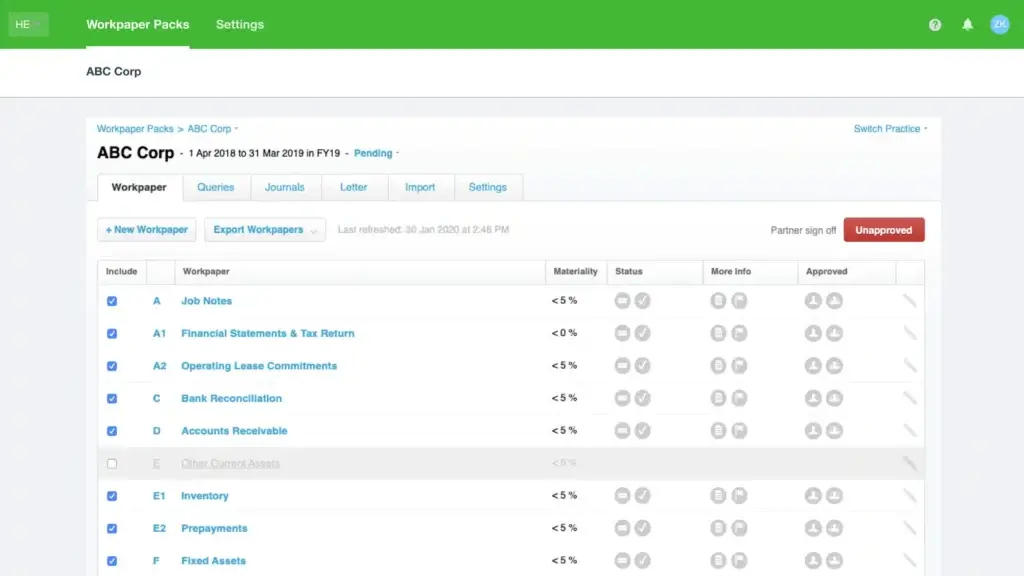
Xero’s feature set is broad enough to cover most small-business accounting needs, but its real advantage is how those features work together in one cloud-based workflow.
📄 Invoicing and quotes
You can create invoices quickly, customize them with your branding, and send them with payment links to reduce friction for customers. For many businesses, this is one of the first places where the platform saves real time.
- Quotes and invoices from the same workflow
- Recurring invoices for repeat billing
- Online payments through supported integrations
- Automatic reminders to reduce late payments
🔁 Bank feeds and reconciliation
This is one of Xero’s strongest areas. Reconciliation is fast, visual, and built to reduce repetitive manual work. If you have ever used an older accounting system, the difference here is noticeable.
- Automatic transaction imports from connected bank feeds
- Suggested matches for faster reconciliation
- Rules for repeat transactions
- Better visibility into cash movement as it happens
🧾 Bills, expenses, and spend visibility
Xero handles both supplier bills and expense workflows well, especially once you add the right modules or connected apps. For finance teams, this helps create a cleaner payables process and better spending oversight.
- Bill capture and due-date management
- Expense claims and reimbursement workflows
- Receipt capture through mobile tools
- Clearer control over who approves what
🌍 Multi-currency and international support
If you invoice or pay across borders, the higher tiers become more attractive. Multi-currency is one of the reasons internationally active businesses often shortlist Xero early.
- Foreign currency transactions on higher plans
- Cleaner international invoicing workflows
- Better fit for distributed teams and global clients
📱 Mobile access and on-the-go finance work
The mobile app is not just a lightweight companion. It covers practical tasks that matter when you are away from your desk.
- Invoice from mobile
- Capture receipts instantly
- Approve or review transactions on the go
- Stay close to cash flow without opening a laptop
📊 Reporting and dashboard visibility
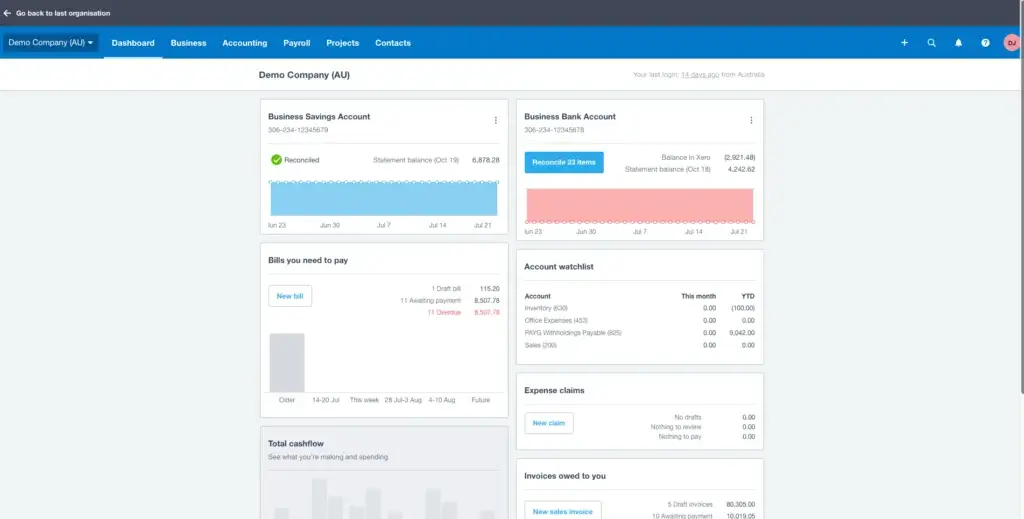
You get a live dashboard plus a strong core library of financial reports. For many small businesses, that is enough to monitor cash flow, profitability, aged receivables, and near-term performance without exporting data every time.
- Profit and loss, balance sheet, and cash flow reports
- Aged receivables and payables tracking
- Short-term cash flow visibility
- Real-time dashboard snapshots
What’s New in Xero
The biggest recent updates worth knowing
Xero has become more interesting over the last year because the product story is no longer only about bookkeeping. It is increasingly about automation, AI assistance, and bringing more financial workflow into one place.
JAX and AI workflows
Xero is actively expanding JAX, its AI business companion. The current positioning is not just chatbot support. It is aimed at helping you ask business questions, create quotes and invoices faster, and interact with Xero in a more conversational way.
Online bill payments in the U.S.
Xero has also rolled out online bill payments powered by Melio for U.S. customers. That matters because accounts payable has long been an area where many small businesses needed extra tools. Bringing bill payments into the accounting workflow is a meaningful improvement for U.S. finance teams.
Better document capture direction
Xero is also pushing further into AI-powered document capture and extraction. That move is especially relevant for firms that want less manual entry and a cleaner path from receipts and bills into the ledger.
The bigger story is simple: Xero is trying to become more of a finance operating hub, not just a bookkeeping tool.
Pros and Cons
The strengths are real, but so are the trade-offs
Positive
✅ Excellent bank reconciliation workflow
✅ Strong usability for non-accountants
✅ Unlimited users on core plans
✅ 1,000+ app ecosystem
✅ Good fit for accountants and collaboration
Negative
❌ No free core plan
❌ Some key features sit behind higher tiers or add-ons
❌ Online-first support will not suit everyone
❌ U.S. payroll still depends on partners
❌ Reporting depth can feel limited for advanced teams
No accounting platform is perfect, and this one is no exception. The right way to evaluate it is to look at whether its strengths match your operational priorities.
✅ What stands out positively
Banking workflow quality
Xero has built a reputation around reconciliation, and that reputation is deserved. For many small businesses, this is the feature that reduces the most admin time.
Usability without oversimplifying the product
The interface is approachable, but it still gives you a real accounting structure. That balance is not easy to get right.
Unlimited users on core plans
This is one of the clearest competitive advantages, especially when compared with platforms that increase cost as more people need access.
Deep ecosystem value
The app marketplace gives you plenty of room to extend the product without replacing it.
Strong accountant collaboration
If you work closely with an external accountant or bookkeeper, the collaboration model is a real practical benefit.
👎 Where it can fall short
No free entry point
If your business is very small or budget-sensitive, that will matter immediately.
Some features cost extra in the real world
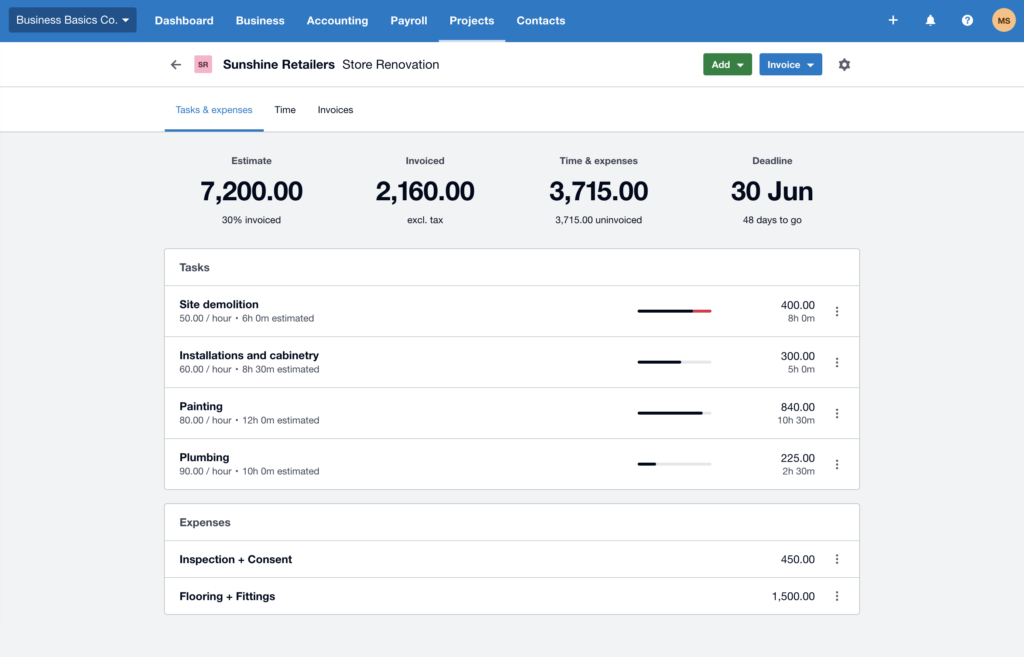
The headline subscription price is only part of the story. Projects, expenses, analytics, payment fees, and adjacent tools can raise the total cost.
U.S. payroll is not native in the same way as some rivals
For some businesses that is fine. For others, it is an unnecessary extra layer.
Not ideal for complex inventory or ERP-level needs
If you are moving toward advanced operational finance, you may eventually need something bigger.
Support model is not for everyone
If you want fast live phone help, the online-first approach may feel limiting.
User Experience
Where Xero feels polished, and where it still has friction
Xero’s interface is one of the main reasons it keeps showing up on shortlists. It looks cleaner than many legacy accounting tools, and it generally feels designed for modern users rather than only for trained bookkeepers.
Dashboard clarity
The dashboard is simple enough to scan but useful enough to guide daily action. You can move from high-level numbers into invoices, bills, or bank activity without getting lost.
Learnable for non-accountants
This is one of the product’s strongest advantages. You still need to understand basic finance concepts, but the product does not make routine accounting feel heavier than it needs to be.
Collaboration built into the workflow
Multi-user access is not treated like a premium luxury. That makes day-to-day collaboration with finance staff, founders, and accountants much easier.
Good mobile practicality
The mobile app supports real tasks, not just passive viewing. That is especially helpful for business owners approving expenses, checking cash movement, or sending invoices away from the office.
Some friction remains
The experience is strong overall, but advanced features are not always surfaced as clearly as beginners would like. That matches broader user feedback. Many people praise the ease of use, while others say advanced functions and deeper reporting are not always as intuitive to find.

Integrations and Ecosystem
A strong ecosystem is part of Xero’s value
Xero works best when you treat it as the accounting core of a broader business stack. That is one reason it keeps competing well. It does not need to own every workflow if it connects cleanly to the right tools.
App marketplace depth
More than 1,000 apps connect through the Xero App Marketplace, which gives you wide flexibility across payments, ecommerce, CRM, payroll, inventory, reporting, and practice tools.
Common integration categories
- Payments: Stripe, PayPal, Square
- Payroll: Gusto, ADP, Deel
- CRM and sales: HubSpot, Pipedrive, Salesforce
- Ecommerce: Shopify, WooCommerce, Amazon connectors
- Inventory and operations: Cin7, Unleashed, DEAR-style tools
- Automation: Zapier and other workflow platforms
Accountant ecosystem
Xero is also well-positioned for accountant collaboration. That matters because many small businesses do not buy accounting software for themselves alone. They buy it for the working relationship between the owner, the finance team, and the advisor.
Why this matters in practice
If your business already depends on specialized tools, a strong integration ecosystem often matters more than having every feature built natively. Xero understands that well.
Pricing and Plans
Understand the headline price and the real cost
Flexible plans that grow with your business.
Xero offers three pricing plans designed to support businesses at different stages, from freelancers and startups to established companies with international operations. Every plan includes the core accounting features you need, including invoicing, bank reconciliation, financial reporting, and cloud access.
One thing to keep in mind is that Xero regularly updates both its pricing and promotional offers. If you’re signing up for the first time, it’s worth checking the latest discounts before purchasing.
Xero Pricing Plans
| Plan | Best For | Highlights |
| Starter | Freelancers and very small businesses | Quotes, invoicing, bills, bank reconciliation, Hubdoc receipt capture |
| Standard | Growing small businesses | Unlimited invoices and bills, bulk reconciliation, advanced accounting tools |
| Premium | Established and international businesses | Everything in Standard plus multi-currency support and advanced global capabilities |
Which Plan Should You Choose?
- Starter is ideal if you’re launching a new business or working as a freelancer with relatively low transaction volumes.
- Standard is the best choice for most small businesses. It removes invoice and bill limits while adding features that growing companies need every day.
- Premium is designed for businesses that operate internationally or work with multiple currencies. If you have overseas customers or suppliers, this plan is usually worth the upgrade.
Are There Any Additional Costs?
The subscription covers the core accounting platform, but some businesses may want additional functionality.
Depending on your workflow, you may choose to add:
- Expense management
- Project tracking
- Analytics Plus
- Online bill payments
- Third-party payroll integrations such as Gusto (U.S.)
These optional services allow you to tailor the platform to your business without paying for features you don’t need.
Is Xero Worth the Price?
Although Xero isn’t the cheapest accounting platform available, it delivers excellent value for businesses that prioritize automation, collaboration, and ease of use. Unlimited users, a modern interface, and one of the strongest accounting app ecosystems make it a smart long-term investment for many growing businesses.
Current introductory offer: Xero frequently runs promotions for new customers. At the time of writing (July 2026) new subscribers can receive 90% off for the first six months. Be sure to check the latest offer before subscribing, as promotions may change over time.
Alternatives to Xero
The main alternatives worth comparing before you decide
If you are seriously evaluating Xero, you should also look at QuickBooks Online, Zoho Books, FreshBooks, and Wave. Those are the most relevant alternatives for most small-business buyers.
That broader comparison also aligns with your uploaded accounting software analysis, which places Xero in the core SMB decision set alongside QuickBooks, FreshBooks, Zoho Books, and Wave.
QuickBooks Online
Best for: Businesses that want deeper built-in reporting and stronger U.S.-centric payroll options.
QuickBooks is usually the most direct comparison. It is broader in some areas, but it can become more expensive as user needs grow.
Zoho Books
Best for: Cost-conscious businesses that already use Zoho apps or want high feature value at a lower price point.
Zoho Books is often the most attractive value alternative if you care about automation and customization without paying QuickBooks-level pricing.
FreshBooks
Best for: Freelancers and service businesses focused on invoicing and client work.
FreshBooks is easier to love if your business is built around time billing, proposals, and simple client invoicing rather than full accounting depth.
Wave
Best for: Solopreneurs and very small businesses that need a low-cost or free path.
Wave wins on affordability, but it does not bring the same depth, scalability, or ecosystem strength.
| Feature Type | Xero | QuickBooks Online | Zoho Books | FreshBooks | Wave |
| Best fit | Growing SMBs that want usability and automation | SMBs needing deeper reporting and U.S. payroll alignment | Value-focused businesses using the Zoho ecosystem | Freelancers and service businesses | Very small businesses and budget-first users |
| Pricing direction | Mid-range, no free plan | Usually higher as features and users grow | Lower-cost with a free entry point | Mid-range, focused on service businesses | Free core accounting with paid extras |
| Users | Unlimited on core plans | User limits by plan | Tier-based user limits | More limited by plan and add-ons | Best for very small teams |
| Payroll | Partner-led in the U.S. | Stronger native U.S. story | Varies by region | Add-on approach | Limited paid add-on model |
| Best advantage | Reconciliation, usability, collaboration | Reporting depth and ecosystem familiarity | Value and customization | Client billing simplicity | Low-cost entry |
Security and Compliance
Security is one of Xero’s stronger trust signals
Accounting software holds some of your most sensitive business data. That means security claims should be specific, not vague. Xero gives you enough concrete trust signals here to take the topic seriously.
Information security standard
Xero is certified as compliant with ISO/IEC 27001:2022, which is one of the strongest internationally recognized standards for information security management.
SOC 2 assurance
Xero also maintains a SOC 2 Type II report for eligible customers and partners. That matters for organizations that need stronger control assurance around security, availability, and confidentiality.
Account protection
Two-step authentication adds an important layer of protection beyond passwords alone. That is especially relevant when finance access is shared across teams or external advisors.
Role-based access and auditability
You can control access by role, which helps you separate duties and reduce unnecessary exposure. Detailed activity history also supports stronger internal accountability.
Compliance-minded platform design
Xero’s security model is built for regulated financial workflows, which is part of why it remains popular with accountants and bookkeepers who work across many clients.
From a review perspective, this is one of the easier parts of the product story to trust because the claims are concrete and backed by recognizable standards.
User Sentiment
What real users tend to like, and where they still complain
User sentiment is generally positive, and that is important because accounting software tends to expose its weaknesses quickly in real-world use.
👍 Common praise
- Easy to use compared with more cluttered accounting tools
- Fast bank reconciliation workflow
- Clean dashboard and strong day-to-day visibility
- Useful for accountants working collaboratively with clients
⚠️ Common complaints
- Some advanced features can be harder to locate than expected
- Reporting can feel limited for users who want deeper customization
- Support style will not suit people who want immediate phone help
- Total cost rises once you add adjacent tools and extra workflows
That pattern is consistent with what you would expect from the product itself: strong usability, strong banking workflow, but some friction once your needs become more advanced.
Conclusion
Is Xero the right accounting platform for you?
⭐ Overall Rating: 9.5/10
If you want accounting software that feels modern, collaborative, and genuinely useful in everyday finance work, Xero is still one of the strongest choices in the small-business market.
Its biggest strengths are clear:
✅ Excellent bank reconciliation
✅ Strong usability for non-accountants
✅ Unlimited users on core plans
✅ Broad app ecosystem
✅ Good collaboration with accountants and advisors
The trade-offs are just as important to understand:
❌ No free plan
❌ Some important workflows depend on paid add-ons or partner tools
❌ Reporting can feel lighter than some competitors for advanced use cases
❌ Not the best fit for complex inventory or ERP-level finance operations
My overall view is simple. Xero is strongest when you value speed, clarity, and workflow efficiency more than maximum feature depth in every category. For many small businesses, that is exactly the right trade.
If your business is growing and you want software that stays practical without feeling outdated, it deserves a place on your shortlist. If you need deeper U.S. payroll, more advanced built-in reporting, or a free starting point, one of the alternatives may suit you better.
Want to compare more options before you decide? Visit our Top Accounting Software guide for side-by-side comparisons.
Have more questions?
Frequently Asked Questions
What is Xero used for?
It is used to manage core business finances, including invoicing, bank reconciliation, bills, expenses, reporting, and day-to-day bookkeeping.
Is Xero good for small businesses?
Yes. It is especially well-suited to small businesses that want cloud accounting, real-time visibility, and easier collaboration with an accountant or bookkeeper.
Does Xero have a free plan?
No. There is no permanent free version, although free trials and introductory promotions are often available, depending on region and offer period.
How much does Xero cost?
Pricing depends on region and plan tier. In the U.S., the current list-price structure starts with Starter, followed by Standard and Premium, with promotional discounts often available for the first few months.
Is Xero better than QuickBooks?
That depends on your priorities. One platform is often stronger for usability, reconciliation, and unlimited users, while the other can be better for deeper built-in reporting and U.S.-focused payroll workflows.
Can Xero handle payroll?
Payroll support varies by region. In the U.S., payroll is typically handled through connected partners rather than as a fully native core feature.
Does Xero support multiple currencies?
Yes. Multi-currency support is available on higher-tier plans, which makes the software more attractive for businesses with international customers or suppliers.
Is Xero secure?
Yes. The platform supports two-step authentication and backs its security position with recognized standards and assurance frameworks, including ISO/IEC 27001:2022 and SOC 2 Type II reporting.
Can accountants use Xero with clients?
Yes. Shared access and collaboration are some of its strongest advantages, which is one reason it remains popular with accountants and bookkeepers.
What are the best alternatives to Xero?
The main alternatives for small-business buyers are usually QuickBooks Online, Zoho Books, FreshBooks, and Wave, depending on whether you care most about reporting depth, value, invoicing simplicity, or low cost.