Introduction
Choosing the right business phone system is no longer just about getting a dial tone. The best platforms now combine cloud calling, SMS, video meetings, analytics, AI features, and integrations into one system that helps your team stay responsive and productive.
In this guide, you’ll find the best business phone systems to consider in 2026: RingCentral, Nextiva, Calilio, Zoom Phone, Aircall, GoTo Connect, Dialpad, and 8×8. Each one serves a slightly different type of business, from fast-growing small teams to global organizations that need advanced routing, analytics, and international coverage.
If you want one quick takeaway before diving in, here it is: RingCentral is one of the strongest all-around picks for larger or more complex businesses, Nextiva is an excellent fit for service-focused teams that want simplicity and reliability, Calilio is a promising option for smaller teams that want affordable cloud calling with built-in AI features, Zoom Phone makes the most sense if your company already works inside Zoom, GoTo Connect stands out for dial plan flexibility, Dialpad is especially strong for AI-first workflows, and 8×8 remains a very good choice for international operations.
What to look for in a business phone system
The right platform depends on how your team communicates, how fast you’re growing, and how much complexity you actually need. Focus on these evaluation points before making a decision:
- Calling features: Look for essentials like IVR, call routing, call queues, voicemail transcription, call recording, and auto attendants.
- Ease of administration: Your system should be easy to deploy, manage, and update without constant IT involvement.
- Mobile and desktop apps: Strong apps matter if your team works remotely, travels often, or switches between devices.
- Integrations: CRM, helpdesk, productivity, and collaboration integrations save time and reduce context switching.
- AI and analytics: Conversation summaries, sentiment insights, live reporting, and coaching tools can create a real efficiency advantage.
- Scalability: The best business phone systems should support your team now and still fit when you add more users, offices, or workflows.
- Pricing clarity: Watch for feature gating, add-on costs, SMS limits, international charges, and contract requirements.
RingCentral

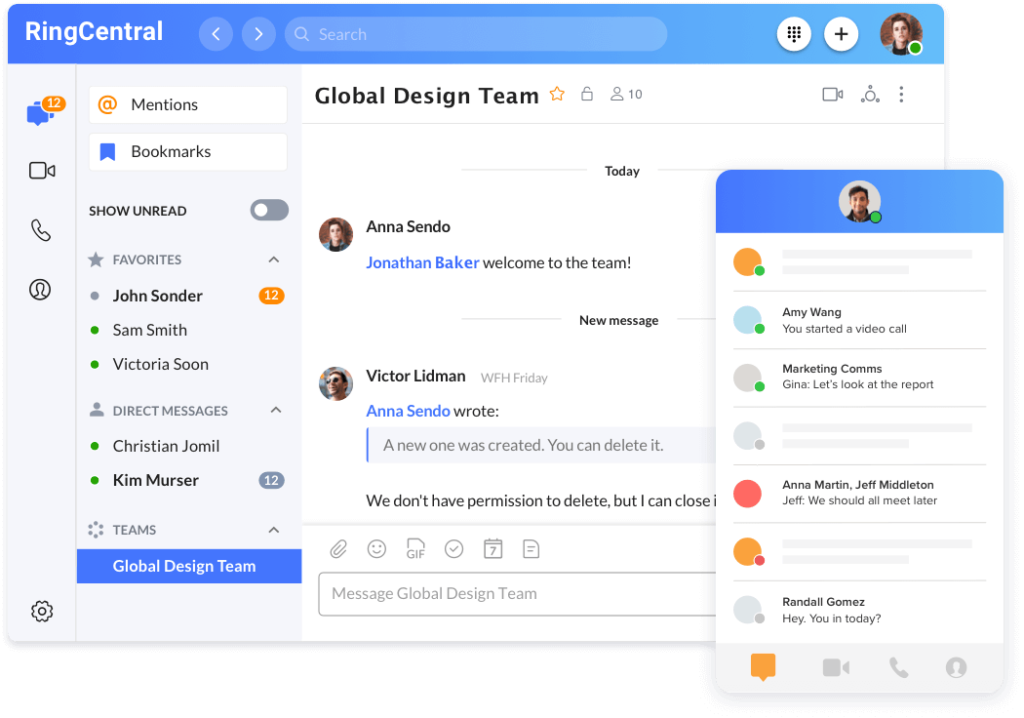
RingCentral is one of the most complete business phone systems on the market. It combines cloud calling, team messaging, video meetings, AI capabilities, and a deep integration ecosystem in a platform that is built to scale. If your company needs more than a lightweight VoIP line, RingCentral is usually one of the first tools worth evaluating.
What makes RingCentral especially strong is breadth. It can support simple business calling for smaller teams, but it also grows well into more advanced workflows with analytics, business SMS, AI reception capabilities, and layered add-ons for customer engagement. That makes it a particularly good fit for businesses that want one communications platform instead of stitching several tools together.
Key features
- Business calling, team messaging, and video in one system
- Multi-level auto attendants and call handling
- Business SMS and optional SMS booster capabilities
- AI add-ons for reception, summaries, and conversation insights
- Large app ecosystem and strong admin controls
- Reliable infrastructure designed for growing teams
Pros and cons
Pros
✅ Broad all-in-one communications platform
✅ Strong scalability for mid-sized and large businesses
✅ Deep integrations and admin controls
✅ Strong reliability and enterprise readiness
Cons
❌ Can feel heavy for very small teams
❌ Costs rise as you add advanced capabilities
❌ Best value is usually on higher tiers or annual billing
❌ Setup can be more complex than simpler SMB tools
Pricing
RingCentral structures its business phone offering under RingEX, with plan tiers such as Core, Advanced, and Ultra. Pricing varies by user count and billing term, and RingCentral also sells add-ons such as AI Receptionist, Business SMS Booster, Call Queues Booster, and AI Conversation Expert. In practice, it sits in the mid-to-upper end of the business phone market, especially once you move beyond the base plan.
Who should use RingCentral?
RingCentral is best for companies that want a full communications stack with room to grow. It is especially well suited to multi-location businesses, larger hybrid teams, and organizations that need reliable voice, messaging, video, and integrations under one roof. If you want the most balanced mix of capability, scale, and ecosystem depth, RingCentral is one of the safest choices in this category.
Nextiva

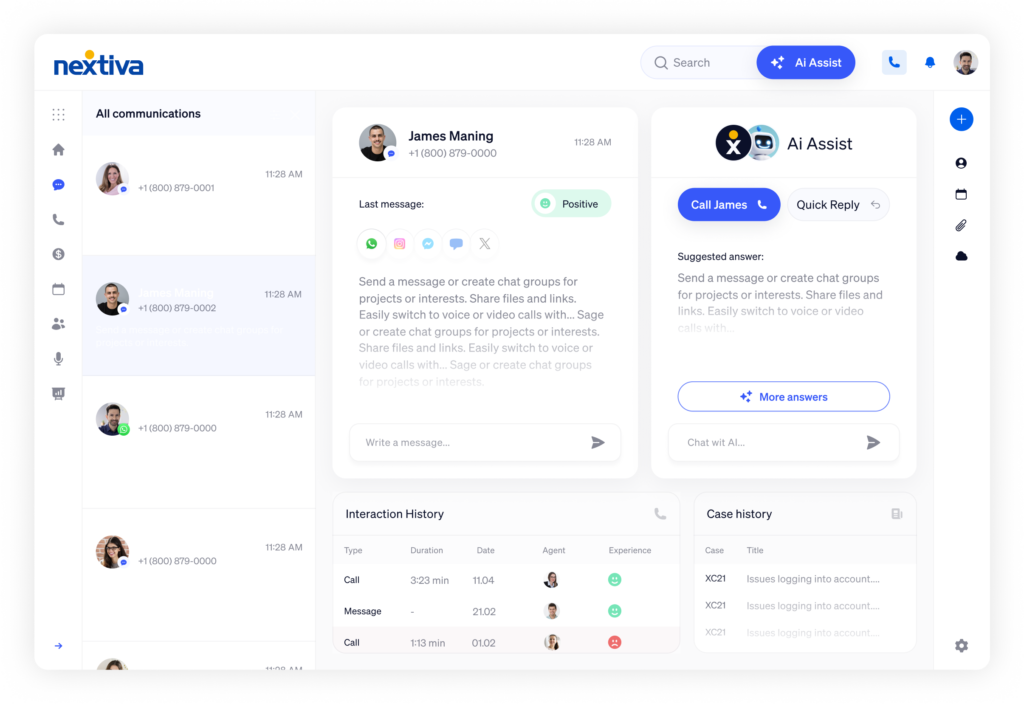
Nextiva is one of the best business phone systems for companies that want a polished, easy-to-manage platform without giving up serious capabilities. It is particularly appealing for customer-facing teams because it blends voice, SMS, video, team chat, and digital channels into one clean environment.
In my view, Nextiva has one of the strongest balances between usability and business value. It does not feel as enterprise-heavy as RingCentral, but it still gives you enough features to support growing operations. If your team wants a reliable phone system that is approachable, modern, and easy to roll out, Nextiva deserves a close look.
Key features
- Unified voice, video, SMS, and team chat
- Call routing and mobile-friendly business calling
- Digital channel support on broader plans
- Clean interface and simple deployment
- 24/7 support and high uptime positioning
- Optional AI features and add-ons for customer engagement
Pros and cons
Pros
✅ Easy to adopt and manage
✅ Strong value for service-focused businesses
✅ Transparent entry pricing
✅ Good fit for growing teams that want simplicity
Cons
❌ Some advanced capabilities require higher plans or add-ons
❌ Less enterprise depth than RingCentral in some areas
❌ Digital features can increase total cost
❌ Feature packaging can be a bit confusing at first glance
Pricing
Nextiva lists entry pricing starting at $15 per user per month for the Core plan, with unified voice, video, SMS, team chat, and call routing. Beyond that, businesses can expand into higher tiers and AI-related add-ons depending on their needs. For many SMBs, Nextiva lands in a very attractive middle ground because the entry point is accessible but the platform still feels full-featured.
Who should use Nextiva?
Nextiva is ideal for small to mid-sized businesses that want a dependable, easy-to-use business phone system with a modern communications layer around it. It is especially strong for customer service, operations, and front-office teams that want calls and messaging in one organized workspace. If ease of use matters as much to you as raw feature count, Nextiva is one of the best picks here.
Calilio


Calilio is a newer AI-powered cloud phone system built for businesses that want affordable VoIP, virtual numbers, and call center functionality without starting at enterprise-level pricing. It stands out for combining global number availability, practical telephony tools, and AI-driven call insights in a platform aimed at small businesses, growing teams, and outbound or support-heavy operations. Calilio positions itself around AI-powered business communication, offers virtual phone numbers in 100+ countries, and supports features like IVR, call queueing, power dialer, sentiment analysis, AI call summaries, and live transcription.
Key features
- Virtual phone numbers from more than 100 countries
- Interactive Voice Response (IVR)
- Call queueing and ring strategies
- AI call summaries, sentiment analysis, and reason/resolution extraction
- Real-time transcription and individual call reports
- Call forwarding, voicemail-to-email, number porting, and internal team messaging
Pros and cons
Pros
✅ Affordable entry pricing
✅ Strong AI feature set for a smaller VoIP platform
✅ Virtual numbers in 100+ countries
✅ Good fit for support, sales, and call-heavy teams
Cons
❌ Some features are still marked “coming soon”
❌ CRM integration is not included on the base plan
❌ Phone numbers are billed separately
❌ Usage-based calling and messaging costs can make pricing less predictable
Pricing
Calilio’s Standard plan starts at $15 per user per month billed monthly, or $12 per user per month billed annually, and includes one free local US or Canada number, bundled minutes and SMS, and a basic real-time dashboard. The Premium plan starts at $35 per user per month billed monthly, or $28 per user per month billed annually, and adds CRM integration, unlimited users, live call monitoring, and a more detailed dashboard. Enterprise pricing is custom. One important caveat is that phone numbers are billed separately, and after the included credit is used, customers need to top up their wallet for calls and SMS.
Who should use Calilio?
Calilio is best for small businesses, startups, sales teams, and support teams that want a modern cloud phone system with AI features at a relatively accessible starting price. It is especially appealing if you want international virtual numbers, outbound calling tools, and more advanced call intelligence than you would usually get from an entry-level VoIP platform. If pricing transparency and AI-assisted calling matter to you, Calilio is a strong emerging option to consider.
Zoom Phone

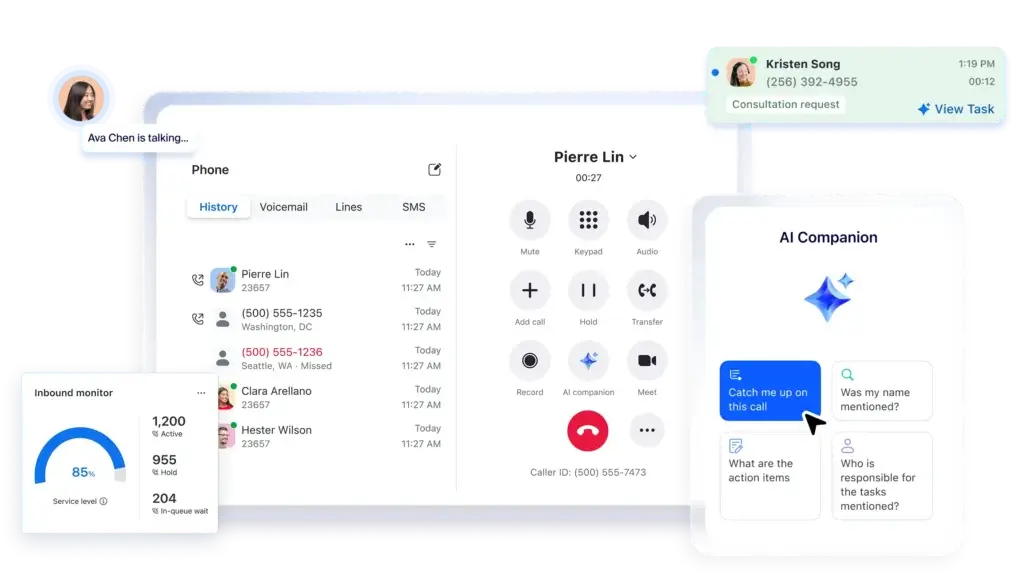
Zoom Phone is one of the most logical choices for businesses that already rely on Zoom for meetings and internal collaboration. Instead of adding a separate telephony platform with a different user experience, Zoom Phone extends the same ecosystem into cloud calling, SMS, fax, and device management.
That ecosystem advantage is what makes Zoom Phone so compelling. It may not be the most feature-heavy business phone system for every use case, but it is one of the easiest ways to simplify communications if your team already lives in Zoom. For many businesses, that familiarity reduces friction and speeds up adoption.
Key features
- Cloud VoIP with metered, regional unlimited, and global options
- Call recording, voicemail transcription, SMS, and online fax
- Management portal for users, devices, and policies
- Works across desktop, mobile, and supported desk phones
- Integrations with Salesforce, Slack, Microsoft, Google, and Zoom’s own stack
- Optional Power Pack and international calling add-ons
Pros and cons
Pros
✅ Best fit for teams already using Zoom Workplace
✅ Clean user experience across meetings and phone
✅ Good plan flexibility for regional and global calling
✅ Strong device and admin support
Cons
❌ Best experience depends on already being invested in Zoom
❌ Some advanced analytics require add-ons
❌ Less differentiated for complex contact center needs
❌ Can become more expensive once bundled tiers and add-ons are included
Pricing
Zoom Phone supports multiple calling models, including Metered, Regional Unlimited, and Global Select. Its small business pages also highlight bundled options like Pro Plus and Business Plus that combine Zoom Phone with Zoom Workplace. That flexibility is useful, but it also means pricing can vary depending on whether you want stand-alone phone service or a broader Zoom bundle.
Who should use Zoom Phone?
Zoom Phone is best for businesses that already use Zoom and want to consolidate meetings, chat, and phone under one vendor. It is especially attractive for hybrid teams, distributed companies, and organizations that want a familiar interface with lighter deployment overhead. If you are already paying for Zoom and want to reduce tool sprawl, Zoom Phone can be a very smart move.
Aircall
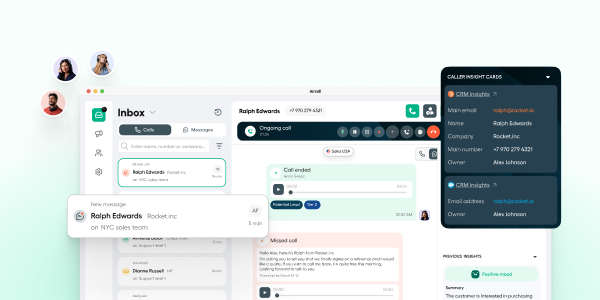
Aircall is a cloud-based business phone system built for sales and support teams that want calling, SMS, and AI-powered conversation tools in one collaborative workspace. It positions itself as an AI-powered customer communications platform and emphasizes clear calling, shared team visibility, and deep CRM and help desk connectivity. Aircall also highlights more than 250 integrations, including Salesforce, HubSpot, Intercom, Zendesk, Pipedrive, and Microsoft Dynamics.
Key features
Aircall focuses on practical phone functionality for customer-facing teams, with a strong layer of AI and workflow automation. Its most notable features include:
- 250+ integrations and API access
- IVR, call recording, and click-to-dial
- SMS and MMS support
- Desktop, Android, and iOS softphone apps
- Unlimited simultaneous outbound calls
- Shared workspace for calls, SMS, and messaging
- AI Assist tools such as call summaries, sentiment analysis, trending topics, action items, and CRM logging
- AI Assist Pro capabilities such as live transcription, live prompts, custom summaries, and playbook-based coaching
- AI Voice Agent options for autonomous handling, live transfer, and automatic CRM logging
Pros and cons
Pros
✅ Strong fit for support and sales teams
✅ Excellent integration ecosystem
✅ Shared workspace for collaborative call handling
✅ Strong AI layer for coaching, transcription, summaries, and follow-up automation
Cons
❌ Minimum seat requirement on standard plans
❌ Advanced AI and analytics features are sold as add-ons or higher-tier capabilities
❌ Custom plan starts at a much higher seat threshold
❌ Pricing details on the public page are partially obscured, which makes direct comparison harder
Pricing
Aircall offers three main plan paths: Essentials, Professional, and Custom. The Essentials and Professional plans both start with a minimum of 3 users, while the Custom plan requires a minimum of 25 licenses. Essentials includes core calling tools, 250+ integrations, SMS/MMS support, and API access. Professional adds features such as all AI Assist features, Salesforce CTI integration, and mandatory call tagging. Custom adds custom onboarding, API developer support, an SLA, and single sign-on. Aircall also sells extra products such as AI Assist, AI Assist Pro, AI Voice Agent, and Analytics+.
Who should use Aircall?
Aircall is best for customer support teams, sales teams, and growing service businesses that want a modern phone system with strong CRM and help desk integrations. It is especially attractive if your team needs a shared calling workspace, AI-powered conversation insights, and workflow automation without moving all the way into a full enterprise contact center platform. If collaboration and integration depth matter more to you than bare-bones VoIP pricing, Aircall is a very strong option.
GoTo Connect


GoTo Connect is a strong business phone system for companies that want robust telephony without unnecessary clutter. Its biggest advantage is practical phone system management, especially for teams that care about call routing, auto attendants, and dial plan control. That makes it very appealing for businesses that still put voice at the center of customer communication.
I think GoTo Connect is sometimes underrated in this category. It may not get as much attention as RingCentral or Zoom Phone, but it offers a solid mix of reliability, features, and admin simplicity. For businesses that want a phone-first platform with room for meetings and messaging, it is a credible option.
Key features
- Cloud phone system with built-in meetings and messaging
- Unlimited auto attendants and call queues
- Customizable dial plans
- Free calls to 50 countries on listed plan materials
- Unified admin across users, numbers, channels, and analytics
- Good support coverage and scalable setup
Pros and cons
Pros
✅ Very strong call routing and phone administration
✅ Good fit for businesses that still prioritize voice workflows
✅ Scales well as teams grow
✅ Solid international calling value in the right setup
Cons
❌ Less pricing transparency than some rivals
❌ AI story is not as prominent as Dialpad or RingCentral
❌ Not as broad an ecosystem as the largest vendors
❌ Best value depends on sales quote and package fit
Pricing
GoTo Connect currently emphasizes sales-led plan selection rather than simple self-serve public pricing. Its phone system pages highlight bundled telephony, meetings, messaging, unlimited auto attendants and call queues, plus free calls to selected international destinations. In practice, GoTo Connect is best evaluated through a custom quote, especially if you need to compare advanced phone administration against other mid-market platforms.
Who should use GoTo Connect?
GoTo Connect is a very good choice for businesses that want a voice-first cloud phone system with strong routing and management controls. It is especially useful for offices, clinics, service businesses, and distributed teams that need dependable call flows without moving into full contact center complexity. If call handling is more important to you than having the flashiest AI feature set, GoTo Connect is worth serious consideration.
Dialpad

Dialpad stands out because it has been one of the most aggressive vendors in blending business telephony with AI. While many competitors have added AI features, Dialpad has made them central to its positioning for years. That gives it a distinct advantage for businesses that want transcription, summaries, smarter coaching, and a more modern calling workflow.
In practical terms, Dialpad feels especially attractive for sales teams, support teams, and fast-moving companies that want their business phone system to generate useful data instead of just carrying calls. It is also one of the easier platforms to justify when AI productivity is a real priority rather than a nice extra.
Key features
- Business calling, messaging, and meetings in one workspace
- AI-powered transcription and call summaries
- Unlimited calling in the US and Canada on core plans
- Voicemail transcription, call forwarding, and custom greetings
- Local and toll-free number options
- Upgrade path into sales, support, and AI agent products
Pros and cons
Pros
✅ Strongest AI-first positioning in this list
✅ Transparent entry pricing
✅ Clean interface and easy setup
✅ Excellent fit for modern sales and support teams
Cons
❌ Some features are gated by plan or add-on
❌ Less traditional PBX feel for businesses that want classic telephony administration
❌ Not every company needs its AI-heavy approach
❌ Advanced setups can become more expensive quickly
Pricing
Dialpad Connect pricing starts at $15 per user per month for Standard, $25 per user per month for Pro, and custom pricing for Enterprise. That makes Dialpad one of the clearest vendors in this category when it comes to entry cost. For smaller teams that want AI-enhanced communications without enterprise-level buying friction, it is an attractive option.
Who should use Dialpad?
Dialpad is best for businesses that want their phone system to do more than route calls. It is especially strong for sales organizations, support teams, startups, and AI-forward companies that want real-time transcription, summaries, and workflow efficiency. If AI is high on your buying checklist, Dialpad is one of the best business phone systems to shortlist.
8×8
8×8 remains one of the better business phone systems for organizations with international operations. Its biggest strength is global communications, especially for businesses that need broad calling coverage, multi-country support, and a clear path into more advanced customer engagement capabilities.
Compared with some rivals, 8×8 feels more operations-oriented than flashy. That is not a weakness. For the right company, especially one with distributed teams or international customers, dependable global telephony matters more than having the newest interface. When global reach is a priority, 8×8 still has a strong case.
Key features
- AI-enabled unified communications with voice, meet, and chat
- Strong global reach and international calling options
- Microsoft Teams connectivity options
- Upgrade path into contact center and omnichannel routing
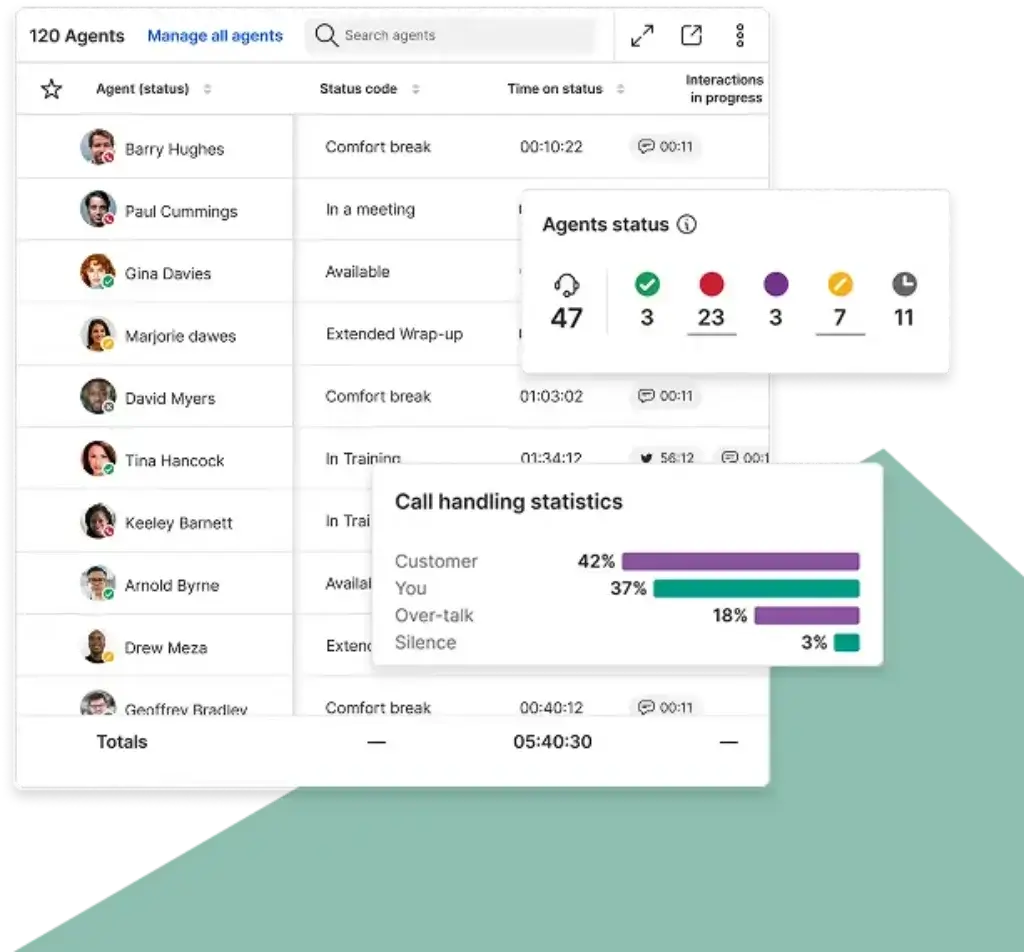
- Analytics and supervisor tools on broader solutions
- Designed for both collaboration and customer-facing communication
Pros and cons
Pros
✅ Excellent fit for international businesses
✅ Strong path from UCaaS into contact center workflows
✅ Good Microsoft Teams options
✅ Mature platform for multi-country operations
Cons
❌ Pricing is less transparent than Dialpad or Nextiva
❌ Can feel more enterprise-oriented than SMB-focused competitors
❌ Best feature mix depends heavily on quote and package selection
❌ Not the simplest option for very small teams
Pricing
8×8 now leans heavily toward custom plan building across its communications and customer experience products. Public pricing emphasizes flexible packages rather than simple fixed tiers, though older product structures such as Express, X2, and X4 still shape how many buyers think about the platform. The key takeaway is that 8×8 is usually best evaluated through demos and quotes, especially if international calling or CX expansion is part of the requirement.
Who should use 8×8?
8×8 is ideal for organizations that need international coverage, multi-site communications, or a platform that can stretch from business phone into broader customer engagement. It is a strong fit for global businesses, distributed teams, and companies with growing operational complexity. If international calling is central to your business, 8×8 is one of the strongest options here.
Feature comparison table
| Tool | Best For | Biggest Strength | Main Tradeoff |
| RingCentral | Mid-sized to large businesses | Best all-around feature depth | Can get expensive as you add advanced tools |
| Nextiva | Service-focused SMBs | Great usability and balanced value | Advanced features may require upgrades |
| Calilio | Small businesses and growing teams | Affordable cloud calling with built-in AI tools | Some advanced features require higher plans |
| Zoom Phone | Businesses already using Zoom | Best ecosystem fit inside Zoom | Less differentiated outside that ecosystem |
| Aircall | Growing sales and support teams | Collaborative calling with strong integrations and AI insights | Advanced features and best value require higher tiers or add-ons |
| GoTo Connect | Phone-first businesses | Strong routing and dial plan control | Less transparent pricing |
| Dialpad | AI-forward teams | Best AI-first business calling experience | Some features depend on plan level |
| 8×8 | International operations | Global reach and communications flexibility | Quote-led pricing makes comparison harder |
How to choose the best business phone system for your company
The right choice depends less on which platform is “best” in the abstract and more on which one matches your operating model. Start by identifying where your complexity actually comes from.
If you want the best overall platform
RingCentral is the safest all-around recommendation if you need a platform that can support growth, deeper integrations, and more advanced communications over time.
If you want the easiest balance of value and usability
Nextiva is one of the strongest options for businesses that want a capable phone system without a steep learning curve.
If you want affordable AI-powered calling for a smaller team
Calilio is a more budget-friendly business phone system with AI features, international virtual numbers, and practical tools for support or outbound calling without moving into enterprise-level pricing.
If you want collaborative calling for sales and support
Aircall is a strong fit for customer-facing teams that want a shared calling workspace, deep CRM and help desk integrations, and AI-powered conversation insights to improve daily performance.
If your team already runs on Zoom
Zoom Phone is the most logical fit because it reduces tool sprawl and keeps meetings, chat, and calls in one familiar environment.
If call routing matters more than anything else
GoTo Connect is a great choice for businesses that need a phone-centric system with flexible administration and practical routing controls.
If AI productivity is a top priority
Dialpad deserves special attention because its AI layer is not just a side feature. It is a core part of the product experience.
If your business is international
8×8 is one of the better picks for global operations thanks to its communications breadth and international focus.
Final thoughts
The best business phone systems in 2026 do much more than replace traditional office lines. They help your team manage calls across devices, automate repetitive tasks, improve reporting, and connect communications with the rest of your software stack.
If I had to narrow this list down by use case, I would put RingCentral at the top for overall capability, Nextiva as the strongest blend of usability and value, Calilio as a strong budget-friendly choice for small teams, Aircall as one of the best fits for collaborative sales and support calling, Zoom Phone as the best fit for Zoom-centric businesses, GoTo Connect as a smart choice for telephony-first teams, Dialpad as the best AI-oriented option, and 8×8 as the best pick for many international operations.
Your final decision should come down to workflow fit, not brand recognition alone. The best phone system is the one your team will actually use well, manage easily, and still trust when your communication volume grows.
Frequently Asked Questions (FAQs)
What is a business phone system?
A business phone system is a cloud-based or on-premise platform that helps companies manage calls, voicemail, routing, extensions, SMS, and often video or team messaging from one system.
Are business phone systems the same as VoIP?
Most modern business phone systems use VoIP, but a business phone system is broader. It usually includes administration, routing, analytics, and team features beyond basic internet calling.
Compare the best VoIP Services for Business.
Which business phone system is best for small businesses?
For many small businesses, Nextiva and Dialpad offer the best mix of usability, modern features, and accessible entry pricing.
Which option is best for larger businesses?
RingCentral is one of the strongest choices for larger organizations because of its feature depth, integrations, and ability to scale into more advanced workflows.
Is Zoom Phone good enough to replace a traditional PBX?
Yes, for many businesses it is. Zoom Phone supports calling plans, number porting, device support, and admin controls that make it a practical cloud PBX replacement.
What is the best business phone system for international calling?
8×8 is one of the best-known options for international business calling, especially for companies with distributed teams or customers in multiple countries.
Which platform has the best AI features?
Dialpad is one of the strongest AI-focused choices, especially for transcription, summaries, and AI-enhanced communication workflows.
Do I need desk phones with these systems?
No. Most modern business phone systems work through desktop and mobile apps, though many also support compatible desk phones if your team prefers them.
Can I keep my current business phone number?
In most cases, yes. Leading providers such as RingCentral, Zoom Phone, Nextiva, and others generally support number porting.
How should I compare pricing between providers?
Do not compare only the base seat price. Check what is included in each tier, how SMS and international calling are billed, whether analytics or AI cost extra, and whether you need add-ons to get essential features.