Introduction
Choosing the best call center software is no longer just about handling inbound calls. The strongest platforms now combine voice, digital channels, AI assistance, analytics, automation, and workforce tools into a single environment that helps your team resolve issues faster and deliver a better customer experience.
In this guide, you’ll find the best call center software to consider in 2026: Five9, Talkdesk, RingCentral RingCX, Aircall, NICE CXone, 8×8 Contact Center, and Dialpad Support. Each one targets a slightly different type of business, from enterprise-grade omnichannel operations to smaller teams that want fast deployment and easier day-to-day management.
If you want one quick takeaway before diving in, here it is: Five9 is one of the strongest all-around options for serious contact center operations, NICE CXone is especially compelling for large and complex CX environments, Talkdesk stands out for modern cloud CX automation, RingCentral RingCX makes a lot of sense if you want contact center and communications under one vendor, Dialpad Support is one of the most appealing AI-first options for growing teams, 8×8 Contact Center is a solid fit for international operations.
What to look for in call center software
The right platform depends on your team size, channel mix, service complexity, and growth plans. Focus on these evaluation points before making a decision:
- Channel coverage: Make sure the platform supports the channels your team actually needs, including voice, chat, email, SMS, and social messaging.
- Routing and automation: IVR, queue logic, skills-based routing, callbacks, and workflow automation have a direct impact on service quality.
- AI capabilities: Look for call summaries, transcription, agent assist, quality insights, and self-service automation.
- Workforce management: Larger teams often need forecasting, scheduling, quality management, and coaching tools.
- Ease of administration: The best system should be manageable without creating constant admin friction.
- Integrations: CRM, help desk, and UC integrations are essential if you want agents to work with full context.
- Pricing clarity: Watch for quote-led packages, feature gating, add-on costs, and usage-based charges.
Five9

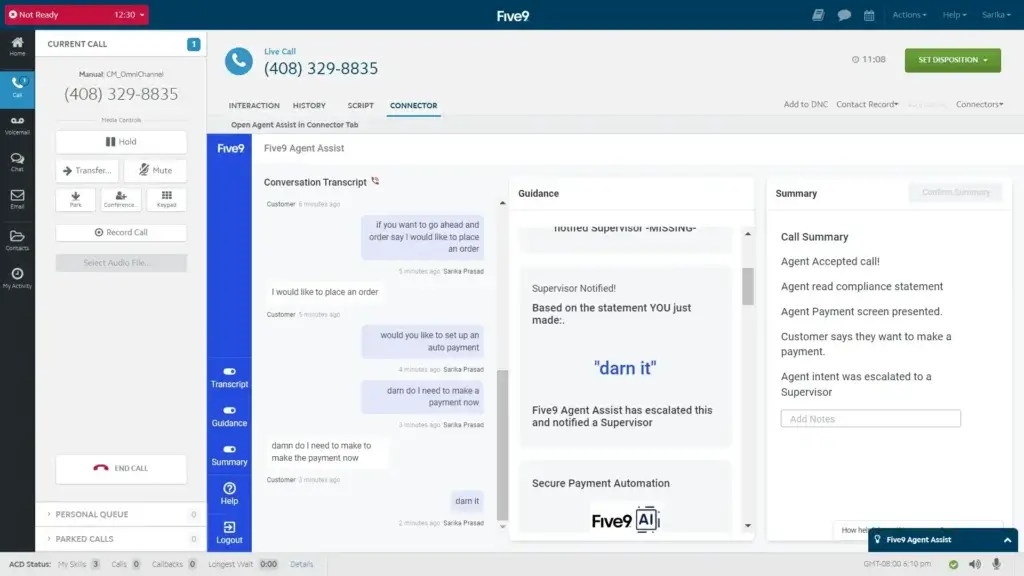
Five9 is one of the most complete call center platforms on the market. It is built for organizations that need more than simple queue management and basic telephony. With omnichannel engagement, automation, AI, and strong operational depth, Five9 is especially compelling for serious customer service teams that need a platform they can scale with.
What makes Five9 especially strong is balance. It combines mature contact center functionality with a broad product footprint that covers inbound, outbound, digital channels, analytics, and AI-powered agent support. In practical terms, it feels like one of the safest choices for companies that want a proven CCaaS platform rather than a lighter phone-first tool trying to stretch upward.
Key features
- Omnichannel support across voice, chat, email, SMS, and social messaging
- Blended inbound and outbound workflows
- AI summaries, live transcription, and agent assist capabilities
- Workflow automation and intelligent routing
- Recording, analytics, and workforce engagement options
- CRM and UC integrations for broader ecosystem fit
Pros and cons
Pros
✅ Strongest overall balance of channels, AI, and operational depth
✅ Mature platform for enterprise and upper mid-market teams
✅ Good fit for both inbound and outbound environments
✅ Broad contact center feature set without feeling fragmented
Cons
❌ More platform than many smaller teams actually need
❌ Costs can rise quickly as functionality expands
❌ Not the simplest rollout for smaller organizations
❌ Better suited to serious contact center buyers than casual SMB shoppers
Pricing
Five9 currently structures pricing around tiers such as Digital, Core, and Plus. The public pricing page lists Digital at $119 per seat per month, Core at $159 per seat per month, and highlights broader AI and omnichannel capabilities as you move up the stack. In practice, Five9 sits firmly in the enterprise and upper mid-market range, where feature depth matters more than entry-level affordability.
Who should use Five9?
Five9 is best for companies that need a serious omnichannel contact center platform with strong routing, AI, analytics, and operational control. It is especially well-suited to larger support organizations, complex service teams, and businesses that want a long-term platform rather than a lightweight solution they may outgrow quickly.
Talkdesk

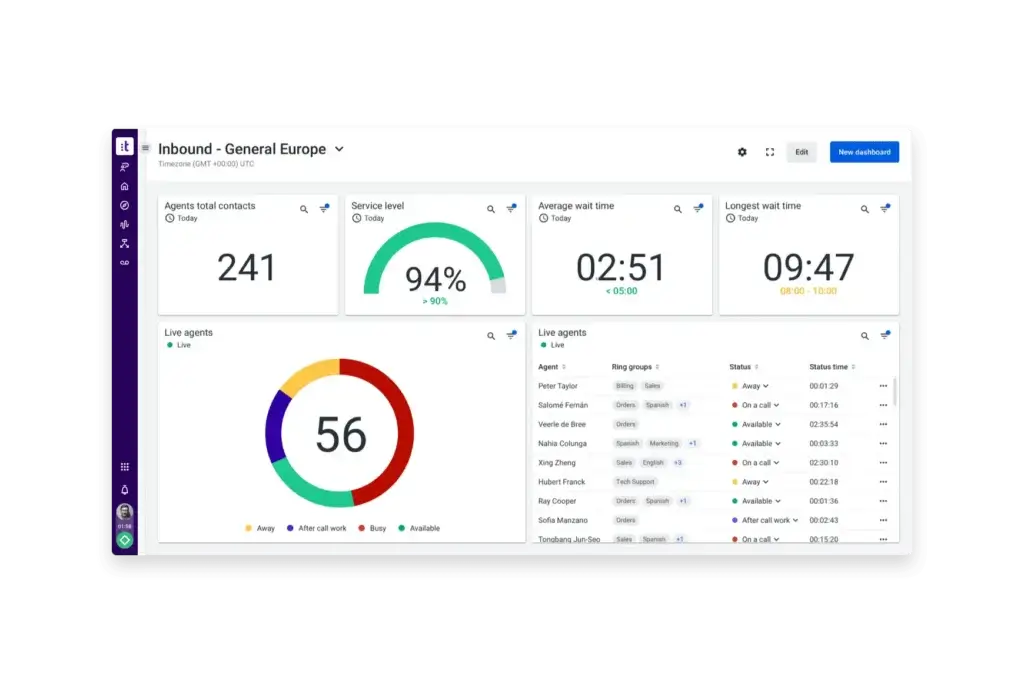
Talkdesk is one of the most appealing options for companies that want a cloud-native call center platform with a strong automation and customer experience story. It has positioned itself well as a modern CCaaS platform that can support both voice and digital engagement while still feeling more approachable than some of the heaviest enterprise suites.
That balance matters. Talkdesk is powerful enough for substantial service operations, but it usually feels more modern and flexible than legacy-style contact center platforms. If your team wants to move toward AI-driven customer service and more automated workflows without immediately jumping into a highly complex enterprise rollout, Talkdesk deserves a close look.
Key features
- Omnichannel support across voice, email, chat, SMS, and social messaging
- Cloud-native CX platform with strong automation positioning
- Routing, reporting, APIs, and dashboarding
- AI-powered customer service and workflow expansion options
- Open integration ecosystem
- Flexible packaging for digital-first and broader CX teams
Pros and cons
Pros
✅ Strong modern cloud CX positioning
✅ Good balance of flexibility and feature depth
✅ Broad channel support with good automation potential
✅ Less heavy-feeling than some enterprise-first suites
Cons
❌ Final pricing is still largely sales-led
❌ Advanced capabilities can push total cost higher
❌ Best fit is usually mid-market and above, not tiny teams
❌ Smaller businesses may find it more platform than they need
Pricing
Talkdesk’s pricing page currently promotes AI-powered contact center solutions starting at $85 per seat per month. It continues to use a quote-led model for final plan selection, which is common in this category. That means Talkdesk is not as transparent as simpler SMB tools, but it does give buyers more flexibility to match channel mix and CX needs to the right package.
Who should use Talkdesk?
Talkdesk is ideal for businesses that want a modern cloud contact center with omnichannel support, room for CX automation, and a cleaner path into AI-powered service. It is especially strong for growing service teams that want more sophistication than a phone-first solution but do not necessarily want the heaviest enterprise stack.
RingCentral RingCX

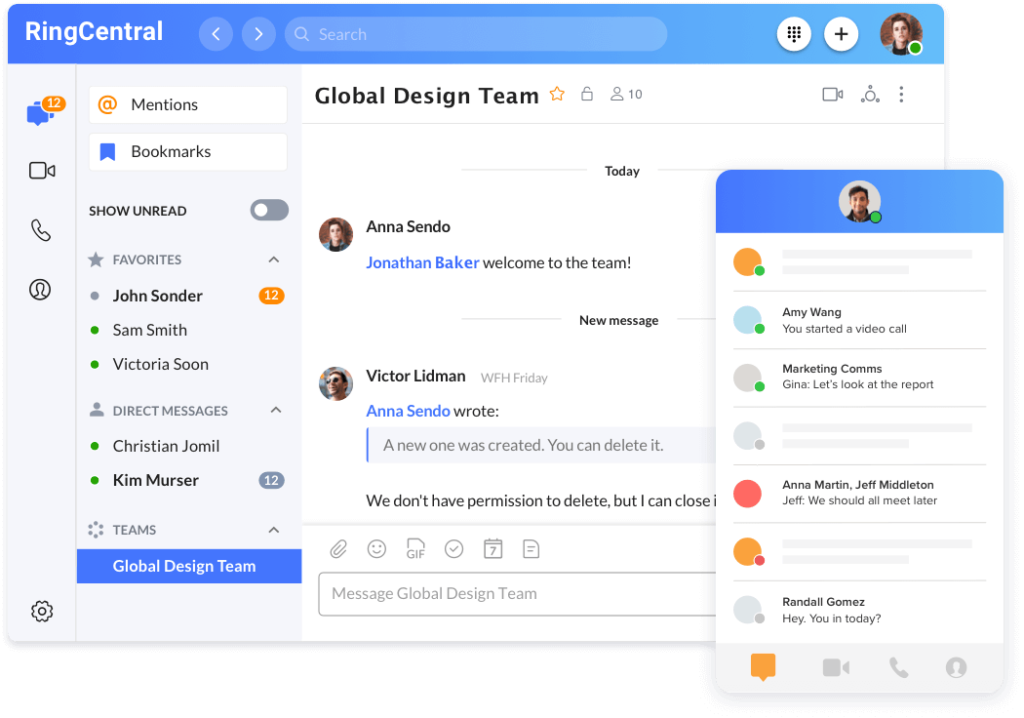
RingCentral RingCX is a smart option for businesses that want to keep contact center software and broader business communications inside the same ecosystem. That is its biggest strategic strength. If your company is already using RingCentral or considering it for business telephony, RingCX can be an efficient way to reduce vendor sprawl and simplify communications management.
From a pure call center standpoint, RingCX brings solid omnichannel support, AI-led positioning, and an easier deployment story than some older enterprise suites. It may not be the first platform I would recommend for every large-scale contact center, but it is one of the more practical options for companies that value ecosystem fit and platform consolidation.
Key features
- Omnichannel contact center support
- AI-powered contact center positioning with add-on options
- Outbound support and digital channel coverage
- Unlimited calling and platform-level scalability
- Useful fit with the broader RingCentral communications stack
- Fast deployment story for businesses already inside the ecosystem
Pros and cons
Pros
✅ Strong fit for businesses standardizing on RingCentral
✅ Combines contact center and communications under one vendor
✅ Good omnichannel and AI expansion potential
✅ Easier platform consolidation for many mid-sized companies
Cons
❌ Less specialized feel than top pure-play CCaaS leaders
❌ Add-ons can increase overall cost quickly
❌ Best value is strongest when RingCentral is already part of the stack
❌ Not my first pick for every large enterprise service operation
Pricing
RingCentral’s public RingCX pricing page highlights flexible tiers for its AI-powered contact center solution and notes annual savings, while also positioning AI capabilities as expandable through add-ons. The structure is more transparent than some enterprise rivals, but total cost still depends heavily on which AI and operational features you want layered onto the base package.
Who should use RingCentral RingCX?
RingCentral RingCX is best for businesses that want contact center software from the same vendor handling their broader communications environment. It is especially useful for companies that want a unified platform strategy rather than managing separate vendors for business phone, messaging, and customer service operations.
Aircall
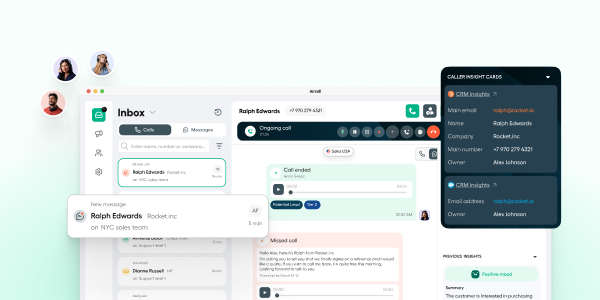
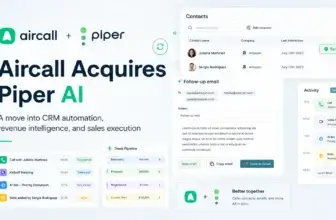
Aircall is one of the easiest call center platforms to recommend for startups, SMBs, and growing support teams that want fast setup and strong integrations without moving into full enterprise complexity. Its biggest strength is usability. Instead of overwhelming teams with a heavy operational layer, Aircall focuses on making cloud calling, collaboration, and customer context easy to manage from one workspace.
That lighter approach is exactly why Aircall works so well for the right buyer. It brings together calls, SMS, messaging, CRM syncing, and AI-assisted workflows in one platform, while also giving teams access to more than 200 integrations. It is not the most advanced option in this category for large omnichannel enterprises, but it is one of the most practical choices for teams that want to improve customer communications quickly.
Key features
- Calls, SMS, and messaging in one platform
- Shared workspace for team collaboration
- 200+ integrations with CRM, help desk, and business tools
- AI Assist for conversation intelligence and coaching
- Live transcription, notes, and follow-up automation on broader AI layers
- Call routing, IVR, queues, callbacks, monitoring, and warm transfers
Pros and cons
Pros
✅ Very easy to deploy and manage
✅ Strong integrations for customer-facing teams
✅ Shared workspace works well for support and sales collaboration
✅ Good fit for SMBs and fast-growing teams
Cons
❌ Less enterprise depth than Five9, NICE CXone, or Talkdesk
❌ Advanced AI and larger-scale needs can increase total cost
❌ Not the strongest choice for highly complex omnichannel environments
❌ Custom tier starts at a much larger seat commitment
Pricing
Aircall currently offers three main plans: Essentials, Professional, and Custom. The pricing structure shows a 3-user minimum on Essentials and Professional, while Custom starts at 25 licenses. The Professional plan adds features such as Salesforce CTI integration and mandatory call tagging, while Custom adds onboarding, API developer support, SLA options, and SSO.
Who should use Aircall?
Aircall is best for smaller support and sales teams that want a modern call center platform with strong CRM and help desk connectivity, fast deployment, and an interface that is easy to adopt. It is especially useful for businesses that care more about workflow simplicity and team productivity than enterprise-grade workforce management or highly complex CX orchestration.
NICE CXone

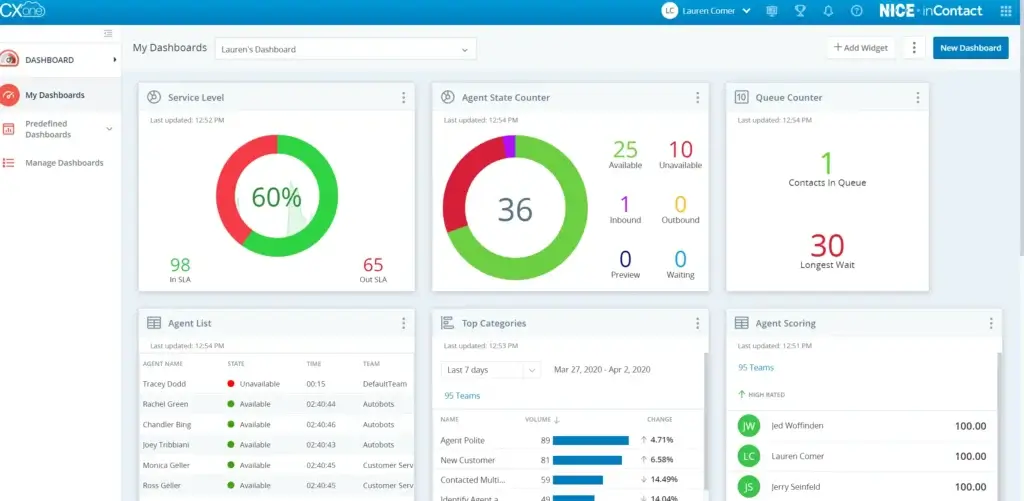
NICE CXone is one of the most capable enterprise contact center platforms on the market. It is designed for organizations that care about much more than just queue management and agent desktops. Workforce engagement, analytics, digital channels, automation, and AI all play a central role in the platform’s value proposition.
That makes NICE CXone an outstanding fit for large and complex operations, but also means it is not the simplest platform for smaller teams. In my view, its main advantage is depth. If your business needs advanced CX orchestration and workforce control, NICE CXone is one of the strongest vendors to evaluate first.
Key features
- AI-first customer experience platform positioning
- Omnichannel support for voice and digital interactions
- Strong workforce engagement and operational tooling
- Automation and analytics across the customer journey
- Designed to support both human agents and AI-driven service models
- Highly scalable architecture for enterprise environments
Pros and cons
Pros
✅ One of the strongest enterprise CX platforms available
✅ Deep workforce and operational management capabilities
✅ Excellent fit for large, multi-channel service environments
✅ Strong long-term platform for complex organizations
Cons
❌ Usually too heavy for small teams
❌ Quote-led buying process reduces pricing clarity
❌ More complex evaluation and rollout than lighter competitors
❌ Best value appears at larger scale
Pricing
NICE currently positions CXone around flexible packages and custom bundles rather than simple self-serve price tiers. Its pricing materials focus on configurable packaging built around channel, AI, and operational requirements. That approach makes sense for enterprise buyers, but it also means NICE CXone is best evaluated through guided demos and tailored quotes rather than quick price-page comparisons.
Who should use NICE CXone?
NICE CXone is best for enterprises and large service organizations that need advanced omnichannel routing, workforce management, analytics, and AI under one platform. If your support operation is large, multi-layered, and process-heavy, NICE CXone is one of the best platforms in this entire category.
8×8 Contact Center
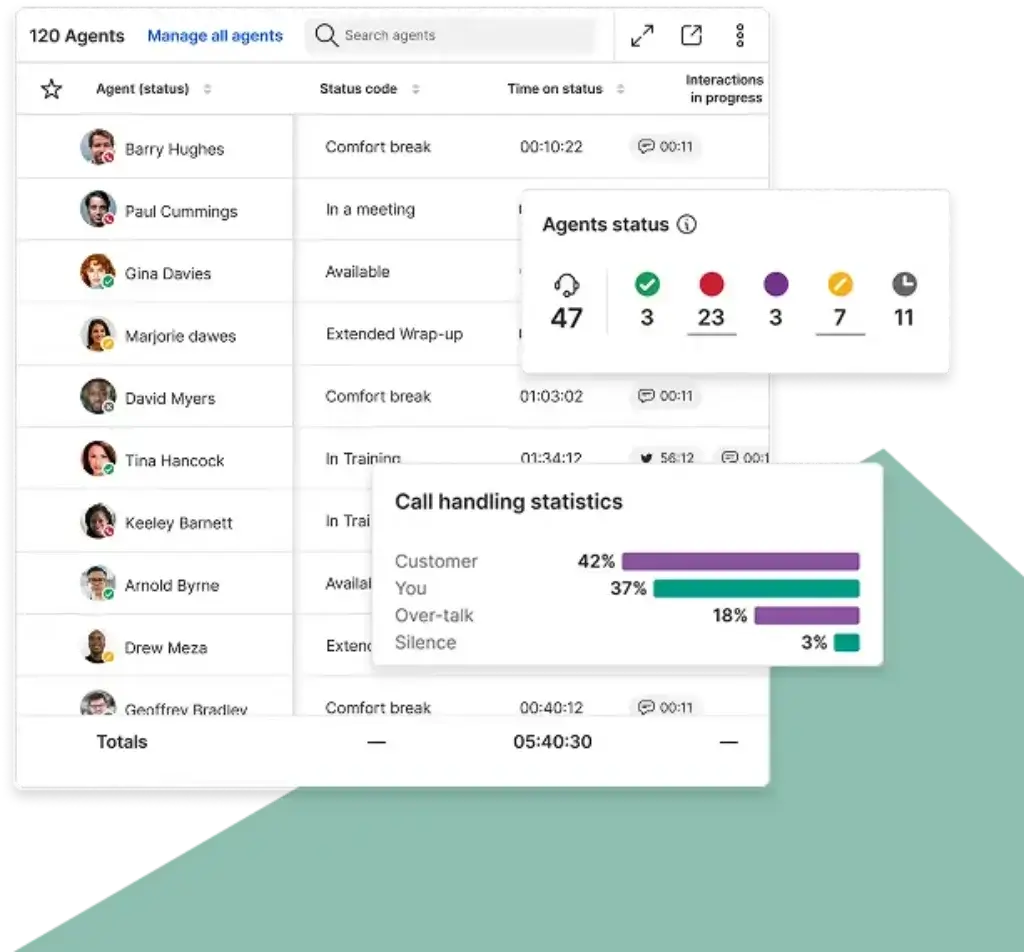
8×8 Contact Center is a solid choice for businesses that need their call center platform to fit into a larger communications strategy. That is especially true for companies with international operations, multiple offices, or a long-term need to bridge unified communications and customer engagement more tightly.
Compared with the most specialized CCaaS leaders, 8×8 feels broader and more communications-oriented. That can be a real advantage if you want one vendor that can cover both internal communications and customer-facing service. It is a less compelling pick if you only care about pure contact center specialization, but it remains a credible option for the right organization.
Key features
- AI-powered contact center positioning
- Omnichannel engagement and agent workspace tools
- Useful fit with wider unified communications offerings
- Good match for global and distributed organizations
- Scalable packaging across communications and CX needs
- Path into broader enterprise customer engagement workflows
Pros and cons
Pros
✅ Good fit for international and distributed businesses
✅ Stronger when evaluated as part of a broader communications stack
✅ Useful path from UC into contact center and CX workflows
✅ Capable platform for multi-country operations
Cons
❌ Less pricing clarity than simpler competitors
❌ Not my first recommendation for pure contact center specialization
❌ Package structure can make direct comparison harder
❌ Smaller teams may find it more enterprise-oriented than they want
Pricing
8×8 now emphasizes custom communication packages rather than simple legacy-style plan tiers. Its pricing and packaging materials position Contact Center as part of a flexible solution mix, which is helpful for larger buyers but makes direct self-serve price comparison less straightforward. In practice, 8×8 is best evaluated through demos and custom quotes.
Who should use 8×8 Contact Center?
8×8 Contact Center is best for organizations that want a call center solution tied to a broader communications platform, especially if they operate internationally or across multiple regions. It is a strong fit for distributed businesses that need global communications flexibility as much as contact center capability.
Dialpad Support

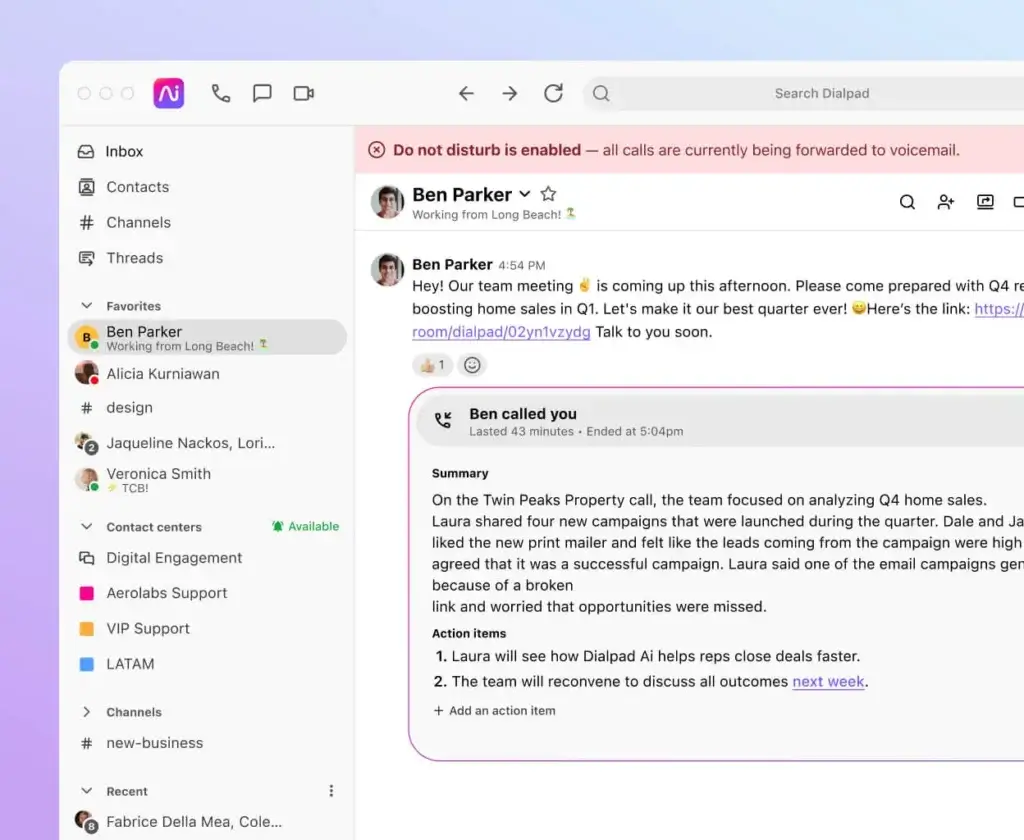
Dialpad Support stands out because it brings a lighter, more modern feel to the call center category. It is not trying to be the heaviest platform on the list, and that is part of its appeal. For many teams, especially in the SMB and mid-market range, it offers a more approachable path into AI-powered customer service.
Its biggest strength is how naturally AI fits into the product experience. Transcription, summaries, and agent guidance feel like built-in workflow tools rather than extras bolted onto the side later. If your team cares about usability and productivity as much as raw enterprise depth, Dialpad Support is one of the most compelling options here.
Key features
- AI-powered contact center platform positioning
- Real-time transcription and smarter agent workflows
- Omnichannel support capabilities
- Forecasting and workforce management options
- Cleaner learning curve than many enterprise suites
- Useful fit for teams that want faster deployment
Pros and cons
Pros
✅ One of the strongest AI-first experiences in the category
✅ Easier to adopt than heavier enterprise platforms
✅ Strong choice for modern SMB and mid-market teams
✅ Good balance of productivity and usability
Cons
❌ Less enterprise operational depth than Five9 or NICE CXone
❌ Very large or highly customized environments may want more control
❌ Best feature mix depends on plan level and packaging
❌ Not every buyer needs its AI-forward angle
Pricing
Dialpad’s pricing materials now cover Support alongside its broader customer communications platform. The company positions Support as part of its AI-powered contact center stack, with pricing and plan comparison available through its main pricing pages and guided sales flow. Compared with many enterprise-heavy competitors, Dialpad is still one of the easier vendors to evaluate if you want a modern AI-driven contact center without a highly complex buying process.
Who should use Dialpad Support?
Dialpad Support is ideal for growing support organizations that want AI-powered call center software with less complexity than a traditional enterprise suite. It is particularly strong for teams that care about fast rollout, cleaner administration, and built-in productivity tools that agents will actually use.
Feature comparison table
| Tool | Best For | Biggest Strength | Main Tradeoff |
| Five9 | Enterprise and upper mid-market teams | Best all-around balance of omnichannel depth, AI, and contact center maturity | Can feel heavy and expensive for smaller teams |
| Talkdesk | Modern cloud CX teams | Strong automation and flexible omnichannel delivery | Advanced functionality can increase total cost |
| RingCentral RingCX | Businesses consolidating communications vendors | Strong ecosystem fit with RingCentral communications | Less specialized than the top pure-play CCaaS leaders |
| Aircall | Small teams and fast-growing SMBs | Simplicity, usability, and integrations | Limited depth for complex enterprise service environments |
| NICE CXone | Large and complex service operations | Exceptional workforce, CX, and enterprise platform depth | Heavier rollout and less pricing transparency |
| 8×8 Contact Center | International and distributed organizations | Good fit for global communications plus contact center needs | Quote-led buying makes direct comparison harder |
| Dialpad Support | AI-forward SMB and mid-market teams | Best AI-first experience with easier adoption | Less enterprise depth than Five9 or NICE CXone |
How to choose the best call center software for your company
The right choice depends less on which vendor looks strongest on paper and more on which one fits your service model. Start by identifying what kind of operation you actually run today and what you expect it to look like in the next few years.
If you want the strongest all-around platform
Five9 is one of the safest recommendations if you need a mature omnichannel contact center platform with AI, analytics, and the kind of operational depth serious service teams rely on.
If you want enterprise CX depth
NICE CXone is one of the best choices for large organizations that need workforce management, advanced orchestration, and broader AI-driven customer experience tooling.
If you want a more modern cloud CX approach
Talkdesk is a strong fit for businesses that want flexibility, automation, and omnichannel service without immediately defaulting to the heaviest enterprise stack.
If vendor consolidation matters
RingCentral RingCX makes the most sense when your company already uses RingCentral or wants contact center and communications under one vendor.
If AI productivity is a top priority
Dialpad Support deserves special attention because its AI layer is deeply integrated into the workflow instead of feeling like a late add-on.
If you operate internationally
8×8 Contact Center is worth serious consideration because it aligns well with broader global communications requirements.
If you want the simplest option for a smaller team
Aircall is one of the best picks for SMBs and fast-growing support teams that want quick deployment, strong CRM and help desk integrations, and a clean calling workspace without enterprise-level complexity.
Final thoughts
The best call center software in 2026 does much more than manage phone queues. It helps your team route interactions intelligently, automate repetitive work, surface customer context, and improve service quality through analytics and AI.
If I had to narrow this list down by use case, I would put Five9 at the top for overall balance, NICE CXone as the strongest enterprise platform for complex operations, Talkdesk as the best modern cloud CX alternative, RingCentral RingCX as the most logical communications-plus-contact-center option, Dialpad Support as the best AI-first choice for many growing teams, 8×8 Contact Center as a strong fit for international businesses, and Aircall as the easiest recommendation for smaller teams that care most about usability and integrations.
Your final decision should come down to operational fit, not just brand recognition. The best platform is the one your agents can use effectively, your managers can scale confidently, and your business will not need to replace the moment service complexity grows.
Frequently Asked Questions (FAQs)
What is call center software?
Call center software is a platform that helps businesses manage customer interactions across voice and, in many cases, other channels like chat, email, SMS, and social messaging. It often includes routing, reporting, automation, and AI tools.
What is the difference between call center software and contact center software?
The terms are often used interchangeably, but contact center software usually implies broader omnichannel support beyond voice, including digital channels and customer journey workflows.
Which platform is best overall?
For many mid-sized and enterprise teams, Five9 is one of the strongest overall options because it balances channel coverage, AI, analytics, and operational maturity better than most alternatives.
Which option is best for enterprise use?
NICE CXone and Five9 are two of the strongest enterprise choices. NICE CXone is especially compelling for organizations with advanced workforce and customer experience requirements.
Which platform is best for smaller teams?
Dialpad Support is often the better fit for smaller teams because they are easier to deploy, easier to manage, and less operationally heavy than enterprise-first suites.
Is omnichannel support necessary?
Not always. If your team mainly handles voice interactions, you may not need a full omnichannel platform. But if customers also reach you through chat, SMS, email, or messaging apps, omnichannel support becomes much more valuable.
What AI features matter most in call center software?
The most useful AI capabilities usually include transcription, call summaries, agent assistance, routing intelligence, self-service automation, and analytics that identify service trends or coaching opportunities.
Do these tools integrate with CRMs and help desks?
Yes. Most leading call center platforms integrate with CRM and customer support tools, though the depth and number of integrations vary by vendor and plan.
What should I shortlist first?
If you run a serious support organization, start with Five9, NICE CXone, and Talkdesk. If you are a smaller team or want faster rollout, start with Dialpad Support.