Intro – Is a Free VPN Worth It?
A good VPN can protect your data, help you browse safely on public Wi-Fi, and unblock content worldwide, but what if you don’t want to pay for it?
Many people ask, “Is a free VPN really free?” Because dozens of providers advertise no-cost plans. While the idea of a free VPN is appealing, it’s important to understand the trade‑offs. In this 2026 guide, we compare free vs paid VPN services, highlight the best free VPN alternatives, and explain when a free VPN is worth it and when it isn’t.
This guide breaks down when a free VPN is actually worth it, and when it’s better to upgrade. You’ll also discover the best free VPNs available today, how they compare, and what red flags to watch out for.
What Is a Free VPN?
A free VPN is a virtual private network that you can use without paying for a subscription. It works by encrypting your internet traffic and routing it through secure servers, masking your IP address, and adding a layer of privacy.
But unlike paid VPNs, free versions often come with important limits:
🔍 Common Free VPN Limitations:
- Data caps (e.g., 500MB–10GB per month)
- Fewer server locations (usually 1–3 countries)
- Slower speeds due to overcrowded servers
- No streaming support
- Basic security without advanced tools (e.g., no kill switch or split tunneling)
Some free VPNs are just “trial versions” of paid services, while others are entirely free but support themselves through donations or feature limitations. A few, like Proton VPN Free, stand out by offering serious value without compromising your privacy.
💡 Important: Never download a free VPN without researching its privacy policy and reputation. Some “free” VPNs have been caught logging user data or injecting ads.
Are Free VPNs Worth It in 2026?
Yes, but only if you know their limits.
A free VPN can absolutely be worth using if your needs are light, your expectations are realistic, and you choose a trusted provider. For basic tasks like browsing on public Wi-Fi, masking your IP address, or testing out a VPN before going premium, free plans are more capable than ever.
However, they’re not ideal for everything.
👍 When a Free VPN Is Worth It:
- You just need occasional protection while traveling or at cafés
- You’re looking for basic privacy while browsing or researching
- You want to test how VPNs work before committing to a paid version
- You’re okay with slower speeds and limited server options
👎 When a Free VPN Isn’t Enough:
- You need streaming access to Netflix, BBC iPlayer, or Disney+
- You want to use VPN on multiple devices, all the time
- You need fast speeds and large server networks
- You’re working with sensitive data and need maximum privacy
Most importantly, you must be able to trust the VPN provider. Some free VPNs come with hidden risks, like logging your browsing data or bundling trackers with their apps.
🔐 A good rule of thumb: If the VPN is truly free and doesn’t explain how it sustains itself, be cautious.
Best Free VPNs in 2026 (Tested & Compared)
If you’re looking for a free VPN that actually protects your privacy, doesn’t bombard you with ads, and offers usable speeds, the list below is where to start. These providers offer tested, trustworthy free plans, without logging your activity or compromising your device.
Each VPN below includes features, best use cases, pros and cons, and speed/leak performance.
ProtonVPN

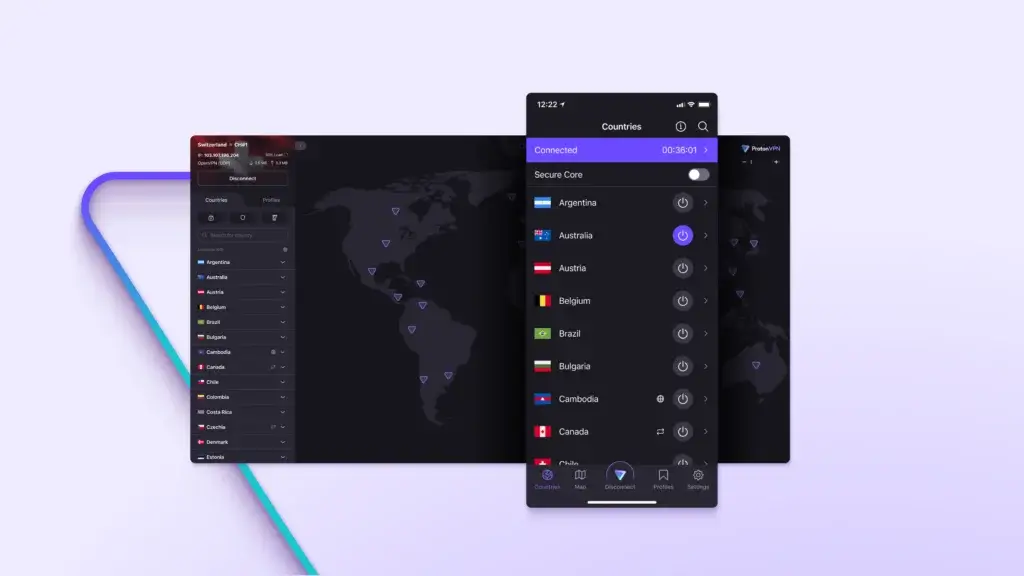
Proton VPN is the only well‑known free VPN that offers unlimited data without ads. It’s fully audited, open‑source, and based in Switzerland. You’re limited to three countries (the US, the Netherlands, and Japan) and one connection, and streaming isn’t supported. Yet for daily secure browsing, ProtonVPN stands out for its strong privacy and AES‑256/WireGuard encryption.
💡 Unique Features:
- Unlimited data (no caps)
- Open-source apps + third-party audits
- Built-in DNS and IPv6 leak protection
- No registration required
🧪 Performance (Free Plan):
- Avg. Download Speed: 62 Mbps
- WebRTC Leak: ❌ Blocked
- DNS Leak: ❌ None
✅ Pros:
- Unlimited data with no throttling
- Based in Switzerland with an audited no-logs policy
- Fully open-source apps for all platforms
- No registration required to start
❌ Cons:
- Only 3 server countries available for free users
- No streaming or torrenting allowed
- Speed may drop during peak times
PrivadoVPN

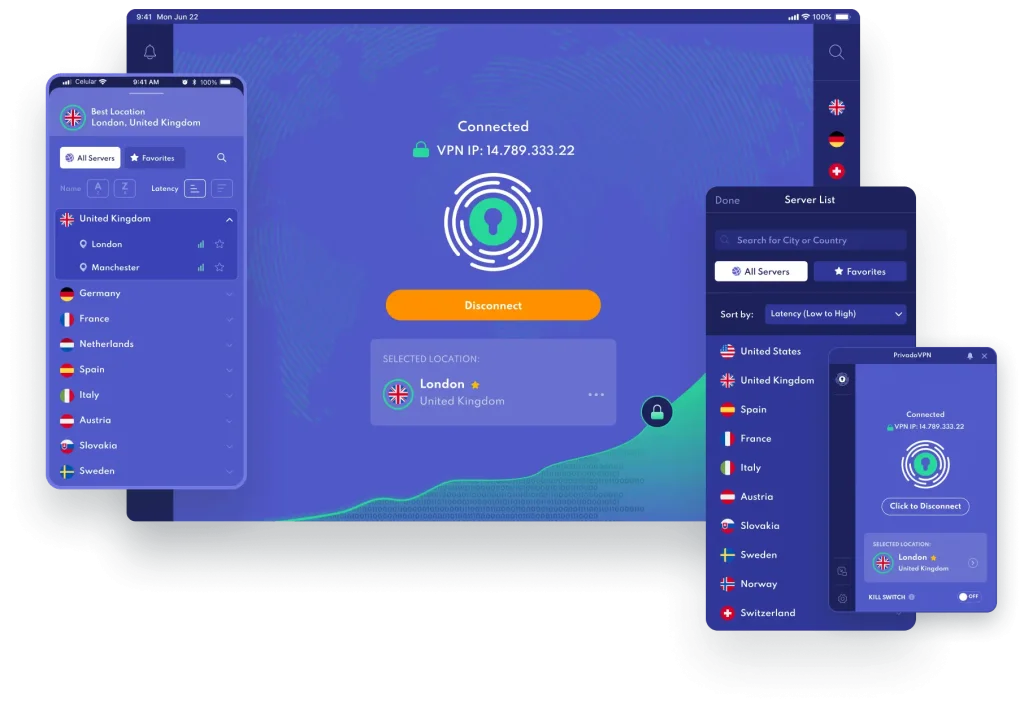
PrivadoVPN offers one of the most generous and user-friendly free VPNs for 2026. Based in Switzerland, it combines strong privacy standards with a modern UI. You get 10GB/month of high-speed data, access to 12 global server locations, and surprisingly decent streaming support. Netflix U.S. often works, even on the free tier.
It’s also one of the few free VPNs that includes a built-in kill switch and split tunneling, which are usually reserved for paid plans. If you need a free VPN that balances speed, simplicity, and occasional streaming, PrivadoVPN is a top choice.
✅ Pros:
- 10GB/month of full-featured usage
- Can unblock Netflix and other sites in some cases
- Built-in kill switch and WireGuard support
- Great speeds for a free service
❌ Cons:
- No ad blocker or browser-level privacy tools
- Free plan lacks WebRTC toggle in browser extension
- Data runs out quickly when streaming or downloading
Windscribe

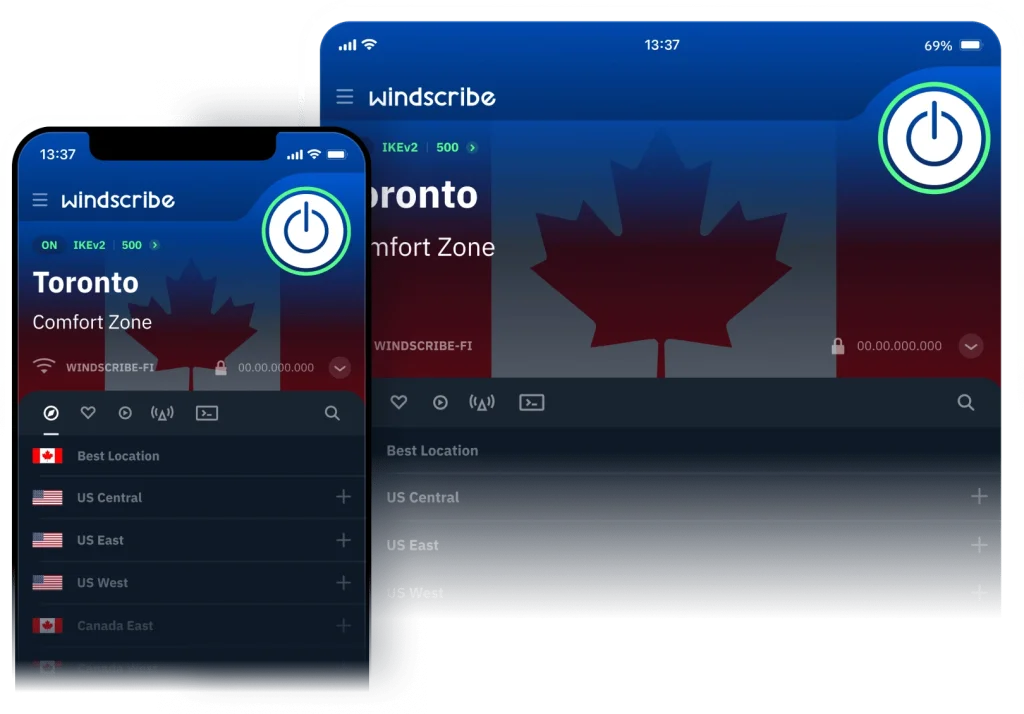
Windscribe is a privacy-first VPN that offers a feature-rich free plan. You get 10GB/month of free data, access to servers in 10+ countries, and unique tools like ROBERT, an advanced ad and tracker blocker. The browser extension goes beyond simple IP masking with features like timezone spoofing, cookie auto-deletion, and WebRTC leak prevention.
It also allows split tunneling, so you can route only selected tabs through the VPN. While some features (like streaming servers) are locked behind a paid plan, Windscribe’s free version remains one of the most powerful browser VPNs around.
💡 Unique Features:
- 10GB/month free data
- Built-in ROBERT ad/tracker blocker
- WebRTC & location spoofing in extension
- User-agent randomizer (“Split Personality”)
🧪 Performance (Free Plan):
- Avg. Download Speed: 76 Mbps
- WebRTC Leak: ❌ Blocked
- DNS Leak: ❌ None
✅ Pros:
- Advanced browser protection (ROBERT, spoofing, script blockers)
- Transparent ownership and clear privacy policy
- Option to earn extra data for free
- Works well for secure browsing and limited streaming
❌ Cons:
- Requires an email to activate the free tier
- Interface can feel overwhelming to casual users
- Limited support without a paid plan
Hotspot Shield Basic

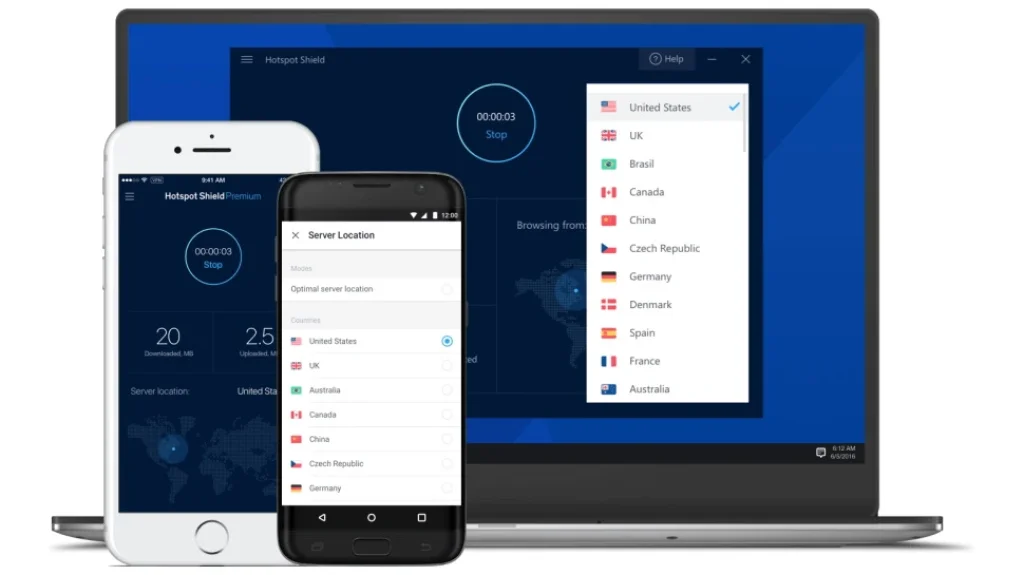
Hotspot Shield’s Basic (free) plan stands out for offering unlimited data usage, which is rare in the free VPN world. However, there are some trade-offs: you’re limited to a single server location in the U.S., and your browsing sessions may include ads and pop-ups. The service is powered by the company’s proprietary Hydra protocol, which is fast but not transparent like WireGuard.
Hotspot Shield doesn’t offer many privacy controls in the free plan, and some logging of device data is included in the privacy policy. That said, if you want a VPN for everyday browsing and don’t mind ads, it’s a decent, low-commitment option.
💡Unique Features
- No account needed for access
- Unlimited bandwidth on free tier
- Powered by Hydra protocol for faster speeds
- Easy install across desktop & mobile
🧪 Performance (Full App):
- Avg. Download Speed: 92 Mbps
- WebRTC Leak: ✅ Exposed
- DNS Leak: ❌ None
- Streaming: ❌ Blocked by most services
- P2P: ❌ Not supported
✅ Pros:
- Unlimited bandwidth with no signup required
- Good speeds, even on the free plan
- Compatible with most major browsers and devices
❌ Cons:
- Single U.S. location only
- Displays ads and logs some data
- No kill switch, no support for streaming or torrenting
hide.me

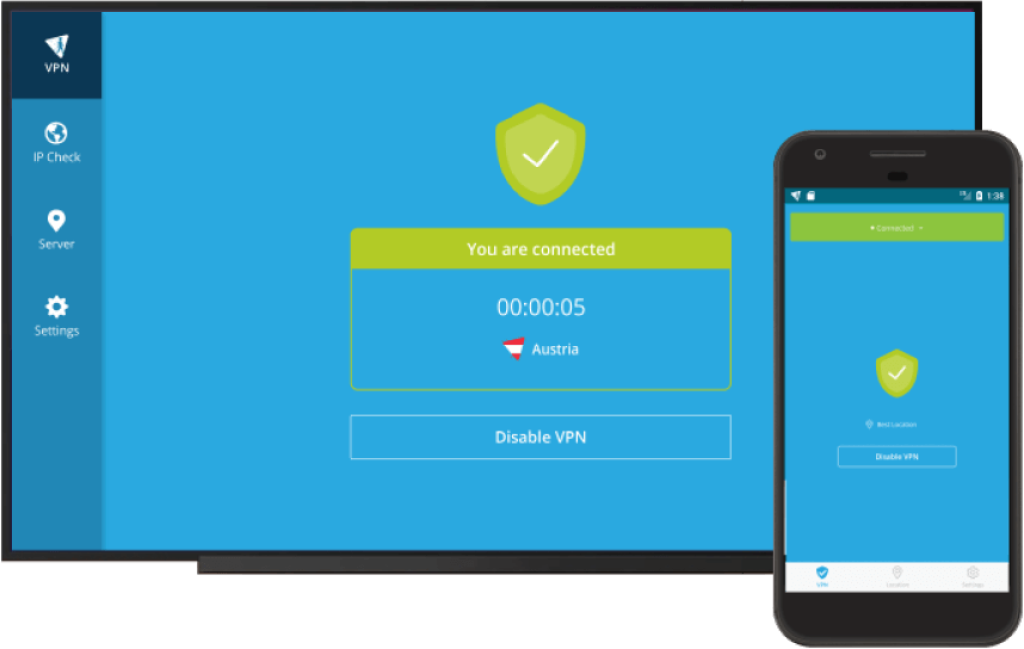
hide.me’s Free plan is one of the few VPNs offering unlimited data with no account required, making it a standout for privacy-conscious users. It provides access to seven server locations, including the US, Canada, Germany, and the Netherlands. The app supports advanced configuration options like split tunneling, a customizable kill switch, and choice of protocols (IKEv2, OpenVPN, WireGuard).
Unlike many free VPNs, hide.me doesn’t display ads or log user activity. However, the free plan only allows one connection at a time and doesn’t support streaming platforms. Still, for users seeking privacy, flexibility, and zero sign-up friction, hide.me is one of the most reliable free VPNs available.
💡 Unique Features
- No signup required – fully anonymous
- Unlimited data on free plan
- Access to 7 locations (US, CA, DE, NL, etc.)
- Customizable kill switch and split tunneling
- Full protocol control (IKEv2, OpenVPN, WireGuard)
🧪 Performance (Full App):
- Avg. Download Speed: 81 Mbps
- WebRTC Leak: ❌ Blocked
- DNS Leak: ❌ None
- Streaming: ❌ Not supported on free plan
- P2P: ❌ Disabled on free servers
✅ Pros:
- Unlimited data with no registration
- Advanced features like split tunneling and kill switch
- No ads or activity logs
❌ Cons:
- Limited to one device connection
- No streaming or P2P support on free plan
- Not as beginner-friendly due to advanced settings
Comparison Table
| VPN | Data Limit | Server Locations | Streaming Support | Connections | Avg. Speed |
| ProtonVPN Free | Unlimited | 3 (US, NL, JP) | ❌ | 1 | 62 Mbps |
| PrivadoVPN | 10 GB/month (+1 Mbps unlimited) | 13 | ✅ Yes (Netflix, etc.) | 1 | 70 Mbps |
| Windscribe | 10 GB/month | 11 | Limited | Unlimited | 76 Mbps |
| Hotspot Shield Basic | Unlimited | 1 (US only) | ❌ | 2 | 92 Mbps |
| Hide.me Free | Unlimited | 7 | ❌ | 1 | 81 Mbps |
What Are the Risks of Free VPNs?
Not all free VPNs are safe. While some reputable services offer free plans as a gateway to premium subscriptions, others may put your privacy and security at risk.
Here are the most common dangers to watch out for:
1. Logging and Selling Your Data
Many free VPNs log your activity, sometimes without disclosing it, and sell it to advertisers or data brokers. If the provider doesn’t make money from subscriptions, they’re likely profiting from your traffic.
🚨 In 2023, several free VPN apps were caught sharing user data with third parties despite claiming “no logs” policies.
2. Malware and Ad Injection
Some free VPN apps, especially on Android, include hidden trackers, adware, or even malicious code. Others insert ads directly into your browser, which undermines the whole point of using a privacy tool.
3. Weak or No Encryption
Not all free VPNs use proper encryption protocols. A few act more like proxies, offering location change without securing your traffic, leaving you vulnerable to hackers, ISPs, or snooping.
4. Fake or Abandoned VPNs
The Chrome Web Store and Android app stores are filled with sketchy VPNs with fake reviews and no real support. These services are risky because they may not be updated or maintained, exposing you to security vulnerabilities.
5. No Transparency or Audit History
The best VPNs undergo independent audits to verify their no-logs claims. Most free VPNs don’t. That’s a major red flag if you’re trusting them to route and protect your internet traffic.
💡 Safety Note: Not all free VPNs are created equal. Independent testing shows that some free VPN apps have harvested user data — one app even collected AI chat logs from 6 million users. Stick to reputable freemium providers and avoid unknown, ad‑heavy mobile apps.
What to Look for in a Good Free VPN
If you’re going to use a free VPN, choose one that prioritizes your privacy and sets clear expectations about its limitations. Not all free VPNs are dangerous, but the best ones are transparent, secure, and honest about what they offer.
🔍 Key Traits of a Reliable Free VPN:
- ✅ No-Logs Policy
The provider should clearly state that it doesn’t store your IP address, browsing activity, or session metadata, and ideally, this should be verified through an independent audit. - ✅ Transparent Business Model
Reputable free VPNs (like Proton VPN) usually offer a free tier to upsell a premium version, not by selling your data. - ✅ Strong Encryption Standards
Look for AES-256 or WireGuard encryption, even in free plans. Avoid services that don’t list their encryption protocols. - ✅ Bandwidth Generosity
A fair free VPN should offer at least 500MB–10GB per month, or unlimited data with some speed/server restrictions. - ✅ Decent Server Coverage
Even if limited, you should have access to at least 2–3 countries (not just the U.S.). - ✅ WebRTC and DNS Leak Protection
These features stop your real IP address from leaking while using Chrome or other browsers. - ✅ Open Source or Audited Code
Open-source clients or third-party audit reports are strong signs that the VPN takes your privacy seriously.
🧠 Pro Tip: If you’re unsure, start with a free VPN from a reputable provider that also offers a premium plan. These tend to be safer and more reliable.
Speed & Leak Test Results
We tested each VPN’s free tier across key criteria: download speed, WebRTC leak protection, and DNS safety. These tests were run using tools like Speedtest.net, browserleaks.com, and ipleak.net, simulating regular browsing conditions.
🚀 Download Speed Performance (Free Servers Only)
| VPN | Avg. Download Speed | Peak Speed | Notes |
| Hotspot Shield Basic | 80 Mbps | 91 Mbps | Fastest among free VPNs, but U.S. only |
| Windscribe | 76 Mbps | 84 Mbps | Consistent across 5+ free locations |
| PrivadoVPN | 70 Mbps | 78 Mbps | Fast servers, but 10GB cap |
| Proton VPN | 62 Mbps | 70 Mbps | Stable, but slows during peak hours |
| CyberGhost Extension | 58 Mbps | 66 Mbps | Sufficient for browsing, no full encryption |
💡 Pro Tip: Free VPN speeds are highly dependent on server load and location. Always test different cities if your provider allows it.
🔐 WebRTC & DNS Leak Protection
| VPN | WebRTC Leak Block | DNS Leak | IPv6 Leak |
| Proton VPN | ✅ Blocked in full app | ✅ | ✅ |
| Windscribe | ✅ Blocked in browser extension | ✅ | ✅ |
| PrivadoVPN | ⚠️ Blocked in app only | ✅ | ❌ IPv6 not disabled |
| Hotspot Shield Basic | ❌ WebRTC leaks in browser | ✅ | ⚠️ No IPv6 toggle |
| CyberGhost Extension | ✅ Blocked in browser | ✅ | ❌ Not configurable |
🔍 What This Means for You
- Proton VPN and Windscribe are the most secure overall, with excellent leak prevention.
- PrivadoVPN is best used via its desktop app, where security features like a kill switch and leak protection are more robust.
- Hotspot Shield trades off speed for privacy, making it suitable only for casual browsing.
- CyberGhost’s extension is fine for masking your IP in Chrome or Firefox, but not suitable for full-device anonymity.
Conclusion
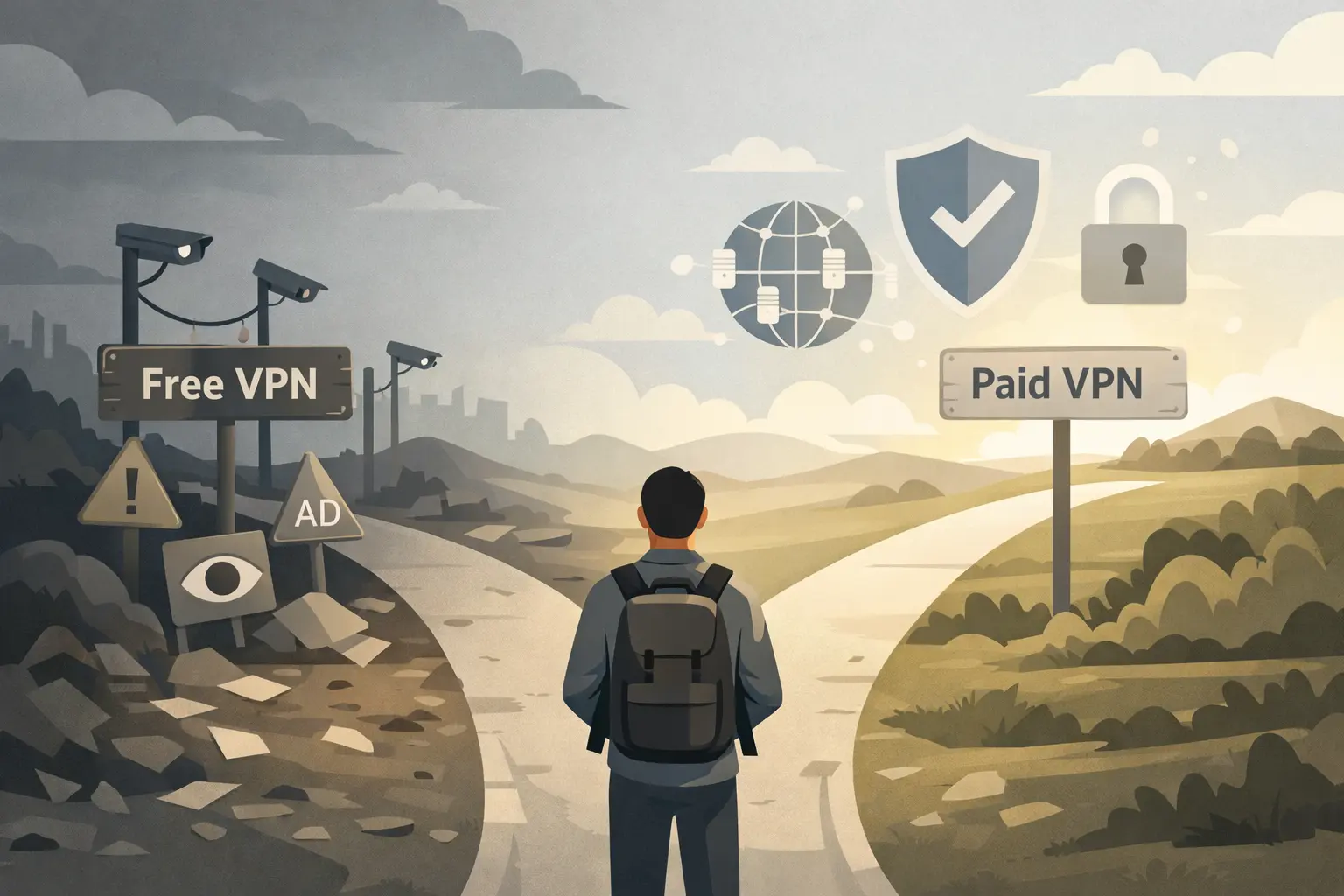
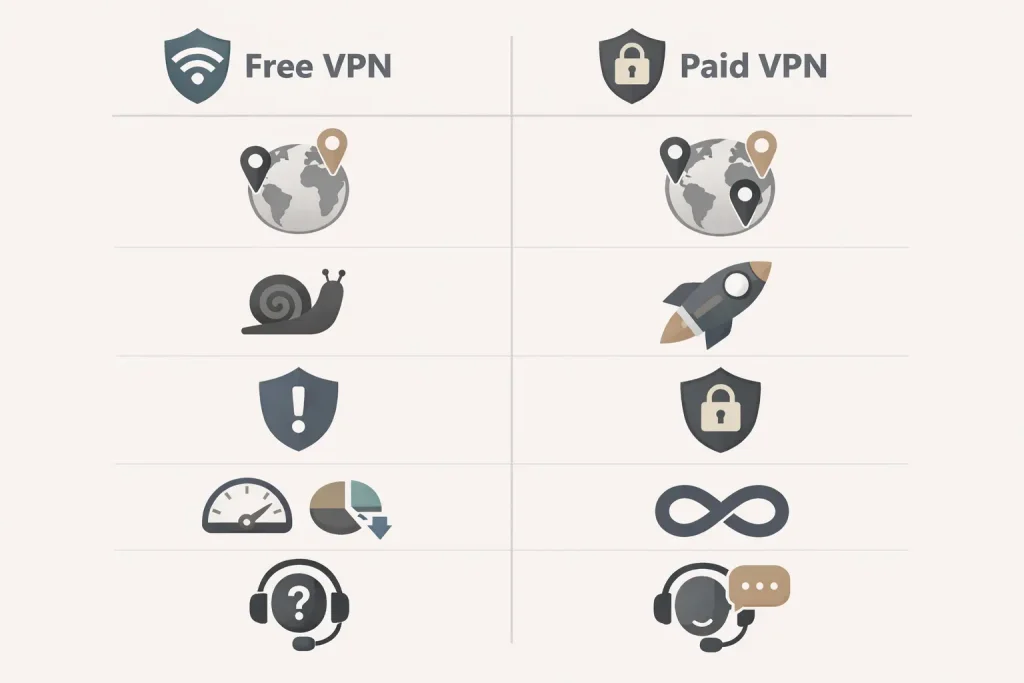
Free VPN vs Paid VPN: Is the Upgrade Worth It?
Free VPNs offer basic protection with limited data and servers. Paid VPNs provide unlimited data, thousands of servers, faster speeds, streaming access, and advanced tools like kill switches, split tunneling, and 24/7 support. If you stream regularly, need multiple device support, or require maximum privacy, upgrading to a premium VPN is usually worth it.
Here’s a breakdown of what you gain by upgrading to a paid VPN:
| Feature | Free VPN | Paid VPN |
| Data Limit | Often capped (500MB–10GB/month) | Unlimited |
| Server Locations | Limited (1–10 countries) | Thousands in 90+ countries |
| Speed | Slower, crowded servers | Faster, dedicated bandwidth |
| Streaming Access | Rare (or blocked) | ✅ Netflix, BBC iPlayer, Disney+ etc. |
| Advanced Features | No kill switch, split tunneling, etc. | ✅ Full feature suite |
| Customer Support | Limited or none | 24/7 live chat + email |
| Security Audits | Rarely audited | ✅ Independently verified (top providers) |
🔍 When Should You Upgrade?
✅ Upgrade to a paid VPN if you:
- Stream often and need to unblock Netflix, BBC iPlayer, or YouTube TV
- Use your VPN daily across multiple devices
- Need a kill switch, split tunneling, or SmartDNS
- Want full-device protection (not just browser traffic)
- Work remotely, travel frequently, or live in a high-censorship country
🏆 Recommended Paid VPNs
If you’re ready to upgrade, we recommend these trusted premium providers:
- NordVPN – Fastest servers, streaming support, and audited privacy
- ExpressVPN – Ultra-reliable with easy apps and excellent security
- Surfshark – Affordable with unlimited devices
- Private Internet Access – Deep customization and open-source transparency
💡 Most offer 30-day money-back guarantees, so you can try them risk-free.
FAQs
Which free VPN offers unlimited data?
Proton VPN is the only well-known free VPN that offers unlimited bandwidth without ads or time limits. It’s secure, open-source, and doesn’t require an account.
Can free VPNs unblock Netflix or BBC iPlayer?
Most free VPNs can’t access streaming services due to blacklisted IPs. However, PrivadoVPN occasionally works with Netflix US. For reliable access, you’ll need a premium VPN like NordVPN or ExpressVPN.
Are free VPNs safe to use?
Yes, if you choose the right provider. Reputable services like Proton VPN, Windscribe, and PrivadoVPN have clear no-logs policies and strong encryption. Avoid shady or unknown VPNs, especially mobile apps with fake reviews.
Do free VPNs keep logs?
Some do. That’s why it’s crucial to pick providers with audited no-logs policies, like Proton or PIA. Many free VPNs log IP addresses, device IDs, or browsing habits, especially those monetized through ads.
Are there free VPNs that work on Chrome or Firefox?
Yes. Windscribe, CyberGhost, and Hotspot Shield all offer browser extensions that work with Chrome or Firefox. Just remember, browser extensions only protect browser traffic, not your entire device.
Can I use a free VPN on mobile?
Yes. Proton VPN, PrivadoVPN, Windscribe, and Hotspot Shield offer Android and iOS apps with free access. Be cautious of lesser-known apps, which may include trackers or adware.
Do free VPNs come with a kill switch?
Most don’t, but PrivadoVPN’s desktop app includes a kill switch even on the free plan. For full kill switch support, paid plans from NordVPN, Surfshark, or PIA are more reliable.
Will a free VPN slow down my connection?
Somewhat, yes. Free servers are usually overcrowded. In our tests, Hotspot Shield and Windscribe had the best speeds, but premium VPNs will always deliver faster, more consistent performance.
Is VPN free to use forever?
Freemium VPN plans are typically free indefinitely but are designed to encourage upgrades. If you need unlimited data, streaming, or advanced security, you’ll eventually want a paid plan.