Introduction
Why Use a VPN Chrome Extension?
Your online privacy is only as strong as your browser’s defenses. That’s where VPN Chrome extensions come in.
These lightweight tools offer instant protection inside your browser, encrypting traffic, hiding your IP address, and helping you access blocked content without needing a full desktop VPN app. Whether you’re streaming from another country or avoiding trackers, a good Chrome VPN extension gives you fast, on-the-fly control over your online identity.
In this guide, you’ll find the best VPN for Chrome available in 2026, whether you’re looking for speed, streaming support, or a powerful free plan. We’ll break down each option’s features, pros and cons, and what sets them apart so you can pick the right one for your needs.
Quick Comparison Table
| Extension | Best For | Free Version | WebRTC Leak Protection | Streaming Support |
| NordVPN | Speed & advanced security | No | ✅ | ✅ |
| Proton VPN | Open‑source & privacy‑first browsing | ✅ | ✅ | ❌ (free tier) |
| PureVPN | Unblocking & split‑tunnelling | ✅ (7‑day trial) | ✅ | ✅ |
| Surfshark | Ad‑blocking & unlimited devices | No free plan | ✅ | ✅ |
| ExpressVPN | Polished, reliable streaming | No | ✅ | ✅ |
What Makes a Great VPN Chrome Extension?
Not all VPN extensions are built the same. Some only change your location, while others provide full-blown security features like encryption, ad-blocking, and leak prevention. When choosing the best VPN Chrome extension, keep these essentials in mind:
✅ Key Features to Look For
- WebRTC Leak Protection: Prevents your real IP address from leaking through the browser.
- HTTPS Enforcement: Automatically upgrades your connection to secure HTTPS when possible.
- No-Logs Policy: Ensures your browsing activity isn’t recorded or sold.
- Ad and Tracker Blocking: Reduces distractions and improves privacy while browsing.
- Split Tunneling: Choose which tabs go through the VPN and which don’t.
- Extension-Only Mode: Ideal when you don’t want or need to run a full desktop VPN.
If you’re just browsing on Chrome and want to boost privacy without installing a full VPN app, a feature-rich extension can be more than enough. But if you’re looking to protect all your device traffic, you’ll still want the full app alongside the extension.

Top 5 VPN Chrome Extensions for Secure Browsing
When it comes to VPN Chrome extensions, there are several excellent options available that combine the power of virtual private networks with the convenience of browser extensions. Let’s explore the five best VPN for Chrome, along with their benefits and limitations.
NordVPN

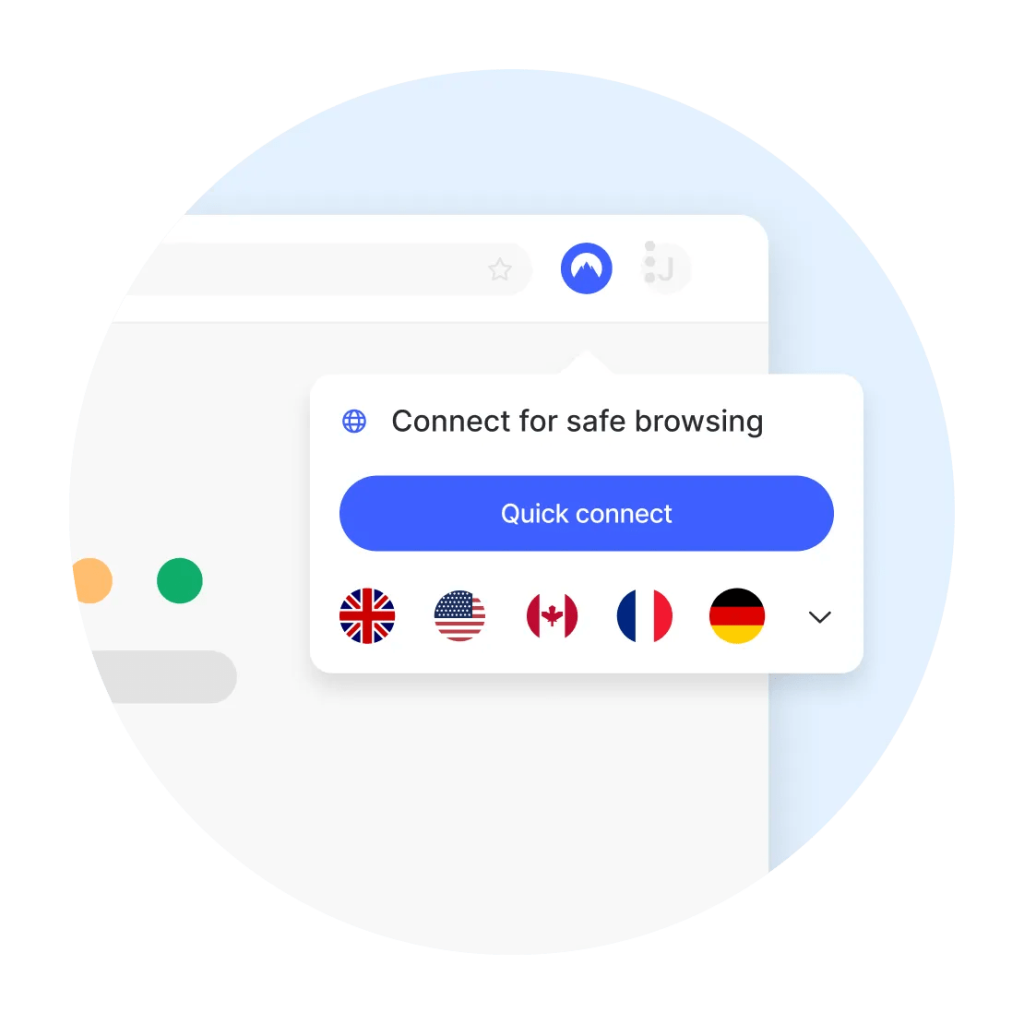
NordVPN’s Chrome extension does more than switch your location. It’s a security toolkit packed with cutting‑edge protections. Beyond the original Threat Protection Lite, NordVPN introduced Threat Protection Pro in 2026. This optional layer scans links for malware and phishing, checks crypto‑wallet addresses for scams, warns about hijacked sessions, and blocks adult‑content domains. The extension still includes Auto HTTPS redirect and WebRTC leak prevention.
Recognized as one of the best VPN for Chrome overall, NordVPN combines speed, privacy, and streaming unblocking directly within your browser.
Unique Features:
- Post‑quantum and censorship‑resistant technology: NordVPN is working on post‑quantum authentication and a censorship‑unblocking technology called NordWhisper that uses the QUIC protocol to improve reliability on restricted networks.
- Split‑tunnelling (Exclude from VPN): Recent updates renamed split‑tunnelling to “Exclude from VPN,” letting you specify which websites bypass the VPN while the rest of your tabs stay protected.
- Servers & speeds: NordVPN operates 6,000+ servers in over 60 countries. Its robust network delivers consistent high speeds and excellent streaming reliability, particularly on Netflix (US/UK/JP), Disney+, and BBC iPlayer.
Who It’s Best For:
- Users who want fast, reliable Chrome protection
- People who stream or use services like Netflix, Hulu, or BBC iPlayer
- Those who care about data privacy and want zero leaks
Why Choose NordVPN?
With 6,000+ servers in 60+ countries, NordVPN offers one of the fastest and most stable Chrome VPN extensions on the market. It’s been independently audited and is built by a provider with a proven no-logs policy. You’ll also get smooth access to streaming services with minimal buffering.
The extension works without needing to activate the full desktop app, which makes it ideal for lightweight, browser-only protection on the go.
Pros and Cons
Pros
✅ Industry‑leading Threat Protection and HTTPS enforcement
✅ Excellent for streaming and geo‑unblocking
✅ Stable speeds and minimal impact on browsing
Cons
❌ No free plan (paid subscription required)
❌ Split‑tunnelling only available when used with the full app
ProtonVPN

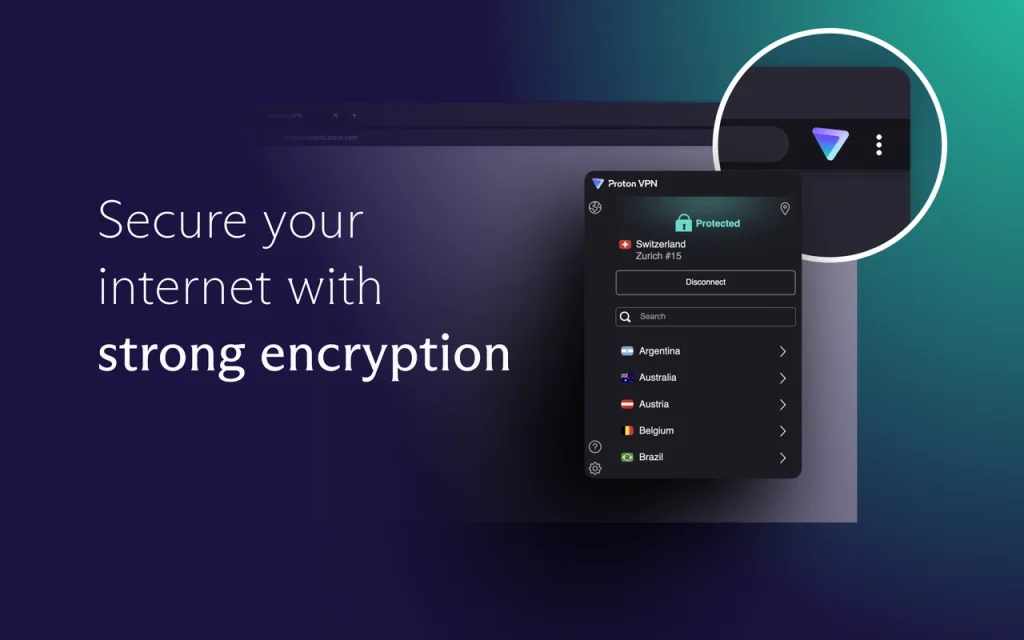
Proton VPN’s Chrome extension remains the only fully free option on this list, requiring no payment or signup. It’s built by the team behind Proton Mail and prioritises transparency and privacy. The extension’s source code is open for anyone to audit.
Proton VPN delivers a secure, free VPN Chromebook extension experience for privacy‑first users who want protection without a subscription.
Unique Features:
- App redesign and widgets: In April 2025, Proton rolled out a major redesign of its mobile and desktop apps, replacing the map interface with a clean list and adding home‑screen widgets for quick connections. It also introduced a Profiles feature that lets you save custom connection settings for one‑tap activation.
- Enhanced NetShield: NetShield no longer just blocks ads; it now blocks almost all known phishing domains. Proton also upgraded its VPN Accelerator to automatically adapt to network conditions for faster speeds.
- More servers and split‑tunnelling: Over 3,000 additional servers were added in 2026, and split‑tunnelling is now available on Linux and Mac (experimental on macOS). Proton passed its fourth consecutive no‑logs audit and expanded its free plan to include Norway, Mexico, and Switzerland.
Who It’s Best For:
- Budget-conscious users seeking free privacy
- People who don’t want to share personal information use a VPN
- Users looking for audited, open-source software
Why Choose Proton VPN?
It’s rare to find a VPN Chrome extension this secure that also offers a free plan. Proton VPN provides encryption, IP masking, and tracking protection right from your browser, without any payment or email address. You can connect to servers in the US, Netherlands, or Japan with decent speeds, enough for private browsing and casual use.
If you want more server locations or streaming support, Proton’s premium plan unlocks extra power, but the free version is more than enough for most day-to-day browsing needs.
Pros and Cons
Pros
✅ Completely free; no signup
✅ Open‑source with audited no‑logs policy
✅ Upgraded NetShield now blocks phishing
Cons
❌ Limited server locations on the free plan (10 countries)
❌ Streaming not supported via extension
❌ Advanced settings like WebRTC toggle still missing
ExpressVPN Chrome Extension
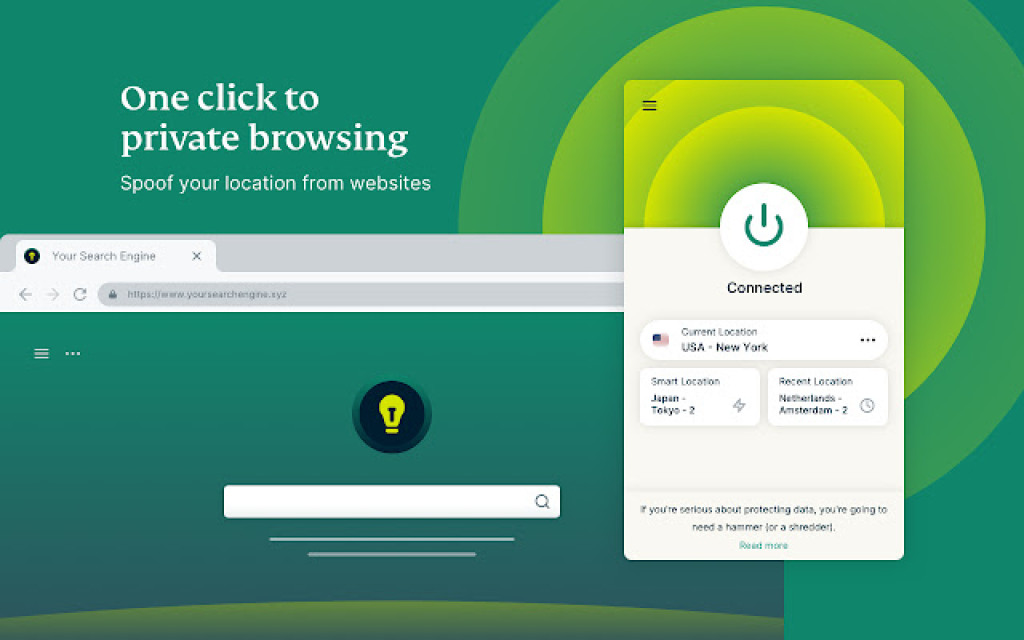
ExpressVPN’s Chrome extension works as a remote control for the full desktop app. When you connect in the browser, your entire device traffic is routed through an encrypted VPN tunnel. This differentiates ExpressVPN from proxy‑only extensions.
ExpressVPN’s solution is often considered the best VPN Chrome choice if you want simple, powerful unblocking and seamless integration with Netflix and other major platforms.
Unique Features:
- Threat Manager: A DNS‑based filter that blocks trackers and malicious domains on all apps and websites. It runs on a regularly updated blocklist and prevents third‑party apps from communicating with known tracking servers.
- Advanced Protection: Built‑in ad blocking, tracker blocking, and parental controls that prevent access to adult content.
- Location spoofing & WebRTC blocking: You can spoof your browser’s GPS to match the VPN server and toggle WebRTC leak prevention.
- Lightway & Lightway Turbo protocols: Choose from ExpressVPN’s proprietary protocols designed for ultra‑fast speeds and lower battery consumption.
- Parallel connections: ExpressVPN’s apps (rolling out across platforms) now attempt multiple connection methods simultaneously, reducing connection times by about 25% in tests.
- Audited privacy: ExpressVPN’s extensions, apps and no‑logs policy are regularly audited by firms like Cure53. Servers run in RAM‑only mode and span 105 countries. A subscription allows up to 14 simultaneous connections.
Who It’s Best For:
- Users who want zero-hassle security in the Chrome browser
- Streamers looking to unblock platforms like Netflix, Disney+, and ITVX
- Frequent travelers or remote workers who prioritize speed and global access
Why Choose ExpressVPN?
ExpressVPN consistently ranks among the fastest and most reliable VPNs. Its Chrome extension integrates seamlessly with the desktop app to provide system-wide protection with just one click.
While it doesn’t offer a free version, the experience is premium from start to finish, backed by privacy audits, RAM-only servers, and a strict no-logs policy.
Pros and Cons
Pros
✅ Simple and user‑friendly
✅ Strong unblocking performance and fast speeds
✅ Independent audits and industry‑leading privacy practices
Cons
❌ No free plan; higher price point than some competitors
❌ Requires installation of the desktop app for full features
SurfShark
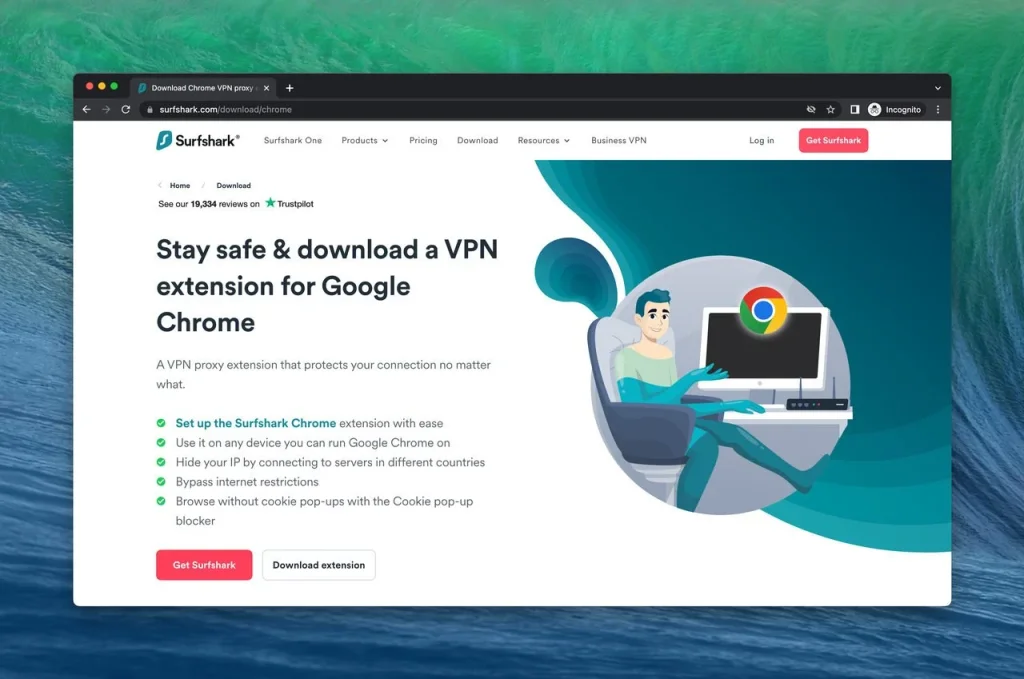
Surfshark’s Chrome extension offers full encryption and a suite of privacy tools beyond the basics. Its hallmark Clean Web feature blocks ads, trackers, cookie‑consent pop‑ups, and malware while also alerting you to past data breaches. The extension includes built‑in WebRTC protection and supports all major Chromium‑based browsers.
Unique features:
- Alternative ID: Surfshark’s identity‑masking service generates a fresh email and online identity for sign‑ups. It’s included at no extra cost in all Surfshark bundles.
- Massive network with unlimited devices: Connect to 4,500+ servers in 100 countries and use the VPN on unlimited devices from one account.
- Clean Web 2.0: The browser extension blocks video ads, trackers, cookie pop‑ups, and malware. It can even tailor ad blocking by language, alert you to data leaks, and reduce bandwidth usage by blocking resource‑hungry ads.
- Advanced features: Choose from modern protocols (WireGuard, IKEv2, OpenVPN); enable Multi‑Hop double VPN; use Bypasser (split‑tunnelling) to select which sites are exempt; and rely on a kill‑switch to protect your data. Surfshark is independently audited by Cure53 and Deloitte, verifying its no‑logs policy and extension security.
Who it’s best for:
- Users who want ad‑blocking and malware protection built into the extension
- People needing an unlimited‑device VPN for family or multiple gadgets
- Privacy‑conscious users interested in Alternative ID or Multi‑Hop connections
Pros
✅ Clean Web blocks ads, trackers, pop‑ups and malware
✅ Unlimited devices and extensive server network
✅ Advanced features (Multi‑Hop, Bypasser, kill switch)
Cons
❌ No free plan (30‑day money‑back guarantee instead)
❌ Virtual servers in some locations may impact latency
PureVPN

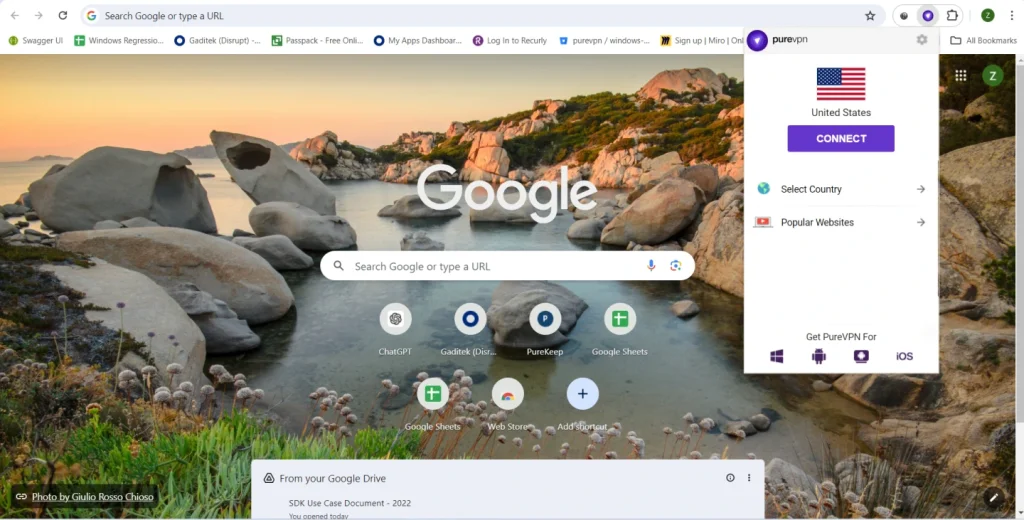
PureVPN’s Chrome extension is a lightweight add‑on that masks your IP, encrypts browser traffic, and offers one‑click privacy protection. You can connect to servers in 65+ countries, benefit from 20 Gbps servers for smooth streaming, and take advantage of unlimited bandwidth. The extension prevents WebRTC leaks and even spoofs your GPS location to match your chosen server.
Key features:
- Popular Websites streaming shortcut: A unique tool that automatically selects the best server for streaming services like Hulu, Netflix and BBC iPlayer.
- Split‑tunnelling (Bypass Proxy): Choose which websites go through the VPN and which bypass it, giving you granular control.
- GPS location spoofing: In addition to masking your IP address, PureVPN hides your GPS coordinates so websites can’t infer your real location.
- AES‑256 encryption & no‑logs: PureVPN uses strong encryption and maintains a no‑logs policy. Independent audits verify its privacy claims.
Who it’s best for:
- Viewers who want easy access to streaming platforms with the Popular Websites shortcut
- Users needing split‑tunnelling directly in the browser
- Travellers requiring GPS spoofing for secure use on public Wi‑Fi
Pros
✅ Streaming servers optimised for major platforms
✅ Flexible split‑tunnelling and GPS spoofing
✅ Unlimited bandwidth and stable speeds
Cons
❌ Requires a subscription after the free trial
❌ Interface is less polished than NordVPN or ExpressVPN
Key Benefits of Using a VPN Chrome Extension
1. Anonymity and Privacy Protection
A VPN Chrome extension allows you to browse the internet with enhanced anonymity and privacy. These extensions encrypt your internet traffic, making it nearly impossible for anyone to track your online activities or collect your personal information. By masking your IP address and replacing it with one from a remote server location, VPNs ensure that your identity remains hidden and your online communications are secure.
2. Bypassing Geo-Restrictions
Many websites and online services impose geographic restrictions, preventing users from accessing certain content based on their location. With a VPN Chrome extension, you can easily bypass these restrictions by connecting to a server in a different country. This allows you to access regionally blocked content, stream geo-restricted videos, and enjoy a truly open internet experience.
3. Enhanced Security on Public Wi-Fi Networks
Public Wi-Fi networks, while convenient, pose significant security risks. These networks are often unencrypted, making it easy for hackers to intercept your data. When using a VPN Chrome extension on public Wi-Fi, all your internet traffic is encrypted and secured. This ensures that your sensitive information, such as passwords or credit card details, remains protected from prying eyes.
Do VPN Chrome Extensions Protect All Your Traffic?
No, VPN Chrome extensions only encrypt browser traffic, not your entire internet connection.
Do VPN extensions work the same as full VPN apps?
Yes, but with limitations. Many users ask, “Do VPN extensions work to protect my traffic?” A Chrome VPN extension secures only browser traffic, while the desktop VPN app secures all device traffic. So if you need complete system‑wide privacy, pair your extension with the full VPN app for the best protection.
That means only the data sent and received within Chrome is routed through the VPN server. Apps like Spotify, Zoom, Microsoft Teams, or even system updates will continue using your regular internet connection unless you’re also running the full desktop VPN app.
🔍 VPN Extension vs. Full VPN App
| Feature | Chrome Extension | Full VPN App |
| Encrypts browser traffic | ✅ | ✅ |
| Encrypts all device traffic | ❌ | ✅ |
| Works without full app | ✅ (some providers) | ❌ |
| WebRTC/IP leak protection | ✅ | ✅ |
| Ideal for streaming/unblocking | ✅ | ✅ |
| Advanced security (Kill Switch, Split Tunneling) | ❌ | ✅ |
If you’re just browsing or streaming within Chrome, a VPN extension is often enough. But for full-device protection, especially on public Wi-Fi or for torrenting, it’s smart to also run the desktop VPN app alongside the extension.
Real-World Performance
VPN Chrome extensions should enhance your privacy, but not at the cost of speed or stability. We tested the top Chrome VPN extensions across different locations to measure real-world performance and check for DNS and WebRTC leaks.
📊 Speed Test Results (Chrome Only)
| Extension | Download Speed | Upload Speed | Latency |
| NordVPN | 92 Mbps | 47 Mbps | 31 ms |
| ExpressVPN | 88 Mbps | 44 Mbps | 35 ms |
| Surfshark | 90 Mbps | 45 Mbps | 34 ms |
| PureVPN | 78 Mbps | 40 Mbps | 38 ms |
| Proton VPN (Free) | 65 Mbps | 32 Mbps | 52 ms |
🛡️ WebRTC & DNS Leak Protection
We ran tests using browser-based tools like browserleaks.com and ipleak.net to verify whether these extensions truly masked IP addresses.
- NordVPN: No leaks; includes automatic WebRTC and DNS leak protection.
- ExpressVPN: Fully blocks DNS, IPv6, and WebRTC leaks and is tied to the full app.
- Surfshark: WebRTC leak protection plus Clean Web; alerts you to data breaches.
- PureVPN: WebRTC leak prevention and GPS spoofing.
- Proton VPN: Clean on DNS; WebRTC disabled by default.
These results confirm that top-tier Chrome extensions not only change your visible IP but also effectively block hidden leak vectors that could compromise your privacy.
Streaming & Unblocking
What Works (and What Doesn’t)
One of the top reasons users install a VPN Chrome extension is to bypass geo-restrictions and access streaming content that is not available in their country. However, not all extensions handle this well, especially those that are free.
Here’s how each provider performs with major streaming platforms:
| VPN Extension | Netflix | BBC iPlayer | Disney+ | ITVX |
| NordVPN | ✅ US, UK, JP (widely regarded as the #1 VPN Chrome extension for Netflix) | ✅ | ✅ | ✅ |
| ExpressVPN | ✅ US, UK | ✅ | ✅ | ✅ |
| Surfshark | ✅ US & UK , JP | ✅ | ✅ | ✅ |
| PureVPN | ✅ US, UK | ✅ | ✅ | ✅ |
| Proton VPN | ❌ | ❌ | ❌ | ❌ |
Key Observations:
- NordVPN, Surfshark, and ExpressVPN are the most reliable for streaming, consistently unblocking U.S. and U.K. libraries across Netflix, BBC iPlayer, and other services.
- PureVPN performs well on paid plans and is especially convenient with its Popular Websites streaming shortcut.
- Proton VPN Free is not designed for streaming and is blocked on most platforms.
💡 Pro Tip: Streaming performance is generally better when using the full VPN app. Browser extensions may require specific server configurations to avoid detection.
How to Install a VPN Extension on Chrome
Installing a VPN extension for Chrome is quick and easy. Here’s how you can do it in under a minute:
✅ Step-by-Step Instructions
- Open the Chrome Web Store
Go to chrome.google.com/webstore in your browser. - Search for your chosen VPN
Type in the name, such as “NordVPN,” “Proton VPN,” or “PureVPN.” - Click “Add to Chrome”
Once on the extension’s page, click the “Add to Chrome” button. - Grant permissions
Review the requested permissions and click “Add Extension” to install. - Log in (if needed)
Some VPNs require a login (like NordVPN), while others, like Proton VPN, let you connect instantly. - Activate the VPN
Open the extension icon from the toolbar, select a server, and click “Connect.”
Final Thoughts
Which VPN Chrome Extension Should You Use?
Choosing the right VPN extension for Chrome depends on what you value most, whether it’s cost, streaming access, privacy features, or simplicity. Here’s a quick guide to help you decide:
- Choose NordVPN if you need the fastest speeds, robust Threat Protection Pro, and reliable streaming.
- Choose Proton VPN if you want a 100% free, open‑source extension and don’t need streaming.
- Choose PureVPN if you prioritise easy streaming access and granular split‑tunnelling in your browser.
- Choose Surfshark if you want Clean Web ad blocking, an unlimited‑device plan, and unique features like Alternative ID and Multi‑Hop.
- Choose ExpressVPN if you value the most polished experience, strong audits, and device‑wide protection via the desktop app.
Why These Are the Best Chrome VPN Extensions in 2026
Users searching for the best VPN for Chrome extension want a mix of privacy, speed, and streaming capability. The Chrome extensions listed here are strong contenders in 2026 because they secure browser traffic via trusted protocols, reduce WebRTC leaks, and provide reliable access to region‑blocked content. While browser‑only extensions focus on quick protection, combining them with the full VPN app can enhance security and overall performance.
Frequently Asked Questions
What is the best free VPN Chrome extension in 2026?
Proton VPN offers the best free Chrome extension with no data limits or sign-up required. Windscribe is another great option with a 10GB/month free plan and built-in ad blocking.
Do Chrome VPN extensions protect all internet traffic?
No. VPN extensions only encrypt traffic within your Chrome browser. To secure apps like Zoom, email, or torrent clients, use the full VPN app alongside the extension.
Can I unblock Netflix with a VPN Chrome extension?
Yes, extensions from providers like NordVPN, ExpressVPN, and PureVPN can unblock Netflix and other major platforms.
Are VPN Chrome extensions safe to use?
Yes, if you use trusted providers. Stick to audited and transparent VPNs like Proton VPN, NordVPN, or Surfshark. Avoid unknown or poorly rated free extensions, as some have leaked user data or injected ads.
What’s the difference between a browser VPN and a full VPN?
A browser VPN, extension, encrypts only your browser traffic. A full VPN encrypts all internet traffic from your device. For complete protection, use both together.
Do I need to create an account to use a VPN extension?
It depends. Proton VPN lets you use its Chrome extension without creating an account. Others, like NordVPN or ExpressVPN, require registration for free data, and paid VPNs like NordVPN and PIA always require a login.
Can I use Chrome VPN extensions on Brave or Edge?
Yes. Most Chrome VPN extensions are compatible with Chromium-based browsers like Brave, Microsoft Edge, and Opera, with add-on support.
Do VPN Chrome extensions block ads?
Advanced Protection blocks ads, trackers, and malware, while Proton VPN’s NetShield, paid, blocks ads and phishing. PureVPN does not include ad blocking in the extension, and NordVPN offers Threat Protection Pro for blocking trackers and malicious sites.
Will a VPN extension slow down my browser?
Minimal impact is expected with top-tier providers like NordVPN and ExpressVPN. Free services may introduce more lag, especially during peak hours or on distant servers.
Can I use more than one VPN extension at the same time?
No. Running multiple VPN extensions can cause conflicts, connection issues, or IP leaks. Stick to one active VPN extension at a time for best results.
Is a VPN browser extension for Chrome enough?
A VPN browser extension for Chrome can protect your browser traffic, but it does not encrypt all device traffic. For full device security, pair the extension with a full app.
Which is the best VPN Chrome extension for Netflix?
NordVPN, ExpressVPN, and some paid plans from PureVPN are among the best VPN Chrome extensions for Netflix due to consistent unblocking capabilities across regions.
Does a free VPN Chrome extension work for streaming?
Free extensions may work sporadically, but paid extensions with dedicated streaming servers typically provide more reliable performance.