
Introduction
Sales pipeline management for small teams is not only about tracking deals. It is about connecting leads, follow-ups, client communication, quotes, internal tasks, and delivery handoffs in one practical operating rhythm.
When your sales pipeline and team operations run separately, small problems become expensive. A lead may get a callback too late. A proposal may be sent without a reminder. A deal may close, but the delivery team may not know what was promised. For a small team, those gaps are not minor workflow issues. They directly affect revenue, client trust, and team capacity.
The challenge is that most small businesses do not need an enterprise-level sales operations system. You need a clean structure that helps your team answer simple but important questions:
- Which deals need attention today?
- Which follow-ups are at risk of being missed?
- Which opportunities are likely to affect team workload?
- What information should move from sales into delivery?
This practical playbook shows you how to connect team operations and sales pipelines in a way that is easy to maintain. The goal is not to add more tools. The goal is to create a clear workflow where your CRM supports revenue activity, your operations tool supports delivery, and your team knows exactly where each type of work belongs.
To make the process concrete, this guide uses LEADer as an example of a lightweight CRM built for communication-heavy small teams.
Quick Answer
How Should Small Teams Connect Sales Pipelines and Operations?
Small teams should connect sales pipelines and team operations by separating revenue work from delivery work, then linking both through a clear handoff process. Your CRM should manage leads, contacts, communication history, deal stages, quotes, follow-ups, and pipeline visibility. Your operations tool should manage projects, tasks, deadlines, workloads, and client delivery.
The connection happens at key transition points. When a lead becomes qualified, the team may check operational capacity. When a quote is approved, the CRM should hold the commercial record. When a deal is marked closed-won, the delivery team should receive a structured handoff with the customer context, scope, timeline, and next steps.
For small teams, the best system is usually simple: one CRM for sales activity, one operations tool for delivery, and a repeatable routine for reviewing deals, tasks, and handoffs every week.
Team Operations vs CRM
What Should Live Where?
Before you connect team operations with your sales pipeline, you need to define the role of each system. Many small teams struggle because they use one tool for everything or move information randomly between systems. That creates clutter, duplicate work, and unclear ownership.
A CRM and an operations tool can work together, but they should not do the same job.
Team operations tools focus on execution
Team operations tools are built to help you coordinate internal work. They are where your team manages the actual tasks required to deliver services, projects, campaigns, client work, or recurring business processes.
They usually help answer questions like:
- What is everyone working on this week?
- Which tasks are overdue or blocked?
- Who owns each deliverable?
- Are we on track with client commitments?
CRM tools focus on revenue activity
A CRM is built to help you manage prospects, customers, deals, communication history, quotes, and follow-ups. It gives your team a structured view of the sales process, so opportunities do not depend on memory, inboxes, or spreadsheets.
They usually help answer questions like:
- Which leads still need a response?
- Which deals are expected to close this month?
- What was discussed with this prospect?
- How much potential revenue is in the pipeline?
Small teams rarely need a complex setup, but they do need both sides. Team operations keep delivery organized. CRM keeps revenue activity visible.
| Activity | CRM | Operations Tool |
| Lead source | Yes | No |
| Contact details | Yes | Optional reference only |
| Call notes | Yes | Only if needed for delivery |
| Sales follow-up | Yes | No |
| Proposal or quote | Yes | Optional link only |
| Project delivery task | No | Yes |
| Team workload | No | Yes |
| Client onboarding checklist | Linked from CRM | Yes |
| Renewal opportunity | Yes | Optional project reference |
Why Sales Pipelines and Team Operations Break Apart
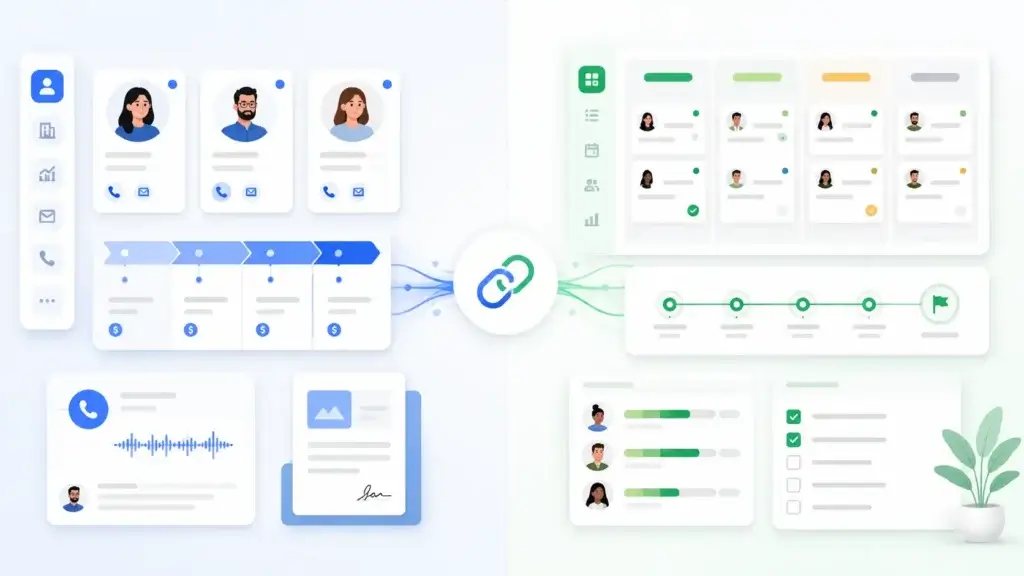
Most small teams do not start with a broken workflow. The process usually breaks gradually. One person manages leads in a spreadsheet. Another tracks tasks in a project tool. Client conversations happen in email, WhatsApp, phone calls, or chat. Before long, nobody has the full picture.
The sales team may know what the customer wants, but the delivery team may not see the details. The operations team may understand capacity, but the sales team may not see delivery constraints before promising timelines. The result is a business that looks busy but feels reactive.
The most common causes
- Sales notes stay in inboxes, chats, or personal notebooks.
- Pipeline stages are unclear or used inconsistently.
- Follow-ups are not attached to specific deals.
- Closed-won deals do not trigger a structured handoff.
- Delivery teams receive incomplete customer context.
- Managers review tasks but not pipeline health.
The fix is not necessarily a larger software stack. The fix is a cleaner operating system for how information moves from communication to CRM to delivery.
The 3-Layer Workflow Model
To understand how everything fits together, it helps to think of your business workflow as three connected layers. Each layer has a different job, and the system works best when information moves cleanly between them.
1. Communication Layer
This is where conversations begin. It includes email, phone calls, WhatsApp, messaging apps, video calls, and meetings. The communication layer is important because it captures real client intent, questions, objections, and commitments.
However, this should not be where important information stays. If a prospect asks for pricing, that should become a CRM task. If a customer approves a quote, that should become a deal update. If a client mentions a delivery requirement, that should be passed into the handoff record.
2. Sales and CRM Layer
This is where revenue activity should be structured. Your CRM should show your leads, active deals, pipeline stages, follow-up tasks, call history, notes, quotes, and expected revenue.
For small teams, the CRM should be easy enough for daily use. If your CRM is too complex, people will avoid it. If it is too simple, it may not give you enough visibility. The right CRM sits in the middle: clear, fast, and structured enough to protect your pipeline.
3. Team Operations and Delivery Layer
This is where your team executes the work. It includes tasks, deadlines, project boards, recurring checklists, internal reviews, onboarding steps, and delivery milestones.
The operations layer should not become a second CRM. It does not need every call note or sales objection. It needs the delivery context that helps the team fulfill what was promised.
How the layers should connect
A simple connected workflow might look like this:
- A lead contacts your business through phone, email, form, or referral.
- The lead is captured in the CRM with contact details and source.
- The sales owner logs communication and moves the deal through stages.
- A quote or proposal is created and attached to the deal.
- Once the deal is approved, a handoff checklist is completed.
- The operations tool creates a delivery project or onboarding task.
- The CRM remains the source for customer history and future revenue activity.
This structure gives you a clean flow without forcing every team member to work in every tool all day.
Where a CRM Fits in Team Operation Processes
A CRM plays a central role in organizing how teams handle leads, clients, communication, and ongoing opportunities. While operational tools focus on internal execution, a CRM ensures every revenue-related interaction is tracked in a consistent, structured way.
This prevents important details from disappearing into notes, emails, or individual inboxes. It also helps small teams move faster because everyone can see the same customer history before making a call, sending a proposal, or following up.
CRMs built for small, communication-heavy teams usually focus on practical daily use rather than heavy enterprise administration. They centralize client information, log calls and messages, display clear timelines of interactions, support visual deal pipelines, and help keep follow-ups on track.
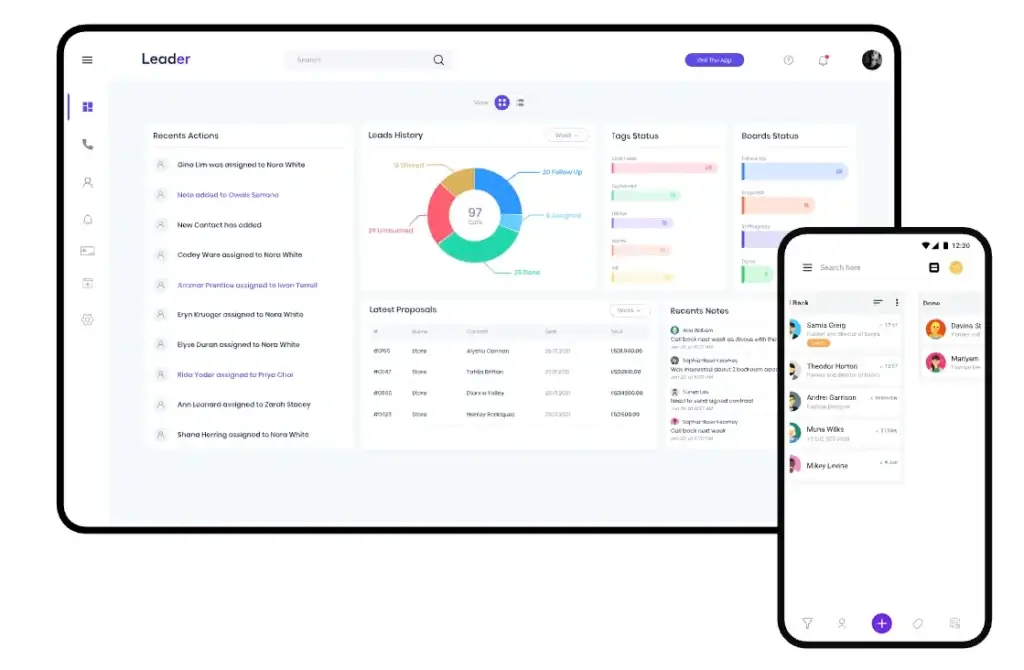
Lightweight CRMs like LEADer demonstrate this approach well. They bring together caller identification, unified activity timelines, simple quote creation, and availability across multiple devices. This type of CRM supports fast-moving teams where responsiveness matters and where context is needed during the conversation, not after it.
In practice, the value of a CRM is not to replace operational tools. It is to complement them. The CRM provides visibility into what is happening with prospects and clients, while the work management system handles delivery. When these two layers work together, teams gain a complete view of commitments, progress, and next steps.
Sales Pipeline Stages for Small Teams
One of the easiest ways to improve sales pipeline management is to define the stages clearly. Small teams often overcomplicate this step by creating too many stages or using labels that do not reflect how deals actually move.
Most small teams should start with 5 to 7 pipeline stages. Each stage should show a meaningful change in the buyer journey. If a stage does not help your team make a decision, forecast revenue, or plan a follow-up, it probably does not need to exist.
| Pipeline Stage | What It Means | CRM Task | Operations Connection |
| New Lead | A new inquiry or prospect entered the system | Assign owner and log source | No delivery task yet |
| Contacted | The team has started communication | Add notes and next follow-up | Share context only if delivery input is needed |
| Qualified | The lead fits your service, budget, and timing | Confirm need, value, and timeline | Check capacity if the deal may close soon |
| Proposal Sent | Pricing, quote, or proposal was shared | Schedule follow-up | Prepare possible delivery plan |
| Negotiation | Scope, pricing, or terms are being discussed | Track objections and changes | Validate timeline and resources |
| Closed Won | The customer approved the deal | Complete handoff record | Create delivery project or onboarding task |
| Closed Lost | The opportunity is not moving forward | Record lost reason | No delivery action |
The exact stage names can change by business model. A service business may use discovery call, proposal, and onboarding. A software reseller may use demo, quote, approval, and implementation. The principle is the same: each stage should make ownership, next steps, and deal health easier to understand.

How to Connect Team Operations and Sales Pipelines
Connecting sales activity with everyday team operations does not require complex software. What matters is building a simple, repeatable system that reflects how your team actually works.
The steps below give you a practical playbook for building a connected workflow.
Step 1 – Map Your Real Sales Process
Before configuring any CRM or workflow, start by understanding what actually happens when your team wins a deal. Do not begin with the process you wish you had. Begin with the process your team already follows.
Review your last 10 to 20 closed opportunities and look for patterns:
- How did the lead first appear?
- Who responded first?
- What happened before the proposal?
- What questions slowed the deal down?
- What moved the prospect forward?
- What happened after the deal was approved?
Based on this review, define your core pipeline stages. A CRM’s visual board can mirror this structure, but the important thing is that the stages reflect reality, not theory.
Step 2 – Separate Delivery Tasks from Sales Tasks
A common issue for small teams is mixing operational work with sales follow-ups. When everything lives in the same place, sales activity becomes cluttered and inconsistent.
A useful rule of thumb is simple:
- If a task helps move a deal forward, it belongs in the CRM.
- If a task is about delivering work, it belongs in the operations tool.
For example, “call back with pricing details” is a CRM task. “Prepare onboarding materials” is an operations task. “Send proposal reminder” belongs in the CRM. “Assign implementation owner” belongs in the operations tool after the deal is approved.
This division keeps your CRM focused on revenue and your operations tool focused on execution.
Step 3 – Make Communication Transparent
Small teams often lose time repeating the same questions. Who spoke to this lead last? What did the client say? Was a quote sent? Did anyone follow up?
Choose a CRM that centralizes activity such as calls, notes, messages, and documents in a single client timeline. Tools like LEADer use caller identification and enriched context views to surface information during the call itself. This reduces uncertainty and improves team coordination.
Your operations tool does not need to store the same communication history. Instead, it should link to the relevant client or deal in the CRM. Adding a CRM deal link inside related operational tasks works well for maintaining context without duplication.
Step 4 – Connect Deals to Delivery Through Clear Documentation
The transition from “deal won” to “work starts” is where many small teams lose clarity. Important information sits in emails or scattered notes, and the delivery team ends up guessing what was agreed.
A clearer handoff looks like this:
- Create a detailed quote inside the CRM.
- Attach important notes, requirements, and customer expectations to the deal.
- Once approved, convert the quote into a proforma invoice or finalized document.
- Use this finalized record to initiate delivery work in your operations tool.
- Assign an internal owner for the first delivery step.
CRMs that support quote-to-invoice workflows keep this information attached to the same deal, so the history stays intact. Your operations system can then create a project or task using precise information instead of assumptions.
Step 5 – Create a Sales-to-Delivery Handoff Checklist
A handoff checklist is one of the highest-impact improvements a small team can make. It prevents the delivery team from asking the same questions again and helps the customer feel like the business is organized from the first day after the sale.
Your closed-won handoff should include:
- Customer name and main contact
- Decision-maker and stakeholder details
- Customer goals and expected outcome
- Approved scope of work
- Pricing, quote, and payment terms
- Promised timeline or start date
- Important risks, objections, or expectations
- First delivery milestone
- Internal owner after closing
This does not need to be complicated. Even a short handoff template inside the CRM can create a major improvement. The key is consistency. Every closed-won deal should trigger the same handoff process.

Step 6 – Establish a Daily Routine the Team Can Follow
Tools help, but habits create consistency. A simple daily rhythm works well for most small teams because it keeps sales and operations visible without forcing long meetings.
- Start the day in the CRM
- Review callbacks
- Check new leads
- Update deal stages
- Prepare for important conversations
- Switch to the operations tool
- Review delivery tasks
- Coordinate internal priorities
- Adjust workload based on deals likely to close soon
- End the day with a pipeline check
- Identify leads without first contact
- Spot deals stuck in the same stage
- Confirm that every open deal has a next step
A routine like this keeps sales momentum steady and prevents operational surprises.
Step 7 – Review Pipeline Hygiene Weekly
Quarterly reviews are useful, but they are not enough for active sales pipeline management. Small teams should also run a short weekly pipeline hygiene check. This helps you catch problems before they become lost deals or delivery issues.
During the weekly review, check:
- Deals with no next step
- Deals with no recent activity
- Deals sitting too long in one stage
- Follow-ups that were missed or delayed
- Deals likely to affect delivery capacity
- Closed-won deals without a handoff record
- Closed-lost deals without a clear reason
This review does not need to take long. For a small team, even 20 to 30 minutes per week can improve forecasting, accountability, and follow-up discipline.
Step 8 – Revisit and Adjust Your Setup Every Quarter
Sales workflows evolve. What worked three months ago may not work now. Reviewing your system quarterly helps you stay aligned with real-world practices.
Consider questions like:
- Are pipeline stages still accurate?
- Is sales activity being logged consistently?
- Are deals slipping because follow-ups are missed?
- Is too much work still happening in spreadsheets or inboxes?
- Are handoffs helping delivery or creating extra admin?
- Do automation rules still match the real workflow?
Small, frequent improvements create a system that stays effective without a major overhaul.
Example Workflow
From New Lead to Delivered Work
The easiest way to understand a connected system is to follow one deal from first contact to delivery.
Imagine a small agency receives a new lead from its website. The lead asks for pricing and wants to understand whether the team can start next month.
| Step | What Happens | Where It Belongs |
| New inquiry | Lead submits a form or calls the business | CRM |
| First response | Sales owner logs the call and adds notes | CRM |
| Qualification | Team confirms budget, need, timeline, and fit | CRM |
| Capacity check | Operations confirms whether the team can start next month | Operations tool |
| Quote sent | Pricing and scope are documented | CRM |
| Follow-up | Reminder is assigned to the sales owner | CRM |
| Deal approved | Deal is moved to closed-won | CRM |
| Handoff | Customer goals, scope, and timeline are passed to delivery | CRM and operations tool |
| Delivery starts | Project, onboarding, or service tasks are created | Operations tool |
This workflow keeps the CRM as the source of revenue truth and the operations tool as the source of delivery truth. The team does not need to duplicate everything. It only needs to transfer the right information at the right moment.
CRM Automation Ideas for Small Teams
Automation can help small teams reduce manual work, but it should not be used to hide a messy process. Start with a clear workflow first, then automate the repeatable steps that are easy to define.
Useful CRM automations for small teams include:
- Assigning new leads to the right owner
- Creating follow-up reminders after calls
- Sending alerts for deals with no activity
- Moving deals based on completed actions
- Creating handoff tasks after a deal is closed-won
- Notifying operations when a high-value deal is likely to close
- Reminding the team to review stale opportunities
AI can also support this workflow by helping summarize calls, suggest next steps, identify stale deals, enrich contact records, or improve forecasting. For small teams, the best use of AI is not replacing the sales process. It is removing repetitive admin so the team can focus on better conversations and faster follow-up.
The key is to keep automation simple. A few reliable automations are better than a complicated system nobody understands.
Sales Pipeline Metrics Small Teams Should Track
A connected pipeline becomes more valuable when you track the right metrics. You do not need a large revenue operations team to understand pipeline health. You need a small set of numbers that shows whether deals are moving, follow-ups are happening, and delivery is prepared.
| Metric | Why It Matters | How to Use It |
| Number of open deals | Shows current pipeline volume | Review weekly to understand activity level |
| Deal value by stage | Helps forecast upcoming revenue | Compare early-stage and late-stage value |
| Stage conversion rate | Shows where deals drop off | Improve weak stages with better qualification or follow-up |
| Average deal age | Reveals stuck opportunities | Flag deals that sit too long without movement |
| Follow-up completion rate | Measures sales discipline | Check whether promised actions are completed |
| Closed-won to delivery handoff time | Shows how quickly work starts after approval | Reduce delays between sales and delivery |
| Lost deal reason | Helps improve targeting and messaging | Review monthly for repeated objections |
These metrics are especially useful for small teams because they connect sales performance with operational planning. For example, if several deals are in late-stage negotiation, the operations team can plan capacity before everything closes at once.
7-Day Implementation Plan for Small Teams
If your current workflow feels scattered, do not try to rebuild everything at once. A simple 7-day implementation plan can help you create structure quickly without overwhelming the team.
| Day | Action | Outcome |
| Day 1 | List your current lead sources and sales steps | You understand where opportunities come from |
| Day 2 | Define 5 to 7 pipeline stages | Your CRM reflects the real sales process |
| Day 3 | Decide which tasks belong in the CRM vs operations tool | Your team avoids duplicate task tracking |
| Day 4 | Create CRM fields for owner, source, next step, value, and close date | Every deal has the basic data needed for follow-up |
| Day 5 | Build a handoff template for closed-won deals | Delivery receives consistent context |
| Day 6 | Add reminders for follow-ups and stale deals | Fewer opportunities are forgotten |
| Day 7 | Run a team review and adjust the workflow | Your system becomes easier to maintain |
This plan gives you a working foundation. After that, you can improve fields, automations, reports, and integrations based on how your team actually uses the system.
Best Types of Tools
The right tool combination depends on your sales process, team size, service model, and delivery complexity. Some teams need a lightweight CRM and a separate project management tool. Others prefer a broader work platform with CRM capabilities built in.
For small teams, the best setup is usually the one your team will actually use every day.
| Tool Type | Best For | Examples of Use Cases |
| Lightweight CRM | Small teams that need simple deal tracking and communication history | Lead tracking, calls, quotes, follow-ups, activity timelines |
| CRM with project features | Teams that want sales and delivery closer together | Sales pipeline, onboarding, customer workflows, recurring tasks |
| Project management tool | Teams with complex delivery or internal workloads | Projects, task boards, timelines, workloads, dependencies |
| Communication tools | Teams that rely on email, calls, chat, or messaging | Client conversations, internal updates, meeting coordination |
| Automation tools | Teams connecting multiple systems without custom development | Lead routing, task creation, alerts, handoff triggers |
LEADer is a good fit when your team needs a lightweight CRM focused on communication, activity history, caller context, and quote management. A dedicated project management tool is still useful when delivery requires timelines, dependencies, workload views, or recurring client tasks.
Common Mistakes Small Teams Should Avoid
Connecting sales and operations is not only about choosing software. It is about creating habits and boundaries. Many small teams buy a CRM or project management platform but keep the same unclear process underneath.
Mistake 1: Using the operations tool as a CRM
Project boards are useful for delivery, but they are not always good for managing sales conversations, deal stages, quotes, and follow-up history. If every lead becomes a project task too early, the operations board becomes noisy.
Mistake 2: Creating too many pipeline stages
A pipeline should make the sales process clearer. Too many stages create confusion and make reporting harder. Start with the few stages that actually affect next steps and forecasting.
Mistake 3: Logging notes without next steps
Notes are helpful, but they do not move deals forward on their own. Every active deal should have a clear next action, owner, and due date.
Mistake 4: Closing deals without a handoff
A closed-won deal should trigger a delivery process. Without a handoff checklist, your team may miss promised timelines, special requirements, or customer expectations.
Mistake 5: Automating too early
Automation works best when the process is already clear. If your team has not agreed on stages, ownership, and handoff rules, automation can create more confusion instead of less.
Conclusion
Small teams often juggle multiple tools, conversations, and responsibilities at once. When sales pipelines and day-to-day operations run separately, important information gets lost, follow-ups are missed, and projects start without clear context.
But connecting the two does not require a complex system. A clear workflow, a well-structured CRM, and a reliable operations tool are enough to create a unified rhythm for the entire business.
A CRM keeps revenue activity organized: calls, conversations, proposals, quotes, and follow-ups. A team operations tool keeps delivery on track: tasks, deadlines, projects, checklists, and workload planning.
When these two layers align, small teams work with far greater clarity. Deals move smoothly, delivery begins with complete context, and the business grows without depending on memory or scattered notes.
The goal is not adopting dozens of tools. It is creating a simple, connected environment where communication, sales, and operations reinforce each other. With the right structure, even a small team can operate with the discipline and efficiency of a much larger organization.
FAQ
What is sales pipeline management for small teams?
Sales pipeline management for small teams is the process of tracking leads, deals, follow-ups, quotes, and next steps in a clear CRM workflow. It helps small teams see which opportunities need attention, which deals are likely to close, and what should happen after a sale is approved.
Do small teams need both a CRM and a work management tool?
Yes. A CRM manages leads, clients, deals, communication history, and follow-ups, while a work management tool handles tasks, delivery, deadlines, and internal workflows. Using both correctly helps each system support a different part of the business.
How do you know which tasks belong in the CRM vs the operations tool?
If the task helps move a deal forward, it belongs in the CRM. If the task is about delivering work, managing a project, or coordinating internal execution, it belongs in the operations tool. This separation keeps sales activity and delivery work clear.
What are the best sales pipeline stages for a small business?
Most small businesses can start with new lead, contacted, qualified, proposal sent, negotiation, closed won, and closed lost. The exact stages should reflect your real sales process, not a generic template.
What is a sales-to-delivery handoff?
A sales-to-delivery handoff is the process of passing customer context from the sales team to the team responsible for implementation, onboarding, or service delivery. It usually includes scope, goals, pricing, timeline, requirements, and ownership details.
How often should small teams review their sales pipeline?
Small teams should review pipeline hygiene weekly and review the overall workflow quarterly. Weekly reviews help catch stale deals, missed follow-ups, and unclear next steps. Quarterly reviews help improve stages, fields, routines, and handoff rules.
Does a small team need automation to connect sales and operations?
Automation helps, but it is not required at the beginning. Start with a clear process first. Then add simple automations for lead assignment, follow-up reminders, stale deal alerts, and closed-won handoff tasks.
What CRM fields should every small team use?
Every small team should track deal owner, lead source, pipeline stage, deal value, expected close date, next step, follow-up date, and lost reason. These fields make pipeline reviews and forecasting much easier.
Can tools like LEADer replace a full project management system?
No. A CRM like LEADer can streamline communication, sales tracking, quotes, and follow-ups, but complex delivery work still belongs in a project or work management system. The CRM should support revenue activity, while the operations tool manages execution.
What is the biggest mistake small teams make with sales pipelines?
The biggest mistake is mixing sales activity, client communication, and delivery tasks without clear boundaries. This creates confusion, duplicate work, and missed follow-ups. A better approach is to separate the systems, then connect them through structured handoffs and routines.