
Prototyping has evolved from rough sketches to fully interactive product simulations. Choosing the right tool is critical: it influences how quickly you can validate ideas, collaborate with colleagues, and hand off work to development. In this guide, you’ll discover what prototyping software does, how to evaluate options, and a detailed look at the best prototyping tools available today. Whether you’re a product manager, UX designer, or engineer, these insights will help you pick a platform that fits your workflow and budget.
Understanding Prototyping and Its Role in Product Development
Before diving into specific tools, it’s important to understand why prototyping matters. Prototyping is the process of creating a model of your product so you can test concepts, validate assumptions, and refine user experience without writing production code. Prototypes range from low‑fidelity wireframes, which focus on layout and content, to high‑fidelity simulations that look and behave like the finished product. The goal is to gather feedback and improve your design before investing time and resources into full development.
Effective prototyping reduces rework, accelerates decision making, and improves communication across design, product, and engineering teams. In 2026, the most useful prototyping tools offer features such as real‑time collaboration, integration with product management platforms, and AI‑assisted design to streamline workflows.
Key Criteria for Choosing a Prototyping Tool
When evaluating prototyping software, consider the following factors:
- Ease of use: Tools should support drag‑and‑drop editing, intuitive navigation, and minimal learning curves, especially for non‑designers.
- Fidelity options: Select software that supports both low-fidelity wireframes and high-fidelity prototypes, depending on your project’s needs.
- Collaboration: Real‑time editing, commenting, and version control are essential for teams working remotely or across time zones.
- Integrations: Look for tools that connect with your existing ecosystem, product management platforms, user research tools, development handoff tools, and file storage services.
- AI assistance: Modern prototyping software leverages AI to generate layouts, convert screenshots to editable designs, or suggest design improvements.
- Pricing and plans: Evaluate whether the tool offers a free tier, the cost of paid plans, and any limitations on seats or projects.
With these criteria in mind, let’s explore the top prototyping tools on the market.
Best Prototyping Tools: In‑Depth Reviews
Miro


Miro has evolved far beyond an online whiteboard. Its prototyping capabilities are designed for product teams that need speed, context, and collaboration, not just polished UI screens.
Instead of starting from a blank design canvas, you can turn research notes, sketches, and workflows directly into clickable prototypes. This makes Miro especially effective in early- and mid-stage product discovery, where alignment matters more than pixel-perfect design.
Key strengths
- AI-assisted prototype generation from text or screenshots
- Clickable prototypes built directly on a shared canvas
- Seamless collaboration between PMs, designers, and engineers
- Strong bridge between ideation, prototyping, and planning
Limitations
- Not intended for final UI production
- Limited advanced interaction logic compared to design-first tools
Why Miro ranks first
Miro is the best choice when prototyping is part of a larger product workflow, not a standalone design task. It excels where collaboration, speed, and context are critical.
Figma


Figma remains the industry standard for UX and UI prototyping. It offers precise control over layouts, components, and interactions, making it ideal for teams that require production-ready designs and structured handoff.
Its real-time collaboration features also make it suitable for distributed design teams, though the workflow is still heavily design-centric.
Key strengths
- High-fidelity interactive prototypes
- Component libraries and design systems
- Real-time multi-user collaboration
- Strong plugin and community ecosystem
Limitations
- Steeper learning curve for non-designers
- Less effective for early ideation and discovery
When to choose Figma
Figma is the right choice when design quality and UI precision are the primary goals, especially in mature product teams.
UXPin

UXPin is designed for teams that need realistic, logic-based prototypes. It allows designers to build prototypes that behave much closer to real applications, including conditional logic and dynamic components.
Key strengths
- Advanced interactions and states
- Code-based components for realism
- Strong developer handoff
- Suitable for enterprise environments
Limitations
- Steeper learning curve
- Overkill for early ideation
When UXPin makes sense
Choose UXPin when prototypes must closely mirror real application behavior.
Proto.io

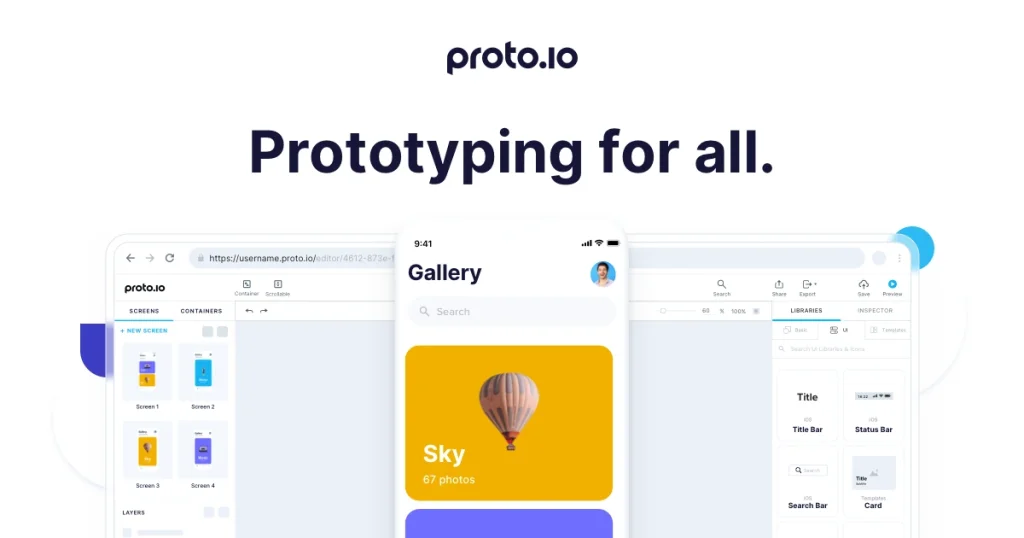
Proto.io focuses on speed and usability. It enables teams to quickly build interactive, clickable prototypes without writing code, making it ideal for testing and presenting ideas.
Key strengths
- Fast setup and learning curve
- Rich UI component library
- Real-time feedback and sharing
- Good balance between fidelity and speed
Limitations
- Limited design system support
- Less flexible than full design platforms
Justinmind

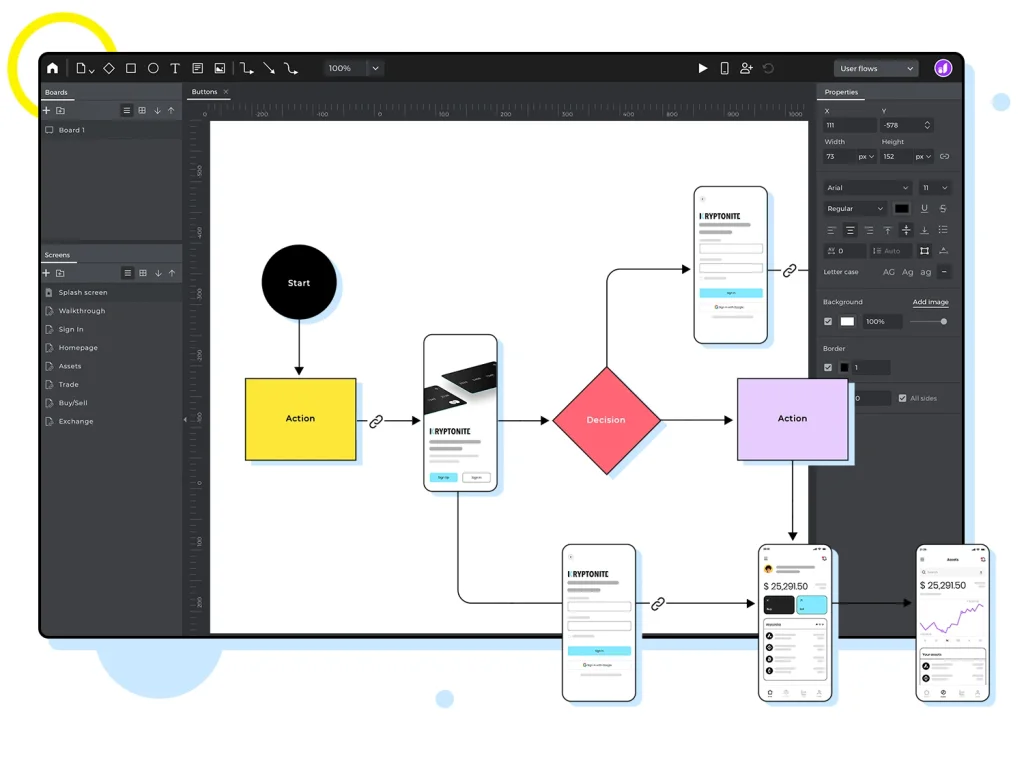
Justinmind is a solid choice if you need high-fidelity prototypes without technical complexity. Its large template library and drag-and-drop editor make it accessible for less experienced users.
Key strengths
- Extensive templates and UI elements
- No-code interaction building
- Suitable for quick learning and onboarding
Limitations
- Less flexible for advanced workflows
- Interface feels dated compared to newer tools
Best Prototyping Tools Comparison Table
| Tool | Best For | Prototype Type | AI Capabilities | Collaboration | Key Limitation |
| Miro | Product teams, discovery | Clickable, low–mid fidelity | AI prototype generation | Real-time, cross-functional | Not for final UI polish |
| Figma | UX/UI designers | High-fidelity, interactive | Limited, plugin-based | Designer-focused | Steep for non-designers |
| UXPin | Advanced UX logic | High-fidelity, logic-based | Partial | Team collaboration | Complex learning curve |
| Proto.io | Fast validation & demos | Clickable prototypes | No | Feedback-focused | Limited design systems |
| Justinmind | Beginners, templates | High-fidelity | No | Basic collaboration | Less flexible at scale |
Integrating Prototyping with Product and Project Management
Prototypes don’t exist in isolation. You need to connect your design efforts to product planning, roadmapping, and execution. Many tools reviewed above integrate with project management platforms like Monday.com, Jira, ClickUp, and Trello, enabling seamless transition from ideation to development. Figma’s design system features feed into component libraries used by developers. Miro’s prototypes live on the same canvas as user research and journey maps, providing context for product managers and engineers.
When selecting a prototyping tool, consider how it will integrate with your product management and project management stack. The ability to link prototypes directly to user stories, backlog items, and roadmaps reduces the risk of miscommunication and speeds up development.
Emerging Trends in Prototyping Tools
AI‑Assisted Design and Generation
Artificial intelligence is transforming prototyping by automating layout creation, converting screenshots to editable designs and even generating complete user flows from textual descriptions. Tools like Miro, Visily, and Uizard showcase how AI can reduce repetitive work and enable non‑designers to participate in the design process. Expect AI features to become standard across prototyping platforms.
Real‑Time Collaboration Across Functions
Distributed teams need tools that support real‑time co‑editing, commenting, and version control. Figma set the standard for collaborative design, and most competitors have followed suit. Miro’s shared canvas and Proto.io’s live preview links emphasize immediate feedback cycles. Collaboration is no longer optional – it’s a core requirement for any prototyping tool.
Design System Integration and Component Reuse
Design systems help maintain consistency across products and accelerate development. Figma’s component libraries and UXPin’s code‑driven components are leading this trend. Modern prototyping tools provide mechanisms to sync UI components with codebases, ensuring that prototypes translate directly to production.
Cross‑Device and Multi‑Screen Prototyping
Products today span mobile, web, and even IoT devices. Tools like ProtoPie allow designers to prototype interactions that occur across multiple screens or devices simultaneously. As digital ecosystems expand, multi‑device prototyping will become increasingly important.
How to Choose the Right Prototyping Tool for Your Workflow
- Define your goals: Are you brainstorming low‑fidelity wireframes or crafting production‑ready prototypes? Your fidelity requirements will narrow down choices.
- Consider team size and expertise: Tools like Balsamiq are great for quick idea generation, whereas Axure and ProtoPie require dedicated UX expertise.
- Evaluate integrations: Ensure the tool connects with your research, product management, and development tools.
- Check pricing and free trials: Many platforms offer free plans or trials, experiment before committing.
- Think about AI: If you want to leverage AI for faster iterations, consider Miro, Visily or Uizard.
Ultimately, the best prototyping tool is the one that fits seamlessly into your existing workflows, reduces friction, and empowers your team to iterate quickly and effectively.
Conclusion: Choosing the Right Prototyping Tool 2026
The best prototyping tools no longer exist in isolation. They are part of a broader workflow that starts with ideas, moves through validation, and ends in execution.
If you’re looking for a tool that supports this entire journey, Miro is the strongest choice. It connects ideation, prototyping, feedback, and planning in one shared workspace, making it especially effective for modern product teams that work across roles and time zones.
Figma remains the go-to solution for teams that prioritize design fidelity and structured UI systems, while PromeAI introduces a new layer by accelerating early-stage visual exploration with AI. Tools like UXPin, Proto.io, and Justinmind serve more specialized needs, from complex logic to fast demos and beginner-friendly workflows.
The key is not choosing the most powerful tool, but the one that best matches how your team works today, and how you plan to scale tomorrow.
If prototyping is a collaborative step toward real delivery, not just a design exercise, starting with Miro gives you the clearest path forward.
Frequently Asked Questions (FAQ)
What is a prototyping tool?
A prototyping tool is software that allows you to create interactive models of digital products to test and refine ideas before development. Prototypes can range from simple wireframes to high-fidelity simulations.
Why should I use prototyping software instead of coding from scratch?
Prototyping tools help you validate design decisions early, gather user feedback, and avoid expensive rework. They are faster to iterate than coding and allow non-developers to contribute to the design process.
Which prototyping tool is best for beginners?
Balsamiq and Moqups are great for beginners because they focus on low-fidelity wireframes and have intuitive drag-and-drop interfaces. Justinmind also offers templates and a simple learning curve.
What are high-fidelity prototypes?
High-fidelity prototypes closely resemble the final product in appearance and behaviour. Tools like Figma, ProtoPie, and UXPin allow you to create interactions, animations, and logic that mimic a real app or website.
Can I collaborate with my team on these tools?
Yes. Most modern prototyping tools, including Figma, Miro, Proto.io, and UXPin, support real-time collaboration with shared workspaces, comments, and version control.
Do I need design skills to use AI-assisted prototyping tools?
No. AI-driven tools like Uizard and Visily are designed to lower the barrier to entry. You can generate wireframes from text prompts or sketches and refine them with drag-and-drop components.
How do prototyping tools integrate with development workflows?
Many tools offer developer handoff features, code export, or integration with version control systems. UXPin’s Merge syncs with code repositories, while Figma exports specifications and CSS. These integrations reduce translation errors between design and development.
Are there free prototyping tools?
Yes. Figma, Miro, UXPin, Vectr, Origami Studio, and others offer free tiers with limited features. These plans are suitable for individuals or small teams starting out.
What’s the difference between a wireframe and a prototype?
A wireframe is a low-fidelity representation focusing on layout and structure, while a prototype adds interaction and visuals to simulate how the product will work. Wireframes are often early deliverables, whereas prototypes are used for testing user flows.
How does AI influence the future of prototyping?
AI accelerates prototyping by automating routine tasks such as layout creation, converting text to designs, and suggesting improvements. This allows teams to focus on creative problem-solving and user experience rather than manual setup.