Introduction
When you’re tasked with delivering a complex project, it’s easy to feel overwhelmed by the sheer number of tasks involved. Breaking everything down into manageable pieces is the key to regaining control. A Work Breakdown Structure (WBS) is a proven technique that decomposes your project scope into a hierarchy of deliverables and sub‑deliverables. It provides a clear roadmap from high‑level goals down to actionable work packages, helping you avoid scope creep, estimate costs accurately, and communicate effectively with stakeholders.
In this guide, you’ll discover what a WBS is, why it’s invaluable in project management, and how to build one step by step. You’ll also learn best practices, common pitfalls, how to adapt a WBS for Agile environments and risk management, and the best software tools to streamline the process. By the end of this article, you’ll be ready to create a work breakdown structure that keeps your team aligned, your timeline on track, and your budget under control.
What Is a Work Breakdown Structure?
A Work Breakdown Structure (WBS) is a hierarchical decomposition of a project’s scope into smaller deliverables and work packages. Rather than listing actions, it focuses on the “what” – the tangible outcomes or results your team must produce to complete the project. The WBS forms the foundation for planning, scheduling, budgeting, and monitoring because it captures 100 % of the project scope in a structured format.
Deliverables vs. Tasks
It’s important to distinguish between deliverables and tasks. Deliverables are the outputs or products your project must produce. Tasks describe the activities required to create those deliverables. A well‑constructed WBS is deliverable‑oriented: it organizes the project scope by what must be delivered, not how the work will be performed. Focusing on deliverables keeps your structure outcome‑driven and prevents it from becoming an exhaustive to‑do list.
The 100 % Rule
An effective WBS follows the 100 % rule. This rule states that the WBS must encompass 100 % of the work defined by the project scope and capture all deliverables – internal, external, and interim. Every level of the WBS should represent 100 % of the work required by the parent element. When you adhere to this rule, you avoid leaving gaps or duplicating work.
WBS Dictionary
Because a WBS is primarily a visual or outline‑style tool, there’s often limited space to describe each element in detail. That’s where a WBS dictionary comes in. This companion document provides definitions and details for each deliverable and work package. It typically includes:
- Task names – concise, clear labels for each WBS element.
- Descriptions – one‑ or two‑sentence summaries describing the deliverable or work package.
- Deliverables – a brief description of the expected outcome.
- Budget – cost estimates or caps for the work package.
- Milestones and due dates – significant checkpoints and target completion dates.
- Approvals and responsibilities – who owns the task and who must sign off on completion.
A well‑maintained WBS dictionary ensures everyone interprets the structure the same way and can find the necessary details quickly.
Control Accounts
In larger projects, certain deliverables serve as control accounts. These are management control points where scope, budget, schedule, and actual costs are monitored and compared for performance measurement. Control accounts sit above work packages, aggregating information for reporting and earned value analysis. Identifying control accounts early helps you track progress and make informed decisions as the project evolves.

Benefits of Using a Work Breakdown Structure
Implementing a WBS provides tangible benefits for project managers and teams.
Clarity and Scope Definition
A WBS provides a clear visual representation of the project scope. Breaking down the scope into hierarchical deliverables and sub‑deliverables makes it easier for everyone to understand what needs to be done. This clarity prevents scope creep and ensures stakeholders agree on the project’s boundaries.
Improved Estimations and Scheduling
By decomposing deliverables into manageable work packages, you can produce more accurate estimates for time, cost, and resources. Once work packages are defined, they can be sequenced, dependencies identified, and schedules established. This structured approach lays the groundwork for realistic planning.
Enhanced Risk Management
A WBS helps you spot potential risks early. Because every deliverable and work package is explicitly defined, you can see where gaps might exist, identify high‑risk components, and allocate contingency resources appropriately. A structured breakdown also makes it easier to assign responsibilities for risk mitigation.
Better Communication and Collaboration
A work breakdown structure becomes a common reference point for all project participants. Stakeholders can see how their contributions fit into the bigger picture. Team members understand the context of their tasks, while sponsors and clients gain transparency into progress and scope.
Efficient Progress Tracking
Tracking progress at the work package level gives you a clear view of which parts of the project are on schedule, which are behind, and where bottlenecks are developing. When used with project management software, a WBS feeds directly into dashboards and reports, providing real‑time insights.
Types of Work Breakdown Structures
Different projects and industries use distinct approaches to structuring the WBS. Understanding the types helps you choose the best fit for your project.
Deliverable‑Based WBS
The most common type of WBS is deliverable‑based. It organizes the project around the tangible outputs you must produce. For example, a construction project might have “Site Preparation,” “Foundation,” “Framing,” “Exterior Work” and “Interior Work” as top‑level deliverables. Each of these is decomposed into sub‑deliverables and work packages. A deliverable‑based structure is well-suited to projects where concrete outcomes (products or documents) define success.
Phase‑Based WBS
A phase‑based WBS structures the project around its major phases or life‑cycle stages. A software project could have phases like “Initiation,” “Planning,” “Design,” “Development,” “Testing,” and “Deployment.” Each phase contains deliverables and work packages relevant to that stage. Phase‑based structures are useful when your project follows a sequential life cycle or when milestones are tied to stages rather than outputs.
Process‑Oriented or Functional WBS
Some industries prefer a process‑oriented or functional WBS, which is organized around functions or departments. This type lists project functions (e.g., design, procurement, manufacturing, quality control) and breaks them down into more granular elements. It’s helpful when work is divided by expertise or department but should be used cautiously so you don’t lose focus on deliverables.
Hybrid and Time‑Phased Structures
Complex projects sometimes combine approaches. A hybrid WBS might use deliverables at the top level but separate a long project into major time‑phased segments (e.g., year one, year two). This allows you to focus planning on upcoming phases while still having a clear deliverable‑based hierarchy overall. Choosing the right structure requires understanding your project’s objectives and stakeholders’ expectations.
Levels of a Work Breakdown Structure
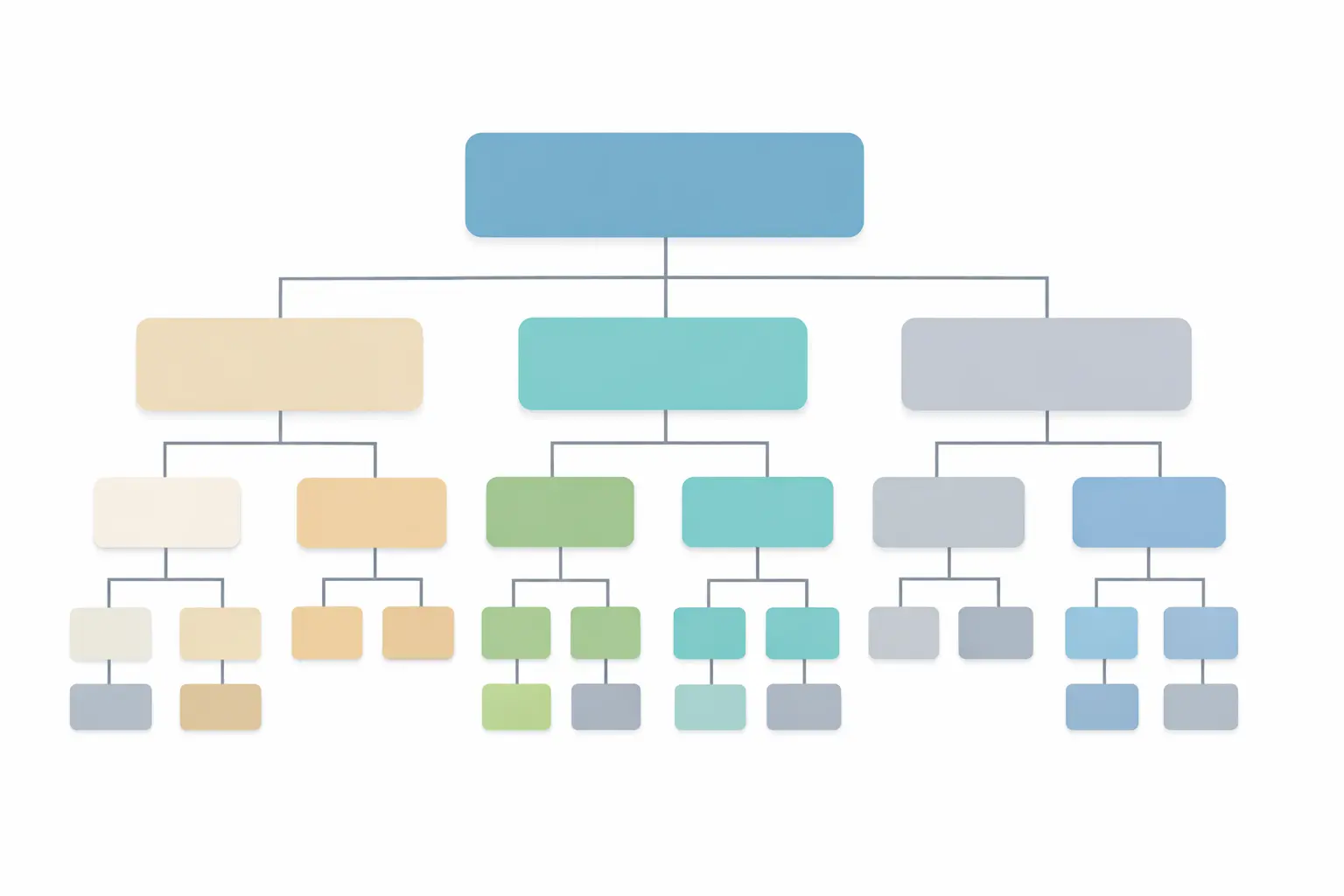
A WBS is organized into levels, each providing more detail than the one above it. The number of levels depends on project complexity, but most structures include three to four levels:
- Level 1 – Project Title or Objective: This top level identifies the overall project or program. It represents the final goal or deliverable and may align with the client’s statement of work.
- Level 2 – Major Deliverables or Phases: At this level, you list the primary deliverables or phases needed to reach the project goal. These elements form the core building blocks of your project.
- Level 3 – Sub‑Deliverables or Control Accounts: Each major deliverable is broken down into smaller components. These sub‑deliverables represent logical groupings of work that can be further decomposed or tracked as control accounts.
- Level 4 – Work Packages: The lowest level of the WBS contains work packages. These are the smallest units of work that can be scheduled, budgeted and assigned to an individual or team. Work packages should be mutually exclusive and collectively exhaustive.
Depending on project size, you might add more levels, but be careful to avoid excessive detail that makes management difficult. A common guideline is the 8/80 rule: a work package should take no less than eight hours of effort and no more than 80 hours. This ensures the work is manageable without being trivial.

Step‑by‑Step Guide to Creating a Work Breakdown Structure
Follow these steps to build a WBS that provides clarity and control throughout your project.
Step 1: Define the Scope and Objectives
Before you can break down anything, you need a clear understanding of what the project is aiming to achieve. Review the project charter and scope statement to confirm what’s included and excluded. Meet with stakeholders to align on goals, constraints, and success criteria. A well‑defined scope lays the foundation for an effective WBS.
Step 2: Identify Major Deliverables or Phases
Based on the scope and objectives, list the high‑level deliverables or phases required to complete the project. These will form the second level of your WBS. For example, a website redesign project might include “Brand Refresh,” “Content Development,” “Design and UX,” “Development,” and “Testing.” Ensure each deliverable aligns with the project’s goals and supports the overall objective.
Step 3: Decompose Deliverables into Sub‑Deliverables
Next, break down each major deliverable into smaller sub‑deliverables. Ask yourself: what distinct outcomes or components are needed to complete this deliverable? Continue decomposing until each element is meaningful on its own and can be further broken down into work packages. This iterative process transforms an overwhelming project into manageable chunks.
Step 4: Break Sub‑Deliverables into Work Packages
For each sub‑deliverable, identify the work packages required to produce it. A work package is the lowest level of the WBS and should be assignable to one person or team, measurable and clearly defined. Ensure work packages are mutually exclusive (no overlap) and collectively exhaustive (together they account for 100 % of the parent element). Applying the 8/80 guideline helps you choose an appropriate level of detail.
Step 5: Assign WBS Codes and Define Hierarchy
Once your hierarchy is set, assign unique identifiers (WBS codes) to each element. Codes might follow a decimal pattern (1.0, 1.1, 1.1.1) or another scheme that matches your organization’s standards. Clear coding helps you track costs, schedule, progress, and changes. Document the hierarchy so that everyone can interpret the codes correctly.
Step 6: Develop the WBS Dictionary
For each WBS element, especially work packages, create an entry in the WBS dictionary. Include the element’s description, responsible parties, schedule milestones, budget estimates, quality criteria, assumptions, and constraints. The dictionary ensures consistent understanding and is invaluable for onboarding new team members or validating scope changes.
Step 7: Review and Refine with Your Team
Share the draft WBS with your project team and key stakeholders. Invite their feedback to verify completeness, accuracy, and realism. Collaborating on the WBS fosters buy‑in and ensures you’ve captured all perspectives. Revise as needed and obtain formal approval from stakeholders to establish the WBS as a baseline.
Step 8: Maintain the WBS as a Living Document
A WBS isn’t merely a planning artifact; it’s a tool used throughout the project life cycle. As the project progresses and scope changes are approved, update the WBS and dictionary accordingly. Keeping the WBS current helps you track progress, manage changes, and communicate status effectively.
Best Practices for Developing a WBS
Consider these proven best practices to ensure your WBS is effective and manageable.
Focus on Deliverables, Not Activities
Always frame WBS elements as nouns rather than verbs. For instance, use “User Training Manual” instead of “Write User Training Manual.” This keeps the structure aligned with outcomes and prevents it from becoming a task list.
Apply the 100 % Rule and 8/80 Guideline
Ensure each level of the WBS fully sums to 100 % of the work required by its parent level. Avoid overlapping work between elements. At the same time, don’t over‑decompose your WBS – work packages that take under eight hours can clutter your structure, while those exceeding 80 hours may be too broad to manage effectively.
Maintain Mutual Exclusivity
Elements at the same level should not overlap in scope. Two work packages should never include the same work. This avoids duplication of effort, confusion, and inaccurate cost or time estimates.
Involve Your Team
Team members performing the work often have the best understanding of what’s required. Involve them in decomposing deliverables, estimating effort, and validating the structure. Collaboration leads to greater accuracy and buy‑in.
Keep the WBS Flexible
A WBS is most useful when it can be updated as the project evolves. Use it as a living document to track changes, record lessons learned, and adjust scope or estimates. This flexibility improves decision‑making and ensures the structure remains relevant.
Common Mistakes to Avoid
Even experienced project managers can stumble when creating a WBS. Avoid these pitfalls:
- Turning the WBS into a task list – Focus on deliverables and outcomes, not the step‑by‑step activities involved.
- Skipping stakeholder involvement – Failing to involve team members, sponsors or clients can result in missing deliverables or unrealistic breakdowns.
- Over‑decomposition – Breaking work down too finely can create unnecessary complexity. Stick to the 8/80 guideline unless there’s a compelling reason to go beyond it.
- Ignoring the WBS after planning – Treating the WBS as a static document wastes its potential for tracking progress and managing changes. Update it throughout the project.
- Omitting a WBS dictionary – Without a dictionary, stakeholders may interpret deliverables differently, leading to confusion and rework.
Using a WBS in Agile Environments
Some teams assume that Agile projects don’t need a WBS because iterative frameworks emphasize flexibility. However, a WBS can coexist with Agile practices and even enhance them.
Aligning the WBS with Backlogs and Sprints
In Agile, you can treat epics or features as high‑level deliverables and break them down into user stories that become work packages. Your WBS then informs backlog grooming and sprint planning. Because Agile teams work in short iterations, keep work packages small enough to be completed within a sprint and update the WBS regularly as the backlog evolves.
Supporting Agile Estimation and Forecasting
A WBS helps Agile teams estimate size and complexity more accurately. By decomposing epics into user stories and tasks, you can assign story points or time estimates and track velocity. The WBS provides a structured reference for forecasting future sprints and release plans.
Encouraging Collaboration and Transparency
Agile methodologies value collaboration and transparency. A WBS complements these values by giving everyone a shared view of the project’s scope and how work items relate. It also clarifies dependencies and cross‑team interfaces, which is critical in scaled Agile frameworks.
The Role of WBS in Risk Management
Risk management is integral to successful project delivery, and a WBS is a valuable tool in identifying and managing risks.
Identifying Scope and Schedule Risks
A detailed WBS reveals areas where scope may be ambiguous or where there might be excessive reliance on a single resource. These are potential risk triggers. By breaking down deliverables, you can pinpoint critical dependencies and complex work packages that warrant extra attention.
Assigning Risk Ownership
Each work package in the WBS should have an owner. Assigning ownership ensures accountability for monitoring and mitigating risks associated with that component. If a high‑risk package is behind schedule or over budget, you know exactly who to involve in the response.
Integrating Risk Management Into the WBS
Include risk‑related tasks or deliverables in your WBS. For example, if cybersecurity is a risk, add a work package for “Security Assessment” with its own budget and timeline. This integration ensures that risk management activities are visible and properly planned.
Industry‑Specific Examples of WBS
While the principles of WBS are universal, examples from different industries illustrate how you might tailor your structure.
Software Development
A software development WBS often follows the system development life cycle. Level 1 is the overall project (e.g., “New Mobile App”). Level 2 contains phases like initiation, planning, design, development, testing, and deployment. Each phase decomposes into functional components and work packages. For instance, “Development” breaks down into front‑end coding, back‑end coding, and API integration. “Testing” might include unit tests, integration tests, and user acceptance tests.
Construction
In construction projects, deliverables are often physical components: site preparation, foundation, framing, roofing, utilities, and interior finishes. A WBS in this context helps schedule crews, allocate materials, and track progress. Work packages might include tasks such as pouring concrete footings, installing structural steel, or running electrical wiring.
Marketing Campaigns
For marketing campaigns, the WBS organizes strategic planning, content creation, campaign execution, and performance tracking. Deliverables could include market research, messaging frameworks, creative assets, digital advertisements, and analytics reports. Breaking these down clarifies responsibilities and ensures all channels are covered.
Event Planning
Event managers use WBSs to coordinate logistics, venues, vendors, marketing, and attendee experiences. Top‑level deliverables might be venue selection, catering, programming, speaker coordination, and marketing. Work packages ensure no detail is overlooked, such as securing permits, designing invitations, or arranging transportation.
Work Breakdown Structure Tools and Software
Software solutions can significantly simplify creating and maintaining a WBS. Many project management platforms provide templates, drag‑and‑drop interfaces, and integrated scheduling features. Here are some leading tools:
- Asana – Ideal for teams that need flexibility. It offers timeline (Gantt), board, and calendar views. You can create hierarchical tasks to form a WBS and switch between views without losing structure.
- Monday.com – Provides customizable boards and templates for WBS creation. Its automation features help track dependencies and status updates.
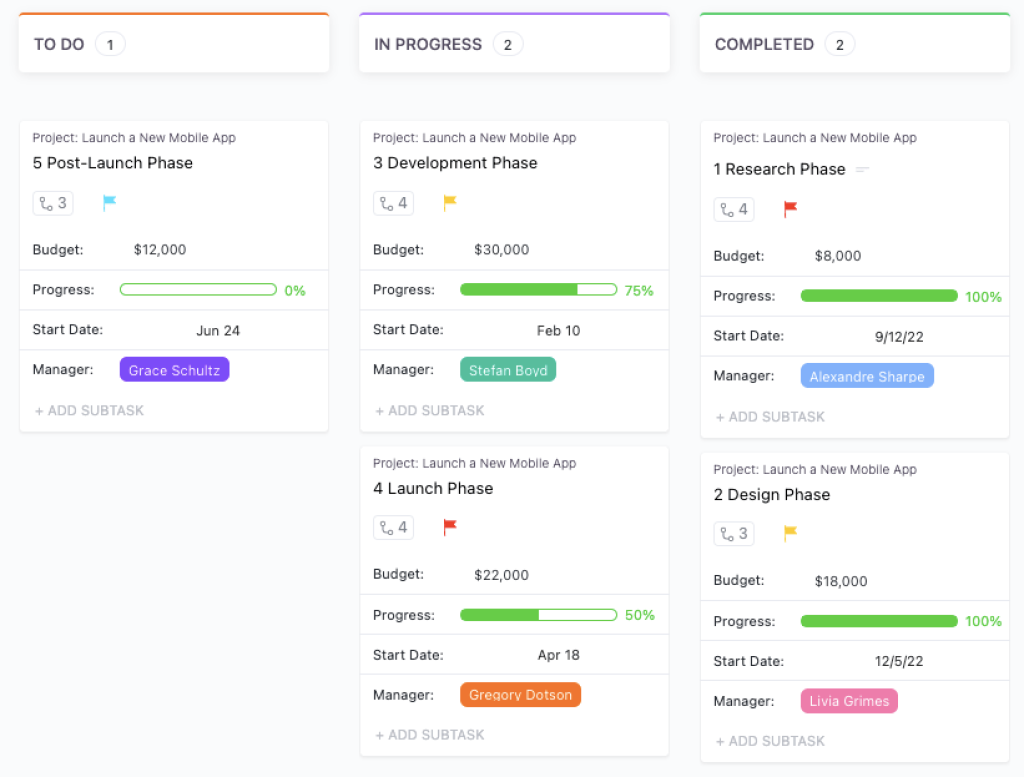
- ClickUp – Designed for teams that want deep hierarchy and control. It supports nested tasks and subtasks that map naturally to WBS levels, along with Gantt and timeline views to connect planning with execution.
- ProjectManager – Includes built‑in Gantt charts with WBS columns. It integrates scheduling, task management, and reporting in one platform.
- Microsoft Project – A robust tool with extensive WBS functionality. It supports hierarchical decomposition, unique codes, cost tracking, and earned value analysis.
- Smartsheet – Combines spreadsheet familiarity with powerful hierarchy features. Users can build WBSs in grid or Gantt views and collaborate in real time.
- Miro – A collaborative whiteboard tool perfect for visual brainstorming. Teams can map out a WBS in a free‑form, sticky‑note style before formalizing it.
Below is a comparison of three popular WBS software platforms, highlighting key features and pricing tiers:
| Feature | Asana | Microsoft Project | monday.com |
| Best For | Flexible task hierarchies | Comprehensive project control | Visual boards & automations |
| Trial | Free plan available | 30-day free trial | Free plan available |
| Starting Price | $10.99/user/month | $10/user/month | $9/user/month |
| Key WBS Features | Timeline, boards, calendars | WBS codes, earned value analysis | customizable templates, dependency tracking |
| Collaboration Tools | Comments, file sharing, integrations | Team dashboards, resource management | Real-time updates, automations |
| Mobile Access | iOS & Android apps | Limited mobile functionality | iOS & Android apps |
When choosing software, consider your team size, required integrations, reporting needs, and budget. Modern WBS tools often integrate with time tracking, resource management, and communication features, providing an end‑to‑end solution for project control.
Conclusion
A Work Breakdown Structure is more than a planning document. It’s a foundational tool that guides your project from conception to completion. By decomposing scope into deliverables, you create clarity, improve estimation accuracy, manage risks, and facilitate communication. Whether you’re building a skyscraper, launching a marketing campaign, or rolling out a new software product, a well‑designed WBS keeps your team aligned and your project on track. Use the principles in this guide, focus on deliverables, involve your team, follow the 100 % rule, and keep your WBS updated, to build structures that stand up to the complexities of modern project management.
Frequently Asked Questions
What is a work breakdown structure in simple terms?
A work breakdown structure is a hierarchical diagram or outline that breaks a project into smaller deliverables and work packages. It helps you understand the full scope of work in an organized way and reduces the risk of missing important pieces.
How is a work breakdown structure different from a task list?
A task list is action-oriented and focuses on the steps needed to complete work. A work breakdown structure is deliverable-oriented, meaning it focuses on what needs to be produced rather than how to produce it. Tasks usually come later, after the WBS is defined.
How many levels should a work breakdown structure have?
The number of levels depends on the complexity of the project. Most work breakdown structures have three or four levels, such as the overall project, major deliverables, sub-deliverables or control accounts, and work packages. The goal is to add enough detail without making the structure unnecessarily complicated.
What is a WBS dictionary, and do I really need one?
A WBS dictionary is a supporting document that defines each element of the work breakdown structure. It usually includes descriptions, owners, budgets, assumptions, and other details. It is highly useful because it helps everyone interpret the WBS consistently and reduces confusion.
Can I use a work breakdown structure in Agile projects?
Yes. In Agile projects, epics and features can act as high-level deliverables, while user stories and related work can serve as lower-level work packages. A WBS can still support estimation, backlog organization, and high-level planning without conflicting with Agile principles.
What is the 100 percent rule in a WBS?
The 100 percent rule means the work breakdown structure should capture all of the work defined in the project scope. Each level must represent 100 percent of the work of its parent level, with no overlap between elements. This helps ensure completeness and avoids scope gaps.
How detailed should work packages be?
Work packages should be detailed enough to be assigned, scheduled, budgeted, and measured. A common guideline is that they should represent between roughly eight and 80 hours of effort, though this can vary by project. Too much detail makes the WBS hard to manage, while too little detail reduces its usefulness.
Who is responsible for creating the work breakdown structure?
The project manager usually leads the development of the work breakdown structure, but it should be created collaboratively. Team members, subject matter experts, and stakeholders often contribute to improve accuracy and create shared understanding.
Can I reuse a work breakdown structure from another project?
Yes. If a new project is similar to an earlier one, you can reuse and adapt an existing WBS as a starting point. It should still be reviewed and tailored to match the scope, deliverables, and stakeholders of the current project.
What tools can I use to build a work breakdown structure?
You can build a work breakdown structure with spreadsheets, diagramming tools, or dedicated project management platforms. Tools such as Asana, monday.com, ProjectManager, Microsoft Project, and Smartsheet can make it easier to create, organize, and maintain a WBS over time.