
Choosing a virtual private network (VPN) is often confusing because there are so many options and technical terms. Windscribe stands out thanks to its generous free tier, configurable plans, and advanced security tools. This Windscribe review for 2026 will help you decide whether it’s the right VPN for you. You’ll learn what the service offers at a glance, the pros and cons, how it protects your privacy, and how it performs in the real world. We also cover streaming performance, extra tools, pricing, user experience, and support. By the end of this review, you’ll understand whether Windscribe meets your needs or if another provider might be a better fit.
Server Network & Protocols
Main Capabilities of Windscribe
Before diving into the details, it helps to see Windscribe’s capabilities in one place. This overview summarises how many servers you can access, which protocols are supported, the average speeds you can expect, and other key features.
| Capability | Windscribe Free Plan | Windscribe Pro Plan |
| Server Network | 10 locations (approx. 10 countries) | 69 countries, 134+ cities |
| Protocols | WireGuard, IKEv2, OpenVPN (limited) | WireGuard, IKEv2, OpenVPN (UDP/TCP), Stealth & WStunnel |
| Data Allowance | 10 GB/month with email verification | Unlimited data |
| Simultaneous Connections | Unlimited | Unlimited |
| Ad & Malware Blocking | Basic blocking via R.O.B.E.R.T. categories | Full R.O.B.E.R.T. with custom filters |
| Streaming Access | Selected regions on Netflix & Disney+ | 32+ Netflix libraries, Hulu, BBC iPlayer, Disney+, more |
| Device Support | Windows, macOS, iOS, Android, Linux, browser extensions | All free devices + routers and NAS support |
This snapshot shows that Windscribe’s paid plan scales up significantly. Pro subscribers get access to a much wider server network, unlimited bandwidth, and advanced protocol options. Both plans allow unlimited simultaneous connections, which sets Windscribe apart from many competitors who cap the number of devices.
R.O.B.E.R.T. Filter Categories
Windscribe’s R.O.B.E.R.T. feature is a server‑side DNS filter that allows you to block unwanted content at the network level. It offers categories like malware, ads, trackers, social media, gambling, porn, cryptominers, and clickbait. On the free tier, you can block basic categories, while the paid plan lets you tailor which domains to allow or block and even redirect specific domains to a chosen IP address.
Customisable “Build‑A‑Plan” Option
Besides the standard free and Pro plans, Windscribe offers a flexible Build‑A‑Plan pricing model. You can pick and choose specific server locations for $1 per location per month (with a minimum purchase), and add unlimited data for an extra $1. This makes Windscribe appealing if you only need servers in a few regions and want to keep costs low.
Pros and Cons
Advantages and Disadvantages
Positive
✅ Generous free tier
✅ Unlimited device connections
✅ Strong streaming performance
✅ Advanced protocols and Stealth modes
Negative
❌ Limited free data and locations
❌ No 24/7 live chat
❌ Canadian jurisdiction
❌ Performance varies by distance
Windscribe has many strengths but it isn’t perfect. Here are the main advantages and drawbacks to consider before subscribing:
✅ Pros
- Generous free tier: You can use up to 10 GB of data per month in multiple countries without paying a cent.
- Unlimited device connections: There’s no limit to how many devices you can connect simultaneously under one account.
- Strong streaming performance: Windscribe Pro unblocks more than 32 Netflix libraries and works well with Disney+, Hulu, and BBC iPlayer.
- Advanced protocols and Stealth modes: Options like WireGuard, OpenVPN UDP/TCP, Stealth and WStunnel help you bypass firewalls and censorship.
- Flexible pricing: Build‑A‑Plan lets you pay only for the locations you need, and there’s a team plan for businesses.
- Powerful R.O.B.E.R.T. blocker: Filters malware, ads, trackers, social media, and more before it reaches your device.
- Independent audits: Windscribe has undergone multiple security audits and operates RAM‑only servers, providing confidence in its no‑logs stance.
- Open‑source apps: Desktop clients and browser extensions are open source, allowing independent verification of code integrity.
❌ Cons
- Limited free data and locations: The free plan offers only 10 locations and 10 GB per month, so you’ll hit the limit quickly if you stream or download frequently.
- No 24/7 live chat: Support relies on email and a chatbot named Garry, which can be slow for complex issues.
- Canadian jurisdiction: Windscribe is based in Canada, which is part of the Five Eyes intelligence alliance; this may deter users seeking extreme anonymity.
- Performance varies by distance: While WireGuard is fast locally, long‑distance connections can be slower than leading competitors.
- Build‑A‑Plan minimums: The custom plan requires a minimum spend, so it may not always be cheaper than a standard subscription if you need multiple locations.
Understanding these advantages and drawbacks helps you match Windscribe to your specific use case. If you need unlimited devices, flexible pricing, and strong streaming, it excels; but if you require round‑the‑clock live support or top‑tier international speeds, there may be better options.
Security & Privacy
How Windscribe Protects Your Data
Windscribe emphasises privacy and security, and the company has made significant improvements over the years. Let’s break down its logging policy, encryption methods, protocols, and unique security features so you know exactly how it protects your information.
No‑Logs Policy and Independent Audits
Windscribe states that it does not log your browsing activity, connection timestamps, source IP addresses, or session data. Only the username, password, and optionally your email address are stored for account management, and the service records the total amount of bandwidth used in the last 30 days to enforce free tier limits. This minimal data retention has been confirmed by multiple independent audits. Since 2021, Windscribe’s apps and infrastructure have been audited by firms like Leviathan Security Group and Packetlabs; these audits found no major security issues and verified that the service adheres to its no‑logs policy. Windscribe also operates on RAM‑only servers, meaning user data is wiped whenever servers reboot.
Encryption and Hashing
All user traffic is encrypted using AES‑256, a widely trusted algorithm used by governments and security organisations. For hashing and authentication, Windscribe uses SHA‑512 to ensure data integrity and secure key exchanges. Together, these technologies make it virtually impossible for anyone to decipher your online activities.
Protocols Available
Windscribe supports a robust set of protocols so you can choose the balance between speed and security. The default is WireGuard, known for its efficiency and high speeds. You can also select IKEv2, which is well-suited for mobile users switching between networks; OpenVPN in both UDP and TCP modes for reliable security; Stealth and WStunnel modes that disguise VPN traffic as HTTPS or WebSocket traffic, helping you bypass VPN blocks and censorship. Advanced users will appreciate being able to configure these protocols manually, or simply let the app select the best one automatically.
Firewall (Kill Switch) vs. Kill Switch
Instead of a typical kill switch, Windscribe includes a firewall in its desktop apps. The firewall blocks all connectivity outside the VPN tunnel, so even if the connection drops, no packets escape to your internet service provider. This proactive approach differs from a reactive kill switch that kicks in after a disconnect is detected. When enabled, the firewall cuts your internet connection instantly and reconnects once a new secure tunnel is established.
R.O.B.E.R.T. for Privacy and Performance
Beyond simple encryption, Windscribe’s R.O.B.E.R.T. tool stops unwanted domains at the DNS level. Blocking ads, trackers, and malware at the server reduces page load times and data usage while enhancing privacy. You can toggle categories like social media or gambling, or create custom whitelists and blacklists. This network‑level filtering means you don’t need separate ad blocker extensions in your browser, and your entire device benefits, not just your web traffic.
Jurisdiction and Legal Considerations
Windscribe is headquartered in Ontario, Canada. Canada is part of the Five Eyes intelligence alliance, which shares surveillance information among member countries. While Windscribe maintains a strong privacy record and no identified breaches, users engaged in highly sensitive activities should understand the potential risks associated with this jurisdiction. For most users, however, the technical protections, audits, and RAM‑only servers likely outweigh concerns about the company’s location.
Real-World Performance
Speed, Stability, and Reliability
Performance makes or breaks a VPN, especially if you plan to stream high‑definition video, play online games, or transfer large files. Windscribe has improved its speeds significantly over recent years by adopting WireGuard and upgrading key server infrastructure. Here’s what you need to know about its performance.
Speed Benchmarks
When connected to local servers via WireGuard, Windscribe’s download speeds often match or exceed baseline speeds. For example, tests on a 1 Gbps fibre connection recorded 457 Mbps download and 316 Mbps upload on the “Best Location” server, slightly outperforming the unprotected connection. However, speeds vary by distance. Connecting to international servers typically reduces throughput; some long‑distance routes still show a noticeable speed ceiling compared to top competitors. On average, users can expect about 14 % speed loss on nearby servers and up to 30 % on distant locations.
Latency and Stability
Latency (ping) increases when a VPN tunnel is introduced, but Windscribe keeps it within reasonable bounds. Local ping times often rise by less than 15 ms, while long‑distance connections may add 20–40 ms. The service is generally stable; auto‑reconnect features restore your connection quickly if a server becomes unavailable. Because servers run in RAM and resets are frequent, you rarely experience prolonged downtime.
Bandwidth for Free vs. Paid Plans
Keep in mind that the free plan is limited to 10 GB per month. When you hit that limit, your connection is cut off until the next month unless you upgrade. Paid plans remove all data caps and unlock the full server network, making them more suitable for heavy streaming, gaming, or file transfers.
Torrenting Performance
Windscribe allows peer‑to‑peer (P2P) file sharing on most of its servers, although some locations are marked as P2P‑unfriendly and will block torrents. Thanks to the firewall and no‑logs policy, your torrent activity remains private. Speeds are generally good; however, because traffic is routed through a VPN, expect slower uploads than when you’re unprotected. If torrenting is a major concern, you may want to test a few server locations to find the best performance.
Streaming & Content Access
Windscribe Pro consistently unblocks more than 32 Netflix regions, including the US, UK, Canada, Japan, and Germany. During testing, the service successfully bypassed the proxy error on shows like Charmed and maintained HD quality without buffering. It also works with Disney+, BBC iPlayer, Hulu, HBO Max, ITVX, and other major platforms. The service no longer uses separate “Windflix” servers; instead, all servers are tuned for streaming, simplifying the user experience.
Many VPN providers cap the number of devices you can connect, but Windscribe allows unlimited simultaneous connections. This means you can stream on your smart TV, laptop, phone, and tablet at the same time without signing out. Families and small households will find this particularly useful.
Threat Protection & Extras
More Than Just a VPN
Beyond core VPN functionality, Windscribe packs several tools designed to improve your online experience. These extras make it more than just a VPN and add value to your subscription.
R.O.B.E.R.T. Custom Filters
As mentioned earlier, R.O.B.E.R.T. offers a level of customisation rarely seen in VPNs. On the Pro plan, you can create custom rules to block specific domains, whitelist trusted sites, or even spoof domains to redirect them elsewhere. For example, you could block social media for productivity or redirect unwanted domains to a harmless website. This level of control helps you tailor your internet experience and protect younger users or corporate networks.
Port Forwarding
Windscribe includes a port forwarding feature within its account portal. This allows you to access services on your home network remotely while connected through the VPN. Port forwarding is especially useful for hosting game servers, running remote desktop sessions or accessing home automation devices. Keep in mind that port forwarding can open up security holes if not configured properly, so follow Windscribe’s guidelines carefully.
Static IP Addresses
For an additional fee, Windscribe offers static IP addresses in certain locations. Static IPs are dedicated to you and don’t change each time you connect, which is useful for running servers, accessing certain banking sites, or whitelisting your IP at work. Static IP options include data centre IPs and residential IPs; the latter are more expensive but may improve compatibility with streaming services.
Browser Extensions and Double Hop
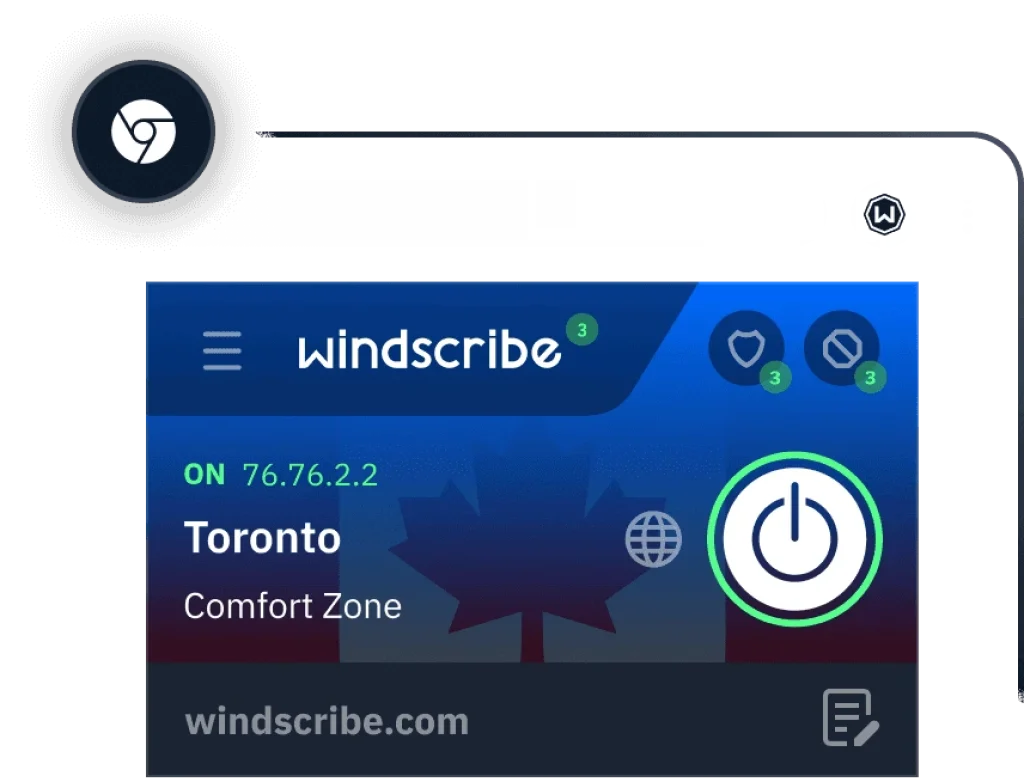
Windscribe’s browser extensions (Chrome, Firefox, and Opera) operate as secure proxies with built‑in ad and tracker blocking. You can use them independently or alongside the desktop app for a double hop configuration, routing your traffic through two locations for extra privacy. The “time travel” feature built into the extension allows you to change your browser’s time zone, and the “split personality” tool rotates your user agent string to prevent fingerprinting.
Pricing
Windscribe Pricing Plans
Windscribe’s pricing is one of its most flexible features. Whether you’re a casual user or a power user, you’ll find a plan that suits your budget. Here’s how each option works:
Free Plan
The free plan provides 10 GB of data per month if you verify your email address (2 GB if you choose not to). You get access to 10 locations across North America, Europe, and Asia. The free tier includes unlimited device connections, basic R.O.B.E.R.T. filtering, and all available protocols. It’s an excellent way to test the service, though the bandwidth cap makes it unsuitable for heavy streaming or downloads.
Monthly and Yearly Pro Plans
If you need unlimited data and the full server network, you can upgrade to a Pro subscription. Pricing varies by currency and region, but as of 2026, Windscribe costs roughly $9 USD per month on the monthly plan and $5.75 USD per month if you pay annually. These plans unlock unlimited data, 69+ countries, advanced R.O.B.E.R.T. categories, and premium customer support.
Build‑A‑Plan
For users who don’t need all 69 countries, the Build‑A‑Plan option allows you to pay only for the locations you want at $1 per location per month, with a minimum of three locations. You can add unlimited data for another $1. This model is cost‑effective if you only require access to a handful of countries and want to keep your monthly bill low.
ScribeForce (Team Plan)
Windscribe offers a business plan called ScribeForce for teams of five or more users. Pricing is around $3 per seat per month when billed annually and includes centralised billing, team management features, and priority support. It’s suitable for remote teams that need secure communications across multiple devices.
Payment Methods and Refunds
You can pay for Windscribe using major credit cards, PayPal, and a variety of cryptocurrencies if you prefer anonymity. The service offers a three‑day money‑back guarantee on paid plans. To qualify for a refund, you must request it within three business days of purchase and not have used more than 10 GB of data. While the refund window is shorter than some competitors’, the generous free plan helps you test the service risk‑free before committing.
User Interface & Support
Built for Simplicity
Windscribe’s user interface and support options influence how easy it is to get started and resolve issues. This section covers platform support, app design, and how to get help when you need it.
App Design and Ease of Use
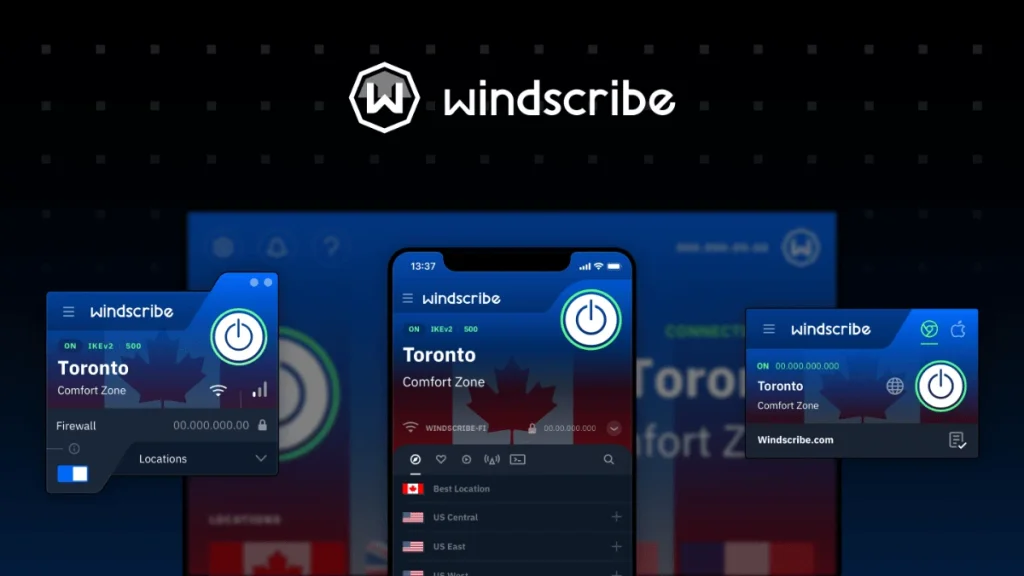
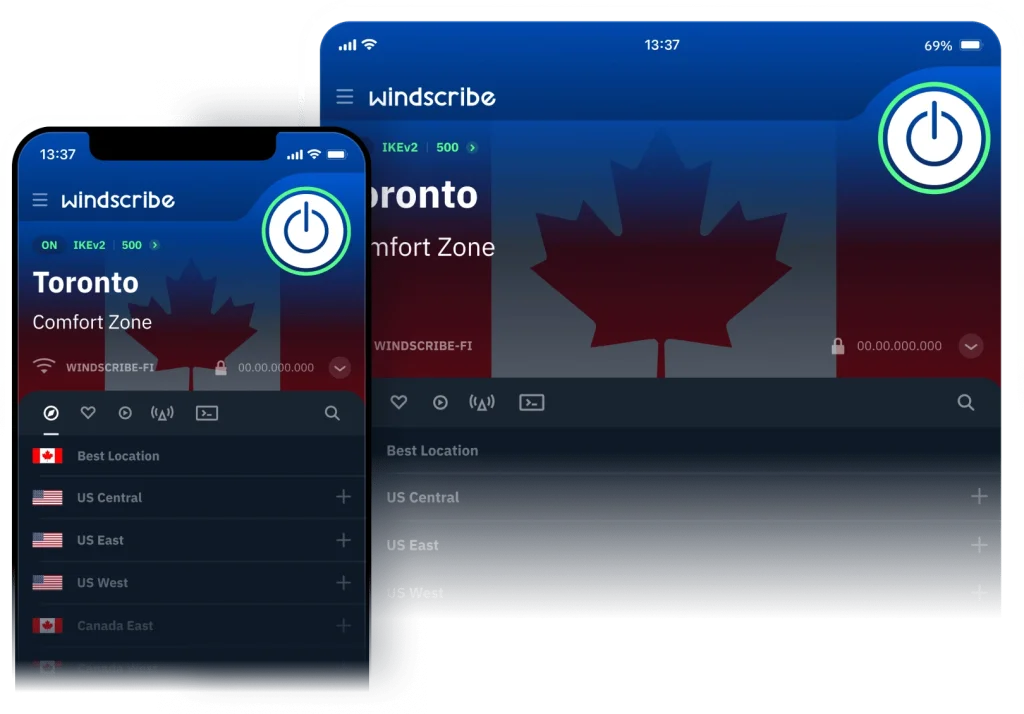
The Windscribe desktop apps for Windows, macOS, and Linux feature a compact control panel that displays your connection status, selected location, and current IP address. A drop‑down menu lists servers by country and city, and you can mark favourites for quick access. Protocol selection and firewall controls are under the “Preferences” section, and advanced features like R.O.B.E.R.T. rules are accessed via the web dashboard. Mobile apps for iOS and Android use a similar design, with intuitive toggles for auto‑connect, protocol selection, and split tunnelling.
Because Windscribe offers so many options, newcomers may initially find the interface busy. However, once you familiarise yourself with the layout, you’ll appreciate the level of customisation. Windscribe’s browser extensions integrate seamlessly with your browser, adding quick connect buttons, cookie management, and easy access to double-hop and time zone spoofing features.
Platform Compatibility
Windscribe supports Windows, macOS, Linux, iOS, and Android as well as Chrome, Firefox, and Opera extensions. The service also provides instructions for router installation, letting you protect your entire home network. Additionally, there are apps for Android TV and manual configuration guides for NAS devices. This wide range of support makes Windscribe suitable for households with diverse devices.
Customer Support Channels
Windscribe doesn’t offer 24/7 live chat. Instead, you can reach out via email or use the Garry chatbot, which provides automated answers and can pass your query to a support team member. Response times vary but often take several hours. There’s an active subreddit and a knowledge base with setup guides, FAQs, and troubleshooting articles. While not as instant as some competitors’ live support, the resources are thorough, and community discussions can be helpful.
Open Source and Transparency
Transparency is another area where Windscribe differentiates itself. Its desktop apps and browser extensions are open source, meaning the code is publicly available for inspection. This allows security researchers to verify that there are no hidden backdoors or malicious code. Windscribe also publishes transparency reports and has a warrant canary to inform users of any legal requests for data.
Conclusion
Who Should Use Windscribe in 2026
Windscribe’s combination of flexible pricing, powerful security tools, unlimited device connections, and generous free tier makes it a strong choice for many users. Here’s a breakdown of who will benefit most and who might want to look elsewhere:
✔️ Choose Windscribe if:
- You need a free VPN with a decent data allowance and multiple server locations.
- You want unlimited simultaneous connections across all your devices.
- You value a powerful DNS‑level blocker (R.O.B.E.R.T.) to eliminate ads and trackers.
- You plan to stream content from Netflix, Disney+, BBC iPlayer, and other services across multiple regions.
- You appreciate open‑source apps and transparent privacy practices backed by audits.
- You enjoy customising your VPN experience with features like build‑a‑plan pricing, double hop, and port forwarding.
❌ You may want to explore alternatives if:
- You require 24/7 live chat or phone support for immediate troubleshooting.
- You prioritise top‑tier speed on long‑distance connections above all else.
- You’re uncomfortable with a provider headquartered in a Five Eyes country.
- You need unlimited bandwidth without any restrictions on the free tier.
- You seek an all‑in‑one security suite with antivirus and password management integrated into your VPN subscription.
Have more questions?
Frequently Asked Questions
Is Windscribe safe to use?
Yes. Windscribe uses AES-256 encryption, SHA-512 hashing, and a firewall to ensure your data remains private. The service has undergone independent audits and operates on RAM-only servers, meaning data is not stored long-term.
Does Windscribe keep logs of my activity?
No. Windscribe does not log your browsing history, connection timestamps, or IP addresses. It only records your username, password, and bandwidth usage for account administration.
How many devices can I connect with Windscribe?
You can connect unlimited devices under a single Windscribe account. This applies to both the free and paid plans.
Can I use Windscribe for streaming Netflix?
Yes. Windscribe Pro unlocks more than 32 Netflix libraries and works with other platforms like Disney+, BBC iPlayer, and Hulu. The free plan offers limited streaming access but still works in select regions.
What protocols does Windscribe offer?
Windscribe supports WireGuard, IKEv2, OpenVPN UDP/TCP, Stealth, and WStunnel. You can switch protocols manually or let the app choose automatically based on network conditions.
Is Windscribe free forever?
The free plan is free to use indefinitely, but it limits you to 10 GB per month and 10 server locations. To remove these restrictions, you must upgrade to a paid plan.
Can I install Windscribe on my router?
Yes. Windscribe provides manual setup guides for many router models. Installing it on a router protects all devices connected to your home network without the need to install apps individually.
How does Windscribe’s Build-A-Plan work?
Build-A-Plan lets you choose specific server locations for $1 each per month with a minimum order. You can add unlimited data for $1 more. It’s ideal for users who only need a few countries and want to minimise costs.
What is Windscribe’s refund policy?
Paid plans come with a three-day money-back guarantee. To receive a refund, you must request it within three business days of purchase and have used less than 10 GB of data on the paid plan.
Does Windscribe work in China or other high-censorship countries?
Windscribe’s Stealth and WStunnel protocols mask VPN traffic as regular HTTPS or WebSocket connections, helping you bypass firewalls in countries like China, Iran, and the UAE. While no VPN can guarantee access everywhere, Windscribe is among the more reliable options for censorship bypass.