Introduction
Why the Right Project Plan Template Matters
Starting a project without a clear structure usually leads to the same problems: missed deadlines, unclear ownership, shifting priorities, and a timeline that falls apart the moment something changes.
That is why so many teams search for a project plan template, a project management template, or a project timeline template before they kick off work. A strong template helps you organize tasks, map milestones, assign responsibility, and keep the entire project moving in the right direction.
But there is one important catch. Not every template is equally useful.
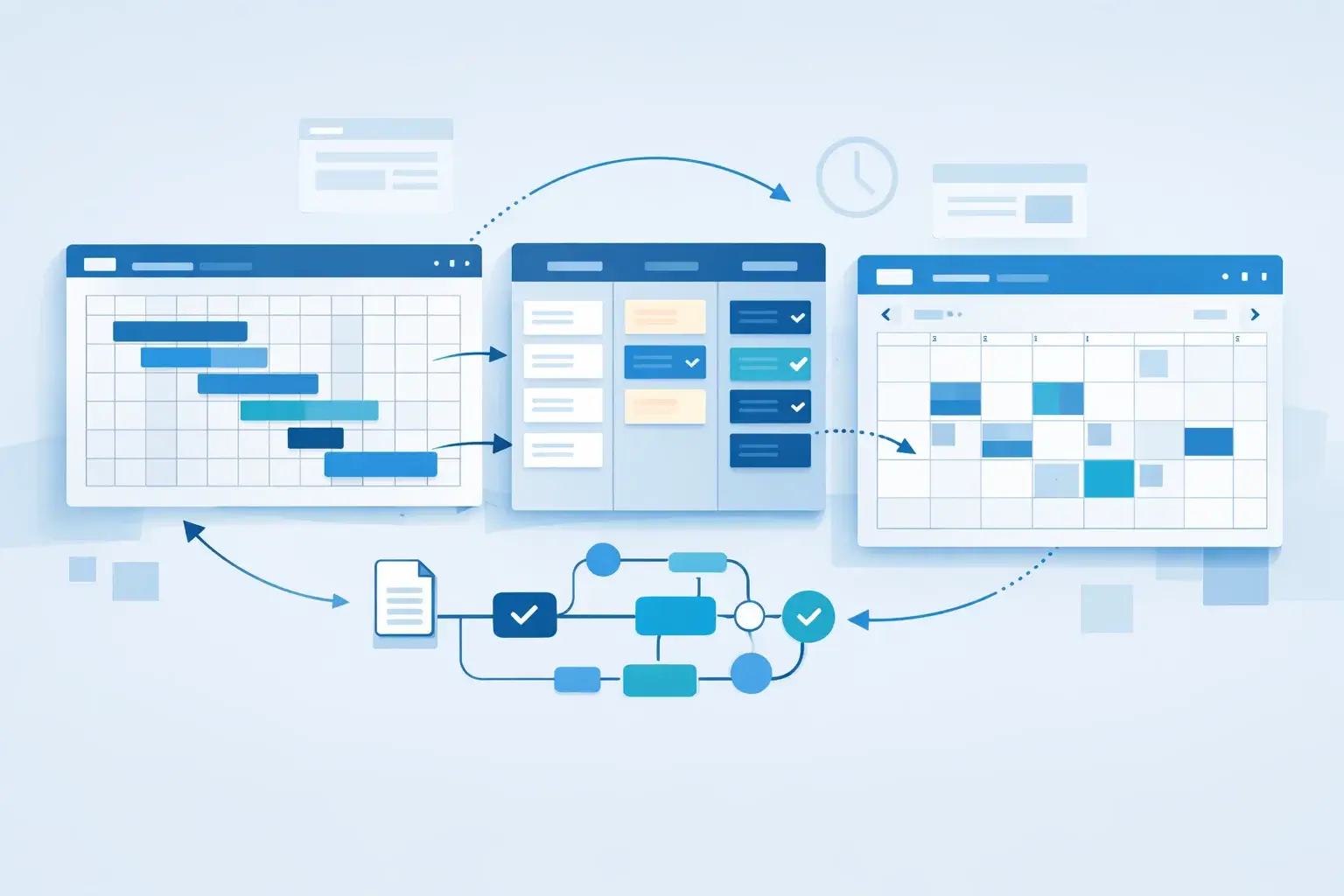
Static spreadsheets can work for simple planning, but they often become hard to maintain once a project grows. Modern project management tools go further by turning templates into living workflows with timelines, automations, dashboards, dependencies, and collaboration built in.
That is where this guide comes in.
Instead of offering a downloadable template, this article shows you which tools are best for creating and using project templates, what to look for in a good one, and where to find official template resources from the platforms themselves.
In this guide, you will learn:
- What a project plan template should include
- How project plan, project management, and timeline templates differ
- Which tools are best for different planning styles
- Where to find official templates from the software providers
- How to choose the right platform for your team
If you want to build better project plans without relying on messy documents and disconnected spreadsheets, start here.
What Is a Project Plan Template?
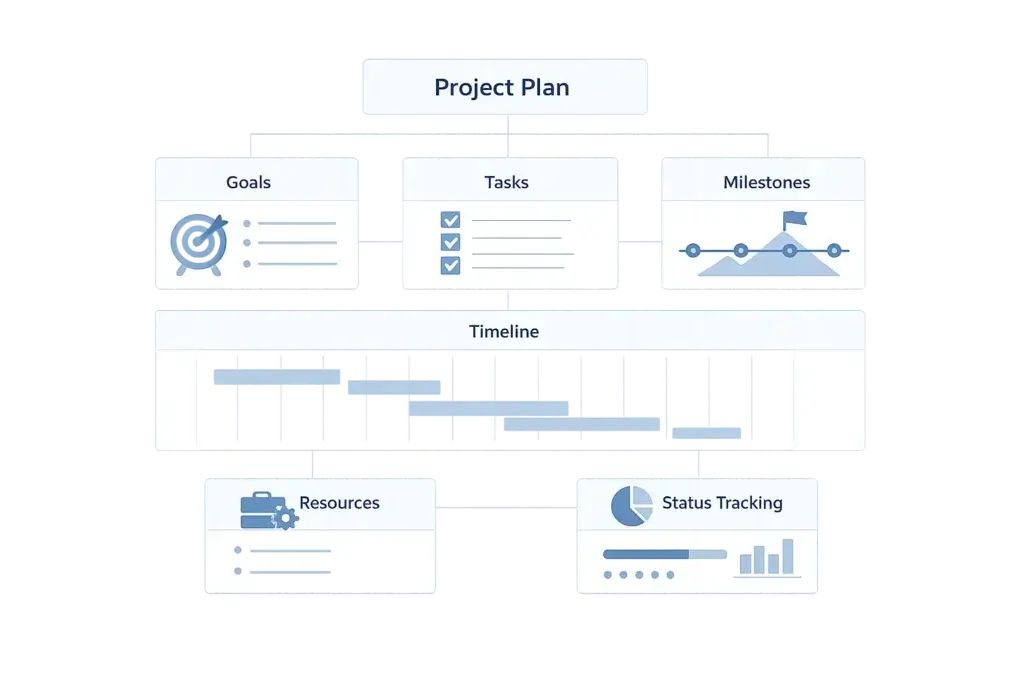
A project plan template is a reusable framework that helps you set up a project faster and more consistently. Instead of starting from a blank page, you begin with a structure that already includes the core pieces most projects need.
That usually means sections for:
- Project goals and scope
- Key tasks and deliverables
- Owners and responsibilities
- Deadlines and milestones
- Dependencies and risks
- Status tracking and progress updates
A good template saves time, but more importantly, it reduces planning mistakes. It gives your team a shared starting point and makes it easier to repeat a successful process across multiple projects.
Why teams use project templates
Templates are not just about convenience. They improve consistency across teams and reduce the friction of project setup. When everyone starts with the same structure, it becomes easier to understand expectations, compare progress, and manage handoffs.
They are especially useful when you run recurring project types such as client onboarding, campaign launches, product releases, implementation projects, or internal operations work.
What separates a useful template from a weak one
A weak template is basically a static list of tasks. A useful template gives you enough structure to start quickly while still allowing you to customize the workflow, timeline, and responsibilities.
The best tools also let you turn a template into an active workspace, not just a document. That means you can update dates, assign owners, visualize a timeline, and track execution without rebuilding the plan every time.
Project Plan Template vs Project Management Template vs Project Timeline Template
These keywords overlap, but they are not identical. If you want to rank for all three terms in one article, it helps to explain how they relate to each other.
| Template Type | Main Purpose | Best For |
| Project plan template | Defines goals, tasks, deadlines, owners, and milestones | Setting up a project from the start |
| Project management template | Supports ongoing execution, tracking, and coordination | Managing day-to-day project work |
| Project timeline template | Visualizes dates, phases, and milestones over time | Scheduling, planning, and communicating timing |
Project plan template
This is your starting framework. It usually includes the project objective, scope, milestones, tasks, owners, and deadlines. If you are launching a new initiative, this is the template type that helps you put the whole structure in place.
Project management template
This is broader. It often includes task tracking, status updates, workflows, team collaboration, and reporting. In many tools, a project plan template and a project management template blend together because the platform supports both planning and execution in one workspace.
Project timeline template
This is more visual and schedule-focused. It is especially useful when you need to present a roadmap, communicate deadlines, or show how phases connect over time. Timeline templates often appear in Gantt views, calendar layouts, or milestone-based visual plans.
Which one should you use?
In practice, most teams need all three. You start with a project plan template, manage the work through a project management template, and communicate timing with a project timeline template.
That is why the best software options usually support all three use cases instead of forcing you into separate tools.
What to Look for in a Good Project Template Tool
If your blog focuses on comparing and recommending tools, this is where the real value comes in. The question is not only whether a platform has templates, but whether those templates are actually useful once real work begins.
1. Easy setup and customization
The template should give you a strong starting point without locking you into a rigid format. You should be able to rename phases, add custom fields, adjust statuses, and tailor the workflow to your process.
2. Timeline and milestone views
If a platform cannot show your project on a timeline, it is harder to manage scheduling and communicate deadlines. For many teams, this is where spreadsheets start to break down.
3. Task ownership and accountability
A template should help you assign work clearly. That means owners, due dates, priorities, and visible progress tracking. Generic lists are not enough once multiple people are involved.
4. Reusability
The whole point of a template is that you can use it again. Strong platforms let you duplicate, standardize, and roll out templates across teams without rebuilding the project each time.
5. Collaboration and visibility
If the plan lives in one file and the conversation happens somewhere else, teams lose context fast. The best tools bring planning, comments, status updates, and reporting into one place.
6. Reporting and dashboards
A project template is much more valuable when it connects to workload views, dashboards, progress summaries, and other reporting layers. That is one of the clearest differences between template software and simple documents.
Best Tools for Project Plan Templates and Project Timeline Templates
If your goal is to help readers choose the right platform, these are the tools worth focusing on. Each one approaches project templates a bit differently, which makes them suitable for different types of teams.
monday.com
Best for: Teams that want the most balanced mix of structure, visual planning, and ease of use
monday.com is one of the strongest options for teams looking for a modern project plan template experience that goes beyond a static sheet. It is especially good when you want to combine planning, execution, and visibility in one workspace.
Its strength is how easily it turns templates into working systems. You can start with a project planning template, then switch between timeline, Gantt, board, dashboard, and workload views depending on what your team needs. That makes it a strong fit for marketing teams, operations teams, PMOs, and cross-functional projects.
It is also one of the best options if you want visual clarity without a steep learning curve. For many teams, that makes it the best overall choice in this category.
- Strong project planning and timeline views
- Easy template customization
- Clear ownership and status tracking
- Good balance of usability and depth
🌐 Visit monday.com templates
👉🏼 Read our FULL review
ClickUp
Best for: Teams that want maximum flexibility and a large template ecosystem
ClickUp is a strong choice if you want highly customizable project management templates and detailed control over how your work is structured. It appeals to teams that want to manage tasks, docs, timelines, dashboards, and dependencies in one platform.
Its template library is broad, and it is particularly useful for teams that want to adapt templates to different workflows rather than follow a fixed structure. That flexibility is a big advantage, though it can also mean a steeper setup process than more guided tools.
- Wide range of project and timeline templates
- Strong task-level control
- Multiple views, including timeline and Gantt
- Best for power users and process-heavy teams
🌐 Visit ClickUp templates
👉🏼 Read our FULL review
Asana
Best for: Teams that want clean project planning with a lighter learning curve
Asana is often a good fit for teams that want project templates without too much setup complexity. Its project planning approach is more streamlined than some heavier platforms, which makes it attractive for teams that value clarity and adoption.
It works well for campaign planning, internal operations, creative work, and team coordination. Asana is not always the most advanced option for highly customized project environments, but it is very effective for structured, repeatable work.
- Clean and accessible template experience
- Good for repeatable team workflows
- Strong task organization and planning basics
- Well-suited to teams prioritizing ease of adoption
🌐 Visit Asana templates
Smartsheet
Best for: Spreadsheet-oriented teams that want more structure and scale
Smartsheet is a natural option for teams that like the logic of spreadsheets but need stronger project planning capabilities. It is especially relevant if your audience often works in operations, PMO, construction, or enterprise planning environments.
Its template resources are extensive, and it remains a strong option for timeline-heavy planning, spreadsheet-style collaboration, and more traditional project structures. That said, it can feel more functional than intuitive compared with newer visual work management tools.
- Large official template library
- Familiar spreadsheet-style experience
- Strong for structured planning environments
- Less modern feeling than some visual-first tools
🌐 Visit Smartsheet templates
Office Timeline
Best for: Presentation-ready timeline visuals
Office Timeline is more specialized than the other tools on this list. It is a good option if your main priority is building polished timeline visuals for presentations, stakeholder updates, or executive communication.
It is not the best all-in-one project management platform, but it can be valuable if your audience frequently needs to convert project timing into clear, shareable visual slides.
- Strong timeline presentation output
- Useful for stakeholder communication
- More specialized than full project management platforms
- Best as a timeline-focused companion or niche solution
🌐 Visit Office Timeline
Quick comparison
Here is a simple side-by-side view of how these tools compare for template-driven project planning.
| Tool | Best For | Main Strength | Potential Limitation |
| monday.com | Balanced project planning | Visual, flexible, easy to adopt | May be more than very small teams need |
| ClickUp | Highly customizable workflows | Depth and template flexibility | Can take longer to configure well |
| Asana | Structured team coordination | Clean and approachable planning | Less flexible for highly complex setups |
| Smartsheet | Spreadsheet-based planning | Strong template library and structure | Less modern user experience |
| Office Timeline | Timeline presentations | Executive-ready visuals | Not a full project management platform |
If you want one clear recommendation, monday.com is the strongest all-around choice for most readers because it combines planning templates, timeline views, collaboration, and usability better than most alternatives.

Where to Find Official Project Templates
If your readers want actual templates, the most useful thing you can do is point them to the official sources that offer them inside real software environments.
This works especially well for a comparison site because it keeps the article informative and objective while still helping readers take the next step.
monday.com templates
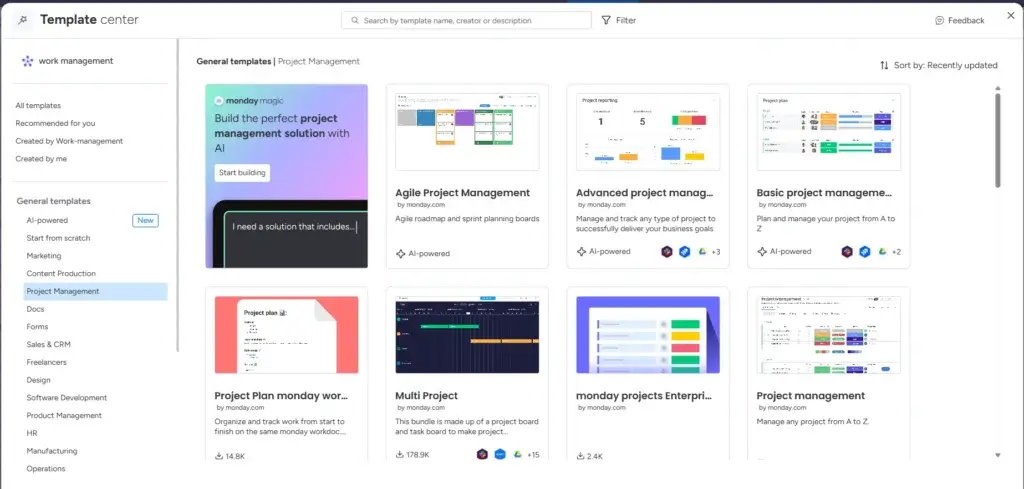
monday.com offers official project management plans and high-level project plan templates through its template center. These are a good fit for teams that want visual project planning with timeline and workflow flexibility.
ClickUp templates
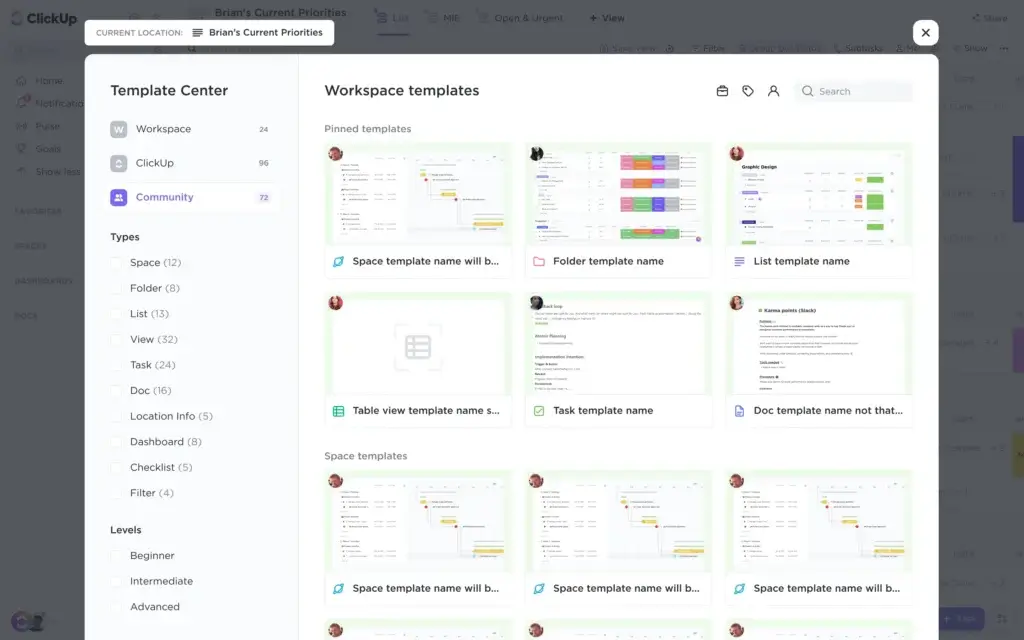
ClickUp provides a large set of project management, scheduling, milestone, and timeline templates. It is a strong choice for readers who want many options and deeper customization.
Asana templates
Asana offers project planning and workflow templates designed for repeatable team processes. These are often easier for new users to adopt quickly.
Smartsheet templates
Smartsheet has one of the broadest official resource libraries for project planning, including templates for schedules, trackers, plans, and timeline-oriented workflows.
How to link these in your article
Instead of promising a downloadable asset, you can frame this section as a resource hub. For example:
- Best official project plan templates
- Best project timeline template tools
- Where to find project management templates by use case
That keeps the article aligned with search intent while staying true to your editorial model.
How to Choose the Right Project Template Tool
The best tool depends on how your readers actually work. A simple team launching campaigns has different needs than an operations team managing dependencies across multiple departments.
Choose monday.com if you want the best overall balance
This is the platform I would recommend first for most readers. It handles project planning, timelines, dashboards, and team collaboration well, without becoming overly technical for average business users.
Choose ClickUp if you want maximum customization
If your readers like building systems their own way and want more control over structure, ClickUp is often the stronger fit.
Choose Asana if you want simplicity and team adoption
Asana is a good option when clarity and ease of rollout matter more than deep workflow complexity.
Choose Smartsheet if your team already thinks in spreadsheets
This is often the better fit for organizations that want stronger project structure without moving too far away from grid-based planning.
Choose Office Timeline if your focus is on visual communication
If the goal is to present project schedules clearly to executives or clients, Office Timeline stands out more as a daily work management tool.

Common Mistakes People Make When Searching for Project Templates
Not every search for a project template leads to a better planning process. In many cases, teams grab the first spreadsheet they find and then wonder why the project still feels disorganized.
Choosing a template without thinking about execution
A project plan is only useful if it helps the team actually run the work. If the template cannot support ownership, updates, and timeline visibility, it may solve the setup problem but not the management problem.
Using a static document for a dynamic project
Simple documents can work for lightweight projects. But once deadlines shift, dependencies appear, and multiple stakeholders get involved, static files become harder to trust.
Ignoring timeline visibility
Many teams focus on task lists and forget that timing is what makes a project realistic. A proper project timeline template helps you see whether the schedule actually works.
Picking the most complicated platform too early
More features do not always mean better results. Some teams need flexibility, but others need speed, clarity, and fast adoption. The best tool is the one your team will actually use consistently.
Treating all templates as interchangeable
A client onboarding template is not the same as a product launch template. The best platforms let users start with a strong base and then adapt the workflow to the project type.
Conclusion: The Best Way to Approach Project Template Searches
If you run a comparison and review site, you do not need to offer the template yourself to rank for these keywords. You just need to satisfy the searcher’s intent better than a generic article does.
That means helping readers understand:
- What kind of project template they actually need
- Which tools are best for using those templates in practice
- Where to find official template resources from the software providers
- How to choose the best platform for their workflow
For most readers, the best option will be a work management tool that combines project planning, task ownership, and timeline visibility in one place.
If I had to recommend one platform first, it would be monday.com. It offers the best overall balance of usability, visual planning, and flexible project templates for a broad range of teams.
ClickUp is a strong alternative for readers who want more control and customization. Asana is a good fit for teams that want clean, structured planning. Smartsheet remains relevant for spreadsheet-oriented organizations, and Office Timeline is useful when visual presentation is the main priority.
The key takeaway is simple: a project template is only as useful as the system behind it. The best results usually come from tools that turn planning into an active, collaborative workflow rather than a static file.
Frequently Asked Questions
What is a project plan template?
A project plan template is a reusable framework that helps you organize project goals, tasks, deadlines, owners, and milestones before work begins.
What is the difference between a project plan template and a project timeline template?
A project plan template covers the full project structure, while a project timeline template focuses mainly on dates, phases, and milestones over time.
What is a project management template?
A project management template usually supports the execution side of a project, including task tracking, statuses, collaboration, and progress management.
Can one tool handle all three template types?
Yes. Many modern work management platforms support project plans, project timelines, and broader project management workflows in one system.
Which tool is best for project plan templates?
For most teams, monday.com is one of the best all-around choices because it combines visual planning, ease of use, and flexible project template support.
Which tool is best for highly customizable project templates?
ClickUp is often a strong choice for users who want deep customization and a broad range of template options.
Are project templates better than spreadsheets?
For simple projects, spreadsheets may be enough. For ongoing collaboration, changing timelines, and team accountability, dedicated project management tools are usually more effective.
Where can I find official project timeline templates?
You can find them through the official template libraries and resource centers of tools like monday.com, ClickUp, Asana, and Smartsheet.
What should a good project template include?
A good template should include goals, scope, tasks, owners, deadlines, milestones, and a clear way to track progress.