
Introduction
If you want to create polished videos without using a heavy desktop editor, VEED is one of the most interesting tools to look at. It combines browser-based editing, AI-assisted video creation, subtitles, dubbing, screen recording, templates, and brand controls in one platform. That makes it especially appealing for marketers, content teams, educators, and businesses that need to publish video consistently without building a traditional production workflow.
In this VEED review, you’ll see where the platform stands out, where it still has limitations, how its pricing works, and which teams are most likely to get real value from it in 2026. I’ll also compare it with a few strong alternatives so you can judge whether VEED is the right fit for your workflow, budget, and content goals.
Key Features
VEED’s Software Specification
VEED is not just a simple online video editor anymore. It has grown into a broader AI video creation platform that lets you record, edit, subtitle, dub, translate, and publish videos from one browser-based workspace. That broader positioning is what makes it attractive for modern marketing teams.
Browser-based editing and recording
One of VEED’s strongest advantages is accessibility. You can work entirely from the browser, which removes much of the friction that comes with installing and maintaining desktop editing software. For many teams, that alone makes VEED easier to roll out than traditional editors.
- Online video editor: Edit projects directly in the browser with no desktop install required.
- Screen recorder: Capture screen, webcam, and audio in one workflow.
- Teleprompter support: Record scripted content more smoothly without leaving the platform.
- Basic timeline editing: Trim, combine, resize, add overlays, and polish videos quickly.
- Share and embed: Export files, share links, or embed videos on your site.
Subtitles, captions, and translations
Subtitles remain one of VEED’s best-known strengths, and for good reason. If your workflow depends on social clips, training videos, or global content, this part of the platform is especially compelling.
- Auto subtitles: VEED says its subtitle engine can reach up to 99.9% accuracy.
- Editable captions: Adjust timing, styles, fonts, colors, and animations inside the editor.
- File export: Download subtitle files in SRT, VTT, or TXT.
- Dynamic subtitles: Create animated caption styles that fit social content better.
- Translation support: Generate translated subtitles and multilingual versions for broader reach.
AI video creation tools
VEED is now much more AI-focused than many people realize. Instead of only helping you polish recorded footage, it can also help you generate new video assets and speed up the creation process from the first draft onward.
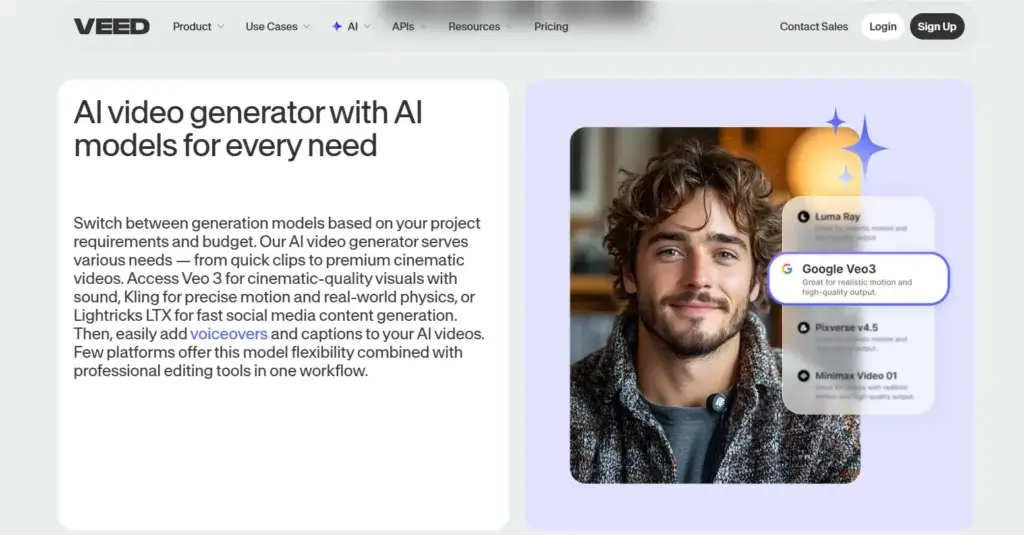
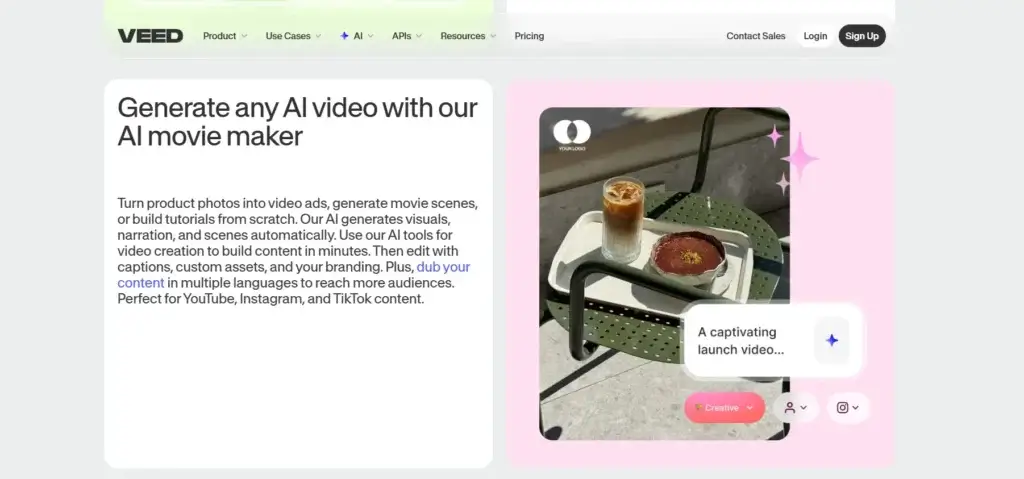
- AI video generator: Turn prompts or scripts into draft videos with visuals and narration.
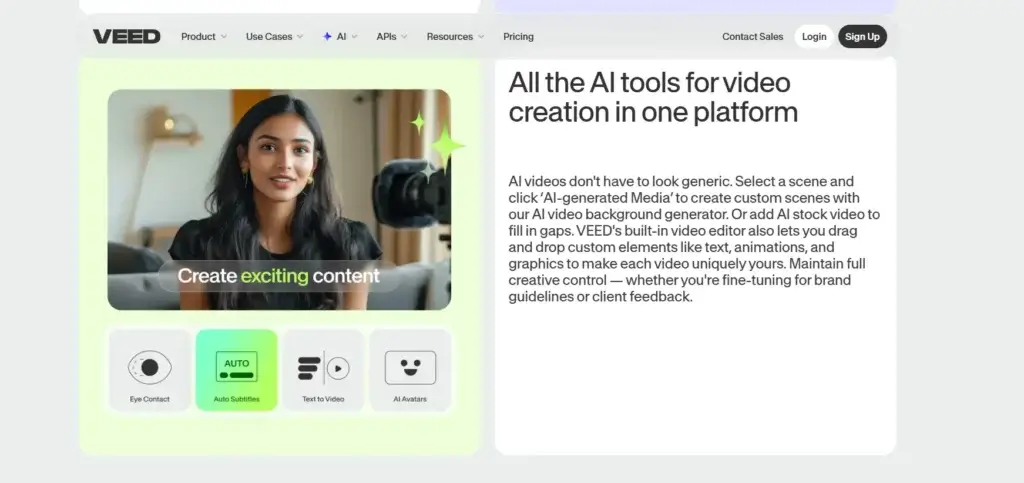
- AI avatars: Create talking-head style videos without filming yourself.
- Voice tools: Use text-to-speech, voice cloning, and AI-generated narration.
- Eye Contact AI: Correct subtle eye movement in talking-head videos.
- AI cleanup tools: Remove background noise and cut filler or awkward pauses faster.
Dubbing and localization
This is one of the clearest reasons to take VEED seriously if you manage international or multilingual content. VEED pushes hard into localization, and that makes it more useful than a typical lightweight editor.
- AI dubbing: Translate spoken content into multiple languages.
- Voice preservation: Dub in the original speaker’s voice or use stock voices.
- Lipsync options: Improve translated talking-head videos for a more natural feel.
- Multilingual subtitles: Combine translated subtitles with dubbed audio when needed.
- Localization workflow: Useful for courses, product marketing, onboarding, and international campaigns.
Templates, brand kit, and collaboration
VEED is especially strong when you think of it as a team video workflow platform, not just a solo editor. Shared templates, comments, and brand assets make it more operationally useful for businesses that publish often.
- Brand kit: Save logos, fonts, colors, and templates in one place.
- Custom templates: Standardize recurring video formats across your team.
- Review mode: Collect timestamped comments and speed up approvals.
- Team spaces: Assign collaborators and manage feedback more cleanly.
- Enterprise controls: Larger teams can access more advanced security and SSO options.
Core Strengths
What VEED Does Well
VEED’s main appeal is that it reduces the distance between idea and finished video. Instead of forcing you to jump across separate tools for recording, captioning, translation, branding, and approvals, it tries to keep everything in one environment.
Fast content production for marketers
If you create social content, product clips, explainer videos, or ad creatives regularly, VEED is one of the easier tools to adopt. The interface is not built for film-grade post-production, but it is built for getting usable marketing content out quickly.
Better accessibility and reach
Subtitles, dubbing, and translation matter far beyond compliance. They expand reach, improve retention on mute-first platforms, and make content easier to repurpose across markets. VEED performs well here, which is one reason it fits modern content teams so well.
Useful balance between AI and manual control
Some AI video tools feel too automated and restrictive. VEED usually lands in a better middle ground. It gives you AI support for speed, but still lets you step into the editor and refine the outcome. That balance is a major advantage if you care about both scale and brand control.
Good fit for collaborative workflows
The review and brand features make VEED more practical for teams than many creator-first AI video tools. Shared templates, timestamp comments, and centralized brand assets reduce the back-and-forth that usually slows video production.
Pros and Cons
Benefits and Limitations of VEED
Positive
✅ Easy to use in-browser
✅ Excellent subtitle workflow
✅ Strong AI localization tools
✅ Good for teams and brand consistency
Negative
❌ Not built for advanced cinematic editing
❌ Free plan is limited
❌ Performance is not flawless
❌ Best value depends on workflow breadth
VEED has a lot going for it, but it is not a perfect fit for everyone. The platform is strongest when you need speed, accessibility, and AI-assisted production. It is less convincing when you need highly advanced post-production control.
✅ Pros
- Easy to use in-browser: VEED is easier to learn than traditional professional editing software, especially for marketing and content teams.
- Excellent subtitle workflow: This remains one of the platform’s clearest standout features.
- Strong AI localization tools: Dubbing, translation, and subtitles make VEED more globally useful than many basic editors.
- Good for teams and brand consistency: Brand kit, comments, templates, and team spaces make it suitable for distributed workflows.
❌ Cons
- Not built for advanced cinematic editing: If you need deep color grading, complex motion design, or highly technical timeline control, desktop tools still go further.
- Free plan is limited: Watermarks and export restrictions mean serious use generally pushes you into paid plans.
- Performance is not flawless: User feedback still points to buffering, lag, and occasional friction on heavier projects.
- Best value depends on workflow breadth: If you only need very basic trimming or clip edits, VEED may be more platform than you need.
User Experience
User Interface and Experience
Onboarding and first setup
VEED is one of the easier video platforms to get started with. The browser-based setup removes a lot of friction, and the interface guides you toward common tasks like recording, adding subtitles, generating AI content, or exporting social-ready videos.
Editor experience
The editor is built more for usability than technical depth. That is a good thing for most business buyers. You get enough control to make professional-looking videos, but the platform does not overwhelm you the way high-end desktop tools often do.
Collaboration and approvals
This is an area where VEED feels more mature than many creator-first tools. Review mode, comments, templates, and shared brand assets make it easier to work across teams. That matters a lot when multiple people touch the same content before publishing.
Support and help resources
VEED provides help center documentation and support channels, though support responsiveness will matter more to larger teams with deadlines. Enterprise customers will naturally get a stronger support experience than free users or light individual users.
Pricing and Plans
How Much Does VEED Cost?
VEED has a free plan, plus paid tiers that unlock watermark-free exports, better resolution, more AI usage, and broader team capabilities. Exact allowances can change, so it is smart to verify limits before buying, but the overall structure is straightforward.
| Plan | Best For | Main Notes |
| Free | Testing the editor | Watermarked exports, limited AI access, lower export limits |
| Lite | Solo creators and marketers | Watermark-free exports, up to 1080p, stronger subtitle and editing workflow |
| Pro | Professionals and growing teams | 4K exports, broader AI access, more translation and brand features |
| Enterprise | Larger teams and organizations | Custom security, collaboration controls, SSO, support, and tailored usage |
In practical terms, VEED’s pricing is easiest to justify when you actively use subtitles, AI tools, localization, templates, and collaboration features together. If you only need the occasional quick edit, a lower-cost editor may feel more economical. But if VEED replaces several separate tools in your workflow, the value becomes much stronger.
Is VEED good value?
Yes, for the right user. I think VEED offers particularly good value for marketers, educators, agencies, and in-house content teams that want fast production and strong captioning or localization features without moving into a much heavier enterprise video stack.
Use Cases & Suitable Users
Who Should Use VEED
VEED is best for teams that care more about speed, accessibility, and publish-ready video than about advanced professional post-production.
- Marketing teams: Great for social clips, promo videos, product explainers, and ad creatives.
- Content creators: Strong fit if subtitles, templates, and quick turnaround matter more than deep editing complexity.
- Agencies: Useful for handling repeatable branded video workflows across clients.
- Training and HR teams: Good for onboarding, tutorials, and internal communication videos.
- Global businesses: Especially attractive if dubbing and translated subtitles are important.
It is less ideal if you are a professional editor who needs desktop-grade precision, advanced effects pipelines, or the deepest possible timeline control.
Comparison with Alternatives
How VEED Compares to Alternatives
VEED sits in an interesting place in the market. It is broader than a basic browser editor, but more approachable than many professional editing suites. The best alternative depends on what you prioritize.
VEED vs Descript
Descript is stronger if your workflow revolves around text-based editing, podcasts, transcripts, and spoken-word content. VEED feels broader on visual marketing use cases, especially when subtitles, branded social content, and AI video creation are central. I would pick VEED over Descript for more visual-first marketing teams.
VEED vs Kapwing
Kapwing and VEED are close competitors, and both are easy to adopt. VEED generally feels more ambitious on AI video, localization, and business-oriented workflow depth. Kapwing is still a very good option, but VEED has the stronger all-around feature story if your needs extend beyond basic collaborative editing.
VEED vs Canva Video
Canva is excellent when design is the center of your workflow and video is only one part of a broader content stack. VEED is the better choice if video is the main event and you need stronger subtitles, AI dubbing, recording, and video-specific editing tools.
VEED vs CapCut
CapCut remains attractive for trend-driven short-form editing, but VEED is the stronger business tool. It is more collaborative, more browser-friendly, and more compelling for teams that care about brand consistency, subtitles, and multilingual distribution instead of just fast social edits.
VEED vs Synthesia or HeyGen
Synthesia and HeyGen are stronger when your entire workflow is built around AI avatar presenters. VEED is more balanced. It gives you avatar features, but also a fuller editing and publishing workflow around them. In my view, VEED is the smarter choice if you want one platform for both creation and post-editing.
Best Use Tips
Tips & Best Practices When Using VEED
To get more value from VEED, treat it like a repeatable workflow system rather than a one-off editor.
- Use templates early: Save recurring intros, caption styles, and layouts so you can produce faster.
- Build your brand kit: Centralize fonts, logos, and colors to keep every video consistent.
- Always review subtitles manually: Even strong AI captioning still benefits from a final human check.
- Use dubbing selectively: For important campaigns, test translated outputs before publishing broadly.
- Keep raw projects organized: Clear naming and folder conventions matter more as your library grows.
- Use review mode for approvals: Timestamp comments reduce feedback chaos and speed up sign-off.
- Match VEED to the right use cases: It shines on marketing, training, explainers, and social content more than film-style editing.
Conclusion
Final thoughts
VEED is one of the better browser-based video platforms you can buy in 2026. Its biggest strength is not any single feature. It is the way it combines editing, subtitles, AI generation, dubbing, recording, and collaboration into one workflow that feels practical for real business use.
For marketers and content teams, that combination is hard to ignore. VEED helps you move faster, create more accessible content, and keep branding more consistent without forcing you into a complicated traditional editing stack. That makes it especially useful for businesses that publish often and need video to be repeatable, not just polished.
It is not the best choice for every type of editor. If you need very deep technical control, desktop software still wins. But if your goal is to create strong, modern video content quickly, especially with subtitles, localization, and AI support, VEED is absolutely worth considering.
Have more questions
Frequently Asked Questions
What is VEED used for?
VEED is used for recording, editing, subtitling, dubbing, translating, and publishing videos online. It is especially popular with marketers, content creators, educators, and teams that need fast video production.
Is VEED good for beginners?
Yes. VEED is much easier to learn than many traditional video editors, which makes it a strong option for beginners who still want professional-looking results.
Does VEED work in the browser?
Yes. VEED is primarily browser-based, which means you can create and edit videos without installing a traditional desktop editing application.
Is VEED good for subtitles?
Yes. Subtitles are one of VEED’s strongest features. It offers auto subtitles, editable caption styling, downloadable subtitle files, and multilingual subtitle support.
Can VEED translate videos?
Yes. VEED supports translated subtitles and AI dubbing, which makes it useful for localization and international content distribution.
Does VEED support AI avatars?
Yes. VEED includes AI avatar tools, which let you create presenter-style videos without having to film yourself directly.
Can teams collaborate in VEED?
Yes. VEED supports shared workspaces, templates, brand assets, review mode, and timestamp comments, which makes collaboration much easier.
Is there a free version of VEED?
Yes. VEED offers a free plan, but it comes with limitations such as watermarked exports and lower usage allowances.
What are VEED’s biggest drawbacks?
The main drawbacks are that the best value sits in paid tiers, some users report lag on larger projects, and it is not the best platform for highly advanced professional video editing.
Who should choose VEED over alternatives?
You should choose VEED if you want a browser-based platform that combines editing, subtitles, AI creation, localization, and collaboration in one place. It is especially strong for marketing and business video workflows.