Introduction
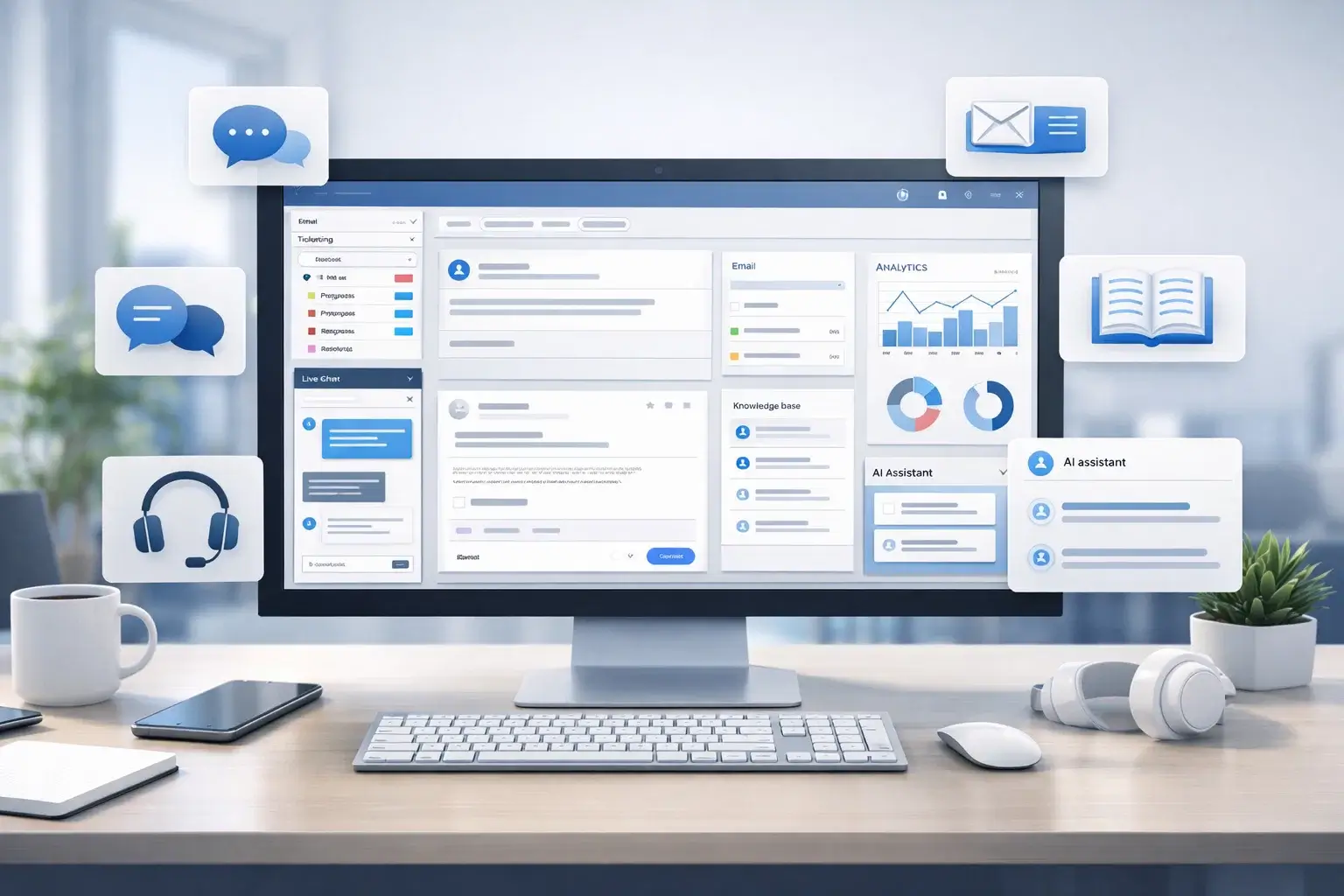
Choosing the right customer support platform is no longer just about organizing tickets. The best tools now combine shared inboxes, AI assistance, automation, self-service, analytics, and omnichannel communication into one system that helps your team resolve issues faster and create a better customer experience.
In this guide, you’ll find the best customer support platforms to consider in 2026: Zendesk, Freshdesk, Salesforce Service Cloud, Help Scout, HubSpot Service Hub, Deskwoot and Gorgias. Each one fits a different type of business, from lean customer support teams that want simplicity to larger organizations that need deep automation, customer context, and AI-driven workflows.
If you want one quick takeaway before diving in, here it is: Zendesk is the strongest all-around option for most mature customer support teams, Freshdesk offers one of the best balances of usability and value, Salesforce Service Cloud is built for enterprises with complex customer service operations, Help Scout is ideal for email-first teams that want a more human support experience, HubSpot Service Hub fits best if your business already runs on HubSpot, Deskwoot is a very appealing choice for startups and small teams that want multi-channel support with built-in AI, and Gorgias is the strongest ecommerce-focused option.
What to look for in a customer support platform
The right platform depends on how your team supports customers, how much complexity you need, and how much value you want from automation and AI. Focus on these evaluation points before making a decision:
- Channel coverage: Look for email, chat, self-service, social, and phone support if your team works across multiple touchpoints.
- Automation and AI: Workflow automation, routing, AI summaries, chatbots, and suggested replies can create a real productivity advantage.
- Ease of administration: Your platform should be easy to configure, maintain, and update without constant technical overhead.
- Customer context: The best customer support platforms help agents see past conversations, order data, CRM records, and account history in one place.
- Analytics and reporting: Dashboards, SLA tracking, CSAT, and trend analysis matter if customer support is a strategic function for your business.
- Integrations: CRM, ecommerce, collaboration, and telephony integrations reduce context switching and improve workflows.
- Pricing clarity: Watch for add-ons, AI usage charges, advanced reporting gates, and differences between seat-based and usage-based pricing.
Zendesk

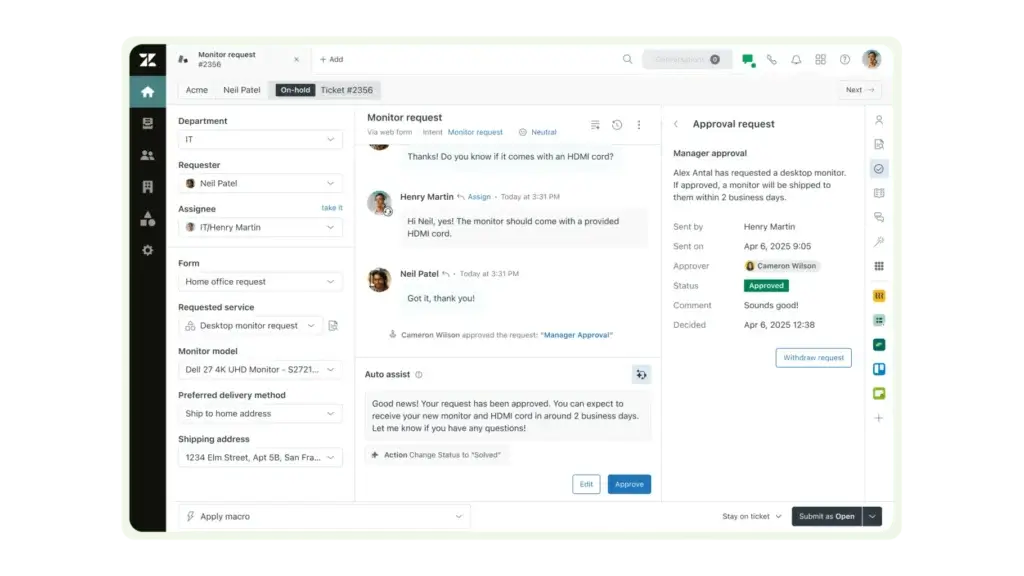
Zendesk remains one of the most complete customer support platforms on the market. It combines omnichannel ticketing, self-service, automation, analytics, and a growing AI layer in a platform that works for both scaling customer support teams and larger organizations with more complex needs.
What makes Zendesk especially strong is balance. It can handle straightforward customer support environments well, but it also grows into more advanced workflows with AI agents, workforce tools, richer reporting, and broader operational control. If your team wants a mature customer support platform rather than a lightweight help desk, Zendesk is usually one of the safest choices.
Key features
- Omnichannel support across email, chat, messaging, and help center workflows
- AI agents, agent assistance, and automation tools
- Knowledge base and customer self-service capabilities
- Advanced workflows, macros, triggers, and routing
- Strong analytics, QA, and service management tools
- Large ecosystem of integrations and add-ons
Pros and cons
Pros
✅ Best overall balance of depth, scalability, and channel coverage
✅ Strong AI and automation direction
✅ Mature admin controls and reporting
✅ Excellent long-term fit for growing customer support operations
Cons
❌ Gets expensive as you add advanced features and AI usage
❌ More setup work than lighter tools
❌ Can feel heavy for very small teams
❌ Best capabilities often sit on higher tiers
Pricing
Zendesk pricing starts at $19 per agent per month billed annually for entry plans, with higher Suite tiers and AI-oriented plans increasing the total cost meaningfully. In practice, Zendesk sits in the mid-to-upper range of the customer support platform market, especially once you move beyond the base offering.
Who should use Zendesk?
Zendesk is best for companies that want a mature customer support platform with real headroom. It is especially well suited to SaaS companies, digital businesses, and multi-channel customer support teams that need automation, self-service, reporting, and strong operational structure. If you want the safest all-around recommendation on this list, Zendesk is it.
Freshdesk

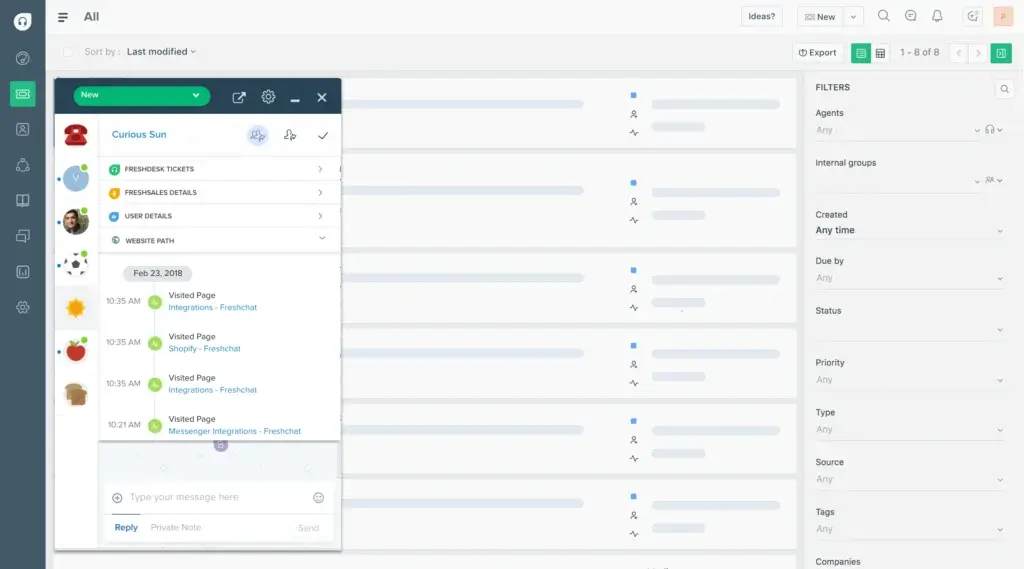
Freshdesk is one of the best customer support platforms for teams that want fast time-to-value. It blends ticketing, automation, self-service, AI capabilities, and multichannel support into a system that is generally easier to launch and manage than heavier enterprise platforms.
Its biggest advantage is accessibility. Freshdesk gives you enough power to run a serious customer support operation, but it does not usually require the same implementation effort or budget commitment as more complex alternatives. For SMBs and midmarket teams, that balance is very appealing.
Key features
- Ticketing across email and digital support channels
- Knowledge base and self-service portal
- Workflow automation and SLA management
- Freddy AI features and agent assistance
- Team collaboration and support productivity tools
- Simple interface with a strong onboarding curve
Pros and cons
Pros
✅ Excellent balance of usability and value
✅ Faster to deploy than heavier enterprise tools
✅ Good feature set for growing customer support teams
✅ Strong entry pricing and limited free option
Cons
❌ Advanced capabilities may require tier upgrades or add-ons
❌ Less enterprise depth than Salesforce or Zendesk in some areas
❌ Omnichannel sophistication depends on plan selection
❌ Larger teams may eventually want more customization
Pricing
Freshdesk pricing starts at $15 per agent per month, and it also offers a limited free program for 1-2 agents for 6 months. That makes it one of the more approachable customer support platforms in this category, especially for smaller teams that want a modern help desk without high upfront commitment.
Who should use Freshdesk?
Freshdesk is ideal for SMBs, growing startups, and midmarket customer support teams that want a practical, modern platform without unnecessary overhead. If you want strong core functionality, easier adoption, and solid value, Freshdesk is one of the smartest picks here.
Aircall

Aircall is one of the strongest customer support platforms for teams that still rely heavily on voice. Rather than acting like a traditional ticketing-first help desk, Aircall focuses on AI-powered calling, conversation workflows, and deep integrations with CRM and support systems. That makes it especially attractive for support teams, service operations, and customer-facing teams that want phone conversations to sit at the center of their workflow.
What makes Aircall stand out is its blend of simplicity and operational depth. The platform emphasizes fast setup, strong native integrations, AI Voice Agent capabilities, AI Assist features, and a modern calling experience that connects closely with tools like Salesforce and HubSpot. If your support model depends on calls, routing, coaching, and synced customer context, Aircall is a serious option to consider.
Key features
- AI-powered business calling and customer communications
- AI Voice Agent and AI Assist capabilities
- IVR, call recording, click-to-dial, and SMS/MMS support
- 250+ integrations and API access
- Real-time coaching and conversation intelligence features
- Designed for tight CRM and help desk connectivity
Pros and cons
Pros
✅ Excellent fit for voice-heavy support and sales teams
✅ Strong CRM and help desk integrations
✅ Modern AI-powered calling features
✅ Easier to adopt than many heavier enterprise telephony platforms
Cons
❌ Less complete than ticketing-first help desk platforms for broader support workflows
❌ Best fit depends on calls being central to your support model
❌ Pricing starts higher than some SMB-focused alternatives
❌ Advanced value often comes from combining it with other systems
Pricing
Aircall pricing currently starts at $30 per license per month. It offers Essentials, Professional, and Custom tiers. Essentials includes 250+ integrations, API access, IVR, call recording, and click-to-dial, while higher tiers add stronger AI Assist capabilities, Salesforce CTI, mandatory tagging, onboarding support, and service-level options.
Who should use Aircall?
Aircall is best for support teams, service teams, and customer-facing organizations that want voice to be a core part of the customer support experience. It is especially strong for businesses that already use a CRM or help desk and want a better calling layer with AI, automation, and conversation intelligence built in. If your team handles high call volume and needs tighter call workflows, Aircall deserves a place on the shortlist.
Salesforce Service Cloud
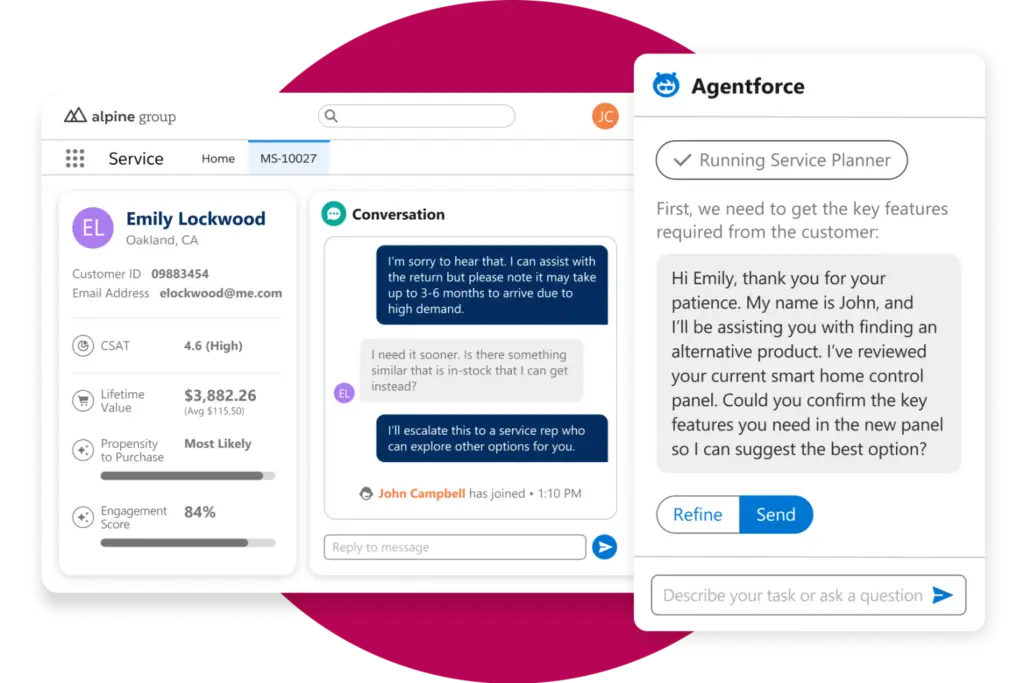
Salesforce Service Cloud is one of the most powerful customer support platforms in this market, but it is not built for simplicity first. It is designed for organizations that want customer support tightly connected to CRM data, account history, case management, and larger cross-functional workflows.
That depth is exactly why Service Cloud remains such a strong enterprise option. If customer support is tied closely to sales, success, field teams, or complex service processes, Salesforce can deliver a level of structure and customization that lighter platforms rarely match.
Key features
- Case management tied closely to CRM records
- Advanced workflow automation and service design
- Knowledge management and self-service tools
- Omnichannel routing and enterprise support operations
- Deep customization and reporting capabilities
- Broad Salesforce ecosystem connectivity
Pros and cons
Pros
✅ Excellent for complex enterprise customer support operations
✅ Deep CRM integration and data visibility
✅ Strong customization potential
✅ Great fit when customer service is part of a broader Salesforce strategy
Cons
❌ Higher cost and steeper implementation effort
❌ More admin overhead than most alternatives
❌ Often overkill for smaller teams
❌ Best value depends on good process design and admin resources
Pricing
Salesforce lists Starter Suite from $25 per user per month and Pro Suite from $100 per user per month, with higher Service Cloud editions and digital engagement options increasing cost further. This is one of the widest pricing ranges in the category, and advanced setups can become expensive quickly.
Who should use Salesforce Service Cloud?
Service Cloud is best for enterprises, larger B2B teams, and companies already invested in Salesforce. If your customer support function is part of a broader customer operations strategy and needs more than standard ticketing, it is one of the strongest options available.
Help Scout

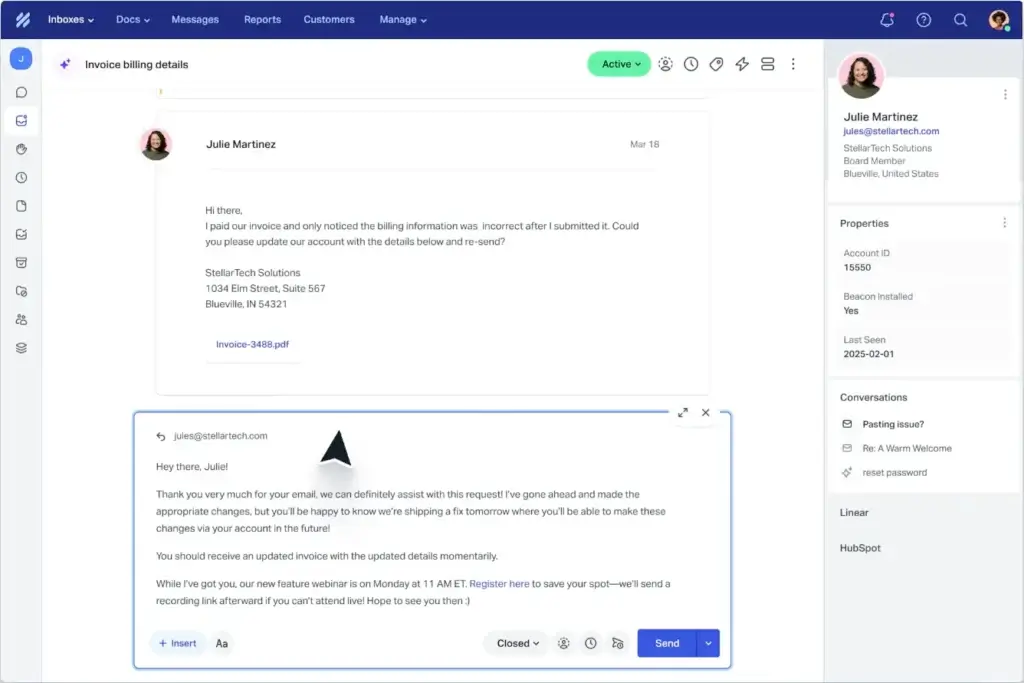
Help Scout takes a simpler approach than most of the tools on this list. Instead of trying to be everything to every customer support team, it focuses on shared inbox support, knowledge base, live chat, and a customer experience that feels personal rather than overly operational.
That focus is a real strength. Help Scout is not the best option for highly complex omnichannel customer support operations, but it is one of the best choices for teams that mainly support customers through email and chat and want clarity over complexity.
Key features
- Shared inbox for collaborative support
- Knowledge base and help center tools
- Live chat and proactive messaging
- Simple automation and workflow tools
- AI Answers and AI resolution options
- Clean UI that is easy for agents to adopt
Pros and cons
Pros
✅ Clean, easy-to-use interface
✅ Excellent fit for email-first customer support teams
✅ Strong help center experience
✅ Feels more personal and less bloated than heavier tools
Cons
❌ Less suited for complex omnichannel environments
❌ Reporting depth is lighter than Zendesk or Salesforce
❌ Fewer enterprise controls and customizations
❌ Best for simpler support models, not massive operations
Pricing
Help Scout positions itself as an affordable customer support platform for growing businesses, with paid plans and separate AI resolution pricing. Its AI Resolutions billing currently runs on a usage basis, with pay-as-you-go charges listed at $0.75 per resolution.
Who should use Help Scout?
Help Scout is best for startups, SaaS teams, agencies, and customer support organizations that want a streamlined platform built around great email and chat support. If your team values simplicity and a more human service style, Help Scout is a very strong option.
HubSpot Service Hub

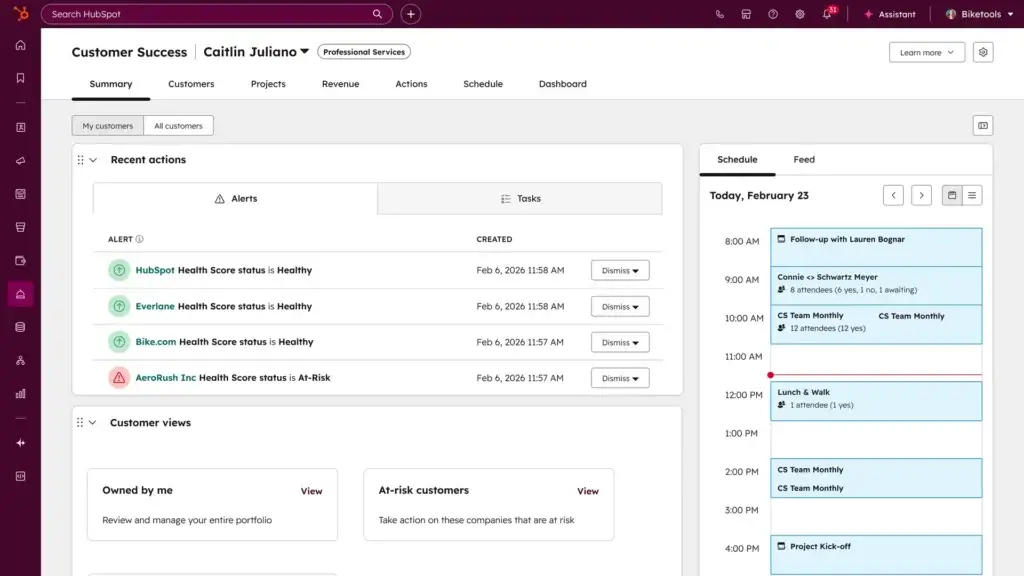
HubSpot Service Hub is strongest when customer support is part of a broader customer lifecycle strategy. Instead of acting as a standalone support tool, it connects ticketing, help desk, automation, customer portal, and reporting with HubSpot’s CRM, marketing, and sales data.
That ecosystem fit is what makes it compelling. On its own, it is a capable customer support platform. But if your business already runs on HubSpot, Service Hub becomes much more valuable because it gives your service team the same shared customer context as the rest of the organization.
Key features
- Ticketing, help desk, and shared inbox tools
- Customer portal and knowledge base capabilities
- Automation, routing, and service reporting
- Omnichannel support features with CRM context
- Customer success tools on higher tiers
- Strong native connection to HubSpot CRM
Pros and cons
Pros
✅ Best fit for businesses already using HubSpot
✅ Strong visibility across sales, marketing, and service data
✅ Good upgrade path from free to more advanced customer support operations
✅ Very good for businesses that want one customer record across teams
Cons
❌ Best value depends on being in the HubSpot ecosystem
❌ Higher tiers can become expensive
❌ Dedicated help desk specialists may prefer deeper standalone tools
❌ Advanced features are concentrated in higher plans
Pricing
HubSpot Service Hub includes a free tier, with paid plans scaling through Starter, Professional, and Enterprise. HubSpot’s support materials also note that free plans include basic ticketing, shared inbox, and live chat, while higher tiers unlock automation, portals, knowledge base, customer success tools, and deeper analytics.
Who should use HubSpot Service Hub?
HubSpot Service Hub is ideal for growing businesses that already use HubSpot for CRM, marketing, or sales. If your goal is to connect customer support to the full customer journey rather than run service as a separate system, this is one of the most logical options on the market.
Deskwoot
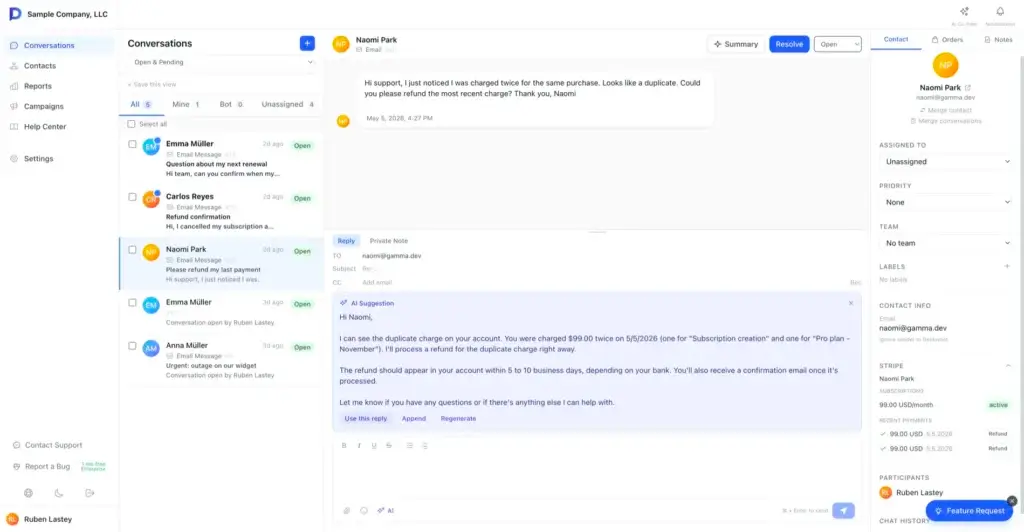
Deskwoot is a newer customer support platform that stands out by combining a multi-channel shared inbox, AI features, help center tools, and workflow automation in a much more affordable package than many established competitors. For startups and small teams, that positioning is very compelling because it focuses on delivering core modern support capabilities without the usual enterprise price tag.
What makes Deskwoot especially interesting is how much it includes at the entry level. The platform supports eight channels in one shared inbox, including email, live chat, WhatsApp, Telegram, X, LINE, SMS, and API. It also emphasizes built-in AI, a help center, automation, and transparent pricing, which makes it feel more modern and accessible than many legacy help desks for smaller businesses.
Key features
- Multi-channel shared inbox across 8 support channels
- Built-in AI chatbot and AI-assisted reply workflows
- Knowledge base and help center tools
- Workflow automation and SLA support
- Live chat support and website messaging
- Affordable per-agent pricing with a free plan
- AI bot trained on your help center, past tickets, website links, and PDFs to deliver more accurate, context-aware support.
Pros and cons
Pros
✅ Very affordable compared with larger customer support platforms
✅ Multi-channel inbox with strong channel coverage for small teams
✅ Built-in AI and knowledge base positioning
✅ Strong fit for startups and budget-conscious businesses
Cons
❌ Newer and less proven than larger competitors
❌ Smaller ecosystem and brand recognition
❌ May not have the same enterprise depth as Zendesk or Salesforce
❌ Better suited to SMB and startup use cases than complex global support operations
Pricing
Who should use Deskwoot?
Deskwoot is best for startups, small businesses, and lean customer support teams that want a modern shared inbox with AI and multi-channel support at a low cost. If your budget is limited but you still want live chat, messaging channels, automation, and a help center in one place, Deskwoot is one of the most interesting lower-cost options to consider.
Gorgias
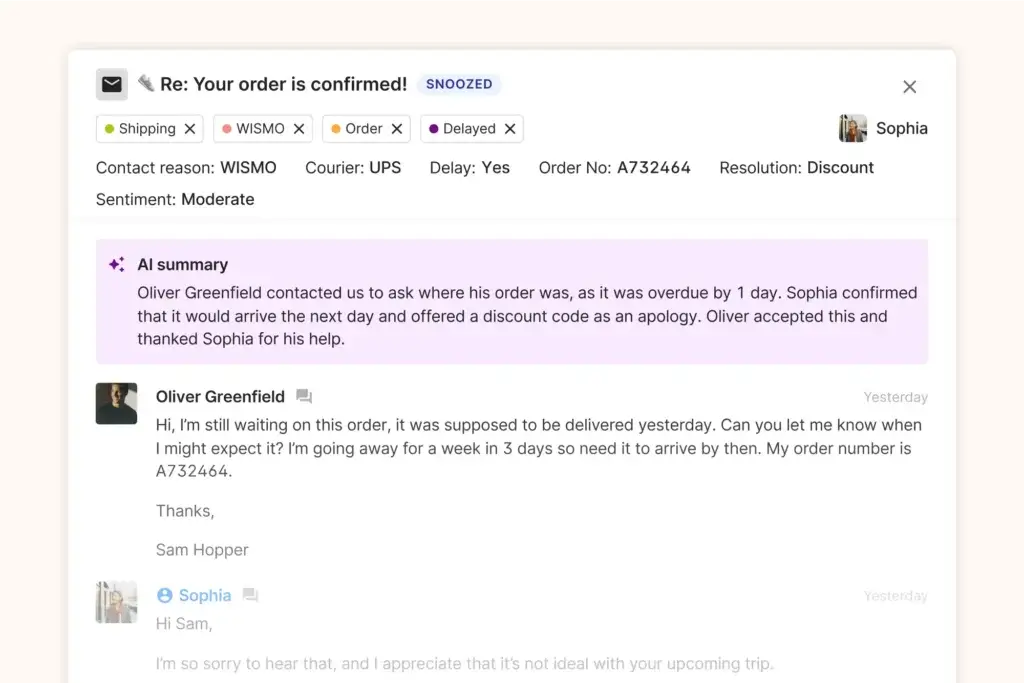
Gorgias is the most specialized customer support platform on this list, and that is exactly why it deserves a place here. It is designed for ecommerce teams, not just general service teams, and that focus makes a major difference in how it handles support, automation, and customer context.
Rather than acting like a generic help desk, Gorgias is built around shopper conversations, store workflows, and conversational AI for support and sales. For ecommerce brands, that makes it far more relevant than many broader customer support platforms.
Key features
- Ecommerce-focused AI helpdesk
- Unified support across core customer channels
- Store and order context inside the agent workflow
- Conversational AI for support and sales use cases
- Shopify-first positioning and ecommerce integrations
- Help center and automation capabilities
Pros and cons
Pros
✅ Best customer support platform on this list for ecommerce brands
✅ Strong support and sales overlap for shopper conversations
✅ Built around store context rather than generic ticketing
✅ Very good fit for Shopify and DTC operations
Cons
❌ Less compelling outside ecommerce
❌ Pricing model requires close attention as volume grows
❌ Not the most natural fit for B2B teams
❌ Best value depends on your commerce stack and conversation volume
Pricing
Gorgias uses a pricing model built around growth and conversation outcomes rather than simple headcount alone. Its pricing page emphasizes scaling with business growth instead of scaling directly with seat count, which can be attractive for ecommerce teams with larger customer support staffs.
Who should use Gorgias?
Gorgias is best for ecommerce businesses, especially Shopify-heavy brands, DTC companies, and online stores whose customer support teams regularly handle orders, returns, product questions, shipping issues, and conversion-related conversations. If you run ecommerce, Gorgias is one of the first tools I would evaluate.
Feature comparison table
| Tool | Best For | Biggest Strength | Main Tradeoff |
| Zendesk | Most growing and mature customer support teams | Best overall balance of scale, channels, and automation | Gets expensive as you move upmarket |
| Freshdesk | SMBs and midmarket teams | Strong value and fast implementation | Less depth than more enterprise-oriented platforms |
| Aircall | Voice-heavy support and service teams | AI-powered calling with strong CRM and help desk integrations | Less complete than help desk-first platforms for broader support workflows |
| Salesforce Service Cloud | Enterprise customer service operations | Deep CRM and workflow customization | Higher complexity and admin burden |
| Help Scout | Email-first teams | Clean, human customer support experience | Less suited for complex omnichannel environments |
| HubSpot Service Hub | HubSpot-centric businesses | Excellent customer lifecycle visibility | Best value depends on HubSpot ecosystem fit |
| Deskwoot | Startups and small teams | Affordable multi-channel inbox with built-in AI | Less enterprise depth and a smaller ecosystem |
| Gorgias | Ecommerce brands | Purpose-built shopper support and sales support overlap | Less attractive outside ecommerce |
How to choose the best customer support platform for your business
The right choice depends less on which tool is “best” in the abstract and more on which one fits your customer support model.
If you want the best overall platform
Zendesk is the safest recommendation if you want a mature, scalable customer support platform with strong automation, self-service, and room to grow.
If you want the best balance of value and usability
Freshdesk is one of the strongest picks for businesses that want a capable customer support platform without moving into enterprise-level complexity too early.
If voice support is central to your customer experience
Aircall is a strong choice for businesses that want phone support, routing, CRM syncing, and AI-powered call workflows to sit at the center of their customer support setup.
If your customer support operation is tightly connected to CRM
Salesforce Service Cloud is the strongest option when service needs to be deeply tied to customer records, workflows, and broader business operations.
If your team mainly supports customers through email and chat
Help Scout is a great fit if you want a simpler, cleaner, more human customer support experience without extra operational weight.
If your business already runs on HubSpot
HubSpot Service Hub is the most logical option because it keeps customer support aligned with your CRM, marketing, and sales data.
If you want the most affordable modern option
Deskwoot is worth a close look if you want a lower-cost customer support platform with multi-channel coverage, AI, automation, and a help center without moving into enterprise-level pricing.
If you are in ecommerce
Gorgias deserves special attention because it is built for shopper conversations, store workflows, and ecommerce support rather than generic ticketing.
Final thoughts
The best customer support platforms in 2026 do much more than organize incoming tickets. They help your team automate repetitive work, improve response quality, connect customer support to the rest of your business systems, and give customers faster answers across multiple channels.
If we had to narrow this list down by use case, we would put Zendesk at the top for overall capability, Freshdesk as the strongest balance of value and usability, Salesforce Service Cloud as the best fit for complex enterprise customer support operations, Help Scout as the cleanest option for email-first teams, HubSpot Service Hub as the best ecosystem play for HubSpot users, Gorgias as the best customer support platform for ecommerce, Kustomer as one of the strongest modern choices for AI-led customer service, Deskwoot as a very appealing low-cost option for startups and smaller teams, and Aircall as one of the best choices for teams that need voice-first customer support with strong integrations and AI-powered calling.
Frequently Asked Questions (FAQs)
What is a customer support platform?
A customer support platform is software that helps teams manage customer service across channels like email, chat, self-service, social, and sometimes phone. It usually includes ticketing, automation, reporting, and knowledge base features.
What is the difference between a help desk and a customer support platform?
A help desk usually focuses on ticket handling. A customer support platform is broader and often includes omnichannel communication, AI, self-service, reporting, and customer context tools.
Which customer support platform is best overall?
For most businesses, Zendesk is the strongest all-around option because it balances scale, flexibility, automation, and channel coverage better than most competitors.
Which customer support platform is best for small businesses?
Freshdesk is one of the best starting points for small businesses because it offers strong usability, practical features, and approachable pricing.
Which customer support platform is best for ecommerce?
Gorgias is the strongest ecommerce-focused option here because it is built around shopper conversations, store workflows, and ecommerce context.
Is Help Scout better than Zendesk?
Help Scout is better for teams that want simplicity and a more human email-first customer support experience. Zendesk is better for teams that need more channels, more automation, and stronger reporting.
Is Salesforce Service Cloud too complex for SMBs?
In many cases, yes. It can work for some SMBs, but it is usually a better fit for larger organizations or companies already using Salesforce heavily.
Is HubSpot Service Hub good as a standalone customer support tool?
Yes, but it becomes much stronger when your business already uses HubSpot for CRM, sales, or marketing.
Are AI features worth paying for in customer support software?
Yes, especially if they reduce repetitive work, improve routing, or help customers resolve simple issues without waiting for an agent.
How should I compare pricing between customer support platforms?
Do not compare only the entry seat price. Check what each tier includes, how AI usage is billed, whether reporting or automation is gated, and whether you need add-ons to get essential features.