Introduction
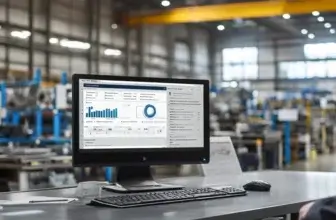
Fishbowl is an inventory management and manufacturing software platform designed for small and midsize businesses that need more control than spreadsheets or basic accounting tools can provide. It helps you manage inventory, warehouses, purchase orders, manufacturing workflows, order fulfillment, barcode scanning, and accounting sync from one connected system.
Fishbowl is especially relevant if your business relies on QuickBooks or Xero but has outgrown the inventory features available inside your accounting platform. Instead of forcing you into a full ERP system, Fishbowl gives you a deeper operational layer for tracking stock, managing work orders, automating reorders, and connecting inventory data with your financial records.
If you are comparing tools for production operations, you can also review our guide to the best production management software to see how Fishbowl compares with other systems built for inventory-heavy businesses.
In this Fishbowl review, we will cover its key features, pricing, pros and cons, user experience, best use cases, and alternatives, helping you decide whether it is the right inventory and manufacturing platform for your business in 2026.
Overview of Fishbowl Inventory and Manufacturing Software
Fishbowl is best understood as an inventory-first operations platform with strong manufacturing and warehouse management capabilities. It is not a full ERP in the same category as NetSuite, SAP Business One, or Microsoft Dynamics 365 Business Central, but it does cover many of the operational workflows that growing product businesses need before they are ready for a larger ERP implementation.
The platform supports inventory tracking, warehouse management, manufacturing orders, work orders, bills of materials, purchasing, order management, shipping, ecommerce integrations, barcode scanning, AI reporting, and accounting integrations. This makes it a practical fit for manufacturers, distributors, wholesalers, ecommerce sellers, food and beverage companies, medical supply businesses, parts suppliers, and other companies that move physical inventory across locations.
Fishbowl has also moved further toward cloud-based inventory management, AI-assisted reporting, and ecommerce operations. Its current product lineup includes Fishbowl Inventory, Fishbowl Manufacturing, Fishbowl Commerce Suite, Fishbowl AI Insights, Fishbowl Payments, and AI Manufacturing add-ons. That makes the product more modern than its older reputation as a mostly desktop-based QuickBooks inventory add-on.
Still, Fishbowl is not the simplest tool in the category. If you only need lightweight stock tracking, it may feel like more system than you need. But if your business has multiple locations, barcode workflows, production steps, purchasing rules, ecommerce channels, and accounting requirements, Fishbowl offers the depth that many basic inventory tools lack.
Software Specification
Fishbowl’s Core Features
Inventory Management
Fishbowl’s strongest feature is inventory control. You can track stock across warehouses, locations, bins, lots, serial numbers, expiration dates, and item categories. This gives you more visibility than basic accounting software and helps reduce the risk of stockouts, overselling, misplaced stock, and inaccurate cost reporting.
For businesses that need traceability, Fishbowl can be especially valuable. Lot tracking, serial tracking, expiry tracking, and audit visibility are useful for regulated or quality-sensitive industries such as food and beverage, medical supplies, aerospace, automotive, electronics, and pharmaceuticals.
Warehouse Management
Fishbowl includes warehouse management tools for receiving, picking, packing, shipping, cycle counts, barcode scanning, and multi-location stock visibility. This makes it useful for businesses that are no longer managing inventory from one simple stockroom.
The mobile scanning experience is one of the main reasons many teams consider Fishbowl. By using barcode workflows, warehouse teams can reduce manual entry, improve receiving accuracy, speed up fulfillment, and update inventory records as work happens.
Manufacturing and Work Orders
Fishbowl Manufacturing supports bills of materials, manufacture orders, work orders, production stages, raw material tracking, finished goods, and work-in-progress visibility. This makes it a strong option for businesses that need to connect inventory with production without moving into a full enterprise ERP.
You can use Fishbowl to create BOMs, convert production requirements into work orders, manage subassemblies, track consumed materials, and connect production costs with accounting records. This is useful for light manufacturing, assembly, fabrication, food production, product customization, and build-to-order workflows.
Purchasing and Reorder Automation
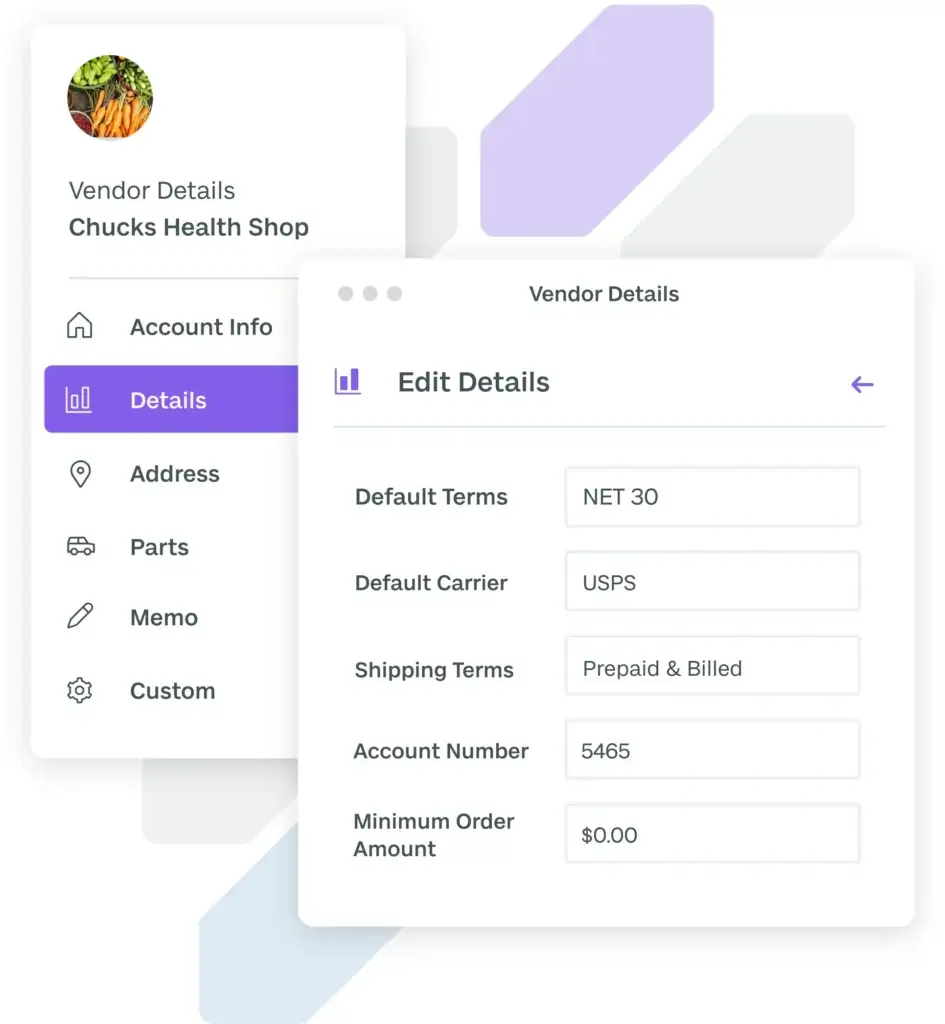
Fishbowl helps you manage purchase orders, vendor details, reorder points, receiving, and purchasing workflows. Instead of waiting until inventory shortages disrupt fulfillment, you can set reorder rules that help your team purchase the right stock before it becomes urgent.
This is particularly useful when your demand is seasonal, supplier lead times are inconsistent, or your team struggles to keep inventory balanced across locations. Fishbowl can help you bring more structure to replenishment and avoid overreliance on spreadsheets.
QuickBooks and Xero Integrations
Fishbowl is known for its deep accounting integrations, especially with QuickBooks. It connects operational inventory data with accounting records, helping your finance and operations teams stay aligned on inventory values, cost of goods sold, purchase orders, sales orders, and finished goods costs.
This is one of Fishbowl’s clearest advantages. If you want to keep QuickBooks as your accounting system but need stronger inventory, warehouse, and manufacturing workflows, Fishbowl is built around that exact use case.
Ecommerce and Sales Channel Integrations
Fishbowl can connect with ecommerce channels and sales systems through direct integrations and Fishbowl Commerce. For Shopify users, Fishbowl can import orders, sync inventory, export fulfillment data, and help keep ecommerce inventory records aligned with warehouse stock.
Fishbowl Commerce also supports broader multichannel selling needs, including integrations with platforms such as Amazon, BigCommerce, eBay, Walmart, Shopify, and WooCommerce. This makes Fishbowl a stronger fit for ecommerce businesses that sell across multiple channels and need a central inventory hub.
AI Insights and Reporting
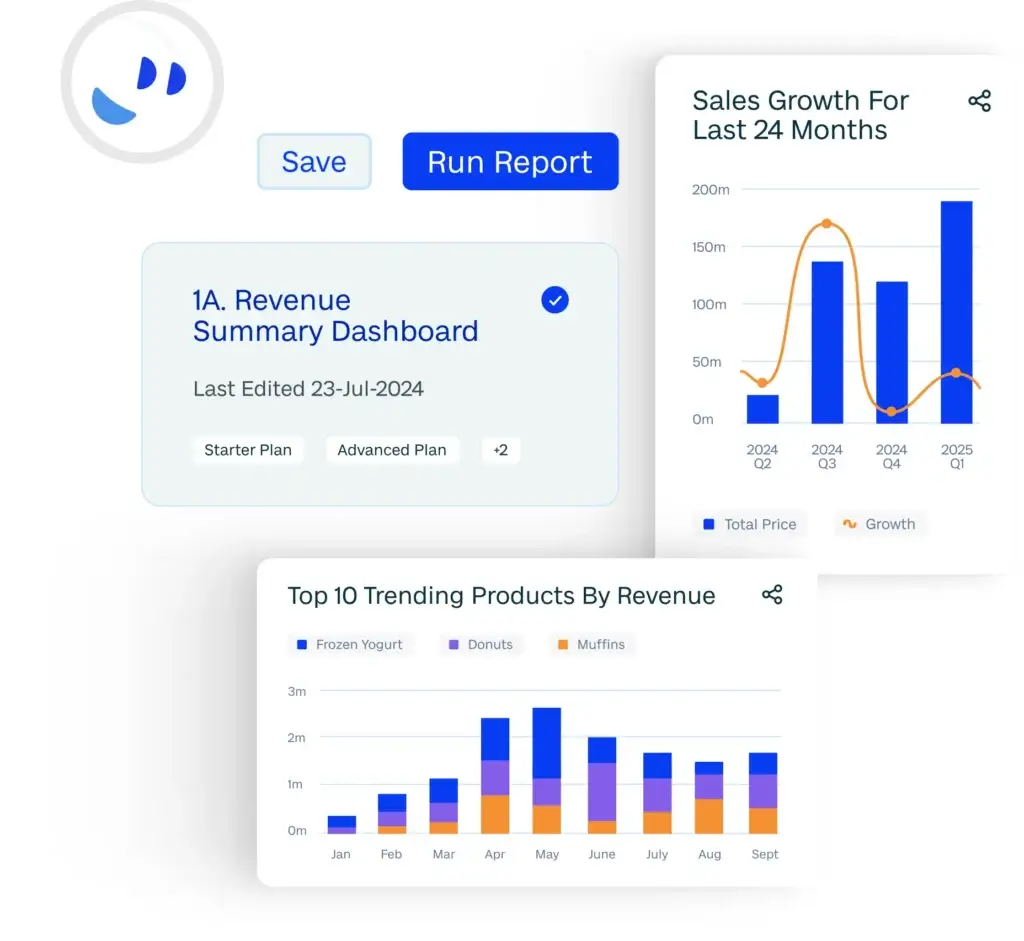
Fishbowl AI Insights adds a more modern reporting layer to the platform. It is designed to help you access inventory and manufacturing data, create dashboards, ask business questions, and identify issues faster without relying entirely on manual spreadsheet analysis.
The AI direction is important because inventory teams are under more pressure to forecast demand, reduce carrying costs, avoid stockouts, and make faster purchasing decisions. Fishbowl’s AI features are most useful when your inventory data is already clean and your workflows are properly configured.
Pros and Cons
Advantages and Disadvantages
Positive
✅ Strong QuickBooks and Xero integration
✅ Deep inventory and warehouse features
✅ Manufacturing tools with BOMs and work orders
✅ Useful barcode and traceability workflows
Negatives
❌ Setup can take time
❌ Reporting customization may feel limited
❌ Pricing can rise with scale and add-ons
❌ Not as modern as newer inventory tools in every area
Before choosing Fishbowl, you should look at both its operational strengths and its practical limitations. Fishbowl is powerful for inventory-heavy teams, but it is not the best fit for every business.
Pros:
Excellent fit for QuickBooks users: Fishbowl is one of the strongest inventory management options for businesses that want to keep QuickBooks as their accounting system. It fills many inventory, warehouse, and manufacturing gaps without forcing you to replace your finance stack.
Strong inventory control: Fishbowl gives you tools for multi-location tracking, barcode scanning, reorder points, lot tracking, serial tracking, expiration tracking, cycle counts, and stock visibility. This makes it far stronger than spreadsheet-based inventory management.
Useful manufacturing features: With BOMs, manufacture orders, work orders, subassemblies, production cost tracking, and WIP visibility, Fishbowl is practical for manufacturers that need structure but are not ready for a full ERP rollout.
Good warehouse and fulfillment support: Fishbowl helps you manage receiving, picking, packing, shipping, and barcode workflows. This can improve accuracy and speed for teams handling higher order volume.
Cons:
Implementation can require planning: Fishbowl is not a plug-and-play inventory app for every team. If you have messy SKU data, inconsistent warehouse processes, or complex accounting workflows, you should expect a structured implementation process.
Reporting may not satisfy every team: Fishbowl includes reporting and AI Insights, but some users still find reporting flexibility less advanced than they want. Businesses with highly specific analytics requirements may need custom reporting support.
Costs can increase as needs grow: Fishbowl pricing starts at a clear monthly rate, but advanced functionality, user needs, manufacturing modules, AI add-ons, and implementation requirements can affect the final cost.
Not a complete ERP replacement: Fishbowl covers many inventory and manufacturing workflows, but it does not replace a full ERP if you need advanced financial management, HR, CRM, enterprise planning, or broad multi-entity operations in one platform.
User Experience
User Interface and Usability
Fishbowl is functional and operations-focused. It is built for inventory accuracy, warehouse workflows, manufacturing control, and accounting alignment rather than purely for visual simplicity. That is important to understand before comparing it with newer, lighter tools.
Ease of Use
Fishbowl is reasonably easy to use once your workflows are configured, but the learning curve depends on your operational complexity. A simple distributor with a few warehouses may adopt the system faster than a manufacturer with multi-level BOMs, custom workflows, multiple sales channels, and strict traceability requirements.
The platform is best for teams that are willing to map their processes properly. If your team expects a lightweight app that works with minimal setup, Fishbowl may feel heavy. If your team needs structure and control, that added depth becomes an advantage.
Dashboard and Operational Visibility
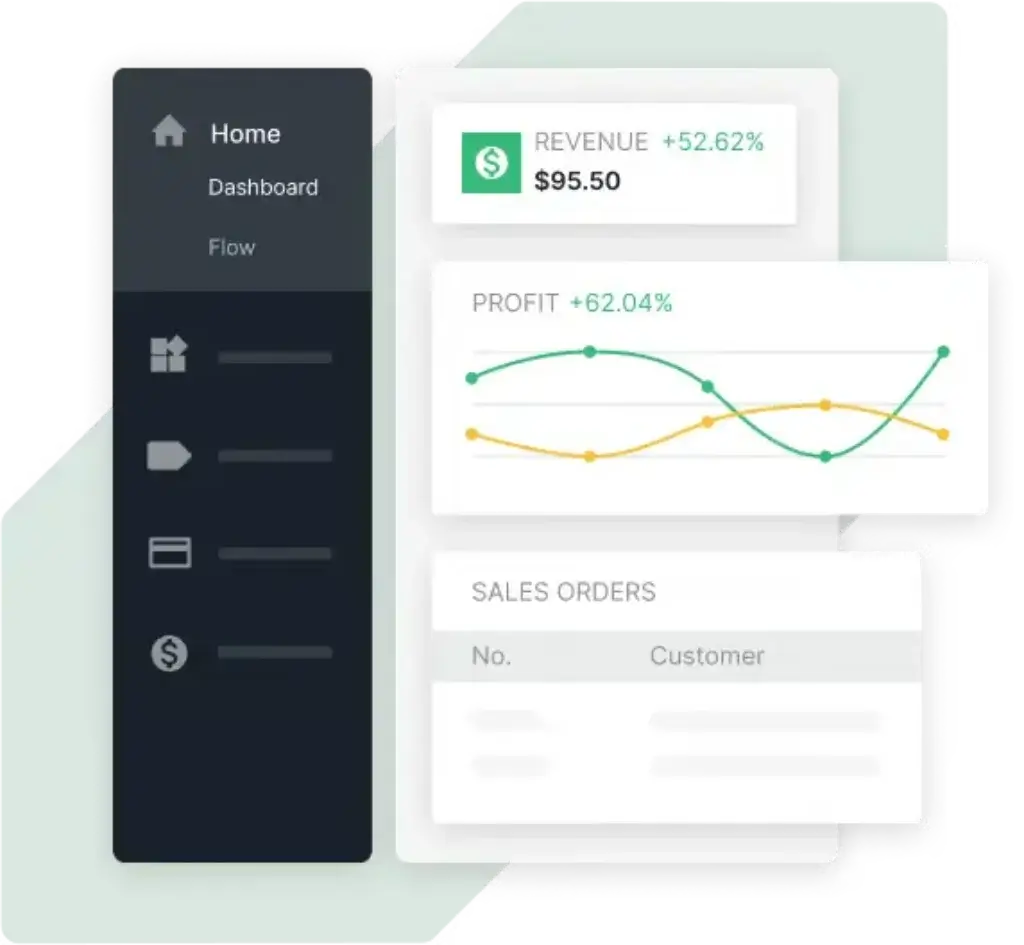
Fishbowl gives you visibility into inventory levels, sales orders, purchase orders, manufacturing activity, warehouse activity, and fulfillment status. This helps managers understand what is available, what needs to be purchased, what is in production, and what is ready to ship.
The addition of AI Insights improves the reporting experience by making it easier to access operational data and identify trends. Still, companies with advanced reporting requirements should review dashboards and custom reporting options carefully during the demo stage.
Mobile Access and Barcode Workflows
Fishbowl’s mobile and barcode capabilities are highly valuable for warehouse and inventory teams. Receiving, picking, packing, cycle counting, and inventory movement are all areas where barcode scanning can reduce manual errors and improve accuracy.
For teams still relying on paper pick lists or spreadsheet updates, this can be one of the most immediate operational upgrades. It also helps create better accountability because inventory changes are recorded closer to the point of activity.
Learning Curve
The learning curve is moderate. Users who understand inventory, purchasing, and warehouse workflows will usually adapt faster. Teams that are moving from spreadsheets may need more training because Fishbowl introduces formal processes around SKUs, locations, BOMs, vendors, reorder points, and accounting sync.
The best way to approach Fishbowl is to treat it as an operations system, not just a software subscription. Your results will depend heavily on setup quality, process discipline, and how well your inventory data is prepared before launch.
Top Benefits
How Fishbowl Improves Inventory and Manufacturing Operations
Fishbowl’s biggest value is that it connects inventory, purchasing, warehousing, manufacturing, sales, and accounting into a more controlled workflow. This is where it can make a meaningful difference for growing businesses.
Better Inventory Accuracy
Inventory accuracy is one of the main reasons to choose Fishbowl. When your business grows, small inventory mistakes become expensive. Overselling, stockouts, inaccurate purchasing, and missing warehouse records can hurt cash flow and customer trust.
Fishbowl helps you improve accuracy through real-time stock tracking, barcode scanning, cycle counts, multi-location visibility, and traceability tools. This gives your team a clearer view of what you have, where it is located, and what needs action.
More Controlled Manufacturing Workflows
For manufacturers, Fishbowl helps connect raw materials, BOMs, work orders, finished goods, and production costs. This is useful when you need to know whether you have the materials required to build products, how much finished goods cost, and how production activity affects inventory.
Fishbowl also supports configurable production workflows, which makes it useful for businesses that build standard products, custom products, kits, assemblies, or subassemblies.
Reduced Manual Data Entry
Manual data entry is a common problem in inventory operations. Your warehouse updates one spreadsheet, your finance team updates QuickBooks, your ecommerce team checks Shopify, and your operations manager works from a separate order report.
Fishbowl reduces this fragmentation by connecting your inventory system with accounting, ecommerce, purchasing, production, and warehouse activity. This can reduce duplicate entry and help teams work from the same operational data.
Improved Purchasing Decisions
Fishbowl helps teams move from reactive purchasing to more structured replenishment. With reorder points, purchasing workflows, vendor records, and demand visibility, you can make more informed buying decisions and reduce last-minute purchasing pressure.
This is important for businesses dealing with supplier delays, fluctuating demand, high carrying costs, or expensive stockouts. Fishbowl gives you a better foundation for purchasing decisions than spreadsheets alone.
Stronger Finance and Operations Alignment
One of Fishbowl’s strongest advantages is its accounting alignment. For QuickBooks and Xero users, Fishbowl can help connect operational inventory activity with financial records.
This matters because inventory is not only an operations issue. It affects cash flow, margins, landed costs, COGS, taxes, purchasing, and profitability. Fishbowl gives finance and operations teams a better shared view of the business.
Pricing and Plans
Fishbowl Pricing: Is It Worth the Investment?
Fishbowl uses tiered pricing, with costs based on plan level, users, and operational requirements. The public pricing listed below is based on annual billing in USD. You should always confirm final pricing directly with Fishbowl because add-ons, implementation, support, AI Manufacturing, and advanced modules can affect the total cost.
| Plan | Starting Price | Included Users | Best For | Key Features |
| Essentials | $229/month, billed annually | 2 users | Smaller teams getting inventory under control | Inventory tracking, item and SKU management, cycle counts |
| Growth | $429/month, billed annually | 5 users | Growing operations needing better fulfillment workflows | Core fulfillment support, shipping tools, AI reporting, AI Manufacturing add-on available |
| Scale | $729/month, billed annually | 10 users | High-volume operations needing advanced controls | Advanced permission control, forecasting, demand planning, advanced AI capabilities |
| Advanced | Custom pricing | Custom | Businesses needing advanced inventory and fulfillment control | Payment processing, audit trail reporting, complex fulfillment, advanced manufacturing module available |
Essentials Plan
The Essentials plan is designed for smaller teams that need to organize inventory, track SKUs, perform cycle counts, and move away from manual stock control. It is the most accessible starting point if your business needs inventory structure but does not yet require advanced fulfillment or manufacturing features.
This plan is best for companies that want a clearer source of truth for inventory without immediately investing in the full depth of Fishbowl’s operational platform.
Growth Plan
The Growth plan is built for companies with more active fulfillment requirements. It includes more users, shipping tools, core fulfillment support, AI reporting, and the option to add AI Manufacturing.
This is likely the best starting point for businesses that are already shipping regular order volume, managing warehouse activity, and looking for more automation around fulfillment and reporting.
Scale Plan
The Scale plan is designed for higher-volume operations that need more control, stronger permissions, forecasting, demand planning, and advanced AI capabilities. This plan is more relevant when your team has multiple users, more complex workflows, and a greater need for operational visibility.
If inventory decisions directly affect your margins, customer delivery performance, or production capacity, the Scale plan may offer better long-term value than a lower-tier plan.
Advanced Plan
The Advanced plan uses custom pricing and is aimed at businesses with more complex needs. It includes advanced inventory control options, payment processing, audit trail reporting, complex fulfillment, and access to advanced manufacturing modules.
This plan is worth exploring if you have more advanced warehouse, compliance, manufacturing, or fulfillment requirements that cannot be covered by the standard tiers.
Is Fishbowl pricing worth it?
Fishbowl can be worth the investment if inventory accuracy, warehouse efficiency, manufacturing control, and accounting sync are important to your business. It is not the cheapest inventory tool, but it can reduce costly problems that come from inaccurate stock, duplicate data entry, poor purchasing visibility, and disconnected workflows.
However, if your business only needs basic inventory tracking, Fishbowl may be more expensive and complex than necessary. In that case, a lighter system like inFlow, Zoho Inventory, or Sortly may be a better fit.
Fishbowl Alternatives
How Does Fishbowl Compare to Others?
Fishbowl is a strong option, but it is not the only inventory and manufacturing software worth considering. The right alternative depends on whether you prioritize manufacturing depth, ecommerce selling, warehouse operations, affordability, or ease of use.
Fishbowl vs MRPeasy
MRPeasy is a strong alternative for small manufacturers that need production planning, MRP, BOMs, purchasing, CRM, and shop floor control in a more manufacturing-specific package.
Fishbowl is often stronger for QuickBooks-centered inventory and warehouse operations, while MRPeasy can be stronger for manufacturers that want a more dedicated production planning system. If your main pain point is warehouse inventory and accounting sync, Fishbowl may fit better. If your main pain point is production planning and MRP discipline, MRPeasy deserves serious consideration.
Fishbowl vs Katana
Katana is a modern cloud inventory and manufacturing platform known for its visual interface, ecommerce-friendly workflows, and ease of use. It is a strong option for manufacturers and product businesses that want a cleaner user experience and faster operational visibility.
Fishbowl has more traditional depth in warehouse management, barcode workflows, QuickBooks alignment, and multi-location inventory control. Katana may feel easier for teams that want a modern interface, while Fishbowl may feel better for businesses with heavier warehouse and accounting requirements.
Fishbowl vs inFlow Inventory
inFlow Inventory is a simpler and often more approachable inventory management tool. It works well for businesses that need stock tracking, barcode scanning, orders, purchasing, and basic manufacturing features without the heavier implementation expectations of Fishbowl.
Fishbowl is better if you need deeper manufacturing, advanced QuickBooks integration, multi-location warehouse workflows, and stronger operational control. inFlow may be better if you want a simpler tool for a smaller team.
Fishbowl vs Cin7
Cin7 is often considered by businesses that sell across multiple channels and need inventory, order management, warehouse workflows, and ecommerce operations. It can be a stronger fit for multichannel retailers, wholesalers, and brands selling across marketplaces.
Fishbowl is usually more appealing for companies that want stronger QuickBooks alignment and manufacturing inventory control. Cin7 may be better if your business is primarily omnichannel commerce, while Fishbowl may be better if inventory, accounting, and manufacturing are central to your operations.
Fishbowl vs NetSuite
NetSuite is a full ERP system with financials, inventory, purchasing, order management, CRM, reporting, and broader enterprise functionality. It is much more comprehensive than Fishbowl, but also more expensive and complex to implement.
Fishbowl is a better fit if you want to keep QuickBooks or Xero and improve operations without adopting a full ERP. NetSuite is better if you need a single enterprise platform across finance, inventory, operations, reporting, and multi-entity management.
Who is it for?
Is Fishbowl the Right Inventory Software for You?
Fishbowl is best for businesses that need operational control, not just simple stock visibility. It is particularly useful when inventory accuracy affects your customer experience, production capacity, financial reporting, and purchasing decisions.
Who Should Use Fishbowl?
- QuickBooks or Xero users: Fishbowl is a strong fit if you want to keep your accounting system while adding advanced inventory and manufacturing workflows.
- Small and midsize manufacturers: Fishbowl works well for companies that manage BOMs, work orders, raw materials, finished goods, and production costs.
- Warehouse-heavy businesses: Teams with multiple locations, barcode workflows, picking, packing, receiving, and shipping needs can benefit from Fishbowl’s warehouse tools.
- Distributors and wholesalers: Fishbowl helps manage purchasing, vendor records, order fulfillment, reorder points, and multi-location inventory.
- Ecommerce sellers with inventory complexity: Businesses selling through Shopify, Amazon, WooCommerce, eBay, BigCommerce, or Walmart can use Fishbowl as a central inventory system.
Who Might Look for Alternatives?
- Very small businesses: If you only need basic stock counts, Fishbowl may be more complex than necessary.
- Teams wanting the simplest interface: More modern tools like Katana or inFlow may feel easier for users who prioritize clean UX over operational depth.
- Enterprise companies needing full ERP: If you need advanced financials, HR, CRM, procurement, and multi-entity planning, NetSuite or another ERP may be a better fit.
- Teams with very specific reporting needs: If reporting customization is your top priority, test Fishbowl’s analytics and AI Insights carefully before committing.
Overall, Fishbowl is best for businesses that have outgrown basic inventory tools and need a more serious system for inventory, warehouse, manufacturing, purchasing, and accounting alignment.
Conclusion
Final Thoughts
Fishbowl is a strong inventory and manufacturing management platform for businesses that need deeper control over stock, warehouses, purchasing, production, and accounting sync. Its greatest strength is the way it extends QuickBooks and Xero with operational tools that growing product-based businesses often need.
It is especially valuable if your business is struggling with inaccurate inventory, disconnected spreadsheets, manual warehouse updates, unclear production costs, or slow purchasing decisions. Fishbowl brings these workflows into a more structured system and gives your team better visibility across operations.
The main trade-off is complexity. Fishbowl is not the lightest or simplest option in the market, and setup quality matters. You should plan your implementation carefully, clean your inventory data, define your warehouse structure, and test accounting sync before going live.
If you are a manufacturer, distributor, wholesaler, or ecommerce seller that needs serious inventory control without replacing QuickBooks or Xero, Fishbowl is one of the most relevant tools to consider in 2026. If you want a simpler, more visual platform, compare it with Katana, MRPeasy, and inFlow before making your final decision.
For more options, explore our best production management software comparison.
Frequently Asked Questions
Have more questions?
What is Fishbowl?
Fishbowl is inventory management and manufacturing software for businesses that need to track stock, manage warehouses, create work orders, handle purchasing, sync with accounting tools, and improve operational visibility.
Is Fishbowl an ERP system?
Fishbowl is not a full ERP system, but it provides many ERP-like features for inventory, warehousing, purchasing, manufacturing, order management, and accounting integration. It is best for businesses that need stronger operations management without replacing QuickBooks or Xero.
Who is Fishbowl best for?
Fishbowl is best for small and midsize manufacturers, distributors, wholesalers, ecommerce sellers, and warehouse-heavy businesses that need better inventory accuracy, barcode workflows, manufacturing control, and accounting sync.
Does Fishbowl integrate with QuickBooks?
Yes. Fishbowl is widely used with QuickBooks and supports inventory, purchasing, manufacturing, and accounting data alignment. It is especially useful if you want to keep QuickBooks for accounting while using Fishbowl for operations.
Does Fishbowl integrate with Shopify?
Yes. Fishbowl can integrate with Shopify to help import orders, sync inventory, export fulfillment data, and connect ecommerce operations with warehouse inventory. Fishbowl Commerce also supports additional channels such as Amazon, WooCommerce, eBay, BigCommerce, and Walmart.
How much does Fishbowl cost?
Fishbowl pricing starts at $229 per month for the Essentials plan when billed annually. Growth starts at $429 per month, Scale starts at $729 per month, and Advanced uses custom pricing. Final pricing can vary based on users, add-ons, implementation, and required modules.
Does Fishbowl support manufacturing?
Yes. Fishbowl supports manufacturing workflows such as bills of materials, manufacture orders, work orders, raw material tracking, finished goods, subassemblies, and production cost visibility. It is suitable for light and mid-level manufacturing operations.
Does Fishbowl support barcode scanning?
Yes. Fishbowl supports barcode scanning for inventory and warehouse workflows. This can help teams improve receiving, picking, packing, cycle counting, and stock movement accuracy.
What are the main limitations of Fishbowl?
Fishbowl can take time to implement, and some teams may find reporting customization less flexible than expected. It may also be too complex for very small businesses that only need simple stock tracking.
What are the best Fishbowl alternatives?
The best Fishbowl alternatives include MRPeasy for production planning, Katana for a modern manufacturing inventory experience, inFlow for simpler inventory management, Cin7 for multichannel commerce, and NetSuite for companies that need a full ERP system.