
Introduction
Finding the right prospect is only useful when you also have a reliable way to contact them. The best email finder tools help you discover professional email addresses, verify contact data, build targeted prospect lists, and reduce the number of messages that bounce or reach outdated inboxes.
These platforms are used by sales teams, recruiters, affiliate managers, link-building specialists, agencies, founders, and business development professionals. Instead of manually guessing email formats or searching across company websites, you can enter a name, company, domain, job title, or profile URL and retrieve available contact information within seconds.
However, email finders now differ significantly in scope. Some are focused tools for locating and verifying business emails. Others have developed into complete sales intelligence platforms with contact databases, phone numbers, buying signals, CRM enrichment, email sequencing, AI-assisted prospecting, and multichannel outreach.
In this guide, you can compare the leading email finder tools in the following order: Snov.io, Lusha, UpLead, Apollo.io, Hunter.io, RocketReach, and SignalHire. Each platform has a different strength, from all-in-one outreach and real-time verification to LinkedIn prospecting, recruitment sourcing, database search, and high-volume contact discovery.
For the strongest overall combination of email finding, verification, lead management, and outreach automation, Snov.io is the leading choice in this comparison. Lusha is especially useful for quickly revealing emails and direct phone numbers, while UpLead is a strong option when verified B2B data and accuracy guarantees matter most.
Apollo.io is the best fit for teams that want email discovery inside a broader AI sales platform. Hunter.io is one of the easiest tools for domain-based email research and verification. RocketReach is useful for broad professional contact discovery, while SignalHire is particularly relevant for recruiters and teams sourcing contacts from professional and social profiles.
How to Evaluate Email Finder Tools
Email finder tools may appear similar at first, but they can produce very different results depending on your workflow, target market, required contact fields, and outreach volume. Before selecting a platform, you should understand whether you need occasional email lookups, a searchable B2B database, bulk enrichment, recruitment sourcing, or a complete outbound sales system.
Email discovery methods
The first consideration is how the platform finds contact information. Some tools let you enter a person’s name and company domain. Others provide searchable databases where you can filter contacts by job title, seniority, location, industry, company size, technology use, or buying intent.
Domain search is particularly useful for link building, partnership outreach, public relations, and account research. Database prospecting is usually better for sales teams that need to build larger lists based on an ideal customer profile.
Browser extensions add another discovery method. They can reveal contact details while you browse company websites, professional networks, or search results. This is convenient when your workflow begins with individual profiles rather than a predefined lead list.
Email verification and data accuracy
An email address is only valuable when it is current and deliverable. A strong email finder should verify addresses before you export or contact them, flag catch-all domains, and clearly distinguish verified results from predicted or uncertain information.
Real-time verification is preferable because B2B data changes quickly. Employees change roles, organizations update domains, and old inboxes are deactivated. Platforms that verify contact data at the point of export can help reduce bounce rates and protect your sender reputation.
Accuracy claims should still be treated carefully. No email finder can guarantee that every result will remain valid indefinitely. You should verify important lists immediately before starting a campaign, especially when the information was collected weeks or months earlier.
Search filters and database coverage
If you are building outbound lists, the quality of the search filters is as important as the size of the database. Useful filters may include:
- Job title, department, and seniority
- Company size, industry, and revenue
- Country, city, and region
- Technologies used by the company
- Funding events, hiring activity, and company growth
- Buying intent and engagement signals
- Current and previous employment
A large database can increase coverage, but it does not automatically mean better results. A smaller collection of recently verified contacts may be more valuable than a larger database with inconsistent freshness.
Bulk email finding and enrichment
Manual searches work well when you need a few contacts. For larger campaigns, you should look for bulk finding, bulk verification, and enrichment capabilities.
Bulk enrichment allows you to upload a spreadsheet containing partial information, such as names, company domains, or profile URLs. The platform then adds available email addresses, phone numbers, job information, social profiles, firmographic details, or other contact fields.
Pay attention to how unsuccessful searches are billed. Some providers only charge when a valid email is found, while others deduct credits for lookups or data reveals regardless of how useful the result is.
Phone numbers and additional contact data
Not every email finder is limited to email. Sales intelligence platforms may also provide direct dials, mobile numbers, social links, employment details, company information, technographic data, and intent signals.
This additional data is valuable when your team runs multichannel outreach. It can also increase costs significantly because phone-number reveals frequently consume more credits than email reveals.
If your campaigns are mainly email-based, a focused tool such as Hunter.io may provide better value. If your representatives combine calling, email, and account-based prospecting, Lusha, UpLead, Apollo.io, RocketReach, or SignalHire may be more suitable.
Outreach and sales engagement features
Some email finders stop after providing contact data. Others let you add prospects to personalized sequences, connect multiple mailboxes, schedule follow-ups, track replies, create automated workflows, and manage lead stages.
An all-in-one platform can reduce the number of tools in your sales stack. Snov.io and Apollo.io are especially relevant when you want to move directly from discovery to outreach. Hunter.io also includes campaign functionality, although its workflow is more focused and lightweight.
If you already use dedicated sales engagement or CRM software, integration quality may matter more than built-in sending capabilities.
CRM integrations and API access
CRM integrations help prevent prospect data from becoming trapped inside a separate tool. Look for direct connections with platforms such as Salesforce, HubSpot, Pipedrive, Zoho CRM, and other systems used by your sales or recruitment team.
API access becomes important when you want to enrich leads automatically, validate addresses during form submission, integrate contact discovery into an internal application, or build an automated prospecting workflow.
You should verify whether API requests use the same credits as manual searches and whether access is included in your selected subscription tier.
Compliance and responsible use
Email finder tools should be used for legitimate professional outreach, not indiscriminate spam. Before contacting a prospect, you should consider the legal basis for your outreach, the recipient’s location, the relevance of the message, and applicable regulations such as GDPR, CAN-SPAM, CCPA, and other privacy requirements.
Responsible outreach also improves performance. Relevant targeting, transparent sender information, reasonable sending volume, and clear opt-out options are more effective than sending generic messages to a large unqualified list.
Pricing and credit structure
Most email finder tools use credits, lookup allowances, export limits, or a combination of these models. One credit may reveal an email, unlock a phone number, export a record, or perform an enrichment action, depending on the vendor.
Do not compare plans only by their monthly subscription price. Review how many verified contacts you can realistically export, whether unused credits roll over, how much phone data costs, and whether team seats are included.
Top Email Finder Tools in 2026
Snov.io

Features & Benefits
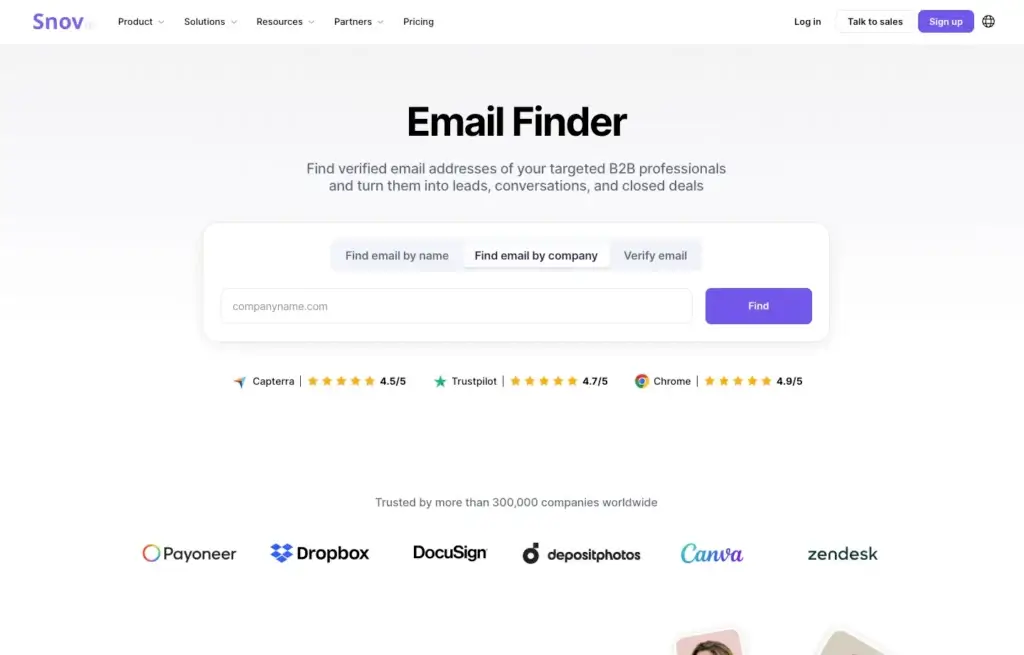
Snov.io is the strongest overall option for businesses that want more than a standalone email lookup service. It brings email finding, verification, lead enrichment, prospect management, email warm-up, multichannel campaigns, and lightweight CRM functionality into one connected platform.
You can search for professional emails using a person’s name, company domain, or online profile. Snov.io also provides domain search, bulk domain search, database search, social URL search, and browser extensions that help collect prospect information while researching companies and contacts.
The platform is particularly valuable because email discovery is connected directly to outreach. After finding and verifying a contact, you can organize the lead into a list, add custom fields, assign tags, and include the prospect in an automated sequence without moving the data between several separate applications.
Snov.io supports multistep email campaigns with personalization, automated follow-ups, scheduling, reply detection, A/B testing, and performance tracking. Depending on the selected functionality, teams can also incorporate LinkedIn actions into a broader prospecting sequence.
Its email verification features help identify valid, invalid, and uncertain addresses before you launch a campaign. This is important for protecting sender reputation and reducing wasted sends. Bulk verification is also available when you already have a prospect list collected from another source.
Another advantage is its accessibility for smaller teams. Snov.io provides a free allowance and a relatively affordable entry plan compared with many complete sales intelligence platforms. This makes it practical for founders, agencies, affiliate teams, recruiters, and sales professionals that want discovery and outreach in one environment.
Pricing & Plans
Snov.io offers a free account with a limited monthly credit allowance. Its paid plans begin with a Starter tier, while larger Pro packages provide more credits, campaign recipients, mailbox capacity, and prospecting volume. The platform also offers managed services for organizations that want outsourced lead generation and campaign support.
Because plans combine prospecting credits with outreach limits, you should estimate both the number of contacts you want to find and the number of prospects you plan to contact each month.
Pros & Cons
Pros
- Combines email finding, verification, CRM, warm-up, and outreach automation
- Multiple search methods, including domain, profile, database, and bulk search
- Useful campaign builder with personalization and automated follow-ups
- Accessible starting price for an all-in-one prospecting platform
Cons
- Credit and recipient limits require careful usage planning
- Database depth may vary by region, industry, and contact type
- More complex than a simple email-only lookup tool
Lusha

Features & Benefits
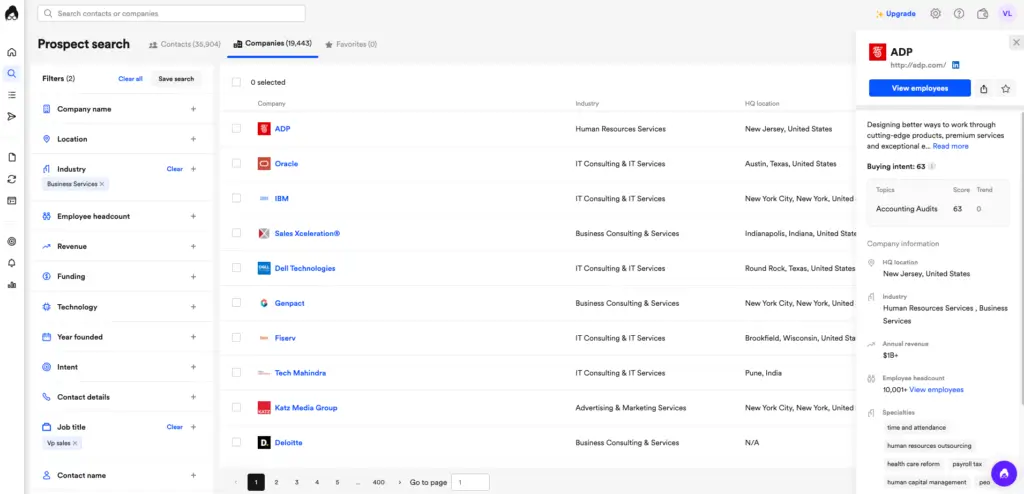
Lusha is a sales intelligence platform built around fast access to verified B2B contact and company data. It is particularly useful when you want to reveal professional email addresses and phone numbers while researching individual prospects or building targeted lists.
The platform provides a searchable contact database with filters for job title, seniority, department, location, industry, company attributes, and other criteria. This allows you to create prospect lists without starting from a predefined collection of names or domains.
Lusha is also widely used through its browser extension. The extension can surface available contact data while you research professional profiles and company pages, reducing the need to switch repeatedly between tabs and prospecting systems.
Beyond email addresses, Lusha can provide direct dials, firmographic data, technographic information, company records, and buying signals. This makes it more suitable than an email-only finder for teams running account-based sales or multichannel prospecting.
Data enrichment features can help fill gaps in existing CRM records, while integrations and API access support more automated workflows on qualifying plans. Lusha also includes sales engagement capabilities for teams that want to build and send email sequences from the same environment.
The main consideration is credit consumption. Lusha uses credits to unlock contact details, and phone-number reveals consume substantially more credits than email reveals. Teams that rely heavily on direct dials should calculate the likely monthly cost before selecting a plan.
Pricing & Plans
Lusha offers a free plan and multiple paid tiers for individuals, teams, and larger organizations. Its pricing uses a credit-based structure. Revealing a verified email generally uses fewer credits than revealing a phone number.
Higher plans add larger credit allowances and may include advanced filters, integrations, team administration, enrichment, intent data, API access, and expanded sales engagement functionality. Exact allowances should be checked directly because plan packaging can change.
Pros & Cons
Pros
- Fast access to professional emails and direct phone numbers
- Convenient browser extension for profile-based prospecting
- Searchable contact database with useful B2B filters
- Includes enrichment, company data, and buying signals
Cons
- Phone-number reveals consume credits quickly
- Advanced integrations and data features may require higher plans
- Data coverage and freshness can differ across regions
UpLead

Features & Benefits
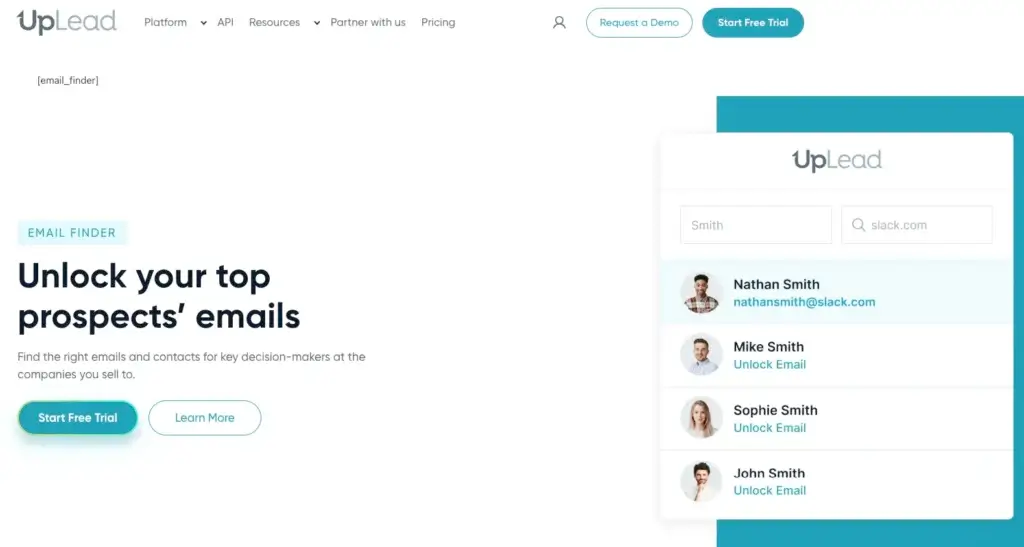
UpLead is one of the strongest choices for teams that prioritize verified data over the lowest possible cost per contact. Its email finder lets you search by a person’s name and company or domain, while its broader database helps you identify decision-makers using detailed B2B filters.
A major differentiator is UpLead’s emphasis on real-time email verification. Contact information is checked when it is accessed or exported, helping reduce the risk of paying for an address that is already known to be invalid.
The company promotes a 95% accuracy guarantee and does not charge for email finder searches when no valid match is returned. It also flags accept-all or catch-all addresses, which gives you more context before adding uncertain contacts to a campaign.
UpLead includes a large business contact database, company records, direct dials, mobile numbers, and more than 50 search filters. You can segment prospects by job title, industry, company size, location, revenue, and other firmographic characteristics.
Higher-level features can include technographic search, intent data, competitor intelligence, account lists, enrichment, advanced filters, and API access. These capabilities make UpLead relevant for sales teams that want to target companies based on both profile fit and purchase indicators.
The platform supports bulk lookup and enrichment. You can upload a list and retrieve emails, phone numbers, social links, and additional contact attributes. Data can then be exported to a spreadsheet or transferred into supported CRM systems.
Pricing & Plans
UpLead typically offers a free trial followed by Essentials, Plus, and Professional plans. Paid subscriptions use credits to unlock verified contacts, with higher tiers adding more credits and advanced data features.
UpLead is generally more expensive at entry level than focused email finders, but it is designed for teams that are willing to pay more for real-time verification, a broad B2B database, and additional company intelligence.
Pros & Cons
Pros
- Real-time email verification at the point of access
- 95% accuracy guarantee and no charge when no valid match is found
- Detailed B2B filters, direct dials, and company intelligence
- Useful bulk lookup, enrichment, CRM, and API capabilities
Cons
- Higher starting price than many email-only tools
- Credit limits can restrict high-volume prospecting
- Advanced filters and intent data are tied to higher plans
Apollo.io

Features & Benefits
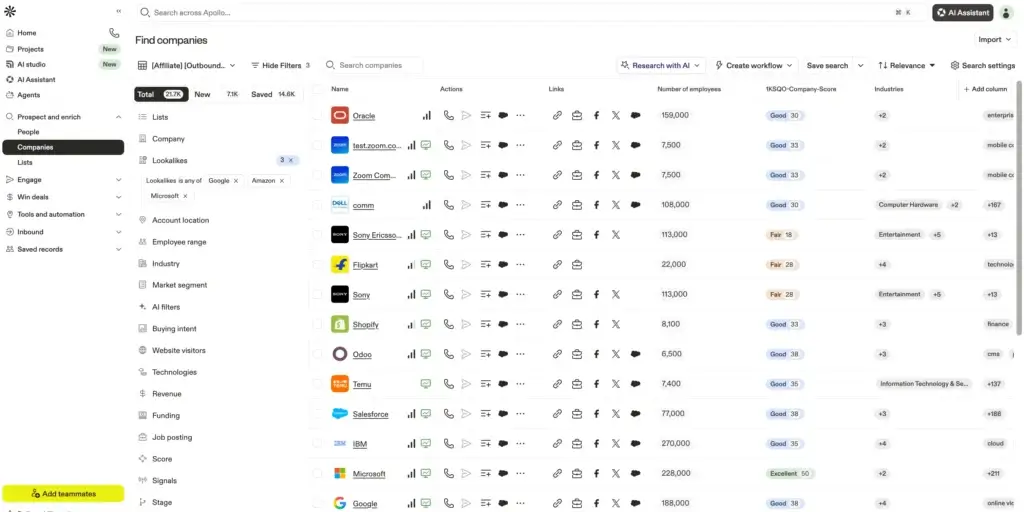
Apollo.io is not simply an email finder. It is a broad AI sales platform that combines a large B2B database, contact and company search, email and phone data, enrichment, sequencing, workflow automation, call tools, analytics, and lightweight deal management.
The email finder can reveal professional contact information and connect it with detailed prospect records. You can search by job title, seniority, company, industry, location, headcount, technology use, hiring activity, funding, and many additional filters.
Apollo emphasizes ongoing data refresh and multistep email verification. The platform states that its verification workflow supports a high email accuracy rate, while enrichment features can update existing CRM or list data as contacts change jobs or new information becomes available.
For outbound teams, the biggest advantage is the connection between data and execution. Prospects can be saved into lists, researched with AI, enrolled in sequences, called, assigned to representatives, scored, and synchronized with a CRM from the same platform.
Apollo also provides workflow automation that can trigger actions based on contact attributes, engagement, job changes, data updates, and other events. This is more advanced than the automation available in most traditional email finder tools.
The trade-off is complexity. Apollo.io offers considerably more functionality than many users need for occasional lookups. Credit rules can also be difficult to compare because different activities, including data access, enrichment, AI research, phone reveals, and exports, may use different allowances.
Pricing & Plans
Apollo.io offers a free plan along with paid individual, professional, and organization-focused tiers. Paid plans increase access to credits, sequencing, dialer functionality, automation, reporting, integrations, enrichment, and administrative controls.
Some Apollo usage is governed by fair-use limits, and export or enrichment activities can consume credits differently from viewing data inside the platform. Teams should review the current pricing page and credit documentation before forecasting costs.
Pros & Cons
Pros
- Combines a large B2B database with sales engagement and automation
- Advanced contact, company, technographic, and intent-related filters
- Built-in sequences, calling, enrichment, workflows, and AI research
- Strong CRM integrations and unified outbound workflow
Cons
- More complex than a focused email finder
- Credit usage and fair-use rules require close review
- Broad feature set can create a steeper learning curve
Hunter.io

Features & Benefits
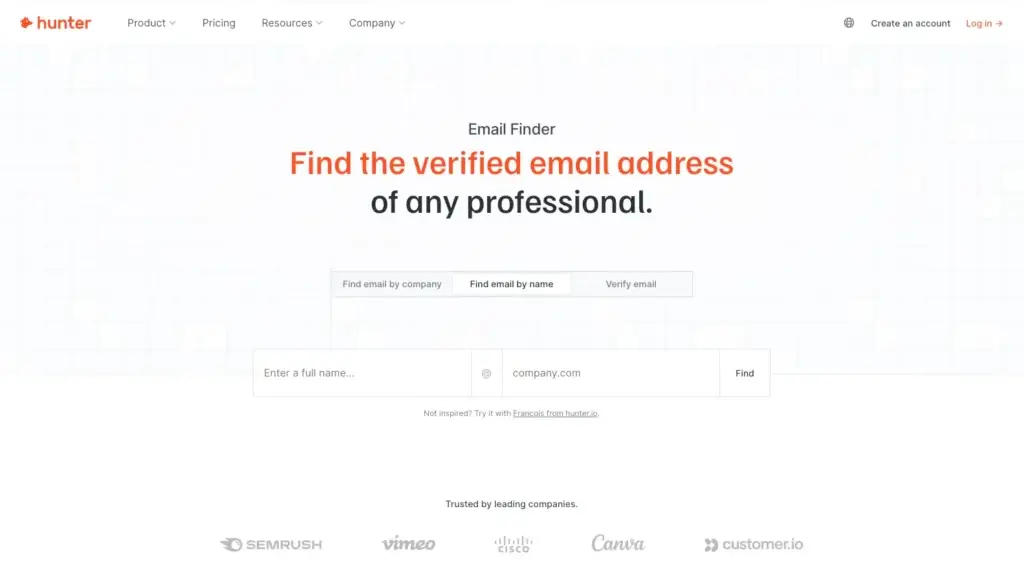
Hunter.io is one of the most established and straightforward email finder tools. It is particularly strong when you want to find professional email addresses associated with a company domain rather than search through a complex sales intelligence database.
Domain Search shows available professional email addresses connected to a website or organization. Results may include names, job titles, departments, sources, email patterns, verification status, and confidence information.
The individual Email Finder lets you enter a person’s name and company domain to locate a likely professional address. Hunter also provides bulk search tools for processing larger contact lists and a Chrome extension for checking websites while you browse.
Email verification is another core strength. Hunter checks whether an address appears deliverable and categorizes the result so you can remove invalid contacts before sending. Auto-verification and lead enrichment are included in paid plans.
Hunter has expanded beyond lookup and verification with Discover, Signals, lead enrichment, and campaign functionality. You can identify relevant B2B prospects, connect Gmail, Google Workspace, or Outlook accounts, and send personalized cold email sequences from your own mailbox.
Compared with Snov.io or Apollo.io, Hunter is easier to understand but less comprehensive. It is best when you want a clean email research workflow without adopting a full sales intelligence and automation platform.
Pricing & Plans
Hunter.io provides a free plan with limited searches and verifications. Paid plans include Starter, Growth, and Scale options with increasing monthly or annual credit allowances.
Plans can include auto-verification, lead enrichment, advanced prospect filters, AI assistance, connected email accounts, campaign functionality, unlimited team members, API access, and priority support. Add-ons may be available for mailbox capacity, managed accounts, additional credits, and deliverability protection.
Pros & Cons
Pros
- Excellent domain search and individual email finder
- Simple interface with useful source and verification information
- Strong bulk search and email verification capabilities
- Includes lightweight campaigns and unlimited team members on paid plans
Cons
- Less company intelligence than broader sales data platforms
- Limited phone-number and multichannel prospecting capabilities
- Not designed as a complete CRM or outbound sales system
RocketReach

Features & Benefits
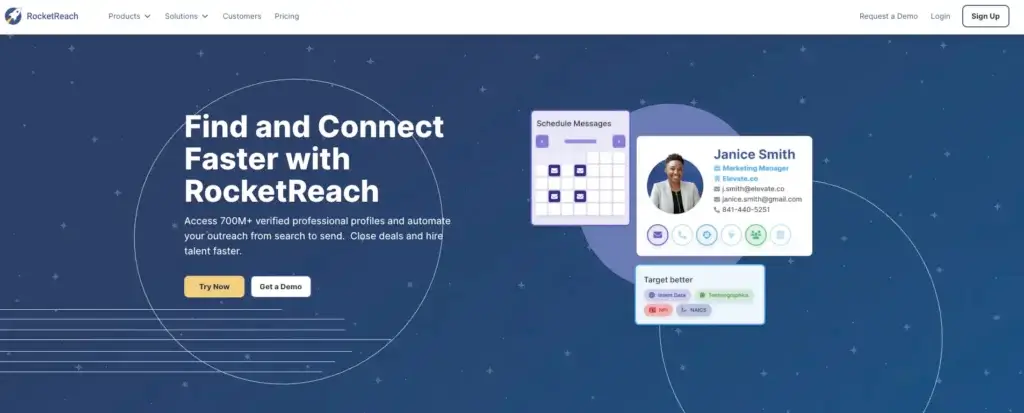
RocketReach is designed for broad professional contact research. It provides access to a large collection of professional and company profiles, making it useful for sales, recruiting, business development, media outreach, partnerships, and market research.
You can search for contacts by name, company, job title, location, skills, industry, and other professional criteria. Available profile data can include business email addresses, personal email addresses, direct dials, mobile numbers, social profiles, employment history, and company information.
RocketReach’s browser extension helps users retrieve contact information while researching profiles and company pages. Bulk lookup and list-building functionality support larger prospecting projects, while advanced search filters make it easier to narrow broad databases into a more relevant audience.
The platform also provides company search, organizational information, technographic data, intent-related features on qualifying plans, and automation tools referred to as Autopilots. These can help users monitor or build prospect lists around selected criteria.
CRM integrations and API access are available for teams that need to transfer or enrich contact information inside an existing workflow. Enterprise packages can add administrative controls, larger export allowances, and customized data access.
RocketReach is most compelling when breadth is the priority. However, users should distinguish between lookups, exports, email-only access, phone access, and fair-use allowances when comparing plans. An apparently generous lookup limit may still include a smaller export allowance.
Pricing & Plans
RocketReach generally offers individual plans such as Essentials, Pro, and Ultimate, along with team and enterprise options. Entry plans may focus on email data, while higher plans add phone numbers, CRM integrations, technographics, intent data, and larger export allowances.
Pricing and limits vary depending on monthly or annual billing. You should review both the number of searches and the number of contacts that can be exported, as these may be measured separately.
Pros & Cons
Pros
- Broad professional profile and company coverage
- Useful for sales, recruitment, partnerships, and media research
- Provides emails, phones, social profiles, and employment data
- Offers browser extensions, bulk lookup, CRM integrations, and API access
Cons
- Lookup and export limits can be confusing
- Phone data and advanced intelligence require higher plans
- Data accuracy can vary by profile age and market
SignalHire

Features & Benefits
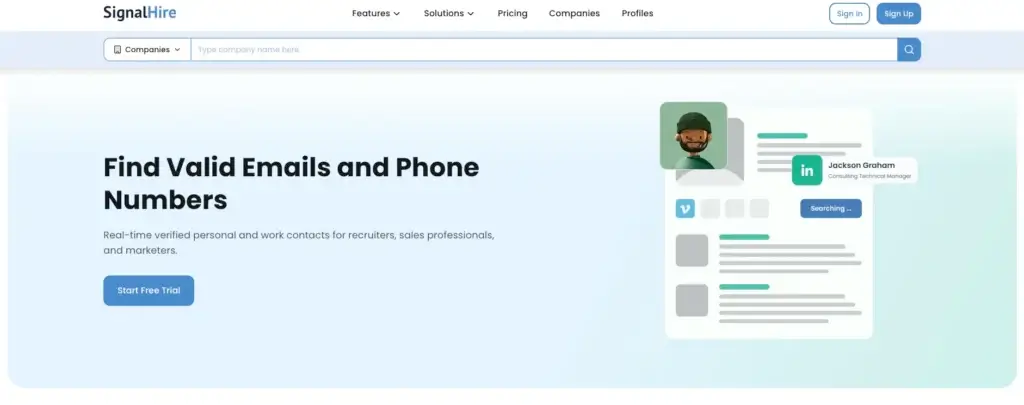
SignalHire is particularly relevant for recruiters, talent acquisition teams, staffing agencies, and professionals whose contact research begins with an individual profile. It can also support sales and marketing teams that need emails, phone numbers, employment data, and social profile information.
The platform provides a searchable database of professional profiles and supports searches by name, job title, company, location, skills, industry, and other criteria. This is useful for identifying candidates or decision-makers even when you do not already know exactly whom you want to contact.
SignalHire’s browser extension can retrieve available contact information across supported professional and social websites. Depending on the profile and available data, results may include work emails, personal emails, mobile numbers, business phone numbers, social links, and career information.
Real-time verification is central to SignalHire’s positioning. The platform states that contact details are checked across multiple sources and promotes an accuracy rate above 95% for its email finder. Bulk search can process up to 1,000 profiles, helping teams enrich lists at a larger scale.
SignalHire also provides integrations with CRM and recruitment systems, along with an API for custom applications. The API can be used to enrich records, retrieve contact information from known identifiers, or discover professionals matching selected filters.
The main limitation is value per credit. SignalHire can be useful when you need a detailed record for a specific person, but high-volume email-only campaigns may be more economical through a platform designed around larger email allowances.
Pricing & Plans
SignalHire offers a free trial with a small number of contact reveals. Paid subscriptions are credit-based and vary according to the number and type of contact details you need.
Plans for individual users generally begin with a limited monthly contact allowance, while larger business and enterprise options provide more credits, team controls, bulk processing, integrations, and API access. Pricing should be compared based on complete contact records rather than email volume alone.
Pros & Cons
Pros
- Strong fit for recruiters, staffing agencies, and candidate sourcing
- Finds work emails, personal emails, phone numbers, and social profiles
- Browser extension supports profile-based contact discovery
- Bulk search, CRM integrations, ATS workflows, and API access
Cons
- Can be expensive for high-volume email-only prospecting
- Credit limits may restrict frequent sourcing
- Some profiles may contain incomplete or outdated information
Comparing the Best Email Finder Tools
The best platform depends on whether you prioritize simplicity, verified data, database depth, recruitment sourcing, phone numbers, or built-in outreach. A tool designed for finding emails from company domains will not necessarily replace a complete sales intelligence platform.
The table below compares the primary use case, main strength, trade-off, and pricing model of each email finder.
| Tool | Best For | Top Strength | Main Trade-Off | Pricing Model |
| Snov.io | Overall email finding and outreach | Connects discovery, verification, CRM, warm-up, and automated campaigns | Credit and recipient limits require planning | Free allowance and credit-based paid plans |
| Lusha | Email and direct-dial discovery | Fast contact reveals, browser extension, and sales intelligence | Phone numbers consume credits quickly | Free and paid credit-based plans |
| UpLead | Accuracy-focused B2B prospecting | Real-time verification and 95% accuracy guarantee | Higher entry price and limited credits | Free trial plus tiered credit plans |
| Apollo.io | AI sales intelligence and automation | Large database, enrichment, sequences, calling, and workflows | Complex credit structure and learning curve | Free and per-user paid plans |
| Hunter.io | Domain search and email verification | Simple, focused email research and verification workflow | Less phone and company intelligence | Free and monthly or annual credit plans |
| RocketReach | Broad professional contact research | Large profile coverage across roles and industries | Lookup and export allowances can be confusing | Individual, team, and enterprise subscriptions |
| SignalHire | Recruiting and candidate sourcing | Profile-based work emails, personal emails, phones, and career data | Can be costly for email-only volume | Free trial and credit-based plans |
How to Use an Email Finder Responsibly
Email discovery should be the beginning of a targeted research process, not an excuse to send large volumes of irrelevant messages. The most effective campaigns use email finder tools to identify people who have a legitimate reason to be interested in the offer.
Before contacting a prospect, confirm that the person’s role matches your message. Reference a relevant business need, company event, content topic, hiring requirement, or partnership opportunity rather than relying on generic personalization tokens.
You should also verify the contact immediately before sending. Even a previously validated address can become outdated after a job change or company restructuring.
Keep sending volume reasonable, use accurate sender information, provide a clear explanation of why you are contacting the recipient, and include an easy way to opt out. This approach supports both compliance and stronger campaign performance.
Conclusion
The best email finder tool is not necessarily the platform with the largest advertised database. It is the tool that consistently helps you identify relevant prospects, retrieve usable contact information, verify addresses, and move qualified leads into your outreach workflow.
Snov.io is the strongest overall choice because it combines email discovery, verification, prospect management, mailbox warm-up, and automated campaigns in one accessible platform. It is especially suitable for teams that want to reduce the number of separate prospecting tools they use.
Lusha is the better fit for quick email and direct-dial reveals. UpLead stands out for real-time verification and accuracy-focused B2B prospecting. Apollo.io is the most complete option for AI-powered sales intelligence and outbound automation.
Hunter.io is ideal for straightforward domain research and email verification. RocketReach provides broad professional coverage across many industries, while SignalHire is particularly useful for recruiters and profile-based candidate sourcing.
Before committing to a paid plan, test two or three platforms using the same sample of contacts. Compare match rate, verification status, phone coverage, export quality, ease of use, and the true credit cost per usable lead.
This practical comparison will tell you more than database-size claims alone. The right email finder should help your team spend less time searching for contact details and more time creating relevant conversations with qualified prospects.
Frequently Asked Questions (FAQs)
What is the best email finder tool overall?
Snov.io is the best overall email finder tool in this comparison because it combines email discovery, verification, lead management, mailbox warm-up, and automated outreach in one platform.
What does an email finder tool do?
An email finder tool locates professional contact information using details such as a person’s name, company, domain, job title, or online profile. Many platforms also verify addresses, enrich records, and provide phone numbers or company data.
Which email finder is best for verified B2B data?
UpLead is one of the strongest options for verified B2B data because it checks emails in real time, flags catch-all addresses, offers a 95% accuracy guarantee, and does not charge when no valid email is found.
Which email finder is best for LinkedIn prospecting?
Lusha and SignalHire are strong choices for profile-based prospecting because their browser extensions can reveal available contact details while you research professional profiles. The better choice depends on whether your focus is sales or recruitment.
Which email finder is best for recruiters?
SignalHire is particularly suitable for recruiters because it combines work emails, personal emails, phone numbers, social profiles, employment history, candidate search, bulk sourcing, and recruitment-oriented integrations.
Which email finder is best for cold email campaigns?
Snov.io is the best option for teams that want email finding and cold outreach in one workflow. It includes verification, prospect lists, personalization, automated follow-ups, campaign tracking, mailbox warm-up, and multichannel automation.
Can email finder tools verify addresses?
Yes. Most leading email finder tools include verification or connect finding with a separate verification step. Verification helps identify invalid, risky, and catch-all addresses before you send a campaign.
Are free email finder tools accurate?
Free plans generally use the same underlying data as paid plans, but they offer fewer searches, reveals, or exports. Accuracy still varies by contact, region, industry, and how recently the information was verified.
Is it legal to use an email finder?
Email finder tools can be used legally for legitimate professional purposes, but you must follow applicable privacy and marketing laws. Outreach should be relevant, transparent, targeted, and include an appropriate opt-out method.
How should you compare email finder pricing?
Compare the cost per usable verified contact, not only the monthly subscription. Review email and phone credit costs, unsuccessful-search policies, export limits, team seats, rollover rules, integrations, and outreach allowances.