Introduction
Looking for the best Salesforce alternative for your sales team, marketing team, or growing business? You are not alone. Salesforce is one of the most powerful CRM platforms on the market, but it is not always the easiest, fastest, or most cost-effective option for every company.
Salesforce is built for scale. It can support complex sales operations, enterprise reporting, advanced automation, and deep customization. But that same flexibility can also create challenges for smaller teams that need a CRM they can launch quickly, manage easily, and use without dedicated administrators.
If your team is dealing with high costs, long setup times, low user adoption, or too many features you do not actually need, exploring Salesforce alternatives makes sense. The right CRM should help you manage leads, track deals, automate follow-ups, and collaborate across departments without slowing your team down.
In this guide, we compare the top Salesforce alternatives for teams that want a more practical CRM experience. You will find options for visual pipeline management, inbound marketing, sales automation, project-based workflows, and high-velocity sales teams.
Want a broader view of the CRM market? You can also review our full guide to the best CRM software for a wider comparison of leading CRM systems.
Why Look for Salesforce Alternatives?
Salesforce can be the right choice for large organizations with complex sales operations, dedicated admins, and enough budget for implementation. But if you are running a lean sales team, managing client work, or trying to connect CRM activity with project execution, Salesforce may feel heavier than necessary.
Many businesses start comparing Salesforce competitors because they want a CRM that is easier to adopt, simpler to manage, and more aligned with the way their team actually works.
💰 Cost and Total Ownership
Salesforce pricing can look manageable at first, but the total cost can increase once you add advanced automation, AI features, implementation support, integrations, premium support, and user training.
For smaller teams, the more important question is not just “How much is the license?” It is “How much will it cost to make this CRM work properly for our business?”
🧩 Complexity and Learning Curve
Salesforce is extremely capable, but it can also feel overwhelming. Teams often need time to configure dashboards, customize fields, build workflows, and train users before the platform delivers full value.
If your team wants a CRM that can be launched quickly and adopted without heavy technical support, a simpler Salesforce alternative may be a better fit.
⚙️ Customization Requirements
Salesforce offers deep customization, but that flexibility often requires admin experience, consultants, or technical setup. For teams that want plug-and-play pipelines, no-code automations, and ready-made templates, platforms like monday CRM, Pipedrive, HubSpot, Nutshell, Zoho CRM, and Freshsales can feel more practical.
🤝 CRM and Project Management Alignment
A CRM does not operate in isolation. Once a deal closes, work often moves to onboarding, customer success, delivery, finance, or project management. If your team needs to connect sales activity with actual execution, you should choose a CRM that supports collaboration, task tracking, ownership, and handoffs.
This is where some Salesforce alternatives stand out. Tools like monday CRM are especially strong when CRM data needs to connect with workflows, projects, and team collaboration.
Top 6 Salesforce Alternatives Compared
The table below gives you a quick overview of the best Salesforce alternatives, including editor score, starting price, main strength, and the type of team each CRM fits best.
| CRM Name | Editor’s Score | Starting Price | Best For | Main Strength | Best Salesforce Replacement Use Case |
| monday CRM | ⭐ 9.7/10 | From $10/user/month | Collaborative sales and project teams | Visual pipelines and workflow flexibility | Best overall Salesforce alternative for teams that need CRM plus work management |
| Pipedrive | ⭐ 9.4/10 | From $14/user/month | Sales-focused small teams | Simple pipeline management | Best for teams that want a cleaner sales pipeline without enterprise complexity |
| HubSpot | ⭐ 9.0/10 | Free plan available | Marketing-led teams and startups | Free CRM and inbound marketing tools | Best for teams that want CRM, marketing, and lead nurturing in one ecosystem |
| Nutshell CRM | ⭐ 8.9/10 | From $13/user/month | Small B2B sales teams | Ease of use and sales-marketing alignment | Best for teams that want a lightweight CRM with strong support and simple setup |
| Zoho CRM | ⭐ 8.8/10 | Free plan available, paid from $14/user/month | Cost-conscious growing businesses | Automation and multi-channel communication | Best for businesses that want strong features at a lower cost |
| Freshsales | ⭐ 8.6/10 | Free plan available, paid from $9/user/month | High-velocity sales teams | Built-in phone, AI insights, and sales engagement | Best for teams that need calling, lead scoring, and deal tracking in one CRM |
Editor’s note: Pricing can change based on billing cycle, region, plan updates, user count, and add-ons. Always check the vendor’s official pricing page before buying.
monday CRM

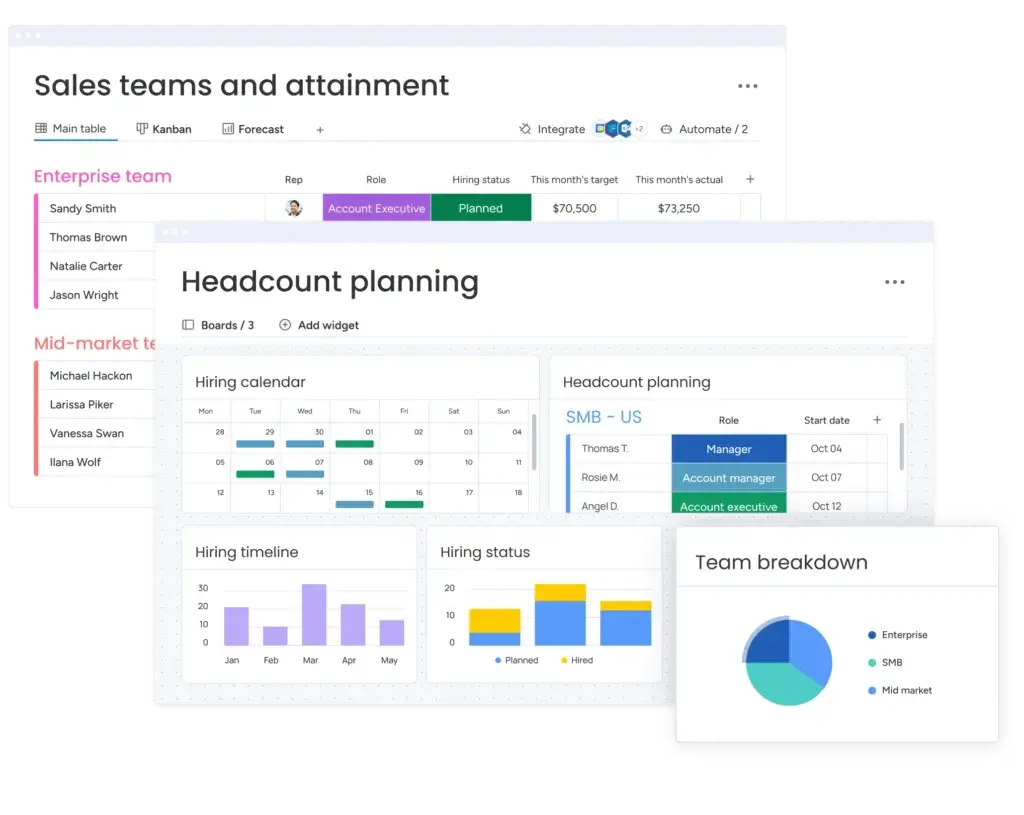
monday CRM is the best overall Salesforce alternative if you want a CRM that feels visual, flexible, and easy for teams to adopt. It is especially strong for companies that want to connect sales pipelines with project management, client onboarding, delivery workflows, and internal collaboration.
Instead of forcing your team into a rigid CRM structure, monday CRM lets you build pipelines, dashboards, automations, and workflows around the way your business already operates. This makes it a strong choice for teams that want CRM functionality without losing the flexibility of a work management platform.
Key Features
- Visual sales pipelines: Track leads, deals, owners, statuses, and next steps in a clear board-based view.
- Workflow automation: Automate reminders, assignments, status changes, and follow-up actions.
- Custom dashboards: Monitor sales activity, deal value, pipeline health, and team performance.
- Team collaboration: Keep sales, marketing, project, and customer success teams aligned in one workspace.
- Integrations: Connect with tools like Gmail, Outlook, Slack, Google Workspace, Microsoft Teams, and Zapier.
What Makes monday CRM Different from Salesforce?
monday CRM is less complex and more visual than Salesforce. It gives your team a flexible workspace where CRM data, tasks, updates, documents, automations, and project workflows can live together.
Salesforce is stronger for deep enterprise customization and advanced revenue operations. monday CRM is stronger when your priority is adoption, visibility, collaboration, and connecting sales activity to actual work.
Pricing and Plans
monday CRM starts from $10 per user per month when billed annually. Keep in mind that monday.com usually uses seat-based groups, so your actual minimum monthly cost may depend on your team size.
Ideal For
monday CRM is ideal for sales teams, project managers, agencies, service businesses, and growing companies that need a CRM connected to team workflows.
Not Ideal For
It may not be the best fit if you need highly complex enterprise territory management, advanced revenue operations, or Salesforce-level customization depth.
monday CRM Pros and Cons
Positive
✅ Easy visual interface
✅ Strong no-code automations
✅ Highly flexible workflows
✅ Useful AI-assisted sales tools
Negative
❌ Setup needs planning
❌ Best features sit on higher plans
❌ Advanced CRM depth may require workarounds
❌ Marketplace apps can add extra cost
Pipedrive
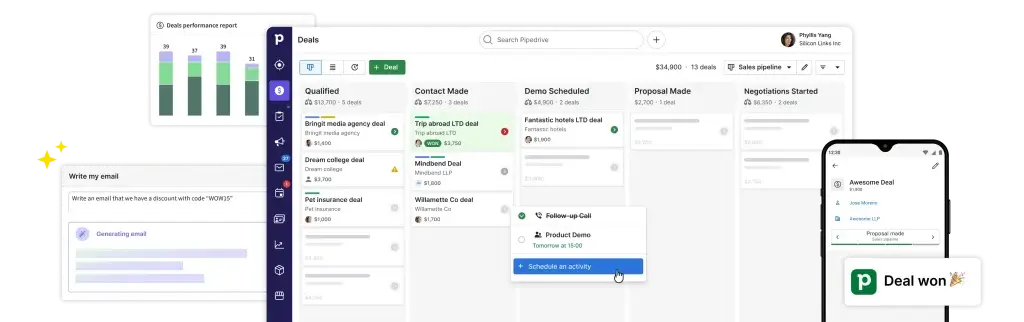
Pipedrive is one of the best Salesforce alternatives for teams that want a CRM focused on pipeline management. It keeps the sales process simple, visual, and action-oriented.
If Salesforce feels too broad or too administrative for your team, Pipedrive gives you a cleaner way to manage leads, deals, follow-ups, and sales activities. It is built around one core idea: helping salespeople move deals through the pipeline with less friction.
Key Features
- Visual pipeline management: Drag deals across stages and quickly see where every opportunity stands.
- Activity tracking: Schedule calls, meetings, tasks, and follow-ups directly from the CRM.
- Sales automation: Automate repetitive reminders and workflow actions to reduce manual work.
- Email tools: Sync email, use templates, and track communication from inside the CRM.
- Reporting dashboards: Monitor sales performance, conversion rates, deal value, and sales activity.
What Makes Pipedrive Different from Salesforce?
Pipedrive is much more focused than Salesforce. It does not try to be a full enterprise platform for every department. Instead, it gives sales teams a simple CRM built around pipeline clarity and daily sales execution.
This makes Pipedrive a smart option if your team wants faster onboarding, fewer distractions, and a CRM that sales reps can actually use without heavy training.
Pricing and Plans
Pipedrive pricing starts from $14 per user per month when billed annually. Higher plans unlock more automation, email features, reporting, and advanced sales tools.
Ideal For
Pipedrive is ideal for small and mid-sized sales teams that want to manage pipelines, track activities, and close deals without enterprise-level CRM complexity.
Not Ideal For
Pipedrive may not be the right fit if you need deep marketing automation, advanced customer service features, or complex enterprise customization.
Pipedrive Pros and Cons
Positive
✅ Very easy to use
✅ Excellent visual pipeline
✅ Strong sales automation
✅ Great for small and mid-sized teams
Negative
❌ No permanent free plan
❌ Advanced features depend on higher plans
❌ Native marketing tools are limited
❌ Add-ons can raise the total cost
HubSpot
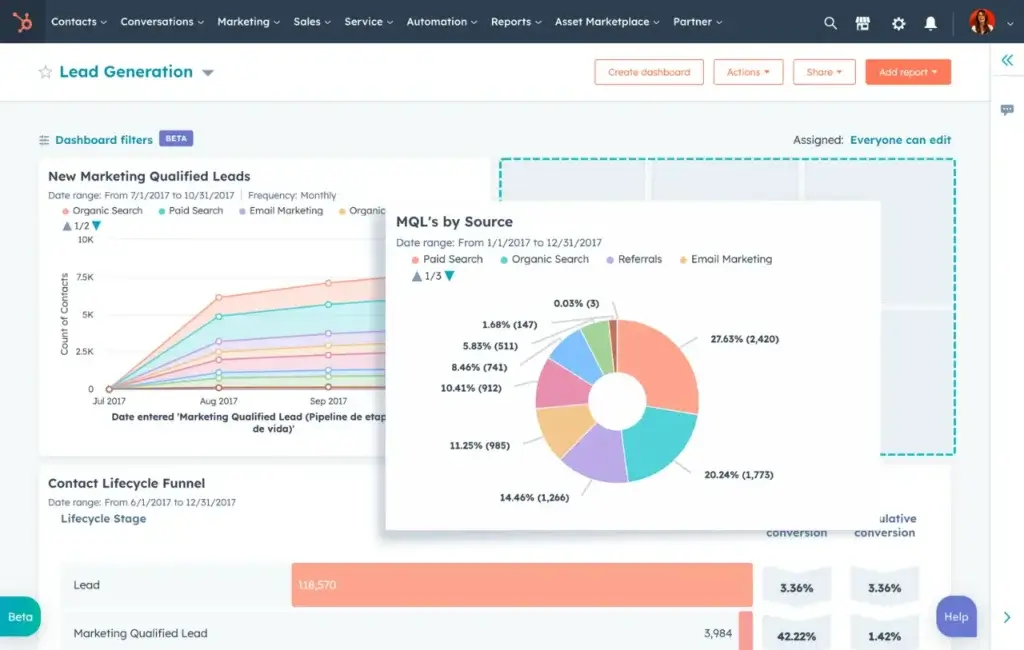
HubSpot CRM is a strong Salesforce alternative for teams that want a free CRM with powerful marketing and sales tools. It is especially useful if your business relies on inbound marketing, lead capture, email nurturing, landing pages, and customer communication.
Compared with Salesforce, HubSpot is easier to start with and more accessible for small teams. You can begin with the free CRM and expand into paid hubs as your needs grow.
Key Features
- Free CRM tools: Manage contacts, companies, deals, tasks, and customer activity without upfront software cost.
- Marketing tools: Capture leads, create forms, track campaigns, and manage email outreach.
- Sales engagement: Use email tracking, templates, meeting scheduling, and pipeline management.
- Reporting dashboards: Track sales activity, marketing performance, and customer engagement.
- HubSpot ecosystem: Expand into Sales Hub, Marketing Hub, Service Hub, CMS Hub, and Operations Hub.
What Makes HubSpot Different from Salesforce?
HubSpot is easier to launch and more marketing-friendly than Salesforce. It gives small teams a practical way to manage leads, nurture prospects, and track deals without needing a large CRM operations team.
Salesforce offers more enterprise customization, but HubSpot is often easier for marketing and sales teams that want one connected customer platform.
Pricing and Plans
HubSpot offers a free CRM plan. Paid Sales Hub plans start at the Starter level, with pricing depending on seats, hubs, bundles, and current plan configuration.
Ideal For
HubSpot is ideal for startups, small businesses, marketing-led teams, and companies that want CRM and inbound marketing tools in one platform.
Not Ideal For
HubSpot may become expensive as you add hubs, advanced automation, reporting, and larger contact databases.
HubSpot CRM Pros and Cons
Positive
✅ Easy to use and fast to adopt
✅ Strong free tools for small teams
✅ Excellent sales and marketing alignment
✅ Powerful automation and reporting as you scale
Negative
❌ Advanced plans can become expensive
❌ Pricing can be difficult to predict
❌ Some customization is limited in lower tiers
❌ Complex automation still requires careful setup
Nutshell CRM

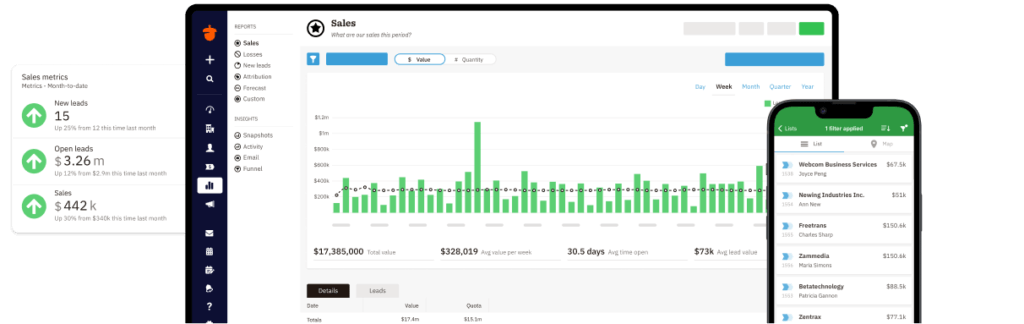
Nutshell CRM is a practical Salesforce alternative for small businesses that want a CRM with a short learning curve, clear pricing, and built-in sales and marketing tools. It is designed for teams that want to get organized quickly without hiring CRM consultants or building complex custom processes.
Nutshell is especially appealing for B2B sales teams that need contact management, pipeline tracking, email marketing, automation, reporting, and customer communication in one straightforward system.
Key Features
- Contact management: Store contacts, companies, activity history, and relationship details in one place.
- Sales automation: Automate repetitive sales tasks and keep reps focused on active opportunities.
- Marketing tools: Use email marketing, forms, landing pages, and engagement features.
- Reporting: Track pipeline health, activity, sales performance, and conversion progress.
- Support: Nutshell includes helpful live support across plans.
What Makes Nutshell Different from Salesforce?
Nutshell focuses on usability and team adoption. It does not try to match Salesforce feature-for-feature, and that is part of the appeal. Instead, it gives small teams a CRM they can understand, configure, and use quickly.
It is a good fit if your team wants a balanced CRM with sales and marketing tools, but without the administrative burden that can come with enterprise CRM systems.
Pricing and Plans
Nutshell pricing starts from $13 per user per month when billed annually. Plans include unlimited contacts and storage, which can make pricing easier to understand for growing teams.
Ideal For
Nutshell is ideal for small B2B teams that want simple CRM adoption, strong support, and sales-marketing alignment.
Not Ideal For
Nutshell may not be the best option for companies that need advanced enterprise customization, very deep app ecosystems, or complex multi-region sales operations.
Nutshell CRM Pros and Cons
Positive
✅ Very easy to use
✅ Fast setup and helpful support
✅ Strong email and calendar sync
✅ Practical sales pipeline views
✅ Useful reporting for SMB sales teams
Negative
❌ Less customizable than enterprise CRMs
❌ Add-ons can increase total cost
❌ Advanced features are gated by higher plans
❌ Not a full project management platform
Zoho CRM
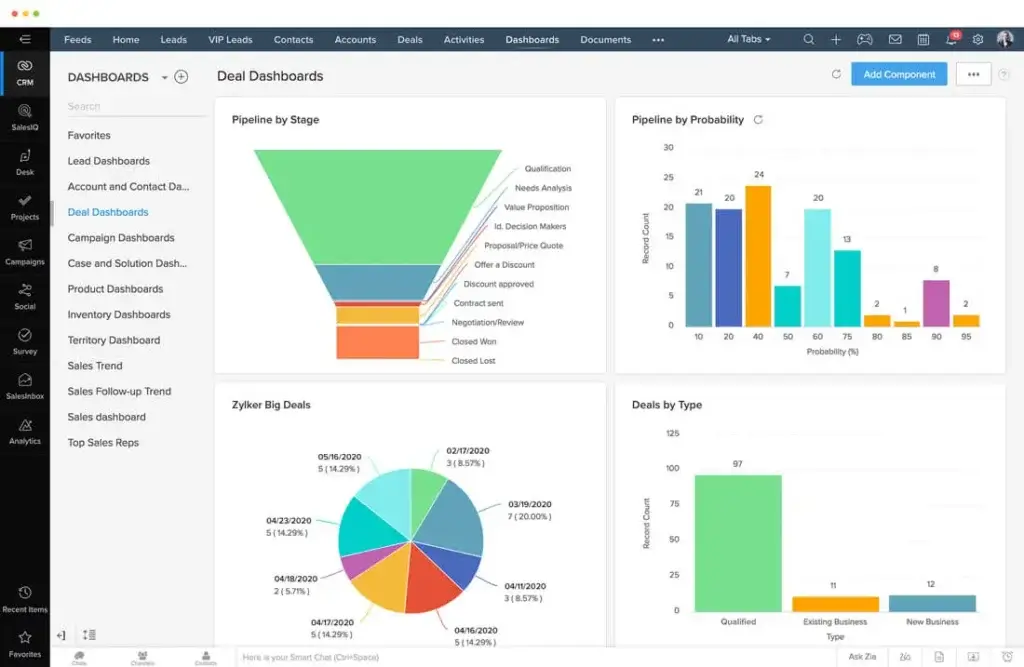
Zoho CRM is one of the strongest Salesforce alternatives for businesses that want advanced CRM capabilities without enterprise-level pricing. It offers lead management, automation, analytics, AI assistance, and multi-channel communication in a flexible platform.
Zoho CRM is also part of the broader Zoho ecosystem, which includes tools for email, accounting, support, projects, analytics, and collaboration. This makes it a practical choice if you want to build a connected business software stack around your CRM.
Key Features
- Workflow automation: Automate lead assignment, follow-ups, alerts, and sales processes.
- Omnichannel communication: Manage email, phone, live chat, social media, and messaging interactions.
- AI assistant: Use Zia for insights, predictions, data assistance, and workflow support.
- Customization: Customize modules, fields, layouts, workflows, and reports.
- Zoho ecosystem: Connect CRM data with Zoho Desk, Zoho Books, Zoho Campaigns, Zoho Projects, and more.
What Makes Zoho CRM Different from Salesforce?
Zoho CRM offers strong automation and customization at a lower entry cost than Salesforce. It gives growing businesses many of the core CRM capabilities they need, while keeping pricing more accessible.
Salesforce is still stronger for large enterprise ecosystems, but Zoho CRM can be a better match for small and mid-sized businesses that want value, automation, and flexibility.
Pricing and Plans
Zoho CRM has a free plan for up to 3 users. Paid plans start from $14 per user per month when billed annually.
Ideal For
Zoho CRM is ideal for SMBs that want automation, analytics, multi-channel communication, and broad CRM functionality at a competitive price.
Not Ideal For
Zoho CRM may feel overwhelming for beginners because it includes many features, settings, and customization options.
Zoho CRM Pros and Cons
Positive
✅ Highly customizable
✅ Strong value for the price
✅ Useful automation and AI tools
✅ Broad Zoho ecosystem
Negative
❌ Advanced setup takes time
❌ Some UI areas feel less modern
❌ Support quality can vary by plan
❌ Reporting needs configuration
Freshsales

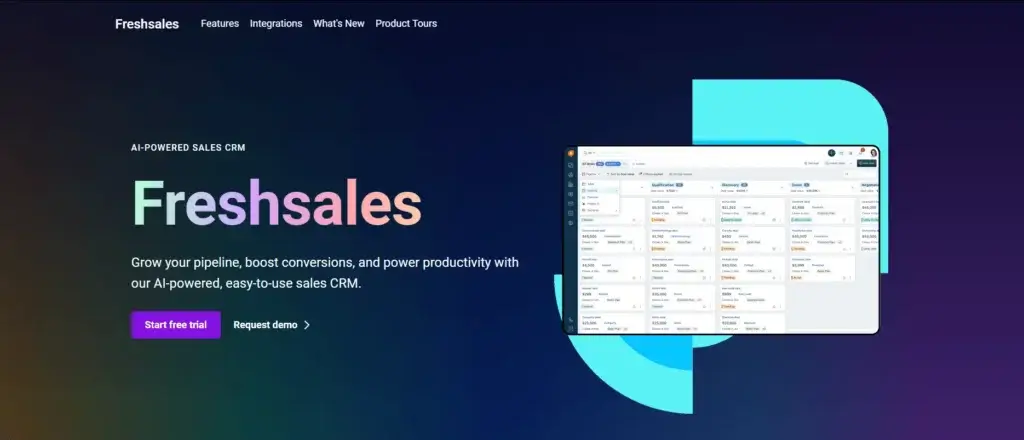
Freshsales, part of Freshworks, is a strong Salesforce alternative for teams that need speed, calling features, sales automation, and AI-assisted deal management. It is built for sales teams that communicate frequently with leads and need CRM data connected to calls, emails, and customer behavior.
Freshsales is particularly useful for teams that want built-in telephony and AI insights without relying heavily on third-party add-ons.
Key Features
- Built-in phone: Make calls, log conversations, and track call activity inside the CRM.
- AI-powered insights: Use Freddy AI for lead scoring, deal recommendations, and sales assistance.
- Contact management: Track customer details, conversations, activities, and engagement history.
- Pipeline management: Manage deals, stages, revenue forecasts, and sales activities.
- Email and workflow automation: Automate follow-ups, sequences, and repetitive sales tasks.
What Makes Freshsales Different from Salesforce?
Freshsales is more focused on fast sales execution. It combines CRM, calling, email, automation, and AI insights in a simpler interface than Salesforce.
If your team needs a CRM that supports high-volume outreach and quick deal movement, Freshsales can be easier to manage than a broader enterprise platform.
Pricing and Plans
Freshsales offers a free plan, and paid plans start from $9 per user per month when billed annually. Advanced AI, sales sequences, and automation features may require higher-tier plans or add-ons.
Ideal For
Freshsales is ideal for high-velocity sales teams, outbound sales teams, and businesses that want built-in calling and AI-assisted selling.
Not Ideal For
Freshsales may not be the best fit if you need advanced marketing automation or a deeply customizable enterprise CRM environment.
Freshsales Pros and Cons
Positive
✅ Easy to use for sales teams
✅ Strong built-in phone, email, and chat
✅ Helpful Freddy AI features on higher plans
✅ Good value for SMBs and growing teams
Negative
❌ Advanced features require Pro or Enterprise
❌ Setup can take time if workflows are complex
❌ Native marketplace is smaller than HubSpot or Salesforce
❌ AI value depends on clean CRM data
Which Salesforce Alternative Should You Choose?
The best Salesforce alternative depends on your team structure, sales process, budget, and how much customization you need. Use the table below to narrow your shortlist.
| If You Need… | Choose… | Why |
| Best overall Salesforce alternative | monday CRM | It combines CRM, collaboration, workflows, and project visibility. |
| Simple pipeline management | Pipedrive | It keeps sales teams focused on deals and next actions. |
| Free CRM and marketing tools | HubSpot | It gives small teams a strong free starting point. |
| Easy CRM for small B2B teams | Nutshell CRM | It is simple to use and includes helpful support. |
| Affordable automation | Zoho CRM | It offers strong features at a lower entry price. |
| Built-in calling and AI insights | Freshsales | It supports fast sales communication and lead prioritization. |
Salesforce vs Alternatives: What Changes?
Switching away from Salesforce is not only about price. It is also about setup time, usability, maintenance, and how much control your team needs.
| Comparison Area | Salesforce | Salesforce Alternatives |
| Setup | Often requires admin configuration or consultants | Usually faster to launch for small and mid-sized teams |
| Ease of use | Powerful, but can feel complex | Often simpler and more user-friendly |
| Customization | Very deep and enterprise-ready | More accessible no-code customization |
| Pricing | Entry pricing can increase with add-ons and implementation | Many tools offer lower-cost or free entry plans |
| AI capabilities | Strong enterprise AI ecosystem | Varies by tool, but many now include AI insights and automation |
| Best fit | Large or complex organizations | SMBs, lean sales teams, marketing teams, and project-focused teams |
What to Consider When Choosing a Salesforce Alternative
Choosing the right CRM is about more than checking a feature list. You need to understand how the software fits your team, your sales process, and your customer journey.
🔌 Integration Capabilities
Your CRM should connect with the tools your team already uses, such as email, calendars, project management software, customer support tools, marketing automation platforms, and accounting systems.
Before choosing a CRM, check whether it offers native integrations, API access, Zapier support, or built-in connections with your existing tech stack.
🧩 Customization and Flexibility
Every sales process is different. Look for a CRM that lets you customize pipelines, fields, dashboards, deal stages, automations, and reports without requiring constant technical help.
If you manage both sales and delivery workflows, flexibility becomes even more important.
🎯 Ease of Use and Adoption
A CRM only works if your team uses it consistently. A simpler platform with strong adoption is often better than a powerful system that your sales reps avoid.
Look for clean navigation, useful templates, short onboarding time, and an interface that supports daily sales activity.
📊 Reporting and Forecasting
Your CRM should help you understand pipeline health, sales activity, close rates, revenue forecasts, and team performance. The best CRM systems turn data into decisions.
If reporting is important to your leadership team, check whether dashboards are customizable and easy to share.
🤖 AI and Automation
AI is now becoming a major CRM buying factor. Look for useful AI features like lead scoring, email drafting, deal insights, conversation summaries, sales forecasting, and automated follow-up suggestions.
Do not choose a CRM just because it mentions AI. Choose one where AI actually supports your sales process.
🔒 Security and Compliance
Your CRM stores customer data, contact details, emails, notes, and deal history. Make sure the platform supports strong access controls, encryption, data privacy policies, and compliance requirements such as GDPR, SOC 2, or HIPAA where relevant.
📱 Mobile Access
Your sales team may work from the office, home, conferences, client meetings, or the field. A strong mobile CRM app helps reps update deals, check notes, call leads, and track tasks from anywhere.
💬 Customer Support
Support matters, especially during migration and onboarding. Look for live chat, email support, knowledge bases, onboarding resources, webinars, and active user communities.
Hidden Costs to Watch Before Replacing Salesforce
Many CRM tools appear affordable at first, but the real cost depends on the features your team actually needs. Before switching, review the full cost of ownership.
- Data migration: Moving contacts, deals, notes, tasks, and historical activity can require time or paid support.
- Implementation: Some CRMs need setup, workflow design, field mapping, and admin configuration.
- Add-ons: Advanced reporting, AI credits, calling, email limits, and automation may cost extra.
- User limits: Some tools require minimum seats or charge differently based on billing cycle.
- Integrations: Connecting your CRM to accounting, support, marketing, or project tools may require paid plans.
- Training: Even simple CRMs need onboarding to ensure clean data and consistent usage.
How to Switch from Salesforce to Another CRM
Switching CRM systems requires planning. The goal is not only to move data, but to improve the way your team works after the migration.
- Audit your Salesforce setup: Identify which fields, objects, reports, automations, and data you actually use.
- Clean your data: Remove duplicates, outdated contacts, inactive deals, and messy custom fields.
- Map your fields: Match Salesforce fields to the structure of your new CRM.
- Export your records: Move contacts, companies, deals, activities, notes, and email history where possible.
- Rebuild workflows: Recreate only the automations that still support your current sales process.
- Test before launch: Import a small sample first to check formatting, ownership, and field mapping.
- Train your team: Show users how to manage leads, update deals, and follow the new workflow.
- Run a transition period: Keep a short overlap period before fully retiring Salesforce.
Conclusion
The best Salesforce alternative is not always the platform with the longest feature list. It is the CRM your team can use consistently, manage confidently, and scale with over time.
If you want the best overall balance of CRM, collaboration, and work management, monday CRM is the strongest choice. If your sales team mainly needs pipeline clarity, Pipedrive is a cleaner and simpler option. If you want a free CRM with strong marketing tools, HubSpot is hard to ignore.
Nutshell CRM is a strong fit for small B2B teams that want simplicity and support. Zoho CRM is best for businesses that want automation and broad features at a lower cost. Freshsales is a smart pick for high-velocity sales teams that need built-in calling and AI-assisted selling.
Before you choose, test your top two or three options with your real workflow. Add sample leads, build your pipeline, test automation, invite your team, and see which CRM feels easiest to use in practice.
The right CRM should reduce friction, not add more of it. Choose the platform that helps your team sell better, collaborate faster, and build stronger customer relationships.
FAQs
What is the best Salesforce alternative overall?
monday CRM is the best overall Salesforce alternative for many teams because it combines visual pipeline management, workflow automation, collaboration, and project tracking. It is especially useful if you want your CRM to connect sales work with real operational tasks.
What is the cheapest Salesforce alternative?
HubSpot, Zoho CRM, and Freshsales all offer free plans, making them strong low-cost Salesforce alternatives. For paid plans, Freshsales and monday CRM have affordable entry points, depending on billing cycle and team size.
Which Salesforce alternative is best for small businesses?
For small businesses, HubSpot is a strong choice if you want a free CRM with marketing tools. Pipedrive is better if your main priority is pipeline management, while Nutshell is a good option for teams that want ease of use and helpful support.
Which Salesforce alternative is best for project management?
monday CRM is the best Salesforce alternative for project management because it connects CRM pipelines with tasks, workflows, owners, dashboards, and team collaboration. This makes it useful for agencies, service businesses, and teams that manage work after a deal closes.
Which CRM is easier to use than Salesforce?
Pipedrive, monday CRM, HubSpot, and Nutshell are generally easier to use than Salesforce for smaller teams. They offer cleaner interfaces, faster setup, and simpler workflows that do not usually require dedicated CRM administrators.
Can I migrate data from Salesforce to another CRM?
Yes. Most Salesforce alternatives allow you to import contacts, companies, deals, tasks, and notes using CSV files, migration tools, or API-based services. Before migrating, clean your data and map your Salesforce fields to the new CRM structure.
Is Salesforce still worth it for small businesses?
Salesforce can be worth it for small businesses with complex sales processes, strong technical support, or plans to scale into enterprise-level CRM needs. However, many small businesses will get faster value from simpler and more affordable CRM alternatives.
What are the hidden costs of Salesforce alternatives?
Common hidden costs include data migration, implementation, extra users, advanced automation, AI credits, calling features, reporting upgrades, integrations, storage limits, and premium support. Always review plan limits before choosing a CRM.
Which Salesforce alternative has the best free plan?
HubSpot has one of the strongest free CRM plans because it includes contact management, deals, tasks, email tracking, live chat, meeting scheduling, and basic sales tools. Zoho CRM and Freshsales also offer free plans for smaller teams.
What should I test before choosing a Salesforce alternative?
Before choosing a CRM, test your sales pipeline, contact import, reporting dashboard, automation rules, email sync, mobile app, integrations, and team adoption. The best CRM is the one your team can use consistently without unnecessary friction.