
Introduction
If you are trying to understand PMO meaning, the simplest answer is this: a Project Management Office is the team, function, or department that brings structure to how projects are selected, managed, tracked, and improved across an organization.
In practice, this function is not just about templates and status reports. A modern PMO helps you connect projects to business goals, improve resource planning, reduce delivery risk, and give leadership clearer visibility into what is moving forward and what is falling behind.
That matters more than ever. Many organizations run dozens of initiatives at the same time, often across departments, tools, and delivery styles. Without a clear operating model, projects can become reactive, inconsistent, and disconnected from strategy.
In this guide, you will learn what PMO means, what a Project Management Office actually does, how different PMO structures work, where many teams get it wrong, and which tools can support a more mature and effective way of managing work.
PMO Meaning
PMO stands for Project Management Office. It is a centralized function that defines standards, improves visibility, supports governance, and helps organizations manage projects more consistently.
If you want the plain-English version, think of it as the operating system behind project delivery. It helps your company decide how projects should be planned, how progress should be reported, how risks should be escalated, and how teams should stay aligned.
Depending on the organization, this function may sit inside operations, strategy, transformation, IT, or another business unit. In some companies, it is a small support team. In others, it plays a much broader role in portfolio planning, executive reporting, and strategic prioritization.
That is why the term can sound simple while the actual role can vary a lot. The name stays the same, but the scope, authority, and business impact can be very different from one company to another.
Why a Project Management Office Exists
Most organizations do not create this function just to add process. They create it because growth brings complexity. As the number of projects increases, it becomes harder to maintain consistency, compare priorities, allocate resources fairly, and give leadership a reliable view of progress.
A well-designed PMO helps solve that problem. It creates a shared framework for delivery, so teams are not inventing their own process every time a new initiative starts. That leads to better planning, cleaner reporting, and fewer surprises late in the project lifecycle.
Just as important, it helps translate strategy into execution. When you can see which projects are active, which are delayed, which are over budget, and which are actually tied to business priorities, you make better decisions at both the team and executive level.
The Evolution of PMOs
From Administrative Support to Strategic Enablement
For many years, PMOs were seen mainly as administrative support teams. They collected updates, maintained documentation, enforced templates, and helped project managers follow a standard process. That role still exists, but it is no longer the full picture.
Today, stronger organizations use this function in a more strategic way. Instead of focusing only on compliance, they use it to improve portfolio visibility, support better prioritization, strengthen cross-functional coordination, and give leaders a clearer view of delivery performance.
That shift is important because modern project environments are faster, more distributed, and more data-driven than they used to be. Teams often work across Agile, hybrid, and traditional delivery models at the same time. A PMO now has to support flexibility without losing control.
In more mature environments, the role may also expand into areas like capacity planning, benefits tracking, decision support, change coordination, and workflow automation. In other words, the function has moved from simply monitoring projects to helping the business execute strategy more effectively.
From Administrative Support to Strategic Enablement
In many organizations, the Project Management Office started as a support function focused on templates, reporting, documentation, and process consistency. That foundation still matters, but it is no longer enough on its own.
Today, stronger PMOs are expected to do more than monitor delivery. They help leadership prioritize initiatives, improve resource visibility, connect projects to business goals, and give teams a clearer way to measure value, not just activity.
This shift is one of the biggest reasons the role matters more now than it did a decade ago. A modern PMO is not just there to track deadlines. It helps the organization make better decisions about where to invest time, budget, and capacity.

PMO Structures
There is no single model that fits every company. The right structure depends on your size, delivery maturity, leadership culture, and how much control the organization wants to centralize. In most cases, PMOs fall into three familiar models.
1. Supportive PMO
A supportive PMO acts as an advisor and resource hub. It provides templates, training, guidance, and best practices, but it does not usually enforce strict governance or take direct control over projects.
This model works well when teams need consistency but still want a high level of autonomy. It is often a good fit for organizations that are improving project maturity without wanting a heavy governance layer.
2. Controlling PMO
A controlling PMO sets standards and expects teams to follow them. It may require specific stage gates, reporting formats, approval workflows, or delivery frameworks. This model brings more discipline and makes it easier to compare projects across the organization.
It is useful when inconsistency is already creating risk, especially in environments where leadership needs dependable reporting, stronger governance, or clearer accountability.
3. Directive PMO
A directive PMO takes a much more hands-on role. It may assign project managers, own delivery governance directly, and make decisions across multiple initiatives or portfolios.
This approach is usually found in larger or more complex organizations where project execution needs tighter central oversight. It can work well, but it also requires strong leadership support and a clear mandate to avoid becoming overly rigid.
PMO Functions
What a Project Management Office Actually Does
The exact responsibilities depend on the structure and maturity of the organization, but the strongest teams usually cover a similar set of core functions.
Standardize delivery processes
One of the most important responsibilities is creating consistency. That includes templates, workflows, reporting rules, governance checkpoints, and shared delivery practices. Standardization reduces confusion and makes project performance easier to compare.
Improve portfolio visibility
A PMO gives leadership a clearer view across multiple initiatives. Instead of seeing projects one by one, executives can understand the full portfolio, including priorities, risks, dependencies, resource pressure, and delivery health.
Support resource and capacity planning
Many delivery problems come down to people, not plans. A strong PMO helps you see where teams are overloaded, where skills are missing, and where competing priorities are creating bottlenecks.
Track performance and reporting
Status updates should do more than confirm that work is still moving. Good reporting highlights trends, blockers, schedule risk, budget issues, and whether the project is still aligned with the intended business outcome.
Strengthen governance and risk management
Governance is not about slowing teams down. It is about making sure the right decisions happen at the right time. That includes approvals, escalations, risk tracking, change control, and clear accountability.
Build delivery capability
Many teams also support training, mentoring, onboarding, and continuous improvement. That can include coaching project managers, refining practices, and helping teams adopt better tools and workflows over time.
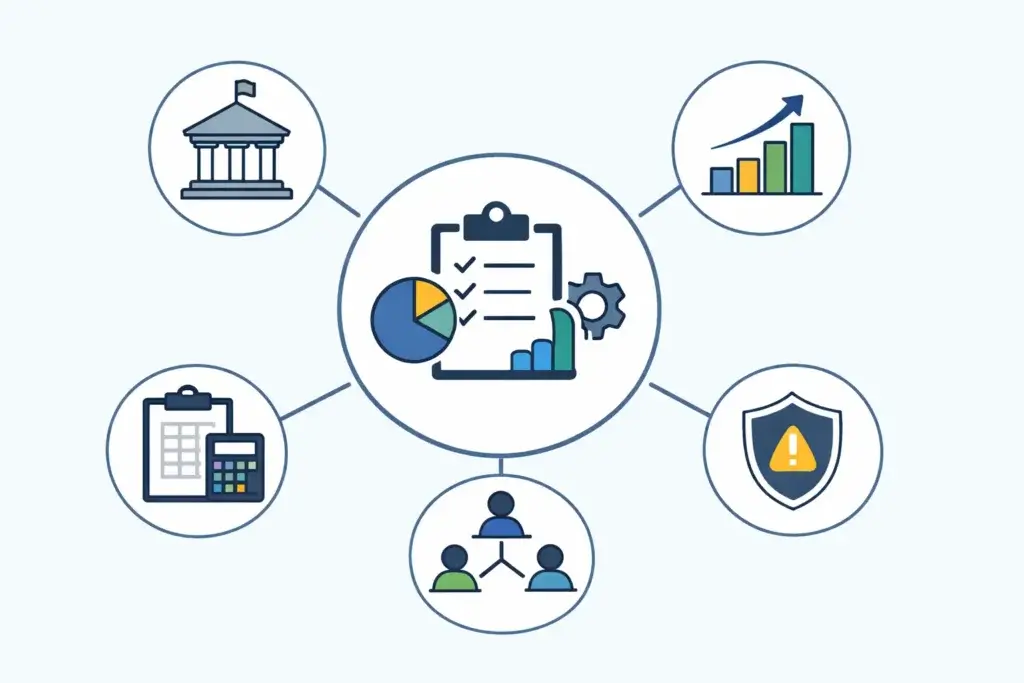
Connect strategy to execution
This is where the function becomes more valuable. Beyond managing process, it helps ensure that projects are prioritized against real business goals. That means fewer low-value initiatives, clearer tradeoffs, and better decision-making at the portfolio level.
How PMOs Work in Agile and Hybrid Environments
One of the biggest misconceptions is that PMOs only fit traditional, process-heavy delivery models. In reality, strong teams can work very well in Agile and hybrid environments when they focus on outcomes instead of bureaucracy.
In Agile settings, the role usually shifts away from rigid stage gates and toward lightweight governance, shared visibility, cross-team coordination, dependency management, and portfolio-level reporting. The goal is not to control every sprint. It is to help the organization scale delivery without losing alignment.
This becomes especially important when different teams use different methods. One department may use Scrum, another may work in Kanban, and another may still follow a more traditional planning model. A capable PMO helps bring consistency to reporting and prioritization without forcing every team into the same workflow.
Do All Organizations Need a PMO?
No. Not every company needs a formal department with that name. Smaller teams can often succeed with lightweight governance, a strong operations lead, and a shared project management tool.
But once your organization starts running multiple cross-functional initiatives, managing dependencies between teams, or struggling with visibility and prioritization, a more structured operating model becomes far more useful.
The question is not whether you need the label. The question is whether you need centralized project standards, reporting, prioritization, and governance. If the answer is yes, then you likely need some version of this function, even if it looks lighter or more flexible than a traditional model.
How PMO Success Is Measured
If you want this function to be taken seriously, it cannot be measured only by how many templates it creates or how many meetings it runs. The real question is whether it improves decision-making and delivery outcomes.
Useful performance indicators often include:
- On-time delivery: Are projects hitting agreed milestones more consistently?
- Budget performance: Are major initiatives staying closer to forecast?
- Resource utilization: Are teams staffed more realistically across the portfolio?
- Strategic alignment: Are active projects clearly tied to business priorities?
- Risk visibility: Are issues identified and escalated earlier?
- Stakeholder confidence: Do leaders trust the reporting and use it to make decisions?
- Benefits realization: Are projects delivering the outcomes they were approved for?
The best measurement approach combines delivery metrics with business value metrics. Otherwise, teams can look efficient on paper while still working on the wrong things.
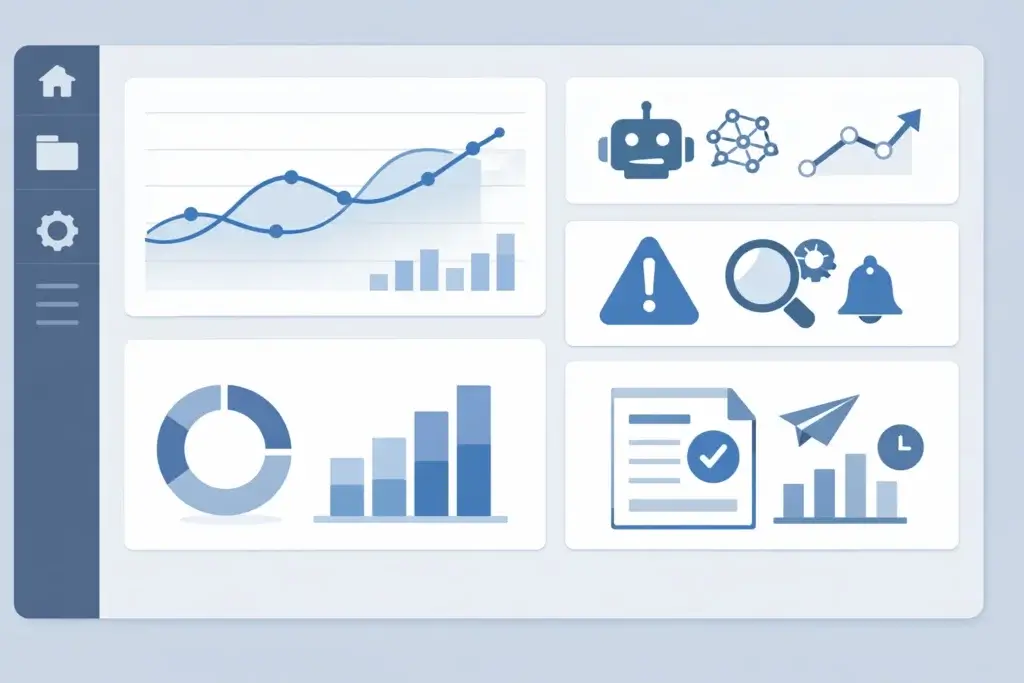
Another important change is the growing role of AI and modern reporting tools in project oversight. Instead of relying only on manual updates, many organizations now use automation, predictive reporting, and AI-assisted insights to spot risks earlier, improve visibility across portfolios, and support faster decision-making. The human role is still critical, but the reporting layer is becoming far more intelligent and proactive.
Common PMO Mistakes That Reduce Value
Not every Project Management Office improves performance. Some become too process-heavy and end up creating friction instead of clarity. That is usually where the reputation problem starts.
❌ Focusing on compliance instead of outcomes
If teams spend more time updating status formats than solving delivery issues, the model is too administrative. Governance should support execution, not distract from it.
❌ Building too many processes too early
Maturity should grow in stages. When a company introduces heavy controls before teams understand the value, adoption drops and resistance rises.
❌ Reporting activity instead of impact
A long status report is not the same as useful visibility. Leaders need to know what changed, what is at risk, what decisions are needed, and what value the project is expected to deliver.
❌ Ignoring resource reality
Many portfolios look healthy until you compare them to actual team capacity. If resource planning is disconnected from prioritization, delays become almost inevitable.
❌ Treating every team the same
A good operating model creates consistency where it matters, but it still respects differences in team size, project complexity, and delivery style. Too much uniformity can do as much harm as too little structure.
Top 3 Project Management Software for PMOs
The right software does not create a strong Project Management Office on its own, but it can make a major difference in how effectively you manage visibility, standardization, reporting, and cross-team coordination. For most organizations, the best platforms combine portfolio oversight, workflow automation, resource visibility, and flexible reporting in one place.
Among the options available, monday.com, ClickUp, and Teamwork.com stand out for different reasons. monday.com is the strongest all-around choice for most PMO teams because it balances flexibility, clarity, and scalability especially well. ClickUp is a strong alternative for organizations that want deeper customization and more granular task structure. Teamwork.com is especially useful when client-facing delivery and billable work are central to the operating model.
monday.com

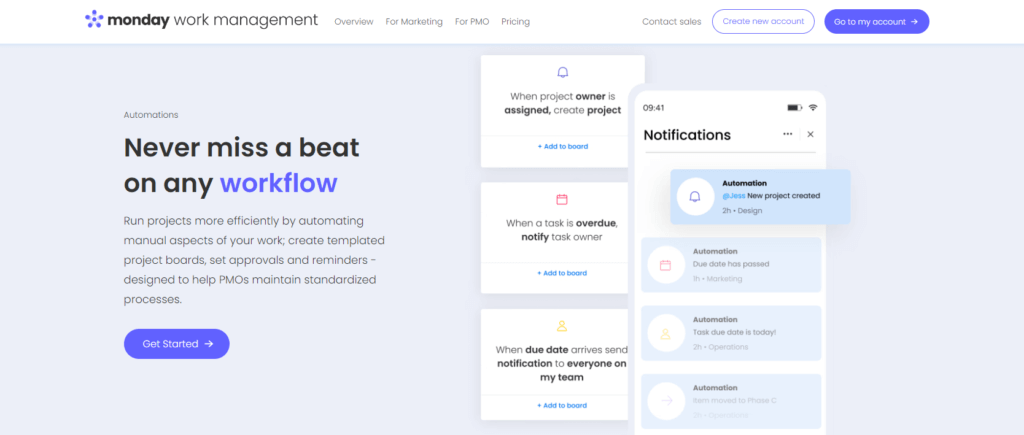
For most PMO teams, monday.com is the best fit because it balances structure and flexibility better than most alternatives. You can standardize workflows across departments while still adapting boards, dashboards, automations, and reporting views to different types of work.
That matters in real PMO environments, where one team may need portfolio-level reporting while another needs execution detail, stakeholder visibility, or approval workflows. monday.com handles that range especially well without becoming difficult to navigate.
Top Benefits & Features:
- Flexible workflow design that works across departments and project types.
- Portfolio visibility through dashboards, connected boards, and status rollups.
- Automation for approvals, reminders, notifications, ownership changes, and recurring work.
- Visual reporting with timeline, Kanban, workload, and dashboard views.
- Scalability for organizations that want one platform for planning, tracking, and oversight.
- Cross-functional coordination that supports PMO work beyond a single team.
Why Choose monday.com for Your PMO?
If your priority is to create a more mature operating model without forcing teams into a rigid system, monday.com is the strongest option here. It gives you the governance, visibility, and automation a PMO needs, but it still feels practical for day-to-day execution. That combination is exactly why it stands out.
Considerations:
- Teams should invest time upfront in designing boards, fields, and dashboards around their reporting model.
- Organizations with very technical or deeply nested task structures may prefer a tool with more hierarchy by default.
ClickUp

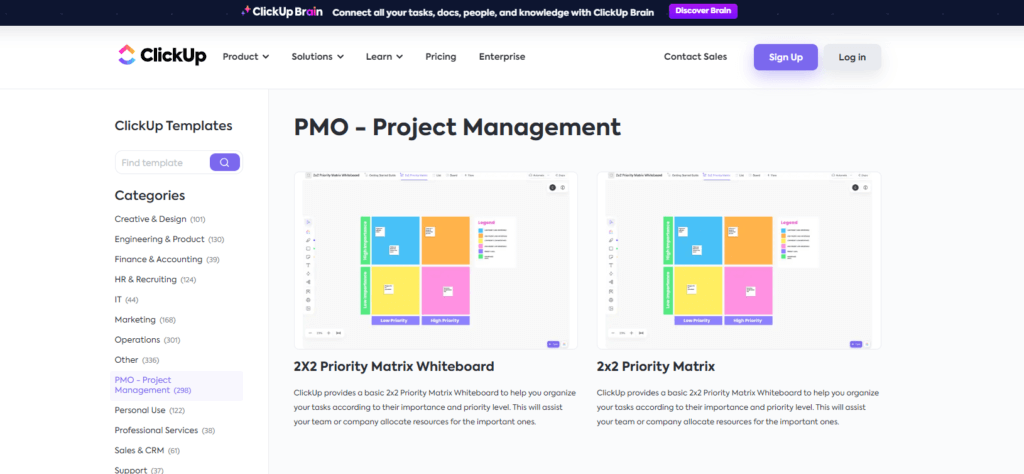
ClickUp is a strong option for PMO teams that want more depth in task structure, documentation, and configurable workflows. Its hierarchy makes it easier to manage nested work, especially when programs involve many moving parts and detailed dependencies.
It is particularly useful when your teams want one workspace for planning, task tracking, documents, dashboards, and operational detail. That said, the same flexibility that makes ClickUp powerful can also make it feel heavier to implement and govern consistently.
Top Benefits & Features:
- Detailed hierarchy for organizing work at multiple levels.
- Custom views for teams that need different reporting styles.
- Strong task management with subtasks, dependencies, and status customization.
- Dashboards and docs that support broader operational use.
- Automation and workflows for repetitive coordination tasks.
- Good fit for complex environments that need granular control.
Why Choose ClickUp for Your PMO?
Choose ClickUp if your PMO needs more detail and customization than most tools provide out of the box. It can support a wide range of workflows, but it works best when someone is actively defining the structure and maintaining consistency.
Considerations:
- The platform can feel overwhelming for teams that want simpler adoption.
- Governance can become messy if every team configures its workspace differently.
Teamwork.com

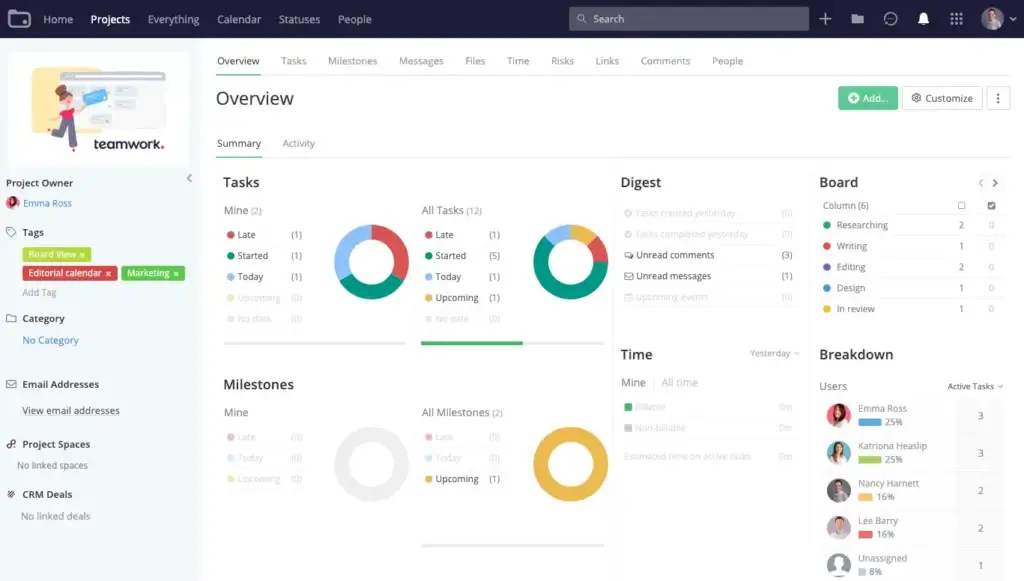
Teamwork.com makes the most sense when the PMO is heavily involved in client delivery, service operations, or work that depends on time tracking and external collaboration. It is more specialized than the other two options, which can be a strength in the right environment.
If your project model includes budgets, billable hours, client visibility, and profitability tracking, Teamwork.com deserves serious consideration. If your needs are broader and more portfolio-driven across internal departments, monday.com is usually the better long-term choice.
Top Benefits & Features:
- Strong time tracking for delivery teams and client work.
- Useful resource and workload views for scheduling people realistically.
- Client collaboration features that support external visibility.
- Budget-aware delivery for teams that need financial control inside projects.
- Operational reporting focused on execution and utilization.
- Good fit for agencies and services businesses with structured client workflows.
Why Choose Teamwork.com for Your PMO?
Choose Teamwork.com when your PMO is not just coordinating internal project delivery, but also managing client expectations, timelines, hours, and commercial reality. It is less universal than monday.com, but more tailored for that specific kind of environment.
Considerations:
- It is not as strong as monday.com for broader cross-functional portfolio governance.
- Internal teams that do not need client-facing workflows may find it more specialized than necessary.
Which Project Management Tool Is Best for Your PMO?
The best choice depends on what your Project Management Office needs to improve first. Some teams need better visibility and standardization. Others need deeper control over task structures. Others need stronger support for client delivery.
| Feature Type | monday.com | ClickUp | Teamwork.com |
| Best Overall Fit | Excellent for most PMO teams | Strong for complex task structures | Best for client-facing delivery |
| Portfolio Visibility | Strong dashboards and cross-board reporting | Good, with more setup required | Good for delivery oversight |
| Workflow Automation | Strong and easy to operationalize | Powerful but more complex | Useful for execution workflows |
| Resource Management | Good for workload and planning | Good for capacity and assignment detail | Strong for scheduling and utilization |
| Client Collaboration | Limited compared with Teamwork.com | Limited compared with Teamwork.com | Strong visibility for external stakeholders |
| Best For | Organizations that want scalable PMO structure | Teams that want granular control | Agencies and service-based businesses |
If you want the most balanced recommendation, monday.com is the best choice for most PMO teams. It is the most practical option for organizations that need standardization, executive visibility, automation, and flexibility in one platform.
ClickUp is a strong alternative when your teams need more detailed structure and do not mind a steeper setup curve. Teamwork.com is the right option when the operating model is closely tied to client delivery and billable work.
Conclusion
A Project Management Office is no longer just an administrative layer that manages templates and status updates. In stronger organizations, it becomes a practical system for turning strategy into coordinated execution, improving visibility across projects, and helping teams make better decisions with less chaos.
The real value comes from fit. A good PMO is not defined by how much process it adds, but by how clearly it helps your organization prioritize work, manage capacity, reduce delivery risk, and track the outcomes that matter.
If your company is struggling with inconsistent execution, unclear priorities, weak reporting, or too many projects competing for the same resources, building a stronger operating model around project governance can have a meaningful impact. And if you need software to support that shift, monday.com is the strongest all-around option for most PMO teams because it combines flexibility, clarity, and portfolio visibility better than the alternatives covered here.
For a broader comparison of platforms, you can also review Top Project Management Software to explore additional tools based on your business size, structure, and delivery style.
FAQs
What does PMO mean?
PMO stands for Project Management Office. It is the team or function responsible for creating structure around how projects are planned, tracked, governed, and improved across an organization.
What does a Project Management Office do?
A Project Management Office helps standardize delivery, improve portfolio visibility, support resource planning, track project performance, manage governance, and connect project execution to business priorities.
What are the three types of PMO?
The three most common types are supportive, controlling, and directive. A supportive model offers guidance, a controlling model enforces standards, and a directive model takes a direct role in project oversight and delivery.
How is a PMO different from a project manager?
A project manager focuses on delivering an individual project. A Project Management Office works across multiple projects to improve standards, reporting, governance, and alignment at a broader organizational level.
What is PMO vs PMP?
PMO refers to a Project Management Office, which is an organizational function. PMP refers to Project Management Professional, a certification that validates project management knowledge and experience.
Do all companies need a PMO?
No. Smaller teams may not need a formal Project Management Office. But once an organization runs multiple cross-functional projects and struggles with visibility, prioritization, or governance, a more centralized model often becomes useful.
Can a PMO work in Agile teams?
Yes. In Agile environments, a Project Management Office usually focuses on lightweight governance, portfolio visibility, dependency management, and executive reporting rather than heavy process control.
How do you measure PMO success?
Success is usually measured through delivery predictability, budget performance, resource utilization, stakeholder confidence, risk visibility, strategic alignment, and whether projects deliver meaningful business outcomes.
What are common PMO mistakes?
Common mistakes include focusing too much on compliance, creating too much process, reporting activity instead of impact, ignoring capacity constraints, and using the same governance model for every team.
What is the best project management software for PMOs?
For most organizations, monday.com is the strongest all-around option because it supports workflow standardization, portfolio visibility, automation, and cross-functional collaboration in a very practical way. ClickUp is a strong alternative for deeper customization, while Teamwork.com is especially useful for client-facing delivery teams.