Introduction
AI is no longer just helping you write emails, summarize meetings, or generate reports.
The bigger shift is happening inside the systems where work actually gets managed: CRM platforms, project management tools, task boards, service desks, collaboration apps, and workflow automation platforms.
For the last few years, most teams have understood AI as an assistant. You ask a question, and it answers. You request a summary; it creates one. You need help drafting a follow-up. Write a first version.
That is useful, but it is only the first stage.
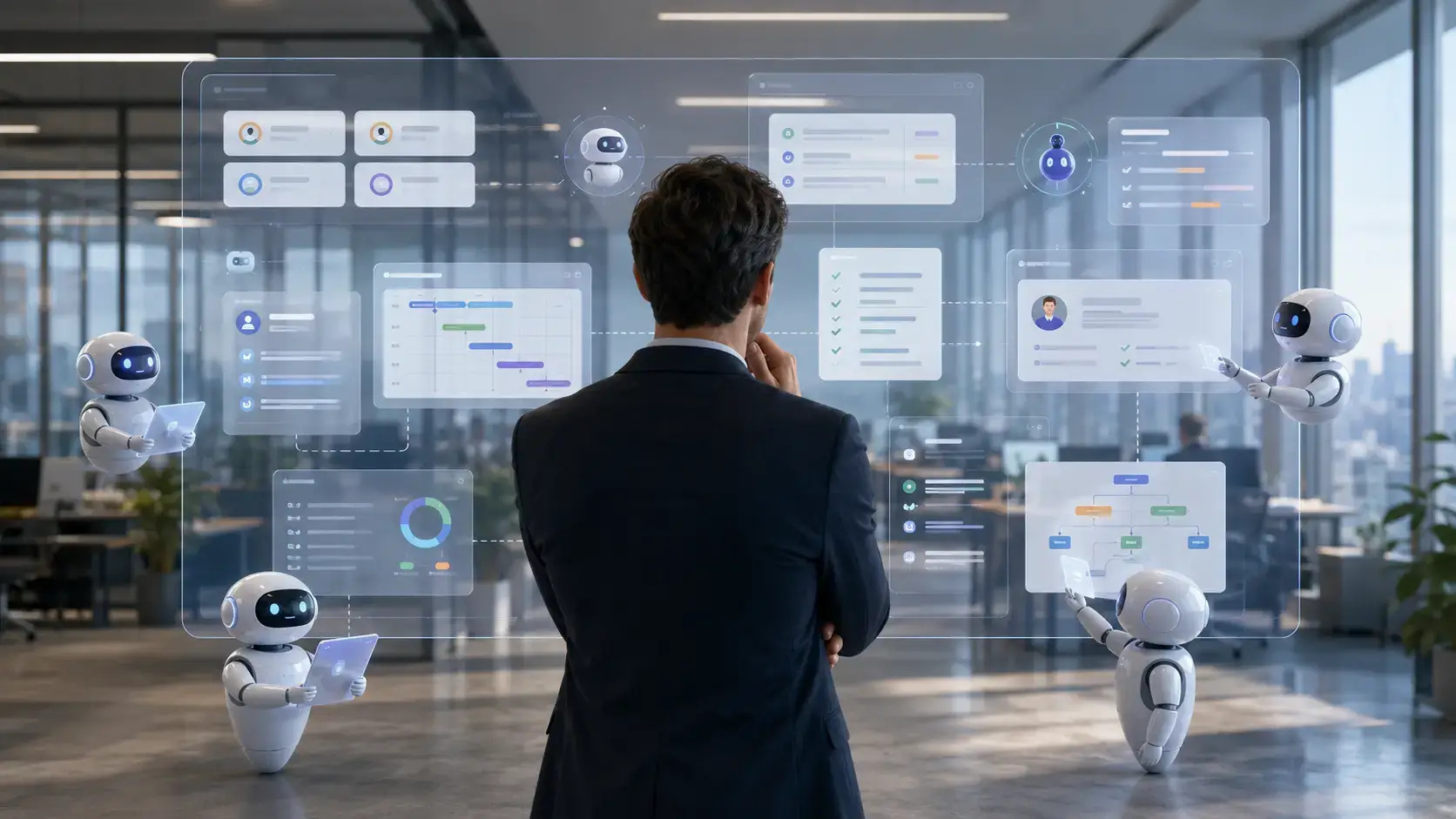
The next stage is autonomous work management, where AI does not simply respond to prompts. It monitors workflows, detects operational friction, recommends actions, updates records, routes tasks, and escalates issues before they become larger problems.
This shift matters because managers spend a large part of their day on coordination work. They chase updates, check dashboards, follow up on overdue tasks, review CRM activity, identify blockers, and keep projects moving.
Autonomous AI has the potential to reduce that operational load.
Bitrix24’s research on Sentient Management describes this movement as a transition from AI helpers to more ambient, context-aware systems that can support the manager’s role in the background. The report highlights findings such as autonomous task reassignment, the cost of waiting too long to adopt AI, and the amount of management bandwidth that can be recovered when AI handles routine operational friction.
This article is not about one platform. It is about the broader change happening across CRM, project management, task management, and work management software.
If you manage a team, choose business software, or create workflows for sales, marketing, operations, support, or project delivery, this shift will affect how you work.
What Is Autonomous Work Management?
Autonomous work management is the use of AI-powered systems that can monitor, interpret, and act on work-related data across business tools.
Instead of waiting for you to ask for help, autonomous work management systems can identify what needs attention and take predefined actions within approved boundaries.
That could include reassigning a task, flagging a stalled deal, summarizing customer activity, creating a follow-up reminder, adjusting a project timeline, routing a support request, or notifying a manager when a workflow is at risk.
The key difference is context.
Traditional automation follows fixed rules. For example, if a deal moves to a specific CRM stage, the system sends a predefined email.
Autonomous work management is more adaptive. It can look at multiple signals, such as deal age, workload, customer value, task history, communication activity, and project dependency status, then recommend or execute a next step.
Simple automation vs autonomous AI
Automation is not new. Teams have used workflow rules for years.
What is changing is the intelligence behind those workflows.
| Category | Traditional Automation | Autonomous Work Management |
| Logic | Rule-based | Context-aware |
| Trigger | Predefined event | Event, pattern, risk, or intent |
| Example | Send an email when a stage changes | Detect a stalled deal and recommend the next action |
| Human role | Build the rule | Set guardrails and review exceptions |
| Best use case | Repeatable workflows | Dynamic workflows with changing context |
That does not mean autonomous AI should act without limits.
The best systems still need human oversight, clear permissions, audit trails, and approval rules. But the direction is clear: work management software is moving from passive recordkeeping to active orchestration.
AI Copilots vs Autonomous Work Management
Many teams still use the terms AI assistant, AI copilot, and AI agent interchangeably.
That creates confusion.
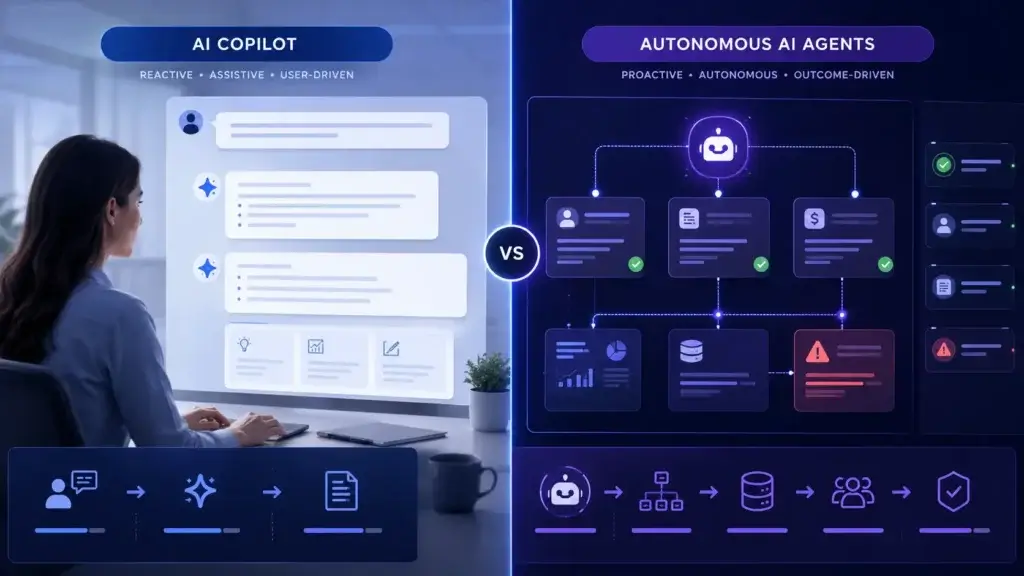
An AI copilot usually helps a person complete a task. You prompt it, and it responds. It can draft, summarize, explain, search, analyze, or recommend.
An autonomous AI agent can take a goal, interpret context, and perform steps to complete part of a workflow. In business software, this may include checking records, updating tasks, creating summaries, routing information, or triggering follow-up actions.
Autonomous work management sits on top of this idea. It applies agentic AI to the operational layer of the business, where teams manage customers, projects, tasks, support requests, approvals, and internal processes.
| Category | AI Copilots | Autonomous Work Management |
| Main role | Assist the user | Manage parts of the workflow |
| User input | Usually prompt-based | Often event-based or context-based |
| Typical actions | Summaries, drafts, suggestions | Task routing, alerts, updates, escalations |
| Best use case | Helping individuals work faster | Helping teams reduce operational friction |
| Human role | User asks, AI responds | AI acts within guardrails, human supervises |
This distinction is important because the business value changes.
Copilots improve personal productivity. Autonomous work management improves team coordination.
Both matter, but they solve different problems.
Why This Shift Is Happening Now
Autonomous work management is gaining attention because teams have reached a limit with fragmented tools and manual coordination.
Most companies already use multiple systems to manage work. A sales team may use a CRM, email, call recording software, a project management tool, Slack or Microsoft Teams, spreadsheets, and reporting dashboards.
Each tool captures a different part of the work.
The manager is often the person responsible for connecting the dots.
That creates a major operational problem. The more tools you use, the more invisible coordination work your managers need to perform.
AI is now being embedded into business software to reduce this burden. Microsoft describes AI agents as systems that can reason, learn, and act across business processes, while also emphasizing the need to move from experimentation to measurable outcomes. Microsoft has also introduced Agent 365 as a control layer for observing, governing, and securing agents across an organization.
That tells you something important about the market.
AI agents are no longer only an experimental feature inside productivity apps. They are becoming part of the infrastructure of work.
CRM Is Becoming the Center of Autonomous Work
CRM is one of the most natural places for autonomous AI to become useful.
Your CRM already contains customer data, sales stages, account history, pipeline activity, communication records, tasks, meetings, notes, and follow-up commitments.
In other words, it contains the context needed to make better work decisions.
Traditional CRM systems depend heavily on manual updates. Sales reps need to log calls. Managers need to check pipeline reports. Teams need to remember follow-ups. Customer success teams need to watch for churn signals.
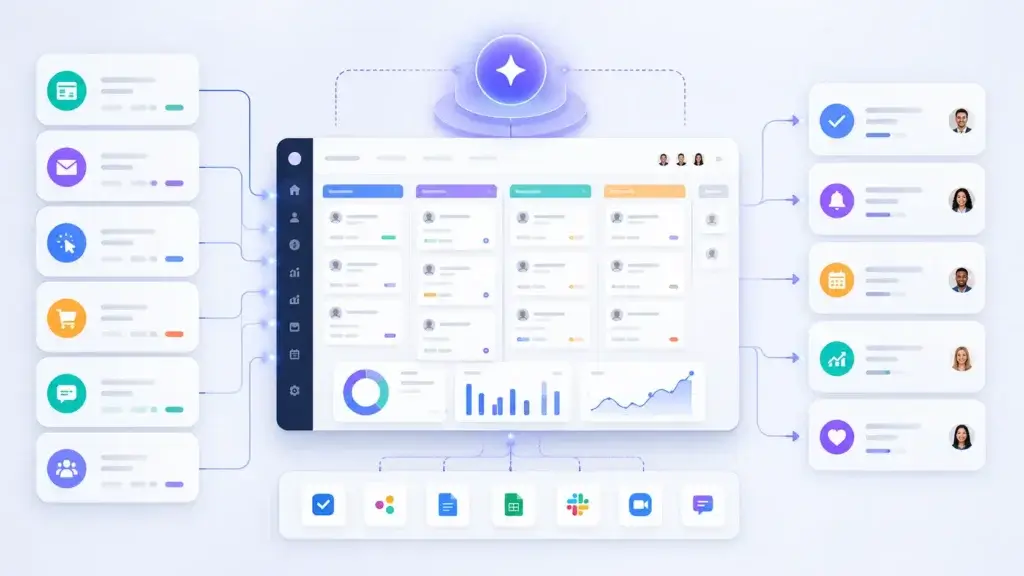
Autonomous AI can reduce the manual burden by turning CRM from a passive database into a more active operating system for customer work.
Examples of autonomous AI in CRM
- Detecting stalled deals before the end of the quarter
- Creating follow-up tasks after customer meetings
- Reassigning neglected leads based on workload
- Summarizing account activity for managers
- Flagging churn risk based on customer behavior
- Updating CRM records after calls and emails
- Prioritizing high-value opportunities
- Escalating urgent customer issues
That idea is especially relevant for CRM because CRM has always suffered from one major issue: users often do not want to update it.
If AI can capture activity, interpret context, and surface the next best action automatically, CRM becomes more useful and less dependent on manual admin work.
How Autonomous AI Changes Project and Task Management
Project management has a similar problem.
Project managers and team leads do not only plan work. They constantly monitor whether the work is actually moving.
They check deadlines, dependencies, workloads, blockers, client requests, team capacity, and status updates. Much of this work is not strategic. It is coordination work.
Autonomous AI can help by identifying risks earlier and reducing the amount of manual tracking required.
Practical examples in project management
- An overdue task triggers a suggested timeline adjustment
- A blocked dependency creates an automatic manager alert
- A team member’s workload triggers a reassignment recommendation
- A client email becomes a task with the right context attached
- A meeting transcript becomes action items inside the project board
- A project delay triggers an updated stakeholder summary
This does not eliminate the need for a project manager.
It changes what the project manager spends time on.
Instead of chasing every status update manually, the manager can focus on prioritization, resource tradeoffs, stakeholder communication, team coaching, and risk decisions.
That is a healthier use of management time.
Benefits and Risks
Benefits of Autonomous Work Management
The value of autonomous work management is not simply that it saves time.
The deeper value is that it helps teams operate with less friction, fewer delays, and better visibility.
1. Faster decision-making
Managers often make decisions late because they discover problems late.
Autonomous AI can monitor workflow signals continuously. It can surface risks before they become obvious in a weekly meeting or a monthly report.
For example, if a deal has gone quiet, a key task is overdue, and the assigned owner already has too much work, the system can flag the issue earlier.
2. Better task ownership
Unclear ownership is one of the biggest causes of operational delay.
Autonomous work management can help assign, reassign, and escalate tasks based on rules, workload, priority, and context.
This is especially valuable for teams that manage large volumes of leads, customer requests, support tickets, or project tasks.
3. Cleaner CRM data
CRM data quality is a constant challenge.
AI can reduce manual data entry by summarizing interactions, updating fields, creating follow-up tasks, and identifying missing information.
Better data also improves forecasting, reporting, and customer handoffs.
4. Fewer unnecessary meetings
Many meetings exist because teams do not trust their systems.
If your CRM, project board, or workflow dashboard does not show what is really happening, people schedule meetings to rebuild the context manually.
Autonomous AI can reduce that need by keeping work records updated and surfacing exceptions automatically.
5. More strategic management time
Bitrix24’s report highlights the idea that ambient AI can help leaders reclaim management bandwidth.
That point is important because time savings are only valuable when they are redirected toward better work.
If managers recover time from manual coordination, they can spend more energy on coaching, customer relationships, process improvement, and strategic planning.
The Risks of Autonomous AI in Work Management
Autonomous AI can create real value, but it also introduces new risks.
The more an AI system can do, the more important governance becomes.
This is why the market is already moving toward agent governance. Microsoft Agent 365, for example, is positioned around observing, securing, and governing AI agents across an organization.
Key risks to consider
- Poor data quality can lead to poor decisions
- AI may act without enough business context
- Employees may lose trust if decisions are not explainable
- Over-automation can make workflows feel rigid
- Permissions can become more complex
- Customer-facing actions can create brand or compliance risk
- Managers may lose visibility if AI actions are not logged
The solution is not to avoid autonomous AI.
The solution is to implement it with clear boundaries.
Teams should define which actions AI can take automatically, which actions require approval, and which actions should remain fully human-led.
The Manager’s Role
Shifting, Not Disappearing
One of the most common fears around autonomous AI is that it will replace managers.
That is the wrong way to frame it.
The more realistic shift is that AI will remove parts of the manager’s administrative workload. The manager will still be responsible for judgment, accountability, relationships, coaching, and decisions that require business context.
Managers will spend less time on repetitive coordination and more time on higher-value leadership work.
Managers will do less of this
- Chasing routine updates
- Manually checking every CRM record
- Creating repetitive status reports
- Following up on every overdue task
- Moving information between systems
- Running meetings only to collect basic updates
Managers will need to do more of this
- Set workflow rules and AI guardrails
- Review exceptions and high-risk decisions
- Coach team members based on better data
- Improve processes based on AI insights
- Manage customer and stakeholder relationships
- Ensure AI decisions are fair, secure, and explainable
Microsoft’s Work Trend Index frames this shift around the idea that as agents take on more execution, people can gain more room to direct work, make decisions, and own outcomes.
That is a useful way to think about the future manager.
The manager becomes less of a manual traffic controller and more of a system designer, coach, and decision-maker.
The New Challenge: Management Debt
Bitrix24’s report introduces a useful idea for this topic: management debt.
You can think about management debt in the same way you think about technical debt.
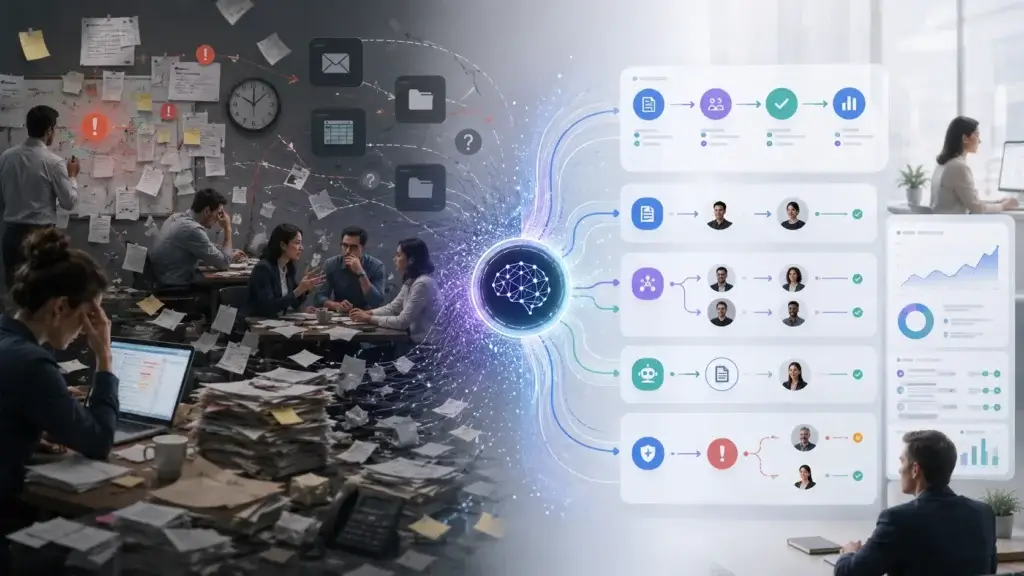
A process may still function, but it becomes slower, heavier, and more expensive over time. The company keeps adding tools, approval steps, meetings, manual reports, and workarounds until managers become the glue holding the system together.
That creates hidden cost.
The team may still deliver work, but only because managers absorb the friction.
Signs your team has management debt
- Managers spend too much time asking for updates
- CRM data is incomplete or outdated
- Projects move only when someone manually pushes them
- Meetings are used to compensate for poor visibility
- Customer follow-ups are inconsistent
- Approvals get stuck because ownership is unclear
- Work is delayed because context is scattered across tools
This is where autonomous work management can create value.
The goal is not to automate every management decision. The goal is to remove the repetitive friction that prevents managers from doing the work only humans can do well.
Bitrix24’s research also uses the term “Obsolescence Tax” to describe the cost of waiting too long for AI to stabilize before adapting. That is a strong concept because many teams are doing exactly that. They know AI will affect their workflows, but they delay process changes because the technology still feels new.
The risk is that competitors may redesign their operations faster.
Tools
Software That Shows Where Autonomous Work Management Is Heading
This section should not be treated as a ranked list. The market is moving quickly, and different platforms approach AI work management from different directions.
However, several tools show how CRM, project management, and workflow software are becoming more autonomous.
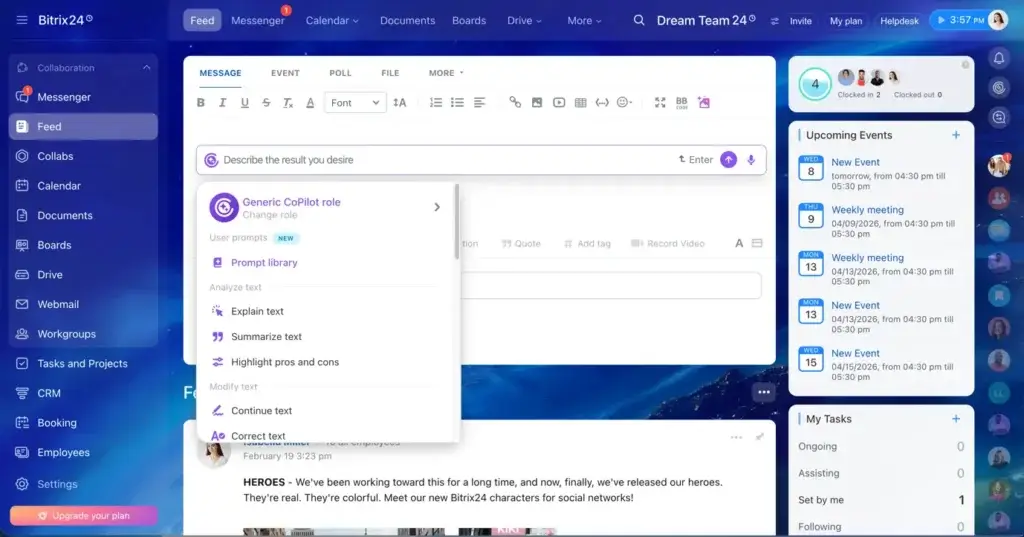
Bitrix24
Bitrix24 is relevant because it combines CRM, project management, task management, collaboration, communication, and automation in one platform.
That makes it a natural example of where autonomous work management can develop. When customer data, tasks, communication, and team workflows live closer together, AI has more context to work with.
Its Sentient Management research also gives the topic a useful framework by focusing on management debt, autonomous task reassignment, and the shift from simple AI helpers to AI systems that reduce operational noise in the background.
monday.com
monday.com (full review) is a strong example of a work management platform moving toward AI-assisted workflows, project visibility, and operational automation.
Its value comes from flexibility. Teams can use it for projects, tasks, sales pipelines, marketing workflows, operations, and approvals. As AI becomes more embedded in these workflows, tools like monday.com are well-positioned to help teams automate routine coordination.
ClickUp
ClickUp (full review) is relevant because it combines tasks, docs, goals, dashboards, automation, and AI features inside one productivity platform.
For teams that want a single place to manage execution, ClickUp’s direction reflects the larger trend toward AI-supported planning, summarization, prioritization, and task execution.
Microsoft Dynamics 365 and Microsoft 365 Copilot
Microsoft is important because it connects AI across CRM, productivity, collaboration, security, and enterprise data.
Dynamics 365 brings AI into sales, service, finance, and operations workflows, while Microsoft 365 Copilot and Agent 365 show how enterprise AI is expanding from personal assistance into agent governance and managed execution.
This matters for larger organizations that need security, compliance, identity, and governance controls around AI agents.
Salesforce Agentforce
Salesforce is another major example because it is building agentic AI around sales, service, marketing, and customer operations.
For CRM-heavy teams, the appeal is clear. If AI agents can work across customer records, support history, sales activity, and marketing data, they can help teams respond faster and reduce manual operational work.
What to Look for in Autonomous Work Management Software
If you are evaluating CRM, project management, or work management software, AI features should no longer be treated as a small add-on.
You need to understand how deeply AI connects to the actual workflow.
A simple writing assistant inside a platform is useful, but it is not the same as autonomous work management.
Important evaluation criteria
- Native CRM, project, task, and communication data
- Workflow automation depth
- AI task recommendations
- Human approval controls
- Role-based permissions
- Audit logs and activity history
- Data security and compliance controls
- Integrations with your existing tools
- Reporting and analytics
- Ease of adoption for non-technical teams
- Custom workflow builder
- Transparency around AI decisions
The strongest platforms will not simply add a chatbot on top of the software.
They will connect AI to the work graph: customers, tasks, people, deadlines, approvals, conversations, and business outcomes.
How Teams Can Use It
Autonomous work management will not look the same in every department.
The best use cases depend on where your team has repetitive decisions, high coordination load, and frequent context switching.
Sales teams
Sales teams can use autonomous AI to detect stalled deals, recommend follow-ups, summarize account activity, update CRM records, and prioritize high-value opportunities.
This can reduce the amount of time sales managers spend inspecting pipeline hygiene and chasing reps for updates.
Project teams
Project teams can use autonomous AI to flag overdue tasks, identify dependency risks, summarize project status, and recommend timeline adjustments.
This helps project managers move from manual tracking to exception-based management.
Customer support teams
Support teams can use autonomous AI to classify tickets, detect urgent issues, summarize conversations, suggest responses, and escalate high-risk accounts.
For customer-facing teams, the key is to balance speed with quality control.
Marketing teams
Marketing teams can use autonomous AI to turn campaign feedback into tasks, summarize performance reports, manage approval workflows, and coordinate handoffs between content, design, paid media, and sales.
This can help reduce the gap between strategy and execution.
Operations teams
Operations teams can use autonomous AI to connect workflows across departments, route approvals, monitor internal requests, and identify process bottlenecks.
This is where autonomous work management can create broad organizational value because operations teams often sit between multiple systems and departments.
How to Prepare Your Team
Adopting autonomous AI is not only a software decision.
It is an operating model decision.
Before you give AI more responsibility inside your workflows, you need to prepare your data, processes, people, and governance rules.
1. Clean your operational data
AI is only as useful as the context it can access.
If your CRM data is outdated, your task ownership is unclear, or your project workflows are inconsistent, autonomous AI may automate the wrong process.
Start by improving data quality.
2. Map your repetitive management work
Look at where managers spend time on low-value coordination.
Common examples include status chasing, follow-up reminders, manual task assignment, recurring reports, meeting notes, and workflow handoffs.
These are often the best first use cases for AI.
3. Define what AI can do automatically
Do not start by giving AI full control over important decisions.
Define categories of action:
- AI can do automatically
- AI can recommend, but a human approves
- AI can summarize, but not act
- AI should not handle this workflow
4. Keep humans in the loop
Human oversight is especially important in customer communication, hiring, finance, legal, compliance, and sensitive employee workflows.
Autonomous work management should make humans more effective, not remove accountability.
5. Measure the impact
Do not measure AI adoption only by feature usage.
Measure business outcomes.
Useful metrics include:
- Time saved by managers
- Reduction in overdue tasks
- Faster customer response times
- Cleaner CRM records
- Fewer missed follow-ups
- Shorter project delays
- Reduced meeting load
- Improved pipeline visibility
What This Means for the Future of Work Management
More dashboards will not define the future of work management.
Most teams already have too many dashboards.
The future will be defined by systems that can understand what is happening, identify what needs attention, and help teams act faster.
That is a major shift.
For years, software has asked managers to do more work inside the tool. Add the update. Move the card. Change the status. Create the task. Write the summary. Check the report.
Autonomous work management reverses part of that burden.
The system takes on more of the monitoring, organizing, and routing, while the manager focuses on decisions that require human judgment.
This is why CRM and project management tools are becoming more strategic.
They are no longer just places where teams store work. They are becoming systems that help direct the work.
Conclusion
AI copilots helped individuals work faster.
Autonomous work management will help teams coordinate better.
That difference matters.
The next phase of AI in business software is not only about generating better text or summarizing meetings faster. It is about reducing the operational friction that slows teams down every day.
CRM systems will become more proactive. Project management tools will become more context-aware. Task management platforms will become better at routing work. Managers will spend less time chasing updates and more time improving outcomes.
Bitrix24’s Sentient Management research is a useful signal of this shift because it frames the conversation around management bandwidth, operational debt, and the move from AI helpers to more autonomous systems.
Still, the larger lesson applies across the entire work management software market.
The winning teams will not be the ones that automate everything blindly.
They will be the teams that combine AI autonomy with clean data, strong governance, human judgment, and better workflow design.
That is where autonomous work management becomes more than a trend.
It becomes a better way to run work.
FAQs
What is autonomous work management?
Autonomous work management is the use of AI-powered systems that can monitor workflows, interpret context, and take approved actions across tasks, CRM records, projects, approvals, and team operations.
How is autonomous work management different from automation?
Traditional automation follows fixed rules. Autonomous work management is more context-aware. It can evaluate signals such as workload, deadlines, CRM activity, task status, and risk before recommending or taking action.
What is the difference between AI copilots and AI agents?
AI copilots usually respond to user prompts and help with tasks such as writing, summarizing, or searching. AI agents can take goals, interpret context, and perform workflow actions within defined boundaries.
How does autonomous AI affect CRM software?
Autonomous AI can make CRM systems more proactive by updating records, detecting stalled deals, creating follow-up tasks, flagging churn risk, and helping managers prioritize the right customer actions.
Can AI manage tasks without human approval?
Yes, but only for approved workflows. Low-risk actions such as reminders, internal task routing, and status updates may be automated, while customer-facing, financial, legal, or sensitive decisions should usually require human approval.
Will autonomous AI replace managers?
Autonomous AI is more likely to change the manager’s role than replace it. Managers will spend less time on repetitive coordination and more time on strategy, coaching, governance, and decision-making.
What are the risks of autonomous work management?
The main risks include poor data quality, unclear permissions, lack of explainability, over-automation, security concerns, and AI actions that are not properly logged or reviewed.
Which teams benefit most from autonomous work management?
Sales, project management, customer support, marketing, operations, and service teams can benefit most because they manage high volumes of tasks, handoffs, customer data, and recurring workflow decisions.
How can businesses prepare for autonomous AI in work management?
Businesses should clean their data, map repetitive workflows, define AI approval rules, keep humans in the loop for sensitive decisions, and measure outcomes such as time saved, fewer delays, and better CRM data quality.
What should you look for in autonomous work management software?
Look for strong workflow automation, CRM and project management integration, human approval controls, role-based permissions, audit logs, data security, AI transparency, and reporting features.