Introduction
Choosing between monday.com vs ClickUp is difficult because both platforms can manage far more than simple task lists. You can build projects, automate handoffs, create dashboards, collaborate on documents, and add AI to recurring work in either system. The real difference is how much structure and administration you want between your team and the work.
monday.com is the better overall choice for most cross-functional teams. Its visual boards, guided workflow building, and approachable reporting make it easier to create a system that people will actually update. ClickUp is the stronger option when you want maximum feature density, detailed task hierarchy, native time tracking, and more tools inside one workspace.
This comparison focuses on the operational consequences behind the feature lists. You will see which platform is easier to adopt, where plan limits change the value equation, how their AI strategies differ, and which product fits specific teams. The goal is not to crown a universal winner. It is to help you avoid paying for flexibility your team will not use or choosing simplicity that becomes restrictive six months later.
monday.com vs ClickUp at a Glance
If you need a fast answer, use this table as your starting point. The detailed sections below explain why each category matters and where the apparent winner can change depending on your workflow.
| Comparison Area | monday.com | ClickUp | Better Choice |
| Overall fit | Cross-functional work management | Feature-rich productivity workspace | monday.com for most teams |
| Ease of adoption | Visual and guided | Flexible but denser | monday.com |
| Task depth | Flexible board-based work | Detailed hierarchy and task controls | ClickUp |
| Workflow automation | Accessible visual recipes | Powerful rules and integrations | Close |
| AI approach | Agents embedded in workflows | Broad assistant and desktop AI suite | Depends on use case |
| Documents and chat | Workdocs and item updates | Docs, Chat, Whiteboards, and Clips | ClickUp |
| Dashboards | Clear cross-board visualization | Deep dashboard configuration | monday.com for accessibility |
| Time tracking | Available on higher plans | Native on Unlimited | ClickUp |
| Free plan | Two seats and basic use | Unlimited members with limits | ClickUp |
| Enterprise adoption | Strong usability and governance | Strong governance with more setup | monday.com |
My recommendation: choose monday.com when adoption, visibility, and cross-department consistency matter most. Choose ClickUp when your team accepts a steeper setup process in exchange for deeper task controls and a wider collection of built-in productivity tools.
How monday.com and ClickUp Were Compared
This comparison evaluates both platforms against the same product-launch workflow: project intake, 30 tasks, five phases, dependencies, approvals, recurring work, budget fields, six users, two guests, workload tracking, and an executive dashboard.
The comparison prioritizes adoption, data quality, cross-project reporting, plan limits, and the administrative effort required to keep the workspace usable.
| Evaluation Category | What Was Considered |
| Adoption | Navigation, setup effort, templates, and training burden |
| Project control | Tasks, dependencies, views, milestones, and portfolios |
| Workflow design | Automations, approvals, forms, and cross-project actions |
| Management visibility | Dashboards, workload, reporting, and data consistency |
| Collaboration | Updates, documents, chat, files, and guest access |
| Value | Plan limits, seat rules, AI costs, and required add-ons |
| Scalability | Permissions, governance, security, and administration |
This framework also accounts for the complexity tax. A feature only creates value when your team can find it, configure it correctly, and continue using it after the person who built the workspace leaves. That is why the platform with the longest feature list does not automatically receive the strongest recommendation.
monday.com and ClickUp Platform Overviews
monday.com

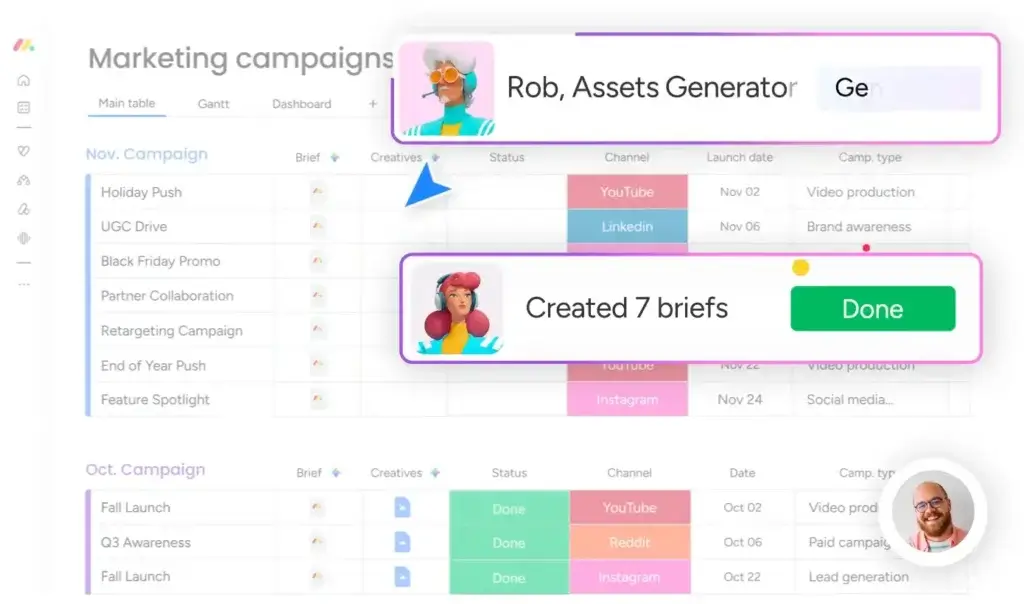
monday.com is a visual work management platform built around configurable boards, views, dashboards, automations, and connected products. Its main strength is balance: teams gain substantial customization while color-coded fields and guided workflows remain understandable to occasional users.
The tradeoff is packaging. The free plan is small, paid accounts use seat groups, and time tracking, workload, larger automation allowances, and broader dashboard connections require higher tiers.
monday.com Strengths
- Fast visual understanding for occasional and daily users
- Strong dashboards for cross-board project visibility
- Flexible no-code workflows without excessive technical setup
- Good fit for cross-functional and enterprise adoption
- Broad AI strategy spanning assistants, agents, and workflow blocks
monday.com Limitations
- Two-user free plan is not designed for a working team
- Seat-bucket pricing can increase the effective cost for uneven team sizes
- Standard automation limits may be restrictive for active workflows
- Native time tracking requires a higher plan
Read the full monday.com review for a deeper analysis of its plans, setup, and use cases.
ClickUp

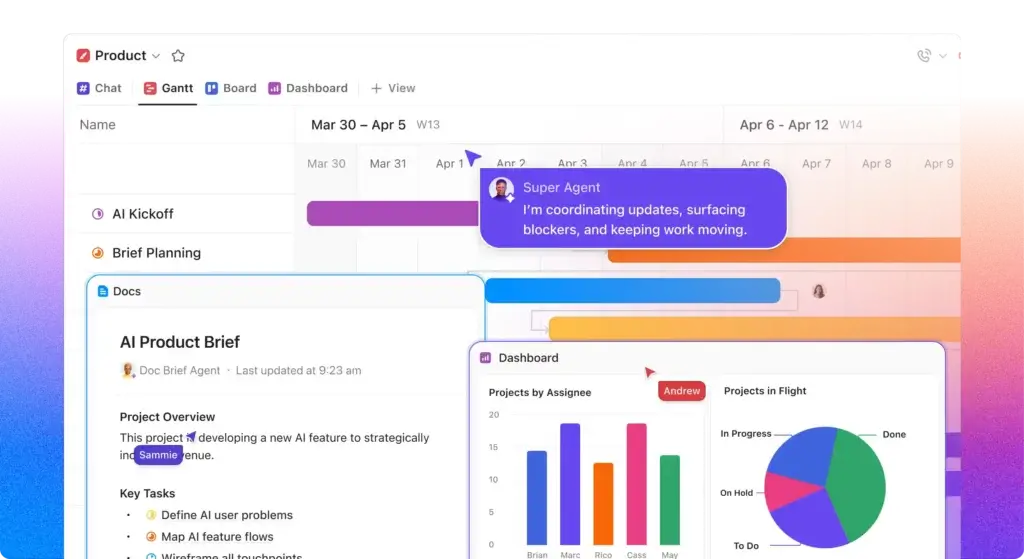
ClickUp is an all-in-one productivity workspace with a hierarchy of Workspaces, Spaces, Folders, Lists, tasks, and subtasks. It combines project management with Docs, Whiteboards, Chat, Clips, goals, time tracking, dashboards, and AI.
This breadth suits teams that want detailed control or fewer separate apps. The tradeoff is cognitive load: without early governance, admins can create inconsistent Spaces that are efficient for builders but confusing for occasional users.
ClickUp Strengths
- Detailed task hierarchy and extensive configuration options
- Native time tracking on the Unlimited plan
- Strong built-in Docs, Whiteboards, Chat, and screen recording
- Competitive paid plans for feature-heavy teams
- Broad AI suite with workspace search and desktop tools
ClickUp Limitations
- Steeper learning curve and higher administrative overhead
- Feature density can make navigation and onboarding less predictable
- Teams need clear hierarchy and naming standards before scaling
- Some reporting and workload features require the Business plan
Read the full ClickUp review for more detail on its hierarchy, collaboration tools, and pricing.
Ease of Use
monday.com Is Easier to Adopt
Initial Setup and Workspace Design
monday.com starts with a relatively simple mental model: workspace, folder, board, group, item, and subitem. You select a template or create a board, add columns, and choose views. A team member can usually understand the status column, owner field, and due date without formal training.
ClickUp asks you to make more architectural decisions. Spaces can represent departments, clients, or major functions. Folders and Lists can represent programs, projects, sprints, or workflow stages. This structure is powerful, but a poor decision near the top of the hierarchy can create duplication and reporting problems later.
Daily Navigation and Adoption
For mixed-skill teams, monday.com has the advantage. Users can scan a board, understand color-coded statuses, open an item, and leave an update with little explanation. Dashboards also translate operational data into a format that managers can consume without learning the underlying board design.
ClickUp works best when users spend enough time in the platform to learn its hierarchy, views, Home area, notifications, and task controls. Power users may prefer the speed and depth once configured. Less frequent users may need stronger onboarding and documented workspace rules.
Better choice for ease of use: monday.com. ClickUp is not inherently unusable, but monday.com requires fewer concepts before a team can contribute reliably.
Task and Project Management:
ClickUp Offers More Depth
Tasks, Subtasks, and Hierarchy
Both tools support owners, due dates, priorities, dependencies, recurring work, files, comments, custom fields, and multiple views. The difference is how deeply tasks sit inside the overall information architecture.
ClickUp is stronger when task granularity is central to your operating model. Its hierarchy, task types, nested subtasks, custom statuses, relationships, sprint tools, time estimates, and detailed task views make it suitable for teams that need to model complex work at the task level.
monday.com takes a more visual database approach. Items and subitems live on boards, while connected boards and mirrored columns let you relate project data. This model is easier to scan and adapt across departments, although highly nested work can require more deliberate board design.
Views, Dependencies, and Planning
Both platforms provide list or table-style views, Kanban boards, calendars, Gantt charts, timelines, and workload options, with availability depending on the plan. monday.com makes it particularly easy to show the same project differently to executives, project managers, and contributors.
ClickUp provides more native depth for Agile teams through sprints, points, burndown reporting, backlog structures, and detailed workload controls. monday.com can support Agile work, especially through monday dev, but ClickUp is the more natural fit when software delivery is the primary use case and the team wants one detailed task system.
Better choice for task depth: ClickUp. monday.com remains more approachable for cross-functional planning, while ClickUp gives specialists more task-level control.
Workflow Automation
monday.com Makes Automation More Accessible
Building Everyday Automations
monday.com uses visual recipes and a workflow builder to automate assignments, reminders, status changes, approvals, board creation, notifications, and integrated actions. The interface makes trigger-and-action logic understandable to project managers who do not consider themselves technical.
ClickUp also supports triggers, conditions, and actions across tasks and integrations. It can automate status changes, assignments, field updates, comments, dates, webhooks, and recurring processes. Its flexibility is strong, especially when the surrounding workspace is already carefully structured.
Plan Limits Change the Recommendation
On monday.com, the Standard plan includes 250 automation actions and 250 integration actions per month. That can work for occasional reminders, but a multi-step workflow used by several teams can consume the allowance quickly. The Pro plan raises each allowance substantially, making it a more realistic tier for daily automation.
ClickUp includes automation allowances by plan, with the Business plan providing 5,000 automations per month and webhook or automation integrations. The exact value depends on how many actions your workflows trigger and whether you need advanced dashboarding at the same tier.
Better choice for accessible workflow design: monday.com. ClickUp remains highly capable, but monday.com’s visual approach makes automation easier to delegate beyond a small group of workspace experts.
AI Features
Two Different Strategies
monday.com AI for Contextual Work Execution
monday.com treats AI as a layer across its work platform. Its portfolio includes sidekick, agents, AI Blocks, AI workflows, meeting support, and AI app-building tools. You can summarize work, categorize intake, extract fields, generate updates, and run actions inside existing processes.
This is useful for operations and PMO teams, although newer purchasing models make credit planning an important part of the cost.
ClickUp Brain and Brain MAX
ClickUp Brain can answer questions across workspace content, draft and summarize text, assist with tasks and Docs, and connect users with multiple AI models. Brain MAX adds a desktop experience with connected search and talk-to-text.
AI plans are priced separately from core work management, so broad deployment can materially increase the total cost.
Which AI Platform Is Better?
Choose monday.com when your priority is embedding AI into governed workflows that teams and agents execute together. Choose ClickUp when users want a broad assistant, workspace search, multiple models, and desktop productivity features.
Better choice for workflow-centered AI: monday.com. Better choice for individual AI breadth: ClickUp. Because both vendors are changing packaging quickly, verify AI entitlements and credits during your trial rather than relying only on the plan name.
Collaboration, Docs, and Communication
ClickUp Includes More
Both platforms let you comment on work, mention teammates, attach files, follow activity, and invite guests. monday.com organizes collaboration around item updates, boards, dashboards, and workdocs. This keeps project discussion close to structured operational data.
ClickUp provides a wider built-in collaboration set. Docs can link to tasks, Whiteboards support visual planning, Clips capture screen recordings, and ClickUp Chat brings conversations into the same workspace. For teams trying to reduce the number of separate productivity tools, that consolidation can be meaningful.
The risk is duplication. When a platform includes comments, task updates, Docs, Chat, Whiteboards, and notifications, teams need rules defining where decisions and final information belong. Otherwise, adding collaboration features can create more places to search.
Better choice for built-in collaboration breadth: ClickUp. monday.com is the cleaner choice when your team already uses Slack or Microsoft Teams and mainly needs structured work coordination.
Dashboards, Reporting, and Resource Management
Management Visibility
monday.com is especially strong at turning board data into accessible management dashboards. Widgets can display progress, workload, budgets, timelines, charts, and project health across connected boards. The visual layer is useful when managers need an immediate answer without opening every project.
ClickUp dashboards are also powerful and highly configurable. Advanced cards, portfolio workload, sprint reporting, and task-based rollups can support detailed operational reporting. However, producing consistent dashboards depends on maintaining a clean hierarchy and standardized fields across Lists and Spaces.
Resource and Time Management
ClickUp has a pricing advantage for teams that track billable or internal time. Native time tracking is included on the Unlimited plan, along with resource management and portfolio features. The Business plan adds portfolio workload management and more advanced reporting.
monday.com provides workload views, time tracking, formulas, and broader portfolio reporting, but several of these capabilities sit on Pro or Enterprise. It is often the better reporting experience, but not necessarily the lower-cost time-tracking solution.
Better choice for executive visibility: monday.com. Better choice for lower-tier native time tracking: ClickUp.
Integrations and Extensibility
monday.com offers more than 200 native integrations and can extend further through Zapier, Make, its marketplace, and GraphQL API. Common connections include Slack, Microsoft Teams, Google Drive, Gmail, Outlook, Jira, GitHub, HubSpot, and Salesforce.
ClickUp advertises a larger integration ecosystem and includes unlimited integrations on its Unlimited plan. It also supports webhooks, an API, and connectors for common communication, storage, development, and CRM tools.
Raw integration counts are not the right buying metric. During your trial, test the specific workflow that matters. Confirm whether data syncs in one or both directions, whether custom fields map correctly, which plan unlocks the integration, how failures are surfaced, and how many automation actions the connection consumes.
Better choice: close. ClickUp has the larger advertised ecosystem, while monday.com often provides a more guided no-code setup for common business workflows.
Pricing and Total Cost
ClickUp has the lower advertised entry price and a more useful free plan for teams. monday.com can still produce a better return when its easier adoption reduces training, administration, and incomplete project data. The correct comparison is total cost, not only subscription cost.
| Plan Level | monday.com | ClickUp |
| Free | Up to 2 seats with basic limits | Unlimited members, 60 MB storage, and core limits |
| Entry paid | Basic at $9 per seat/month, billed annually | Unlimited at $7 per user/month, billed annually |
| Mid-tier | Standard at $12 per seat/month | Business at $12 per user/month |
| Advanced | Pro at $19 per seat/month | Business is the main self-service advanced tier |
| Enterprise | Custom pricing | Custom pricing |
| AI packaging | Credits vary by account and purchase model | Separate Brain AI and Everything AI plans |
| Important cost rule | Minimum seat groups and bucket pricing | Per-user plans plus optional AI costs |
The Cost Difference for a 10-Person Team
At annual list pricing, ClickUp Unlimited costs less than monday.com Standard and includes native time tracking, Gantt charts, integrations, resource management, and Chat. ClickUp Business matches monday.com Standard’s published per-user price while adding advanced dashboards and a higher automation allowance.
The plans are not exact equivalents. monday.com Pro raises the cost for teams needing time tracking, workload, formulas, private boards, and larger allowances, while ClickUp AI subscriptions can narrow the price gap.
The Hidden Cost Checklist
- Workspace architecture and implementation time
- Training for contributors and administrators
- AI subscriptions or credit overages
- Automation and integration consumption
- Seat minimums, seat buckets, and inactive licenses
- External time tracking, documentation, or chat tools
- Migration and data cleanup
Better choice for lowest feature-rich subscription cost: ClickUp. Better choice when adoption and management clarity justify a premium: monday.com.
Security, Administration, and Enterprise Readiness
Both vendors provide enterprise controls such as SSO, user provisioning, audit capabilities, permissions, and data governance options, although exact availability depends on the contract and plan.
monday.com Enterprise adds features such as SAML SSO, SCIM provisioning, audit logs, IP restrictions, advanced permissions, and higher automation and dashboard limits. Its usability advantage can matter at enterprise scale because governance fails when teams bypass the official system.
ClickUp Enterprise includes SAML SSO, SCIM provisioning, audit logs, session management, custom roles, data residency options, enterprise API access, and advanced permissions. It is a strong technical package, but organizations should establish Space ownership, naming conventions, templates, and field standards before rolling it out widely.
Better choice for broad enterprise adoption: monday.com. ClickUp remains competitive for organizations prepared to invest more heavily in workspace design and governance.
Which Platform Fits Your Team?
Choose monday.com for Marketing and Cross-Functional Operations
Marketing, operations, HR, PMO, and leadership teams often need a common system that remains understandable across different workflows. monday.com’s boards, forms, automations, dashboards, and templates make it easier to connect intake, execution, approvals, budgets, and reporting without turning every user into a platform specialist.
Choose ClickUp for Agencies and Time-Based Delivery
ClickUp is compelling for agencies that need native time tracking, client folders, Docs, proofing, dashboards, and detailed task templates at a competitive price. It can support repeatable client delivery well, provided the agency defines a consistent hierarchy and controls customization.
Choose ClickUp for Detailed Product or Engineering Work
ClickUp’s sprints, hierarchy, points, time estimates, Docs, Whiteboards, and reporting suit technical teams that want detailed planning and execution in one core product.
Choose monday.com for Enterprise Portfolio Visibility
monday.com balances configurability with accessible project-health dashboards, making cross-department reporting easier to present and govern.
Choose ClickUp for Solo Users and Budget-Conscious Small Teams
ClickUp’s Free Forever plan and lower-cost Unlimited tier provide more room to start. monday.com’s free plan is better treated as a product demonstration for one or two users rather than a long-term team workspace.
Pros and Cons of monday.com vs ClickUp
| Platform | Main Advantages | Main Drawbacks |
| monday.com | Visual adoption, dashboards, accessible automation, cross-team scalability | Seat buckets, limited free plan, higher-tier feature gates |
| ClickUp | Feature depth, hierarchy, native time tracking, Docs and Chat, competitive pricing | Learning curve, administrative complexity, potential workspace clutter |
The comparison is not simplicity versus capability. monday.com is also highly capable, and ClickUp can be organized clearly. The practical distinction is where each platform places the burden. monday.com asks you to pay more for some advanced capabilities but reduces the effort required to make work understandable. ClickUp gives you more functionality earlier but asks your team to absorb more structure and configuration.
monday.com vs ClickUp: Which Should You Choose?
Choose monday.com If You Want
- A platform that non-technical and occasional users can understand quickly
- Visual dashboards that communicate progress across projects
- Flexible workflows without building a deeply layered hierarchy
- Strong cross-functional and enterprise adoption
- AI embedded directly into repeatable operational processes
Choose ClickUp If You Want
- Detailed task controls, nested work, and a deeper hierarchy
- Native time tracking at a lower paid tier
- Docs, Whiteboards, Chat, Clips, and project work in one system
- Broad individual AI assistance and desktop productivity tools
- A feature-rich free plan or lower entry price
Overall Recommendation
monday.com is the better project management platform for most organizations. It provides enough flexibility for complex workflows while remaining easier to adopt, administer, and explain across departments. That balance matters more than winning the longest checklist.
ClickUp is the better choice for a narrower but important audience: power users, agencies, technical teams, and budget-conscious organizations that will actively use its hierarchy, time tracking, Docs, Chat, and dense configuration options.
Before purchasing, run a two-week pilot with the same project in both products. Include one administrator, one project manager, two everyday contributors, and one occasional stakeholder. Measure setup time, update completion, reporting accuracy, and how often users ask where information belongs. The platform your team maintains consistently will create more value than the one with the most impressive demonstration.
Frequently Asked Questions
Is monday.com better than ClickUp?
monday.com is better for most cross-functional teams because it balances customization, adoption, and reporting. ClickUp is better for power users who want deeper task controls, native time tracking, and more built-in tools.
Is monday.com or ClickUp easier to use?
monday.com is generally easier to learn and roll out. ClickUp offers more configuration, but its hierarchy and feature density usually require more onboarding and governance.
Is ClickUp cheaper than monday.com?
ClickUp has a lower entry price and includes more features on Unlimited. monday.com may offer better total value when easier adoption reduces implementation, training, and administration.
Which has the better free plan, monday.com or ClickUp?
ClickUp has the stronger free plan for teams because it supports unlimited members. monday.com’s two-seat free plan is better suited to individuals and product testing.
Which is better for agencies, monday.com or ClickUp?
ClickUp suits agencies needing native time tracking, client hierarchy, Docs, and detailed templates. monday.com is stronger for visual client reporting and simpler adoption.
Does monday.com have better automation than ClickUp?
Both provide capable no-code automation. monday.com is easier to understand and delegate, while ClickUp offers strong task-based rules. Compare plan allowances before choosing.
Which platform has better AI features?
monday.com is stronger for AI inside governed workflows. ClickUp is stronger for broad individual assistance, workspace search, multiple models, and Brain MAX desktop tools.
Is monday.com or ClickUp better for reporting?
monday.com is usually better for accessible executive dashboards. ClickUp provides deep reporting, but consistent results depend more heavily on clean hierarchy and standardized fields.
Which is better for software teams, monday.com or ClickUp?
ClickUp suits software teams wanting sprints, nested tasks, estimates, Docs, and Agile reporting. monday dev fits organizations already standardizing other departments on monday.com.
Can you migrate from ClickUp to monday.com?
Yes. Export ClickUp data for import into monday.com, or use APIs and integration tools. Map custom fields, hierarchy, automations, dashboards, and permissions before cutover.