

Introduction
If you are running a growing business, your accounting software eventually becomes more than a place to send invoices and record expenses. You need cleaner reporting, stronger controls, better inventory visibility, and a system your finance team can trust as transaction volume increases.
That is where QuickBooks Enterprise fits in. It is designed for businesses that have outgrown entry-level accounting tools but are not necessarily ready for a full ERP system like NetSuite, Sage Intacct, or Microsoft Dynamics 365 Business Central.
Quick answer: QuickBooks Enterprise is best for growing small and mid-sized businesses that need advanced accounting, inventory management, job costing, payroll, custom reporting, and role-based user permissions. It is especially useful if you already work inside the QuickBooks ecosystem and want more power without a complete platform migration.
If you are still comparing QuickBooks products, you may also want to read our full QuickBooks review. For a broader market view, see our guide to the best accounting software.
What Is QuickBooks Enterprise?
QuickBooks Enterprise, also known as QuickBooks Desktop Enterprise, is Intuit’s advanced desktop accounting solution for businesses with more complex financial, operational, and reporting needs.
Unlike QuickBooks Online, QuickBooks Enterprise is desktop-first. You can use it locally, on a server, or through cloud hosting. This matters because it gives you a familiar QuickBooks-style interface while adding more capacity, more advanced inventory options, and stronger user permission controls.
It is not the same as Intuit Enterprise Suite. QuickBooks Enterprise is still closer to an advanced accounting and inventory system, while Intuit Enterprise Suite is positioned as a newer AI-native ERP-style platform for businesses with multi-entity needs, deeper automation, and broader operational complexity.
| Category | QuickBooks Enterprise |
| Product Type | Advanced desktop accounting software with optional cloud hosting |
| Best For | Growing businesses that need inventory, job costing, payroll, and reporting depth |
| User Capacity | Licensing varies by plan, with Diamond supporting up to 40 users |
| Deployment | Desktop, server, or hosted cloud access |
| Strongest Use Cases | Inventory-heavy businesses, contractors, wholesalers, manufacturers, and professional services firms |
| Main Limitation | Not a native cloud ERP and may require hosting or IT support for remote teams |
Who QuickBooks Enterprise Is Best For
QuickBooks Enterprise is not the best fit for every business. If you only need simple invoicing, bank reconciliation, and basic expense tracking, QuickBooks Online, Xero, FreshBooks, or Zoho Books may be easier and more cost-effective.
However, if your accounting needs are becoming more operational, QuickBooks Enterprise can give you more control without forcing you into a full ERP implementation.
You’ll benefit most if:
- You manage inventory across multiple warehouses or locations
- You need detailed job costing, project costing, or department-level reporting
- You want more user permissions than basic QuickBooks plans provide
- You have separate teams handling AP, AR, payroll, inventory, and purchasing
- You want to stay in the QuickBooks ecosystem as your business grows
Industries that often benefit from QuickBooks Enterprise include:
- Manufacturing
- Wholesale and distribution
- Construction and contracting
- Retail and eCommerce
- Professional services
- Nonprofits
💡 If your team is using spreadsheets to fill gaps in inventory, reporting, or approvals, that is usually a strong signal that your current accounting setup is too limited.
How We Evaluated QuickBooks Enterprise
For this review, the goal is not just to list features. The more important question is whether QuickBooks Enterprise solves the real problems that growing finance teams face.
We evaluated QuickBooks Enterprise based on the criteria most relevant to small and mid-sized businesses moving beyond basic bookkeeping.
- Accounting depth: Can it handle complex transactions, controls, and reporting?
- Inventory strength: Does it support multi-location inventory and item-level tracking?
- Scalability: Can it support more users, records, and departments?
- Ease of use: Is it manageable for teams already familiar with QuickBooks?
- Deployment flexibility: Can you use it locally or through cloud hosting?
- Cost structure: Does the pricing make sense compared with ERP alternatives?
- Upgrade path: Is it the right next step from QuickBooks Online or Premier?
Key QuickBooks Enterprise Features
QuickBooks Enterprise is strongest when your accounting work connects closely with inventory, jobs, orders, payroll, and internal controls. It gives you more depth than standard QuickBooks products while keeping the interface familiar.
📊 Advanced Reporting
Reporting is one of the biggest reasons businesses upgrade. QuickBooks Enterprise includes deeper reporting capabilities than standard QuickBooks plans, with industry-specific reports, custom reports, and more ways to analyze financial performance.
You can use reports to monitor profitability by customer, project, job, class, department, product, or location. This is valuable if you need more than a simple profit and loss statement.
📦 Advanced Inventory
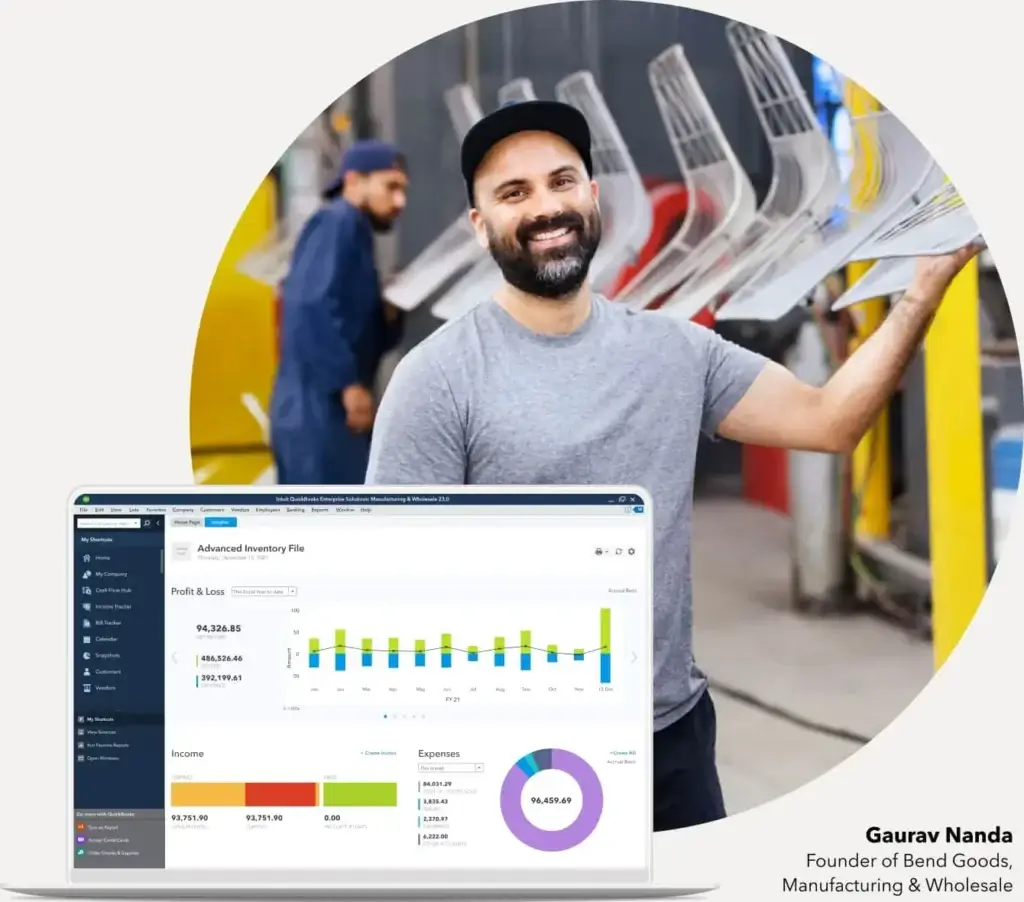
QuickBooks Enterprise becomes much more powerful on the Platinum and Diamond plans because of Advanced Inventory. This feature is especially useful for wholesalers, manufacturers, distributors, and retailers that need more accurate stock control.
Advanced Inventory can support FIFO or moving average costing, multiple inventory locations, barcode scanning, bin or lot tracking, serial or lot numbers, and sales order fulfillment workflows.
🏗️ Job Costing
If you work in construction, contracting, field services, or project-based work, job costing is one of the most important parts of your accounting system.
QuickBooks Enterprise helps you track revenue, labor, materials, subcontractor costs, purchase orders, and expenses by job. This makes it easier to understand whether a project is truly profitable, not just whether the invoice was paid.
🔐 Role-Based Permissions
As your business grows, not everyone should see or edit everything. QuickBooks Enterprise gives you more control over user permissions so different team members can access only the areas they need.
This is especially important if you have separate users for payroll, inventory, accounts payable, accounts receivable, purchasing, and management reporting.
⚙️ Workflow Efficiency
QuickBooks Enterprise can reduce repetitive work through batch invoicing, recurring transactions, purchase order workflows, sales order fulfillment, and integrations with related QuickBooks products.
It is not a fully automated ERP, but it can remove a lot of manual work from day-to-day accounting operations.
Financial Tools for Growing Businesses
As your business scales, financial visibility becomes harder to maintain. You may need to track margins by product, profitability by job, budget performance by department, and outstanding balances across multiple customer groups.
QuickBooks Enterprise is built for this middle stage, where basic accounting tools feel too light but enterprise ERP software may still feel too expensive or complex.
📁 Job Costing and Project Profitability
- Track labor, materials, expenses, and vendor costs by job
- Compare estimates to actual costs
- Monitor profitability before a project is finished
- Improve pricing decisions for future work
Budgeting and Forecasting
QuickBooks Enterprise helps you set budgets, compare actual performance against expectations, and review trends across your business.
This is useful if you manage multiple departments or want a clearer view of whether revenue growth is translating into stronger margins.
Multi-Company and Intercompany Needs
QuickBooks Enterprise can support businesses working with multiple company files and, on certain plans, intercompany transaction workflows. However, this is one area where you need to be realistic.
If you have simple multi-company needs, QuickBooks Enterprise may be enough. If you need advanced multi-entity consolidation, intercompany eliminations, and real-time consolidated reporting, you may need Intuit Enterprise Suite, Sage Intacct, NetSuite, or Microsoft Dynamics 365 Business Central.
Audit Trail and Financial Controls
QuickBooks Enterprise helps you maintain cleaner records through user permissions, transaction tracking, and stronger controls than entry-level accounting tools.
This does not replace formal internal controls or professional accounting oversight, but it does make it easier to protect sensitive information and review changes.
QuickBooks Enterprise Inventory Management
Inventory is one of the biggest reasons to choose QuickBooks Enterprise over QuickBooks Online or lighter accounting software. If your business sells products, manages parts, or handles stock across locations, inventory accuracy directly affects profit margins.
With the right plan and setup, QuickBooks Enterprise can help you move from spreadsheet-based inventory tracking to a more controlled workflow.
What You Can Track
- Inventory by warehouse or location
- Serial numbers and lot numbers
- Bins and item locations
- Barcode scanning activity
- FIFO or moving average costing
- Sales order fulfillment status
This is a strong fit for businesses that need to know not only how many items they have, but where those items are, how they were purchased, and how they move through the sales process.
Where It Works Best
QuickBooks Enterprise inventory works best for businesses that need more control but do not yet need a full warehouse management system.
For example, a wholesale distributor can use it to track stock across warehouses, while a manufacturer can use it to monitor assemblies, parts, and lot-controlled items.
Where It May Fall Short
If your inventory workflows are highly complex, you may eventually outgrow QuickBooks Enterprise. This can happen when you need advanced warehouse automation, complex demand planning, manufacturing resource planning, or native ERP-level supply chain management.
At that stage, systems like NetSuite, Acumatica, Microsoft Dynamics 365 Business Central, or Odoo may become more relevant.
Integrations and Ecosystem
QuickBooks Enterprise works best when it connects with the rest of your finance and operations stack. The exact integration setup depends on your version, hosting environment, and third-party tools.
For many businesses, the main value is that QuickBooks Enterprise can connect accounting with payroll, payments, time tracking, field service, eCommerce, CRM, and reporting workflows.
Common Integration Categories
- Payments: QuickBooks Payments and other payment workflows
- Payroll: QuickBooks Payroll and Assisted Payroll options
- Time Tracking: QuickBooks Time, especially with Diamond
- CRM: Salesforce and other CRM integrations
- eCommerce: Third-party connectors for online sales channels
- Field Service: Intuit Field Service Management for service teams
One important note: do not assume every integration is included in every plan. Some integrations require higher-tier plans, third-party subscriptions, separate setup, or additional fees.
Best Practice for Integrations
Before choosing QuickBooks Enterprise, map your current software stack. Include your CRM, payroll, eCommerce platform, payment processor, time tracking tool, and reporting tools.
This helps you understand whether QuickBooks Enterprise can become your main operational accounting hub or whether you need a broader ERP system.
QuickBooks Enterprise Cloud Hosting vs Desktop
This is one of the most important points to understand. QuickBooks Enterprise is not the same as QuickBooks Online.
QuickBooks Enterprise is a desktop product. If you want remote access, you can use cloud hosting. Hosting gives your team access through a remote environment, but the underlying product is still QuickBooks Desktop Enterprise.
🖥️ Traditional Desktop Setup
- Installed locally on a computer or business server
- Best for office-based teams with controlled IT environments
- May require internal or outsourced IT support
- Can be a strong fit when you want more control over the desktop environment
☁️ Cloud-Hosted Setup
- Allows remote access to QuickBooks Desktop Enterprise
- Useful for hybrid teams, accountants, and multi-location businesses
- Requires a reliable internet connection
- May include added hosting costs and technical requirements
Our take: If your team works from one office and wants maximum control, a desktop or server setup may be enough. If your team is remote, distributed, or works across locations, hosting may be worth the extra cost.
However, if you want a truly native cloud accounting platform, QuickBooks Online Advanced or Intuit Enterprise Suite may be better paths to evaluate.
User Experience: Setup, Interface, and Navigation
QuickBooks Enterprise feels familiar if your team already knows QuickBooks. That is one of its biggest advantages.
You do not need to retrain everyone on a completely new accounting system. Still, there is a learning curve because Enterprise has more features, deeper settings, and more configuration options.
Easy to Adopt if You Already Use QuickBooks
If your team currently uses QuickBooks Pro, Premier, or another QuickBooks product, the transition will feel more natural than moving to a completely different ERP.
The menus, workflows, reports, and transaction screens feel familiar. That helps reduce resistance from accounting staff.
More Complex Than QuickBooks Online
QuickBooks Enterprise is more powerful, but it is also more involved. Setup may require decisions around users, permissions, inventory settings, job costing, payroll, integrations, and company files.
If your workflows are simple, this can feel like too much. If your workflows are complex, the extra control can be worth it.
Training Still Matters
Even experienced QuickBooks users should plan for training. The value of QuickBooks Enterprise depends on how well you configure it.
For example, Advanced Inventory will only help if locations, items, bins, and workflows are set up properly from the start.
Security and Compliance
When you handle payroll, customer balances, vendor records, bank transactions, and financial reports, security is not optional. QuickBooks Enterprise gives you more user control than lighter accounting tools, which is important as your team grows.
🔐 Key Security Features
- Role-based permissions: Limit access based on each user’s job
- User activity tracking: Improve accountability across transaction changes
- Restricted access: Protect payroll, banking, and sensitive financial areas
- Backup options: Active subscriptions may include online backup and data protection
These features help you build better internal controls. They are especially useful when multiple team members work inside the same accounting system.
Compliance Considerations
QuickBooks Enterprise can support more controlled reporting and accounting workflows, but it does not automatically make your business compliant with every regulation.
You still need professional accounting oversight, proper approval processes, clean chart of accounts design, and internal policies for handling sensitive financial data.
Also, Intuit notes that Intuit Data Protect is not intended as a HIPAA solution. If you operate in a regulated industry, confirm compliance requirements before relying on any accounting platform.
Pricing and Plans
QuickBooks Enterprise pricing depends on the plan, number of users, payment structure, hosting, payroll, and add-ons. Pricing and terms can change, so you should always verify the latest details on the official QuickBooks Enterprise pricing page.
There are four main QuickBooks Enterprise plans: Silver, Gold, Platinum, and Diamond. The main difference is the depth of payroll, inventory, pricing, and advanced features.
| Plan | Best For | Key Features |
| Silver | Businesses that need core Enterprise accounting | Advanced accounting, reporting, user permissions, and QuickBooks Enterprise core tools |
| Gold | Businesses that want payroll included | Silver features plus Enhanced Payroll capabilities |
| Platinum | Inventory-heavy businesses | Gold features plus Advanced Inventory, Advanced Pricing, and more inventory control |
| Diamond | Larger teams needing the strongest Enterprise package | Platinum features plus Assisted Payroll, QuickBooks Time Elite, and support for up to 40 users |
What Impacts the Final Cost?
- Number of users: Each unique user requires a license
- Plan level: Advanced Inventory and Advanced Pricing require higher-tier plans
- Payroll: Payroll features vary by plan and may include employee-related fees
- Hosting: Cloud hosting is typically billed separately or as part of a hosted bundle
- Add-ons: Payments, field service, integrations, and other services can add cost
💡 Do not choose a plan based only on price. Choose based on the workflows you need to control. If inventory is central to your business, Platinum may be more practical than Silver even if it costs more.
QuickBooks Enterprise vs QuickBooks Online Advanced
Many businesses compare QuickBooks Enterprise with QuickBooks Online Advanced. This is the right comparison if you are deciding between a more powerful desktop-based product and a cloud-native accounting platform.
The better choice depends on how your team works.
| Category | QuickBooks Enterprise | QuickBooks Online Advanced |
| Deployment | Desktop-first, with optional cloud hosting | Native cloud platform |
| Best For | Inventory-heavy and operationally complex businesses | Cloud-first service businesses and growing SMBs |
| Inventory | Stronger with Advanced Inventory on higher plans | Useful, but less deep for complex warehouse needs |
| User Controls | Strong role-based permissions | Strong cloud user management and permissions |
| Remote Access | Requires hosting for full remote flexibility | Built for remote access from the start |
| Learning Curve | Higher because of deeper configuration | Lower for many modern cloud users |
| Best Choice If | You need advanced inventory, job costing, and desktop-level depth | You want a cloud-native platform with easier access and simpler setup |
Recommendation: Choose QuickBooks Enterprise if inventory, job costing, and operational control are your biggest pain points. Choose QuickBooks Online Advanced if cloud access, simpler deployment, and modern collaboration matter more.
QuickBooks Enterprise vs Intuit Enterprise Suite
This comparison has become more important because Intuit now offers Intuit Enterprise Suite as a more advanced option for growing businesses that need ERP-style capabilities.
QuickBooks Enterprise is still a strong choice for businesses that want advanced accounting and inventory within the familiar QuickBooks Desktop environment. Intuit Enterprise Suite is better suited for organizations that need AI-driven workflows, multi-entity management, consolidated visibility, and more scalable business operations.
| Category | QuickBooks Enterprise | Intuit Enterprise Suite |
| Product Type | Advanced desktop accounting software | AI-native ERP-style platform |
| Best For | Growing SMBs that need stronger accounting, inventory, and job costing | Mid-market businesses with multiple entities, teams, projects, or locations |
| Cloud Experience | Desktop product with optional hosting | Modern cloud-based business platform |
| Automation | Useful workflow tools, but not a full AI ERP | Built around AI-driven automation and insights |
| Multi-Entity Needs | Useful for simpler multi-company workflows | Stronger for consolidated visibility and intercompany complexity |
| Best Upgrade Path | From QuickBooks Pro, Premier, or growing QuickBooks Online setups | From QuickBooks plus spreadsheets, manual approvals, and disconnected systems |
Expert take: QuickBooks Enterprise is the better fit if you want depth without changing your entire finance stack. Intuit Enterprise Suite is the better fit if your business is starting to look more like a multi-entity operation than a single-company accounting file.
Alternatives to QuickBooks Enterprise
QuickBooks Enterprise is a strong choice, but it is not always the best long-term system. The right alternative depends on whether you need lower cost, stronger cloud access, deeper financial controls, or full ERP capabilities.
| Software | Best For | Why Choose It Over QuickBooks Enterprise? |
| NetSuite | Mid-market and enterprise companies | Better for full ERP, multi-subsidiary accounting, global operations, and broader automation |
| Sage Intacct | Finance-led companies and nonprofits | Stronger for advanced financial management, multi-entity reporting, and subscription billing |
| Microsoft Dynamics 365 Business Central | Businesses in the Microsoft ecosystem | Better if you want finance, inventory, sales, purchasing, and operations in one cloud ERP |
| Acumatica | Growing companies needing flexible ERP | Good for distribution, manufacturing, construction, and unlimited-user ERP models |
| Zoho Books | Cost-conscious small and mid-sized businesses | Better if you need affordable cloud accounting with simpler workflows |
When to Choose Each Alternative
- Choose NetSuite if you need a full ERP with global financial management.
- Choose Sage Intacct if finance reporting and multi-entity accounting are your top priorities.
- Choose Microsoft Dynamics 365 Business Central if you want ERP depth inside the Microsoft ecosystem.
- Choose Acumatica if you want flexible ERP with strong industry editions.
- Choose Zoho Books if QuickBooks Enterprise feels too expensive or too complex.
For a broader look at accounting software options by business size and use case, visit our best accounting software comparison.
Pros and Cons of QuickBooks Enterprise
QuickBooks Enterprise offers more depth than most small business accounting tools, but it also introduces more cost and complexity. Here is the balanced view.
Pros
- Strong inventory tools: Excellent for businesses that need location, bin, barcode, serial, or lot tracking.
- Familiar QuickBooks interface: Easier to adopt if your team already uses QuickBooks.
- Advanced reporting: Useful for job costing, departments, inventory, and management reporting.
- Scales beyond basic QuickBooks: Higher user capacity and stronger controls than entry-level products.
Cons
- Not cloud-native: Remote access usually requires hosting, which can add cost and complexity.
- Pricing can rise quickly: Users, payroll, hosting, and add-ons can increase the total cost.
- Setup requires care: Poor configuration can limit the value of inventory and reporting features.
- Not a full ERP: Businesses with complex multi-entity or global needs may outgrow it.
When QuickBooks Enterprise Is Not Enough
QuickBooks Enterprise is powerful, but it has limits. The mistake many businesses make is staying on a familiar system too long after their operational complexity has outgrown it.
You may need a broader ERP or financial management platform if you face several of these issues:
- You manage multiple entities with complex consolidations
- You need automated intercompany eliminations
- You require advanced revenue recognition
- You operate across countries with complex compliance needs
- You need deeper procurement, manufacturing, HR, or supply chain workflows
- Your team relies heavily on spreadsheets to close the books
In that case, compare QuickBooks Enterprise with Intuit Enterprise Suite, NetSuite, Sage Intacct, Microsoft Dynamics 365 Business Central, Acumatica, or Odoo before committing.
Conclusion
Is QuickBooks Enterprise Worth It?
QuickBooks Enterprise is worth considering if your business has outgrown basic accounting software but is not ready for the cost, disruption, or implementation effort of a full ERP system.
It is especially strong for businesses that need better inventory control, deeper job costing, advanced reporting, payroll, and stronger user permissions. If your team already knows QuickBooks, the learning curve is usually easier than moving to a completely new ERP.
That said, QuickBooks Enterprise is not the right choice for every growing company. If you want a fully cloud-native system, QuickBooks Online Advanced may be more practical. If you need multi-entity consolidation, AI-driven automation, or ERP-level operational visibility, Intuit Enterprise Suite, NetSuite, Sage Intacct, or Microsoft Dynamics 365 Business Central may be better long-term options.
Our recommendation: Choose QuickBooks Enterprise if you want the most powerful accounting and inventory experience inside the traditional QuickBooks environment. Look beyond it if your business is becoming multi-entity, globally complex, or too dependent on manual workarounds.
For more context, compare it with our full QuickBooks review and our guide to the best accounting software.
FAQs
What is QuickBooks Enterprise?
QuickBooks Enterprise is an advanced version of QuickBooks Desktop built for growing businesses that need stronger accounting, inventory management, job costing, payroll, reporting, and user permissions.
Is QuickBooks Enterprise the same as QuickBooks Online?
No. QuickBooks Enterprise is a desktop-first product, while QuickBooks Online is cloud-native. QuickBooks Enterprise can be hosted in the cloud, but it is not the same product as QuickBooks Online.
Who should use QuickBooks Enterprise?
QuickBooks Enterprise is best for growing small and mid-sized businesses that need advanced reporting, inventory control, job costing, payroll, and stronger user permissions than basic accounting software provides.
How many users does QuickBooks Enterprise support?
User capacity depends on the plan and license structure. QuickBooks Enterprise Diamond can support up to 40 users, while other plans may support fewer users depending on the license purchased.
Is QuickBooks Enterprise good for inventory management?
Yes. QuickBooks Enterprise is strong for inventory-heavy businesses, especially on higher-tier plans with Advanced Inventory. It can support features such as FIFO or moving average costing, multiple locations, barcode scanning, bin or lot tracking, and serial or lot numbers.
What is the difference between QuickBooks Enterprise and Intuit Enterprise Suite?
QuickBooks Enterprise is an advanced desktop accounting product with optional hosting. Intuit Enterprise Suite is a newer AI-native ERP-style platform designed for businesses with multi-entity complexity, broader automation, and more advanced operational visibility.
Can QuickBooks Enterprise be used in the cloud?
Yes. QuickBooks Enterprise can be used with cloud hosting, which allows remote access to the desktop product. However, it is still different from a native cloud accounting system like QuickBooks Online.
Is QuickBooks Enterprise better than QuickBooks Online Advanced?
QuickBooks Enterprise is usually better for businesses that need deeper inventory, job costing, and desktop-level accounting controls. QuickBooks Online Advanced is better for cloud-first teams that want easier remote access and simpler deployment.
What are the best QuickBooks Enterprise alternatives?
The best alternatives include NetSuite, Sage Intacct, Microsoft Dynamics 365 Business Central, Acumatica, Odoo, and Zoho Books. The right option depends on whether you need full ERP, stronger financial reporting, lower cost, or native cloud access.
Is QuickBooks Enterprise worth it?
QuickBooks Enterprise is worth it if your business needs advanced inventory, job costing, payroll, reporting, and role-based access while staying in the QuickBooks ecosystem. It may not be the best fit if you need a native cloud ERP or advanced multi-entity consolidation.







