Introduction
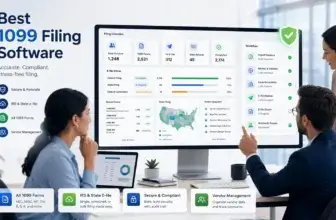
Choosing the best 1099 & W-2 filing software can directly affect how quickly you file year-end tax forms, how accurately you validate recipient data, and how confidently your business meets federal, state, and recipient delivery requirements.
Information return filing is no longer something most businesses can treat as a small administrative task. If you file 10 or more information returns, you generally need to file electronically. That makes the right software important for small businesses, finance teams, HR teams, payroll teams, accounting firms, and tax professionals.
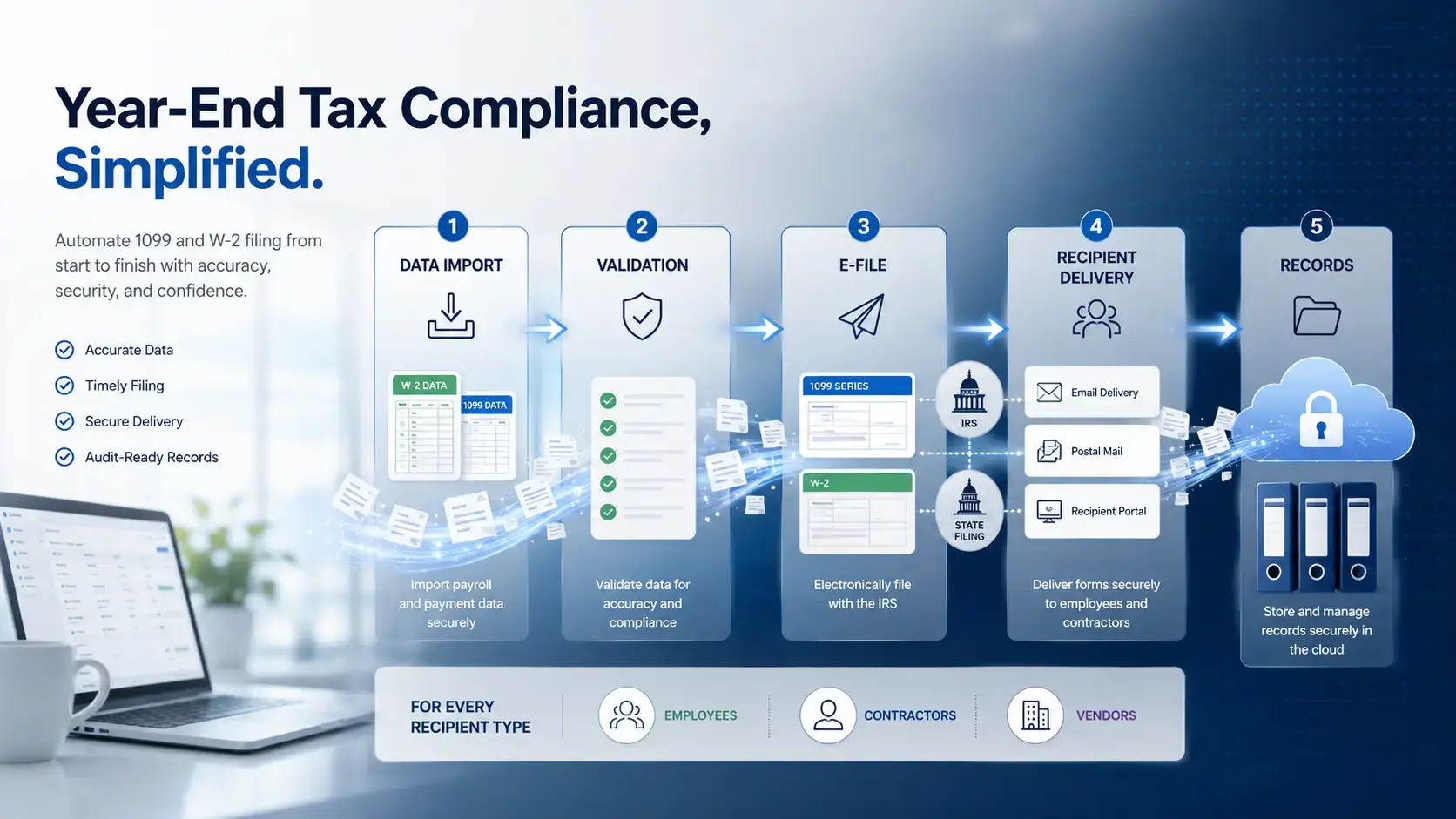
The best 1099 and W-2 filing platforms help you prepare forms, import data, validate taxpayer information, e-file with the right agencies, deliver recipient copies, manage corrections, and track filing status from one place.
In this guide, you will find a practical comparison of the best 1099 & W-2 filing software for 2026. The list includes eFileMyForms, 1099Pro, Tax1099, TaxBandits, and eFile4Biz.
The order is based on overall fit for 1099 and W-2 filing, ease of use, supported forms, pricing clarity, filing workflow, recipient delivery options, data validation, state filing support, and value for different types of businesses. eFileMyForms is my top overall recommendation because it combines simple online filing, no monthly fees, print/mail services, CPA-friendly workflows, and broad support for common 1099 and W-2 filing needs.
Quick Comparison
The best 1099 and W-2 filing software depends on your filing volume, supported form types, recipient delivery needs, state reporting requirements, and whether you file for one company or many clients.
Use the table below as a quick starting point before reviewing each platform in more detail.
| Software | Best For | Top Strength | Pricing Style |
| eFileMyForms | Small businesses, CPAs, and simple online filing | No monthly fees, 1099/W-2 filing, print/mail, and CPA workflows | Tiered per-form pricing |
| 1099Pro | High-volume and enterprise information reporting | TIN validation, bulk import, corrections, state filing, and print/mail | Annual and quote-based pricing |
| Tax1099 | Businesses needing broad form coverage and integrations | 1099, W-2, W-9/W-8, ACA, 94x, eDelivery, and integrations | Per-form and plan-based pricing |
| TaxBandits | Accounting firms and tax professionals | Client workflows, 1099/W-2/ACA/94x filing, and transparent pricing | Transparent per-form pricing |
| eFile4Biz | Full-service print, mail, and e-file processing | Online filing, Excel imports, QuickBooks/Xero imports, and form delivery | Per-form pricing by volume |
How to Choose the Best 1099 & W-2 Filing Software
Before comparing tools, define your filing workflow. A business filing 15 contractor forms does not need the same platform as a CPA firm filing thousands of forms for many clients.
Supported tax forms
Start with the forms you need to file. Most businesses compare these tools for 1099-NEC, 1099-MISC, and W-2 forms, but your requirements may go further.
You may also need 1099-INT, 1099-DIV, 1099-R, 1099-K, 1098, 1042-S, W-2C, W-2G, 1095-B, 1095-C, 5498, 3921, 3922, or payroll-related forms. A platform with broader form support can reduce the need for separate systems.
Federal, SSA, and state filing
1099 and W-2 filing software should clearly explain which filings it handles federally, which filings go to the Social Security Administration, and which state filing workflows are supported.
Do not assume that federal filing automatically solves state reporting. Some states require direct filing, some use combined filing programs, and some form types have special state rules.
TIN matching and data validation
Data accuracy matters because name and taxpayer identification number mismatches can lead to rejected forms, IRS notices, corrections, and administrative cleanup.
Look for TIN matching, name validation, address review, duplicate detection, bulk import checks, and clear error messages before you submit forms.
Recipient delivery
Good software should help you deliver recipient copies on time. This may include print and mail, eDelivery, downloadable PDFs, online recipient portals, or proof of delivery.
If you file many forms, recipient delivery can be one of the most valuable time-saving features.
Corrections and audit history
Corrections are part of real filing work. Choose software that supports correction forms, retransmission, status tracking, and records of what was filed.
This is especially important if you file high volumes, operate across several states, or manage filing for clients.
Multi-client filing and accountant workflows
If you are an accountant, bookkeeper, payroll provider, or tax professional, look closely at payer management, team permissions, client workflows, branded portals, and bulk upload tools.
A simple filing tool can work well for one company, but multi-client filing requires stronger organization.
eFileMyForms

Features & Benefits
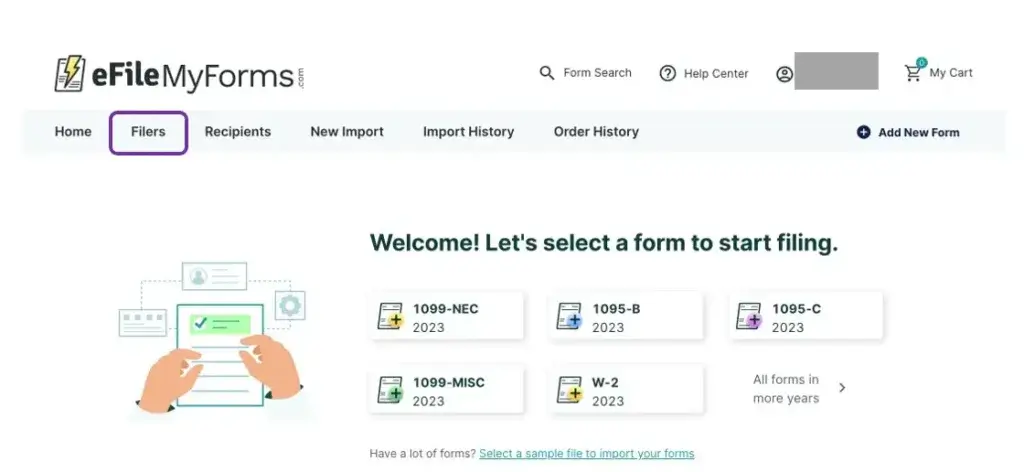
eFileMyForms is the best overall 1099 and W-2 filing software in this guide because it gives most businesses exactly what they need: a simple way to prepare, e-file, print, mail, and manage year-end tax forms without committing to a complex enterprise system.
The platform supports common forms such as 1099-NEC, 1099-MISC, W-2, and ACA-related forms. It is designed for businesses that want to file online quickly, avoid paper-heavy processes, and manage recipient copies without building a full tax operations department.
One of the strongest advantages is its no monthly fee model. For seasonal filers, small businesses, and CPAs that want flexibility, this can be more attractive than paying for a year-round subscription.
eFileMyForms also offers print and mail services, which makes it useful if you want to outsource recipient copy delivery. Instead of printing forms internally, buying envelopes, and managing postage manually, you can process forms through the platform and let the service handle mailing.
The tool is also a good fit for CPAs and tax professionals that need straightforward filing for multiple clients but do not want an overly complex enterprise compliance system. It may not have the same level of workflow depth as 1099Pro or TaxBandits, but it is easier to understand for direct filing needs.
Choose eFileMyForms if you want a clean, practical, pay-as-you-file option for 1099 and W-2 filing. It is especially strong for small businesses, accountants, and teams that care about simplicity, recipient delivery, and avoiding monthly software commitments.
Pricing & Plans
eFileMyForms uses tiered per-form pricing. You can generally choose between e-file only and print, mail, and e-file services. Pricing decreases as you submit more forms in a single order, but filing volume usually does not accumulate across separate orders.
Pros & Cons
Pros
- No monthly software fee
- Simple 1099 and W-2 filing workflow
- Print and mail services available
- Good fit for small businesses and CPAs
Cons
- Less advanced than enterprise tools
- Volume pricing is order-based
- Not ideal for highly complex reporting teams
- Advanced integrations may be limited
1099Pro

Features & Benefits
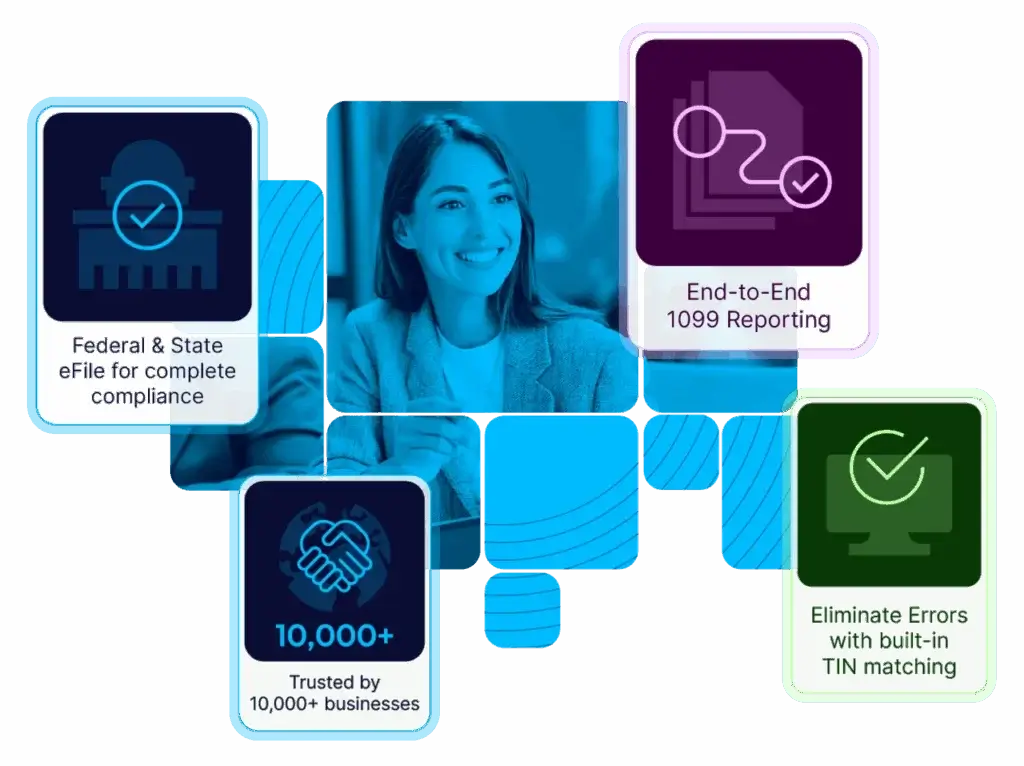
1099Pro is one of the strongest dedicated platforms for businesses that need more than basic tax form filing. It is built for teams that care about compliance controls, high-volume filing, TIN validation, corrections, state reporting, and structured review before submission.
The platform supports a broad range of information returns, including 1099, 1098, 1042-S, W-2, and related filing workflows. It is especially useful when you need to manage many payers, import large datasets, validate recipient data, and track filing activity carefully.
1099Pro is also a strong option for businesses that want TIN matching and validation before filing. This can reduce name/TIN mismatch issues and help teams catch errors earlier in the workflow.
Compared with eFileMyForms, 1099Pro is more advanced and better suited to larger or more complex organizations. Compared with lighter self-service filing sites, it gives you stronger compliance depth, but it may require more setup and process discipline.
Choose 1099Pro if you file at higher volume, need stronger governance, or operate in an environment where information reporting mistakes can create meaningful risk.
Pricing & Plans
1099Pro offers annual and quote-based pricing options depending on the product and services you need. Public pricing for an e-file focused plan starts at an annual rate, while more advanced workflows, print and mail, B-notice handling, withholding services, and enterprise support may require additional configuration or quotes.
Pros & Cons
Pros
- Strong high-volume filing support
- Real-time TIN validation options
- Correction and state filing workflows
- Good fit for enterprise compliance teams
Cons
- More complex than simple filing tools
- Some services may require quotes
- Not the cheapest option for small filers
- Setup may take planning
Tax1099

Features & Benefits
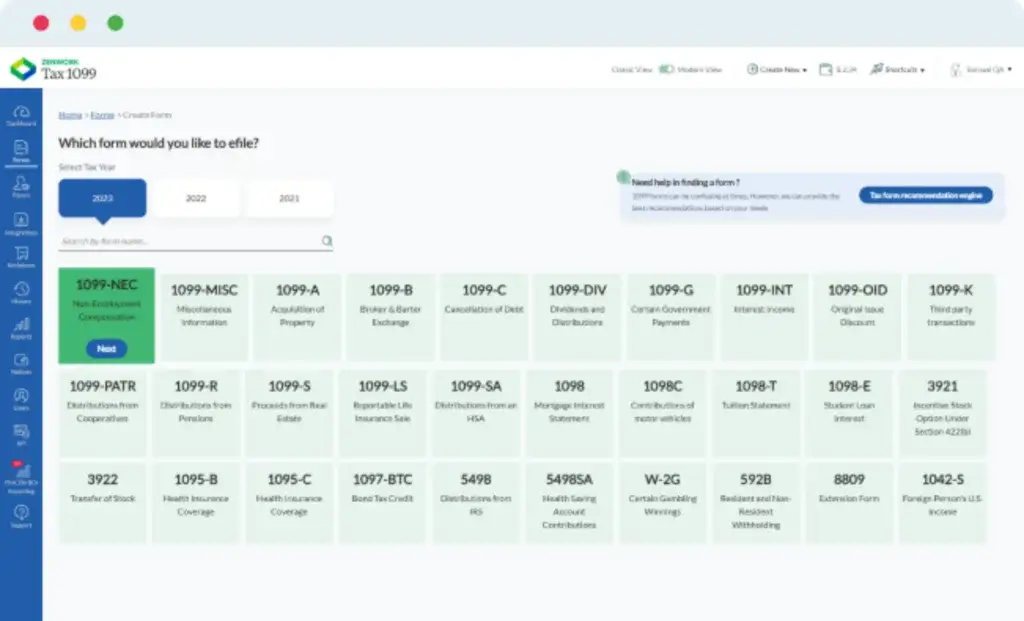
Tax1099 is one of the best 1099 and W-2 filing platforms for businesses that need flexibility, integrations, and support for more than one filing category.
The platform supports 1099 filing, W-2 filing, W-9 and W-8 collection, ACA filing, 94x payroll tax forms, 1042-S, 1098, 5498, 3921, 3922, and other related workflows. That makes it especially useful if your finance or accounting team wants a broader tax form filing hub.
Tax1099 also stands out for vendor data workflows. You can request and collect vendor details through W-9 or W-8 forms, verify TINs, and reduce the risk of inaccurate recipient information before filing.
Another strong area is eDelivery. Recipients can access PDF copies through a secure online portal after consent is captured, which can reduce paper handling and help teams manage recipient access more efficiently.
Tax1099 is a strong choice if you want more automation than a basic filing service but do not necessarily need a heavier enterprise system. It is particularly useful for growing businesses, accountants, SaaS companies, and teams that rely on accounting software integrations.
Pricing & Plans
Tax1099 uses per-form pricing and plan-based options. Pricing can vary based on form type, volume, state filing, mailing, support level, and selected plan. Some annual plans add more features for teams that need a more structured filing workflow.
Pros & Cons
Pros
- Broad tax form coverage
- W-9 and W-8 collection tools
- Secure recipient eDelivery
- Useful accounting integrations
Cons
- Pricing varies by form and feature
- May feel more complex than eFileMyForms
- Advanced features may require paid plans
- Best value depends on workflow size
TaxBandits

Features & Benefits
TaxBandits is one of the best platforms for accounting firms, tax professionals, payroll providers, and businesses that need a broader tax filing workspace.
The platform supports many filing categories, including 1099, W-2, W-9, ACA, 940, 941, 1042, 1042-S, and other forms. That makes it valuable if you manage annual and quarterly filing workflows from one system.
TaxBandits is particularly strong for multi-client work. Accounting firms can manage client data, file different forms, handle recipient delivery, and use professional workflows that are more practical than a simple one-company filing tool.
The pricing model is another advantage. TaxBandits provides transparent pricing for many filing services, which helps users estimate filing costs before starting. This is useful for accountants that need to quote clients or compare cost by volume.
TaxBandits is not necessarily the simplest option for very small one-time filing needs. However, it is a strong fit if you manage several clients, file several form types, or need more workflow structure around tax filing.
Pricing & Plans
TaxBandits uses transparent per-form pricing for several filing categories. Pricing depends on form type, filing volume, state filing, postal mailing, online access, TIN matching, W-9 requests, ACA filing, 94x filing, and other services.
Pros & Cons
Pros
- Strong for accountants and tax pros
- Broad 1099, W-2, ACA, and 94x support
- Transparent per-form pricing
- Good client and team workflows
Cons
- Can feel busy for basic filing
- Add-on services increase cost
- Best value appears with recurring use
- Not as simple as eFileMyForms
eFile4Biz

Features & Benefits
eFile4Biz is a practical 1099 and W-2 filing platform for businesses that want a full-service process without installing traditional tax software.
The platform supports online filing for 1099, W-2, 1098, 1042-S, ACA, 941, 5498, W-9, and other forms. It also offers print, mail, and e-file services, which is useful when you want to outsource the operational side of filing.
eFile4Biz is especially useful for businesses that already keep payment or payroll data in spreadsheets, QuickBooks, or Xero. You can enter data manually, use Excel templates, or import data from supported accounting apps.
The platform also automatically calculates certain transmittal totals and handles electronic transmission, which can reduce manual work around forms such as 1096 or W-3 in applicable workflows.
Compared with eFileMyForms, eFile4Biz is also simple and service-oriented. eFileMyForms gets the top position because it is a very clean fit for small businesses and CPAs that want a straightforward no-monthly-fee model. eFile4Biz remains a strong alternative if your priority is full-service filing, imports, and recipient delivery.
Pricing & Plans
eFile4Biz uses volume-based per-form pricing. Costs vary depending on the number of forms per order and whether you choose e-file only, print and mail only, or e-file plus print and mail.
Pros & Cons
Pros
- Full-service print, mail, and e-file
- Excel, QuickBooks, and Xero import options
- Good support for common tax forms
- Clear per-form volume pricing
Cons
- Pricing depends on service type
- Less enterprise-focused than 1099Pro
- Not as workflow-heavy as TaxBandits
- Best for service-based filing needs
Which 1099 & W-2 Filing Software Is Best for You?
The best 1099 and W-2 filing software is the platform that matches your form volume, filing complexity, budget, and recipient delivery process.
Best overall: eFileMyForms
eFileMyForms is the best overall choice for most small businesses, CPAs, and straightforward filing workflows. It offers a clean way to file 1099 and W-2 forms online without monthly fees, while still supporting print and mail services for recipient delivery.
Best for enterprise compliance: 1099Pro
1099Pro is the best fit if you need stronger controls, high-volume filing, TIN validation, correction management, state reporting support, and enterprise-style information return workflows.
Best for integrations and broad filing coverage: Tax1099
Tax1099 is best if you want broad form support, vendor data collection, W-9/W-8 workflows, eDelivery, and integrations with accounting and finance systems.
Best for accountants and tax professionals: TaxBandits
TaxBandits is best for firms that manage client filing workflows. It supports a wide range of form types and gives tax professionals more structure around client management, team activity, and pricing.
Best full-service alternative: eFile4Biz
eFile4Biz is best if you want a service-oriented filing workflow with Excel imports, accounting app imports, print, mail, and e-file processing.
1099 Filing Software vs W-2 Filing Software
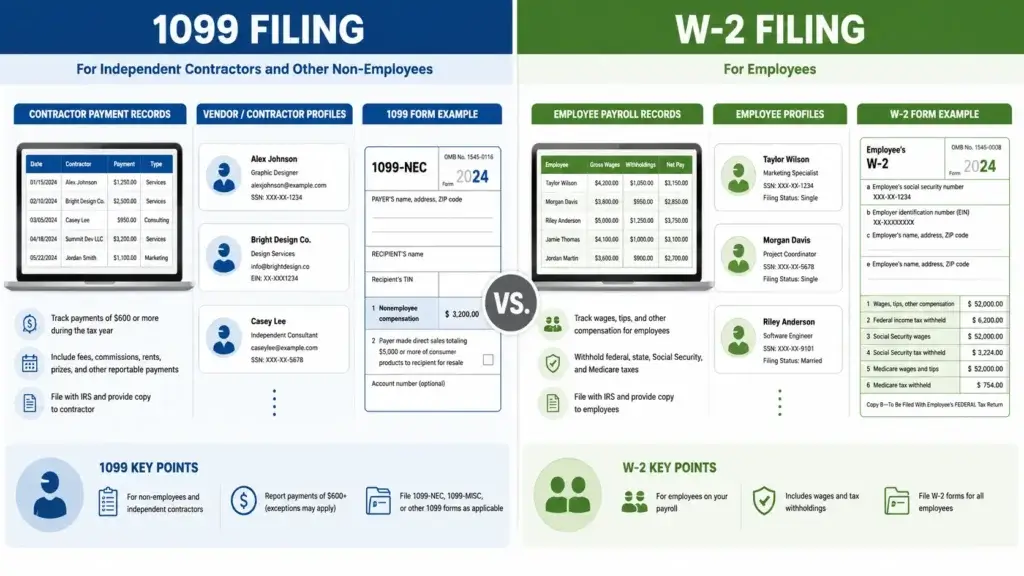
1099 filing software and W-2 filing software often appear in the same category, but they solve different reporting needs.
1099 forms are generally used to report payments to contractors, vendors, interest recipients, dividend recipients, retirees, and other non-employee payees. Common examples include 1099-NEC, 1099-MISC, 1099-INT, 1099-DIV, 1099-R, and 1099-K.
W-2 forms are used to report employee wages and tax withholding. W-2 workflows usually involve employee records, payroll data, Social Security Administration filing, recipient copies, and employer recordkeeping.
If your business works with both employees and contractors, choose a platform that supports both 1099 and W-2 workflows. This keeps your year-end filing process cleaner and reduces duplicate data entry.
Key 1099 & W-2 Filing Software Features to Look For
When comparing platforms, avoid choosing based only on the lowest per-form price. Filing errors, rejected forms, missed state requirements, and manual recipient delivery can cost more than the software.
Bulk import and data mapping
Bulk import is essential if you file more than a few forms. Look for CSV upload, Excel templates, accounting software imports, payer templates, recipient templates, and clear error review before filing.
TIN matching
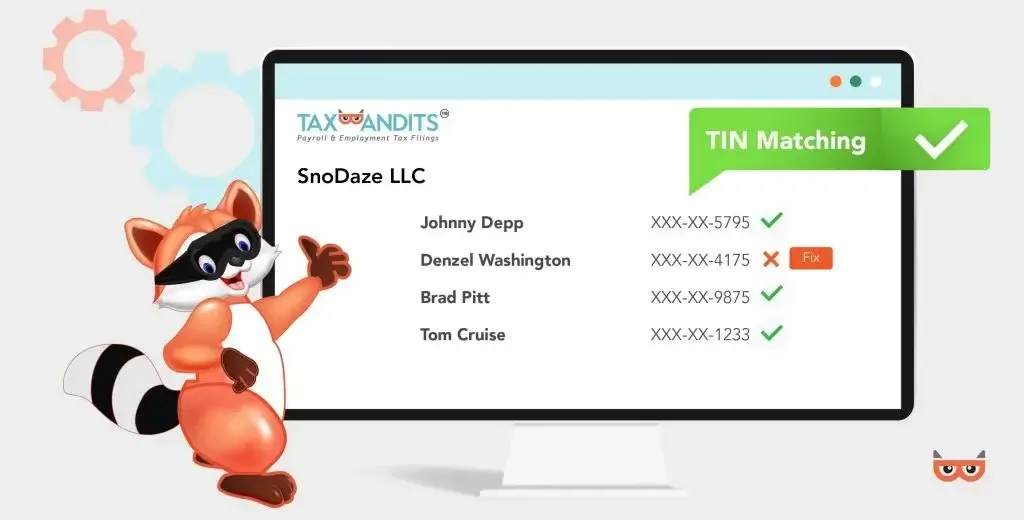
TIN matching helps validate taxpayer identification data before forms are filed. This can reduce mismatches, correction work, and recipient data problems.
Federal and state filing
Good software should clearly explain whether it supports federal filing, SSA filing, combined federal and state filing, direct state filing, or state-only filing.
Recipient delivery
Recipient delivery can include print and mail, eDelivery, online access, recipient portals, downloadable PDFs, and delivery tracking. This is especially useful during high-pressure filing deadlines.
Corrections
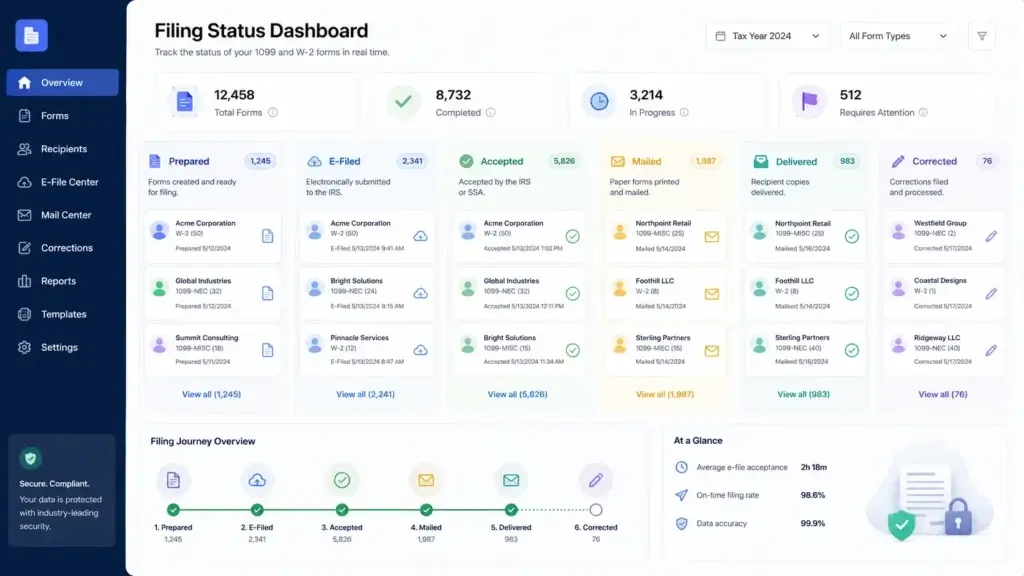
Look for software that supports correction forms, rejected filing review, retransmission, and filing history. Corrections are easier to manage when they are part of the same platform.
Security and access controls
Tax forms include sensitive personal and financial data. Strong platforms should use secure access, encrypted storage, user permissions, and clear account controls.
Multi-client workflow
For accountants and payroll providers, multi-client workflow can be a deciding factor. Look for client separation, payer management, branded portals, roles, and bulk filing tools.
Conclusion
The best 1099 & W-2 filing software for 2026 depends on your filing needs, but eFileMyForms is the strongest overall recommendation for most small businesses, CPAs, and straightforward filing workflows.
eFileMyForms is especially compelling because it offers a simple online filing process, no monthly fees, support for common 1099 and W-2 forms, and print/mail services for recipient delivery. It gives you the essentials without forcing you into a complex enterprise system.
1099Pro is the stronger choice for high-volume and enterprise information reporting. Tax1099 is best if you need broad form support, vendor collection, integrations, and eDelivery. TaxBandits is ideal for accounting firms and tax professionals that manage many clients. eFile4Biz is a strong full-service option for businesses that want simple imports, print, mail, and e-file processing.
The smartest approach is to start with your filing workflow. Define your forms, filing volume, state requirements, recipient delivery process, and correction needs. Once those are clear, your shortlist becomes much easier to build.
Frequently Asked Questions
What is the best 1099 and W-2 filing software overall?
eFileMyForms is the best overall 1099 and W-2 filing software for most small businesses, CPAs, and straightforward filing workflows. It offers online filing, no monthly fees, common 1099 and W-2 form support, and print/mail services.
What is 1099 and W-2 filing software?
1099 and W-2 filing software helps businesses prepare, validate, e-file, correct, and deliver year-end information returns. It can support contractor payments, employee wage reporting, recipient copies, state filing, and audit records.
Is eFileMyForms good for small businesses?
Yes. eFileMyForms is a strong option for small businesses because it does not require monthly software fees and supports simple online filing for common 1099 and W-2 use cases. It is especially useful for seasonal filers.
Which 1099 and W-2 filing software is best for accountants?
TaxBandits is a strong choice for accountants and tax professionals because it supports client workflows, several form categories, team activity, and transparent filing costs. eFileMyForms is also useful for CPAs that want simpler filing.
Which software is best for high-volume information return filing?
1099Pro is the best fit for high-volume and enterprise information return filing. It is designed for teams that need stronger validation, TIN matching, correction management, state filing support, and structured reporting workflows.
Do these tools support recipient delivery?
Yes. Many 1099 and W-2 filing platforms support recipient delivery through print and mail, eDelivery, recipient portals, downloadable copies, or other delivery services. Available options vary by vendor and plan.
Do I need software to e-file 1099 and W-2 forms?
If you file 10 or more information returns, electronic filing is generally required. Filing software can make this easier by helping you prepare forms, validate data, submit electronically, deliver recipient copies, and track filing status.
What is the difference between 1099 and W-2 filing?
1099 filing is generally used to report payments to contractors, vendors, and other non-employee payees. W-2 filing is used to report employee wages, tax withholding, and payroll-related information.
Does 1099 software include TIN matching?
Some 1099 filing platforms include TIN matching or offer it as an add-on. TIN matching helps verify recipient names and taxpayer identification numbers before filing, which can reduce errors and correction work.
What should I look for in 1099 and W-2 filing software?
Look for supported forms, bulk import, TIN matching, federal filing, state filing, recipient delivery, corrections, filing status tracking, security controls, and multi-client workflows if you file for clients.