

Introduction
AI is quickly becoming a core part of how businesses manage customer relationships, run campaigns, qualify leads, and support customers. Breeze by HubSpot is designed to bring those AI capabilities directly into the HubSpot Customer Platform, so your team can work faster without constantly switching between separate tools.
In this Breeze review, you’ll get a practical look at its main features, user experience, pricing model, strengths, limitations, and best alternatives. The goal is to help you understand whether Breeze is the right AI layer for your CRM, marketing, sales, and customer service workflows in 2026.
What Is Breeze?
Breeze is HubSpot’s collection of AI tools, assistants, and agents built into the HubSpot platform. Instead of acting as a standalone AI chatbot, Breeze works inside HubSpot to help teams create content, research companies, summarize CRM records, resolve customer questions, enrich data, and automate repetitive work.
The biggest difference between Breeze and many general AI tools is context. Breeze is most valuable when your customer data, campaigns, support conversations, and sales activity already live in HubSpot. That gives the AI more relevant information to work with and makes it easier to turn AI assistance into actual business workflows.
Background and Evolution
HubSpot has been adding AI capabilities across its platform for several years, but Breeze represents a more unified AI strategy. Rather than offering separate AI writing tools or isolated automation features, HubSpot now organizes its AI capabilities around assistants, agents, intelligence tools, and customizable AI behavior through Breeze Studio.
This matters because businesses are no longer looking only for AI-generated text. They want AI that can help with real work, such as preparing sales reps for calls, qualifying leads, answering support questions, improving CRM data, and helping teams act on customer insights faster.
Target Users and Use Cases
Breeze is best suited for businesses that already use HubSpot or plan to build their customer operations around HubSpot. It can support marketing, sales, service, RevOps, and customer success teams that want AI connected to real CRM context.
- Marketing teams – Create content, plan campaigns, and use AI to support audience growth.
- Sales teams – Research accounts, prepare outreach, and prioritize prospecting work.
- Customer service teams – Resolve common questions and support customers faster.
- RevOps teams – Improve data quality, automate research, and support better reporting.
- Growing businesses – Add AI workflows without building a disconnected software stack.
If your team already relies on HubSpot CRM, Breeze can feel like a natural extension of your existing workflow. If you do not use HubSpot, the value is more limited because Breeze is designed around the HubSpot ecosystem.
How Does It Work?
Key Features of Breeze
Breeze is not just one feature. It is a broader AI suite that includes an assistant, agents, intelligence tools, and customization options. The most important thing to understand is how these parts work together inside HubSpot.
Breeze Assistant
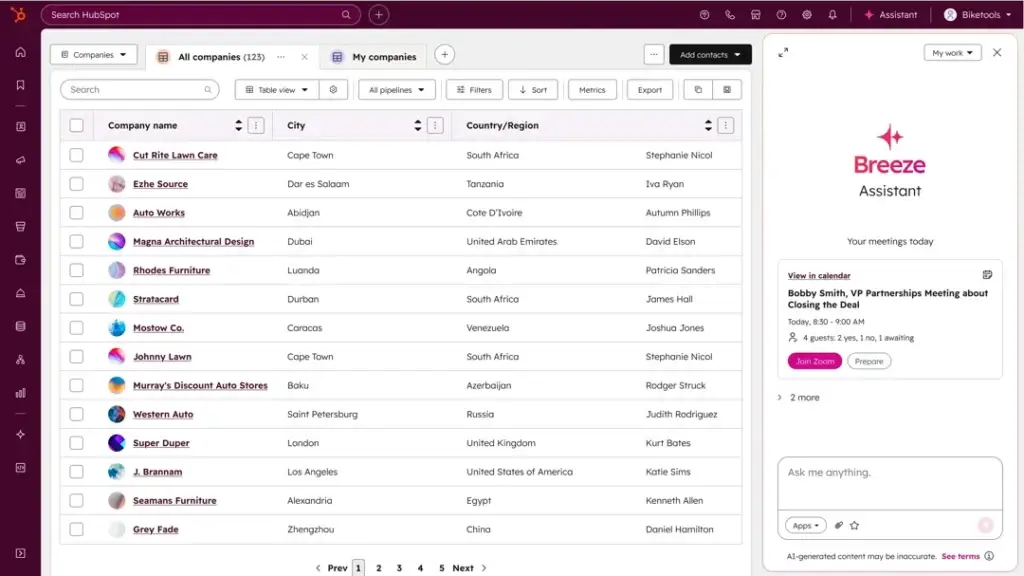
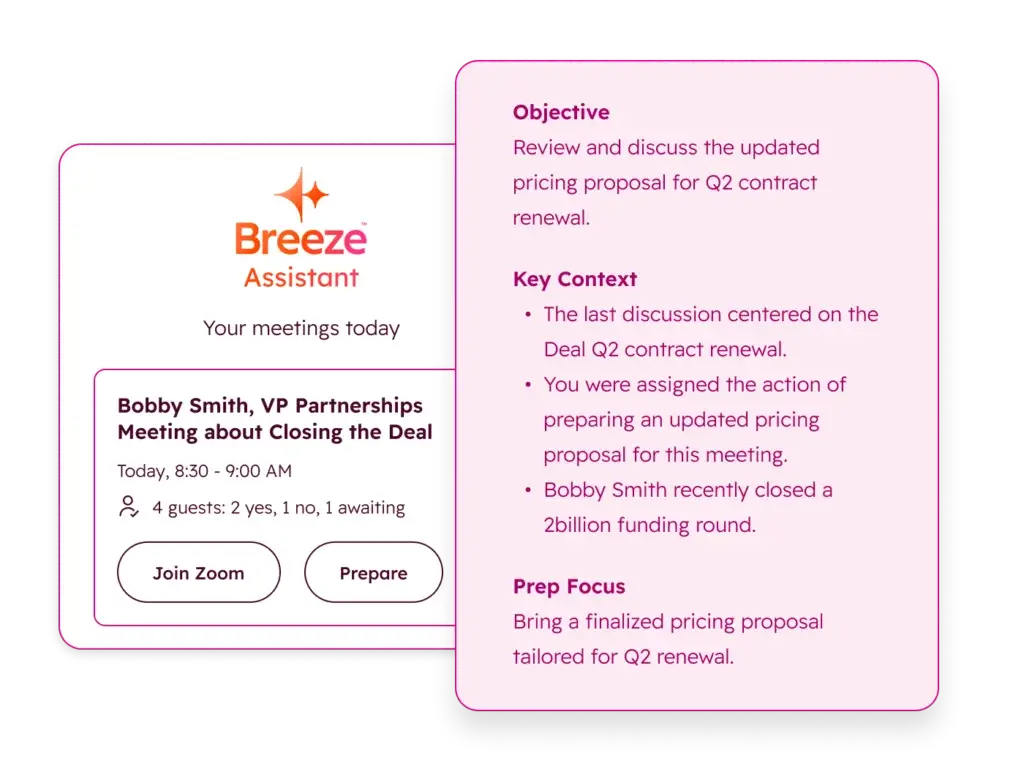
Breeze Assistant is the conversational AI assistant inside HubSpot. It can help you draft content, answer questions, summarize CRM records, prepare for meetings, and get guidance based on HubSpot’s knowledge resources and your business context.
For daily use, this is likely the easiest part of Breeze to understand. A sales rep can use it to get quick meeting insights. A marketer can use it to brainstorm campaign messaging. A manager can use it to understand customer records without manually reviewing every activity.
The main advantage is convenience. Instead of opening a separate AI tool, copying data from HubSpot, and then pasting the response back into your CRM, Breeze Assistant works where your team already works.
Breeze Agents
Breeze Agents are more task-focused than Breeze Assistant. They are designed to complete specific workflows across marketing, sales, and service. Depending on your HubSpot setup, these agents can help with customer support conversations, prospecting, company research, data analysis, customer health insights, and content-related tasks.
This is where Breeze becomes more than an AI writing assistant. Agents can support structured business work, such as identifying qualified leads, resolving repetitive support questions, researching companies, or helping service teams respond faster.
For teams with limited resources, this can be especially useful. Instead of hiring additional headcount for every repetitive task, Breeze Agents can help your team scale some of the work already happening inside HubSpot.
Breeze Intelligence
Breeze Intelligence focuses on data enrichment and customer insights. This can help teams improve CRM records, fill data gaps, and understand companies or contacts more clearly.
Clean data is one of the biggest challenges in CRM adoption. If your records are incomplete, duplicated, outdated, or missing important company details, your marketing and sales workflows become less effective. Breeze Intelligence is meant to support better CRM quality, which can improve segmentation, personalization, reporting, and sales prioritization.
Breeze Studio
Breeze Studio gives teams more control over how AI behaves inside their HubSpot account. You can build assistants, customize agents, and align AI behavior with the way your team works.
This is important for companies that do not want generic AI responses. With Breeze Studio, you can shape AI around internal knowledge, business processes, and role-specific workflows. That makes it more useful for teams that care about consistency, governance, and practical implementation.
AI for Marketing Teams
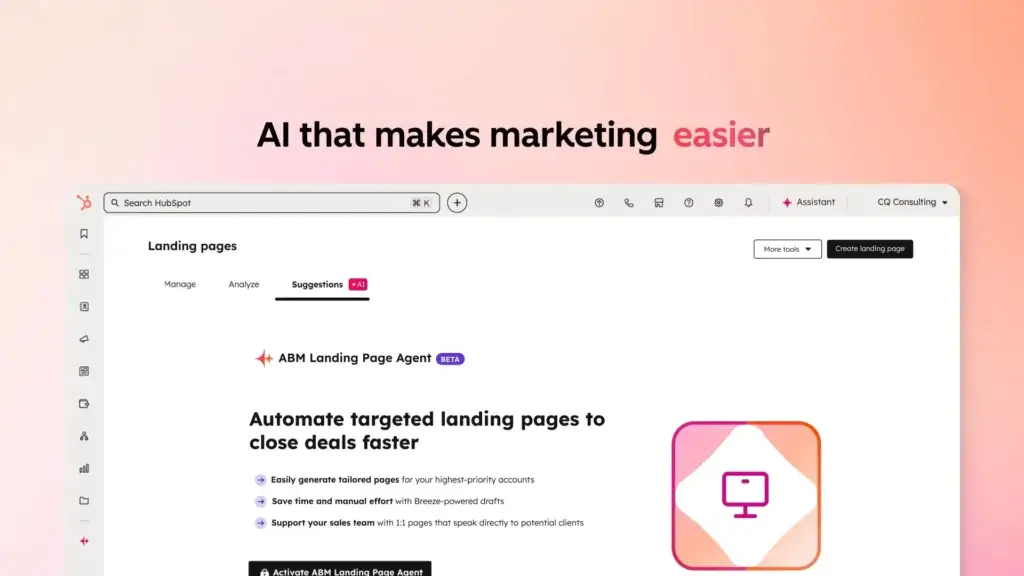
For marketers, Breeze can help with campaign planning, content generation, audience strategy, and faster execution. You can use it to support blog ideas, email copy, landing page messaging, social content, and campaign workflows.
However, it should not replace human strategy. Breeze can speed up production, but you still need clear positioning, buyer research, editorial judgment, and performance analysis. The best use case is using Breeze to support your marketing team, not to fully automate brand thinking.
AI for Sales Teams
Sales teams can use Breeze to prepare for calls, summarize customer activity, research companies, and support prospecting workflows. This can reduce the amount of manual research reps need to do before engaging a lead or account.
The Prospecting Agent is one of the more important sales-focused capabilities because it is designed to help identify and recommend qualified leads for outreach. This can be valuable if your sales team spends too much time searching for the right contacts or deciding which accounts to prioritize.
AI for Customer Service Teams
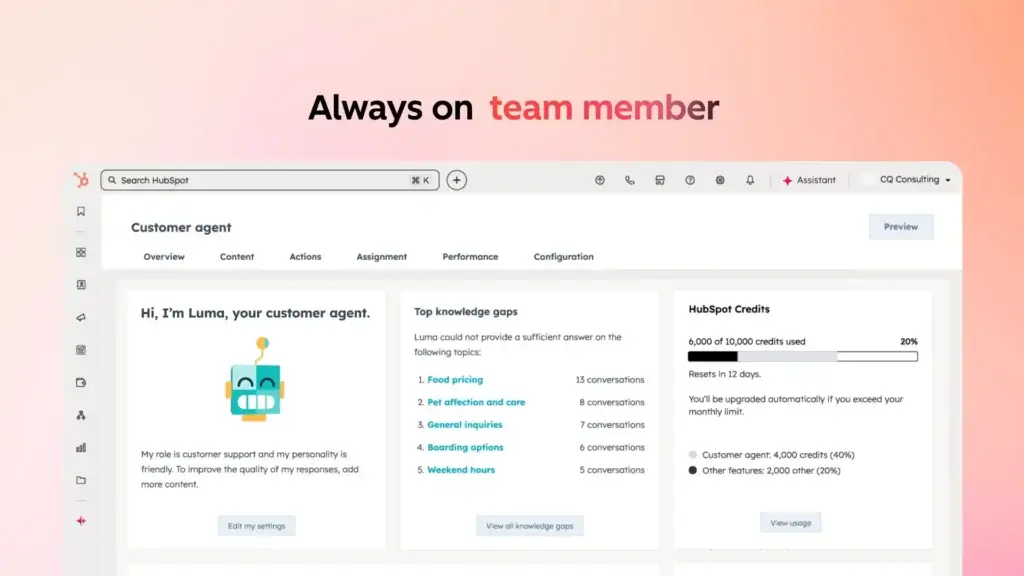
For customer service teams, Breeze can help answer repetitive questions, support knowledge base workflows, and reduce the volume of manual responses. The Customer Agent is especially relevant for teams that want AI to resolve common support conversations while escalating more complex issues to humans.
This makes Breeze a strong fit for companies that already use HubSpot Service Hub and want AI support automation connected to CRM data, customer history, and existing service processes.
Pros and Cons
Benefits and Limitations of Using Breeze
Positive
✅ Native AI inside HubSpot
✅ CRM-aware responses
✅ Useful AI agents
✅ Cross-team alignment
Negative
❌ HubSpot dependency
❌ Pricing complexity
❌ Setup still matters
❌ Not always best-in-class for every niche
Strengths and Benefits
Breeze’s biggest strength is that it brings AI into the platform where many teams already manage contacts, deals, tickets, campaigns, and customer conversations. That makes it more practical than a disconnected AI assistant for companies already committed to HubSpot.
- Native AI inside HubSpot – Your team can use AI without constantly switching between tools.
- CRM-aware responses – Breeze can use business context from HubSpot to support more relevant work.
- Useful AI agents – Agents can help with prospecting, support, research, and structured workflows.
- Cross-team alignment – Marketing, sales, and service can work from the same AI-enabled platform.
For many teams, the best benefit is speed. Breeze can reduce manual research, summarize information faster, draft content more quickly, and help teams move from data to action with less friction.
Limitations and Drawbacks
Breeze is powerful, but it is not the right AI solution for every business. Its value depends heavily on your HubSpot setup, your data quality, and how deeply your team uses the HubSpot ecosystem.
- HubSpot dependency – Breeze is most useful when your CRM and workflows already live in HubSpot.
- Pricing complexity – Some AI usage may depend on plan levels, seats, credits, or outcome-based pricing.
- Setup still matters – AI agents need good knowledge, processes, and data to perform well.
- Not always best-in-class for every niche – Dedicated support or sales intelligence tools may be stronger for specific use cases.
The biggest mistake would be treating Breeze as a plug-and-play replacement for a strong CRM strategy. AI can help you move faster, but it cannot fully compensate for poor data, unclear processes, or weak customer journey design.
Ease of Use
Breeze User Experience
Breeze benefits from HubSpot’s broader reputation for usability. HubSpot is generally known for a cleaner interface than many enterprise CRM platforms, which makes Breeze easier to adopt for teams that already use HubSpot every day.
Interface and Daily Workflow
The main user experience advantage is that Breeze is embedded into HubSpot. You do not need to open a separate AI app, export CRM records, or manually copy customer information into another tool. This makes AI feel more like part of your workflow rather than a separate productivity experiment.
For example, a sales rep can review a contact, get a summary, prepare a follow-up, and continue working inside the CRM. A support manager can use AI to help with repetitive questions or review customer interactions without leaving the service workspace.
Learning Curve
Breeze Assistant should be relatively easy for most users because it works like a familiar conversational AI interface. Breeze Agents and Breeze Studio may require more planning because they involve workflow setup, customization, data sources, and business rules.
That means the learning curve depends on how deeply you want to use the product. Simple AI assistance is easy to start with. More advanced agent-based automation requires more careful implementation.
Data Quality and AI Output
The quality of Breeze’s output depends heavily on the quality of your HubSpot data. If your contact records are incomplete, your knowledge base is thin, or your sales process is inconsistent, the AI may have less useful context to work with.
Before using Breeze for serious automation, you should review your CRM hygiene, knowledge base quality, lifecycle stages, ticket categories, and workflow logic. Clean data makes AI more reliable and easier to trust.
Plans, Credits, and Cost Considerations
Breeze Pricing
Breeze pricing is one of the most important areas to review carefully because it is connected to HubSpot’s broader plan structure, seat model, credits, and AI usage. Some Breeze capabilities may be available with HubSpot products, while more advanced usage can depend on credits or specific HubSpot subscriptions.
Is Breeze Free?
HubSpot positions Breeze Assistant and selected AI features as accessible for users who want to start with HubSpot AI. However, the full value of Breeze usually appears when it is connected to HubSpot CRM data, marketing tools, sales workflows, service features, and automation.
That means the practical cost is not only about whether Breeze has a free entry point. You should also consider which HubSpot hubs you use, which plan tier you need, how many seats your team requires, and whether your AI usage triggers HubSpot Credits.
What Are HubSpot Credits?
HubSpot Credits are used for certain AI-powered actions and usage-based capabilities. For Breeze, this is especially important because some agentic workflows and AI actions may consume credits depending on your account setup and the features you use.
This model can be flexible, but it also means your monthly costs may vary as usage grows. If you plan to use Breeze heavily for prospecting, customer support, or workflow automation, you should estimate expected usage before choosing your plan.
Outcome-Based Pricing
HubSpot has also moved certain Breeze Agents toward outcome-based pricing. For example, Customer Agent and Prospecting Agent are priced around completed outcomes, such as resolved customer conversations or qualified leads recommended for outreach.
This pricing approach can be attractive because you are paying for completed work rather than only access. However, you still need to monitor volume, define what counts as a valuable outcome, and compare the cost against team productivity gains.
Pricing Table
| Pricing Area | How It Works | What to Check Before Buying |
| Breeze Assistant | AI assistant experience inside HubSpot | Which features are included with your HubSpot account |
| Breeze Agents | AI agents for structured marketing, sales, and service work | Agent availability, plan requirements, and usage rules |
| HubSpot Credits | Usage-based credits for selected AI actions | Monthly usage, included credits, and overage costs |
| Customer Agent | Designed to resolve customer conversations | Cost per resolved conversation and expected support volume |
| Prospecting Agent | Designed to recommend qualified leads for outreach | Cost per qualified lead and sales team acceptance rate |
| HubSpot Plan Tier | Feature access may depend on Starter, Professional, or Enterprise plans | Required hub, seats, contacts, workflows, and reporting needs |
For most businesses, Breeze pricing should be evaluated as part of your broader HubSpot investment. If HubSpot is already your CRM and customer platform, Breeze can be a logical upgrade. If you only want a standalone AI chatbot or prospecting tool, the pricing model may feel less straightforward.
Use Cases
Who Should Use Breeze?
Breeze is strongest when it supports connected customer operations. If your teams already use HubSpot for marketing, sales, and service, Breeze can help you get more value from the data and workflows you already have.
Marketing Teams
Breeze can help marketing teams draft campaign assets, brainstorm content, generate messaging ideas, and work faster inside HubSpot. It is especially useful if your marketing team already uses HubSpot Marketing Hub for campaigns, forms, landing pages, email, and automation.
The best use case is not generic content generation. It is AI-assisted marketing execution connected to CRM data, audience segments, and campaign performance.
Sales Teams
Sales teams can use Breeze to reduce manual research, prepare outreach, summarize account records, and identify better prospecting opportunities. If your reps spend too much time reviewing activity history or researching accounts, Breeze can help them focus more time on conversations.
The Prospecting Agent is especially relevant for teams that need help finding qualified leads and prioritizing outreach. However, you should still review lead quality, personalization, and sales acceptance rates before relying on AI recommendations at scale.
Customer Service Teams
Service teams can use Breeze to answer repetitive customer questions, support faster resolution, and reduce manual workload. If you already use HubSpot Service Hub, the Customer Agent can become a natural part of your support automation strategy.
This is most effective when your knowledge base is detailed, your escalation rules are clear, and your team regularly reviews AI-resolved conversations for quality control.
RevOps and Customer Success Teams
RevOps teams can benefit from Breeze because AI is more useful when it is connected to data quality, workflows, and operational consistency. Breeze Intelligence and Data Agent-style capabilities can help teams improve account visibility and make customer data more actionable.
Customer success teams may also benefit from AI-driven customer health insights, account summaries, and faster preparation before renewal or expansion conversations.
When Breeze Might Not Be the Right Fit
Breeze may not be the best option if your business does not use HubSpot, if your CRM data is messy, or if you only need one narrow AI feature. For example, if you only need customer support deflection, Intercom Fin or Zendesk AI may be a more focused option. If you only need prospecting data, Apollo or another sales intelligence platform may be more specialized.
What Users Should Expect
Breeze Reviews and User Feedback
User feedback around Breeze is closely tied to broader HubSpot feedback because Breeze is part of the HubSpot platform rather than a completely separate product. In general, users tend to value HubSpot for usability, centralization, and the ability to connect marketing, sales, and service workflows.
Common Positive Feedback
The strongest feedback theme is convenience. Teams that already work in HubSpot can use AI without adding another major tool to the stack. This can reduce switching costs and make AI adoption easier for non-technical users.
Users are also likely to appreciate the way Breeze connects with CRM context. AI is more helpful when it can understand contacts, companies, deals, tickets, and campaign activity rather than working from disconnected prompts.
Common Concerns
The main concerns are pricing complexity, credit usage, and implementation quality. Businesses need to understand which features are included, which features require credits, and how usage-based costs may change as the team scales.
Another concern is AI reliability. Breeze can make teams faster, but it still needs review, governance, and clear data sources. For support and sales use cases, you should monitor AI outputs carefully before expanding automation.
Practical Feedback Summary
Breeze is best viewed as a productivity layer for HubSpot teams. It can save time, reduce manual work, and improve execution speed. But it performs best when your HubSpot account is well-organized, and your team has a clear strategy for where AI should be used.
Competitors and Comparisons
Breeze Alternatives
Breeze competes with a growing group of AI CRM, sales, and customer support tools. The best alternative depends on what you need most: CRM-native AI, customer support automation, sales intelligence, or a lower-cost AI assistant inside another platform.
| Tool | Best For | Main Advantage | When to Choose It Over Breeze |
| Breeze | HubSpot users | Native AI across CRM, marketing, sales, and service | Choose it if HubSpot is already your customer platform |
| Salesforce Agentforce | Enterprise Salesforce teams | Advanced CRM automation inside Salesforce | Choose it if your company is deeply invested in Salesforce |
| Zoho Zia | Zoho CRM users | AI assistance inside the Zoho ecosystem | Choose it if budget and Zoho integration matter most |
| Freshsales Freddy AI | Sales-focused SMBs | AI lead scoring, sales insights, and automation | Choose it for a simpler sales CRM with AI features |
| Pipedrive AI | Pipeline-driven sales teams | Simple AI support for deal management | Choose it if you want a lightweight sales-first CRM |
| Intercom Fin | Customer support automation | AI support answers and deflection | Choose it if support automation is your main priority |
| Zendesk AI | Larger support teams | Ticketing, support automation, and service workflows | Choose it if your service operation is built around Zendesk |
| Apollo | Outbound sales teams | Prospecting data and sales engagement | Choose it if lead data and outbound workflows matter most |
Breeze vs Salesforce Agentforce
Salesforce Agentforce is a stronger fit for large enterprises that already use Salesforce and need AI across complex CRM workflows. Breeze is usually easier to approach for small and mid-sized businesses using HubSpot, especially when usability and faster implementation matter.
Breeze vs Zoho Zia
Zoho Zia is a good alternative for teams already using Zoho CRM. It is generally attractive for budget-conscious businesses that want AI assistance inside the Zoho ecosystem. Breeze is better if your marketing, sales, and service operations already run through HubSpot.
Breeze vs Freshsales Freddy AI
Freshsales Freddy AI is a strong option for sales teams that want lead scoring, deal insights, and sales-focused AI in a more focused CRM. Breeze has broader cross-functional value because it connects marketing, sales, service, and CRM operations inside HubSpot.
Breeze vs Intercom Fin
Intercom Fin is more specialized for AI customer support. If your main goal is support deflection and automated customer answers, Fin may be more focused. Breeze is a better choice if support automation needs to connect with your CRM, marketing activity, and sales history in HubSpot.
Breeze vs Zendesk AI
Zendesk AI is a strong option for service-heavy teams that already rely on Zendesk for ticketing, support operations, and knowledge management. Breeze makes more sense if you want customer service AI inside a broader CRM and revenue platform.
Best Practices
Getting Started With Breeze
To get the most out of Breeze, you should start with a focused implementation plan. AI becomes much more valuable when it supports a clear workflow instead of being added randomly across your account.
Start With One High-Value Workflow
Choose one area where AI can create measurable value. For example, you might start with support deflection, sales research, meeting preparation, or content creation. Avoid trying to automate everything at once.
This makes it easier to test quality, measure outcomes, and improve your setup before rolling Breeze out more broadly.
Clean Your CRM Data First
Before relying heavily on Breeze, review your CRM data. Make sure contacts, companies, deals, lifecycle stages, and support records are accurate enough for AI to use. Better data usually leads to better AI output.
This is especially important for sales and customer success teams, where inaccurate account data can lead to poor recommendations or weak personalization.
Build a Strong Knowledge Base
If you plan to use Breeze for customer service, your knowledge base should be accurate, detailed, and easy to understand. AI support tools perform better when they can rely on clear, well-structured information.
Review your help articles, update outdated answers, remove duplicate guidance, and define escalation rules before allowing AI to handle a larger volume of customer questions.
Monitor AI Performance Regularly
Breeze should not be treated as a set-it-and-forget-it tool. Review AI-generated content, support resolutions, lead recommendations, and workflow results regularly.
This helps you identify where AI is saving time, where it needs adjustment, and where human review should remain part of the process.
Train Teams on Where AI Fits
Your team should understand when to use Breeze and when to rely on human judgment. AI is excellent for summaries, drafts, repetitive questions, and research support. It is less suitable for sensitive decisions, strategic positioning, complex negotiations, or final quality approval without review.
Conclusion
Final Thoughts
⭐ Overall Rating: 7.8/10
Breeze by HubSpot is one of the more practical AI options for teams already using HubSpot. Its biggest advantage is not that it is a standalone AI tool. Its real value comes from being connected to your CRM, customer data, marketing assets, sales workflows, and service operations.
If your business already runs on HubSpot, Breeze can help you work faster, reduce manual tasks, and make your customer data more actionable. Breeze Assistant is useful for everyday productivity, while Breeze Agents and Breeze Studio make the platform more compelling for teams that want structured AI workflows.
However, Breeze is not the best fit for every company. If you are not using HubSpot, or if you only need a specialized AI support bot, prospecting database, or standalone writing tool, a focused alternative may be more cost-effective. You should also review HubSpot Credits, plan requirements, and outcome-based pricing carefully before scaling usage.
Overall, Breeze is best for HubSpot-centered teams that want AI embedded into their customer platform. If your CRM data is clean and your workflows are well-defined, it can become a meaningful productivity layer across marketing, sales, and customer service in 2026.
Have more questions?
Frequently Asked Questions
What is Breeze?
Breeze is HubSpot’s AI suite for marketing, sales, service, and CRM teams. It includes AI assistance, agents, data intelligence, and customization tools that work inside the HubSpot platform.
Is Breeze included with HubSpot?
Some Breeze features may be available within HubSpot, but advanced capabilities can depend on your HubSpot plan, seats, usage, and HubSpot Credits. You should check the latest HubSpot pricing before buying.
What is Breeze Assistant?
Breeze Assistant is HubSpot’s AI assistant. It helps users draft content, summarize CRM records, prepare for meetings, answer questions, and work faster inside HubSpot.
What are Breeze Agents?
Breeze Agents are AI agents designed to complete structured tasks across HubSpot workflows. They can support use cases such as customer support, prospecting, company research, data work, and customer health analysis.
What is Breeze Intelligence?
Breeze Intelligence is the data-focused part of HubSpot’s AI suite. It helps improve CRM records, enrich company and contact data, and make customer information more useful for sales and marketing teams.
How much does Breeze cost?
Breeze pricing depends on the features you use, your HubSpot plan, and whether specific actions require HubSpot Credits or outcome-based pricing. The final cost can vary based on usage and account setup.
Is Breeze good for sales teams?
Yes. Breeze can help sales teams summarize records, prepare for meetings, research companies, and support prospecting workflows. It is most useful when your sales process already runs through HubSpot CRM.
Is Breeze good for customer support?
Yes, especially for teams using HubSpot Service Hub. The Customer Agent can help resolve repetitive customer questions, but performance depends on your knowledge base quality and escalation setup.
What are the best Breeze alternatives?
The best alternatives include Salesforce Agentforce, Zoho Zia, Freshsales Freddy AI, Pipedrive AI, Intercom Fin, Zendesk AI, and Apollo. The right choice depends on whether you need CRM AI, support automation, or sales intelligence.
Is Breeze worth it for small businesses?
Breeze can be worth it for small businesses already using HubSpot because it adds AI into existing CRM, sales, marketing, and service workflows. It may be less suitable if you do not use HubSpot or only need one narrow AI feature.





