

Introduction
If you want to localize video content for global audiences without rebuilding every version from scratch, VOZO is one of the more interesting tools to consider. It is built around AI video translation, dubbing, lip sync, subtitle translation, and visual translation of on-screen text, which makes it especially relevant for marketers, creators, educators, agencies, and teams producing multilingual video at scale.
In this VOZO review, you’ll see where the platform stands out, where it still has limitations, how its pricing works, and which use cases make the most sense for it in 2026. I’ll also compare it with a few strong alternatives so you can judge whether VOZO is the right fit for your workflow, budget, and localization goals.
Key Features
VOZO’s Software Specification
VOZO is not a general video editor first. It is a localization-focused AI video platform built to help you translate, dub, subtitle, and adapt videos for different markets much faster. That specialized positioning is exactly what makes it compelling.
AI video translation and dubbing
This is the core of the platform. VOZO is designed to help you turn one source video into multiple language versions without having to re-record everything manually.
- 110+ languages: Translate video content for broad international reach.
- AI dubbing: Generate dubbed speech for localized versions of your videos.
- Voice cloning: Keep the speaker’s voice identity closer to the source material.
- Editable output: Review and refine translations before export.
- Long-form support: VOZO supports videos up to 2 hours in its video translator workflow.

Lip sync and speaker-aware localization
Many AI video tools can translate and dub. Fewer make lip sync a central part of the workflow. VOZO clearly does, and that makes a noticeable difference for talking-head content.
- Precise lip sync: Sync dubbed speech back to the speaker on screen.
- Speaker detection: Identify speakers for more consistent dubbing workflows.
- Audio timing controls: Adjust speed and timing after translation.
- Proofreading workflow: Edit transcripts and translations before finalizing output.
- Better realism: More natural results than subtitles alone for many business videos.
Visual translation and subtitle tools
One of VOZO’s more interesting strengths is that it goes beyond spoken audio. It also aims to translate what appears visually in the video, which is useful for demos, slides, and marketing assets.
- Subtitle translation: Create translated subtitles alongside dubbed versions.
- Customizable subtitles: Adjust subtitle display to fit your content style.
- Visual translation: Translate on-screen text, not just spoken dialogue.
- More complete localization: Better fit for tutorials, explainers, and presentation videos.
- Unified workflow: Handle voice, subtitles, and visuals in one platform.
Extra tools for creators and teams
VOZO is broadening beyond pure translation. It now includes several adjacent tools that make the platform more flexible for content teams.
- Talking Photo: Animate photos with voice and lip sync.
- Voice Studio: Edit and generate voice content.
- API access: Connect translation, dubbing, and lip sync to larger workflows.
- Web, iOS, and Android: Access the platform across devices.
- Team workspaces: Support team collaboration and admin controls on larger plans.
What makes VOZO different
The biggest reason to look at VOZO is specialization. If you mainly need a browser editor for trimming clips or building social videos from scratch, broader tools may feel more familiar. But if your main challenge is taking one video and adapting it cleanly for multiple languages, VOZO is much more aligned with that job.
The workflow does not stop at automatic output. VOZO gives you room to proofread transcripts, edit translations, adjust audio timing, and then apply subtitles or lip sync. That is a much better fit for serious localization work than a one-click black box tool.

Core Strengths
What VOZO Does Well
VOZO’s appeal is easy to understand once you look at the problem it is trying to solve. Most teams do not want to create every multilingual video version manually. They want a faster way to expand reach while keeping videos usable and on-brand. VOZO is built for exactly that.
Strong fit for multilingual content distribution
If you publish YouTube videos, online courses, product demos, or marketing explainers across different regions, VOZO can save an enormous amount of production time. Instead of managing separate subtitle tools, dubbing tools, and editing tools, you can keep more of the workflow in one place.
Better than average localization depth
A lot of AI tools stop at subtitles or basic translation. VOZO goes deeper by combining voice cloning, lip sync, subtitle translation, and visual translation of on-screen text. That gives it a stronger localization story than many general AI video products.
Useful balance of automation and manual review
This is one of the main reasons I think VOZO is appealing to businesses, not just solo creators. You still get AI speed, but you are not forced to accept the first draft blindly. The ability to proofread speakers, edit translations, and fine-tune timing makes the output more reliable.
Scalable enough for teams and larger workflows
VOZO is not only selling to individuals. Pricing tiers, seat limits, concurrent task allowances, bulk upload, glossary features, brand governance, admin controls, and API access show that the company is also pushing toward team and enterprise use cases.
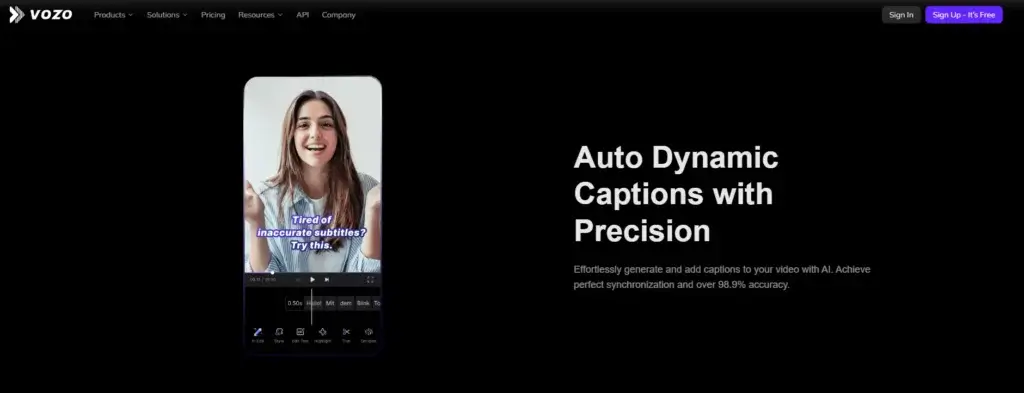
Pros and Cons
Benefits and Limitations of VOZO
Positive
✅ Built for multilingual video workflows
✅ Voice cloning and lip sync are major strengths
✅ Visual translation is genuinely useful
✅ Editable workflow
✅ Flexible pricing ladder
Negative
❌ Not a traditional editor first
❌ Best value requires paid plans
❌ Lip sync has some technical limitations
❌ Security wording should be read carefully
VOZO has a strong product-market fit, but it is still more suitable for some buyers than others. It is strongest when localization is your main priority. It is less convincing if you want a broad all-purpose editing suite.
✅ Pros
- Built for multilingual video workflows: VOZO is much more focused on localization than many general AI video tools.
- Voice cloning and lip sync are major strengths: These are among the product’s clearest differentiators.
- Visual translation is genuinely useful: Translating on-screen text gives it more depth than tools that only handle audio.
- Editable workflow: You can review transcripts, translations, timing, subtitles, and lip sync instead of relying on pure automation.
- Flexible pricing ladder: The platform gives you a free entry point and then scales up to higher-usage team tiers.
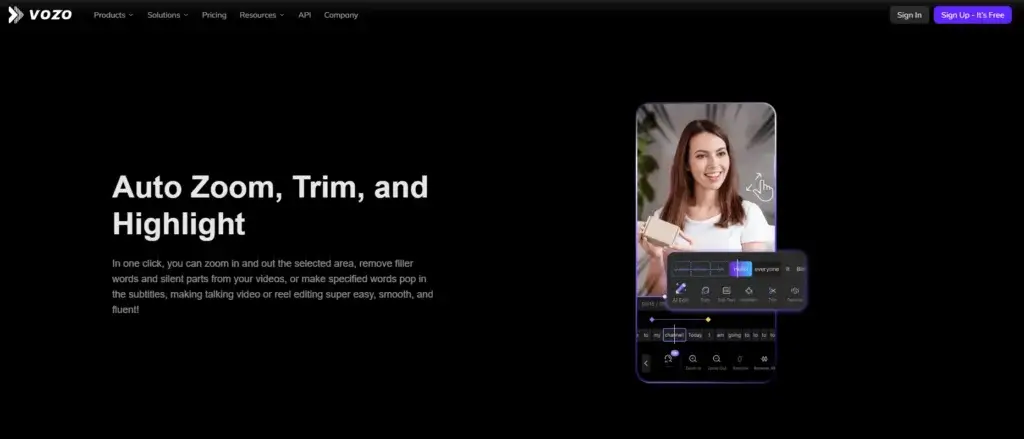
❌ Cons
- Not a traditional editor first: If you need deep timeline control, motion graphics, or complex post-production, VOZO is not the best fit.
- Best value requires paid plans: The free plan is useful for testing, but serious usage pushes you toward Creator or Studio.
- Lip sync has some technical limitations: The API docs note single-face support for some lip sync workflows, which is important to know.
- Security wording should be read carefully: VOZO references SOC 2 Type II controls with audit in progress rather than presenting it as a completed certification in the same wording.
User Experience
User Interface and Workflow
Onboarding and first project setup
VOZO is easier to understand than many localization workflows because it is built around a clear output goal. You upload a video, choose a target language, work through the transcript and translation steps, and then decide whether to add subtitles, dubbing, lip sync, or visual translation. That is a practical flow for first-time users.
Editing and proofreading experience
One of the better signs here is that VOZO does not present localization as a one-click miracle. The workflow explicitly includes proofreading transcription and speakers, editing translations, adjusting audio timing and speed, then adding subtitles or lip sync. That extra review layer is exactly what serious users need.
Collaboration and team readiness
VOZO is clearly trying to support more than solo creators. Team workspaces, admin controls, seats, concurrent task limits, bulk upload, glossary controls, and brand governance all point toward broader operational use. That makes it more suitable for agencies and in-house teams than lightweight consumer tools.
Overall ease of use
I would describe VOZO as specialized but accessible. It is not as universally familiar as a mainstream online editor, but it is easier to adopt than building a translation workflow from multiple disconnected tools. If your team already knows why video localization matters, the product should make sense quickly.
Pricing and Plans
How Much Does VOZO Cost?
VOZO has a fairly clear pricing structure for the main tiers, starting with a free plan and moving into Creator and Studio. The platform also lists Studio XL and Studio XXL for higher-volume production, though the displayed pricing on those tiers should be verified directly before purchase.
| Plan | Best For | Main Notes |
| Free | Testing the platform | 3 projects, 20 AI points, about 6 dubbing minutes, 2 lip sync minutes, 1 seat |
| Creator | Solo creators | $29/month, about 50 dubbing minutes, 15 lip sync minutes, watermark removed, 1 seat |
| Studio | Pro creators and teams | $99/month, about 200 dubbing minutes, 60 lip sync minutes, bulk upload, glossary, 3 seats |
| Studio XL / XXL | Higher-volume production | More points, more seats, higher concurrency, pricing display should be confirmed directly |
In practice, VOZO’s value depends on how often you localize video content. If you only need occasional captioning or simple edits, the platform may be more specialized than necessary. But if you routinely create multilingual versions of the same asset, VOZO can replace a lot of manual effort.
Is VOZO good value?
Yes, for the right buyer. I think VOZO offers the most value when you care about multilingual reach, not just video editing. For creators and businesses translating ads, tutorials, courses, interviews, demos, or social content, the time savings can justify the cost quickly.
Use Cases & Suitable Users
Who Should Use VOZO
VOZO is best for users who already have video content and want to adapt it for different languages and markets more efficiently.
- Marketing teams: Great for localizing product videos, ads, explainers, and campaign assets.
- YouTube creators: Strong fit if you want to expand into new language audiences.
- Course creators: Useful for making educational content available in more regions.
- Agencies: Helpful for multilingual client delivery and repeatable localization workflows.
- Training teams: Good for onboarding, tutorials, and internal communication across global teams.
It is less ideal if your main need is advanced editing, cinematic production, or heavy creative storytelling from scratch. VOZO is a localization platform first, and I think that is the best way to evaluate it.
Comparison with Alternatives
How VOZO Compares to Alternatives
VOZO sits in a specialized part of the AI video market. It overlaps with broader AI video tools, but its strongest case is still localization depth.
VOZO vs HeyGen
HeyGen is often the more visible brand, especially for AI avatars and broad AI video generation. VOZO feels more focused on translating existing video content with editing, speaker-aware dubbing, lip sync, and on-screen text translation. I would lean toward VOZO when localization is the priority, and HeyGen when avatar-led creation is the center of the workflow.
VOZO vs Synthesia
Synthesia is stronger when you want scripted avatar videos for training, onboarding, or corporate communications. VOZO is more appealing when you already have real source video and want to localize it cleanly into multiple languages. Those are related needs, but not the same one.
VOZO vs VEED
VEED is a broader browser-based editor with subtitles, recording, templates, and general content creation tools. VOZO is narrower, but deeper in localization. If your team mainly needs multilingual dubbing, lip sync, and visual translation, VOZO is the more focused choice.
VOZO vs Descript
Descript is stronger for transcript-led editing, podcasts, and spoken-word content workflows. VOZO is stronger if your main job is multilingual video adaptation rather than text-based editing. I would choose based on whether you prioritize editing spoken content or scaling localization.
VOZO vs Rask AI
Rask AI is another serious video localization option. The main difference is positioning. VOZO stands out for combining voice cloning, lip sync, visual translation, and editable review steps in a polished workflow. That makes it especially compelling for teams that want more control over the final result.
Best Use Tips
Tips & Best Practices When Using VOZO
To get more value from VOZO, treat it as a localization workflow platform, not just a one-time dubbing tool.
- Start with high-quality source audio: Cleaner input usually leads to better transcripts, translations, and dubbing.
- Proofread before export: Review transcripts and translated lines instead of relying only on the first AI pass.
- Use lip sync selectively: It adds value for talking-head videos, interviews, and tutorials where realism matters most.
- Check on-screen text carefully: Visual translation is powerful, but business-critical visuals still deserve a manual review.
- Match the plan to your output volume: Creator works for lighter use, while Studio makes more sense for repeatable team workflows.
- Use glossary and brand controls if available: That helps keep terminology and messaging more consistent across languages.
- Validate enterprise claims directly: If security or scale matters heavily, confirm the latest details with sales before rollout.
Conclusion
Final thoughts
VOZO is one of the more compelling AI video localization tools you can consider in 2026. Its biggest strength is not that it tries to do everything. It is that it focuses on a very specific and increasingly valuable problem, helping you turn existing videos into multilingual assets faster and with better output quality than basic subtitle-only workflows.
For marketers, creators, educators, and global teams, that focus makes a lot of sense. Voice cloning, lip sync, visual translation, subtitle translation, and editable review steps give VOZO a stronger real-world localization story than many broader AI video platforms.
It is not the best platform for every kind of video creator. If you need classic editing depth first, you may be happier elsewhere. But if your goal is to translate, dub, and adapt videos for wider reach without rebuilding the entire production process each time, VOZO is absolutely worth serious consideration.
Frequently Asked Questions
Have more questions?
What is VOZO used for?
VOZO is used for AI video translation, dubbing, lip sync, subtitle translation, visual translation, and multilingual video localization. It is especially useful when you want to adapt existing videos for different languages and regions.
Is VOZO a video editor?
Partly, but that is not the main reason to choose it. VOZO is better understood as a video localization platform with editing and review controls built into the workflow.
How many languages does VOZO support?
VOZO says it supports video translation in more than 110 languages, which makes it suitable for broad global content distribution.
Does VOZO support voice cloning?
Yes. Voice cloning is one of VOZO’s main selling points, and it is built into the dubbing workflow to help preserve the speaker’s identity across languages.
Can VOZO lip sync dubbed videos?
Yes. Lip sync is one of VOZO’s strongest features, especially for talking-head videos, tutorials, interviews, and other speaker-led content.
Can VOZO translate on-screen text too?
Yes. VOZO includes visual translation, which means it can help localize on-screen text in addition to spoken audio and subtitles.
Does VOZO have a free plan?
Yes. VOZO offers a free plan with limited project volume and AI usage, which is enough for testing the platform before moving to a paid tier.
Who should use VOZO?
VOZO is best for marketers, creators, educators, agencies, and global teams that need to localize video content efficiently across multiple languages.
What are VOZO’s biggest drawbacks?
The main drawbacks are that it is not a full traditional editing suite, the best value sits in paid tiers, and some technical limitations matter for advanced lip sync or enterprise buyers.
Is VOZO worth it?
Yes, if localization is the main goal. If you need to translate, dub, and adapt videos for broader reach without rebuilding the production process manually, VOZO is a strong option worth considering.





