
Introduction
Choosing the best AI agent toozals for work is becoming one of the most important software decisions for modern teams. AI agents are no longer just chatbots that answer questions. The stronger platforms can now monitor work, access business data, trigger workflows, update records, draft content, summarize information, and complete repeatable tasks with human oversight.
This shift matters because most teams already use too many disconnected apps. You may have projects in one place, customer data in another, internal knowledge in a wiki, and daily communication in Slack or Microsoft Teams. AI agent tools help connect those systems and reduce the manual work between them.
In this guide, you’ll compare 10 of the best AI agent tools for work in 2026: monday.com, ChatGPT Workspace Agents, Microsoft Copilot Studio, ClickUp Brain and Super Agents, HubSpot Breeze Agents, Zapier Agents, Lindy, Relevance AI, Gumloop, and n8n.
The goal is simple: help you choose the right AI agent software based on your workflows, team size, technical skill level, integrations, security needs, and budget.
What Are AI Agent Tools?
AI agent tools are software platforms that let you create or use AI systems that can reason, use tools, access data, and take action. Instead of only replying to a prompt, an AI agent can follow instructions across multiple steps.
For example, an AI agent might read new support tickets, classify them, draft responses, update a CRM record, create a follow-up task, and notify the right person. The value is not only the AI-generated text. The value is the ability to connect context, logic, and action.
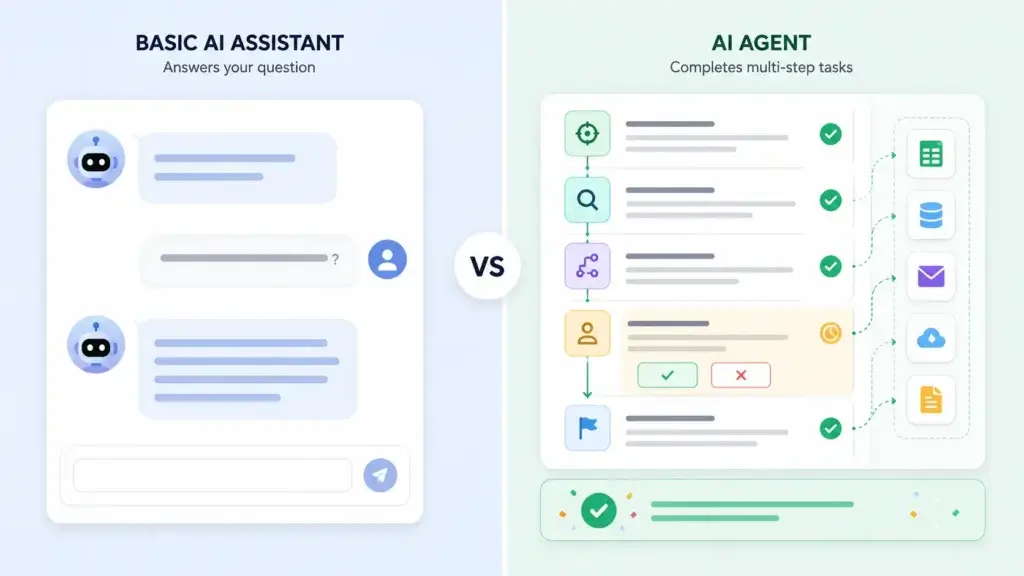
AI agents vs AI assistants
An AI assistant usually waits for a user to ask a question. An AI agent can be configured to monitor events, follow rules, use tools, and complete a process. This is why AI agent software is becoming especially useful for operations, sales, support, marketing, project management, and admin work.
AI agents vs traditional automation
Traditional automation follows fixed rules. It is reliable when the process is predictable. AI agents are more flexible because they can interpret context, generate content, classify information, and decide which step to take next within defined guardrails.
The strongest setup often combines both. You use deterministic automation for predictable steps, and AI agents for judgment-heavy work such as summarizing, routing, drafting, researching, or analyzing.
What to Look for in the Best AI Agent Tools
Before comparing the tools, focus on the practical criteria that determine whether an AI agent platform will actually help your team.
- Workflow fit – Does the agent work inside the tools your team already uses?
- Ease of setup – Can non-technical users build agents, or do you need developers?
- Integrations – Does it connect to your CRM, project tools, email, docs, calendar, and databases?
- Human oversight – Can you add approvals before the agent sends messages or updates records?
- Security and permissions – Does the agent respect user roles, access controls, and data boundaries?
- Reliability – Can you monitor agent runs, inspect decisions, and fix errors?
- Pricing model – Does it charge per seat, credit, activity, task, or outcome?
With those criteria in mind, here are the top AI agent tools for work in 2026.
Best AI Agent Tools Compared
The table below gives you a quick overview before you dive into the detailed reviews.
| Tool | Best For | Agent Type | Ease of Use | Best Team Fit | Main Limitation |
| monday.com AI Agents | Work management | Native work agents | Easy to medium | Operations, PMO, business teams | Best inside monday.com |
| ChatGPT Workspace Agents | Knowledge work | Custom workspace agents | Medium | Cross-functional business teams | Requires governance |
| Microsoft Copilot Studio | Enterprise agent building | Custom business agents | Medium | Microsoft 365 organizations | More complex for small teams |
| ClickUp Brain | Project and task execution | Workspace agents | Easy to medium | ClickUp users | Best inside ClickUp |
| HubSpot Breeze Agents | CRM, sales, and support | CRM-native agents | Easy | Marketing, sales, service teams | Best inside HubSpot |
| Zapier Agents | No-code app automation | Cross-app agents | Easy | No-code teams | Costs can scale with usage |
| Lindy | Admin work | AI executive assistant | Easy | Founders, executives, SMBs | Less suited to structured PM |
| Relevance AI | AI workforce building | Multi-agent teams | Medium | GTM and operations teams | Enterprise-focused pricing |
| Gumloop | Visual AI workflows | Agents plus workflows | Medium | Ops, sales, marketing teams | Credit usage needs monitoring |
| n8n | Technical AI automation | Workflow-based agents | Advanced | Technical teams and builders | Needs more setup skill |
monday.com AI Agents

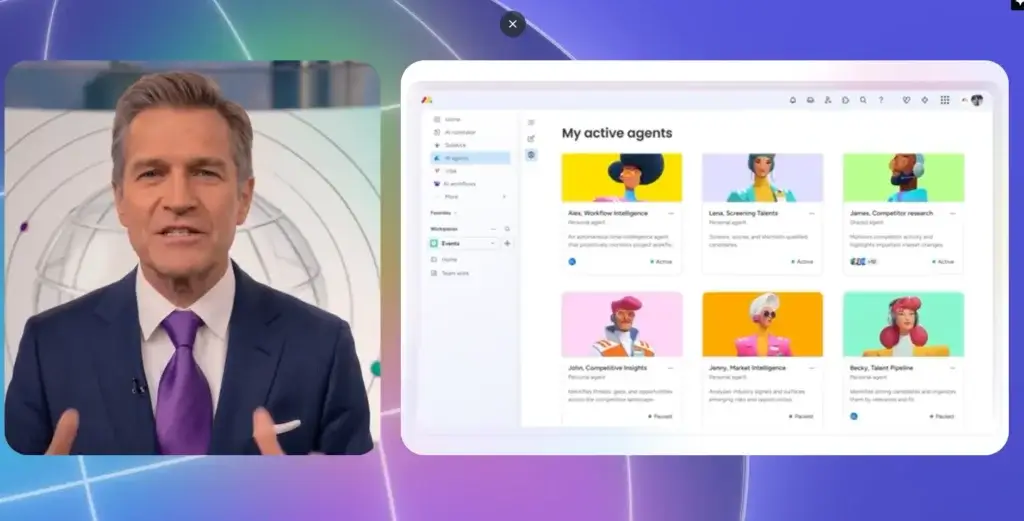
monday.com is my top recommendation for the best AI agent tool for work management because it connects AI agents directly to the place where work already happens. Instead of treating AI as a separate assistant, monday.com is positioning itself as an AI work platform where people and agents work side by side.
This makes monday.com especially useful if your team already manages projects, campaigns, operations, CRM workflows, or service processes in boards. The agent can work with live work data, follow account permissions, and help execute tasks inside existing workflows.
Core features and capabilities
- Native monday agents – Build agents that act inside boards, workflows, and business processes.
- AI workflow builder – Orchestrate workflows that combine AI agents, automations, and human review.
- AI columns – Use AI directly inside boards for classification, summaries, and repetitive work.
- Sidekick assistant – Use a context-aware assistant that understands work across your account.
- Tools on Demand – Build API-based tools from plain-language requests when a direct integration is unavailable.
- Work management foundation – Boards, dashboards, automations, forms, docs, views, and permissions are already included.
Ideal use cases
monday.com is strongest when you want AI agents to manage structured work. It is ideal for marketing operations, customer onboarding, HR requests, support workflows, internal approvals, campaign planning, and cross-functional project execution.
For example, you can use an agent to monitor new requests, summarize submitted forms, assign items to the right team, flag missing information, update statuses, and create follow-up tasks.
Strengths and limitations
Strengths:
- Excellent fit for project management and operations teams.
- AI agents work inside boards and workflow context.
- Strong visual dashboards and reporting.
- Good balance between no-code setup and business control.
- Useful across multiple departments, not only one function.
Limitations:
- Best value comes when your team already uses monday.com heavily.
- AI credit usage needs monitoring as agent workflows scale.
- Advanced governance and scale features may require higher-tier plans.
Pricing and plans
monday.com offers a free plan for individual users and paid plans that scale by seat count and feature tier. Its public pricing page shows paid plans starting from a three-seat minimum, with Pro and Enterprise options adding advanced AI, automation, security, and workflow features. AI functionality is tied to credits, so larger agent workflows may require additional usage planning.
ChatGPT Workspace Agents

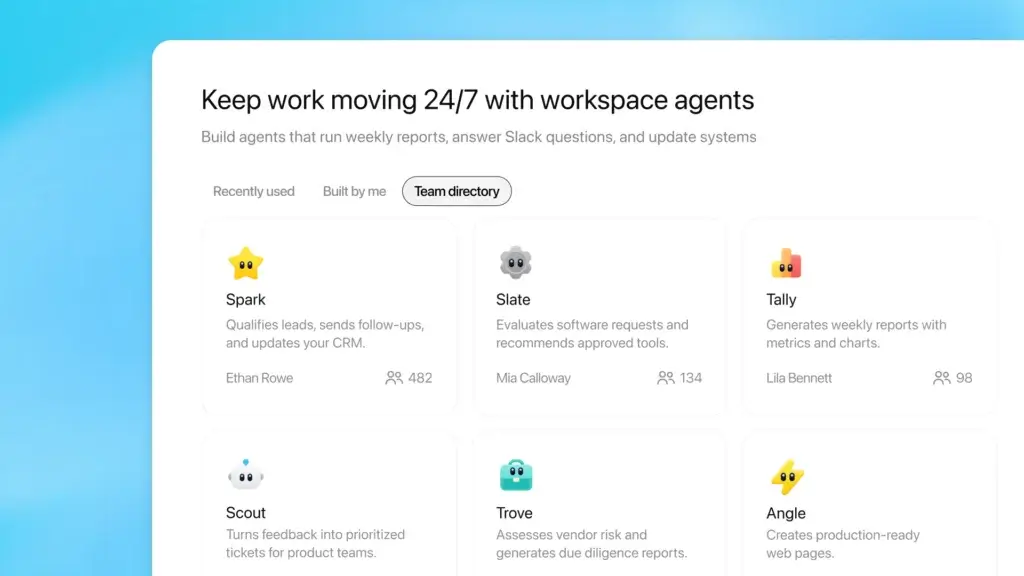
ChatGPT Workspace Agents are a strong choice when your team wants reusable agents for knowledge work. They are designed for repeatable workflows across ChatGPT, Slack, connected apps, internal files, and shared team processes.
This is different from asking ChatGPT a one-off question. Workspace agents can be created from templates or from scratch, tested before publishing, shared with your team, triggered through an API, used in Slack, and run on a schedule.
Core features and capabilities
- Custom agent builder – Create agents from templates or plain-language instructions.
- Shared workspace directory – Let teams reuse approved agents instead of rebuilding prompts.
- Slack support – Deploy agents into Slack for team workflows and notifications.
- Scheduled runs – Run agents on a recurring basis for reports and operational updates.
- Connected tools – Give agents access to approved apps, files, and business context.
- Admin controls – Manage visibility, permissions, and role-based access.
Ideal use cases
ChatGPT Workspace Agents are best for teams that need help with research, documentation, report generation, meeting follow-ups, internal Q&A, sales prep, product feedback analysis, and recurring business summaries.
For example, a marketing team could create an agent that reviews campaign notes, analyzes performance data, drafts a weekly summary, and posts it to Slack for review.
Strengths and limitations
Strengths:
- Excellent for knowledge work and content-heavy workflows.
- Flexible enough for many departments and processes.
- Can be shared across a workspace.
- Strong natural-language experience.
- Useful for both individuals and teams.
Limitations:
- Needs careful governance for sensitive company data.
- Best results require clear instructions and testing.
- Availability and pricing depend on eligible ChatGPT plans.
Pricing and plans
Workspace Agents are available for eligible ChatGPT Business, Enterprise, Edu, and Teachers plans. OpenAI has also described credit-based pricing for workspace agents, so teams should review plan availability, workspace controls, and usage limits before rolling agents out widely.
Microsoft Copilot Studio

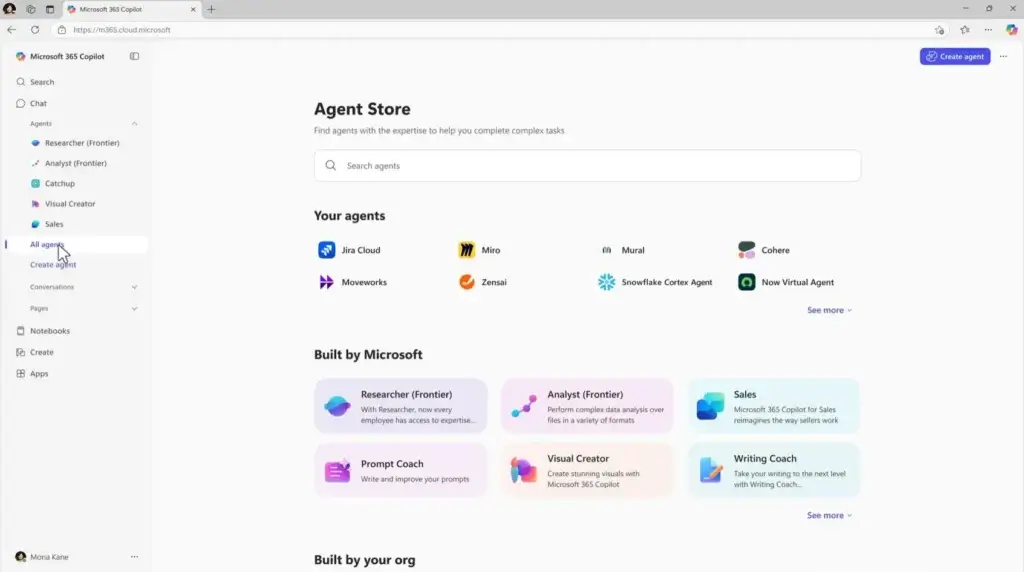
Microsoft Copilot Studio is one of the strongest AI agent tools for enterprise teams already invested in Microsoft 365, Teams, SharePoint, Power Platform, and Dynamics. It is built for creating, deploying, and managing agents across business environments.
The platform is especially relevant when you need governance, enterprise identity controls, data connectivity, and deployment across multiple channels. It is more complex than lightweight AI agent tools, but that complexity can be valuable for larger organizations.
Core features and capabilities
- Agent builder – Create custom business agents for internal or external workflows.
- Microsoft 365 integration – Connect agents to Microsoft tools and business data.
- Multi-channel deployment – Publish agents to internal and external channels.
- Copilot Credits – Use usage-based or credit-pack billing for agent actions and responses.
- Enterprise controls – Manage access, security, governance, and deployment policies.
- Power Platform alignment – Connect agents with broader automation and business app workflows.
Ideal use cases
Copilot Studio is best for internal knowledge agents, HR service agents, IT help desk agents, customer service agents, employee onboarding workflows, and enterprise process automation.
If your company already uses Microsoft 365 heavily, Copilot Studio can be a natural extension of your existing stack.
Strengths and limitations
Strengths:
- Strong fit for Microsoft 365 environments.
- Enterprise-ready governance and admin controls.
- Supports internal and external agent deployment.
- Works well with Power Platform and business data.
- Flexible pricing options for larger organizations.
Limitations:
- More complex than most no-code agent tools.
- May be too heavy for freelancers and small teams.
- Requires planning around credits, usage, and governance.
Pricing and plans
Copilot Studio can be purchased through tenant-wide Copilot Credit packs, with Microsoft listing 25,000 Copilot Credits at $200 per pack per month. It also supports pay-as-you-go billing through Azure for organizations that prefer usage-based scaling.
ClickUp Brain and Super Agents

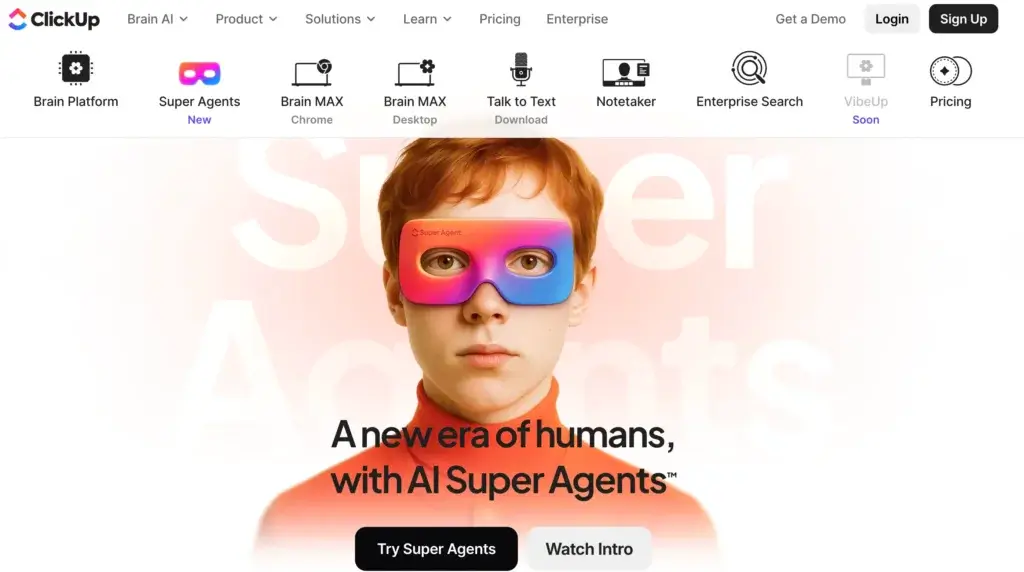
ClickUp is one of the best AI agent tools if your team already uses ClickUp for tasks, docs, chat, dashboards, and project management. ClickUp Brain provides contextual AI across your workspace, while Super Agents act as AI-powered teammates that can complete multi-step workflows.
The biggest advantage is context. ClickUp agents can work with your tasks, docs, comments, lists, spaces, and connected sources. That makes them especially useful for project status, workload updates, task follow-up, and team coordination.
Core features and capabilities
- ClickUp Brain – Contextual AI connected to people, work, and knowledge.
- Super Agents – AI teammates that can perform multi-step workflows.
- Natural-language builder – Create agents by describing what you need.
- Workspace memory – Agents can use context and memory to improve over time.
- Task and chat triggers – Trigger agents from comments, chat, or automations.
- Project management tools – Tasks, docs, dashboards, whiteboards, goals, time tracking, and views.
Ideal use cases
ClickUp is ideal for project-heavy teams that want AI agents inside their work execution platform. Use it for weekly project summaries, sprint updates, risk alerts, task cleanup, content workflows, client status reports, and internal knowledge lookup.
Strengths and limitations
Strengths:
- Strong project and task management context.
- Useful for teams already working inside ClickUp.
- Agents can be created with natural language.
- Good fit for agencies, startups, and project teams.
- Combines docs, tasks, chat, and dashboards.
Limitations:
- Can feel overwhelming for new users.
- AI features and credits add another pricing layer.
- Best results depend on clean workspace structure.
Pricing and plans
ClickUp base plans include Free Forever, Unlimited, Business, and Enterprise options. AI features are sold separately through ClickUp Brain and AI Super Credits. ClickUp lists AI Super Credits at $10 for 10,000 credits, used for Super Agents, AI Fields, image generation, and related features.
HubSpot Breeze Agents

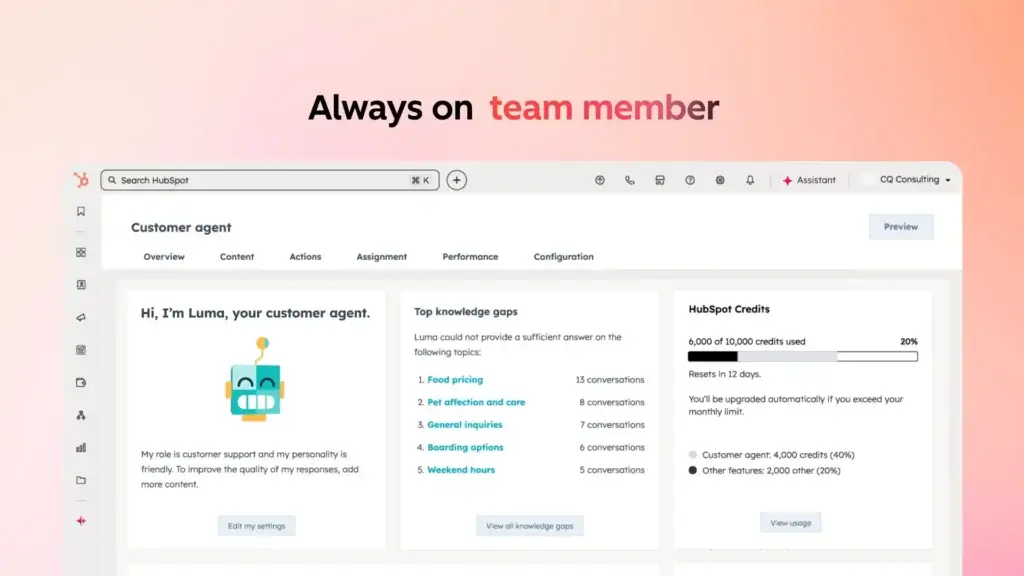
HubSpot Breeze Agents are a strong choice if your main AI agent use case is CRM automation. These agents are built into HubSpot’s Smart CRM, which means they can work with customer records, conversations, leads, deals, and service context.
HubSpot is especially useful for small and mid-sized businesses that want AI agents for customer support, sales prospecting, data enrichment, and marketing workflows without adopting a heavy enterprise AI platform.
Core features and capabilities
- Customer Agent – Resolves customer conversations using CRM and support context.
- Prospecting Agent – Recommends outreach for leads and sales workflows.
- Data Agent – Answers questions about business and CRM data.
- Breeze Assistant – Helps with content, context, and embedded AI tasks.
- CRM-native context – Uses customer, deal, and conversation data inside HubSpot.
- Outcome-based pricing – Certain agents are priced based on completed results.
Ideal use cases
HubSpot Breeze Agents are ideal for sales teams, support teams, marketing teams, and customer success teams already using HubSpot. You can use them to qualify leads, resolve common support questions, enrich CRM data, summarize customer context, and support sales outreach.
Strengths and limitations
Strengths:
- Excellent fit for HubSpot CRM users.
- Strong use cases across sales, marketing, and support.
- Outcome-based pricing is easy to understand for some workflows.
- Good option for SMB and mid-market teams.
- Works with customer context already stored in HubSpot.
Limitations:
- Best value depends on using HubSpot as your CRM.
- Advanced agent access varies by HubSpot edition.
- Not designed as a general-purpose workflow automation platform.
Pricing and plans
HubSpot states that Breeze is free to start and scales through HubSpot Credits and outcome-based pricing. Public pricing examples include $0.50 per Customer Agent resolution, $1.00 per Prospecting Agent lead, and $0.10 per Data Agent answer. Available features vary by HubSpot edition.
Zapier Agents
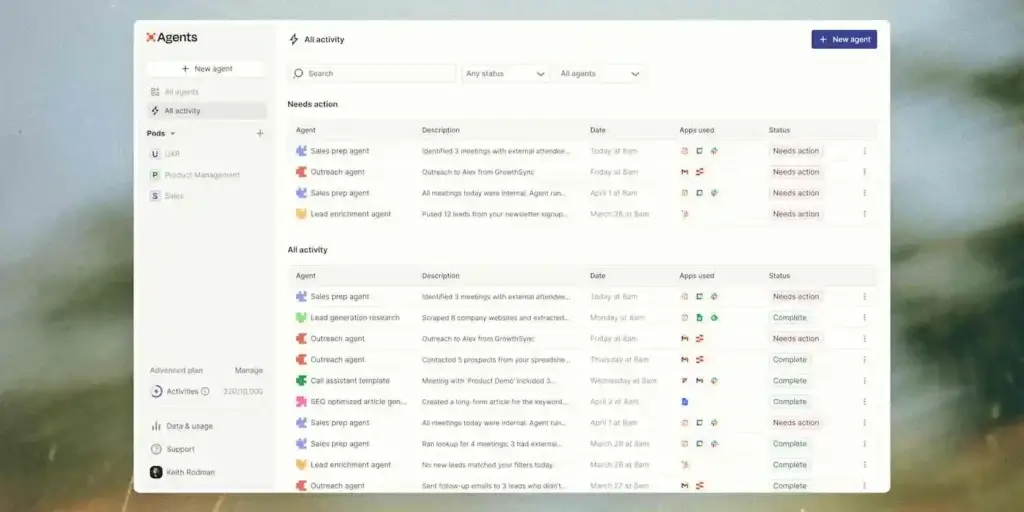
Zapier Agents is one of the most practical AI agent tools for teams that want to automate work across many apps. Zapier is already known for no-code automation, and its agent platform extends that idea by letting you create AI teammates that use business knowledge and connected apps.
This is a strong option if your team uses a broad SaaS stack and needs agents to move information between tools like Gmail, Slack, Google Sheets, HubSpot, Salesforce, Notion, Airtable, and project management platforms.
Core features and capabilities
- AI teammates – Build specialized agents for business workflows.
- 9,000+ app connections – Connect agents to a wide range of SaaS tools.
- Company knowledge – Equip agents with business context and instructions.
- Agent activities – Agents can browse, look up information, and take actions.
- Zapier automation layer – Combine agents with Zaps, Tables, Interfaces, and workflows.
- No-code setup – Good for non-technical teams that need quick automation.
Ideal use cases
Zapier Agents is ideal for lead routing, inbox triage, CRM updates, spreadsheet enrichment, customer follow-ups, report preparation, and cross-app notifications.
If your team spends a lot of time copying data between apps, Zapier Agents can help reduce that operational drag.
Strengths and limitations
Strengths:
- Excellent app integration ecosystem.
- Easy for non-technical users to start.
- Good fit for cross-tool business workflows.
- Works well with existing Zapier automations.
- Useful for SMBs, agencies, and operations teams.
Limitations:
- High-volume automations can increase costs.
- Complex workflows still require careful setup.
- Not as structured as a full project management platform.
Pricing and plans
Zapier’s broader pricing is based on task usage, while Zapier Agents also use activities. The free plan includes a limited number of agent activities, and paid plans increase the available activity and automation capacity. Teams should calculate expected activity and task usage before scaling agent workflows.
Lindy

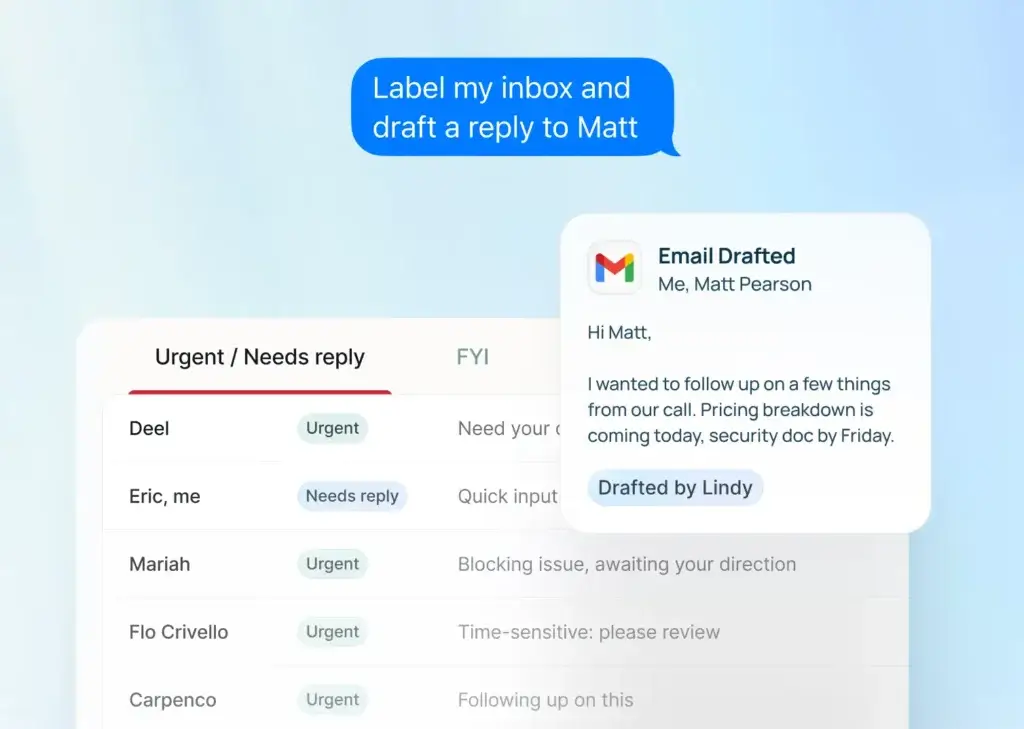
Lindy is best described as an AI executive assistant for daily admin work. While some AI agent platforms focus on complex workflow orchestration, Lindy focuses on practical tasks such as email drafting, scheduling, meeting notes, meeting prep, follow-ups, and inbox management.
This makes it a strong AI agent tool for founders, consultants, executives, recruiters, sales professionals, and small teams that need help with day-to-day coordination.
Core features and capabilities
- Email drafting – Draft replies and help manage inbox workflows.
- Meeting scheduling – Coordinate calendars and appointment booking.
- Meeting note taking – Capture notes, summaries, and follow-ups.
- Meeting prep – Help prepare context before calls.
- Connected inboxes – Support multiple inboxes depending on plan.
- 100+ integrations – Connect Lindy to key business and productivity tools.
Ideal use cases
Lindy is ideal for busy professionals who want to reduce time spent on administrative tasks. It is especially helpful for email-heavy roles, client-facing work, recruiting, founder operations, appointment scheduling, and sales follow-ups.
Strengths and limitations
Strengths:
- Very practical for daily admin work.
- Easy to understand compared with complex automation builders.
- Good fit for individuals and small teams.
- Strong email, calendar, and meeting workflow focus.
- Enterprise plan adds stronger compliance controls.
Limitations:
- Not a full project management system.
- Less suitable for structured process automation across departments.
- Pricing may be high for casual individual use.
Pricing and plans
Lindy’s public pricing includes Plus at $49.99 per month, Pro at $99.99 per month, Max at $199.99 per month, and Enterprise with custom pricing. Higher tiers add more usage, more connected inboxes, and additional enterprise controls.
Relevance AI

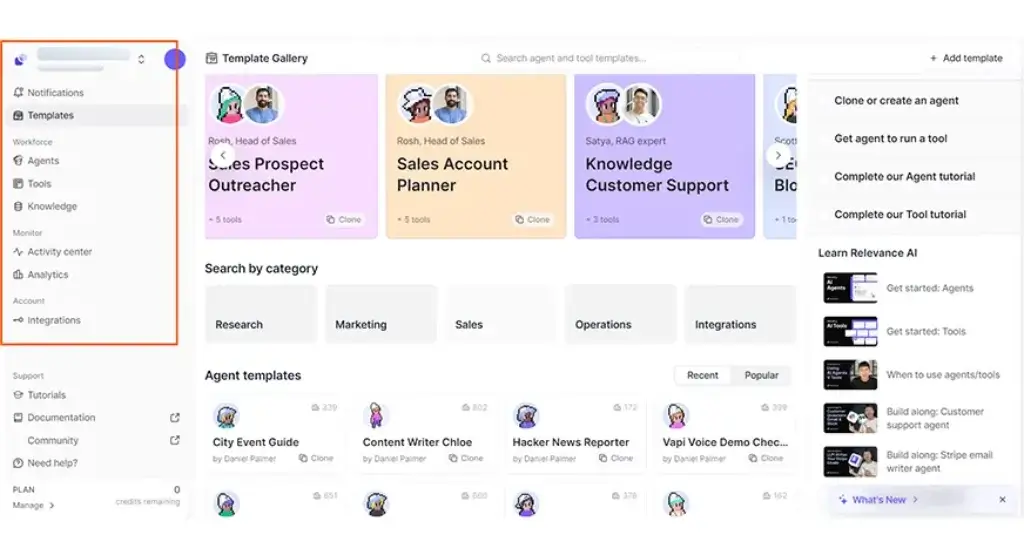
Relevance AI is a strong option for teams that want to build an AI workforce instead of a single assistant. It focuses on low-code and no-code agents, multi-agent teams, workforces, tools, knowledge, and human oversight.
This makes it especially relevant for go-to-market teams, sales operations, customer support, and internal operations teams that want several specialized agents working together.
Core features and capabilities
- AI agents – Build agents that autonomously complete specific business tasks.
- Multi-agent teams – Create workforces where specialized agents collaborate.
- No-code tools – Equip agents with actions, APIs, and workflow steps.
- Knowledge sources – Connect documents, websites, and data for better context.
- Human oversight – Add approvals and escalation workflows.
- Marketplace – Clone and customize prebuilt agents and templates.
Ideal use cases
Relevance AI is best for sales prospecting, lead research, account enrichment, customer support automation, internal operations, report generation, and task-specific AI workers.
It is most useful when you want to build several agents with defined responsibilities instead of relying on one general-purpose assistant.
Strengths and limitations
Strengths:
- Strong multi-agent workforce concept.
- Good for GTM, sales, and operations teams.
- Supports tools, knowledge, and workflows.
- Designed for business users, not only developers.
- Enterprise features include SSO, RBAC, audit logs, and evaluations.
Limitations:
- Can be more advanced than basic no-code automation tools.
- Pricing is more enterprise-oriented.
- Requires clear process design to get the best results.
Pricing and plans
Relevance AI’s public pricing page focuses on Enterprise plans with custom pricing. Enterprise features include unlimited agents and tools, unlimited users and projects, integrations, calling and meeting agents, evaluations, analytics, SSO, RBAC, audit logs, and a dedicated account manager.
Gumloop
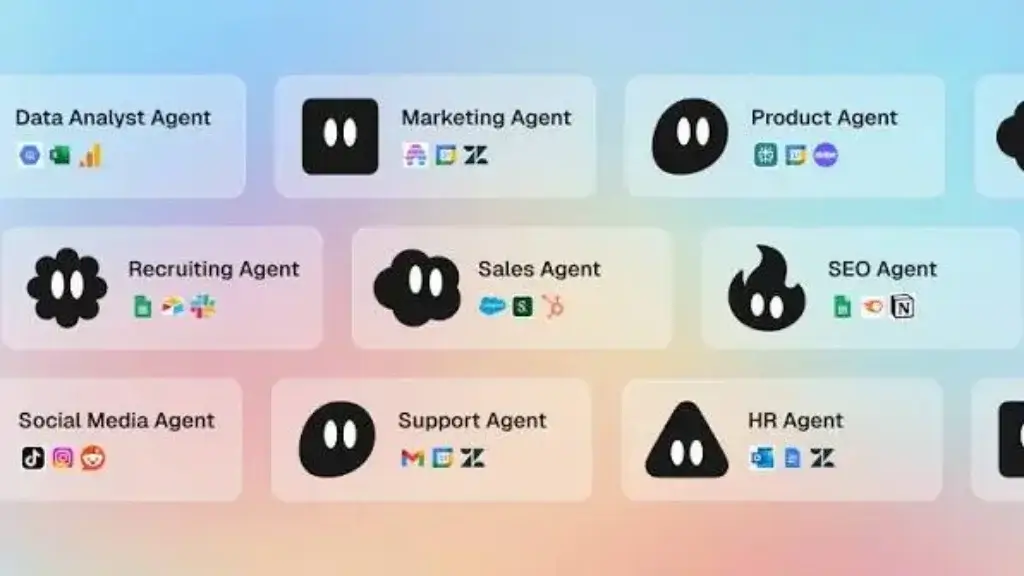
Gumloop is a strong AI agent tool for teams that want visual workflow automation without going fully technical. It combines agents and workflows, giving you a canvas-style way to connect AI steps, tools, triggers, and business processes.
The platform is especially useful for marketing operations, sales operations, data workflows, content workflows, and repetitive research or enrichment tasks.
Core features and capabilities
- Agents – AI-powered assistants that use tools to solve tasks.
- Workflows – Run agents automatically on a schedule, in bulk, or from triggers.
- Visual builder – Create automations with nodes and connected steps.
- Prebuilt nodes – Build workflows with app and data integrations.
- Concurrent agent interactions – Run multiple agent interactions based on plan limits.
- Credits model – Usage is measured through credits.
Ideal use cases
Gumloop is ideal for web research, lead enrichment, content repurposing, spreadsheet workflows, CRM updates, SEO research, data cleanup, and recurring business processes.
It is a good fit when your team wants something more flexible than simple automation, but less technical than building agents with code.
Strengths and limitations
Strengths:
- Good balance between visual workflows and AI agents.
- Useful for marketing, sales, and operations teams.
- Free plan is helpful for testing.
- Unlimited agents and flows are available even on the free tier.
- Stronger for process automation than basic AI assistants.
Limitations:
- Credit usage needs to be monitored carefully.
- More complex workflows still require process design skill.
- New users may need time to understand agents, nodes, and triggers.
Pricing and plans
Gumloop offers a free plan with 5,000 credits per month, one seat, one active trigger, two concurrent runs, and five concurrent agent interactions. The Pro plan starts at $37 per month and unlocks higher credit capacity and more workflow power.
n8n

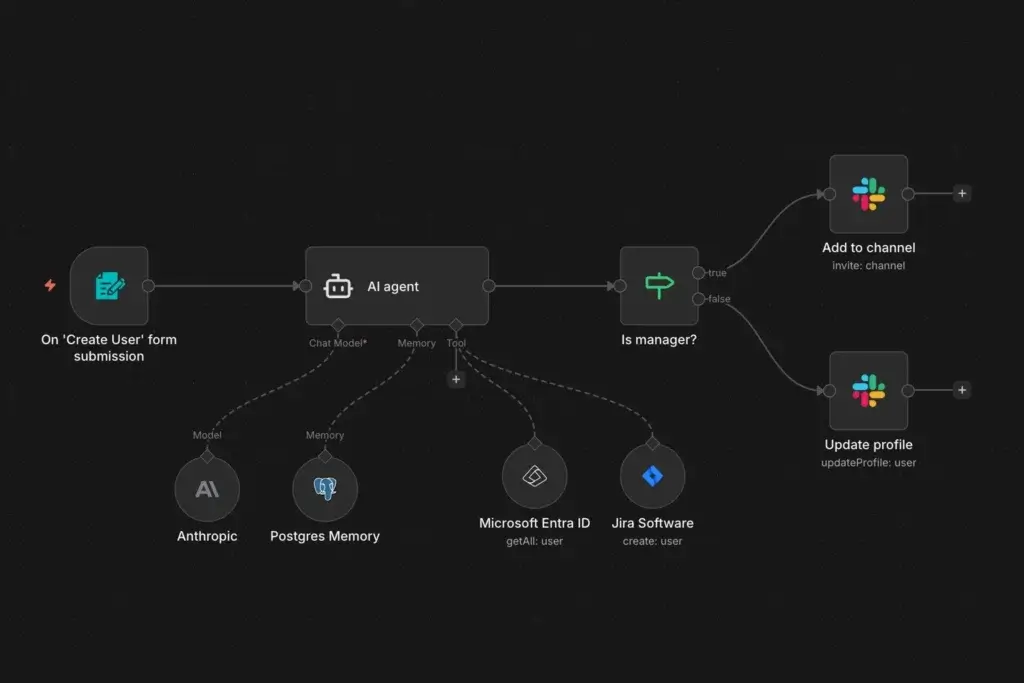
n8n is the best AI agent tool in this list for technical teams that want flexibility, control, and production-ready workflow automation. It is not just a chat interface. It is an automation engine that can combine triggers, APIs, conditional logic, custom code, memory, LLMs, and AI Agent nodes.
This makes n8n a strong choice for developers, operations teams, automation consultants, and companies that want more control than they get from simpler no-code platforms.
Core features and capabilities
- AI Agent node – Build autonomous workflows powered by AI.
- Visual workflow builder – Connect triggers, tools, APIs, and logic visually.
- Memory and tools – Add context, external tools, and app actions.
- Human-in-the-loop steps – Add approvals before high-impact actions.
- Custom code – Use code when workflows require deeper logic.
- Self-hosting option – Keep more control over infrastructure and data.
Ideal use cases
n8n is ideal for technical automation, internal operations, CRM syncing, AI research workflows, custom support routing, document processing, data enrichment, and multi-step business logic.
If you want to build AI agents that are explainable, inspectable, and connected to your systems, n8n is one of the most flexible options available.
Strengths and limitations
Strengths:
- Excellent control over workflow logic.
- Strong for technical and semi-technical teams.
- Supports AI agents, tools, memory, and approvals.
- Self-hosting gives teams more infrastructure control.
- Pricing is based on workflow executions, not every individual node.
Limitations:
- Steeper learning curve than Zapier or Lindy.
- Requires more setup and testing for production workflows.
- Non-technical teams may need help from an automation specialist.
Pricing and plans
n8n Cloud pricing includes Starter at €20 per month when billed annually, Pro at €50 per month when billed annually, Business at €667 per month when billed annually, and Enterprise custom pricing. n8n also offers self-hosting options for teams that want more control.
How to Choose the Right AI Agent Tool for Your Team
The best AI agent tool depends on where your work already lives. A general-purpose agent may sound attractive, but adoption usually improves when the agent sits inside the systems your team uses every day.
Choose based on your primary workflow
- Work management – Choose monday.com if you want agents inside projects, boards, and operations.
- Knowledge work – Choose ChatGPT Workspace Agents if you need reusable research, reporting, and documentation agents.
- Microsoft ecosystem – Choose Copilot Studio if your company runs on Microsoft 365 and needs enterprise governance.
- Project execution – Choose ClickUp if your team already works in ClickUp tasks, docs, and dashboards.
- CRM workflows – Choose HubSpot Breeze Agents if sales, marketing, and service are your main priorities.
- Cross-app automation – Choose Zapier Agents if you need AI to work across many SaaS tools.
- Admin support – Choose Lindy if email, calendar, and meetings are your biggest time drain.
- AI workforce – Choose Relevance AI if you want multiple specialized agents working together.
- Visual automation – Choose Gumloop if you want a visual agent and workflow builder.
- Technical control – Choose n8n if you need advanced logic, self-hosting, and custom workflows.
Decision matrix
Use this simplified matrix to narrow your choice quickly.
| Use Case | Best Tool | Why |
| Best overall for work management | monday.com AI Agents | Agents work directly inside boards, workflows, and business operations. |
| Best for knowledge teams | ChatGPT Workspace Agents | Flexible agents for research, reporting, Slack workflows, and internal processes. |
| Best for Microsoft 365 teams | Microsoft Copilot Studio | Enterprise-grade agent building connected to Microsoft business data. |
| Best for project management | ClickUp Brain and Super Agents | AI agents use ClickUp workspace context across tasks, docs, chat, and dashboards. |
| Best for CRM automation | HubSpot Breeze Agents | Agents work natively with HubSpot CRM, customer conversations, and sales data. |
| Best for no-code app automation | Zapier Agents | Connects agents across thousands of apps with minimal technical setup. |
| Best for admin work | Lindy | Focuses on inbox, calendar, meetings, scheduling, and follow-ups. |
| Best for multi-agent teams | Relevance AI | Built around AI workforces, specialized agents, tools, and knowledge. |
| Best visual workflow builder | Gumloop | Combines visual workflows with AI agents and trigger-based automation. |
| Best for technical automation | n8n | Gives builders more control over logic, APIs, memory, approvals, and hosting. |
Conclusion
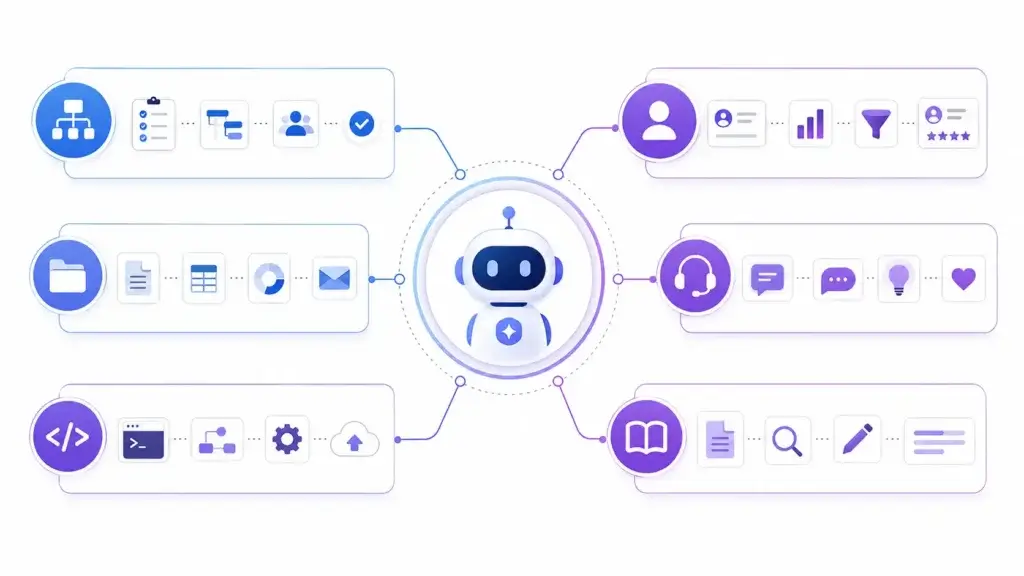
The best AI agent tools for work are not all competing in the same category. Some help you manage projects, some automate CRM workflows, some act as executive assistants, and others give technical teams full control over agentic workflow automation.
For most work management teams, monday.com AI Agents is the strongest overall recommendation because it connects AI agents directly to real business workflows. If your team needs a broader knowledge-work agent, ChatGPT Workspace Agents is the most flexible choice. For Microsoft-heavy enterprises, Microsoft Copilot Studio is the natural fit.
If your team already uses ClickUp, ClickUp Brain and Super Agents should be high on your list. If your work revolves around CRM, sales, service, and marketing, HubSpot Breeze Agents is a better match. For no-code automation across apps, Zapier Agents is easier to adopt, while n8n gives technical teams more control.
The right choice depends on where your work happens, how much control you need, and how comfortable your team is with agent setup and governance. Start with one clear workflow, test the agent with human review, measure the time saved, and then expand gradually.
FAQs
What is an AI agent tool?
An AI agent tool is software that lets you create or use AI systems that can reason, access tools, use business data, and take action across workflows. Unlike a basic chatbot, an AI agent can complete multi-step tasks with defined instructions and guardrails.
What is the best AI agent tool for work?
monday.com AI Agents is the best overall option for work management teams because it connects agents directly to boards, workflows, dashboards, and operational processes. ChatGPT Workspace Agents is stronger for general knowledge work and reusable team workflows.
What is the difference between AI agents and AI assistants?
AI assistants usually respond when you ask a question. AI agents can follow instructions, use tools, access approved data, trigger actions, and complete repeatable workflows with less manual input.
Are AI agents the same as automation tools?
No. Traditional automation tools follow fixed rules, while AI agents can interpret context, generate content, make decisions within guardrails, and choose actions based on the task. The best systems often combine both approaches.
Which AI agent tool is best for project management?
monday.com AI Agents is best for structured work management and cross-functional operations. ClickUp Brain and Super Agents are also strong if your team already manages projects, docs, tasks, and dashboards inside ClickUp.
Which AI agent tool is best for CRM workflows?
HubSpot Breeze Agents is the best option for HubSpot CRM users because it works with customer data, conversations, leads, sales workflows, and support context. It is especially useful for sales, marketing, and service teams.
Which AI agent tool is best for no-code automation?
Zapier Agents is one of the best no-code options because it connects to thousands of apps and helps non-technical teams automate work across tools. Gumloop is also strong if you prefer a visual workflow builder with AI agents.
Which AI agent tool is best for technical teams?
n8n is the best option for technical teams that want deeper control over logic, APIs, memory, approval steps, self-hosting, and production workflow automation. It has a steeper learning curve but offers more flexibility.
Can AI agents replace employees?
AI agents are better viewed as workflow assistants, not full employee replacements. They can automate repetitive work, summarize information, route tasks, and draft content, but human oversight is still important for decisions, approvals, quality control, and sensitive customer interactions.
How should I choose an AI agent platform?
Start by identifying one repeatable workflow that wastes time. Then compare tools based on where your work already happens, required integrations, ease of setup, security controls, human approval options, monitoring, and pricing model.