
Introduction
Choosing the right CRM is not only about comparing feature lists. It is about finding a system that fits the way you sell, manage leads, track opportunities, collaborate with your team, and turn pipeline activity into predictable revenue.
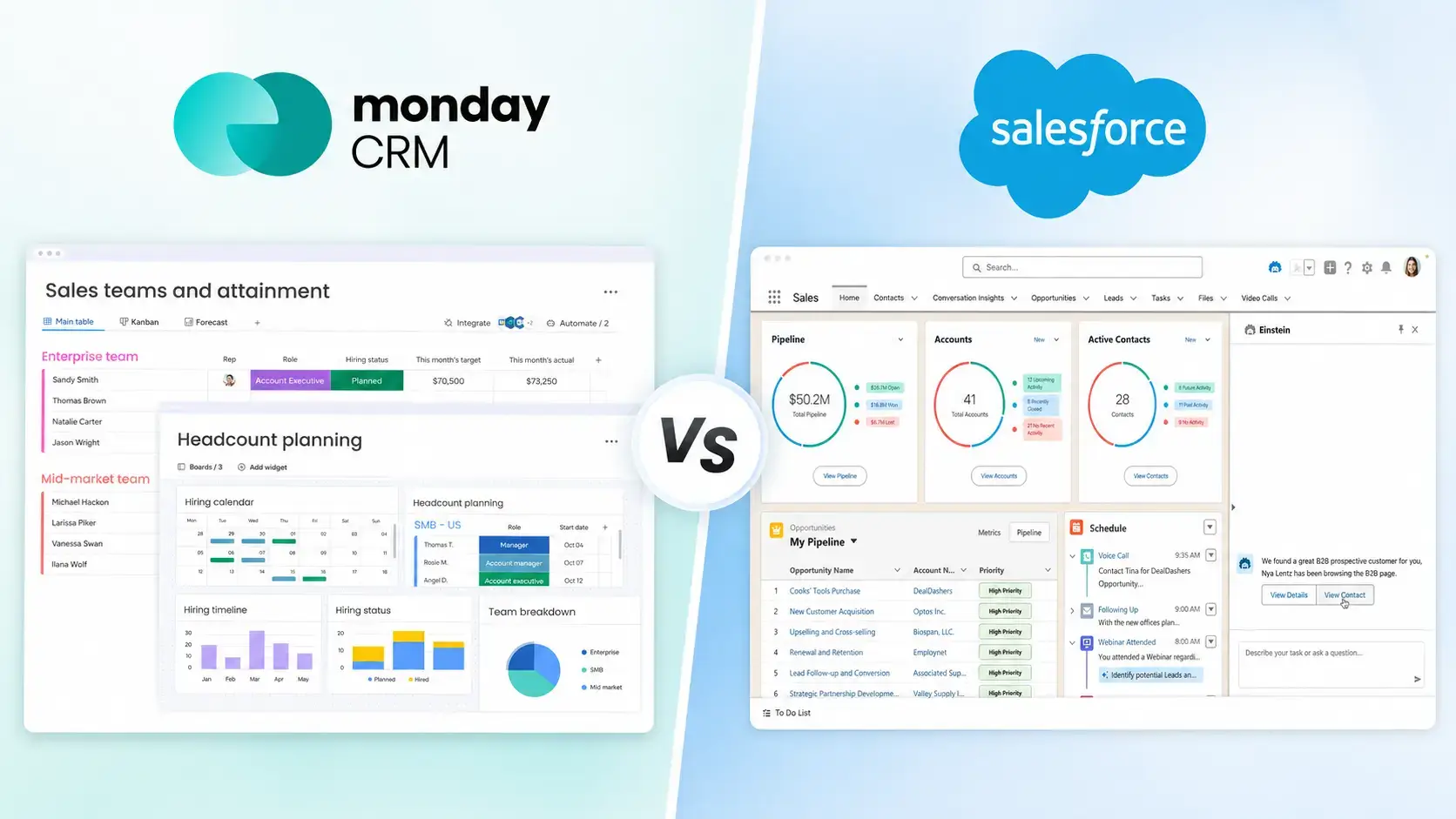
In this detailed monday CRM vs Salesforce comparison, you will see how both platforms compare across usability, features, automation, AI, integrations, pricing, security, customer reviews, implementation, and ideal use cases.
The short answer is simple: monday CRM is the better choice for many small and mid-sized teams that want a flexible, visual, and easier-to-adopt CRM. Salesforce is still one of the most powerful CRM platforms in the world, but it is usually a better fit for larger companies with complex workflows, admin resources, and bigger implementation budgets.
If you’re still learning the basics of CRM systems, you may want to start with our What is CRM Software guide before choosing a platform.
monday CRM vs Salesforce at a Glance
If you want the fastest comparison, monday CRM wins on usability, flexibility, setup speed, team collaboration, and day-to-day adoption. Salesforce wins on enterprise customization, ecosystem depth, advanced governance, and complex multi-department CRM workflows.
For most growing teams, that difference matters. A CRM only creates value when your team actually uses it, keeps data updated, and trusts the pipeline. This is where monday CRM has a clear advantage for small and mid-sized businesses.
| Category | monday CRM | Salesforce |
| Best For | Small and mid-sized teams that want a visual and flexible CRM | Large enterprises and complex organizations |
| Ease of Use | Very easy, visual, and highly customizable without heavy admin work | Powerful, but more complex to configure and maintain |
| Setup Time | Fast setup with templates, boards, and no-code customization | Often requires admin, consultant, or technical setup |
| Sales Pipeline Management | Excellent visual pipeline and deal tracking | Highly customizable opportunity and pipeline management |
| Automation | Practical no-code automations for sales workflows | Advanced automation through Flow and enterprise tools |
| AI Capabilities | AI Credits model with practical AI support inside workflows | Advanced AI through Einstein and Agentforce |
| Integrations | 200+ integrations plus no-code connectors | 7,000+ apps and certified consulting organizations through AppExchange |
| Total Cost | Lower and easier to predict for most SMBs | Higher, especially with add-ons, admin work, and support |
| Best Overall Choice | Best for most growing teams that want usability and flexibility | Best for large enterprises with complex CRM needs |
Overview of monday CRM and Salesforce
monday CRM and Salesforce are both respected CRM platforms, but they are built around very different product philosophies.
monday CRM is designed around flexibility, visual workflows, sales collaboration, and ease of adoption. Salesforce is designed as a broad enterprise CRM ecosystem that can support sales, service, marketing, commerce, analytics, AI, and custom business processes.
What Is monday CRM?
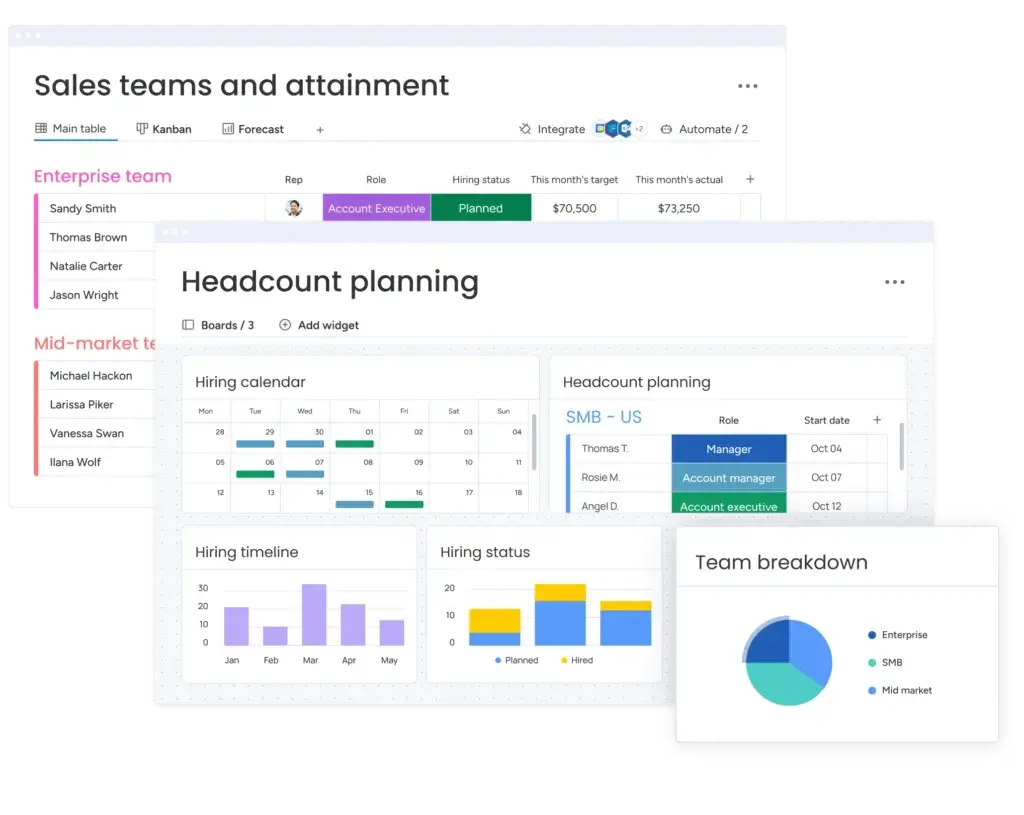
monday CRM is a flexible sales CRM built on the monday.com work platform. It helps you manage leads, deals, contacts, accounts, sales activities, automations, dashboards, and collaboration in one visual workspace.
The main advantage is that monday CRM does not feel like a traditional CRM database. It feels more like a customizable sales operating system where your team can build pipelines, views, automations, forms, dashboards, and handoff workflows without needing a dedicated CRM admin.
Main selling points:
- Visual and customizable sales pipelines
- Flexible boards, views, dashboards, and workflows
- No-code automations for sales and operations
- Strong collaboration for sales, marketing, and customer teams
- Practical AI capabilities through monday AI Credits
- Good fit for startups, agencies, SaaS teams, service businesses, and SMBs
What Is Salesforce?
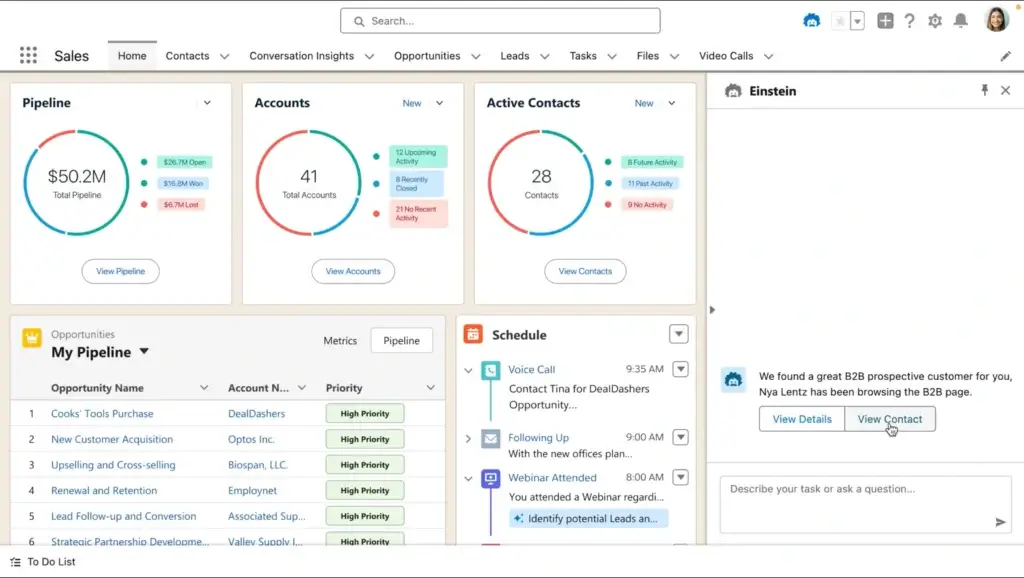
Salesforce is one of the most powerful CRM platforms in the market. It is built for organizations that need deep customization, advanced reporting, complex permissions, multi-team workflows, and a large ecosystem of connected business apps.
Salesforce can support almost any CRM process, but that flexibility comes with more complexity. You may need an admin, implementation partner, or internal revenue operations team to configure it correctly and keep it optimized over time.
Main selling points:
- Enterprise-grade customization
- Advanced automation through Salesforce Flow
- AI capabilities through Einstein and Agentforce
- Large AppExchange integration marketplace
- Strong fit for large sales organizations and regulated industries
For a larger enterprise, Salesforce can be the right foundation. For a leaner team that needs speed, adoption, and flexible CRM workflows, monday CRM is usually the smarter and more efficient choice.
Features Comparison
When comparing monday CRM vs Salesforce, the real question is not “Which CRM has more features?” It is “Which CRM gives your team the features they will actually use?”
Salesforce has more enterprise functionality overall, but monday CRM delivers core CRM features in a more accessible and user-friendly way.
Key CRM Features
| Feature | monday CRM | Salesforce |
| Sales Pipeline Management | Visual pipelines, custom deal stages, multiple views, and easy deal tracking | Highly customizable opportunity management, but setup can take longer |
| Contact and Account Management | Flexible contact, account, lead, activity, and communication tracking | Advanced account structures for complex sales organizations |
| Automation and Workflows | No-code automation for tasks, follow-ups, notifications, and deal movement | Advanced Flow Builder for complex business logic and multi-step processes |
| Reporting and Analytics | Visual dashboards, sales performance tracking, forecasting, and team insights | Advanced dashboards, forecasting, custom reports, and AI-driven insights |
| AI Features | AI Credits model for practical AI features across monday workflows | More advanced AI through Einstein and Agentforce, depending on plan and setup |
| Integrations and API | 200+ integrations, marketplace apps, Zapier, Make, and API options | 7,000+ apps and certified consulting organizations through AppExchange |
| Mobile App | Strong mobile access for updating boards, deals, and tasks | Feature-rich mobile app, but workflows may depend on configuration |
| Customer Support | 24/7 support available across plans | Tiered support model, with premium support adding cost |
Sales Pipeline Management
monday CRM is at its best when you need a clear and flexible way to manage opportunities. You can create custom pipelines, define deal stages, assign reps, monitor activity, build views, and track sales progress in a visual workspace.
The platform is especially useful if your pipeline does not fit a rigid CRM structure. You can create different boards for inbound sales, outbound sales, partnerships, renewals, account management, or customer onboarding. This flexibility makes monday CRM useful beyond traditional sales tracking.
Salesforce can also manage pipelines extremely well, but it usually requires more configuration. If your sales process has multiple teams, regions, product lines, approval rules, territory models, and forecasting layers, Salesforce gives you more control. If your team wants a CRM it can use quickly, monday CRM is easier to adopt.
Automation and Workflows
monday CRM gives you practical automation for everyday sales tasks. You can automate follow-up reminders, lead assignment, stage updates, email notifications, task creation, status changes, and handoffs between teams.
This is useful because many sales teams do not need highly complex automation. They need simple workflows that reduce manual work and keep deals moving.
Salesforce offers much deeper automation through Flow and related tools. That is excellent for enterprise workflows, but it can become too complex for smaller teams. Without proper setup, Salesforce automation can become difficult to maintain.
Reporting and Analytics
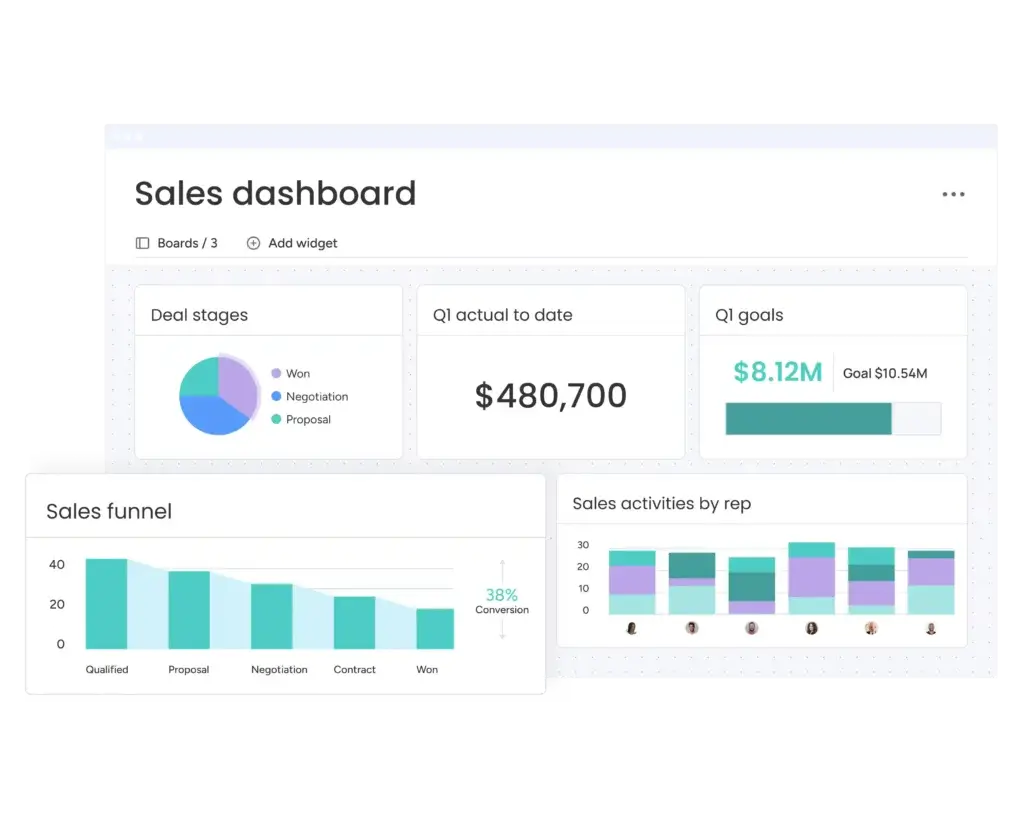
monday CRM reporting is built around visual dashboards. You can track deal value, pipeline progress, activity levels, owner performance, forecasted revenue, lead sources, and custom KPIs in a way that is easy for managers and reps to understand.
Salesforce reporting is more powerful and customizable. It is better for companies that need layered dashboards, advanced forecasting, cross-functional reporting, and executive analytics. However, to get the most from Salesforce reporting, you need clean data, proper configuration, and users who know how to build or interpret reports.
Unique Features
Both platforms offer unique advantages, but they solve different problems.
monday CRM’s Unique Features
- Flexible boards: Let you structure CRM data around your real sales process.
- Multiple views: Manage deals through Kanban, table, calendar, timeline, chart, and dashboard views.
- No-code workflows: Build automations without relying on developers.
- Work management connection: Connect sales with onboarding, projects, operations, and customer work.
- Collaborative CRM experience: Keep reps, managers, and cross-functional teams aligned.
Salesforce’s Unique Features
- Agentforce and Einstein AI: Supports predictive insights, AI agents, and advanced automation.
- Custom objects and apps: Lets you build highly tailored CRM workflows.
- Multi-cloud ecosystem: Connects sales, service, marketing, commerce, and analytics.
- Territory management: Useful for large sales organizations with regional or segment-based structures.
- Enterprise governance: Strong role management, permissions, and compliance options.
The difference is clear. Salesforce offers more depth, but monday CRM offers more usability and flexibility for everyday teams. For many businesses, that usability creates more value than having enterprise features they may never fully use.
AI and Automation: monday CRM vs Salesforce
AI is becoming a major part of CRM buying decisions. The important point is that monday CRM and Salesforce approach AI differently.
monday CRM’s AI capabilities are practical and workflow-focused. monday AI uses an AI Credits model, where credits measure AI usage across different monday AI capabilities. This gives teams a way to add AI into daily work, while still monitoring how usage scales.
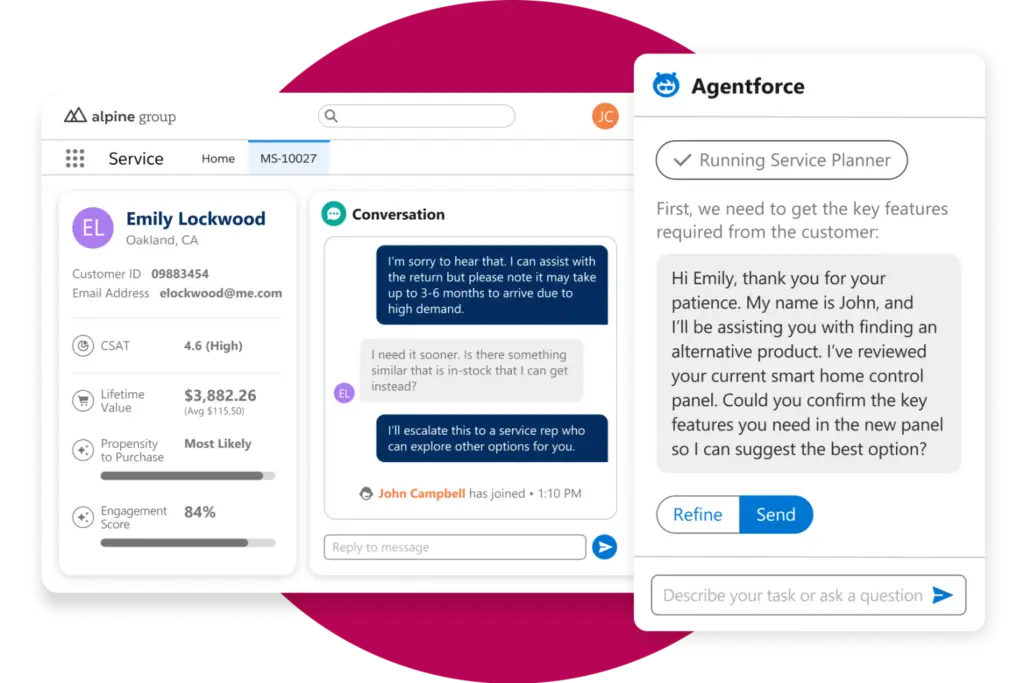
Salesforce’s AI capabilities are more advanced and enterprise-oriented. With Einstein and Agentforce, Salesforce can support predictive workflows, AI agents, recommendations, automation, analytics, and more complex customer engagement processes.
| AI and Automation Area | monday CRM | Salesforce |
| Best AI Use Case | Helping teams summarize work, automate tasks, and improve CRM productivity | Supporting advanced enterprise automation and AI-driven workflows |
| Ease of Setup | Simple and accessible for non-technical users | More powerful, but usually needs admin configuration |
| Sales Automation | Great for follow-ups, task creation, status changes, and notifications | Excellent for complex multi-step and multi-team workflows |
| AI Complexity | Practical and workflow-oriented | Advanced and more technical |
| Best Fit | Teams that want immediate productivity gains | Enterprises with mature data, processes, and CRM admins |
If your team wants AI that improves everyday sales work without a major setup process, monday CRM is easier to work with. If you want AI agents, predictive workflows, and advanced automation across departments, Salesforce has more long-term potential, but it also requires more investment.
Pros and Cons
Every CRM comes with trade-offs. The right choice depends on whether you value usability, flexibility, and adoption, or deep customization and enterprise control.
monday CRM Pros and Cons
Pros:
- ✅ Very easy to use – teams can usually learn the interface quickly.
- ✅ Excellent visual pipelines – ideal for managing deals, contacts, tasks, and follow-ups.
- ✅ Flexible workflows – useful for sales, onboarding, operations, and customer management.
- ✅ Faster implementation – no dedicated CRM admin is usually required.
- ✅ Strong value for SMBs – lower total cost than most enterprise CRM platforms.
- ✅ Good collaboration features – strong fit for cross-functional teams.
Cons:
- ❌ Less suitable for large enterprises with complex multi-department CRM architecture.
- ❌ Smaller native enterprise marketplace than Salesforce AppExchange.
- ❌ Not as deep for territory management, advanced governance, and custom app development.
- ❌ Some advanced CRM capabilities may require higher plans or custom configuration.
Salesforce Pros and Cons
Pros:
- ✅ Extremely scalable – strong fit for large and global organizations.
- ✅ Highly customizable – can support complex business processes.
- ✅ Advanced AI and automation – especially with Einstein, Agentforce, and Flow.
- ✅ Large integration ecosystem – thousands of apps through AppExchange.
- ✅ Strong compliance and security portfolio – valuable for regulated industries.
Cons:
- ❌ Steeper learning curve – often requires admin support.
- ❌ Higher total cost – licenses, support, add-ons, training, and implementation can add up.
- ❌ Longer setup time – not always ideal for teams that need a fast CRM rollout.
- ❌ Overkill for many SMBs – small teams may pay for complexity they do not need.
- ❌ More admin dependency – ongoing optimization usually requires technical knowledge.
In short, monday CRM is the better practical CRM for many growing teams. Salesforce is stronger when your business genuinely needs enterprise-level customization and has the budget to support it.
Ease of Use and User Experience
Ease of use is one of the most important differences between monday CRM and Salesforce. A CRM can have hundreds of features, but if your team avoids using it, your data becomes unreliable and your pipeline visibility suffers.
This is where monday CRM has one of its strongest advantages. It is built for business users and sales teams that want to design workflows visually, while Salesforce is built for organizations that need a deeply configurable CRM platform.
User Interface and Design
monday CRM
monday CRM is clean, visual, and easy to navigate. The pipeline view gives you a direct understanding of where each deal stands, what needs attention, and which activities are overdue.
You can customize boards, fields, deal stages, filters, forms, dashboards, and automations without needing technical support. For a sales manager, this makes it easier to adjust the CRM as your sales process evolves.
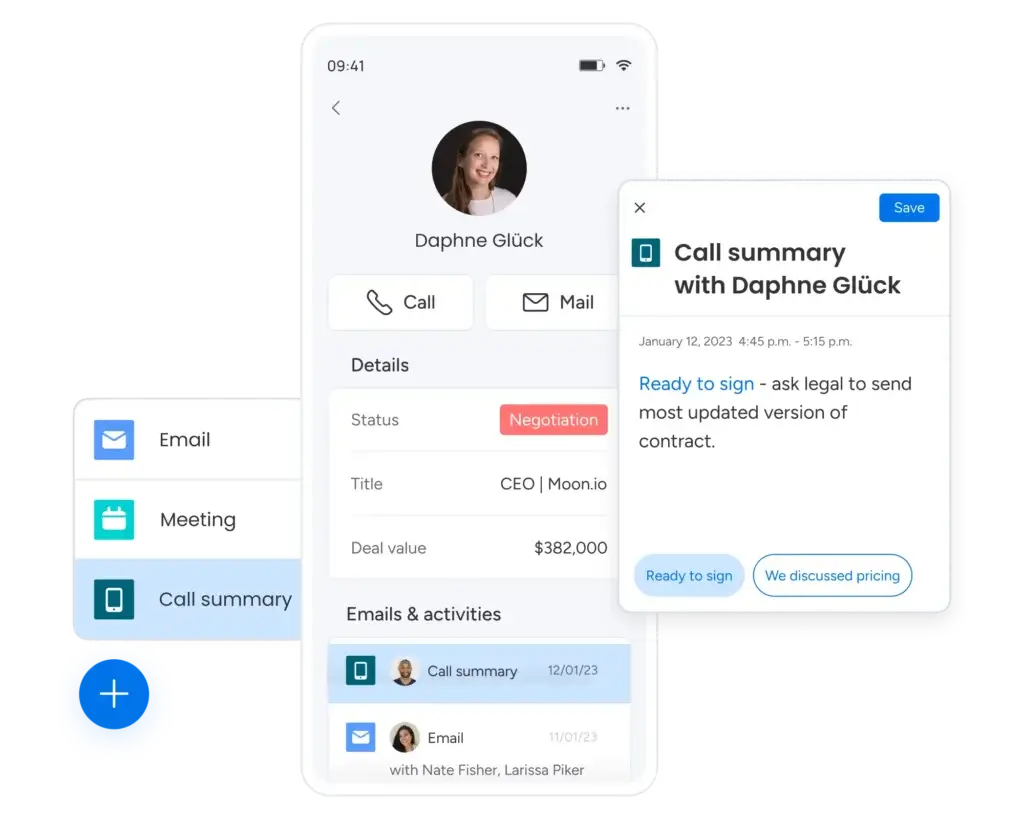
For reps, the benefit is even simpler. They can log in, see their deals, update statuses, add notes, assign next steps, and collaborate with teammates without getting lost in a complicated CRM interface.
Salesforce
Salesforce is much more flexible, but the user experience depends heavily on how well it is configured. A well-built Salesforce instance can be powerful and efficient. A poorly configured one can feel cluttered and frustrating.
The Lightning Experience is more modern than older Salesforce interfaces, but new users may still need training. The system is often better suited to companies with CRM admins who can tailor layouts, permissions, automations, and dashboards for each team.
Onboarding and Implementation
monday CRM
monday CRM is one of the easier CRMs to implement. You can import contacts, create your first pipeline, set up basic automation, add dashboards, and start tracking deals quickly.
This makes it a strong choice if you are moving away from spreadsheets, a basic CRM, or a sales process that is currently scattered across inboxes, forms, and notes.
Salesforce
Salesforce onboarding is usually more involved. Before you get the full value, you may need to define objects, fields, permissions, workflows, dashboards, integrations, and reporting logic.
Salesforce also offers Trailhead, a strong learning platform, but the time investment is still higher. If your team wants fast adoption, Salesforce may slow you down in the early stage.
Which CRM Is Easier to Implement?
monday CRM is easier to implement for most teams. It is designed around visual workflows, so you can start with simple pipelines and expand into more advanced CRM processes as your team grows.
Salesforce is easier to justify when your CRM needs are complex from the start. If you have multiple departments, detailed approval workflows, custom objects, and layered reporting requirements, the extra setup work may be worth it.
For most small and mid-sized businesses, however, monday CRM gives you the faster path to value.
Pricing Plans Comparison
Pricing should not dominate the monday CRM vs Salesforce comparison, but it still matters. The real question is not only what each platform costs per user. It is what you get for that cost, how much setup work is required, and how quickly your team can reach full adoption.
monday CRM is generally easier to budget for small and mid-sized teams. Salesforce can become more expensive as your organization adds advanced AI, premium support, custom implementation, and additional products.
| Pricing Category | monday CRM | Salesforce |
| Free Plan | No permanent full CRM free plan for larger teams | Free Suite may be available for limited use cases |
| Entry-Level Plan | Basic, starting at $12/seat/month when billed annually | Starter Suite, starting at $25/user/month |
| Mid-Tier Plan | Standard or Pro, depending on automation and reporting needs | Pro Suite, starting at $100/user/month |
| Advanced Plan | Pro or Enterprise | Enterprise, starting at $175/user/month |
| Enterprise-Level Plan | Custom enterprise pricing | Unlimited, starting at $350/user/month |
| AI-Focused Plan | AI Credits model, with usage depending on AI actions | Agentforce 1 Sales, starting at $550/user/month |
| Free Trial | 14-day free trial | 30-day free trial for many Sales Cloud plans |
| Total Cost Profile | Lower and more predictable for SMBs | Higher when you include setup, support, admin work, and add-ons |
What You’re Really Paying For
monday CRM
With monday CRM, the value is in flexibility and adoption. You are paying for a CRM that helps your team manage sales activity, track deals, automate routine work, collaborate across teams, and improve visibility without a heavy implementation process.
For many teams, the best value will be in the Standard or Pro plans because they unlock stronger automation, integrations, reporting, and productivity features while still staying more affordable than Salesforce’s higher tiers.
Salesforce
Salesforce can look accessible at the entry level, but the cost often increases as your needs become more advanced. AI, deeper automation, enterprise customization, premium support, additional products, implementation partners, and admin resources can all raise the real cost.
This is why many growing companies compare Salesforce against simpler options before committing. We cover this in more depth in our dedicated guide to Salesforce Alternatives.
Total Cost of Ownership
The better question is not only “Which CRM has a lower subscription price?” It is “Which CRM costs less to implement, maintain, and actually use?”
| Cost Factor | monday CRM | Salesforce |
| License Cost | Lower for most SMB teams | Higher at advanced tiers |
| Setup Cost | Usually low to moderate | Can be significant if consultants are needed |
| Training Cost | Lower because the interface is easier to learn | Higher because the platform is more complex |
| Admin Dependency | Low for most teams | Medium to high for complex setups |
| Customization Cost | Low to moderate | Can be high for custom workflows and objects |
| Support Cost | More predictable for most teams | Premier support can add 30% of net license fees |
| Best Value | SMBs that want fast CRM adoption and flexible workflows | Enterprises that need deep customization |
Which Offers More Value?
For small and mid-sized teams, monday CRM offers better practical value. You get the core CRM tools your team needs, with less training, less setup, and less ongoing administration.
Salesforce offers more power, but you should only pay for that power if your organization is ready to use it. Otherwise, you may end up paying enterprise CRM prices for a platform your team only uses at a basic level.
Integration Capabilities
Your CRM should connect with the tools your team already uses. That includes email, calendars, calling tools, accounting software, marketing platforms, support systems, proposal tools, and reporting apps.
Both monday CRM and Salesforce offer strong integration capabilities, but the setup experience is different.
monday CRM Integrations
monday.com offers 200+ integrations, plus marketplace apps and connections with no-code platforms. This gives monday CRM strong connectivity for teams that use tools such as Google Workspace, Microsoft 365, Slack, Zoom, Mailchimp, DocuSign, Gmail, Outlook, Zapier, and Make.
Most integrations are simple enough for non-technical teams to configure. This is a big advantage if you want your CRM connected quickly without needing a developer.
monday also offers API access for custom integrations, making it flexible enough for teams that need more control later.
Salesforce Integrations
Salesforce has one of the largest CRM integration ecosystems in the market through AppExchange. It connects with enterprise tools across marketing, support, finance, analytics, document management, billing, ERP, and data operations.
Common Salesforce integrations include Marketing Cloud, MuleSoft, NetSuite, SAP, Oracle, Jira, Dropbox, DocuSign, Zendesk, and many more.
However, Salesforce integrations can require more planning. Some need admin configuration, paid apps, middleware, or implementation support. That flexibility is valuable for enterprises, but it can be too much for smaller teams.
Flexibility vs Simplicity
If your business needs deep system connectivity across multiple departments, Salesforce is stronger. If you want the most practical and easy-to-manage integration experience for a sales team, monday CRM is usually the better choice.
For most SMBs, the goal is not to build the most complex CRM architecture. It is to connect the sales stack, keep data clean, and help reps work faster. monday CRM handles that very well.
Security and Compliance
CRM security matters because your platform stores customer data, deal details, communication history, personal information, and sometimes sensitive commercial records.
Both monday CRM and Salesforce take security seriously. Salesforce has the broader enterprise compliance portfolio, while monday CRM gives most SMBs the protection they need in a simpler package.
monday CRM Security Overview
monday CRM benefits from monday.com’s broader security model, which includes enterprise-grade controls, permissions, authentication options, and data protection measures.
Key protections may include:
- Two-factor authentication to help protect account access.
- Role-based permissions to control internal access.
- Audit logs for higher-tier administrative visibility.
- Data encryption to help protect information in transit and at rest.
- Enterprise security options for larger teams that need stronger governance.
- Compliance support that can help businesses meet common security expectations.
monday CRM’s advantage is that it makes strong CRM security approachable. You can protect customer data without turning CRM administration into a full-time technical project.
Salesforce Security Overview
Salesforce offers one of the strongest security and compliance portfolios in the CRM market. It supports a wide range of standards, reports, and frameworks, including SOC reports, ISO standards, PCI DSS, HITRUST, and data privacy programs.
Key protections include:
- Role hierarchy and field-level security for granular access control.
- Single Sign-On and multi-factor authentication for account protection.
- Audit trails and login history for monitoring user activity.
- Advanced encryption options for enterprise security requirements.
- Compliance support for regulated industries and complex organizations.
Salesforce is stronger if you operate in a heavily regulated industry or need advanced enterprise governance. However, these controls require proper configuration. The platform is powerful, but security quality depends on how well your Salesforce environment is implemented and maintained.
What You Need to Know
If you are a small or mid-sized sales team, monday CRM will likely provide the security and access control foundation you need without overwhelming your team.
If you are a large enterprise in finance, healthcare, insurance, or another regulated sector, Salesforce gives you deeper controls, but you should be prepared for a more technical setup.
Customer Reviews and Ratings
User reviews are useful because they show how each CRM performs after the sales demo is over. monday CRM and Salesforce both receive strong recognition, but users tend to praise them for different reasons.
monday CRM is commonly praised for ease of use, flexibility, visual workflow management, and customization. Salesforce is praised for power, customization, and enterprise scalability.
| Review Theme | monday CRM | Salesforce |
| Ease of Use | Frequently praised for simplicity and visual navigation | Powerful, but can require training |
| Setup Experience | Fast setup for SMB teams | More involved, especially with customization |
| Pipeline Management | Strong visual deal tracking and flexible views | Strong, but more configuration-dependent |
| Reporting | Useful visual dashboards and sales performance tracking | More advanced for enterprise dashboards |
| Common Praise | Easy to use, flexible, visual, and collaborative | Customizable, scalable, and feature-rich |
| Common Complaint | Less suitable for complex enterprise CRM architecture | Expensive and harder to manage |
What Users Like About monday CRM
Users often like that monday CRM feels flexible without becoming too technical. Sales teams can understand their pipeline quickly, managers can track activity without chasing updates, and operations teams can build workflows without waiting on developers.
The strongest user sentiment around monday CRM is adoption. Teams often choose it because it is easier to customize and easier for reps to use consistently, which is one of the most important CRM success factors.
What Users Like About Salesforce
Salesforce users value the platform’s flexibility. Larger organizations can use it to manage complex sales processes, automate cross-functional workflows, integrate with many business systems, and build executive reporting structures.
The common challenge is complexity. Salesforce can do more, but it often takes more time, money, and expertise to reach that value.
Key Takeaway
Both platforms are strong, but the review sentiment supports a clear pattern. monday CRM is loved for usability and flexibility. Salesforce is respected for enterprise power.
If you need a CRM your sales team can adopt quickly, monday CRM is the safer choice. If you need an enterprise CRM platform that can be customized around complex operations, Salesforce is stronger.
Ideal Users and Use Cases
The best CRM is the one that fits your team size, sales process, budget, and internal resources. monday CRM and Salesforce serve different types of buyers.
Who Should Use monday CRM?
monday CRM is best for teams that want a flexible CRM without the complexity of an enterprise platform. It works especially well for small businesses, agencies, startups, SaaS companies, service teams, consultants, and B2B sales organizations.
monday CRM is a strong fit if:
- You want a visual pipeline your reps will actually use.
- You need fast onboarding without consultants.
- You are moving from spreadsheets or a basic CRM.
- You want practical automation for follow-ups and activities.
- You need better sales visibility without enterprise CRM complexity.
- You want CRM and work management in one connected workspace.
- You are comparing tools in the best CRM software category and want a flexible option.
💡 If you are moving fast and scaling a lean team, monday CRM gives you structure without slowing down your sales process.
Who Should Use Salesforce?
Salesforce is best for larger organizations that need a highly customizable CRM across sales, marketing, service, commerce, analytics, and operations.
Salesforce is a strong fit if:
- You have a large sales organization with complex processes.
- You need advanced permissions, approval flows, and governance.
- You already use other Salesforce products.
- You need deep enterprise integrations.
- You have admins or consultants to manage the platform.
- You operate in a regulated industry with strict compliance requirements.
You may also choose Salesforce if your CRM must become a full business operations platform, not only a sales pipeline tool.
💡 Salesforce is powerful when you have the time, budget, and technical resources to configure it properly. It is rarely the fastest option for a lean sales team.
Migration and Implementation
CRM migration is often where buyers underestimate the real work. Moving data is only part of the process. You also need to clean records, map fields, define pipeline stages, train users, and make sure your reports still make sense after the switch.
Migrating to monday CRM
Migrating to monday CRM is usually straightforward. You can import contacts, accounts, leads, deals, activities, and related data through spreadsheets, integrations, or migration support where needed.
For most SMBs, the bigger task is not technical migration. It is cleaning up old CRM data before importing it. This includes removing duplicates, standardizing fields, and deciding which pipeline stages you actually need.
monday CRM is also useful when you want to redesign your sales process during migration. Instead of copying an old CRM structure exactly, you can build cleaner boards, easier views, and workflows that better match how your team works now.
Migrating to Salesforce
Salesforce migration can be more complex because the platform offers more custom objects, relationships, permissions, and workflow options. If your company has years of CRM history or multiple connected systems, you may need technical support to migrate cleanly.
This does not make Salesforce a bad option. It simply means you should treat implementation as a real project, not a quick software switch.
Implementation Winner
monday CRM wins for faster implementation. It is easier to deploy, easier to train, and easier to adjust as your sales process grows.
Salesforce wins only when implementation complexity is justified by enterprise-level requirements.
Final Recommendation
Should You Choose monday CRM or Salesforce?
Choosing between monday CRM and Salesforce comes down to one core question: do you need a flexible CRM your team can use quickly, or do you need an enterprise platform that can be customized around complex business operations?
For many small and mid-sized teams, monday CRM is the better choice. It is faster to implement, easier to use, more flexible for everyday workflows, and better aligned with how modern teams collaborate.
You should choose monday CRM if you want:
- A clean visual sales pipeline
- Faster sales team adoption
- Flexible CRM and work management in one platform
- No-code automation without complexity
- A CRM that connects sales with operations, onboarding, and customer work
You should choose Salesforce if you want:
- Deep enterprise customization
- Advanced AI and automation across departments
- Complex permissions and governance
- A large AppExchange ecosystem
- A CRM platform that can support multiple business units
My recommendation is clear: choose monday CRM if your priority is usability, flexibility, and team adoption. Choose Salesforce only if your business has the complexity, budget, and admin resources to justify it.
Want a Simpler Sales-Only CRM? Consider Pipedrive
If you are still undecided, Pipedrive is also worth considering. It is more narrowly focused on sales pipeline management than monday CRM, and it is much simpler than Salesforce.
Why Pipedrive stands out:
- Very focused sales pipeline experience
- Simple deal tracking and activity management
- Good fit for sales teams that do not need work management
- Easier to manage than Salesforce for many SMBs
- Strong option for teams that want a traditional sales CRM
That said, if your main priority is a CRM that connects sales with projects, onboarding, operations, and team workflows, monday CRM remains my stronger recommendation. It is more flexible, more collaborative, and better suited for teams that want CRM and work management together.
Conclusion
monday CRM and Salesforce are both strong CRM platforms, but they are not built for the same type of buyer.
monday CRM is the better CRM for many small and mid-sized teams because it is easier to use, faster to implement, more flexible, and better aligned with the way modern sales teams collaborate.
Salesforce is the better choice for large enterprises that need deep customization, advanced automation, complex permissions, and a full CRM ecosystem across sales, service, marketing, and operations.
For most readers comparing monday CRM vs Salesforce, I would start with monday CRM. It gives you the core CRM functionality you need without forcing your team into a heavy implementation process. If your business later requires deeper enterprise architecture, Salesforce may become more relevant. But for usability, adoption, flexibility, and practical sales execution, monday CRM is the stronger first choice for most growing teams.
FAQs
What is the main difference between monday CRM and Salesforce?
The main difference is that monday CRM is a visual and flexible CRM built for usability, while Salesforce is an enterprise CRM platform built for deep customization. monday CRM is easier to use and faster to implement, while Salesforce is stronger for large organizations with complex workflows.
Is monday CRM better than Salesforce for small businesses?
Yes, monday CRM is usually better than Salesforce for small businesses. It is easier to set up, simpler for teams to customize, and more affordable from a total cost perspective. Salesforce is more powerful, but many small teams do not need its enterprise-level complexity.
Which CRM is easier to use, monday CRM or Salesforce?
monday CRM is easier to use for most teams. Its visual boards, pipeline views, dashboards, and no-code automations make it easier for users to adopt. Salesforce can be user-friendly after proper configuration, but it usually has a steeper learning curve.
Which CRM is cheaper, monday CRM or Salesforce?
monday CRM is generally cheaper than Salesforce when you consider licenses, setup, training, administration, and support. Salesforce may start at an accessible entry price, but advanced features, AI, customization, and premium support can increase the total cost significantly.
Does Salesforce offer more features than monday CRM?
Yes, Salesforce offers more advanced features overall, especially for enterprise customization, analytics, automation, and multi-department workflows. However, monday CRM offers the core CRM and workflow features most SMBs need in a simpler and more usable format.
Which CRM has better automation, monday CRM or Salesforce?
Salesforce has more advanced automation capabilities through tools like Flow and Agentforce. monday CRM is better for practical no-code automation, such as follow-up tasks, deal updates, notifications, reminders, and workflow handoffs that non-technical users can manage easily.
Which CRM has better AI tools, monday CRM or Salesforce?
Salesforce has more advanced AI capabilities through Einstein and Agentforce, especially for enterprise use cases. monday CRM’s AI is more practical for teams that want productivity support, summaries, workflow assistance, and simpler AI-powered actions without complex setup.
Can you migrate from Salesforce to monday CRM?
Yes, you can migrate from Salesforce to monday CRM. Most teams export contacts, accounts, deals, activities, and related records, then map the data into monday CRM boards. Before migrating, it is best to clean duplicates, review field structure, and simplify pipeline stages.
Is monday CRM good for enterprise sales teams?
monday CRM can work for some larger sales teams, especially if they want flexible workflows and easier adoption. However, very large enterprises with complex permissions, territory management, custom objects, and multi-cloud workflows may find Salesforce more suitable.
Are there free trials for monday CRM and Salesforce?
Yes. monday CRM offers a 14-day free trial, while Salesforce commonly offers a 30-day free trial for many Sales Cloud plans. Trial terms can change, so it is best to check the official pricing pages before choosing a plan.







