

Introduction
If you are comparing sales intelligence, CRM enrichment, and outbound automation tools, Clay is one of the most flexible options on the market. It is not a traditional CRM, and it is not only an email outreach platform. Clay is better understood as a GTM data enrichment and workflow automation platform that helps you build lead lists, enrich records, research accounts with AI, monitor buying signals, and push clean data into the tools your sales team already uses.
In this Clay Review 2026, we will look at how Clay works, what makes it different, where it performs best, and where it may feel too complex for smaller teams. The platform is especially strong for RevOps teams, outbound agencies, GTM engineers, and B2B sales teams that want more control over prospecting logic than they would get from a standard lead database.
Clay’s biggest advantage is flexibility. You can combine data from 150+ providers, use AI agents to research companies and contacts, create waterfall enrichment workflows, monitor signals, personalize outreach, and sync results to your CRM or sales engagement tools.
However, Clay is not the simplest tool in this category. Its power comes with a learning curve, and its pricing model requires you to understand both Data Credits and Actions before you scale large workflows.
In this review, you will learn:
- What Clay is and how it fits into a modern GTM stack
- How Clay handles data enrichment, AI research, and CRM workflows
- Where Clay performs better than simpler prospecting tools
- How Clay pricing works with Data Credits and Actions
- Which Clay alternatives are better for specific use cases
If your team wants to move beyond basic contact lookup and build smarter sales workflows, Clay is worth serious consideration. If you only need a simple email finder or a plug-and-play cold email tool, some alternatives may be easier to manage.
Clay Review 2026: Quick Summary
| Category | Clay Review Summary |
| Best For | RevOps teams, GTM engineers, outbound teams, agencies, and data-driven B2B sales teams |
| Main Strength | Flexible data enrichment, AI research, Waterfall workflows, CRM enrichment, and signal-based prospecting |
| Main Weakness | Steep learning curve and usage-based pricing that requires careful planning |
| Not Ideal For | Teams that want a simple CRM, basic email finder, or fully plug-and-play outreach tool |
| Pricing Model | Free, Launch, Growth, and Enterprise plans with Data Credits and Actions |
| Best Alternatives | SmartReach AI, Apollo AI, Prospeo, RocketReach, ZoomInfo, and Cognism |
Clay is one of the strongest tools for teams that want to create a custom prospecting and enrichment system. It is especially useful when your sales process depends on clean CRM data, precise targeting, intent signals, and personalized outreach.
Workflow
How Clay Works
Clay works like a flexible GTM workspace. You start with a list, enrich it with data, use logic to qualify records, add AI research where needed, and send the final output to your CRM, email tool, ad audience, or internal workflow.
A typical Clay workflow looks like this:
- Import accounts or contacts from a CSV, CRM, LinkedIn workflow, or another source
- Enrich company and contact records using Clay’s data providers
- Use Waterfall enrichment to check multiple sources in sequence
- Use Claygents to research companies, contacts, and buying context
- Score, segment, and route leads based on fit and intent
- Sync qualified records to your CRM, sequencer, ads platform, or automation tool
This workflow gives Clay a major advantage over basic prospecting databases. Instead of accepting whatever a single database gives you, you can design a process that matches your ICP, budget, and sales motion.
Waterfall Enrichment
Waterfall enrichment is one of Clay’s most important features. It lets you search across multiple data providers in sequence to find the best available information. For example, if one provider does not return a verified work email, Clay can move to another provider automatically.
This is useful for teams that care about coverage and data quality. Instead of paying for several enrichment tools separately, you can access many providers from one workspace and decide how the workflow should behave.
The tradeoff is cost control. If you run too many enrichment steps on too many low-quality leads, your usage can increase quickly. The best Clay users usually build logic that filters records before enrichment, so credits are spent only on prospects worth pursuing.
Claygents and AI Research
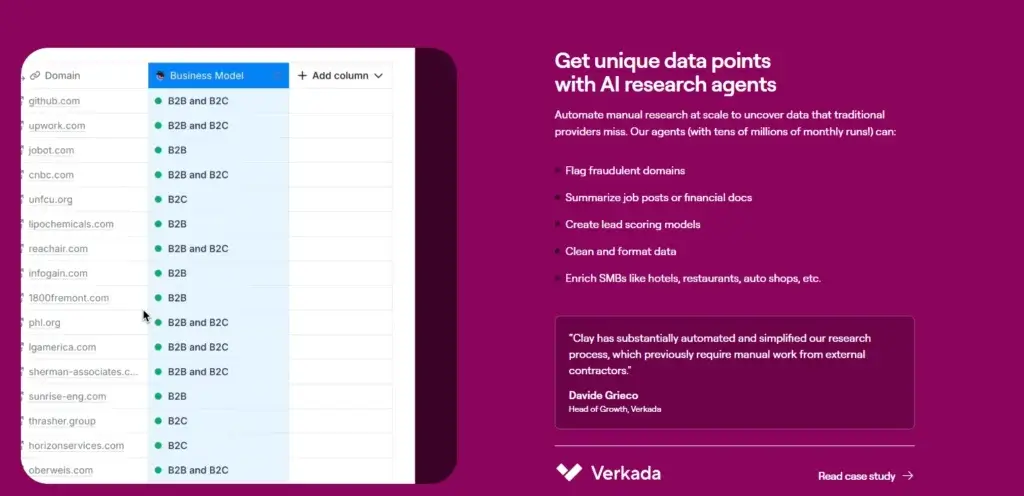
Claygents are AI agents built for GTM workflows. They can research the web, interpret company information, summarize pages, classify accounts, generate personalized insights, and help automate research tasks that would normally take an SDR several minutes per prospect.
For example, you can ask Claygent to:
- Summarize a company’s business model from its website
- Identify whether an account sells to enterprise customers
- Find recent company news or hiring activity
- Create a personalized email opener based on a prospect’s role
- Classify whether a company fits your ICP
This makes Clay especially useful for teams that want personalized outbound at scale, but do not want reps spending hours researching accounts manually.
Signals, Intent, and CRM Activation
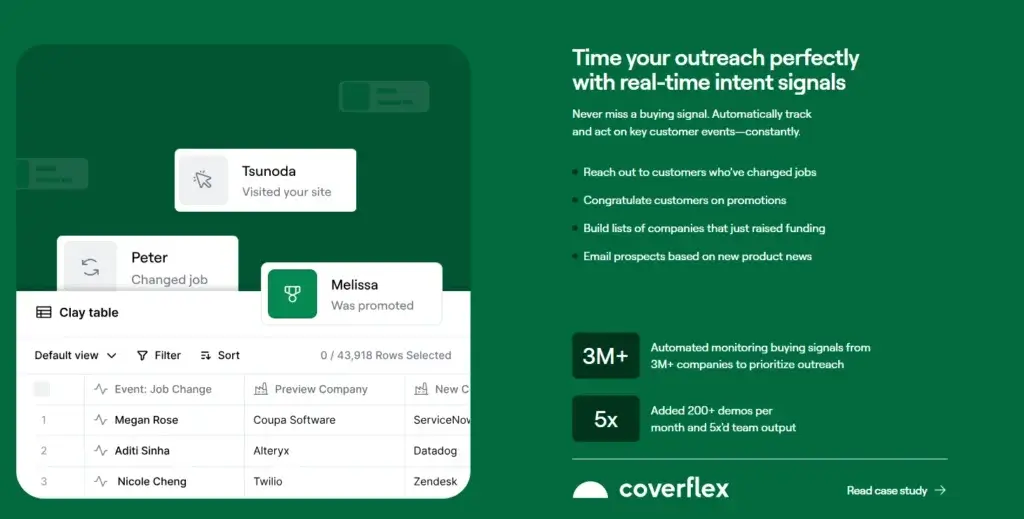
Clay is also moving beyond static enrichment into signal-based GTM workflows. You can use signals such as job changes, promotions, hiring activity, company updates, website intent, and other trigger events to prioritize accounts and time your outreach better.
This is where Clay becomes more than a lead enrichment tool. It can help your team act when something meaningful happens, such as a target account hiring a new sales leader, a prospect changing jobs, or a company showing interest on your website.
For CRM-focused teams, this matters because Clay can help you turn messy or incomplete CRM records into more actionable data. You can enrich records, update fields, identify gaps, and trigger next steps for sales or marketing.
Key Features
Software Specification
1. Waterfall Enrichment Across 150+ Data Providers
Clay gives you access to a large data marketplace and lets you build enrichment workflows across many providers. This is a major reason teams choose Clay over simpler email finder tools.
With Waterfall enrichment, you can avoid relying on a single data vendor. Clay can search across providers until it finds the data you need, including contact details, company information, job titles, firmographics, and other enrichment fields.
What it helps you do:
- Find and verify work emails and phone numbers
- Enrich company size, industry, location, revenue, and tech stack
- Build targeted lead lists based on ICP rules
- Improve CRM data quality with more complete records
- Reduce manual research across multiple enrichment tools
Best for: SDR teams, RevOps teams, and agencies that need stronger coverage than a single database can provide.
2. Claygents for AI Account and Contact Research
Claygent is one of Clay’s most valuable features because it turns AI into a practical research assistant for sales and GTM teams. Instead of manually checking company websites, LinkedIn profiles, blogs, job posts, and news pages, you can ask Claygent to research and summarize relevant information directly inside your workflow.
This is especially useful for personalized outbound. A generic email that only mentions a prospect’s job title is easy to ignore. A message that references the company’s positioning, recent hiring push, target market, or relevant trigger is much stronger.
With Claygent, you can:
- Research companies and contacts using natural language prompts
- Generate custom data points for qualification and segmentation
- Summarize web pages, company updates, and public information
- Create personalized snippets for outbound campaigns
- Classify accounts based on ICP fit or sales triggers
Best for: Teams that want research-backed personalization without asking sales reps to manually research every prospect.
3. Signals and Intent Data
Clay can help teams identify timely sales triggers and use them inside outbound or CRM workflows. This is important because the best outreach is often based on timing, not only targeting.
For example, your team may want to reach out when a company raises funding, hires a new revenue leader, posts several sales roles, changes technology, or shows website intent. Clay can help you capture these signals and route leads into the right next step.
Useful signal-based workflows include:
- Job change outreach when a champion joins a new company
- Hiring-based prospecting for companies expanding a department
- Funding-based campaigns for recently funded companies
- Website intent workflows for accounts showing interest
- CRM alerts when high-fit accounts match trigger conditions
Best for: Sales teams that want to prioritize prospects based on relevance, timing, and buying context.
4. CRM Enrichment and Data Maintenance
Clay is not a CRM, but it can make your CRM more useful. Many teams use Clay to clean, enrich, and update CRM data so sales and marketing teams can work from better records.
This matters because CRM data often becomes outdated. Contacts change jobs, companies grow, industries shift, domains change, and key fields go missing. Clay can help fill those gaps and keep records more actionable.
Common CRM enrichment use cases include:
- Filling missing company and contact fields
- Updating job titles and company data
- Adding firmographic and technographic information
- Prioritizing accounts based on ICP fit
- Routing inbound leads based on enrichment results
Clay can connect with major CRMs such as HubSpot, Salesforce, and Pipedrive. However, CRM sync and more advanced CRM workflows are plan-dependent, so teams should review the pricing page carefully before choosing a plan.
5. AI-Powered Personalized Outreach
Clay helps you turn enriched data and AI research into personalized outbound messaging. You can use data points such as job title, company growth, hiring signals, tech stack, funding, website content, and role-specific context to generate more relevant outreach.
This does not mean every message should be fully AI-written. The best use case is often AI-assisted personalization, where Clay generates relevant context and your team controls the messaging strategy.
Why it works:
- Personalization is based on real account context
- Messages can reference timely business signals
- Reps spend less time researching each account manually
- Teams can scale quality outreach without relying on generic templates
You can export or sync this data into tools like Apollo, Salesloft, SmartReach AI, or other outreach platforms. Clay can also support outbound workflows through its own sequencing capabilities, depending on your setup.
6. Workflow Automation and Integrations
Clay acts as a workflow layer between your data sources, CRM, outbound tools, and automation platforms. This makes it useful for teams that already have a GTM stack but need better orchestration between tools.
Common integrations and workflow destinations include:
- HubSpot, Salesforce, and Pipedrive
- Apollo, Outreach, Lemlist, and other sales engagement tools
- Zapier and Make for workflow automation
- LinkedIn-related workflows through supported tools and APIs
For example, you can build logic such as: “If a company matches our ICP, has open sales roles, and recently hired a VP of Sales, enrich decision-makers and send them to the right outbound sequence.”
7. Ads, Audiences, and GTM Activation
Clay is also useful for audience building. Instead of using it only for one-to-one sales outreach, teams can use enriched data to build more targeted audiences for paid campaigns, ABM programs, and retargeting workflows.
This is valuable for B2B teams that want sales and marketing to work from the same account intelligence. If Clay identifies a high-fit account, that data can support both sales outreach and marketing activation.
8. Sculptor and Natural Language Workflow Building
Clay has been expanding toward easier workflow creation through natural language and AI-assisted building. This direction is important because one of Clay’s biggest challenges has always been complexity.
For experienced GTM teams, Clay’s flexibility is a strength. For beginners, it can feel overwhelming. AI-assisted workflow building can help reduce that gap by making it easier to create tables, define logic, and automate steps without starting from scratch.
Pros and Cons
Advantages and Limitations of Using Clay
Clay is one of the most powerful tools in the sales intelligence and enrichment category, but it is not the right fit for every team. The main benefit is control. The main challenge is complexity.
Here is a practical breakdown of the strengths and limitations to consider before choosing Clay.
Positive
✅ Flexible enrichment workflows
✅ Access to 150+ data providers
✅ Strong AI research with Claygents
✅ Excellent for CRM enrichment
✅ Powerful GTM automation use cases
Negative
❌ Steep learning curve
❌ Usage can become expensive
❌ Not a full CRM replacement
❌ Advanced CRM workflows require higher plans
❌ Needs workflow governance at scale
Pros
1. Highly Flexible Enrichment Workflows
Clay lets you design custom enrichment workflows instead of relying on one database. You can decide which records to enrich, which providers to use, and what should happen after each step.
2. Access to 150+ Data Providers
Clay’s data marketplace is a major advantage for teams that need better coverage across different industries, countries, and prospect types. This helps reduce dependency on one vendor.
3. Strong AI Research Capabilities
Claygents can research accounts, summarize context, and generate custom data points. This is especially valuable for account-based outbound and research-heavy sales motions.
4. Great for RevOps and GTM Engineers
Clay gives technical GTM teams a high level of control. You can build workflows around lead scoring, enrichment logic, CRM routing, buying signals, and audience activation.
5. Useful Beyond Cold Outreach
Clay is not limited to email personalization. You can use it for CRM maintenance, inbound lead enrichment, ABM campaigns, audience building, partner research, and account prioritization.
Cons
1. Learning Curve Is Real
Clay is not difficult because it lacks features. It is difficult because it gives you many ways to build workflows. New users may need templates, tutorials, or help from someone comfortable with data tools.
2. Usage-Based Pricing Can Be Hard to Predict
Clay pricing depends on how many Data Credits and Actions your workflows consume. If you enrich too many low-fit leads or run AI-heavy workflows without controls, costs can rise quickly.
3. Not a Complete CRM Replacement
Clay can enrich and sync CRM data, but it does not replace a CRM for pipeline management, sales forecasting, customer history, deal tracking, or account ownership. You should still compare dedicated CRM platforms in our Best CRM Software Comparison.
4. Not Always Ideal for Simple Cold Email Teams
If your main goal is to send basic email sequences, Clay may be more complex than necessary. A dedicated outreach tool may be easier to launch and manage.
5. Workflow Governance Matters
As teams scale in Clay, they need naming conventions, usage monitoring, field standards, and ownership. Without governance, Clay tables and workflows can become messy.
Bottom line: Clay is excellent for teams that want deep enrichment, AI research, CRM data workflows, and custom GTM automation. It is less ideal for teams that want a basic plug-and-play prospecting tool.
User Experience
User Interface and Experience
Clay’s interface feels more like a powerful spreadsheet than a traditional sales tool. That is both the reason users love it and the reason some users struggle with it at first.
If you are comfortable with spreadsheets, formulas, filters, enrichment steps, and workflow logic, Clay will feel flexible and creative. If you expect a simple CRM-style interface with a fixed process, it may feel overwhelming.
What Users Tend to Like
1. Time-Saving Automation
Clay can reduce the manual work involved in lead research, list building, enrichment, and personalization. Instead of switching between several tabs and tools, your team can manage much of the process from one workspace.
2. Deep Personalization at Scale
Clay makes it easier to create personalized outreach based on real company and contact context. This is valuable for teams that sell high-value B2B products where generic outreach does not perform well.
3. Flexibility Across Roles
Sales, marketing, RevOps, and agency teams can all use Clay differently. One team may use it for CRM enrichment, another for outbound list building, and another for account-based advertising audiences.
Common Criticisms
1. Complex Setup
Clay is not always easy for beginners. The first workflow can take time because users need to understand tables, enrichment steps, formulas, prompts, credits, actions, and integrations.
2. Usage Planning Is Required
Because Clay uses a usage-based model, teams need to monitor how workflows consume Data Credits and Actions. Running enrichment on every record without qualification can waste budget.
3. CRM and Workflow Testing Is Important
Any tool that syncs with a CRM should be tested carefully. Before pushing enriched fields into HubSpot, Salesforce, or Pipedrive, teams should define field mapping, deduplication rules, ownership logic, and rollback processes.
Overall user experience: Clay is best for teams that want a flexible GTM workspace and are willing to invest time in setup. It is not the fastest tool to learn, but it can become very powerful once your workflows are structured properly.
Business Size Fit
Clay for Different Business Sizes
Clay can work for different business sizes, but the value depends on your sales motion, deal size, workflow complexity, and technical resources.
Solo Users and Freelancers
Clay can work for solo founders, consultants, and freelancers, but it may be more tool than you need if your outreach volume is low.
Good fit if:
- You sell high-ticket services or products
- You need high-quality research for fewer prospects
- You are comfortable building custom workflows
Not ideal if:
- You send only a small number of emails each month
- You want a simple email finder or contact lookup tool
- You do not want to manage usage-based pricing
Recommendation: Clay is worth considering for solo users only when personalization quality matters more than speed or simplicity.
Small and Mid-Sized Teams
For SMB sales teams, Clay can be a strong choice if you have someone responsible for RevOps, outbound systems, or sales data quality.
Good fit if:
- You run targeted outbound campaigns regularly
- You need better lead enrichment and account research
- You want to connect Clay to your CRM or outreach tools
Watch out for:
- Credit and Action usage across workflows
- Training requirements for sales users
- CRM sync rules and data governance
Recommendation: Clay can be excellent for SMBs that need quality over volume, but you should start with a focused workflow before expanding into more complex automation.
Large Sales Teams and Agencies
Clay is especially strong for larger teams and agencies because it can support repeatable workflows, client-specific enrichment logic, ICP segmentation, and CRM-connected GTM operations.
Great fit if:
- You manage multiple prospecting motions
- You need scalable enrichment and AI research
- You run ABM or complex outbound campaigns
- You have a RevOps or GTM engineering owner
Many agencies use Clay as the backend engine for prospecting. They build lists, enrich accounts, generate personalized data, and then push the output into Apollo, SmartReach AI, Outreach, HubSpot, or other tools.
Recommendation: Clay is one of the strongest options for larger teams that have the internal expertise to manage workflows, costs, and data quality.
Who Should Avoid Clay?
Clay may not be the best choice if you want a lightweight tool that works immediately with minimal setup. It is also not the best option if your team has no one responsible for workflow ownership.
You may want an alternative if:
- You only need basic contact lookup
- You want fixed monthly pricing with fewer usage variables
- You need a CRM rather than a GTM enrichment layer
- You want a simple email sequence platform
If your team mainly needs a CRM, start with a dedicated CRM comparison rather than trying to make Clay your system of record. Clay works best alongside a CRM, not in place of one.
Pricing and Plans
How much does Clay cost?
Clay pricing has changed, so this section is important to review carefully. Clay now separates usage into two main concepts: Data Credits and Actions.
Data Credits are used for data sourced through Clay’s marketplace and enrichment providers. Actions represent platform activity, such as workflow steps, AI tasks, enrichment runs, and orchestration work inside Clay.
This model gives teams flexibility, but it also means your real cost depends on how many records you process, how many providers you use, how much AI research you run, and how often workflows execute.
Clay Pricing Overview
| Plan | Monthly Price | Best For | Included Usage and Features |
| Free | $0 | Testing Clay and exploring basic workflows | Limited monthly usage, basic access, and a low-risk way to test the platform |
| Launch | Starts at $185/month | Individuals and small teams building first prospecting workflows | 2,500 Data Credits, 15,000 Actions/month, phone enrichment, job change and signal tracking, and email campaign integrations |
| Growth | Starts at $495/month | Teams scaling GTM workflows and CRM-connected processes | 6,000 Data Credits, 40,000 Actions/month, CRM auto-sync and enrichment, HTTP API integrations, webhooks, web intent, ads audience pushes, and priority support |
| Enterprise | Custom pricing | Larger GTM teams with advanced scale, security, and infrastructure needs | 100,000+ Data Credits, 200,000+ Actions/month, SSO, RBAC, data warehouse syncs, Clay API access, and dedicated support |
What Are Data Credits?
Data Credits are used when Clay pulls information from its data marketplace and enrichment providers. For example, finding a phone number, enriching a company field, or pulling third-party data may consume Data Credits depending on the provider and action.
This gives you access to many providers without buying separate contracts, but you still need to control usage. If you run enrichment across large lists without filtering, your Data Credits can disappear quickly.
What Are Actions?
Actions measure the platform work Clay performs. This can include enrichment steps, AI tasks, workflow execution, sequencing-related activity, and other operations that Clay performs inside your workspace.
The key point is that Clay pricing is no longer only about credits. You need to understand both your data consumption and your workflow activity.
Cost Control Tips
Clay can be cost-effective when used carefully, but expensive when workflows are not controlled. Before scaling, build a clear usage strategy.
- Filter low-fit leads before enrichment
- Test workflows on small samples first
- Use conditional logic before expensive provider steps
- Track cost per qualified lead, not only cost per record
- Avoid running AI research on leads that do not match your ICP
- Assign one owner to monitor credit and Action usage
Pricing recommendation: The Free plan is useful for testing. Launch is better for early workflows. Growth is the more relevant plan for teams that need CRM sync, web intent, webhooks, and more advanced GTM automation. Enterprise is best for larger teams that need scale, security, and dedicated support.
Clay vs Alternatives
How Does Clay Compare To Other Tools?
Clay competes with several types of tools, including B2B databases, email finders, CRM enrichment tools, sales engagement platforms, and AI prospecting tools. The best alternative depends on what you need most.
If you want flexible enrichment and custom GTM workflows, Clay is hard to beat. If you want a simpler all-in-one outbound tool, a dedicated outreach or sales intelligence platform may be easier.
Clay vs SmartReach AI vs Apollo AI vs Prospeo vs RocketReach
| Tool | Core Focus | Strengths | Weaknesses | Best For |
| Clay | GTM enrichment, AI research, workflow automation | 150+ data providers, Claygents, Waterfall enrichment, CRM workflows, signals | Learning curve and usage-based pricing complexity | RevOps, GTM teams, outbound agencies, data-driven sales teams |
| SmartReach AI | Email outreach and sequencing | Strong outreach workflows, follow-ups, campaign management, easier sending setup | Less focused on deep enrichment and custom data orchestration | Cold email teams and agencies focused on outreach execution |
| Apollo AI | B2B database and sales engagement | Large contact database, prospecting filters, sequences, dialer, all-in-one outbound workflow | Less flexible for custom enrichment logic and AI research workflows | High-volume outbound SDR teams that want one platform |
| Prospeo | Email finding and lead data | Simple prospecting, email discovery, and enrichment for sales teams | Less advanced workflow automation than Clay | Teams that need a lighter email finder and lead enrichment tool |
| RocketReach | Contact lookup | Fast contact discovery, simple interface, email and phone lookup | Limited automation, AI research, and CRM workflow depth | Recruiters, solo sellers, and teams that need quick contact data |
Clay vs SmartReach AI
SmartReach AI is built for outreach execution, while Clay is stronger for enrichment, research, and workflow orchestration.
Use SmartReach AI if you want a platform focused on cold email campaigns, follow-ups, inbox management, and outreach workflows. It is easier for teams that mainly care about sending and managing sequences.
Choose Clay if you need deeper enrichment, more control over prospecting logic, AI account research, and CRM-connected GTM workflows.
Best for: SmartReach AI is better for teams focused mainly on outreach execution. Clay is better for teams that need research-first and data-heavy workflows.
👉🏼 Read our Full SmartReach AI Review or visit SmartReach AI directly.
Clay vs Apollo AI
Apollo AI is a stronger all-in-one option for teams that want a B2B database, email sequencing, dialing, and prospecting filters in one platform.
Use Apollo AI if your team wants speed, volume, and a more standard outbound workflow. It is especially useful for SDR teams that want to search a database and launch campaigns quickly.
Choose Clay if your team needs custom enrichment logic, Waterfall workflows, AI research, and more control over how data is processed before it reaches your CRM or outreach tool.
Best for: Apollo is better for high-volume outbound teams that want an all-in-one platform. Clay is better for quality-focused teams that want smarter targeting and personalization workflows.
👉🏼 Read our Full Apollo AI Review or visit Apollo AI here.
Clay vs Prospeo
Prospeo is a lighter prospecting and email discovery tool. It can be a better fit if you want simpler email finding and lead enrichment without building advanced Clay workflows.
Use Prospeo if your team wants a straightforward way to find emails, enrich leads, and support sales prospecting without a heavy setup process.
Choose Clay if you need richer workflow logic, more data source flexibility, AI research agents, and CRM-connected automation.
Best for: Prospeo is better for simple prospecting and email discovery. Clay is better for teams that need deeper data workflows and GTM automation.
👉🏼 Read our Full Prospeo Review or visit Prospeo platform here.
Clay vs RocketReach
RocketReach is a contact lookup platform first. It is useful when you need to find emails and phone numbers quickly, but it does not provide the same workflow automation depth as Clay.
Use RocketReach if your main need is fast contact discovery. It is easier for recruiters, solo sellers, and teams that do not need AI research or complex workflows.
Choose Clay if you want to combine contact discovery with enrichment, signals, AI personalization, CRM workflows, and automation.
Best for: RocketReach is better for quick contact lookup. Clay is better for strategic prospecting and GTM data workflows.
👉🏼 Read our Full RocketReach Review.
Clay vs ZoomInfo and Cognism
ZoomInfo and Cognism are more traditional sales intelligence platforms. They are often better suited for companies that want a managed B2B data platform with strong database access, sales intelligence, and enterprise buying processes.
Clay is different because it gives teams more control over how data is collected, enriched, researched, and activated. That makes it more flexible, but also more hands-on.
Choose ZoomInfo or Cognism if you want a more traditional sales intelligence platform with enterprise data contracts and less workflow building.
Choose Clay if you want to design custom GTM workflows across many data sources, AI agents, CRM syncs, and signal-based automation.
Conclusion
Final thoughts
⭐ Overall Rating: 7.4/10
Clay is one of the most capable platforms for teams that want to build smarter prospecting, enrichment, and CRM workflows. It is especially strong when your sales process depends on high-quality targeting, timely signals, AI-assisted research, and clean CRM data.
The platform’s biggest strength is that it gives you control. You can choose data providers, build Waterfall enrichment workflows, create Claygents, qualify accounts, personalize messages, and send enriched records into your broader GTM stack.
That same flexibility is also the main challenge. Clay is not the best fit for every sales team. If you want a simple CRM, a basic email finder, or a plug-and-play outreach system, you may get faster results from a simpler tool.
What Stands Out
- Claygents help automate account and contact research
- Waterfall enrichment improves coverage across multiple providers
- Signals and intent workflows help teams time outreach better
- CRM enrichment supports cleaner sales and marketing data
- Flexible automation makes Clay powerful for RevOps and GTM teams
Final Recommendation
Choose Clay if you want a flexible GTM workflow platform for enrichment, AI research, CRM automation, and personalized outbound. It is a particularly strong choice for RevOps teams, agencies, GTM engineers, and B2B companies that care about data quality and workflow control.
Consider an alternative like SmartReach AI if your main need is email outreach execution. Choose Apollo AI if you want a simpler all-in-one prospecting database and engagement platform. Choose RocketReach or Prospeo if you mainly need faster contact discovery without complex workflows.
My recommendation: Clay is one of the best options for teams building modern, data-driven outbound systems, but it works best when someone owns the workflow strategy. If your team is ready to invest in setup and optimization, Clay can become a serious advantage in your sales stack.
FAQ
Frequently Asked Questions
What is Clay used for?
Clay is used for GTM data enrichment, AI prospect research, CRM enrichment, lead list building, signal tracking, personalization, and outbound workflow automation. It helps sales and RevOps teams turn raw lead data into more actionable prospecting workflows.
Is Clay a CRM?
No. Clay is not a CRM. It works alongside CRM systems like HubSpot, Salesforce, and Pipedrive by enriching records, researching accounts, and sending cleaner data into your sales workflows.
How much does Clay cost?
Clay has a Free plan, a Launch plan starting at $185 per month, a Growth plan starting at $495 per month, and custom Enterprise pricing. Actual cost depends on Data Credits, Actions, workflow volume, enrichment providers, and AI usage.
What are Clay Data Credits?
Clay Data Credits are used when you access data through Clay’s marketplace and enrichment providers. They are typically consumed when you enrich records, find contact information, or pull third-party data into a workflow.
What are Clay Actions?
Clay Actions measure platform activity inside Clay, such as workflow execution, AI tasks, enrichment steps, and automation work. Clay pricing now separates Actions from Data Credits, so teams should monitor both when scaling workflows.
What is Claygent?
Claygent is Clay’s AI research agent for GTM teams. It can research companies and contacts, summarize websites, classify accounts, generate custom data points, and help create personalized outbound context.
What is Clay Waterfall enrichment?
Clay Waterfall enrichment checks multiple data providers in sequence to find the best available data. If one provider does not return a result, the workflow can move to another provider automatically.
Is Clay good for CRM enrichment?
Yes. Clay is strong for CRM enrichment because it can fill missing fields, update company and contact data, add firmographic details, support lead routing, and sync enriched records back into CRM systems on supported plans.
Is Clay better than Apollo?
Clay is better than Apollo for flexible enrichment workflows, AI research, and custom GTM automation. Apollo is better if you want a simpler all-in-one prospecting database with built-in sequencing, dialing, and standard outbound workflows.
Who should not use Clay?
Clay may not be ideal for teams that only need basic contact lookup, a simple CRM, or a plug-and-play email outreach tool. It is best for teams willing to invest time in workflow setup and usage management.








