
Introduction
If you need to find a prospect’s business email, phone number, LinkedIn profile, or company information, RocketReach is one of the more established names in the sales intelligence market.
RocketReach is built for a simple but important job: helping sales teams, recruiters, marketers, founders, and agencies find verified professional contact data faster. Instead of manually searching LinkedIn, company websites, and public databases, you can use RocketReach to search by name, company, job title, location, industry, or domain.
But the real question is not only whether RocketReach can find contact data. You also need to know whether the data is accurate enough, how the credits work, what the platform really costs, and how it compares with alternatives like Apollo, ZoomInfo, Lusha, Hunter.io, Clay, Prospeo, and SmartReach AI.
This RocketReach review breaks down the platform’s features, pricing, accuracy, user experience, compliance considerations, pros and cons, and best-fit use cases so you can decide whether it belongs in your sales or recruiting stack.
What Is RocketReach?
RocketReach is a B2B contact intelligence and lead enrichment platform that helps you find professional emails, phone numbers, social profiles, company data, and employee information.
It is not a full CRM and it is not a complete sales engagement platform. Instead, RocketReach sits at the top of your prospecting workflow. You use it to identify the right people, unlock verified contact details, and export that data into your CRM, recruiting tool, spreadsheet, or outreach platform.
Company Background
RocketReach was founded in 2016 by Amit Shanbhag and Andrew Tso. The company is based in New York and serves sales, recruiting, marketing, and business development professionals across different industries.
The platform is often used by:
- SaaS and technology companies building outbound pipelines
- Recruiting and staffing teams sourcing passive candidates
- Agencies running lead generation for clients
- Founders and consultants doing direct outreach
- Enterprise teams supplementing existing data tools
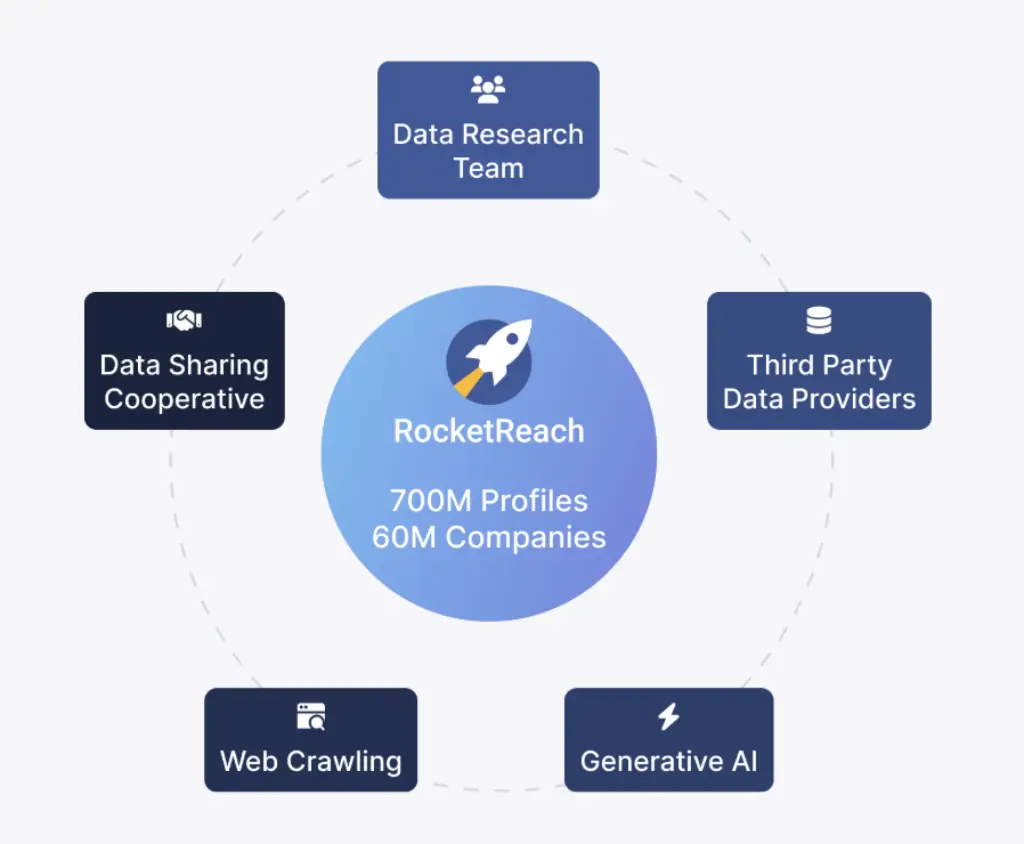
RocketReach is best known for its large professional contact database, Chrome extension, bulk lookup tools, CRM integrations, and API access. Public RocketReach listings commonly reference more than 700 million professional profiles, although company coverage numbers can vary depending on the source and page being referenced.
Core Purpose and Target Audience
RocketReach is designed for people who need to find accurate contact information quickly. You can search for a person, company, job title, or target account, then unlock available emails, direct dials, and social links.
The platform is especially useful when you already know who you want to reach, but you do not have the correct contact details.
Here’s who benefits most:
- Sales development reps: Build targeted prospect lists and enrich CRM records
- Recruiters: Find emails and phone numbers for passive candidates
- Growth marketers: Prepare lead lists before cold email campaigns
- Agencies: Source contacts for client campaigns and outbound projects
- Founders: Run lean, high-value prospecting without a large sales stack
With RocketReach, you can reduce manual research and move faster from account research to actual outreach. However, it works best when you use it alongside a CRM, email verification process, and outreach tool.
Key Features
Software Specification
RocketReach focuses on one core problem: finding and enriching professional contact data. Its strongest features are contact search, email lookup, phone number lookup, Chrome-based prospecting, bulk enrichment, CRM integrations, and API access.
It does not try to replace your CRM or outreach automation system. Instead, it helps you feed those systems with better prospect data.
Contact Database and Prospect Search
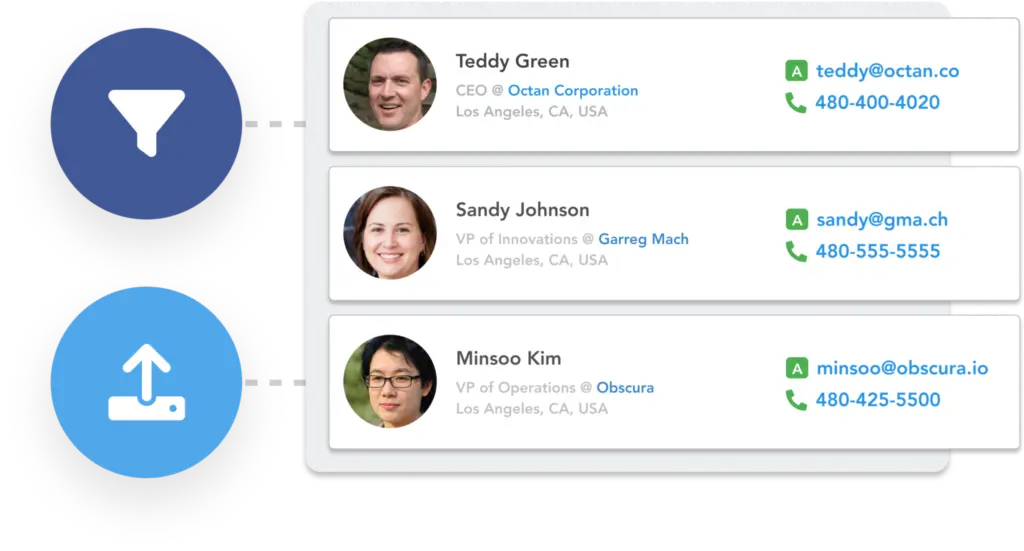
The contact database is RocketReach’s main strength. You can search for people or companies using filters such as name, job title, company, location, industry, domain, seniority, and department.
For each available profile, RocketReach may show:
- Verified business email addresses
- Personal emails when available
- Direct dial phone numbers when available
- Social profiles, including LinkedIn
- Job title, location, company, and company details
This makes RocketReach useful when you already have a target account list but need the correct contacts inside those companies.
Email Finder and Email Verification
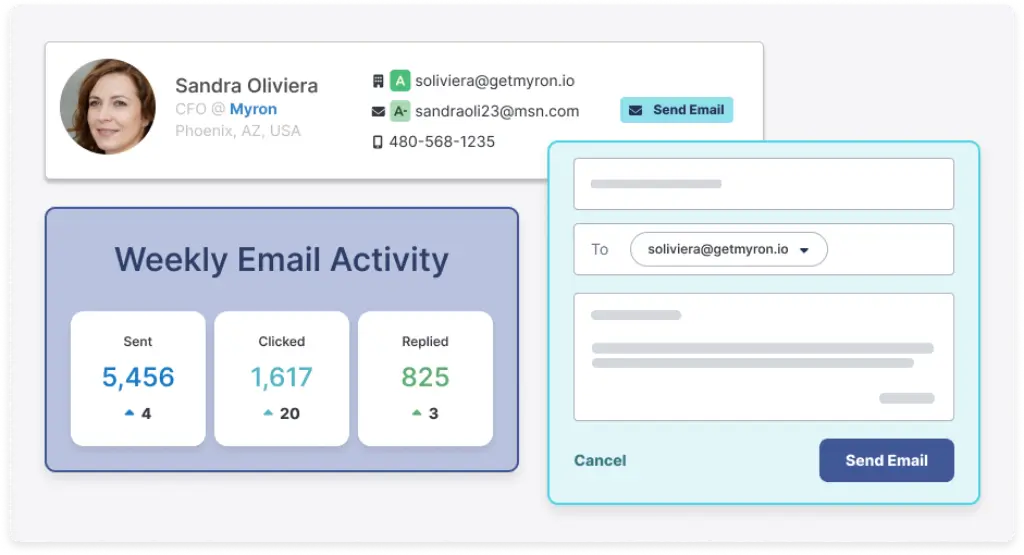
Email lookup is the core use case. RocketReach uses confidence indicators to help you assess whether an email is likely to be valid before you use it in outreach.
In practice, RocketReach is usually stronger for business emails than for mobile numbers. For most sales teams, that means the best workflow is to use RocketReach for discovery, filter for higher-confidence contacts, then verify larger lists before sending campaigns.
Tip: For cold outreach, avoid exporting every match. Prioritize high-confidence work emails, then monitor bounce rates by campaign, persona, and region.
Phone Number Lookup and Direct Dials
RocketReach can surface phone numbers and direct dials, but availability varies. U.S.-based contacts and higher-profile business roles often have better coverage than niche international markets.
If direct phone data is a major requirement, test RocketReach against your real target accounts before buying a larger plan. Phone coverage can be valuable, but it should not be assumed across every industry or geography.
Chrome Extension and LinkedIn Prospecting
The RocketReach Chrome extension is one of the platform’s most useful workflow features. It helps you find contact details while browsing LinkedIn, company websites, and social profiles.
This is especially helpful for SDRs, recruiters, and founders who spend a lot of time researching prospects manually. Instead of moving between multiple tabs, you can reveal available contact details directly from the page you are researching.
The extension is free to install, but unlocking full contact data usually requires an active RocketReach account or available credits.
Bulk Lookup and List Enrichment
RocketReach supports CSV uploads and bulk lookup, which makes it useful for list cleaning, campaign preparation, and CRM enrichment.
You can upload a list of names, domains, companies, or profile details, then use RocketReach to append missing contact information where available.
Bulk lookup is helpful for:
- Preparing outbound sales campaigns
- Refreshing old CRM records
- Enriching recruiting databases
- Cleaning third-party lead lists
- Building account-based prospecting lists
However, this is also where credits can disappear quickly. If you use RocketReach for bulk enrichment, build your filters carefully before unlocking contact data at scale.
CRM and Workflow Integrations
RocketReach connects with major sales and workflow tools, including Salesforce, HubSpot, Outreach, Zapier, Google Sheets, and other workflow platforms.
These integrations help you move enriched contacts into the tools your team already uses. For example, you can search for contacts in RocketReach, export them to a CRM, then manage follow-up through a separate outreach platform.
Zapier also supports RocketReach workflows with thousands of other apps, which is useful if your team wants a no-code way to sync data across marketing, sales, recruiting, or operations systems.
API Access and Data Enrichment Workflows
For technical teams, RocketReach offers API access for enrichment, automation, and custom prospecting workflows. This is useful if you want to enrich inbound leads, clean internal databases, append missing fields, or build lead intelligence workflows inside your own system.
API access is usually most relevant for larger teams, data operations teams, agencies, and companies with a consistent enrichment volume.
Autopilot, AI Filters, and Intent Signals
RocketReach has also been moving toward more automated prospecting workflows with AI-assisted filtering, list building, and intent-related capabilities.
This matters because many B2B teams no longer want a basic contact database only. They want help finding the right people, prioritizing accounts, and identifying contacts that may be more relevant to their current campaign.
That said, RocketReach is still better understood as a contact intelligence tool first. If your team needs full AI-powered sequencing, multi-step campaign automation, inbox rotation, deliverability controls, and reply management, you will likely need a dedicated outreach platform alongside it.
Pros and Cons
Advantages and Limitations of Using RocketReach
RocketReach is useful when you need fast access to professional contact data, but it is not the right choice for every team. Its biggest advantage is simplicity. Its biggest limitation is that it does not include the full campaign automation you get from dedicated sales engagement platforms.
Positive
✅ Easy contact lookup workflow
✅ Strong business email discovery
✅ Useful Chrome extension for LinkedIn
✅ Bulk lookup and CSV enrichment
✅ CRM, Zapier, and API options
Negative
❌ Pricing can be confusing
❌ Credits can run out quickly
❌ Phone data varies by market
❌ No built-in email sequencing
❌ Compliance review is important
Pros
1. Easy to Use
RocketReach has a clean, focused interface. You can search for a contact, view available details, save prospects to a list, export results, or use the Chrome extension without a heavy onboarding process.
This makes it especially appealing for smaller teams that do not want a complex sales intelligence platform with too many modules.
2. Strong Fit for Business Email Discovery
RocketReach is most useful when your main goal is to find business emails for sales, recruiting, marketing, or partnership outreach.
The confidence indicators help you prioritize better records, and the search filters make it easier to narrow your list before unlocking contact details.
3. Useful Chrome Extension
The Chrome extension is a major advantage for LinkedIn-heavy prospecting. Recruiters and SDRs can research profiles, identify contacts, and reveal available details directly from the browser.
This reduces manual research time and makes RocketReach feel practical for daily outbound work.
4. Bulk Lookup and Enrichment
If you already have a list of accounts or contacts, RocketReach can help enrich it. Bulk lookup and CSV upload are valuable for campaign preparation, CRM cleaning, and agency list-building workflows.
5. Works Well With Existing Sales Tools
RocketReach integrates with platforms like Salesforce, HubSpot, Outreach, Zapier, and Google Sheets. This makes it easier to add verified contacts to your sales stack instead of managing everything manually.
Cons
1. Pricing Requires Careful Review
RocketReach pricing is one of the most important areas to review before buying. Public pricing sources show different plan prices depending on billing term, plan type, credit volume, and whether you are comparing individual or team plans.
Before subscribing, check the current RocketReach pricing page directly and confirm the exact number of lookups, exports, phone credits, team seats, and renewal terms included in your plan.
2. Credits Can Run Out Quickly
RocketReach uses a credit-based model. If you are doing bulk enrichment or unlocking many contacts at once, your credits can disappear faster than expected.
This is not necessarily a dealbreaker, but it means teams should estimate monthly prospecting volume before choosing a plan.
3. Phone Data Is Less Predictable Than Email Data
RocketReach can provide direct dials and phone numbers, but phone availability varies by region, role, and industry. If calling is your main outbound channel, test the platform on your real ICP before committing.
4. No Full Email Sequencing
RocketReach helps you find contact data, but it does not replace a full outreach platform. You will still need a separate tool for cold email sequences, deliverability management, inbox rotation, reply detection, and performance analytics.
5. Compliance Needs Extra Attention
Because RocketReach deals with professional contact data, teams should review privacy, opt-out, GDPR, CCPA, and regional compliance requirements before using it for outreach.
This is especially important if you sell into the EU, run large cold email campaigns, or operate in a regulated industry.
Summary of Pros and Cons
RocketReach is best when you need a fast, simple, and focused way to find business contact data. It is less ideal if you need an all-in-one platform that combines contact data, sequencing, calling, engagement analytics, and advanced compliance workflows in one place.
User Experience
User Interface and Experience
RocketReach is built around speed. The platform is easier to understand than larger sales intelligence tools because it does not try to combine every sales function into one interface.
You can search for contacts, apply filters, inspect available data, save leads, export lists, or use the Chrome extension for prospecting while browsing. This makes RocketReach practical for users who want results quickly without configuring a complex system.
Overall Review Patterns
Public user reviews generally show a clear pattern. Users tend to like RocketReach for ease of use, fast contact lookup, LinkedIn prospecting, and useful email discovery. Negative feedback usually focuses on pricing, credit usage, missing phone numbers, billing concerns, and occasional outdated records.
| Review Theme | Common Positive Feedback | Common Negative Feedback |
| Ease of use | Simple search and quick setup | Some advanced workflows require another tool |
| Email data | Helpful for finding business emails | Accuracy varies by contact and region |
| Phone data | Useful when available | Less consistent than email coverage |
| Chrome extension | Strong for LinkedIn prospecting | Full value depends on available credits |
| Pricing | Can be worth it for high-value outreach | Credit limits and renewals need attention |
What Users Like
Fast Contact Lookup
The biggest user experience advantage is speed. If you have a specific prospect or company in mind, RocketReach makes it easy to search, inspect results, and unlock contact details.
Simple Interface
RocketReach avoids the complexity of full sales platforms. That is a benefit for solo users, recruiters, and small teams that need contact data without a heavy setup process.
Chrome Extension Workflow
The browser extension is useful for people who prospect directly from LinkedIn or company websites. It reduces tab switching and helps you move from research to list building faster.
What Users Complain About
Credit Consumption
Credits are one of the most common friction points. If you unlock too many contacts without filtering carefully, you may run through your monthly allowance quickly.
Incomplete or Outdated Data
No contact database is perfect. Some users report missing numbers, outdated job titles, old company records, or contacts that are no longer reachable.
Billing and Cancellation Concerns
Some negative reviews mention billing, renewals, or support response times. Before subscribing, read the plan terms carefully and set internal reminders for renewal dates.
Is the User Experience Solid?
Yes, RocketReach offers a strong user experience if you want a straightforward contact lookup platform. It is clean, fast, and relatively easy to learn.
The main thing to understand is that simplicity comes with trade-offs. RocketReach is not a complete sales operating system. It works best when you connect it with your CRM and outreach tools.
Business Size Fit
RocketReach for Different Business Sizes
If you are comparing sales and CRM tools, you may already be looking at platforms like HubSpot, Pipedrive, and monday CRM. RocketReach plays a different role.
It helps you find and enrich contacts before they move into your CRM or sales pipeline.
For Solo Professionals and Freelancers
RocketReach can work well for recruiters, consultants, founders, and freelance marketers who need accurate contact data without managing a large sales stack.
Best fit:
- Low-volume, high-value outreach
- LinkedIn-based prospecting
- Founder-led sales
- Recruiting and sourcing
If you only need a few lookups per month, compare RocketReach carefully against cheaper or free alternatives. If each correct contact can create meaningful revenue, the cost may be easier to justify.
For Small to Mid-Sized Teams
Small sales and recruiting teams can get more value from RocketReach because shared workflows, CRM exports, and bulk enrichment become more useful at team level.
It is a strong fit for SMB teams that already use a CRM and need better top-of-funnel data.
Best fit:
- SDR teams building outbound lists
- Recruiting teams sourcing candidates
- Marketing teams preparing targeted campaigns
- Agencies managing prospecting for clients
For Large Businesses and Agencies
Large teams may use RocketReach as a supplemental data source rather than their only sales intelligence platform. Enterprise sales organizations may still prefer tools like ZoomInfo or Cognism for deeper account intelligence, compliance workflows, and more advanced segmentation.
RocketReach can still be valuable for enterprise teams when used for quick lookup, candidate sourcing, list enrichment, or API-based enrichment.
Who Should Consider an Alternative?
RocketReach may not be the best choice if you need a platform that includes every part of outbound sales in one place.
Consider another tool if you need:
- Built-in cold email sequencing
- Advanced deliverability tools
- Native dialer and engagement analytics
- Deep buyer intent data
- Enterprise-grade compliance controls
- Full CRM or pipeline management
Pricing and Plans
How much does RocketReach cost?
RocketReach uses a plan-based and credit-based pricing model. The exact cost can vary depending on billing frequency, number of users, plan type, credits, and whether you choose an individual or team package.
Because public pricing sources list different numbers, you should treat the pricing below as a practical guide, not a guaranteed quote. Always confirm current pricing, credit limits, and renewal terms directly with RocketReach before buying.
RocketReach Pricing Snapshot
| Plan Area | What to Check | Why It Matters |
| Individual plans | Monthly price, annual discount, lookup credits | Best for solo users and low-volume prospecting |
| Team plans | Seat count, pooled credits, admin controls | Best for sales, recruiting, and agency teams |
| Credits | What counts as a lookup, reveal, export, or enrichment | Credit rules directly affect real cost |
| Phone data | Whether phone credits are included or limited | Direct dials may cost more or be less available |
| Renewal terms | Monthly vs annual billing, cancellation window | Helps avoid unexpected renewal issues |
How RocketReach Credits Work
RocketReach credits are used when you reveal or unlock contact data. The exact credit rules can depend on your plan and the type of information you access.
Before choosing a plan, ask these questions:
- How many email lookups do you get each month?
- Are phone numbers included or counted separately?
- Do unused credits roll over?
- Are bulk lookups charged differently?
- Do exports consume credits?
- Can team members share credits?
The best way to evaluate RocketReach pricing is to calculate your cost per usable contact, not only your monthly subscription price.
Free Plan or Free Trial Availability
RocketReach free access and trial availability can vary by plan, promotion, region, or public directory listing. Some public software directories mention limited trial or free access, while others list no free version.
For the article, avoid saying “RocketReach has no free plan” as an absolute statement unless you confirm it directly on the official pricing page at the time of publishing.
A safer recommendation is this: check RocketReach’s current pricing page before signing up, then test whether enough of your target contacts are available before committing to a paid plan.
Is RocketReach Expensive?
RocketReach is not the cheapest contact finder, especially if you need high-volume exports, phone numbers, or multiple team seats. However, it can be worth the cost if your outreach is targeted and each qualified contact has meaningful revenue potential.
For example, a founder selling a high-ticket B2B service may only need a small number of accurate contacts to justify the platform. A high-volume agency, however, needs to watch credit usage carefully.
Pricing Advice Before You Buy
Before you commit to RocketReach, test it against a small sample of your real ICP. Search 50 to 100 prospects from your target market, check email confidence, review phone availability, and estimate how many usable contacts you actually get.
This will give you a more realistic view of ROI than looking at plan prices alone.
Data Accuracy
How Accurate Is RocketReach?
RocketReach accuracy depends on the type of data you need, the market you target, and how carefully you filter contacts before exporting.
In general, RocketReach is strongest for business email discovery. Phone numbers, personal emails, and niche international contacts can be more variable.
Email Accuracy
RocketReach uses verification and confidence indicators to help users assess email quality. For best results, focus on business emails with stronger confidence signals.
If you plan to send cold email campaigns, do not rely on any database alone. Verify larger lists before sending, segment carefully, and monitor bounce rates.
Phone Number Accuracy
Phone numbers are useful when available, but direct dial coverage is usually less predictable than email coverage. If calling is central to your sales motion, compare RocketReach against tools that specialize more heavily in direct dials.
Data Freshness
Like every contact database, RocketReach can include outdated job titles, old company records, or contacts that have moved roles. This is common in B2B data because people change jobs frequently.
To reduce wasted credits, review the contact’s current company, LinkedIn profile, and confidence indicators before unlocking or exporting large lists.
How to Improve Results
You can get better results from RocketReach by using tighter filters and avoiding broad, low-intent exports.
- Filter by job title, seniority, company size, and region
- Prioritize high-confidence business emails
- Use bulk lookup only after cleaning your source list
- Verify exported emails before large campaigns
- Track reply, bounce, and invalid rates by data source
Compliance and Privacy
RocketReach GDPR, CCPA, and Opt-Out Considerations
Compliance is an important part of any RocketReach review because the platform provides access to professional contact data. If your team uses RocketReach for cold outreach, you should review privacy rules, opt-out processes, suppression workflows, and regional regulations before launching campaigns.
GDPR and CCPA Considerations
RocketReach provides data access and opt-out mechanisms, and public privacy discussions often reference GDPR and CCPA considerations. However, third-party commentary around RocketReach’s privacy posture is mixed, especially for EU prospecting.
If your team targets the EU, you should not rely on a generic compliance claim alone. Review RocketReach’s current privacy documentation, consult legal guidance, and make sure your outreach process includes lawful basis review, unsubscribe handling, suppression lists, and data minimization.
Opt-Out and Data Removal
Individuals can request profile removal or data privacy actions through RocketReach’s opt-out process. This is important for both compliance and trust.
For sales teams, this means you should also maintain your own suppression list. If someone opts out of your outreach, do not re-add them later through another data source.
Practical Compliance Tips
Before using RocketReach at scale, make sure your team has a documented process for:
- Unsubscribe handling
- Suppression list management
- Regional outreach rules
- Data retention limits
- CRM data hygiene
- Vendor privacy review
RocketReach can be a useful source of business contact data, but compliance is still your responsibility as the sender or data user.
RocketReach vs Alternatives
How Does RocketReach Compare To Other Tools?
RocketReach is a strong prospecting and contact lookup tool, but it is not the only option. The right alternative depends on whether you need contact data, outreach automation, CRM functionality, intent data, workflow customization, or enterprise-grade sales intelligence.
Below is a practical comparison of RocketReach against common alternatives.
| Tool | Best For | Main Strength | Main Limitation |
| RocketReach | Contact lookup and enrichment | Fast email discovery and Chrome extension | No full sequencing or CRM workflow |
| Apollo.io | Sales teams wanting data plus outreach | Combines database, sequences, and sales workflows | Can feel heavier than RocketReach |
| ZoomInfo | Enterprise sales intelligence | Deep account data, intent, and GTM workflows | Usually more expensive and enterprise-focused |
| Lusha | Simple B2B contact lookup | Easy interface and quick prospecting | Coverage can vary by market |
| Hunter.io | Email finding and domain search | Simple email discovery and verification | Less complete for phone data and company intelligence |
| Clay | Custom enrichment workflows | Powerful no-code data workflows and AI enrichment | Requires more setup and strategy |
| SmartReach AI | Cold email automation | Sequences, deliverability, inbox rotation, and outreach control | Not primarily a contact database |
| Prospeo | Targeted prospect discovery | Email finding and focused lead discovery workflows | Less established than larger databases |
RocketReach vs SmartReach AI
SmartReach AI is built for cold email automation and sales engagement. RocketReach helps you find contacts, while SmartReach AI helps you run outreach campaigns.
Choose SmartReach AI if you need:
- Cold email sequencing
- Inbox rotation and deliverability tools
- Reply detection and follow-up automation
- Campaign-level outreach analytics
Choose RocketReach if you need:
- Verified contact lookup
- LinkedIn-based prospecting
- Bulk enrichment and CRM exports
- A simpler data discovery workflow
For many outbound teams, the best setup is not RocketReach or SmartReach AI. It is RocketReach for contact data and SmartReach AI for outreach execution.
👉🏼 Read Full SmartReach AI Review Here or visit SmartReach AI platform here
RocketReach vs Apollo AI
Apollo.io is one of the strongest RocketReach alternatives because it combines contact data with sales engagement features. It can help teams search for prospects, build sequences, manage outreach, and track activity in one platform.
Choose Apollo if you need:
- An all-in-one prospecting and engagement tool
- Email sequences and outreach workflows
- Lead scoring and sales activity tracking
- A larger outbound operating system
Choose RocketReach if you want:
- A simpler contact lookup tool
- Faster setup with less workflow complexity
- Chrome-based prospecting
- Contact enrichment without a full sales platform
👉🏼 Read Full Apollo.io Review or visit Apollo.io here
RocketReach vs Prospeo
Prospeo is a contact discovery and email finding platform that can be useful for targeted prospecting. It is often a good fit for users who want a focused tool for finding emails, building lead lists, and validating contact information.
Choose Prospeo if you need:
- Email finding and lead discovery
- A focused prospecting workflow
- A simpler alternative for smaller teams
Choose RocketReach if you want:
- A larger professional contact database
- Chrome extension prospecting
- More established contact lookup workflows
- Broader CRM and workflow integration options
👉🏼 Read our Full Prospeo Review or visit Prospeo directly
RocketReach vs Clay
Clay is not only a contact database. It is a flexible enrichment and workflow automation platform for advanced prospecting teams.
Choose Clay if you need:
- No-code data enrichment workflows
- Multiple data providers in one workflow
- AI-assisted personalization
- Custom lead scoring and list building
Choose RocketReach if you want:
- A more guided contact lookup tool
- Less setup complexity
- Faster search and export workflow
- A simple way to find emails and phone numbers
👉🏼 Read our Full Clay Review or visit Clay platform here
RocketReach vs ZoomInfo
ZoomInfo is a better fit for enterprise GTM teams that need deeper company intelligence, account-level insights, intent data, org charts, enrichment, and sales operations support.
RocketReach is usually easier to adopt and more focused on fast contact lookup. ZoomInfo is broader, more enterprise-oriented, and typically more expensive.
Choose RocketReach if you want simplicity and fast access to contacts. Choose ZoomInfo if you need a more complete enterprise sales intelligence system.
RocketReach vs Hunter.io
Hunter.io is especially strong for email finding, domain search, and email verification. It is often a simpler and more affordable choice for users who only need email discovery.
RocketReach is broader because it includes professional profiles, phone numbers when available, company data, and Chrome-based prospecting.
Which Tool Should You Choose?
Choose RocketReach if your main priority is fast, focused contact lookup. Choose Apollo if you want contact data and outreach automation in one platform. Choose SmartReach AI if you already have data and need better campaign execution. Choose Clay if you want custom enrichment workflows. Choose ZoomInfo if you need enterprise-grade sales intelligence.
Best Practices
How to Use RocketReach in Your Sales Stack
RocketReach works best when you treat it as a data layer, not as your entire sales process.
A strong RocketReach workflow looks like this:
- Define your ideal customer profile
- Search contacts by company, role, and location
- Unlock only relevant, high-confidence contacts
- Export or sync them into your CRM
- Verify larger lists before sending
- Run outreach in a dedicated sequencing tool
- Track pipeline results inside your CRM
Using RocketReach With a CRM
RocketReach can help you enrich records before sending them into a CRM like HubSpot, Salesforce, Pipedrive, or monday CRM.
This is useful when your CRM has company names or inbound leads, but missing job titles, emails, phone numbers, or LinkedIn profiles.
Using RocketReach With Cold Email Tools
RocketReach does not replace an outreach platform. If you are running cold email, pair it with a tool built for sequencing, deliverability, personalization, and reply management.
For example, you might use RocketReach to build the list, then use SmartReach AI, Apollo, Reply.io, Mailshake, or another outreach platform to run campaigns.
Using RocketReach for Recruiting
Recruiters can use RocketReach to find candidate emails and phone numbers, especially when sourcing passive candidates from LinkedIn or company pages.
For recruiting use cases, the Chrome extension is particularly valuable because it fits naturally into candidate research workflows.
Conclusion
Final thoughts
⭐ Overall Rating: 7.8/10
RocketReach is a strong choice if you need a fast, focused, and easy-to-use platform for finding professional emails, phone numbers, company details, and social profiles.
It is especially useful for sales teams, recruiters, founders, agencies, and marketers that already have a CRM or outreach system and need better data at the top of the funnel.
The biggest strengths are its simple interface, strong business email discovery, Chrome extension, bulk lookup, and CRM integrations. The biggest drawbacks are pricing complexity, credit limits, variable phone coverage, and the lack of built-in outreach automation.
My recommendation is to evaluate RocketReach with a small real-world test before choosing a plan. Search for 50 to 100 prospects from your actual target market, review how many useful emails and phone numbers you get, then calculate your cost per usable contact.
If RocketReach performs well against your actual ICP, it can be a smart addition to your sales or recruiting workflow. If you need full sequencing, intent data, advanced automation, or enterprise GTM intelligence, compare it closely with Apollo, SmartReach AI, Clay, ZoomInfo, and other alternatives before committing.
FAQ
Frequently Asked Questions
What is RocketReach used for?
RocketReach is used to find professional contact information, including business emails, phone numbers, social profiles, job titles, and company details. Sales teams, recruiters, marketers, agencies, and founders use it for prospecting, recruiting, lead enrichment, and outreach preparation.
Is RocketReach a CRM?
No. RocketReach is not a CRM. It is a contact intelligence and lead enrichment platform. You can use it to find and enrich contacts, then export that data into a CRM like HubSpot, Salesforce, Pipedrive, or monday CRM.
How accurate is RocketReach?
RocketReach is generally strongest for business email discovery, especially when you focus on high-confidence contacts. Phone number coverage and international data can be more variable, so it is best to test the platform against your actual target market before scaling usage.
Does RocketReach provide phone numbers?
Yes. RocketReach can provide phone numbers and direct dials when available. However, phone coverage is less consistent than email coverage and can vary by region, industry, seniority, and contact type.
How much does RocketReach cost?
RocketReach pricing depends on the plan, billing term, credits, users, and contact reveal limits. Public pricing sources list different numbers, so you should check RocketReach’s official pricing page before subscribing and calculate the cost per usable contact for your workflow.
Does RocketReach have a free plan?
RocketReach free access and trial availability can vary by plan, region, and current promotion. Some public software directories mention limited free access or a trial, while others list no free version. Check the current RocketReach pricing page before relying on free access.
How do RocketReach credits work?
RocketReach credits are used when you reveal, unlock, export, or enrich contact data, depending on your plan rules. Before buying, confirm how many credits are included, whether phone data is counted separately, and whether unused credits roll over.
Is RocketReach GDPR compliant?
RocketReach provides privacy and opt-out mechanisms, but compliance should be reviewed carefully, especially for EU outreach. If your team uses RocketReach for prospecting, review RocketReach’s current privacy documentation and consult legal guidance for your specific market and use case.
What are the best RocketReach alternatives?
The best RocketReach alternatives include Apollo.io, ZoomInfo, Lusha, Hunter.io, Clay, SmartReach AI, Prospeo, UpLead, and Cognism. Apollo is stronger for all-in-one sales engagement, ZoomInfo is stronger for enterprise intelligence, and Clay is stronger for custom enrichment workflows.
Is RocketReach worth it for small businesses?
RocketReach can be worth it for small businesses if you run targeted outreach and each qualified contact has meaningful value. It may be less cost-effective for casual users or teams that need very high-volume data at the lowest possible price.