Introduction
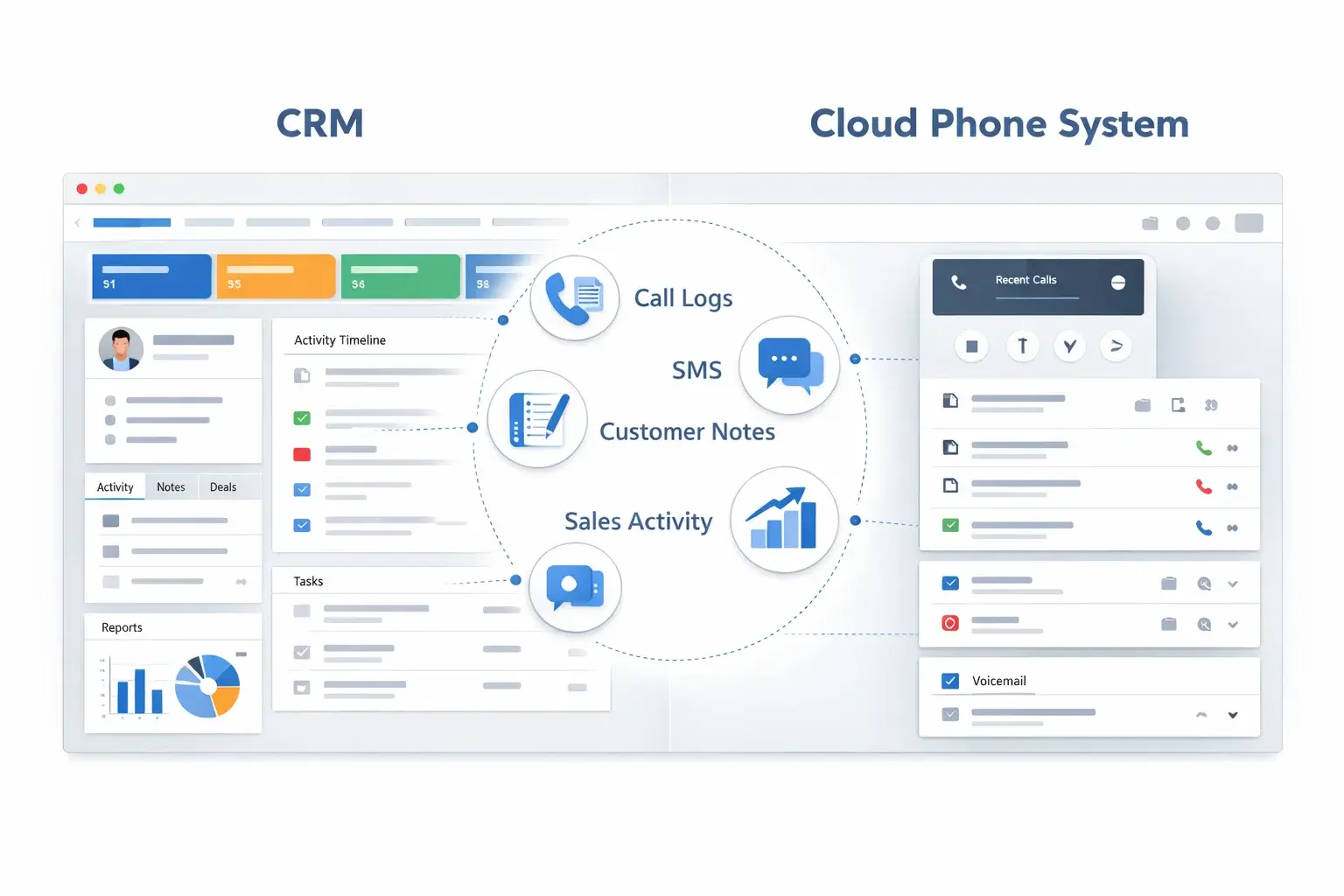
If your team lives inside a CRM, your phone system should do more than place and receive calls. It should surface customer records before you answer, log activity automatically, sync notes and recordings, trigger workflows, and help your reps move faster without bouncing between tabs.
That is what separates the best CRM-integrated phone systems from generic business phone services. The right platform turns your CRM into a true communication workspace, so sales, support, and success teams can work from one place instead of stitching together disconnected tools.
In this guide, you will find the best CRM-integrated phone systems for 2026: Dialpad, RingCentral, Nextiva, CloudTalk, Aircall, Vonage, and JustCall. Each one approaches CRM integration differently. Some focus on AI and conversation intelligence, some on broad UCaaS functionality, and some on fast-moving sales and support workflows.
By the end, you will know which platform is the best fit for your team size, CRM stack, and communication goals.
What to Look For in a CRM-Integrated Phone System
Not every integration is equally useful. Some vendors offer a basic click-to-call extension and call logging, while others give you two-way sync, screen pops, SMS syncing, task automation, AI summaries, and deep pipeline visibility. When comparing tools, focus on these factors:
- Native CRM integrations: Look for direct integrations with tools like Salesforce, HubSpot, Zoho, Pipedrive, Microsoft Dynamics, and Zendesk.
- Workflow depth: Strong integrations should support click-to-call, screen pops, automatic logging, contact syncing, activity history, and post-call actions.
- AI features: Tools with transcription, summaries, sentiment tracking, and coaching can save your team hours each week.
- Ease of deployment: Some systems are up and running quickly, while others need more admin work to configure properly.
- Support for voice and SMS: If your reps text customers or prospects, make sure those interactions also sync into the CRM.
- Pricing transparency: Some platforms are simple to price, while others push advanced CRM functionality into higher tiers or custom plans.
- Fit for your use case: Outbound sales teams, support desks, and distributed service teams do not all need the same type of phone system.
Dialpad
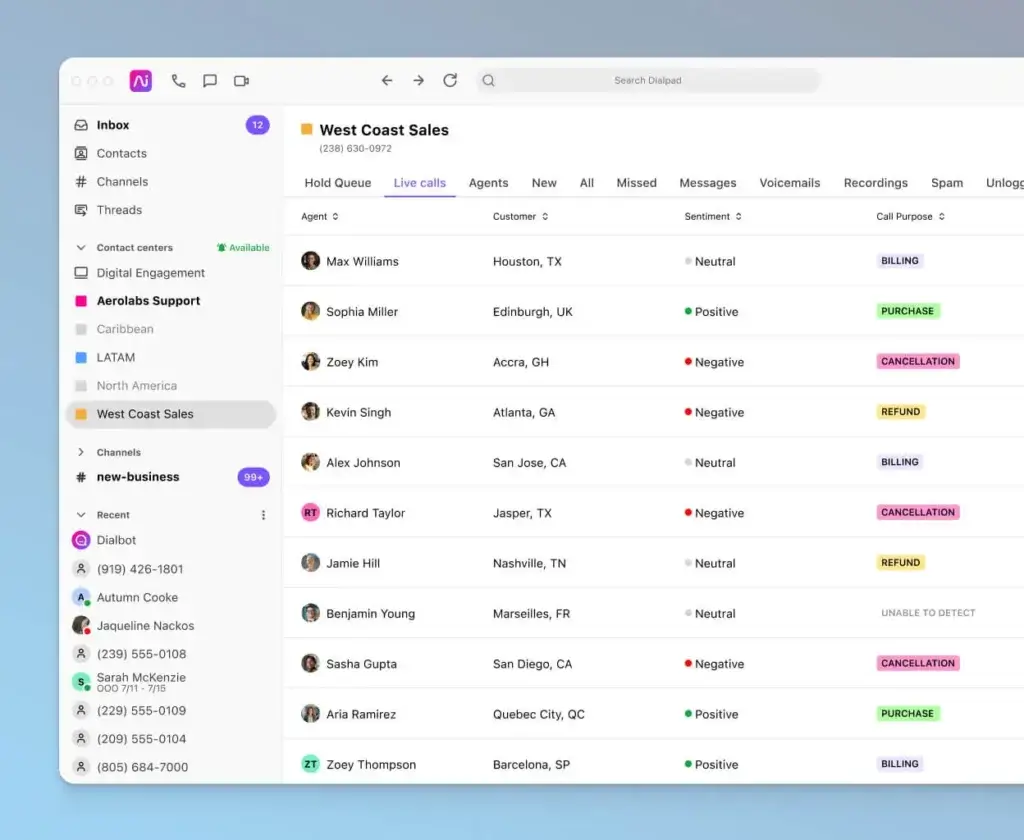
Dialpad is one of the strongest options if you want a modern business phone system that feels tightly connected to the way sales and support teams actually work. Its biggest differentiator is AI. Even on the communications side of the platform, Dialpad leans hard into real-time transcription, call summaries, and conversation intelligence that reduce admin work after every call.
For CRM-heavy teams, that matters. Instead of forcing reps to manually document every interaction, Dialpad helps capture the conversation while it happens. Its integrations with major tools like Salesforce and HubSpot make it especially attractive if your team wants to keep communications inside the systems they already use.
Key features
- Real-time transcription and AI call summaries
- Click-to-call and in-CRM calling workflows
- Automatic call logging and activity tracking
- Business calling, SMS, video, and team messaging in one app
- Integrations with Salesforce, HubSpot, Zendesk, Microsoft Teams, and more
- Useful for both sales conversations and support interactions
Pros and cons
Pros
✅ Strong built-in AI
✅ Clean and modern interface
✅ Good CRM coverage for growing teams
✅ Competitive starting price
Cons
❌ Some advanced workflows need higher tiers
❌ Not as broad a UCaaS suite as RingCentral
❌ Can require setup work for deeper CRM automation
❌ Best value depends on how much AI you actually use
Pricing
Dialpad is one of the more approachable options in this category. The business communications product starts at a relatively low entry point, with higher tiers adding more advanced capabilities and enterprise options for larger deployments.
Who should use Dialpad?
Dialpad is best for sales, support, and account management teams that want a CRM-connected phone system with strong AI built in. It is especially appealing if you use Salesforce or HubSpot and want to reduce manual note-taking and after-call admin.
Pricing
Dialpad is one of the more approachable options in this category. The business communications product starts at a relatively low entry point, with higher tiers adding more advanced capabilities and enterprise options for larger deployments.
| Plan | Best For | Main Highlights |
| Standard | Small teams | Business calling, messaging, video, basic CRM-connected workflows |
| Pro | Growing teams | Stronger integrations, more admin controls, better fit for CRM-centric teams |
| Enterprise | Larger organizations | Custom deployment, deeper controls, tailored support |
Who Should Use Dialpad?
Dialpad is best for sales, support, and account management teams that want a CRM-connected phone system with strong AI built in. It is especially appealing if you use Salesforce or HubSpot and want to reduce manual note-taking and after-call admin.
RingCentral

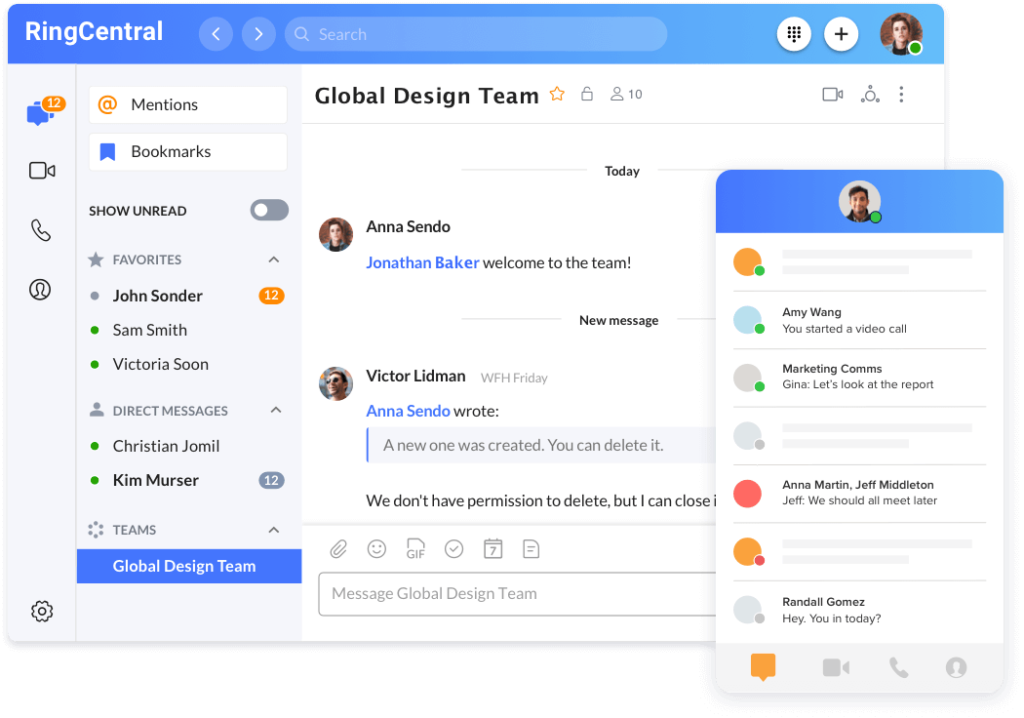
RingCentral is the most complete all-around platform in this list. If you want a business phone system that plugs into your CRM but also covers messaging, video, analytics, admin controls, and enterprise reliability, it is one of the safest choices you can make.
What makes RingCentral particularly strong for CRM-led organizations is not only the size of its integration ecosystem, but also the maturity of those integrations. It supports the kinds of workflows that larger sales and service teams usually care about, including screen pops, click-to-dial, automatic interaction logging, and broader customer context inside the CRM.
Key features
- Robust integrations with Salesforce, HubSpot, Zendesk, ServiceNow, and more
- Voice, SMS, messaging, and video in one platform
- Advanced call routing and admin controls
- Reliable infrastructure for multi-site and distributed teams
- Analytics and AI features on higher plans
- Good fit for both UCaaS and customer-facing communication needs
Pros and cons
Pros
✅ Excellent integration ecosystem
✅ Strong scalability for growing companies
✅ Broad communication suite beyond voice
✅ Reliable choice for larger deployments
Cons
❌ Can feel complex for small teams
❌ Pricing rises as you need more advanced capabilities
❌ Some best CRM workflows sit above entry tier
❌ More than some teams actually need
Pricing
RingCentral uses tiered plans that generally move from core business communications into more advanced admin, analytics, and AI functionality. For CRM-integrated use cases, most teams will get the most value from plans above the entry level.
| Plan | Best For | Main Highlights |
| Core | Small teams | Calling, messaging, video, basic business phone functions |
| Advanced | Growing businesses | Better integrations, analytics, and stronger admin tools |
| Ultra | Advanced teams | Broader AI and premium feature set for larger operations |
Who Should Use RingCentral?
RingCentral is ideal for businesses that want one phone system they can standardize across departments. It is particularly strong for midsize and enterprise teams using Salesforce, HubSpot, or Zendesk that want a dependable system with room to grow.
Nextiva

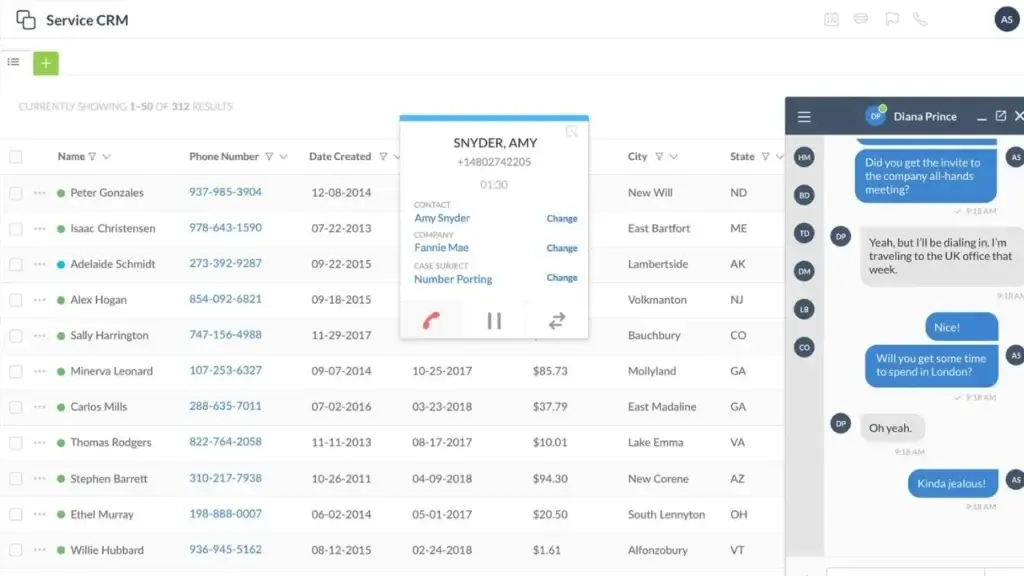
Nextiva stands out because it pushes beyond the idea of a phone system and leans toward a broader customer communication platform. If your team handles voice plus chat, messaging, and customer interactions across multiple channels, Nextiva makes a strong case for itself.
Its CRM integration story is solid, particularly for businesses that want to connect voice with customer context and run communications from a more unified workspace. The platform supports multiple CRM integrations and is especially appealing if you want a system that can grow from standard business telephony into a more complete customer experience stack.
Key features
- Business voice, messaging, and broader customer communication tools
- CRM integrations with Salesforce, HubSpot, Zoho, Microsoft Dynamics, and more
- Unified conversation handling for customer-facing teams
- AI tools and automation in higher-level packages
- Good fit for service-oriented businesses and multichannel support environments
- Broad platform vision beyond standard VoIP
Pros and cons
Pros
✅ Strong multichannel positioning
✅ Good CRM coverage
✅ Good fit for service and support teams
✅ Can scale into broader CX use cases
Cons
❌ Best value is clearer for customer-facing teams than pure outbound sales teams
❌ Pricing can become less simple as you expand features
❌ Some businesses may not need the broader CX angle
❌ Smaller teams may prefer a lighter tool
Pricing
Nextiva offers entry-level business voice pricing, but broader customer communication and AI functionality can move you into higher packages. This makes it flexible, though not always as simple to compare as a basic VoIP-only product.
| Plan Type | Best For | Main Highlights |
| Business Voice | Small teams | Core voice and texting with standard business phone features |
| Higher CX plans | Service-led businesses | Broader conversation management, routing, and AI tools |
| Custom enterprise tiers | Larger operations | Deeper customer experience capabilities and more advanced workflows |
Who Should Use Nextiva?
Nextiva is best for businesses that want a CRM-integrated phone system but also expect to manage customer conversations across several channels. If your support, service, or operations teams want a more unified customer communication layer, Nextiva is one of the best fits here.
CloudTalk

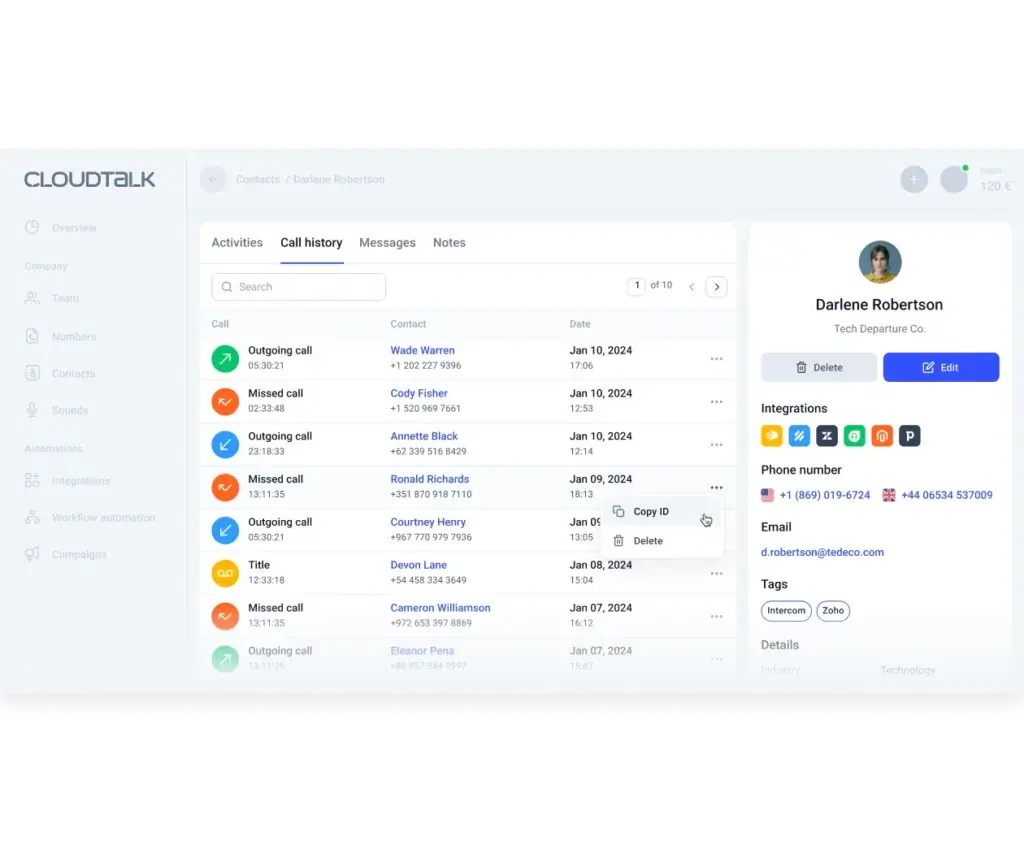
CloudTalk has become one of the most compelling choices for CRM-integrated calling, especially for fast-growing sales and support teams. It does not try to be everything for every department. Instead, it focuses on voice operations, automation, and integrations that help revenue and service teams work faster.
This focus is exactly why it deserves a place in this list. CloudTalk has built a strong reputation around CRM connectivity, one-click integrations, and workflows that support real operational use. It works especially well with platforms like Salesforce, HubSpot, Pipedrive, Zendesk, and Intercom, making it a smart choice if your team wants value from the integration on day one, not after a long implementation cycle.
Key features
- Strong native CRM and helpdesk integrations
- Click-to-call, automatic logging, and workflow-friendly sync
- Built for sales, support, operations, and high-call-volume teams
- AI voice agents and automation options
- Global calling focus and number management
- Practical balance between functionality and usability
Pros and cons
Pros
✅ Excellent CRM-first focus
✅ Great for sales and support workflows
✅ Good pricing progression for growing teams
✅ Easier to operationalize than some enterprise tools
Cons
❌ Less suitable if you want a full collaboration suite
❌ Some advanced capabilities require higher plans or add-ons
❌ Not as broad as RingCentral for company-wide standardization
❌ Can be more specialized than general phone buyers expect
Pricing
CloudTalk offers clearer pricing than several competitors, which is part of its appeal. It has lower entry tiers for smaller teams and progressively more capable plans for businesses that need deeper automation, analytics, and integration power.
| Plan | Best For | Main Highlights |
| Lite | Small teams | Core phone system features and a simple starting point |
| Starter | Growing teams | More calling capacity and a better feature set for daily use |
| Higher tiers and add-ons | Advanced teams | More automation, AI options, and deeper operational controls |
Who Should Use CloudTalk?
CloudTalk is best for outbound sales teams, inbound support teams, and service operations that depend on Salesforce, HubSpot, Pipedrive, Zendesk, or similar tools. If you want a focused CRM-integrated phone system without enterprise bloat, CloudTalk is a very strong option.
Aircall
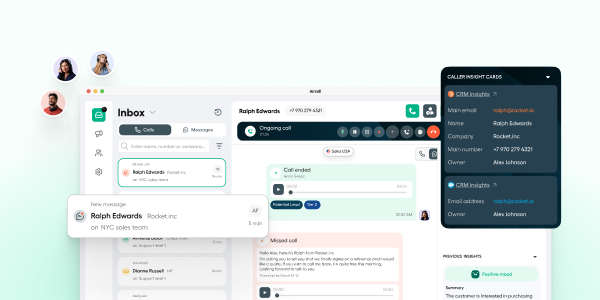
Aircall is one of the strongest options if your team wants a CRM-integrated phone system built specifically for sales and support workflows. Unlike broader unified communications platforms that try to cover every internal collaboration need, Aircall stays focused on customer-facing conversations and the systems around them. That focus makes it especially attractive for teams that live in Salesforce, HubSpot, Zendesk, Pipedrive, and similar tools.
What makes Aircall especially compelling in this category is the depth of its integration story. Aircall highlights 250+ integrations, supports automatic syncing of conversations and customer data, and positions its platform around connected workflows rather than just basic call logging. It also combines voice, SMS, and AI-powered capabilities in a workspace designed to help teams move faster without losing context.
Key features
- 250+ integrations with CRM, helpdesk, and business tools
- Automatic syncing of conversations and customer data
- Click-to-dial, IVR, call recording, and shared customer communication workflows
- Salesforce CTI integration on higher plans
- Support for voice, SMS, and messaging in one platform
- AI Assist and AI voice agent capabilities for faster follow-up and automation
Pros and cons
Pros
✅ Excellent CRM and helpdesk integration focus
✅ Strong fit for sales and support teams
✅ 250+ integrations and API access
✅ Clear workflow value for customer-facing operations
Cons
❌ Less ideal if you want a broad all-in-one UCaaS suite
❌ Some of the best CRM features sit on higher tiers
❌ Minimum license requirements can make entry less flexible
❌ Can be more specialized than teams that require simpler phone needs
Pricing
Aircall structures its pricing across Essentials, Professional, and Custom plans. Its pricing page states that plans start at $30 per license per month, and it highlights features such as 250+ integrations, API access, IVR, call recording, and click-to-dial on Essentials, while Salesforce CTI integration and more advanced functionality appear on Professional and above. The Custom tier is designed for larger deployments and includes items such as custom onboarding, API developer support, SLA options, and a 25-license minimum.
Who should use Aircall?
Aircall is best for sales teams, support teams, and customer operations teams that care more about CRM-connected calling workflows than about having the broadest internal collaboration suite. If your team works heavily in tools like Salesforce, HubSpot, Zendesk, or Pipedrive and you want fast deployment with strong day-to-day workflow value, Aircall is one of the best specialist options in this category.
Vonage

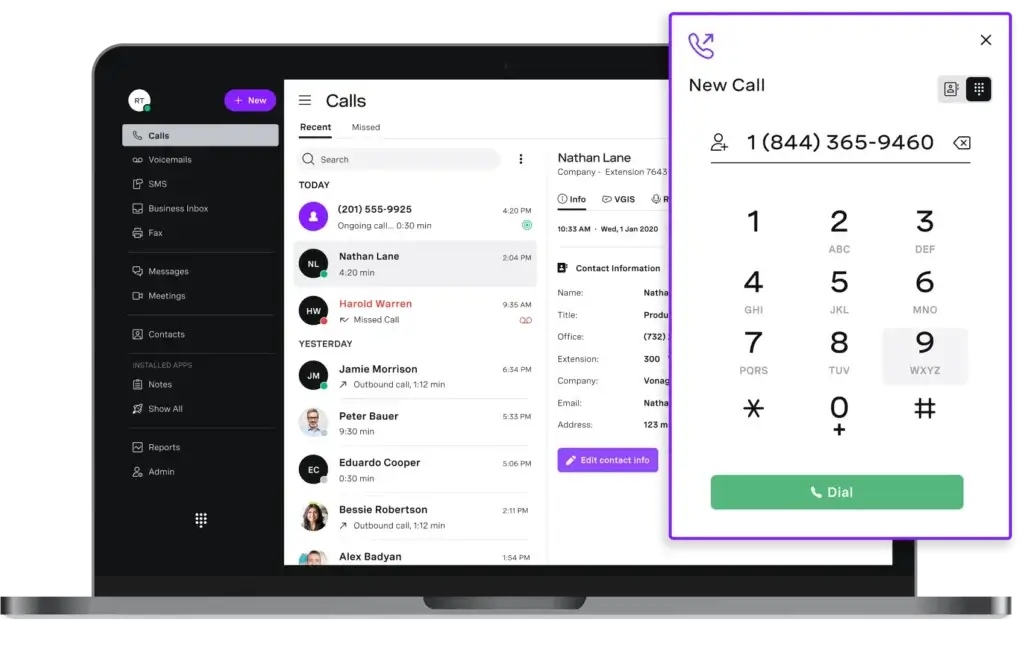
Vonage remains a serious player if you want a flexible business communications platform with established CRM connectivity. It is not the flashiest tool in the market, but it has the breadth and maturity that many businesses still value, especially when they need voice, messaging, and app integrations in one environment.
Its CRM integrations support common workflows such as click-to-dial, screen pops, and call logging, and the platform connects with tools like Salesforce and HubSpot. Compared with CloudTalk or JustCall, Vonage feels less purpose-built for modern sales workflow speed. Compared with generic business phone providers, though, it still offers meaningful CRM value.
Key features
- Business calling, SMS, video, team messaging, and mobile apps
- CRM integrations via Vonage Business Communications and integration suite
- Support for Salesforce, HubSpot, Microsoft Dynamics, Zoho, and more
- Good fit for flexible business communications deployments
- Established vendor with broad communications footprint
Pros and cons
Pros
✅ Good range of CRM integrations
✅ Flexible business communications feature set
✅ Familiar choice for UCaaS buyers
✅ Suitable for mixed communication needs
Cons
❌ CRM experience feels less modern than the best specialists
❌ Pricing can be less straightforward depending on package
❌ Not my first choice for outbound-heavy teams
❌ Better as a UCaaS platform than a pure CRM calling specialist
Pricing
Vonage promotes business communications plans and broader contact center options, with CRM integration also appearing in higher-value use cases. Pricing structure depends on which product path you take, so it is less transparent than Dialpad or CloudTalk for a simple side-by-side comparison.
| Plan Type | Best For | Main Highlights |
| Business communications plans | General business use | Calling, SMS, team messaging, video, standard integrations |
| Higher-value packages | CRM-linked teams | Better fit for integrated workflows and broader feature needs |
| Contact center options | Advanced service teams | Routing, monitoring, and stronger customer operations capabilities |
Who Should Use Vonage?
Vonage is best for businesses that want an established cloud communications platform and need CRM integrations as part of a broader setup. It works well for teams that prioritize business telephony flexibility and multi-app connectivity over cutting-edge sales automation.
JustCall

JustCall is one of the most compelling choices for teams that care deeply about CRM-driven selling. It is designed around the reality of sales outreach and support workflows, with a strong emphasis on call activity inside platforms like HubSpot, Salesforce, Pipedrive, Zendesk, and other tools revenue teams already use every day.
Where JustCall shines is operational speed. It is built to help reps call, text, log, and follow up without losing context. That makes it especially attractive for SMBs and mid-market sales teams that want something more execution-focused than a general business phone provider.
Key features
- 100+ CRM and helpdesk integrations
- Click-to-call, SMS sync, screen pops, call and text logging
- Good support for Salesforce, HubSpot, Pipedrive, Zoho, Zendesk, and Freshdesk
- Strong fit for outbound sales and support execution
- AI insights and workflow automation options
- International number support and team reporting
Pros and cons
Pros
✅ Excellent CRM and helpdesk coverage
✅ Built for fast-moving sales teams
✅ Clear value for outbound calling and texting
✅ Transparent positioning for SMBs and mid-market teams
Cons
❌ Less compelling if you mainly want company-wide UCaaS
❌ Broader collaboration features are not its core appeal
❌ Advanced AI and sales layers can push costs higher
❌ Larger enterprises may still prefer RingCentral or similar
Pricing
JustCall starts with a team plan aimed at smaller businesses and grows into more advanced packages for AI, automation, and sales performance. It is easier to understand than many enterprise-first alternatives, which makes it appealing for smaller teams buying on value.
| Plan | Best For | Main Highlights |
| Team | Small teams | Business phone features, CRM integrations, analytics, messaging |
| Pro | Growing teams | More automation, AI options, and operational depth |
| Higher tiers / custom sales suite | Advanced revenue teams | Deeper dialing, automation, coaching, and enterprise workflows |
Who Should Use JustCall?
JustCall is best for outbound sales teams, inside sales teams, and SMB support teams that want strong CRM integration without enterprise overhead. If your reps work in HubSpot, Salesforce, Pipedrive, or Zendesk all day, JustCall is a very practical choice.
Feature Comparison Table
| Tool | Best For | CRM Integration Strength | Standout Advantage |
| Dialpad | AI-focused sales and support teams | Strong | Real-time AI transcription and summaries |
| RingCentral | Midsize and enterprise teams | Very strong | Best overall balance of scale, reliability, and integrations |
| Nextiva | Service-led multichannel teams | Strong | Customer communication platform angle |
| CloudTalk | Fast-growing sales and support teams | Very strong | Practical CRM-first workflow design |
| Aircall | Sales and support teams | Very strong | Customer-facing workflow focus with deep CRM and helpdesk integrations |
| Vonage | Flexible UCaaS buyers | Good | Established communications platform with CRM options |
| JustCall | Outbound and CRM-driven revenue teams | Very strong | Execution-focused calling and texting inside the CRM |
How to Choose the Right CRM-Integrated Phone System
The right platform depends less on the phone system itself and more on how your team works inside the CRM.
- Start with your primary CRM. If your business runs on Salesforce, HubSpot, Pipedrive, or Zoho, make sure the integration is native and deep enough for your workflows.
- Decide whether you need a broad platform or a specialist. RingCentral and Nextiva are broader communication platforms. CloudTalk and JustCall are more workflow-specific. Dialpad sits in between with strong AI. Vonage leans more toward UCaaS flexibility.
- Map your daily actions. Think through click-to-call, call logging, SMS syncing, note capture, summaries, and disposition-based workflows. That is where the real value shows up.
- Do not overbuy. Smaller teams often pay for platform breadth they never use. If your team mainly lives in the CRM and makes a high volume of calls, a focused tool may be better.
- Test the integration, not just the dial tone. A free trial should confirm whether the CRM experience actually saves your reps time.
Why CRM Integration Matters So Much
A phone system without CRM integration creates duplicate work. Your team answers a call in one app, then manually updates another. That slows down response times, reduces data quality, and makes it harder for managers to trust the pipeline or support record.
By contrast, a good CRM-integrated phone system gives your team immediate context before the conversation starts. It also keeps the record clean after the call ends. That means better follow-up, more accurate reporting, and a smoother experience for both your employees and your customers.
This is why I would not choose a business phone system today on call quality alone. Integration quality is now one of the most important factors, especially for sales and customer-facing teams.
Conclusion
The best CRM-integrated phone system is the one that helps your team stay inside its workflow instead of jumping between disconnected tools. The biggest value in this category comes from strong syncing, low-friction calling, and keeping customer context visible inside the CRM, not from adding another isolated phone app to your stack.
If you want the strongest all-around platform, RingCentral is still the best overall choice. It combines scale, reliability, AI-powered business communications, and a very broad integration ecosystem, which makes it one of the safest picks for growing and larger teams. Dialpad stands out if AI is your top priority, thanks to its built-in transcription, summaries, and conversation intelligence. Aircall, CloudTalk, and JustCall are especially compelling if your focus is on practical sales and support execution inside the CRM, since all three lean heavily into syncing conversations, customer context, and workflow activity with platforms like Salesforce, HubSpot, Zendesk, and similar tools.
Nextiva is a smart choice for businesses that want a broader customer communication platform rather than just a phone service, while Vonage remains a solid option for companies that want flexible business communications with CRM connectivity included. In other words, the right choice depends on whether you want the broadest platform, the strongest AI layer, or the most focused day-to-day CRM calling workflow.
If I were narrowing this list by use case, I would put RingCentral at the top for scale and platform depth, Dialpad as the best AI-oriented option, Aircall and CloudTalk among the best choices for CRM-first sales and support teams, and JustCall as a strong pick for revenue-focused execution. That is the fastest way to turn a long shortlist into the right decision for your workflow.
Frequently Asked Questions (FAQs)
What is a CRM-integrated phone system?
A CRM-integrated phone system connects your calling platform with your CRM so calls, texts, notes, and customer records work together. The goal is to reduce manual entry and give reps more context during every interaction.
Why is CRM integration important for a business phone system?
It saves time, improves data accuracy, and helps your team personalize conversations. Instead of switching between platforms, reps can call, log activity, and follow up from one workflow.
Which CRM-integrated phone system is best overall?
RingCentral is the best overall option in this list because it balances integration depth, scalability, reliability, and broad platform coverage better than most alternatives.
Which tool is best for Salesforce users?
RingCentral, Dialpad, CloudTalk, Vonage, Nextiva, and JustCall all support Salesforce, but RingCentral and CloudTalk stand out for mature workflow support, while Dialpad adds a strong AI layer.
Which platform is best for HubSpot users?
JustCall, CloudTalk, Dialpad, and RingCentral are especially strong for HubSpot-centric teams. JustCall is particularly attractive for outbound and SMB sales teams.
Is Dialpad better than RingCentral?
It depends on your priorities. Dialpad is better if you want AI-first calling and a simpler modern experience. RingCentral is better if you want broader communications coverage and stronger enterprise readiness.
Is CloudTalk better than JustCall?
CloudTalk is often better for practical sales and support teams that want a focused CRM-connected voice platform. JustCall is often better for outbound-heavy sales teams that want fast calling and texting workflows inside the CRM.
Are CRM integrations available on entry-level plans?
Sometimes, but not always. Many providers include basic integrations early and reserve deeper workflow features, automation, or analytics for higher tiers.
Can these phone systems sync SMS into the CRM too?
Yes, several of them can, especially Dialpad, RingCentral, CloudTalk, and JustCall. You should still verify SMS sync behavior by CRM because it can vary by connector and plan.
What is the best CRM-integrated phone system for small businesses?
For small businesses, Dialpad, CloudTalk, and JustCall usually offer the best balance of price, ease of use, and useful CRM connectivity. The right one depends on whether you prioritize AI, sales execution, or broader support workflows.