

Introduction
Choosing the best real estate CRM software can make the difference between a scattered pipeline and a predictable sales process. When you manage buyers, sellers, listings, showings, referrals, and follow-ups, a spreadsheet quickly becomes too limited.
A real estate CRM helps you organize every client relationship in one place. It gives you a clear view of your leads, conversations, deal stages, tasks, and property-related activity, so you can respond faster and stay consistent.
In this guide, you’ll find the best real estate CRM software for 2026, including tools for solo agents, growing teams, marketing-focused agencies, and larger brokerages. You’ll also learn what is CRM software in a real estate context, which features matter most, and how to choose the right platform for your workflow.
What Is a Real Estate CRM?
A real estate CRM is customer relationship management software built to help agents, brokers, and real estate teams manage leads, clients, listings, communication, and sales activity from one central system.
In simple terms, CRM means Customer Relationship Management. In real estate, that means tracking every relationship from the first inquiry to the final closing, and often beyond that through referrals, repeat clients, and long-term nurturing.
A good real estate CRM helps you answer practical questions like:
- Who needs a follow-up today?
- Which leads are ready to book a showing?
- Which buyers match a new listing?
- Which deals are stuck in the pipeline?
- Which marketing campaigns are generating qualified leads?
Unlike a general contact database, a real estate CRM gives you sales pipeline tools, automation, reminders, communication tracking, reporting, and sometimes property-specific features. That makes it easier to stay organized while giving each buyer or seller a more personal experience.
If you want a broader explanation of CRM platforms beyond real estate, you can also review our guide to choosing a CRM.

Our Top Picks for the Best Real Estate CRM Software
If you want a quick answer, here are the strongest options based on common real estate use cases:
- Best overall: monday CRM
- Best for sales-focused agents: Pipedrive
- Best budget CRM with AI tools: Zoho CRM
- Best free CRM for real estate marketing: HubSpot CRM
- Best for large brokerages: Salesforce
- Best real estate-specific CRM: Wise Agent
Real Estate CRM Software Comparison Table
Use this comparison table to quickly understand which CRM best fits your team size, budget, and workflow needs.
| CRM Software | Best For | Key Features | Starting Price | Free Trial / Free Plan |
| monday CRM | Custom workflows and visual pipeline management | Custom boards, automation, dashboards, collaboration tools | From $10/user/month | Free trial available |
| Pipedrive | Sales-focused agents and teams | Visual pipelines, activity tracking, reminders, mobile CRM | Plan pricing varies by package | 14-day free trial |
| Zoho CRM | Budget-conscious teams that want automation | Lead scoring, workflows, reports, Zia AI assistant | Free for 3 users, paid plans available | Free plan available |
| HubSpot CRM | Lead capture and marketing-focused agencies | Contact management, email tracking, forms, deal pipelines | Free CRM tools available | Free plan available |
| Salesforce | Large brokerages and complex sales operations | Advanced reporting, AI, app marketplace, customization | From $25/user/month | Trial available |
| Wise Agent | Real estate-specific workflows | Transaction tools, drip campaigns, contact management, texting | From $49/month | 14-day free trial |
Below are the best real estate CRM platforms to consider. Each review explains who the tool is best for, how it helps real estate professionals, what to watch out for, and when it makes the most sense.
monday CRM

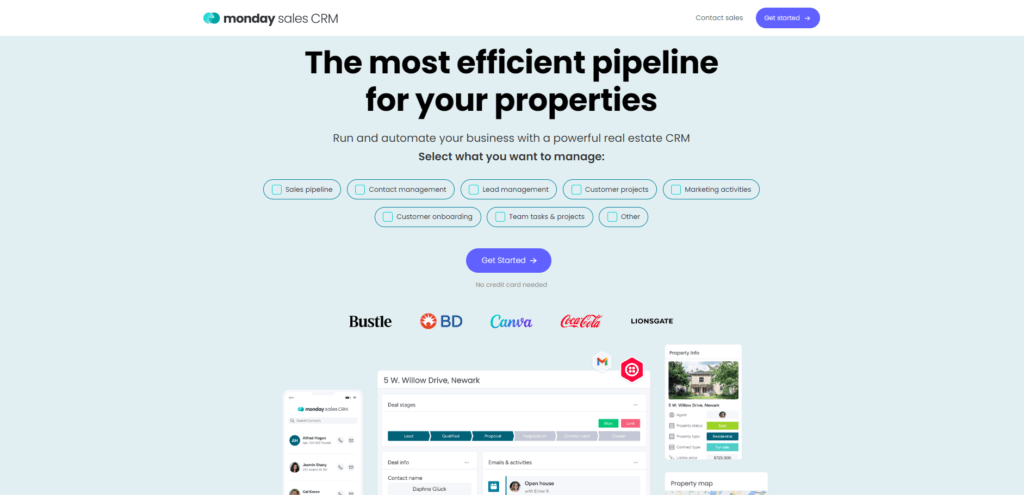
monday CRM is the best overall real estate CRM for teams that want flexible workflows, visual pipelines, and strong collaboration tools.
monday CRM works well for real estate because it gives you a customizable workspace instead of forcing you into a rigid sales process. You can build boards for buyer pipelines, seller pipelines, property listings, showings, referrals, and closing tasks.
If you manage a team, this flexibility is valuable. You can assign tasks, track ownership, set reminders, and create automations that reduce manual admin work.
Why monday CRM works well for real estate
monday CRM is especially useful when your real estate process involves multiple people. For example, one person may handle lead intake, another may schedule showings, and another may manage paperwork or client updates.
With monday CRM, you can create a shared system where everyone sees the same pipeline. This helps reduce missed handoffs and keeps deals moving.
- Custom boards for buyers, sellers, listings, and deals
- Visual pipeline tracking for every real estate stage
- Automations for reminders, status changes, and follow-ups
- Dashboards for team performance and deal visibility
- Integrations with email, calendars, forms, and other tools
Pros and Cons
- Pros: Highly customizable, visual, easy for teams to adopt, strong automation options.
- Cons: Requires setup time, advanced CRM reporting may need higher-tier plans.
Best for: Real estate teams that want a flexible, visual CRM for managing leads, properties, and internal workflows.
Starting price: From $10/user/month. Pricing can vary by plan and billing terms, so check the current monday CRM pricing page before publishing.
Pipedrive
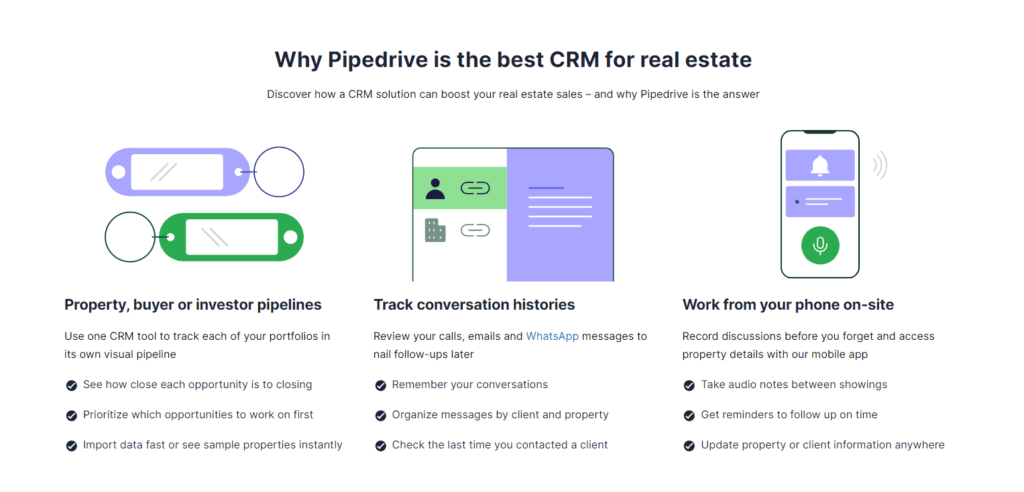
Pipedrive is a strong real estate CRM for agents and teams that want a simple, sales-first pipeline system.
Pipedrive is built around deal movement. That makes it useful for agents who need to know exactly which leads require follow-up, which showings are scheduled, and which deals are closest to closing.
The platform is less real estate-specific than Wise Agent, but its sales pipeline experience is one of its biggest strengths. If your main problem is staying organized and following up consistently, Pipedrive is a practical choice.
Why Pipedrive works well for real estate
You can customize pipeline stages around your real estate process. For example, you might create stages like new inquiry, qualified buyer, showing booked, offer stage, contract, and closed.
Pipedrive also helps you manage daily activity. You can set reminders for calls, schedule tasks, and track communication so active leads do not disappear into your inbox.
- Visual drag-and-drop deal pipelines
- Follow-up reminders and activity tracking
- Custom fields for budget, location, property type, and lead source
- Email tracking and communication history
- Mobile app for agents working in the field
Pros and Cons
- Pros: Easy to use, excellent sales pipeline view, strong follow-up reminders.
- Cons: Not built only for real estate, some automation and reporting features require higher plans.
Best for: Agents and small teams that want to manage real estate deals through a clear visual pipeline.
Starting price: Pipedrive pricing depends on plan and billing cycle. It offers a 14-day free trial.
Zoho CRM

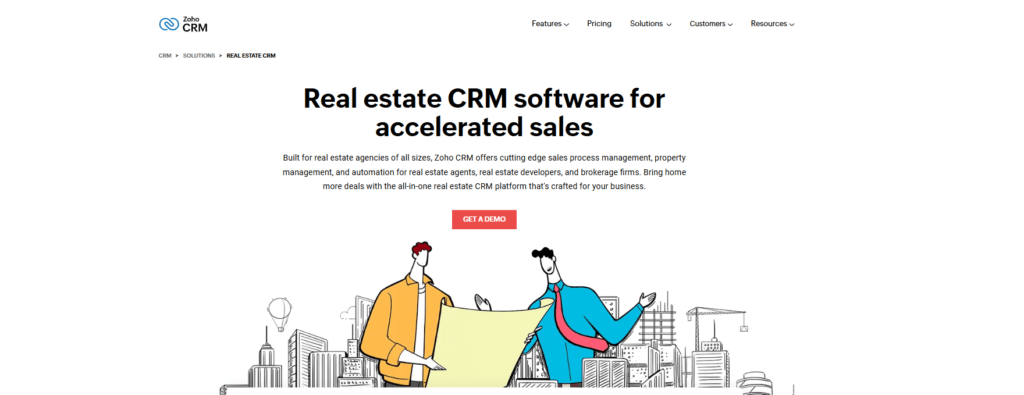
Zoho CRM is one of the best real estate CRM options for teams that want affordability, automation, and AI-assisted lead management.
Zoho CRM is not only a budget-friendly CRM. It is also part of a larger business software ecosystem, which can be helpful if you already use Zoho tools for email, finance, support, or marketing.
For real estate agents, Zoho CRM can help manage leads, score opportunities, automate tasks, and segment contacts by buyer type, seller status, budget, location, or property interest.
Why Zoho CRM works well for real estate
Zoho CRM is a good fit when you want more automation without paying enterprise-level prices. You can create workflows for lead assignment, follow-up reminders, email sequences, and task creation.
Its AI assistant, Zia, can also support lead prioritization and insights, depending on your plan. This is useful when you receive leads from multiple channels and need to focus on the highest-value opportunities first.
- Lead scoring and workflow automation
- Custom fields for real estate lead profiles
- Email, phone, and SMS-related integrations
- Dashboards for sales activity and pipeline visibility
- Free edition for small teams getting started
Pros and Cons
- Pros: Affordable, flexible, good automation, strong value for small teams.
- Cons: Setup can feel more technical, advanced AI features may require higher plans.
Best for: Solo agents and small real estate teams that want affordable CRM automation with room to grow.
Starting price: Zoho CRM offers a free edition for up to 3 users, with paid plans available for advanced features.
HubSpot CRM

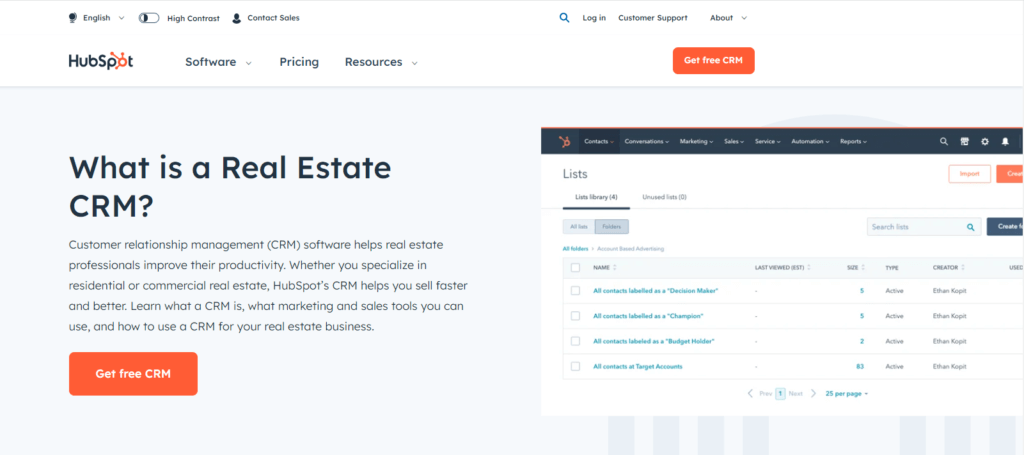
HubSpot CRM is a strong choice for real estate professionals who rely on content, forms, email marketing, and lead nurturing.
HubSpot is not a real estate-specific CRM, but it is one of the easiest platforms to start with. Its free CRM tools can help you organize contacts, track deals, manage communication, and capture leads from forms.
For agents or agencies that depend on online lead generation, HubSpot can be especially useful. You can connect forms, landing pages, email campaigns, and contact records into one system.
Why HubSpot CRM works well for real estate
HubSpot is best when marketing is a major part of your real estate strategy. For example, if you generate leads through neighborhood guides, buyer resources, seller valuation pages, or newsletter campaigns, HubSpot can help you manage those leads more effectively.
The free CRM is useful for getting started, but advanced automation and reporting usually require paid upgrades. That makes HubSpot best for teams that want an easy starting point with scalable marketing features.
- Free CRM tools for contact and deal management
- Lead capture forms and landing page support
- Email tracking and marketing tools
- Pipeline and activity management
- Large integration marketplace
Pros and Cons
- Pros: Free CRM available, easy to use, strong marketing tools, excellent onboarding resources.
- Cons: Advanced automation can become expensive, not designed specifically for real estate transactions.
Best for: Real estate agents and agencies focused on inbound marketing, online lead capture, and email nurturing.
Starting price: HubSpot offers free CRM tools, with paid upgrades for advanced sales and marketing features.
Salesforce

Salesforce is the best real estate CRM option for larger brokerages that need deep customization, advanced reporting, and enterprise-level scalability.
Salesforce is one of the most powerful CRM platforms available. It can support complex sales processes, large teams, multiple locations, and advanced data requirements.
For real estate, Salesforce makes the most sense when you need more than basic lead tracking. It is better suited for brokerages that want custom workflows, detailed dashboards, app integrations, and advanced automation.
Why Salesforce works well for real estate
A brokerage can use Salesforce to manage leads, agents, properties, partner relationships, client communication, and reporting across different teams. Its flexibility is a major advantage, but it also means setup may require more planning.
Salesforce can be powerful, but it is not always the fastest or simplest CRM to implement. Smaller teams may find monday CRM, Pipedrive, Zoho CRM, or HubSpot easier to manage.
- Highly customizable CRM objects and workflows
- Advanced reporting and dashboards
- AI and automation capabilities
- Large AppExchange marketplace
- Strong scalability for multi-team operations
Pros and Cons
- Pros: Extremely scalable, powerful reporting, strong ecosystem, deep customization.
- Cons: More complex setup, higher long-term cost, may be too advanced for smaller teams.
Best for: Large real estate firms, brokerages, and teams with complex workflows or advanced reporting needs.
Starting price: Salesforce pricing starts at $25/user/month for Starter Suite, with higher-tier plans and add-ons available.
Wise Agent

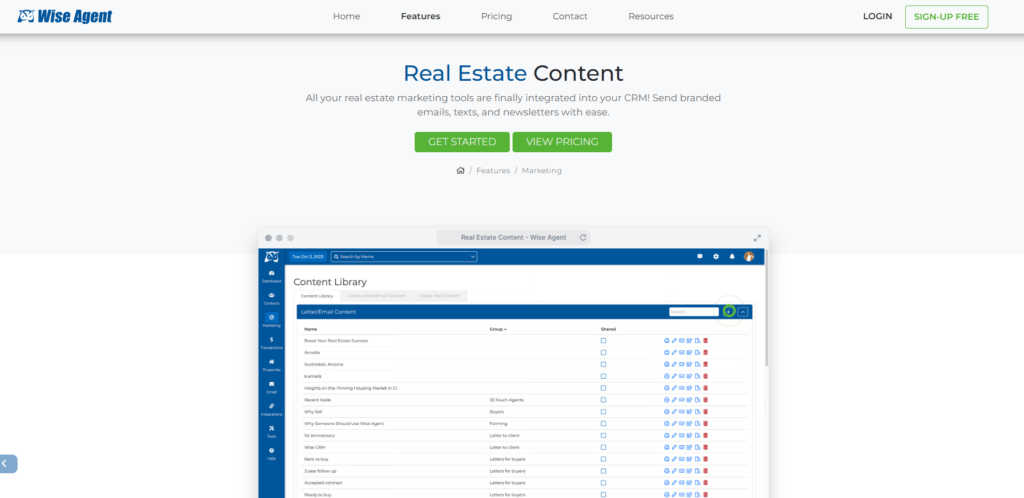
Wise Agent is the best option on this list if you want a CRM built specifically for real estate professionals.
Unlike general CRM tools, Wise Agent focuses directly on the needs of agents and brokers. It includes contact management, transaction tools, drip campaigns, texting, calendar tools, and real estate marketing features.
If you want a platform that feels closer to a traditional real estate agent workflow, Wise Agent is worth considering.
Why Wise Agent works well for real estate
Wise Agent helps agents manage the operational side of client relationships. You can organize contacts, automate follow-ups, manage transaction checklists, and send marketing campaigns from the same platform.
It is especially useful if you want less customization work and more real estate-specific functionality out of the box.
- Real estate contact and lead management
- Drip campaigns and marketing templates
- Transaction checklists and task management
- Calendar, email, and texting tools
- 24/7 support and onboarding assistance
Pros and Cons
- Pros: Real estate-specific, simple pricing, built-in transaction and marketing tools.
- Cons: Interface may feel less modern than some broader SaaS CRMs, fewer advanced enterprise customization options.
Best for: Real estate agents who want industry-specific CRM tools without building everything from scratch.
Starting price: Wise Agent pricing starts at $49/month and includes a 14-day free trial.
Best Real Estate CRM by Use Case
The best CRM depends on how you work. A solo agent does not need the same system as a multi-location brokerage, and a marketing-heavy agency does not need the same setup as a transaction-focused team.
| Use Case | Recommended CRM | Why It Fits |
| Solo agents | Zoho CRM or HubSpot CRM | Affordable entry points, simple contact management, and room to grow |
| Small real estate teams | monday CRM or Pipedrive | Strong pipeline visibility, task ownership, and follow-up tracking |
| Marketing-focused agencies | HubSpot CRM | Lead capture forms, email tools, and contact nurturing features |
| Large brokerages | Salesforce | Advanced reporting, customization, and scalable team workflows |
| Real estate-specific workflows | Wise Agent | Built-in transaction tools, drip campaigns, and agent-focused features |
Real Estate-Specific CRMs Worth Considering
The six tools above are strong choices, but they are not the only real estate CRM platforms worth reviewing. If you want a CRM built more deeply around real estate lead conversion, IDX websites, and agent team workflows, these alternatives deserve attention.
Follow Up Boss
Follow Up Boss is a real estate CRM focused on lead response, follow-up systems, team accountability, and online lead conversion. It is especially relevant for agents and teams that already generate leads from portals, ads, websites, or referral sources and need a system to process them quickly.
It is not mainly a website builder or lead provider. Its strength is helping real estate teams organize, route, and follow up with existing leads more effectively.
Lofty
Lofty is positioned as an AI-powered operating system for real estate agents, teams, and brokers. It combines CRM, IDX websites, lead generation, and automation in one platform.
This type of platform may be useful if you want CRM plus website and lead generation tools, rather than a standalone CRM only.
How AI Is Changing Real Estate CRM Software
AI is becoming a bigger part of modern real estate CRM software. The most useful AI features are not just flashy add-ons. They help agents reduce manual work, prioritize better leads, and respond faster.
Here are the AI features that matter most:
- AI lead scoring: Helps you identify which leads are most likely to convert.
- Automated follow-up suggestions: Recommends next steps based on client activity.
- Email writing assistance: Helps create follow-up messages, listing updates, and nurture emails.
- Predictive insights: Helps forecast pipeline activity and deal movement.
- Smart segmentation: Groups contacts by intent, location, budget, or engagement level.
AI should not replace the human side of real estate. Buyers and sellers still expect trust, guidance, and local expertise. But AI can help you spend less time on repetitive admin work and more time building relationships.
How to Choose the Best Real Estate CRM for Your Team
Choosing the right CRM is not only about finding the longest feature list. It is about choosing the system your team will actually use every day.
1. Define Your Real Estate Workflow
Start by mapping your current process. How do leads enter your business? Who follows up? What happens after a showing? How do you track offers, documents, and post-closing follow-up?
Once you understand your workflow, it becomes easier to choose the right CRM structure.
2. Match the CRM to Your Team Size
A solo agent may only need contact management, reminders, and email templates. A team may need lead routing, task assignment, shared pipelines, permissions, and dashboards.
Do not overbuy if you are small, but avoid choosing a system that will become limiting as you grow.
3. Prioritize Ease of Use
A CRM only works if your team uses it consistently. Look for clean navigation, simple pipeline views, fast data entry, and mobile access.
If a CRM feels too complicated, agents may return to spreadsheets, inboxes, and personal notes.
4. Check Integrations Before You Commit
Make sure the CRM works with your email, calendar, website, lead forms, marketing tools, and any MLS or IDX systems you rely on.
Integrations reduce manual data entry and help you maintain cleaner client records.
5. Compare Total Cost, Not Just Starting Price
The cheapest plan is not always the best value. Some CRM platforms charge extra for automation, reporting, calling, texting, premium support, or advanced marketing features.
Before choosing a CRM, calculate what the platform will cost once you add the features your real estate team actually needs.
Key Features to Look for in Real Estate CRM Software
Not every CRM is right for real estate. The best option should support how you capture leads, communicate with clients, manage showings, track deals, and follow up after closing.
1. Lead and Contact Management
Your CRM should capture leads from your website, ads, referrals, open houses, landing pages, and social media. It should also keep every contact record organized with notes, preferences, activity history, and communication logs.
This matters because real estate sales cycles are often long. A buyer may not be ready today, but with the right follow-up system, you can stay visible until they are ready to move.
2. Pipeline and Deal Tracking
A visual pipeline helps you see where every opportunity stands. You can track stages like new lead, contacted, showing scheduled, offer submitted, under contract, and closed.
This gives you better control over your sales process. Instead of guessing what needs attention, you can see which deals are moving and which ones need action.
3. Automated Follow-Ups
Follow-up is one of the biggest challenges in real estate. A CRM with automation can send reminders, emails, texts, and task notifications so leads do not go cold.
This is especially helpful when you are handling multiple buyers, sellers, and listings at once. Automation does not replace personal service, but it helps you deliver it more consistently.
4. Property and Listing Management
Some real estate CRMs let you connect listings, save property preferences, or organize client searches. This helps you match buyers with relevant opportunities faster.
If you manage many listings or work with buyers across different locations, this feature can reduce manual work and improve the client experience.
5. Communication Tools
Email, SMS, call logging, and templates can make your daily communication easier. Some CRMs also track email opens, clicks, and responses, so you can identify which leads are engaging.
For real estate agents, fast response time matters. A CRM that centralizes communication helps you avoid missed messages and duplicated effort.
6. Reporting and Analytics
Good reporting helps you understand where your leads come from, which campaigns convert, how long deals take to close, and how productive your team is.
This is where CRM becomes more than a contact list. It becomes a decision-making system for improving your sales process.
7. Mobile Access
Real estate work rarely happens only at a desk. You need to update notes after showings, respond to leads between appointments, and check client details from your phone.
A strong mobile CRM keeps your data accessible wherever you work.
8. Integrations
Your CRM should connect with the tools you already use. This may include Gmail, Outlook, calendars, website forms, marketing platforms, phone systems, MLS or IDX tools, and automation platforms.
The better your integrations, the less time you spend moving data manually.

How to Implement Real Estate CRM Software Successfully
Even the best real estate CRM will fail if setup is rushed. A successful CRM rollout starts with clean data, clear rules, and practical training.
1. Clean Your Contact Data First
Before importing contacts, remove duplicates, old records, missing phone numbers, and inconsistent tags. Clean data makes automation, reporting, and segmentation more reliable.
2. Build Simple Pipelines
Do not create too many stages at the beginning. Start with a simple pipeline that reflects your real sales process, then refine it after your team uses it.
3. Set Follow-Up Rules
Decide how quickly new leads should be contacted, when follow-up reminders should trigger, and which leads should enter nurture campaigns.
This helps create consistency across your team.
4. Train Agents on Daily Habits
Training should focus on practical daily actions. Teach agents how to add notes, update lead stages, schedule reminders, log calls, and use email templates.
If your team builds the habit, the CRM becomes part of your sales process instead of another unused tool.
5. Review CRM Performance Monthly
Once the CRM is live, review adoption and performance. Look at response times, lead conversion, pipeline movement, overdue tasks, and campaign results.
Use those insights to improve workflows over time.
Conclusion
The best real estate CRM software is the one that helps you respond faster, stay organized, and build better client relationships. For most real estate professionals, the biggest benefit is not just having more data. It is having a reliable process for turning leads into conversations, conversations into showings, and showings into closed deals.
monday CRM is the strongest overall choice if you want flexible workflows and visual pipeline management. Pipedrive is excellent for sales-focused agents who want a clean pipeline. Zoho CRM is a smart budget-friendly choice with automation and AI features. HubSpot CRM is ideal if marketing and lead capture are central to your strategy. Salesforce is best for larger brokerages with complex needs, while Wise Agent is a practical option for real estate-specific workflows.
If you are still managing leads manually, moving to a CRM can give you a more consistent, scalable way to work. Start with the platform that fits your current workflow, then build more automation and reporting as your business grows.
FAQ
What is real estate CRM software?
Real estate CRM software is a customer relationship management tool that helps agents and brokers manage leads, clients, listings, follow-ups, deals, and communication in one place. It gives you a clearer system for tracking relationships from first contact to closing.
What is the best CRM for real estate agents?
monday CRM is the best overall choice for many real estate teams because it offers flexible workflows, visual pipelines, automation, and collaboration tools. Pipedrive is better for sales-focused agents, while Wise Agent is stronger if you want real estate-specific features.
What is the best free real estate CRM?
HubSpot CRM is one of the best free CRM options for real estate agents because it includes contact management, deal tracking, email tracking, and lead capture tools. Zoho CRM also offers a free edition for up to 3 users, which can work well for small teams.
What is the best CRM for small real estate teams?
Zoho CRM is a strong option for small real estate teams that need affordability and automation. monday CRM is better if your team needs visual workflows, collaboration, and a more customizable pipeline setup.
How does a CRM help real estate agents follow up with leads?
A CRM helps real estate agents follow up with leads by storing contact details, tracking communication history, creating reminders, and automating email or task workflows. This helps prevent missed opportunities and keeps your pipeline moving.
Can real estate CRM software integrate with MLS or IDX tools?
Some real estate CRM platforms can integrate with MLS, IDX, websites, lead forms, or third-party tools, but availability depends on the CRM and your local systems. Always check integration compatibility before choosing a platform.
Is monday CRM good for real estate?
Yes. monday CRM is good for real estate teams that want customizable pipelines, visual dashboards, automation, and team collaboration. It works especially well when you need to manage leads, listings, tasks, and deal stages in one flexible workspace.
Is Pipedrive good for real estate agents?
Yes. Pipedrive is good for real estate agents who want a simple, sales-focused CRM. Its visual pipeline makes it easy to track leads, schedule follow-ups, and manage deals from first inquiry to closing.
What features should you look for in a real estate CRM?
The most important real estate CRM features include lead management, contact records, pipeline tracking, automated follow-ups, mobile access, reporting, communication tools, and integrations with your website, calendar, email, or lead sources.
How much does real estate CRM software cost?
Real estate CRM software can range from free plans to $25, $49, or more per month, depending on the platform, users, and features. Advanced automation, texting, calling, reporting, and marketing tools may increase the total cost.







