Introduction
There comes a moment in every small business journey when the old ways stop working. Maybe you missed a follow-up call with a hot lead, and they went silent. Perhaps you promised a client you’d email them a proposal, but three days later, you realize that scrap of paper with their name on it fell behind the filing cabinet. Or maybe you’re lying awake at 2 AM wondering, “Which of my customers haven’t I spoken to in six months?” That moment is a crossroads. One path leads to more chaos, missed opportunities, and eventual stagnation. The other leads to scale, clarity, and growth. A CRM can help small businesses make that transition without losing momentum.
For the uninitiated, a Customer Relationship Management system can sound like corporate jargon for “address book.” But in reality, it’s the difference between running your business with a foggy memory and running it with real visibility. It’s the tool that catches what falls through the cracks. If you’re evaluating CRM software for your small business in 2026, you need to look beyond the logos and focus on the mechanics that actually drive growth.
In this guide, we’ll walk through everything you need to know before choosing one, drawing from real-world examples in Bitrix24, so you can make a decision that actually moves the needle.
Why Small Businesses Need CRM
Let’s bust a myth right now: CRM isn’t just for enterprises with dedicated sales teams. In fact, small businesses arguably need it more.
Here’s why. When you’re small, every relationship matters. You can’t afford to lose a single customer to forgetfulness. Yet, the human brain can only maintain so many active relationships before details begin to slip. Once your client base, vendor network, and prospect list start growing, names blur, histories get tangled, and important follow-ups get missed.
CRM software acts as your external brain. It remembers the little things, like the fact that your client Sarah prefers calls before 10 AM, or that the Johnson account always pays 15 days late, so you can focus on the big things, like closing deals and delivering great work. The goal is to find a system that fits your budget without skimping on the features that matter.
Take Bitrix24, for example. When a call comes in, the system can do more than just ring. It can pull up the caller’s history, previous conversations, open invoices, support tickets, and other key details. Suddenly, you’re not answering a cold call, you’re continuing a conversation that started months ago. That’s the kind of polish that can help a small business operate more professionally.
Common CRM Challenges
Before we dive into features, let’s address the hesitation. Why do some small business owners buy a CRM, use it for two weeks, and then go back to spreadsheets?
1. The Data Entry Trap
If your CRM feels like a digital prison where you’re forced to log every minute detail, you’ll hate it. The solution is to choose a platform that captures data automatically whenever possible. Bitrix24, for instance, offers telephony integration that logs calls without anyone lifting a finger. Emails tied to contacts can also be archived automatically. The system supports itself, so your team does less manual work.
2. The “Too Much, Too Soon” Problem
Some CRMs are built for large organizations with dedicated administrators. They throw 500 features at you on day one, and your brain short-circuits. The key is to start small. Ignore most of the buttons at first. Just get your contacts in, connect your email, and use the pipeline view. Master that, then expand.
3. The Isolation Ward
If your CRM doesn’t talk to your other tools, you’re just creating another silo. You need a platform where communication, task management, and client data live under one roof. Bitrix24 brings these elements together intentionally, so sales, marketing, and support can work from the same source of truth.
Essential Features: What Actually Moves the Needle
When evaluating CRM software for a small business, you don’t need bells and whistles. You need tools that generate revenue and save time. Here’s what matters.
Contact Management That Goes Deeper Than a Business Card
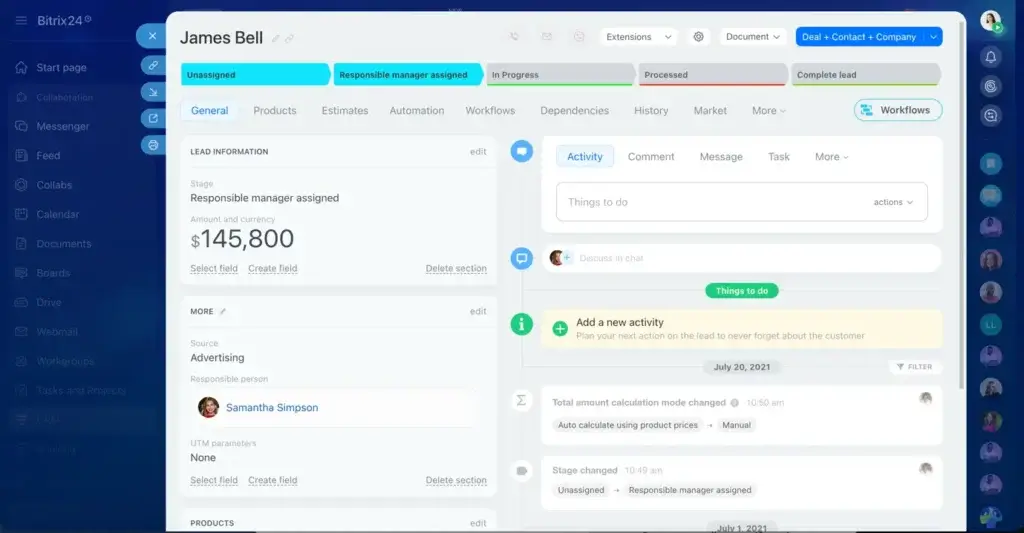
A good CRM doesn’t just store names and numbers. It builds profiles over time. In Bitrix24, every interaction, from email opens to document views and call durations, can feed into a contact’s timeline. You can see at a glance who’s engaged and who’s gone cold. It’s like having a clearer view of buyer intent.
Visual Pipeline Management (The Kanban Advantage)
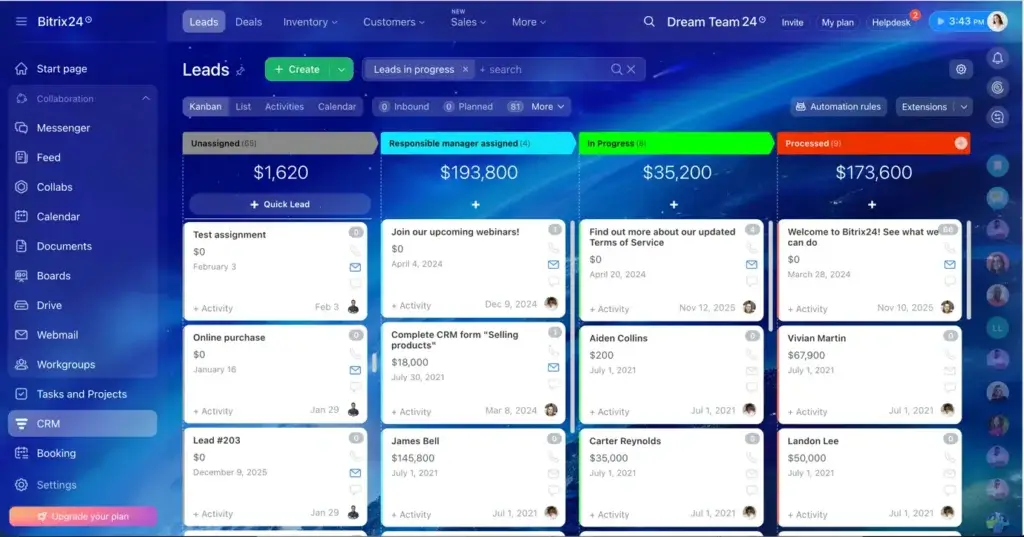
Abstract lists are hard to process. Visual boards are not. Bitrix24’s Kanban view turns your sales process into a series of columns: Lead, Contact Made, Proposal Sent, Negotiation, Closed Won. You drag deals from left to right as they progress. It sounds simple, but it provides an instant sense of momentum every time a deal moves forward, and an early warning system when things stall.
Document Sharing and E-Signatures
Emailing documents back and forth is a version-control nightmare. “Which draft is this? Did they sign the last one?” A modern CRM should help handle documents more smoothly. Within Bitrix24, you can upload proposals, share them with clients via external links, and collect e-signatures without printing a single page. The document stays in one environment, and the audit trail stays with the contact record.
Task Automation for the Time-Starved
If you’re wearing six hats, you can’t afford to spend an hour manually assigning follow-ups. Automation is what keeps routine work from slowing you down. In Bitrix24, you can set up triggers: when a deal moves to “Proposal Sent,” automatically create a task for the salesperson to follow up in five days and send a thank-you email to the client. The platform handles the routine so you can focus on the relationship.
Automation & AI: Your Silent Partner in Growth
Let’s talk about the buzzwords that actually deliver. Artificial Intelligence in CRM isn’t about robots replacing humans. It’s about surfacing insights that would otherwise stay buried.
Lead Scoring That Learns
Bitrix24’s AI can analyze historical data to identify patterns. Maybe leads from the healthcare sector close faster than retail leads. Maybe contacts who open three emails in a week are more likely to request a demo. The system can begin scoring leads automatically, helping teams focus on the opportunities most worth chasing.
Activity Reminders That Don’t Annoy
We’ve all set reminders and ignored them. Smarter reminders are more useful because they fit the way people actually work. If the system notices you typically call leads back on Tuesdays, it may help you schedule follow-ups more effectively instead of just throwing generic alerts at you.
Chatbots That Qualify While You Sleep
Small businesses can’t afford 24/7 receptionists, but website chatbots can still keep lead capture moving after hours. When a visitor lands on your site at 3 AM, a chatbot can engage them, answer basic questions, and capture their details. By morning, you have a qualified lead in your CRM, complete with a transcript of their questions. You wake up to opportunities, not just another inbox flood.
How to Implement CRM Successfully
Implementation is where many software projects lose momentum. Here’s a phased approach that works for cash-strapped, time-poor small businesses.
Phase 1: The Contact Migration
Week one, do one thing: get every client, lead, and vendor into the system. Don’t worry about tags or custom fields yet. Just names, emails, phone numbers, and companies. Use import tools to pull from spreadsheets or Gmail contacts. This alone creates a single source of truth.
Phase 2: Connect Your Communication
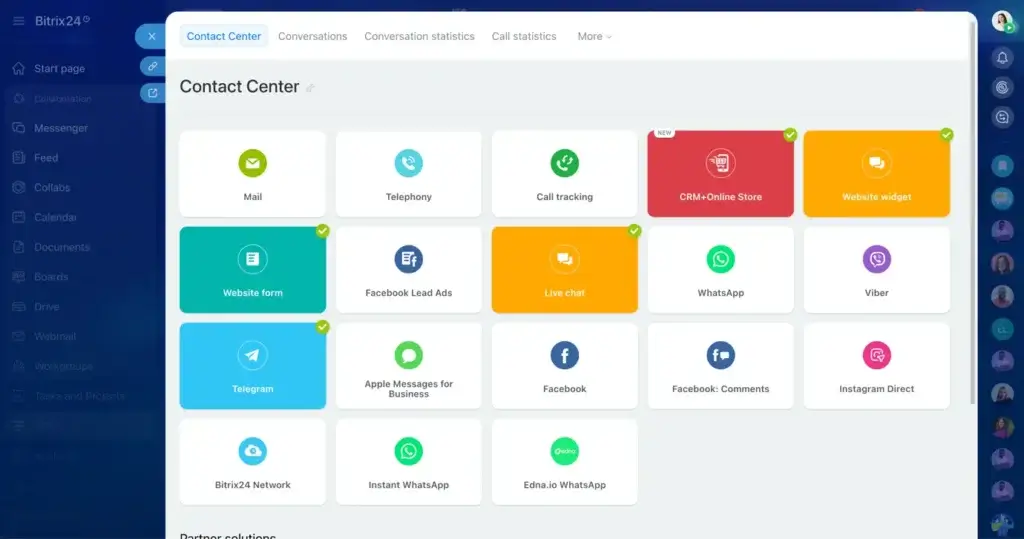
Week two, integrate your email and phone. Bitrix24 offers telephony options and mobile calling support so incoming and outgoing communication can be logged more easily. Set up email binding so replies from clients attach to their profiles automatically. Now your CRM is alive and updating itself.
Phase 3: Automate One Thing
Week three, pick one repetitive task and automate it. Maybe it’s a welcome email for new leads. Maybe it’s task creation for proposal follow-ups. Just one. Once you see the time savings, you’ll understand the value quickly.
Phase 4: Train on the Fly
Don’t schedule a three-hour training session. No one retains that. Instead, implement lunch-and-learns where you show the team one new feature each week. Bitrix24’s interface can be learned much more easily when people use it in context.
ROI of CRM for SMBs: Dollars and Sense
You’re not a charity. You need to know this investment pays off. Let’s do the math.
Revenue Lift Through Follow-Ups
Studies consistently show that timely follow-ups can increase conversion rates significantly. If your current monthly revenue is $20,000, even a modest improvement in follow-up consistency can create meaningful upside. A CRM often pays for itself on this metric alone.
Time Reclamation
How many hours per week do you or your team spend searching for emails, reconstructing conversation histories, or manually entering data? Two hours? Five? If you value your time at $50 an hour, reclaiming five hours a week saves $250 weekly, or $13,000 annually. That’s before we even talk about closing more deals.
Retention Dollars
It costs far more to acquire a new customer than to retain an existing one. CRM helps you remember to check in, send important follow-ups, and spot at-risk accounts before they churn. If you retain just two extra clients per year who would otherwise have left, what is that worth to your bottom line?
The Intangibles
Peace of mind has value. Walking into Monday knowing exactly which deals need attention, which emails need replies, and which clients need attention, that’s the kind of clarity that reduces burnout and makes entrepreneurship more sustainable.
Conclusion
Here’s the truth: the best CRM for a small business isn’t the one with the most features or the flashiest marketing. It’s the one you’ll actually use. It’s the one that fits naturally into your workflow rather than fighting it.
Bitrix24 approaches this by offering a unified workspace. It’s not just a CRM, it’s also a task manager, project hub, communication center, and document workspace. Everything lives together, so you’re not constantly jumping between tabs and logging into separate systems. You open one window, and much of your business activity is there.
Start free. Start small. But start. Because every day you run your business on sticky notes and spreadsheets is a day you’re leaving growth on the table.
The crossroads is behind you. The path forward is clearer.
FAQ
1. Is Bitrix24 a good CRM for small business?
Bitrix24 can be a good CRM for small businesses that want more than simple contact management. It combines CRM features with task management, communication tools, automation, and collaboration features, which can be useful for teams that want to manage more of their work in one place.
2. What are the main benefits of Bitrix24 for small businesses?
The main benefits of Bitrix24 for small businesses include centralized customer data, visual pipeline management, workflow automation, communication tracking, and access to additional work management tools. This can help small teams stay organized and reduce the need for multiple separate platforms.
3. Is Bitrix24 easy to use for beginners?
Bitrix24 can be easy to use for basic CRM tasks, but beginners may need some time to get comfortable with the platform because it includes many features beyond CRM. Small businesses usually get better results by starting with contacts, deals, and follow-up activities first, then expanding gradually.
4. Does Bitrix24 offer automation for sales and follow-ups?
Yes, Bitrix24 includes automation tools that can help businesses create follow-up tasks, send reminders, update deal stages, and support repetitive sales workflows. This can save time and improve consistency, especially for small teams with limited resources.
5. Is Bitrix24 better for all-in-one business management or simple CRM use?
Bitrix24 is generally better suited for businesses that want an all-in-one platform rather than a very simple CRM. Its broader feature set can be a strong advantage for teams that want CRM, communication, and collaboration tools together, but it may feel more complex for businesses looking for a lightweight sales-only solution.
6. Does Bitrix24 have a free plan for small businesses?
Bitrix24 offers a free plan, which can be useful for small businesses that want to explore the platform before committing to a paid option. This makes it easier to test the CRM, review the interface, and see whether the broader feature set fits the way the business works.