Introduction
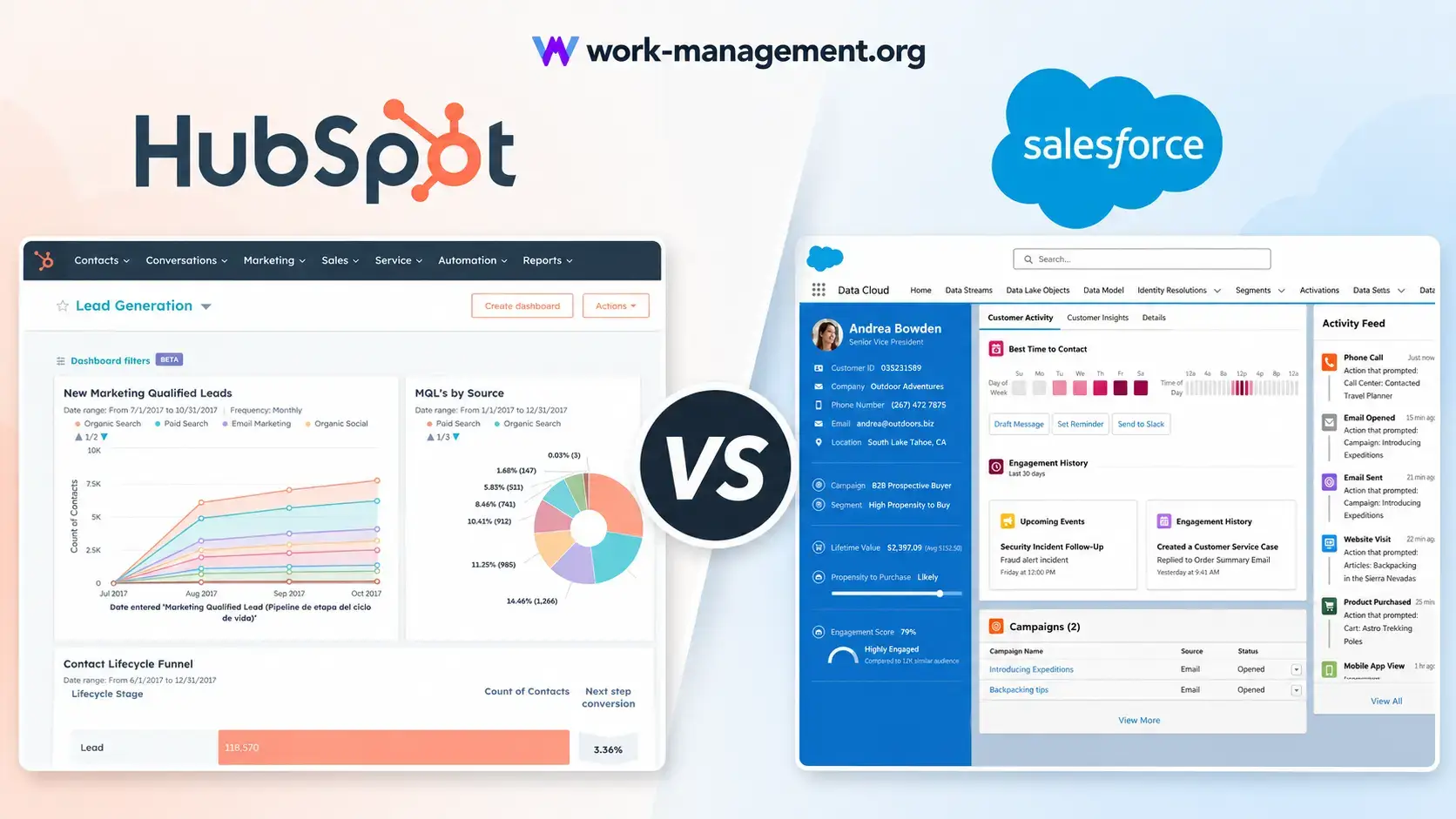
When comparing leading CRMs, HubSpot and Salesforce are two of the strongest names in the market. Both platforms can help you manage contacts, track deals, automate sales activity, and improve customer relationships.
However, they are built for different types of teams.
HubSpot is usually the better CRM for small and midsize businesses that want faster setup, simpler adoption, built-in marketing tools, and a lower barrier to entry. Salesforce is better suited for larger enterprises that need deep customization, complex permissions, advanced governance, and dedicated CRM administrators.
Salesforce has long been positioned as the enterprise CRM standard. It offers exceptional flexibility, advanced reporting, and a huge app ecosystem. But that power often comes with higher implementation costs, longer onboarding cycles, and more dependency on consultants or internal admins.
HubSpot takes a more accessible approach. It combines sales, marketing, service, content, operations, and AI tools in one connected customer platform. For growing teams, that means you can start with a free CRM, add paid seats as needed, and avoid much of the technical complexity that often comes with Salesforce.
This HubSpot vs Salesforce comparison breaks down pricing, features, AI, ease of use, integrations, support, user reviews, and long-term value. You can also compare monday CRM vs Salesforce if you are exploring other Salesforce alternatives.
Quick Comparison
If you want the fastest answer, HubSpot is the better choice for most SMB and mid-market teams, while Salesforce remains stronger for large enterprises with highly customized sales operations.
| Category | HubSpot | Salesforce |
| Best For | SMBs, growing teams, marketing-led sales teams | Large enterprises and complex sales organizations |
| Ease of Use | Very easy to learn and adopt | Powerful, but more complex |
| Pricing Model | Free CRM plus paid seats and hubs | Per-user pricing with several add-ons |
| AI Tools | HubSpot Breeze built into the customer platform | Einstein and Agentforce for enterprise AI workflows |
| Implementation | Often self-managed or lightly assisted | Often requires admins, consultants, or partners |
| Customization | Strong for most business teams | Deeper for enterprise-level requirements |
| Overall Value | Better for fast ROI and adoption | Better for advanced enterprise control |
HubSpot vs Salesforce Pricing Breakdown
Pricing is one of the biggest differences between HubSpot and Salesforce. At first glance, both platforms seem affordable at the entry level. The real difference appears when you factor in paid seats, AI tools, automation, implementation, support, reporting, and third-party consulting.
HubSpot gives you a free CRM and lets you scale into paid Sales Hub, Marketing Hub, Service Hub, and Customer Platform plans. Salesforce follows a more traditional per-user pricing model, with separate editions and add-ons depending on the features you need.
HubSpot Pricing: Free CRM to Enterprise
HubSpot offers a free CRM that includes contact management, deal tracking, forms, live chat, basic reporting, meeting scheduling, and pipeline visibility. For startups and small teams, this free entry point is one of HubSpot’s biggest advantages.
As your team grows, HubSpot lets you upgrade into paid plans. Sales Hub Starter is designed for small teams that need better outreach, automation, and sales productivity. Sales Hub Professional adds more advanced automation, forecasting, sequences, custom reporting, and team management. Enterprise adds higher-level governance, advanced permissions, custom objects, and more control for larger organizations.
The important point is that HubSpot pricing depends on the Hub, tier, seat type, and bundle you choose. A Sales Hub-only setup may be much more affordable than a full Marketing Hub or Customer Platform setup. For this reason, you should always compare the exact package you need, not just the headline monthly price.
Salesforce Pricing: Starter Suite to Agentforce 1 Sales
Salesforce offers several Sales Cloud and Agentforce Sales plans, including Starter Suite, Pro Suite, Enterprise, Unlimited, and Agentforce 1 Sales. Each tier adds more automation, customization, AI, support, and administrative control.
Salesforce can be cost-effective for teams that only need basic CRM features. However, costs increase quickly when you need advanced automation, complex reporting, premium support, AI add-ons, deeper integrations, additional storage, or external implementation help.
This is where Salesforce becomes less attractive for many SMBs. The platform is extremely powerful, but you often need technical expertise to unlock that power.
Hidden Costs: Seats, AI, Support, Implementation, and Add-ons
The license price is only part of the CRM cost. The more important question is total cost of ownership.
With HubSpot, many teams can start quickly with less technical support. You may still pay for onboarding, advanced hubs, additional seats, contact tiers, or enterprise features, but the platform is generally easier to manage internally.
With Salesforce, the total cost often includes more than user licenses. You may also need paid implementation partners, Salesforce admins, premium support, API add-ons, AI packages, third-party AppExchange tools, data storage upgrades, or custom development.
| Cost Area | HubSpot | Salesforce |
| Entry Cost | Free CRM available | Paid plans start with Starter Suite |
| Sales Seats | Paid seats depend on Hub and tier | Per-user pricing across editions |
| AI Costs | Breeze tools are built into the HubSpot platform, with advanced usage depending on plan | Agentforce and AI add-ons can increase monthly costs |
| Implementation | Often faster and lighter | Often requires consultants or admins |
| Support | Accessible support and Academy resources | Premium success plans may add cost |
| Best Pricing Fit | SMBs and mid-market teams | Enterprise teams with complex needs |
Free Plans and Trial Lengths
HubSpot has a major advantage at the entry level because it offers a free CRM with no time limit. You can manage contacts, track deals, schedule meetings, and begin building your sales process before committing to a paid plan.
Salesforce usually offers a free trial rather than a permanent free CRM plan. That makes Salesforce useful for testing, but less flexible for lean teams that want to operate at no cost while they validate their sales process.
If your team is early-stage, budget-conscious, or still building its CRM habits, HubSpot is the more practical starting point.
HubSpot vs Salesforce Features
Which CRM Gives More Value?
HubSpot and Salesforce both offer strong CRM features. The difference is how easy those features are to access, configure, and use in daily sales work.
Salesforce is deeper when you need complex enterprise customization. HubSpot is stronger when you want your sales and marketing teams to move quickly without waiting on technical resources.
Contact and Lead Management
HubSpot makes contact and lead management simple. You can store contacts, track interactions, manage deal activity, view email engagement, and connect customer data across marketing, sales, and service tools.
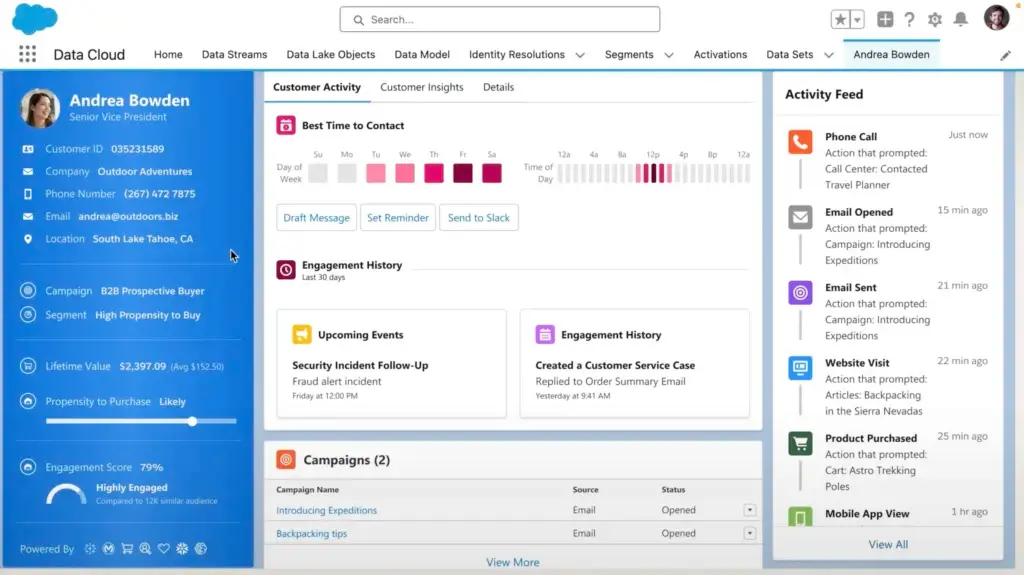
Salesforce also provides excellent lead and account management, especially for larger sales teams with complex territories, account hierarchies, approval processes, and custom fields. But the setup can feel heavier for teams that only need a clear pipeline and strong visibility.
Sales Pipeline and Deal Tracking
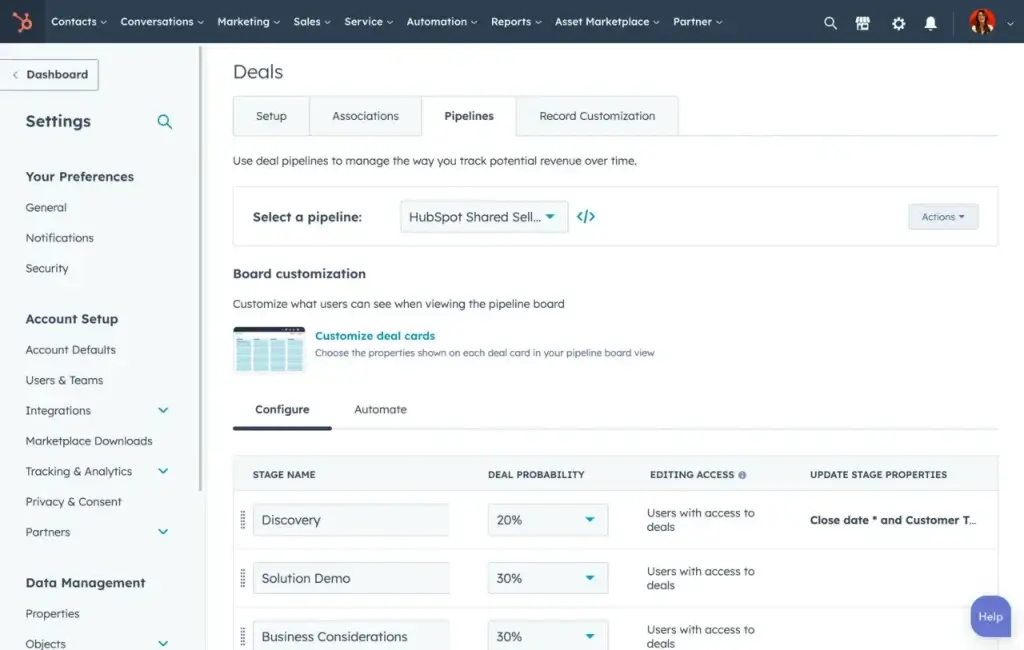
HubSpot’s sales pipeline tools are easy to use and visual. Reps can move deals between stages, log calls, track emails, schedule follow-ups, and view activity history without heavy training.
Salesforce offers more advanced pipeline customization. It is better when your organization has several product lines, sales motions, regions, approval layers, or revenue models. The tradeoff is that configuration often requires admin support.
Sales Forecasting and Reporting
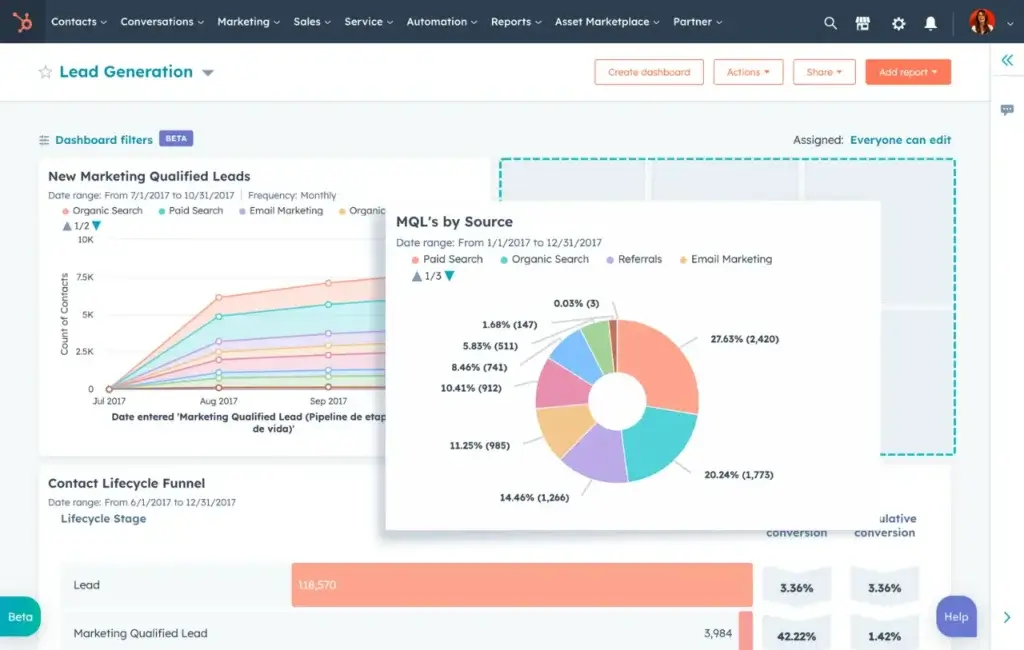
HubSpot gives sales managers accessible dashboards and forecasting tools that are easy to understand. For most SMB and mid-market teams, this is enough to track pipeline health, rep performance, revenue trends, and conversion rates.
Salesforce is more powerful for complex reporting. If you need advanced forecasting models, multi-team dashboards, custom objects, or enterprise-level analytics, Salesforce has the edge. But that power requires more setup and ongoing maintenance.
Marketing and Sales Alignment
This is where HubSpot clearly stands out. HubSpot was built around inbound marketing, CRM, sales automation, and customer engagement. If your team cares about email marketing, forms, landing pages, lead nurturing, campaign tracking, and sales handoff, HubSpot feels more connected out of the box.
Salesforce can also support marketing and sales alignment, especially when paired with Salesforce Marketing Cloud or Account Engagement. However, this typically increases cost and complexity.
Customization and Scalability
Salesforce is more customizable at the enterprise level. You can build advanced workflows, custom apps, complex objects, and industry-specific processes.
HubSpot is more approachable. You can customize pipelines, properties, views, automations, dashboards, and workflows without turning every change into a technical project. For most growing teams, that is a major advantage.
Here’s how both platforms compare on feature value:
| Feature Type | HubSpot | Salesforce |
| Contact Management | Simple, visual, and easy for teams to adopt | Powerful, but more admin-heavy |
| Pipeline Management | Clean deal boards and easy sales tracking | Highly customizable pipeline structure |
| Automation | Visual workflows designed for business users | Advanced Flow Builder with more technical setup |
| Reporting | Accessible dashboards for sales and marketing teams | More advanced enterprise reporting options |
| Customization | Flexible enough for most SMB and mid-market teams | Stronger for complex enterprise architecture |
| Best Value | Fast adoption and strong built-in tools | Deep control for large organizations |
AI CRM Comparison
HubSpot Breeze vs Salesforce Agentforce
AI is now a major part of the HubSpot vs Salesforce decision. Both platforms are investing heavily in AI, but they approach it differently.
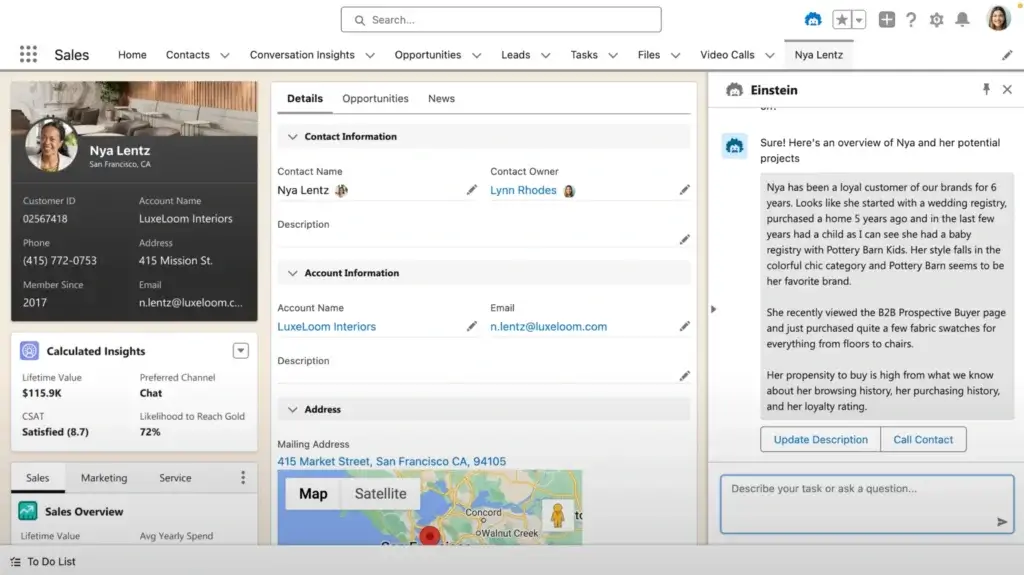
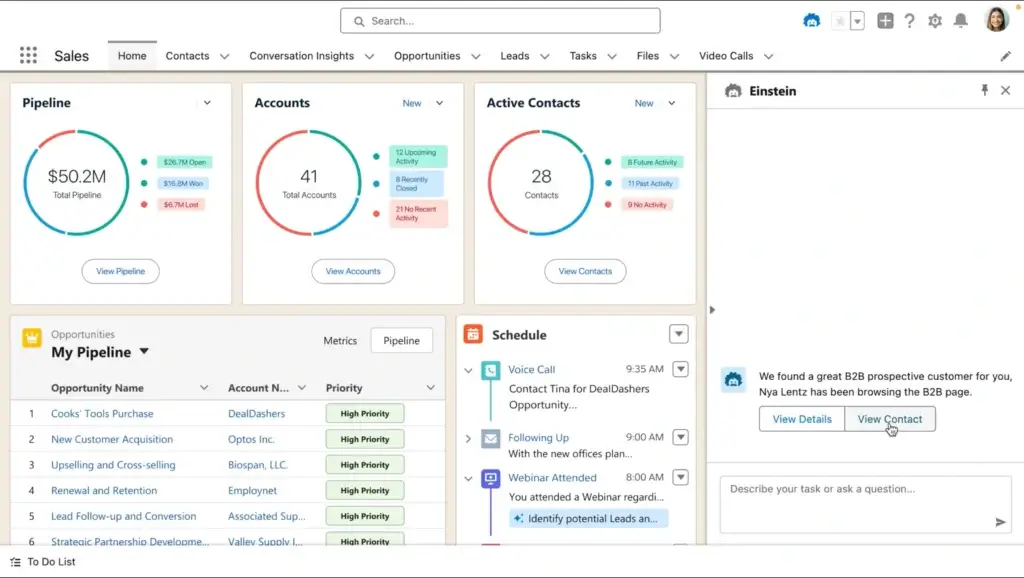
HubSpot’s AI layer is called Breeze. It is built into the HubSpot customer platform and is designed to help marketing, sales, and service teams work faster without needing complex setup. Salesforce’s AI strategy is centered around Einstein and Agentforce, which are more advanced for enterprise use cases but can also add cost and complexity.
HubSpot Breeze: Easier AI for Everyday Teams
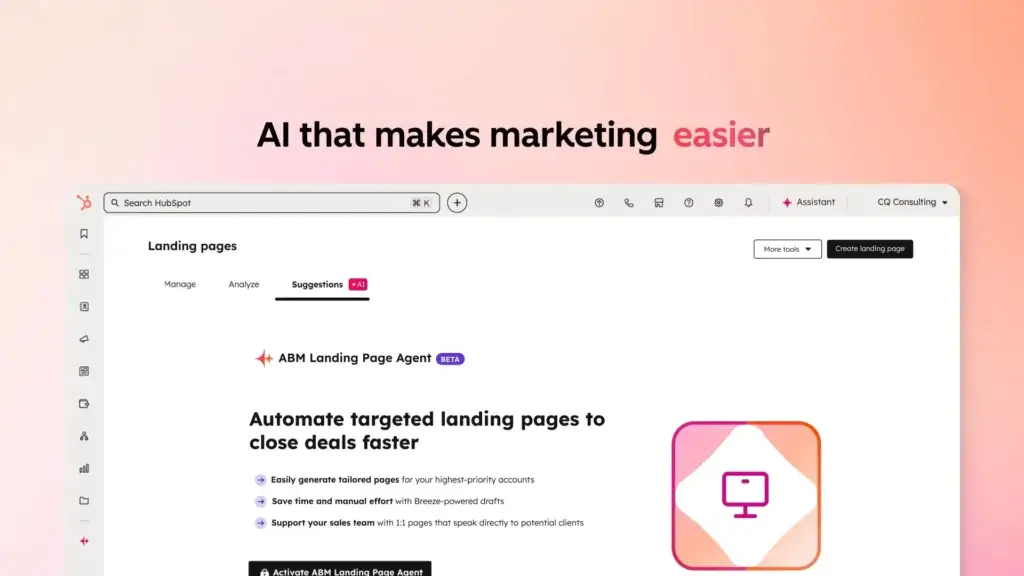
HubSpot Breeze is designed for practical CRM work. You can use AI to create content, summarize records, support prospecting, enrich customer context, and automate repetitive tasks across the customer platform.
The biggest advantage is usability. HubSpot makes AI feel like part of the workflow rather than a separate enterprise implementation project. For smaller sales teams, this matters because AI only creates value if reps actually use it.
Salesforce Agentforce: More Advanced, More Complex
Salesforce Agentforce is built for more advanced AI use cases, including autonomous agents, AI-powered workflows, and enterprise-level automation across sales, service, and other Salesforce products.
This can be extremely powerful for large organizations. But for smaller teams, it may be more than they need. Agentforce and related AI add-ons can also increase the total monthly cost, especially when you need enterprise-level usage, governance, or customization.
Which CRM Has Better AI Value?
HubSpot offers better AI value for teams that want practical AI inside their CRM without a heavy technical project. Salesforce offers deeper AI potential for large enterprises with the budget and admin resources to configure it properly.
| AI Area | HubSpot Breeze | Salesforce Agentforce |
| Best For | Sales, marketing, and service teams that want easy AI adoption | Enterprises that need AI agents and advanced workflows |
| Ease of Use | Simpler and more user-friendly | More powerful, but more technical |
| Setup Complexity | Lower | Higher |
| Cost Impact | Depends on plan and usage | Can require paid add-ons and enterprise planning |
| Best Choice | HubSpot for practical AI adoption | Salesforce for complex AI transformation |
Ease of Use and Onboarding
The best CRM is not always the one with the most features. It is the one your team actually uses.
This is where HubSpot has a clear advantage. It is easier to set up, easier to understand, and easier for sales reps, marketers, and managers to adopt. Salesforce is powerful, but it can feel overwhelming if your team does not have CRM admins or experienced implementation partners.
Setup and Learning Curve: HubSpot’s Simpler Experience
HubSpot’s interface is clean, modern, and designed for business users. Most core tasks are easy to find, including contact management, deal tracking, email templates, sequences, forms, meetings, and dashboards.
Salesforce gives you much more control, but the learning curve is steeper. Even simple changes to layouts, fields, automations, and reports can require more training. If you are considering other easy-to-use sales CRMs, check out our full Pipedrive review.
Training and Onboarding: Self-Serve vs Consultant-Led
HubSpot users can rely heavily on HubSpot Academy, guided setup tools, templates, and in-app learning. Many teams can onboard internally, especially if their sales process is not overly complex.
Salesforce has excellent training through Trailhead, but many companies still rely on certified consultants, implementation partners, or internal admins to configure Salesforce properly.
Templates and Pre-Built Workflows
HubSpot includes templates for emails, sales activity, landing pages, workflows, forms, and pipeline management. This helps teams move faster because they do not need to build everything from scratch.
Salesforce also supports templates and pre-built resources, but implementation is often more configuration-heavy. Many Salesforce workflows need to be tailored before they are ready for daily use.
Here’s how HubSpot and Salesforce compare in terms of onboarding and usability:
| Category | HubSpot | Salesforce |
| Learning Curve | Beginner-friendly and easy for business users | Steeper and more admin-dependent |
| Onboarding Time | Often days to a few weeks | Often weeks to months for full implementation |
| Training Resources | HubSpot Academy, templates, knowledge base | Trailhead, consultants, partner ecosystem |
| Workflow Setup | Visual and easier for non-technical users | More powerful, but more technical |
| Best Fit | Teams that want fast adoption | Teams with dedicated CRM operations resources |
Integrations and App Marketplace
CRM integrations matter because your CRM rarely works alone. You may need to connect it to email, calendars, marketing tools, finance software, support platforms, eCommerce systems, analytics tools, and automation platforms.
Both HubSpot and Salesforce offer strong integration ecosystems. Salesforce has the larger enterprise marketplace, while HubSpot has a more approachable plug-and-play ecosystem for everyday business teams.
HubSpot App Marketplace vs Salesforce AppExchange
Salesforce AppExchange is one of the largest enterprise software marketplaces. It includes thousands of apps for sales, service, analytics, finance, industry workflows, data enrichment, automation, and more.
HubSpot’s App Marketplace is smaller, but easier for many SMBs to use. Popular tools like Gmail, Outlook, Slack, Zoom, Shopify, Stripe, Zapier, and Make can be connected with minimal technical work.
API Access and Low-Code Automation
HubSpot is strong for teams that want low-code integrations. Its APIs, native integrations, and automation tools are accessible for most business teams. Many companies can connect their core stack without hiring developers.
Salesforce APIs are powerful, but access, limits, and configuration can depend on your edition and setup. For advanced use cases, you may need admin support or technical implementation help.
Third-Party App Costs
Both platforms can become more expensive when you add third-party apps. Salesforce add-ons may be especially important for advanced CPQ, data enrichment, calling, analytics, or industry-specific workflows.
HubSpot can also become more expensive when you add advanced marketing tools, data enrichment, operations features, or high-volume contact tiers. Still, for most growing teams, HubSpot integrations are easier to deploy and maintain.
Here’s a comparison of the integration ecosystem:
| Integration Aspect | HubSpot | Salesforce |
| Marketplace Size | Large and curated app marketplace | Very large enterprise AppExchange ecosystem |
| Plug-and-Play Setup | Excellent for SMB SaaS stacks | Often needs more configuration |
| API Flexibility | Strong and accessible | Very powerful, especially for enterprise use |
| Low-Code Tools | Strong Zapier and Make support | Supported, but often more setup-intensive |
| Best Fit | Fast integration for business teams | Advanced integrations for complex organizations |
Customer Support, Training, and Success Resources
CRM support is not just about fixing bugs. It affects onboarding, adoption, data quality, automation success, and long-term ROI.
HubSpot is strong because it combines support resources, a large knowledge base, HubSpot Academy, and a simpler user experience. Salesforce also has excellent resources, but many teams need more formal training, admin support, or partner-led implementation.
Support Access: Included vs Tiered
HubSpot offers self-service resources for free users, while paid plans unlock more direct support options depending on the tier. For many small and midsize teams, this is enough to solve problems quickly.
Salesforce includes standard support, but faster response times, strategic guidance, and more advanced success resources may require higher-tier plans or paid support packages.
Implementation Help and Account Management
HubSpot implementation is usually lighter. Some teams use HubSpot onboarding services or a partner, but many can still manage setup internally.
Salesforce implementation is often more involved. If your organization needs custom objects, complex permissions, advanced automations, data migration, or multi-team workflows, you may need certified consultants or internal Salesforce specialists.
HubSpot Academy vs Salesforce Trailhead
HubSpot Academy is especially useful for sales, marketing, service, and CRM users. It is practical, accessible, and aligned with day-to-day growth teams.
Salesforce Trailhead is also excellent, but it is often more technical. It is particularly valuable for admins, developers, consultants, and users managing more advanced Salesforce environments.
Here’s how both platforms compare for support and learning:
| Support Area | HubSpot | Salesforce |
| Self-Service Help | Strong knowledge base and community | Strong help center and community |
| Learning Platform | HubSpot Academy, easy for business users | Trailhead, excellent for admins and developers |
| Onboarding | Often self-managed or lightly guided | Often consultant-led for complex setups |
| Premium Support | Depends on plan and onboarding needs | Often tied to success plans or premium packages |
| Best Support Fit | Teams that want quick, practical enablement | Teams with enterprise support expectations |
Security, Permissions, and Data Management
Security and data management are critical when choosing CRM software. Both HubSpot and Salesforce offer strong security foundations, but Salesforce has a deeper reputation in complex enterprise environments.
HubSpot Security and Permissions
HubSpot gives teams user permissions, team-based access, two-factor authentication, field-level controls in higher tiers, audit-style visibility, and tools for managing customer data responsibly.
For most SMB and mid-market companies, HubSpot provides enough control without overwhelming administrators. This is important because overly complex permission models can slow down adoption.
Salesforce Security and Governance
Salesforce is stronger when you need enterprise-level governance. It supports advanced role hierarchies, complex permission structures, audit capabilities, sandbox environments, compliance workflows, and deep administrative control.
If you operate in a highly regulated industry or manage a large global sales organization, Salesforce may offer more depth. But that depth usually requires experienced administrators.
| Security Area | HubSpot | Salesforce |
| User Permissions | Strong and easier to manage | Very advanced and highly configurable |
| Governance | Good for SMB and mid-market needs | Excellent for complex enterprise environments |
| Admin Complexity | Lower | Higher |
| Data Management | Clean and practical for most teams | Deeper for complex data models |
| Best Fit | Growing companies that need control without complexity | Large enterprises with strict governance needs |
HubSpot vs Salesforce by Use Case
The best CRM depends on your team size, sales process, technical resources, and growth model. HubSpot is not automatically better for every company, but it is the better fit for more teams that want practical value without heavy implementation.
Best CRM for Startups
HubSpot is the better choice for startups because it offers a free CRM, fast setup, and sales tools that do not require technical administration. You can begin tracking leads and deals without committing to a large CRM budget.
Best CRM for SMBs
HubSpot is also stronger for most small businesses. It gives you the right mix of usability, automation, reporting, and marketing alignment. Salesforce can work for SMBs, but it often adds more complexity than needed.
Best CRM for Mid-Market Teams
For mid-market teams, the decision depends on complexity. HubSpot is better if you want faster adoption and better sales-marketing alignment. Salesforce is better if you have complex territories, advanced governance, or a dedicated CRM operations team.
Best CRM for Enterprise Sales
Salesforce is usually stronger for enterprise sales organizations. It gives larger companies deeper customization, role-based control, complex workflows, and a mature enterprise ecosystem.
Best CRM for Marketing-Led Growth
HubSpot is the stronger option if your growth strategy depends on inbound marketing, email nurturing, forms, landing pages, lead scoring, campaigns, and CRM visibility. This is one of the clearest reasons to choose HubSpot over Salesforce.
| Use Case | Better Choice | Why |
| Startup CRM | HubSpot | Free CRM and fast setup |
| Small Business CRM | HubSpot | Easy adoption and lower complexity |
| Mid-Market CRM | HubSpot for simplicity, Salesforce for complexity | Depends on process depth and admin resources |
| Enterprise Sales | Salesforce | Advanced customization and governance |
| Marketing-Led Growth | HubSpot | Stronger native marketing and CRM alignment |
| Advanced Custom Workflows | Salesforce | More powerful enterprise configuration |
Migrating from Salesforce to HubSpot
Many teams compare HubSpot and Salesforce because they are either choosing a CRM for the first time or considering a switch. Migration is an important part of the decision.
Moving from Salesforce to HubSpot can make sense if your team feels Salesforce is too complex, too expensive, or too difficult to manage. It can also make sense if your business wants closer alignment between marketing, sales, and service.
What You Can Usually Migrate
Common migration items include contacts, companies, deals, notes, activities, email history, tasks, owners, custom fields, and pipeline stages. More complex Salesforce objects may require mapping and cleanup before migration.
Common Migration Challenges
The biggest challenges are usually data quality, duplicate records, custom fields, historical activity, and workflow recreation. Before switching, you should audit what you actually use in Salesforce and what can be simplified in HubSpot.
When Not to Switch
You should be careful about moving away from Salesforce if your company relies on advanced custom objects, deep enterprise permissions, complex approvals, or integrations built specifically around Salesforce. In those cases, Salesforce may still be the better long-term platform.
User Reviews and Real-World ROI
User reviews are useful because they show how each CRM performs after implementation. Both HubSpot and Salesforce receive strong ratings, but users tend to praise them for different reasons.
HubSpot is commonly praised for ease of use, quick setup, helpful support resources, and strong sales-marketing alignment. Salesforce is praised for flexibility, enterprise scalability, reporting, and customization.
If you’re new to CRM systems, you might find it useful to start with our guide on what CRM software is and how it works.
What HubSpot Users Usually Like
HubSpot users often like the clean interface, connected marketing and sales features, simple automation, and faster time to value. For teams without a dedicated CRM admin, this can make a major difference.
Common HubSpot Complaints
The most common complaint is that HubSpot can become expensive when teams add advanced Marketing Hub features, automation, reporting, operations tools, or larger contact databases. HubSpot is easier to start, but you still need to plan for scaling costs.
What Salesforce Users Usually Like
Salesforce users usually praise its customization, enterprise reporting, app ecosystem, and ability to support complex business processes. It is a strong fit for large teams with advanced CRM requirements.
Common Salesforce Complaints
Salesforce users often mention complexity, setup time, admin dependency, and cost. The platform is powerful, but it can be too heavy for smaller teams that want a straightforward sales CRM.
Here’s a review-based summary:
| Review Area | HubSpot | Salesforce |
| Ease of Use | Frequently praised for simplicity | More mixed due to complexity |
| Setup Experience | Generally faster | Often longer and more technical |
| Feature Depth | Strong for SMB and mid-market teams | Excellent for enterprise teams |
| Cost Sentiment | Good entry value, but can rise with advanced hubs | Powerful but often expensive at scale |
| ROI Path | Faster adoption and quicker value | Higher ceiling, but slower implementation |
HubSpot and Salesforce Alternatives to Consider
HubSpot and Salesforce are not your only CRM options. If you want to compare more platforms before deciding, you can compare the top CRM platforms in one place.
For a simpler sales-first CRM, Pipedrive is a strong alternative. For a work-management-style CRM, monday CRM may be worth comparing. For budget-conscious teams, Zoho CRM and Freshsales can also be practical options.
| Alternative | Best For | Why Consider It |
| monday CRM | Visual CRM and workflow management | Good for teams that want flexible boards and pipelines |
| Pipedrive | Sales pipeline management | Simple, sales-focused, and easy to adopt |
| Zoho CRM | Budget-conscious teams | Broad feature set at competitive pricing |
| Freshsales | Small businesses and support-led teams | Simple CRM with built-in communication tools |
| Salesforce | Enterprise CRM | Best when customization is the top priority |
Conclusion
Should You Choose HubSpot or Salesforce?
Choosing between HubSpot and Salesforce is not just about features. It is about how well the CRM fits your team’s workflow, budget, technical resources, and growth strategy.
Salesforce is still one of the most powerful CRM platforms available. It is the better choice for large enterprises that need deep customization, advanced governance, complex reporting, and dedicated CRM administration.
HubSpot, however, is the better choice for most small and midsize businesses. It is easier to adopt, faster to implement, and better suited for teams that want sales, marketing, service, and AI tools in one connected platform.
If you want a CRM that delivers value from day one, reduces setup friction, and helps your team work without constant admin support, HubSpot is the smarter and more practical option.
Still unsure which CRM is right for your team? Here’s a quick side-by-side summary to help you decide faster.
| Feature/Aspect | HubSpot | Salesforce |
| Starting Price | Free CRM available | Paid Starter Suite available |
| Pricing Structure | Free tools plus paid seats, hubs, and bundles | Per-user pricing with editions and add-ons |
| Best For | SMBs, mid-market teams, marketing-led growth | Enterprises and complex sales organizations |
| Free Trial or Free Plan | Free CRM with no time limit | Free trial available |
| Basic Features | – Contact management – Deal pipelines – Email tracking – Live chat – Meeting scheduling | – Lead management – Account management – Opportunity tracking – Reports – Task management |
| AI Capabilities | HubSpot Breeze AI built into the customer platform | Einstein and Agentforce for advanced AI workflows |
| Ease of Use | Very easy for business users | More complex and admin-heavy |
| Implementation Time | Often days to a few weeks | Often weeks to months for complex deployments |
| Number of Integrations | Large app marketplace with easy setup | Very large AppExchange ecosystem |
| Technical Expertise Required | Minimal to moderate | Moderate to high |
| Automation | Visual workflows that are easier to manage | Powerful Flow Builder with more setup complexity |
| Training Approach | HubSpot Academy and practical self-service resources | Trailhead, admins, consultants, and partners |
| Best Overall Choice | Better for most growing teams | Better for complex enterprise environments |
FAQ
Is HubSpot better than Salesforce for small businesses?
Yes. HubSpot is usually better for small businesses because it is easier to set up, easier to use, and offers a free CRM. Salesforce is more powerful for enterprise customization, but many small teams find it too complex and expensive to manage without admin support.
What is the main difference between HubSpot and Salesforce?
The main difference is usability versus enterprise customization. HubSpot focuses on simple adoption, connected sales and marketing tools, and fast time to value. Salesforce focuses on deep customization, complex workflows, enterprise governance, and large-scale CRM operations.
Does HubSpot offer a free CRM?
Yes. HubSpot offers a free CRM that includes contact management, deal tracking, forms, live chat, meeting scheduling, and basic reporting. Paid plans add more automation, sales productivity tools, reporting, permissions, and advanced CRM capabilities.
Is Salesforce more customizable than HubSpot?
Yes. Salesforce is more customizable, especially for large enterprises with complex sales processes, custom objects, advanced permissions, and dedicated CRM admins. HubSpot is easier to customize for everyday sales and marketing teams, but Salesforce has a higher ceiling for technical configuration.
Which CRM is cheaper, HubSpot or Salesforce?
HubSpot is usually cheaper to start because it offers a free CRM and easier self-service setup. Salesforce can become more expensive when you include per-user licenses, implementation partners, premium support, AI add-ons, and admin resources. However, exact costs depend on your plan and usage.
Which CRM is easier to use, HubSpot or Salesforce?
HubSpot is easier to use for most sales, marketing, and service teams. Its interface is cleaner, onboarding is faster, and many workflows can be managed without technical help. Salesforce is more complex and better suited for teams with CRM administrators or consultants.
Which CRM has better AI tools?
HubSpot Breeze is better for teams that want simple, practical AI inside their CRM. Salesforce Agentforce is stronger for advanced enterprise AI workflows and autonomous agents. The better choice depends on whether you prioritize ease of use or enterprise-level AI customization.
Can HubSpot replace Salesforce?
Yes, HubSpot can replace Salesforce for many small and midsize businesses, especially when Salesforce feels too complex or expensive. However, large enterprises with advanced custom objects, strict governance, or deeply integrated Salesforce workflows should evaluate migration carefully before switching.
Can HubSpot and Salesforce integrate?
Yes. HubSpot and Salesforce can integrate, which is useful for companies that want to connect HubSpot’s marketing tools with Salesforce’s sales database. The integration can sync leads, contacts, companies, deals, activities, and campaign data depending on the configuration.
Who should choose Salesforce over HubSpot?
Salesforce is the better choice for large enterprises that need deep customization, complex permissions, advanced reporting, custom workflows, and dedicated CRM administration. If your sales process is highly complex and your team has technical resources, Salesforce may be the stronger long-term fit.