

Introduction
If you’re researching ZoomInfo, you’re likely looking for one of three things: better B2B contact data, stronger account intelligence, or a way to scale outbound sales without relying on messy spreadsheets and outdated CRM records.
ZoomInfo is one of the most recognized names in the sales intelligence market. It gives sales, marketing, RevOps, and recruiting teams access to a large B2B database, company insights, buyer intent signals, data enrichment, website visitor tracking, and AI-assisted go-to-market workflows.
But ZoomInfo is also one of the more expensive and complex platforms in this category. Pricing is quote-based, many advanced features are sold as add-ons, and the platform usually makes the most sense for mid-market and enterprise teams with the budget and process maturity to use it fully.
In this ZoomInfo review for 2026, you’ll learn what ZoomInfo does well, where it falls short, how its pricing works, which teams should consider it, and how it compares with alternatives like Apollo.io, Lusha, Alta AI, SmartReach AI, and Reply.io.
Quick Takeaway
ZoomInfo is best for mid-market and enterprise B2B teams that need a large contact database, strong company intelligence, CRM enrichment, buyer intent signals, and AI-powered go-to-market workflows.
It is less ideal for small businesses, freelancers, early-stage startups, or teams that only need a simple email finder with transparent monthly pricing.
| Category | ZoomInfo Review Summary |
| Best For | Enterprise sales, RevOps, ABM, recruiting, and GTM teams |
| Main Strength | Large B2B database with intent, enrichment, AI, and automation |
| Main Weakness | High cost, quote-based pricing, credits, and contract complexity |
| Best Alternative For SMBs | Apollo.io, Lusha, SmartReach AI, Alta AI, or Reply.io |
| Overall Fit | Strong for teams that will use the full GTM platform, not just contact lookup |
Overview
What Is ZoomInfo?
ZoomInfo is an AI-powered go-to-market intelligence platform built for teams that need accurate B2B contact data, company insights, buying signals, enrichment, and workflow automation.
Its current product ecosystem includes SalesOS, MarketingOS, OperationsOS, TalentOS, Copilot, GTM Studio, and other data and automation tools. This means ZoomInfo is no longer just a contact database. It is designed to help revenue teams find target accounts, understand buyer activity, enrich records, prioritize outreach, and activate sales or marketing plays across the GTM funnel.
ZoomInfo’s current company story traces back to DiscoverOrg, which was founded in 2007 and later acquired ZoomInfo in 2019. Since then, the company has expanded from B2B sales intelligence into a broader GTM intelligence platform.
For teams with mature sales operations, ZoomInfo can become a central source of truth for account data. For smaller teams, it may feel too expensive and feature-heavy if the primary need is simple prospecting.
- SalesOS helps sales teams find contacts, identify accounts, enrich CRM records, and act on buying signals.
- MarketingOS helps marketers build targeted audiences, support ABM campaigns, and prioritize in-market accounts.
- OperationsOS helps RevOps teams clean, deduplicate, enrich, standardize, and route data.
- TalentOS helps recruiting teams find candidates, build talent pipelines, and automate candidate outreach.
- Copilot adds AI-guided account insights, meeting preparation, email assistance, and buying group recommendations.
- GTM Studio helps revenue teams design, enrich, and activate go-to-market plays using ZoomInfo data and workflows.
Because ZoomInfo is modular, the value depends heavily on what you actually buy and use. A team using SalesOS, enrichment, Copilot, and intent data will get much more value than a team only using it to export contact lists.

Key Features
ZoomInfo‘s Software Specification
ZoomInfo’s biggest advantage is that it combines data, enrichment, intent, outreach workflows, and AI recommendations in one ecosystem. This can be valuable if your sales and marketing teams already have a structured GTM motion and need a stronger intelligence layer.
Massive B2B Contact and Company Database
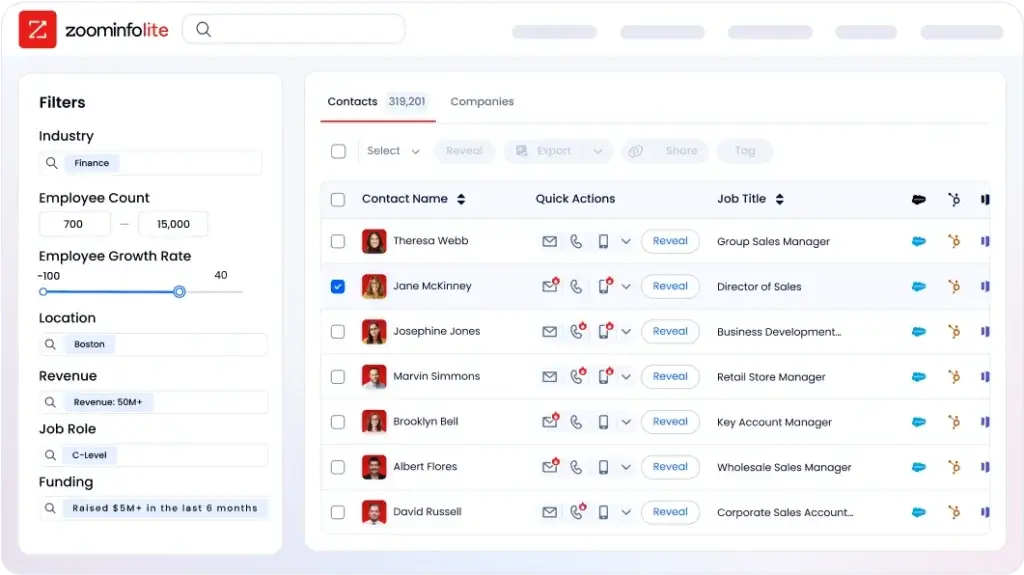
ZoomInfo’s database is the core of the platform. It gives you access to professional contact profiles, company records, direct dials, email addresses, job titles, firmographic data, technographic data, and organizational details.
You can filter prospects by job function, seniority, company size, revenue, industry, geography, department, technology used, growth signals, and more. This helps SDRs, account executives, and marketing teams build targeted lists around a specific ideal customer profile.
For U.S.-focused B2B teams, ZoomInfo can be especially useful because the database is generally stronger in North America. If you sell globally or target smaller local businesses, you should validate sample data before signing a long-term contract.
Buyer Intent Data and Sales Signals
ZoomInfo’s buyer intent tools help you identify companies that may be researching topics related to your product or service. These signals can help you move from generic prospecting to more timely outreach.
Instead of contacting every company that fits your ICP, you can prioritize accounts showing signs of interest. This is useful for account-based selling, ABM campaigns, and SDR teams that want to focus on warmer prospects.
Intent data should not be treated as a guaranteed buying signal. It is best used as a prioritization layer, not as the only reason to contact an account. Your team should still review account fit, recent activity, company context, and buyer relevance before launching outreach.
Data Enrichment and CRM Integration
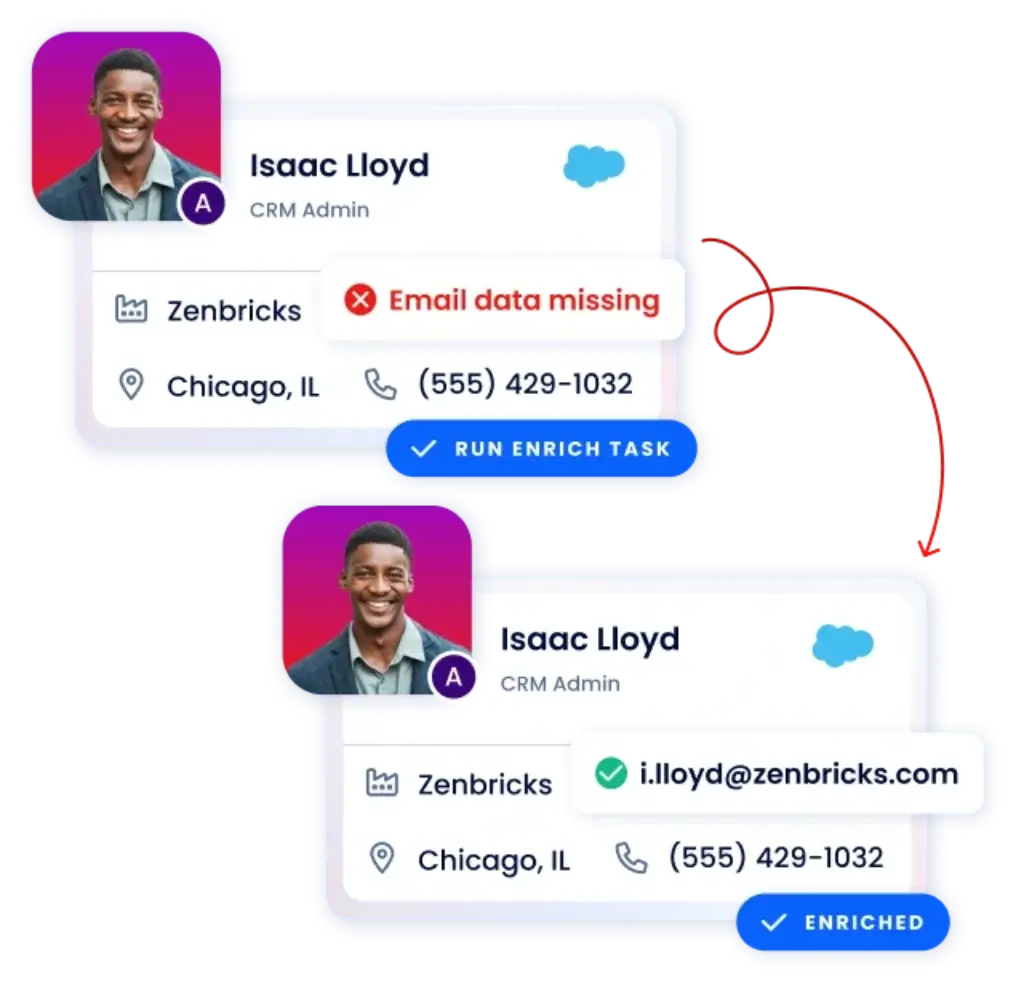
ZoomInfo’s enrichment tools help keep your CRM cleaner and more actionable. If your database has missing titles, outdated companies, incomplete phone numbers, or duplicate records, enrichment can update those fields and make your sales workflows more reliable.
ZoomInfo can enrich data through scheduled updates, real-time enrichment, CSV uploads, and data-as-a-service workflows. This is especially helpful for larger teams with thousands of CRM records that become outdated over time.
- Scheduled enrichment updates records on a planned cadence.
- Instant enrichment updates records when new contacts enter your CRM.
- CSV enrichment enriches uploaded lead lists in bulk.
- Data-as-a-service supports more customized data delivery needs.
ZoomInfo integrates with popular CRM and sales tools such as Salesforce, HubSpot, Outreach, Salesloft, and Gong. If you already have a structured CRM process, these integrations can reduce manual research and data entry.
Engage: Sales Automation Platform
ZoomInfo Engage adds sales engagement functionality to the platform. It helps teams manage outreach sequences, email templates, call tasks, activity tracking, and engagement analytics.
This is useful if you want prospecting data and outreach execution closer together. However, Engage is often treated as an add-on, so you should confirm whether it is included in your package before comparing ZoomInfo with platforms that include outreach natively.
For large SDR teams, Engage can help standardize outbound activity. For smaller teams, a platform like Reply.io, SmartReach AI, or Apollo.io may feel simpler if the main goal is email and LinkedIn sequencing.
Chorus: Conversation Intelligence
Chorus is ZoomInfo’s conversation intelligence solution. It records and analyzes sales calls, meetings, emails, and customer conversations to help teams understand what happens in the sales process.
Managers can use Chorus to coach reps, review objection handling, identify deal risks, and understand which messaging patterns lead to better outcomes. It can also help new sales hires learn from real customer calls instead of relying only on static training material.
The main consideration is cost. If your team already uses another conversation intelligence platform, you should compare the added value of Chorus against your current solution before expanding your ZoomInfo contract.
WebSights: Website Visitor Tracking
WebSights helps identify companies visiting your website, even when visitors do not fill out a form. It uses website visitor data to reveal account-level interest and can help sales teams prioritize follow-up.
This is useful for teams running ABM, paid campaigns, content marketing, or high-intent landing pages. If a target account repeatedly visits your pricing page, product pages, or comparison pages, your sales team can use that signal to time outreach more effectively.
Like other advanced ZoomInfo features, WebSights may not be included in the base package. Ask whether it is part of your plan or priced separately.
ZoomInfo Copilot and AI Sales Intelligence
ZoomInfo Copilot is the platform’s AI assistant for sales and go-to-market teams. It uses ZoomInfo’s data, CRM activity, engagement history, and real-time signals to help reps understand accounts and take the next best action.
Copilot can help with account summaries, buying group insights, meeting preparation, AI-generated emails, and conversational account research. This can save time for reps who need to quickly understand an account before a call or outreach sequence.
The strongest use case for Copilot is not simply writing emails. Its real value is connecting AI with GTM data, so your team can understand who to contact, why now, what matters to the account, and how to personalize the next touch.
GTM Studio and GTM Workspace
GTM Studio is one of ZoomInfo’s newer strategic additions. It is designed for revenue teams that want to build, enrich, and activate go-to-market plays without waiting on manual data pulls or disconnected workflows.
Instead of treating ZoomInfo as a static database, GTM Studio helps teams turn signals and audience data into action. For example, a RevOps team can build an audience of high-fit accounts, enrich them with firmographic and intent data, and activate plays across sales and marketing workflows.
This makes ZoomInfo more relevant for companies investing in revenue orchestration, account-based marketing, and AI-assisted GTM execution.
MarketingOS, OperationsOS, and TalentOS
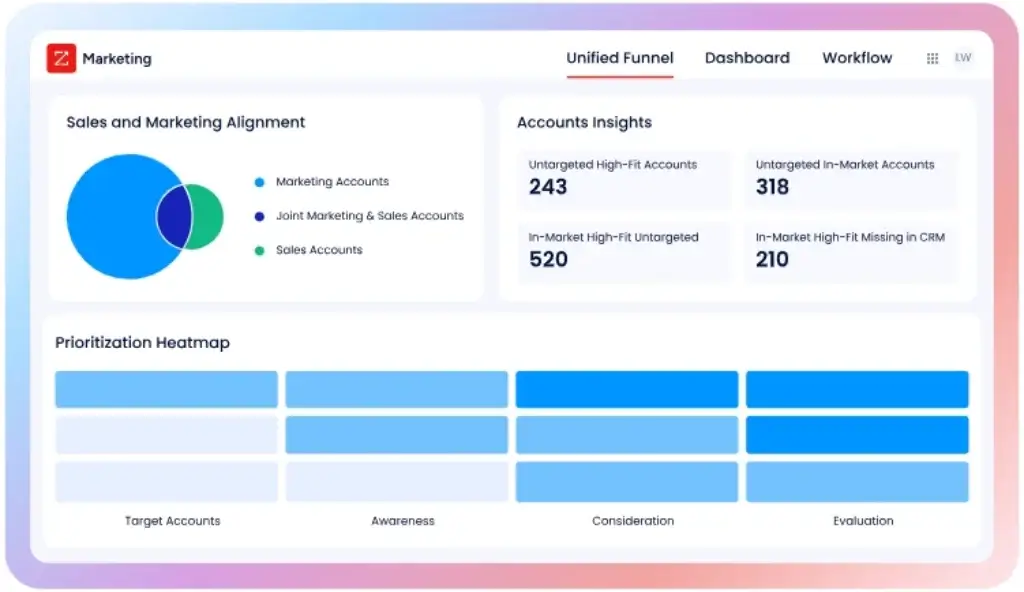
MarketingOS is built for ABM and demand generation teams. It helps marketers identify in-market accounts, segment audiences, run targeted campaigns, and align marketing efforts with sales priorities.
OperationsOS is built for RevOps and data operations teams. It helps clean, deduplicate, standardize, enrich, and route records across CRM and marketing automation systems.
TalentOS is built for recruiting teams. It helps find candidate profiles, automate outreach, and build talent pipelines using professional data and recruiting workflows.
This product breadth is a major advantage for large companies that want a unified GTM data layer. It can also be a drawback for smaller teams that only need one narrow use case.
Pros and Cons
Benefits and Limitations of Using ZoomInfo
ZoomInfo is a powerful platform, but it is not the right fit for every team. Its biggest strengths are data scale, account intelligence, enrichment, and enterprise-level GTM workflows. Its biggest limitations are pricing, complexity, and contract flexibility.
Positive
✅ Large B2B database
✅ Strong account intelligence
✅ Powerful enrichment tools
✅ Useful intent data
Negative
❌ High annual cost
❌ Quote-based pricing
❌ Complex credit system
❌ Steep learning curve
✅ Pros
- Large B2B database: ZoomInfo gives you access to a deep pool of professional and company data.
- Strong filtering: You can segment contacts by role, seniority, location, revenue, industry, and tech stack.
- Useful intent signals: Buyer intent data helps prioritize accounts showing signs of research activity.
- Powerful CRM enrichment: ZoomInfo can update incomplete or outdated CRM records automatically.
- Broad GTM platform: Sales, marketing, operations, and recruiting teams can use one connected data layer.
- AI support: Copilot can help with account summaries, emails, meeting prep, and buying group insights.
- Enterprise integrations: ZoomInfo connects with widely used CRM, sales engagement, and marketing tools.
❌ Cons
- High pricing: ZoomInfo can be expensive, especially when seats, credits, and add-ons are included.
- Quote-based plans: You need to speak with sales to understand your real cost.
- Credit complexity: Contact reveals, exports, and data usage can consume credits quickly.
- Steep learning curve: New users may need training before they can use the platform efficiently.
- Feature add-ons: Advanced tools like WebSights, Chorus, Engage, and Copilot may cost extra.
- Contract rigidity: Annual or multi-year contracts can reduce flexibility for smaller teams.
- International data gaps: Coverage can be weaker outside the U.S. and for smaller companies.
User Experience
User Experience and Ease of Use
ZoomInfo is built for teams that need powerful data and detailed controls. That makes the platform useful, but also more complex than lightweight prospecting tools.
The interface includes separate areas for contact search, company profiles, lists, intent signals, enrichment, workflows, outreach activity, reporting, and administrative settings. Once your team understands the system, these modules can support a strong sales intelligence workflow. During the first few weeks, however, new users may feel overwhelmed.
ZoomInfo provides onboarding, documentation, customer support, and training resources through ZoomInfo University. Larger customers may also receive more personalized onboarding depending on the support package and contract terms.
In my opinion, ZoomInfo works best when one person owns the setup and data governance process. This could be a RevOps manager, sales operations specialist, CRM admin, or outbound team lead. Without clear ownership, teams may underuse the platform and struggle to justify the cost.
ZoomInfo Data Accuracy: Is It Reliable?
ZoomInfo’s data accuracy is one of the main reasons companies consider it. For U.S.-based B2B prospecting, the data is generally strong, especially for mid-market and enterprise accounts.
That said, no B2B database is perfect. Contact data changes constantly as people switch roles, companies restructure, departments grow, and email formats change. Even with enrichment and verification, some records may be outdated or incomplete.
ZoomInfo is usually strongest when you use it as part of a process, not as a blind export tool. For high-value accounts, you should still validate decision makers, check LinkedIn activity, review the company website, and confirm the buying committee before launching outreach.
If your team sells outside the U.S., targets very small businesses, or works in niche industries, request sample data before signing. This helps you test whether ZoomInfo has enough accurate coverage for your actual market.
ZoomInfo Privacy and Compliance
Because ZoomInfo deals with business contact data, privacy and compliance should be part of your evaluation. ZoomInfo states that it supports major privacy frameworks and provides opt-out mechanisms, but your team is still responsible for using the data correctly.
If you run outbound email campaigns, make sure your use of ZoomInfo data aligns with GDPR, CCPA, CAN-SPAM, and any local regulations that apply to your target market. This is especially important if you sell into Europe or use automated email sequences at scale.
Before using ZoomInfo data in campaigns, confirm how contacts were sourced, how opt-outs are managed, how suppression lists are handled, and how your CRM sync will prevent outreach to people who should not be contacted.
Best Use Cases
Who Should Use ZoomInfo?
ZoomInfo is best suited for companies that need more than a simple lead list. It is strongest when multiple teams rely on the same GTM data, including sales, marketing, RevOps, and recruiting.
ZoomInfo for SDR and BDR Teams
SDR and BDR teams can use ZoomInfo to build targeted prospect lists, identify decision makers, uncover direct dials, and prioritize outreach based on company fit and intent signals.
This is valuable for teams running high-volume outbound campaigns, especially when the account list must be accurate and segmented by role, company size, region, and industry.
ZoomInfo for Account Executives
Account executives can use ZoomInfo to prepare for discovery calls, understand account structure, identify additional stakeholders, and track company changes that may affect opportunities.
For larger deals, this can help AEs map the buying committee and personalize conversations with stronger account context.
ZoomInfo for RevOps Teams
RevOps teams can use ZoomInfo to clean CRM data, enrich records, manage routing rules, standardize fields, and improve reporting accuracy.
This is one of the strongest use cases for ZoomInfo because poor data quality affects forecasting, segmentation, sales productivity, and marketing attribution.
ZoomInfo for Marketing and ABM Teams
Marketing teams can use ZoomInfo to build account lists, identify in-market buyers, segment audiences, and support ABM campaigns.
If your marketing team runs LinkedIn ads, display campaigns, webinars, or content syndication around target accounts, ZoomInfo can help improve audience quality and sales follow-up.
ZoomInfo for Recruiting Teams
Recruiting teams can use TalentOS to identify candidates, build candidate pipelines, and automate recruitment outreach.
This is useful for companies that hire specialized roles and need proactive sourcing rather than waiting for inbound applicants.
When ZoomInfo May Not Be the Best Choice
ZoomInfo is not always the right fit. You may want a lighter tool if your team only needs a few verified emails per month or does not have the budget for an annual contract.
- You are a freelancer or solo founder with limited outbound volume.
- You need transparent month-to-month pricing.
- You only need basic email lookup or direct dials.
- You do not have a CRM or structured sales process yet.
- You sell mostly outside the U.S. and need stronger global coverage.
- You do not have time for onboarding, implementation, or data governance.
Pricing and Plans
How much does ZoomInfo cost?
ZoomInfo does not publish standard pricing on its website. Pricing is quote-based, which means your final cost depends on the products you choose, number of seats, credit volume, contract length, support level, and add-ons.
This is one of the most important parts of the buying decision. ZoomInfo can deliver strong value when used across the full GTM motion, but it can feel expensive if your team only needs contact lookup.
What Affects ZoomInfo Pricing?
ZoomInfo pricing is usually shaped by several factors:
- Number of seats: More users usually means a higher annual contract.
- Product modules: SalesOS, MarketingOS, OperationsOS, and TalentOS may be priced differently.
- Credit usage: Contact reveals, exports, and data usage can consume credits.
- Add-ons: Engage, Chorus, WebSights, Copilot, and advanced integrations may increase cost.
- Support package: Higher support levels may come with additional fees.
- Contract length: Annual or multi-year contracts may affect discounts and flexibility.
Typical ZoomInfo Cost Ranges
Reported ZoomInfo pricing often starts around $15,000 per year for smaller packages and can move into the $25,000 to $60,000+ per year range depending on users, credits, features, and negotiation.
Enterprise packages can go higher when you add multiple modules, premium support, larger data volumes, Copilot, WebSights, Chorus, or advanced integrations.
The key point is simple: you should not evaluate ZoomInfo based only on the first quote. You should ask exactly what is included, what costs extra, how credits work, and what happens at renewal.
ZoomInfo Credits and Hidden Costs
ZoomInfo’s credit system can be confusing if you are used to simple monthly pricing. Credits are consumed when users view or export certain data. If your team exports many contacts, targets multiple stakeholders per account, or runs high-volume outbound campaigns, credit usage can grow quickly.
Hidden costs may also come from add-on features, additional seats, advanced integrations, overage needs, onboarding, premium support, or contract expansion during renewal.
Before signing, ask for a clear explanation of included credits, what actions consume credits, whether unused credits roll over, and how much extra credits cost.
Questions to Ask Before Signing a ZoomInfo Contract
- How many credits are included in the plan?
- Which actions consume credits?
- Do unused credits roll over?
- Is Copilot included or sold separately?
- Are Engage, Chorus, and WebSights included?
- Are CRM integrations included in the quoted price?
- What is the renewal notice period?
- Does the agreement include auto-renewal?
- Are onboarding or implementation fees included?
- Can you reduce seats or modules at renewal?
Sample Pricing Table
The table below gives a practical overview of common ZoomInfo pricing levels. Actual quotes can vary significantly based on your team size, use case, credits, contract terms, and negotiated discount.
| Plan Level | Approx. Annual Cost | What It Typically Includes |
| Professional | ~US$15,000+/year | Basic contact and company search, limited credits, core prospecting features |
| Advanced | US$25,000+/year | More credits, stronger filters, intent data, enrichment, and integrations |
| Enterprise / Elite | US$40,000 to $60,000+/year | Expanded data volume, AI tools, premium add-ons, advanced workflows, support |
Competition
ZoomInfo Alternatives and Competitors
If ZoomInfo feels too expensive, complex, or rigid for your team, there are several strong alternatives worth considering. The best choice depends on whether you need a large contact database, direct dials, AI prospecting, enrichment, or multichannel outreach.
ZoomInfo vs Apollo.io
Apollo.io is one of the closest alternatives to ZoomInfo because it combines B2B data with built-in outreach tools. You can build lists, enrich contacts, create sequences, make calls, and track engagement from one platform.
Apollo.io is usually a better fit for SMBs and growth teams that want contact data plus outbound execution without enterprise-level pricing. ZoomInfo is stronger for large teams that need deeper company intelligence, more advanced enrichment, intent data, and broader GTM workflows.
ZoomInfo vs Lusha
Lusha is a strong option if your team mainly needs verified emails, direct dials, and simple prospecting. It is easier to use than ZoomInfo and usually more accessible for smaller teams.
Lusha is especially useful for outbound calling teams that care about accurate phone numbers. ZoomInfo offers a broader GTM platform, but Lusha may be more practical if you do not need intent data, AI workflows, or enterprise enrichment.
ZoomInfo vs Alta AI
Alta AI is a more modern sales intelligence platform focused on AI-driven data sourcing, enrichment, and account prioritization. It is built for teams that want to use multiple data sources and AI to identify relevant prospects more efficiently.
Alta AI may be a better fit if you want a lighter platform with stronger AI-led workflows and more flexible pricing. ZoomInfo is still stronger when you need enterprise scale, broader product modules, and deep GTM infrastructure.
ZoomInfo vs SmartReach AI
SmartReach AI is a strong alternative for teams that want lead generation, research, enrichment, and multichannel outreach in one tool.
Instead of focusing only on database access, SmartReach AI helps you build lead lists, research companies, personalize messages, and run outreach across channels like email, LinkedIn, and WhatsApp. It is a better fit for teams that want action-oriented outbound workflows rather than a large enterprise data system.
ZoomInfo vs Reply.io
Reply.io is best known as a sales engagement platform. It helps teams run multichannel sequences across email, calls, LinkedIn, SMS, and WhatsApp, while also offering prospecting and verified contact data features.
Reply.io is better if your main goal is outbound execution and sequence automation. ZoomInfo is better if your main need is large-scale B2B intelligence, enrichment, intent data, and CRM-connected GTM operations.
ZoomInfo Alternatives Comparison Table
| Feature / Tool | ZoomInfo | Apollo.io | Lusha | Alta AI | SmartReach AI | Reply.io |
| Data Accuracy | Strong U.S. data | Good global data | Strong direct dials | AI-verified multi-source data | Depends on connected providers | Good for email and LinkedIn workflows |
| Pricing | Quote-based, high | Transparent and affordable | Transparent credit-based plans | Flexible and AI-focused | Transparent and scalable | Mid-range and flexible |
| Intent Signals | Strong intent suite | Basic intent signals | Limited intent signals | Advanced buyer intent | Activity-based intent data | Moderate intent features |
| Data Enrichment | Robust enrichment tools | Reliable enrichment | Basic enrichment | AI enrichment and scoring | AI research and enrichment | Email verification and enrichment |
| Sales Outreach | Requires add-ons | Built-in multichannel outreach | No full outreach suite | No full outreach suite | Email, LinkedIn, and WhatsApp | Email, calls, LinkedIn, SMS, and WhatsApp |
| AI Features | Copilot and GTM AI | AI scoring and analytics | Minimal AI | AI intelligence engine | Smart AI Agent research | AI personalization and automation |
| Best For | Enterprise GTM teams | SMBs and growth teams | Outbound calling teams | Revenue teams needing precision data | Teams wanting intelligence plus outreach | SDR teams scaling outreach |
Choosing an alternative depends on your team’s size, budget, data requirements, and outreach workflow. ZoomInfo is strongest for enterprise GTM intelligence. Apollo.io is better for affordable data plus outreach. Lusha is best for simple direct-dial access. Alta AI is better for AI-led intelligence. SmartReach AI and Reply.io are stronger when outreach execution is just as important as data access.
Customers’ Opinions
Real Customer Feedback
Customer feedback around ZoomInfo is mixed, which is common for enterprise sales intelligence platforms. Teams that use ZoomInfo deeply often praise its database, integrations, and targeting capabilities. Teams that only need basic prospecting often complain about cost and contract complexity.
What Users Like
- Large contact database: Users value access to verified emails, direct dials, and company information.
- Advanced filters: Teams can build targeted lists by role, seniority, industry, location, and technology.
- Intent signals: Buyer intent data helps teams prioritize warmer accounts.
- CRM integrations: Salesforce, HubSpot, and sales engagement integrations can reduce manual work.
- Data enrichment: RevOps teams can improve CRM quality and reduce outdated records.
What Users Dislike
- High pricing: Many smaller teams find ZoomInfo expensive compared with lighter tools.
- Contract terms: Annual contracts and renewal clauses can create friction.
- Learning curve: The platform can feel complex without onboarding and ownership.
- Data gaps: Accuracy may be weaker in smaller markets, niche segments, or non-U.S. regions.
- Add-on costs: Some advanced capabilities may not be included in the base package.
The overall theme is clear. ZoomInfo is valuable when used as a complete GTM intelligence platform. It is harder to justify if your team only needs a basic prospecting database.
Conclusion
Final thoughts
ZoomInfo is worth considering if your team will use the full platform: contact data, company intelligence, enrichment, intent signals, CRM integrations, AI insights, and GTM workflows. For mid-market and enterprise teams with a mature sales process, it can become a strong revenue intelligence layer that supports prospecting, ABM, RevOps, and recruiting.
However, ZoomInfo is not the best choice if you only need verified emails or a simple lead list. The pricing, credit model, add-ons, and contract terms make it harder to justify for small teams with basic prospecting needs.
My recommendation is simple: choose ZoomInfo if your team has the budget, data volume, and operational maturity to use it as a full GTM platform. Consider alternatives like Apollo.io, Lusha, Alta AI, SmartReach AI, or Reply.io if you want a more affordable, simpler, or outreach-first solution.
FAQs
Frequently Asked Questions
What is ZoomInfo?
ZoomInfo is an AI-powered go-to-market intelligence platform that helps sales, marketing, RevOps, and recruiting teams find contacts, enrich CRM records, identify buying signals, and run targeted GTM workflows.
How does ZoomInfo work?
ZoomInfo works by combining B2B contact data, company intelligence, intent signals, enrichment tools, integrations, and automation. You can search for prospects, build lists, enrich CRM records, and prioritize outreach based on fit and buyer activity.
How much does ZoomInfo cost?
ZoomInfo pricing is quote-based. Reported pricing often starts around $15,000 per year and can reach $25,000 to $60,000+ depending on seats, credits, modules, add-ons, support, and contract terms.
Why is ZoomInfo so expensive?
ZoomInfo is expensive because it bundles large-scale B2B data, enrichment, intent signals, AI features, CRM integrations, and enterprise GTM workflows. Costs also increase with seats, credits, add-ons, and support packages.
Is ZoomInfo data accurate?
ZoomInfo data is generally strong for U.S.-based B2B contacts, especially mid-market and enterprise accounts. Accuracy may vary for international markets, small businesses, niche industries, and rapidly changing roles.
Does ZoomInfo include intent data?
Yes, ZoomInfo offers buyer intent data that helps identify companies researching relevant topics. However, intent data may be tied to specific plans or add-ons, so you should confirm whether it is included in your quote.
Can ZoomInfo replace a CRM?
No. ZoomInfo is not a CRM. It works alongside CRM platforms like Salesforce and HubSpot by enriching records, improving account data, and helping teams identify and prioritize prospects.
Is ZoomInfo good for small businesses?
ZoomInfo can be too expensive and complex for many small businesses. Smaller teams may get better value from simpler tools like Apollo.io, Lusha, SmartReach AI, Alta AI, or Reply.io, depending on their needs.
What are the best ZoomInfo alternatives?
The best ZoomInfo alternatives include Apollo.io for all-in-one prospecting and outreach, Lusha for direct dials, Alta AI for AI-driven intelligence, SmartReach AI for research plus outreach, and Reply.io for sales engagement.
What should I check before signing a ZoomInfo contract?
Before signing, check included credits, credit rollover, add-on costs, Copilot access, Engage and WebSights availability, renewal terms, cancellation rules, onboarding fees, support level, and whether auto-renewal is included.








