Introduction
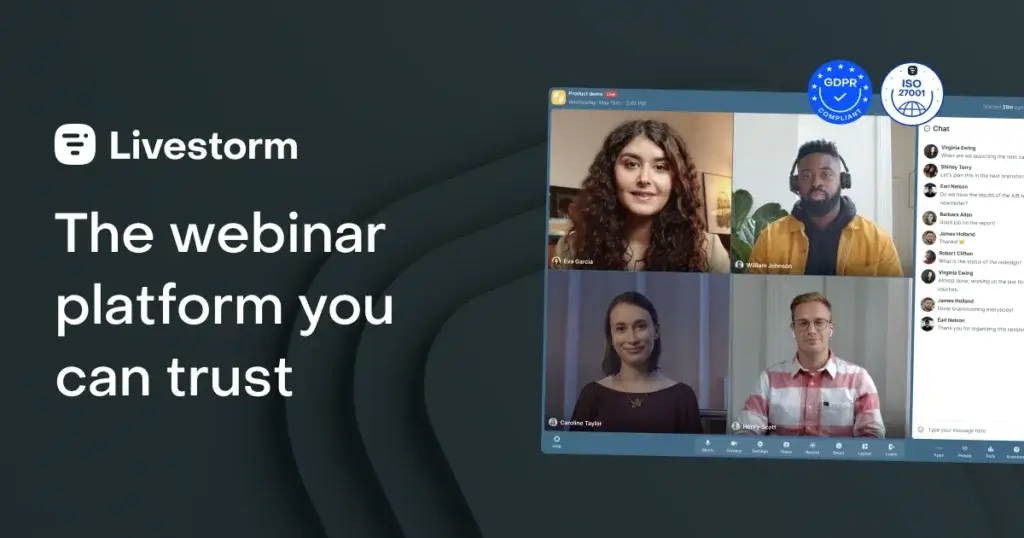
If you want webinar software that is easy for attendees to join, simple for hosts to manage, and flexible enough for marketing, training, product demos, and virtual events, Livestorm is one of the strongest options in the category. It is a browser-based platform built for live webinars, automated webinars, on-demand events, online meetings, and virtual sessions, which means attendees can join without downloading software. That low-friction experience is one of the biggest reasons Livestorm stands out in a crowded webinar software market.
In this Livestorm review, you will get a practical look at where the platform performs well, where it has limitations, how its pricing works, and who it is best suited for. By the end, you should have a clear understanding of whether Livestorm is the right webinar software for your lead generation, customer education, training, or online event strategy.
What Is Livestorm?
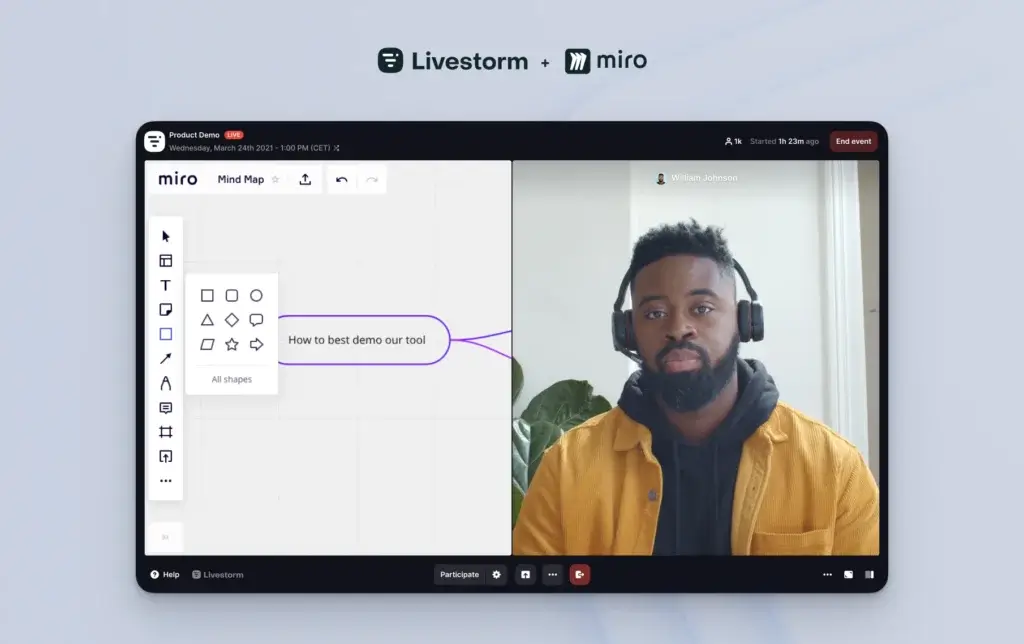
Livestorm is a browser-based video engagement platform designed for webinars, virtual meetings, automated webinars, and online events. It combines event registration, email reminders, landing pages, engagement tools, recordings, and analytics in one system. Instead of acting like a simple video meeting tool, Livestorm is built around the full webinar workflow, from registration to follow-up.
Background and Evolution
Livestorm has positioned itself as a modern webinar platform for businesses that want to run external-facing events without the friction of downloads or overly technical setup. Over time, it has expanded beyond live webinars into automated webinars, on-demand sessions, AI-powered features, advanced integrations, and enterprise-grade security. That wider feature set makes it more than just a webinar room, it is now a broader event and video communication platform for marketing, sales, training, and support teams.
Target Users and Use Cases
Livestorm is not equally strong for every kind of video use case. It is best when your sessions are tied to a workflow like lead generation, onboarding, education, or customer engagement, rather than casual internal meetings.
- Marketing teams – You can use Livestorm for demand generation webinars, product launches, and lead nurturing workflows.
- Sales teams – It works well for product demos, prospect education, and large-scale presentations.
- Customer success and training teams – Automated sessions, replays, and analytics make it useful for onboarding and education.
- Remote-first businesses – The no-download browser model reduces friction for external attendees.
- Global teams – Livestorm is particularly appealing for companies that want strong accessibility and international reach.
If your main need is simple internal team meetings, a meeting-first platform may be enough. But if webinars and event-driven communication are important to your business, Livestorm is much more compelling.
How Does It Work?
Key Features of Livestorm
Livestorm is more than a place to host a live session. It is designed to support the full webinar journey, including registration, promotion, event delivery, engagement, and post-event analysis.
Browser-Based Webinar Experience
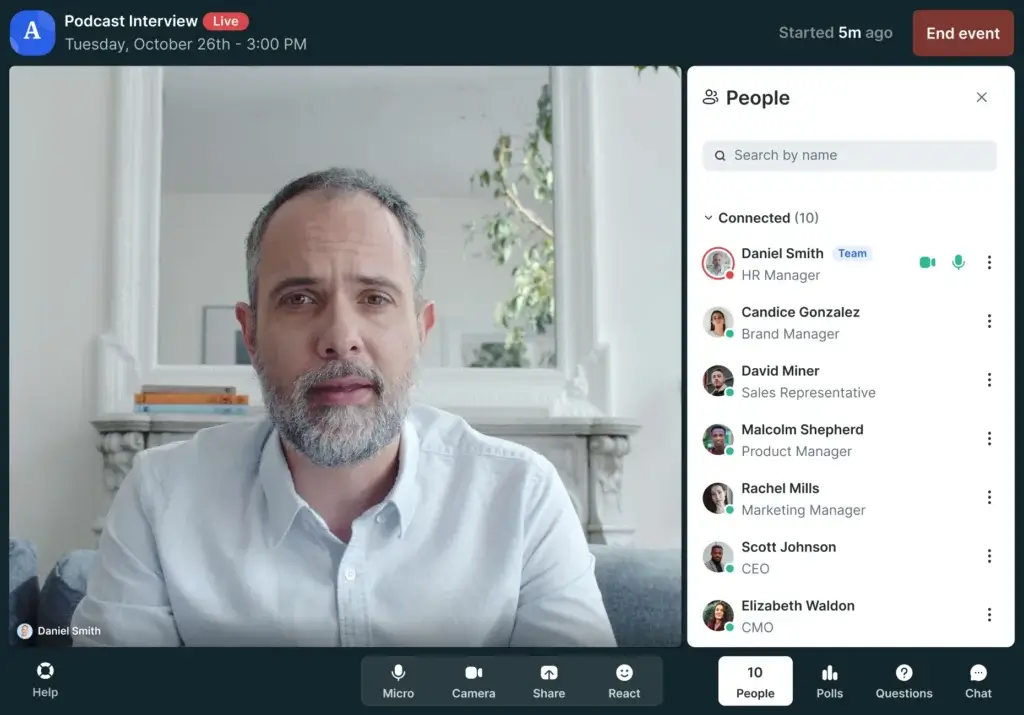
One of Livestorm’s biggest strengths is its browser-based model. Attendees can join directly from a link instead of installing desktop software, which reduces friction and can improve attendance rates. That matters most for public-facing webinars, product demos, customer sessions, and virtual events where every additional step can hurt conversions.
For hosts, the browser-first experience also simplifies rollout. Teams can launch webinars, manage speakers, and moderate sessions without relying on a more complicated desktop setup. In practice, this makes Livestorm easier to deploy than webinar tools that still lean heavily on app-based participation.
Live Webinars, Automated Webinars, and On-Demand Events
Livestorm supports several webinar formats, which is part of what makes it valuable for growing teams. You can host live webinars, schedule automated webinars, publish on-demand sessions, and run virtual meetings from the same platform.
This flexibility matters because different business goals need different event formats. Live webinars create urgency and interaction. Automated webinars help you scale demand generation and customer education. On-demand sessions extend the life of your content. Livestorm handles all three in a way that feels more complete than many meeting-first platforms.
Registration Pages and Email Automation
Livestorm does a strong job of supporting the webinar funnel around the event itself. You can build branded registration pages, customize forms, automate reminder emails, and send follow-ups without needing a separate webinar marketing tool for the basics.
This is especially useful for marketing teams because webinar performance often depends as much on registration flow and reminders as it does on the live session. Livestorm is one of the better platforms in this category when you want event creation and event promotion in the same system.
Audience Engagement Tools
Livestorm includes the core engagement features you would expect from a strong webinar platform, including chat, polls, Q&A, emoji reactions, and screen sharing. These tools are not just there for appearance, they help presenters keep sessions interactive and prevent webinars from becoming passive one-way presentations.
For product marketing, this helps keep prospects engaged. For customer education and onboarding, it creates a more involved learning experience. For internal presentations or training, it can improve retention and attention.
Branding and Event Customization
Branding is another area where Livestorm performs well. You can customize registration pages, email communications, and webinar rooms to better match your brand experience. That makes Livestorm more attractive for companies that treat webinars as part of their broader marketing and customer journey, rather than as isolated sessions.
Compared with more utilitarian meeting tools, Livestorm feels much more aligned with external communication and polished event delivery.
Integrations and Analytics
Livestorm integrates with a broad range of business tools, including CRM, calendar, automation, and marketing systems. That helps webinar data flow into the rest of your stack and reduces manual work. It also provides analytics around attendance, engagement, and event performance so teams can learn what is working and improve future sessions.
The analytics are not the most enterprise-deep in the market, but they are strong enough for most small and mid-sized businesses, especially teams focused on conversions, lead quality, and attendee engagement.
AI and Workflow Improvements
Livestorm has also moved into AI-assisted features, including tools that help improve event workflows and post-event usefulness. That makes the platform more relevant for teams that want to repurpose webinar content, increase productivity, and reduce manual follow-up work.
It is not yet the defining reason to choose Livestorm, but it is a meaningful sign that the product is evolving beyond standard webinar hosting.
Pros and Cons
Benefits and Limitations of Using Livestorm
Positive
✅ Low-friction attendance
✅ Strong registration workflow
✅ Clean and intuitive interface
✅ Useful interactivity
✅ Solid platform maturity
Negative
❌ Free plan is very limited
❌ Pricing scales with attendee usage
❌ Better for webinars than internal meetings
❌ Large event complexity still exists
Strengths & Benefits
Livestorm’s biggest strength is that it removes the technical barriers that often hurt webinar performance. The browser-based entry model is excellent for attendance. Registration pages and email automation help support conversions. The interface is easier to work with than many older webinar tools. And because the platform combines delivery, engagement, and reporting, it works well for teams that want a more complete webinar system.
- Low-friction attendance – Browser-based access helps external attendees join faster.
- Strong registration workflow – Registration, reminders, and follow-ups are built in.
- Clean and intuitive interface – The platform feels cleaner than many traditional webinar tools.
- Useful interactivity – Polls, Q&A, chat, and reactions make webinars more engaging.
- Solid platform maturity – Livestorm feels reliable and well developed for business use.
Limitations & Drawbacks
Livestorm is a strong product, but it is not the cheapest option for every use case. The free plan is restrictive, which means most serious teams will outgrow it quickly. Pricing can also become less attractive as attendee volume rises. And while Livestorm is excellent for webinars and event-driven communication, it is not the most natural choice if your main need is everyday internal meetings.
- Free plan is very limited – It is useful for exploration, but not for a real webinar program.
- Pricing scales with attendee usage – Pricing can climb as event volume and attendance grow.
- Better for webinars than internal meetings – Some buyers may prefer Zoom or Teams for internal collaboration.
- Large event complexity still exists – Very large-scale virtual event programs may need more specialized infrastructure.
Use Cases
Who Should Use Livestorm?
Livestorm is not the best webinar software for every buyer. It is strongest when your sessions are tied to a clear external business goal, such as lead generation, product education, onboarding, or customer engagement.
Marketing Teams and Demand Generation
This is one of Livestorm’s best-fit categories. Marketing teams that rely on webinars for demand generation, product marketing, thought leadership, and pipeline growth will find a lot of value here. Registration flows, reminder emails, branded pages, automation, and post-event analytics all help Livestorm feel like a true webinar marketing platform rather than just a video room.
Sales Teams and Product Demo Workflows
Livestorm also works well for sales-led webinars and product presentations. The low-friction join experience is useful when you are bringing prospects into demos or larger presentation sessions. If your team runs recurring product overviews, launch sessions, or industry presentations, Livestorm fits naturally.
Customer Education and Onboarding
This is another strong category. Teams that need to educate customers at scale can use live sessions, automated webinars, and on-demand content to deliver more structured onboarding and training. The replay and follow-up workflow is especially helpful here.
Remote Businesses Running External Events
If your company works with distributed audiences, clients, prospects, or partners, the browser-based experience can be a real competitive advantage. It lowers friction, simplifies access, and makes events easier to launch for global audiences.
When Livestorm Might Not Be the Right Fit
Livestorm may not be ideal if your priority is low-cost internal meetings rather than webinars. It may also be less attractive if you want highly specialized enterprise-scale event infrastructure or if you already run all webinar activity through another platform that is deeply embedded in your stack. In those cases, Zoom Webinars, GoTo Webinar, Demio, or more conference-oriented platforms may be worth comparing closely.
Competitors
Competitor Alternatives to Livestorm
Livestorm competes with several strong webinar platforms, but the right choice depends on what you value most. Demio is often easier for straightforward marketing webinars, Zoom Webinars benefits from familiarity and broader adoption, and GoTo Webinar remains a dependable business option. Livestorm stands out most when you want browser-based access, polished registration workflows, and a more complete event experience from signup to analytics.
| Feature Type | Livestorm | Demio | Zoom Webinars | GoTo Webinar |
| Core focus | Webinars, events, onboarding | Marketing webinars | Familiar large-scale delivery | Business webinar programs |
| Access model | Browser-based | Browser-based | Often app-driven | Web and app mix |
| Registration workflow | Strong | Strong | Moderate | Strong |
| Automated webinars | Yes | Yes | More limited | Available, less central |
| On-demand events | Yes | Yes | Available | Available |
| Branding options | Strong | Good | Moderate | Moderate |
| Analytics | Good | Good | Moderate to strong | Good |
| Best for | Growth teams and external events | Simpler marketing webinars | Scale and familiarity | Established webinar operations |
My view is that Livestorm is one of the better all-around webinar platforms for modern teams. Demio is often simpler, but Livestorm usually offers more depth. Zoom Webinars is powerful because of familiarity and scale, yet it is not as naturally optimized for branded browser-based event journeys. GoTo Webinar is dependable, but Livestorm often feels more modern and easier to align with marketing and customer education workflows.
Pricing
Livestorm Pricing & Plans
Livestorm uses a usage-based pricing structure rather than a simple flat-seat model. That means pricing depends largely on attendee volume and the level of features you need. It is a sensible model for webinar software, but it also means you should evaluate expected attendance and event frequency before committing.
Free Plan
Livestorm offers a free plan, which is useful for testing the platform and understanding the interface. However, it is limited enough that most serious webinar programs will outgrow it quickly. It works best as a trial-like starting point rather than a long-term solution.
Pro Plan
The Pro plan is where Livestorm becomes much more practical for real business use. It is designed for companies running regular webinars, product demos, onboarding sessions, or external events. You get longer sessions, higher attendee capacity, stronger branding options, analytics, integrations, and better overall event flexibility.
Enterprise Plan
The Enterprise tier is designed for organizations that need larger-scale events, more support, stronger controls, and tailored service. If you run high-volume webinar programs, multi-team event operations, or larger virtual sessions with more demanding technical and reporting requirements, this is the level to explore.
Pricing Table
| Plan | Free | Pro | Enterprise |
| Starting use case | Testing and light use | Recurring webinars and events | Large-scale and advanced programs |
| Session limits | Short sessions | Longer sessions | Extended event capacity |
| Attendee model | Very limited | Usage-based credits | Custom capacity |
| Live webinars | Yes | Yes | Yes |
| Automated webinars | Limited value | Yes | Yes |
| On-demand events | Basic access | Yes | Yes |
| Analytics and integrations | Basic | Strong | Advanced |
| Support | Standard | Standard business support | Higher-touch support |
| Best for | Evaluation | Growth-stage webinar teams | Complex event operations |
In pricing terms, Livestorm offers good value when webinars are part of a repeatable business workflow. If you only host occasional sessions, it may feel expensive relative to simpler meeting tools. If webinars support marketing, onboarding, or customer education at scale, the value becomes easier to justify.
Best Practices
Getting Started with Livestorm
To get the most value from Livestorm, treat it like a webinar system rather than just a place to go live. The stronger your setup, the better your results will be.
Start with a Clear Webinar Goal
Before creating an event, define whether the webinar is meant for lead generation, customer onboarding, product education, internal communication, or revenue support. That decision will shape the format, registration flow, call to action, and follow-up process.
Optimize the Registration Journey
One of Livestorm’s strengths is the registration experience, so use it well. Build a clear landing page, simplify the signup form, and make sure reminder emails support attendance rather than feeling like an afterthought.
Use Engagement Features with Purpose
Chat, polls, Q&A, and reactions should serve the event objective. Polls can help qualify leads. Q&A can surface objections. Chat can improve attention. The goal is not to use every feature, but to use the right ones at the right time.
Reuse High-Performing Sessions
One of the smartest ways to use Livestorm is to turn strong live sessions into automated or on-demand assets. That helps extend the value of your best webinar content and makes the platform more strategic over time.
Monitor Usage and Plan Costs
Because Livestorm pricing is tied to usage, it is important to monitor event scale and attendee volume. Teams that use the platform strategically usually do well with it, but it is still worth reviewing usage regularly to make sure the pricing model fits your growth path.
Connect Livestorm to the Rest of Your Stack
Livestorm becomes more valuable when it connects with your CRM, email marketing tools, automation systems, and calendar workflows. That is especially true if webinars are part of a broader acquisition, nurture, or onboarding engine.
Conclusion
Final Thoughts
⭐ Overall Rating: 8.7/10
Livestorm is one of the better webinar platforms for businesses that care about the full event experience, not just the live session itself. Its browser-based access reduces friction, its registration and reminder workflow is strong, and its overall product design makes it easier to manage webinars without the clunky feel that some older tools still have. For marketing, sales, onboarding, and customer education teams, it is a serious option.
The platform is not the cheapest route for every buyer, and it is not the most natural fit for internal meetings. But if you want webinar software that supports a broader event journey, from signup to follow-up, Livestorm is a strong choice. Overall, I would rate it especially highly for teams that want a polished, modern, browser-based webinar platform that can grow with their event strategy.
Have more questions?
Frequently Asked Questions
What is Livestorm used for?
Livestorm is used for live webinars, automated webinars, on-demand events, online meetings, product demos, onboarding sessions, and virtual business events. It is especially useful when webinars are tied to marketing, training, or customer education.
Is Livestorm a webinar platform or a meeting platform?
It does both, but it is better understood as a webinar-first platform with meeting capabilities included. Its strongest use cases are external communication, lead generation, onboarding, and event-driven workflows.
Does Livestorm require attendees to download software?
No. One of Livestorm’s biggest advantages is that attendees can join directly from their browser, which helps reduce friction and simplify access.
Does Livestorm support automated webinars?
Yes. Livestorm supports automated webinars and on-demand event formats, which makes it a strong option for evergreen content and repeatable webinar workflows.
Is Livestorm good for marketing teams?
Yes. Livestorm is one of the better webinar tools for marketing teams because it combines registration pages, reminder emails, branding, engagement tools, and analytics in one system.
Is Livestorm good for onboarding and customer education?
Yes. It is a strong fit for onboarding and education because it supports live training, replays, automated sessions, and analytics that help teams measure attendance and engagement.
How does Livestorm compare with Demio?
Demio is often simpler and lighter for straightforward marketing webinars, while Livestorm usually offers more depth, stronger workflow support, and a broader event platform feel.
How does Livestorm compare with Zoom Webinars?
Zoom Webinars benefits from familiarity and broader adoption, but Livestorm is more webinar-specialized in areas like browser-based access, registration flow, and branded event experience.
Is Livestorm secure?
Livestorm has a strong business-grade security position and is suitable for professional use cases where privacy, reliability, and platform maturity matter.
Who should choose Livestorm?
Livestorm is best for marketers, sales teams, customer education teams, and businesses that want a browser-based webinar platform with strong registration workflow, event delivery, and post-event analysis.