Introduction
Webinars continue to play a central role in modern marketing, lead generation, customer education, and online training. The best webinar software does far more than stream video. It helps you attract registrants, engage attendees during the event, capture useful analytics, and turn a single session into repeatable business value. Whether you run live demos, automated evergreen webinars, training sessions, or virtual events, the right platform can directly influence attendance rates, engagement, and conversions.
In this guide, you’ll discover how Riverside, WebinarJam, Demio, Livestorm, ClickMeeting, GoTo Webinar, and Zoho Webinar compare across video quality, engagement tools, automation, integrations, ease of use, and pricing. You’ll also see which platform is best for content-led webinars, marketing funnels, training programs, enterprise events, and budget-conscious teams, so you can choose the right fit for your goals in 2026.
What to look for in webinar software
Before choosing a platform, focus on the features that have the greatest impact on your webinar results:
- Video and audio quality – A webinar platform should deliver stable, professional-quality streaming and recording, especially if you plan to repurpose the content later.
- Attendee engagement tools – Look for polls, Q&A, chat, handouts, offers, and calls to action that help you keep attention and drive participation.
- Registration and reminders – Strong registration pages, automated email reminders, and simple attendee access can improve show-up rates significantly.
- Automation and on-demand options – If webinars are part of your funnel, automated and evergreen webinar capabilities can save time and scale your efforts.
- Analytics and reporting – Good webinar software should help you track attendance, watch time, engagement, and post-webinar conversion signals.
- Integrations – The best tools connect with your CRM, email marketing platform, automation stack, and analytics tools.
- Ease of use – A clean host experience and a no-download attendee experience can reduce friction and improve the overall event flow.
- Pricing and scalability – Consider whether the platform fits your current budget and whether it can scale as your audience and webinar program grow.
With those criteria in mind, here are the best webinar platforms worth considering in 2026.
Riverside

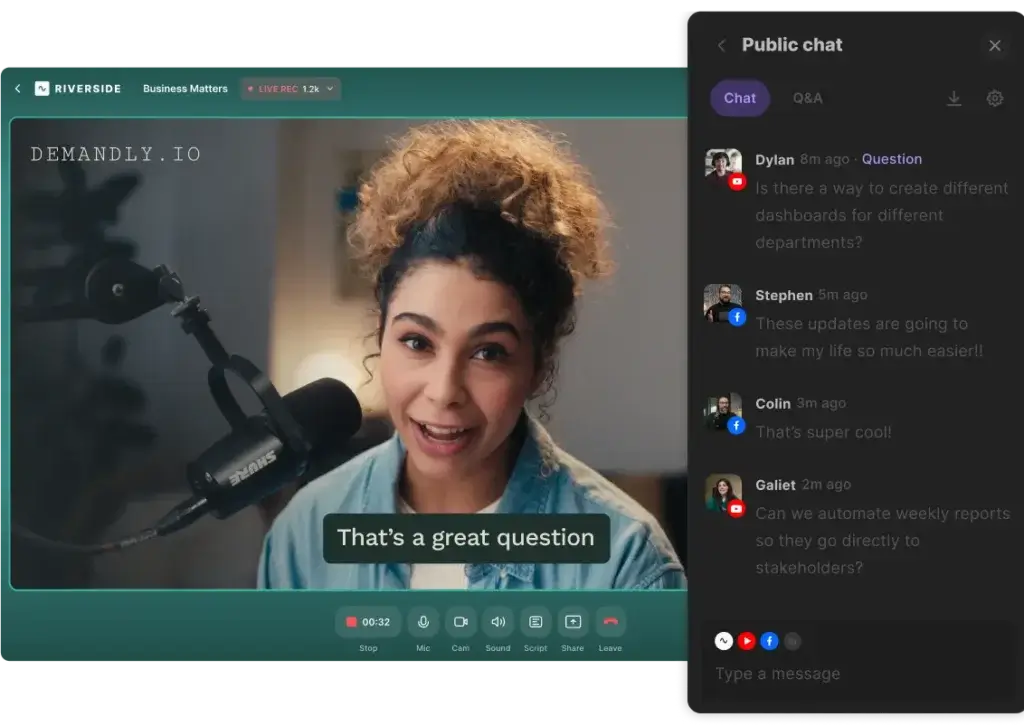
Riverside stands out in this category because it approaches webinars from a content production angle, not just a live event angle. If you care about recording quality, clean audio, multi-speaker sessions, and post-event repurposing, it is one of the most compelling options on the market. It supports live webinar hosting while also giving you local-quality recording and editing tools that can turn a single webinar into clips, highlight reels, and on-demand assets.
Core features and capabilities
- High-quality recording – Riverside records separate audio and video tracks locally, which helps maintain strong quality even if internet conditions fluctuate.
- Live webinar hosting – You can host live sessions for large audiences while keeping the production setup more polished than most traditional webinar tools.
- AI editing tools – Text-based editing, clipping, captions, and transcript-driven workflows make it easier to repurpose webinar content fast.
- Brand and content reuse – It is well suited for teams that want to turn webinars into podcasts, video snippets, landing page assets, and social content.
- Guest-friendly access – Speakers and attendees can join through a browser, which helps reduce friction.
- Studio-style controls – Riverside gives you a more production-oriented experience than most webinar-first platforms.
Ideal use cases
Riverside is especially strong for content marketers, agencies, educators, and brands that treat webinars as part of a broader media strategy. It works well when your webinar is not just a one-time event, but a source of ongoing content and brand authority.
- Thought leadership webinars and virtual panels
- Customer education sessions you want to repurpose later
- Product marketing webinars with a premium production feel
- Podcast-style webinars and expert interviews
Strengths and limitations
Strengths:
- Excellent recording quality compared with standard webinar tools
- Very strong repurposing and post-production workflow
- Good fit for video-first and content-heavy strategies
- Professional experience for hosts and guest speakers
Limitations:
- Less focused on classic webinar funnel features than some marketing-first tools
- May be more than you need for simple internal or low-touch webinars
- Teams may need time to make full use of the editing features
Pricing and plans
Riverside offers multiple pricing tiers, including an entry-level option for smaller creators and paid plans that unlock more recording hours, editing features, and webinar capabilities. Pricing is best evaluated based on how often you host and how much post-production value you want from each event.
WebinarJam
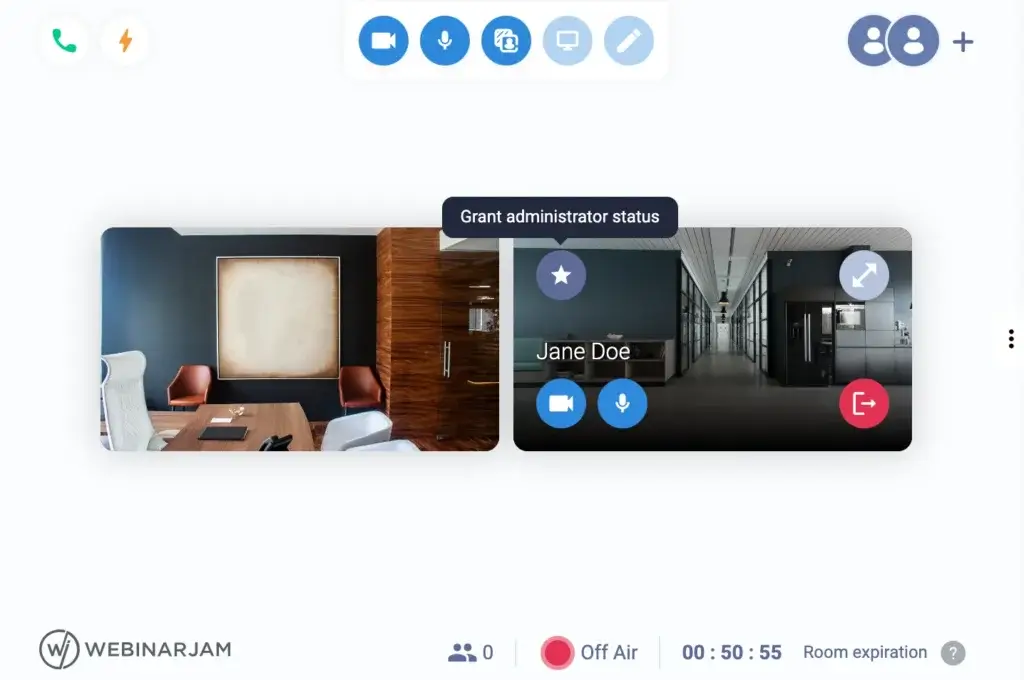
WebinarJam remains one of the strongest options for businesses that treat webinars as a marketing channel. Its value is not just in live hosting, but in how it supports registration flows, email reminders, promotional offers, and audience conversion. It is a practical choice when your webinar is tied directly to product demos, sales presentations, coaching sessions, or launch campaigns.
WebinarJam is built for businesses that use webinars to generate leads, pitch offers, and support a conversion-focused funnel.
Core features and capabilities
- Marketing-focused registration flow – WebinarJam includes registration pages, reminder emails, and attendee communication tools built around conversion.
- Live engagement tools – Hosts can use chat, polls, Q&A, spotlight moments, and clickable offers during the webinar.
- Multiple presenters – It supports collaborative sessions with several speakers, which is useful for demos and panel-style webinars.
- Offer and CTA functionality – One of its biggest strengths is presenting timed offers and calls to action during the session.
- Replay and funnel support – WebinarJam fits naturally into broader webinar funnel strategies, especially when combined with evergreen webinar workflows.
Ideal use cases
This platform is best when your goal is pipeline generation, direct conversions, or webinar-based selling. It is especially effective for businesses that already understand webinar marketing and want more control over attendee actions during the event.
- Product demos and sales webinars
- Coaching and consulting webinars
- Launch campaigns and limited-time offers
- Lead generation and list-building webinars
Strengths and limitations
Strengths:
- Strong funnel and conversion-oriented feature set
- Useful attendee engagement and offer tools
- Works well for live selling and product education
- Good choice for marketers who want webinar-specific promotional features
Limitations:
- Interface can feel dated compared with newer webinar platforms
- Less impressive for premium content production workflows
- Can feel more focused on selling than on branded event experience
Pricing and plans
WebinarJam pricing typically scales by attendee capacity and access level. It is worth it when webinars are a direct revenue channel, but smaller teams should still compare the cost against simpler browser-based options.
Demio
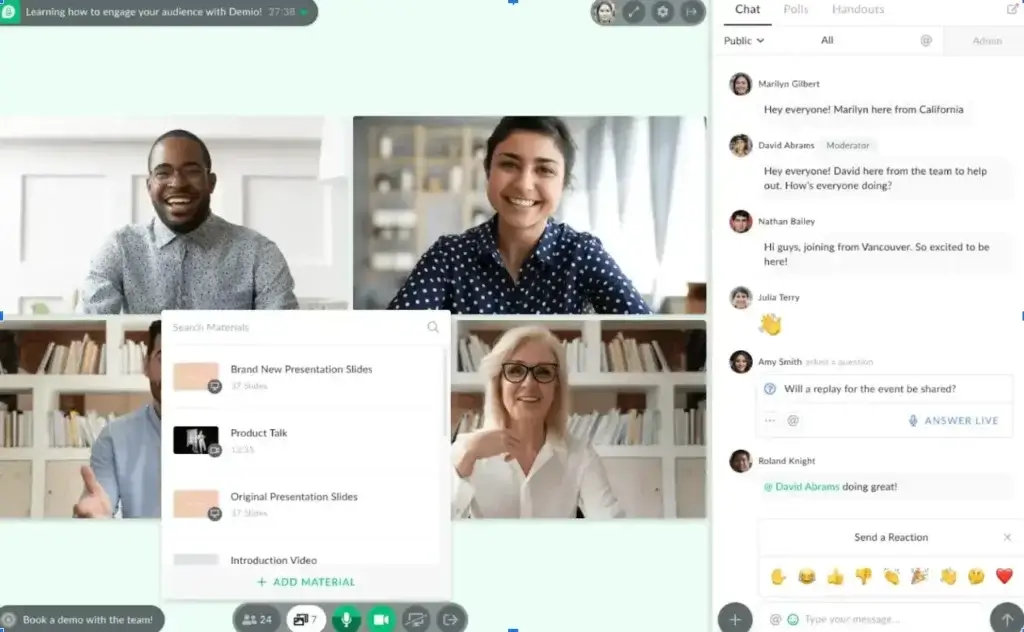
Demio is one of the most balanced webinar platforms in this space. It has a modern interface, a no-download attendee experience, and a feature set that works especially well for marketing teams that care about attendance, engagement, and post-webinar follow-up. It avoids the heavier feel of older enterprise tools while still offering enough depth for recurring webinar programs.
Core features and capabilities
- Browser-based access – Attendees can join directly from a browser, which helps reduce friction and improve attendance.
- Live, automated, and on-demand events – Demio supports multiple webinar formats within the same platform.
- Engagement tools – Polls, Q&A, chat, handouts, and in-event CTAs help keep viewers involved.
- Conversion-focused design – Registration forms, reminders, and post-event data are clearly built for marketers.
- Analytics and attendee insights – Demio gives you visibility into attendance behavior and engagement signals.
- CRM and marketing integrations – It connects well with the broader growth stack most teams already use.
Ideal use cases
Demio is a strong fit for SaaS teams, B2B marketers, agencies, and brands that want a polished webinar experience without overcomplicating operations. It is especially useful when webinars are tied to nurture campaigns, demand generation, and product education.
- Demand generation webinars
- Lead nurturing campaigns
- Customer onboarding and training webinars
- Recurring branded webinar series
Strengths and limitations
Strengths:
- Clean and easy-to-use interface
- Very good balance between usability and marketing functionality
- Strong attendee experience with no downloads required
- Helpful tools for engagement and conversion tracking
Limitations:
- Not as production-focused as Riverside
- Can be expensive for smaller teams as webinar volume grows
- Some businesses may want deeper customization or enterprise admin controls
Pricing and plans
Demio offers tiered plans based on webinar needs and event volume. It tends to justify its cost best for teams that actively use webinars as a repeatable marketing motion rather than occasional events.
Livestorm

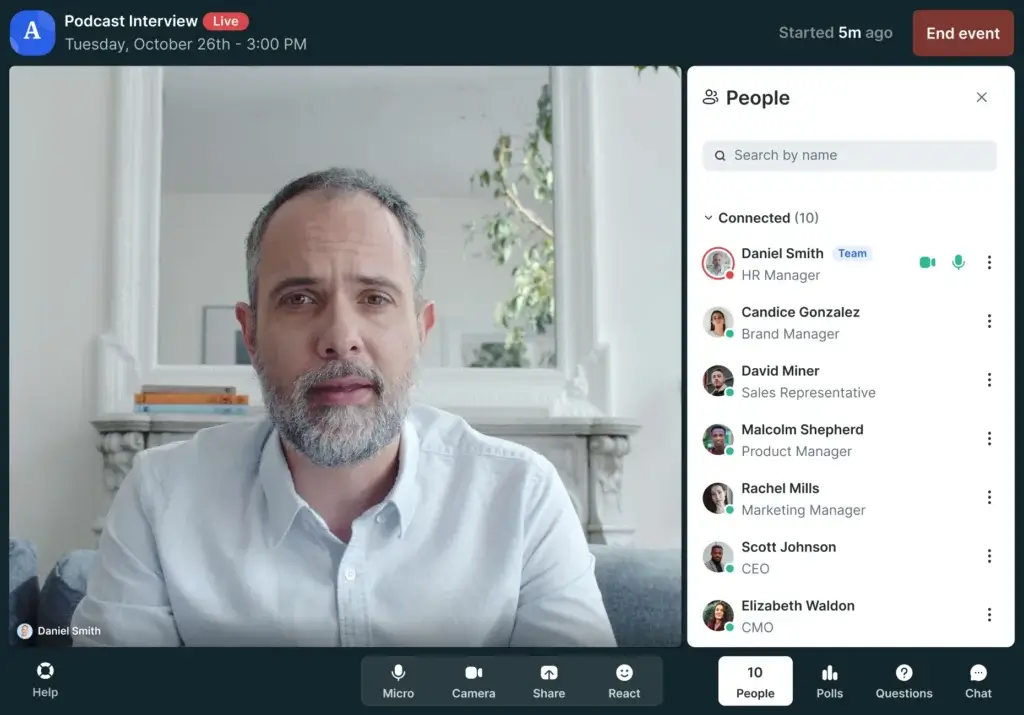
Livestorm has earned its reputation by making webinars easier to run. It is fully browser-based, polished, and flexible enough to support webinars, virtual meetings, product demos, and automated sessions. For many teams, its biggest advantage is that it removes unnecessary friction for both hosts and attendees while still covering the core features needed for a serious webinar program.
Core features and capabilities
- No-download attendee experience – Participants can join quickly through a browser link.
- Multiple event formats – Livestorm supports live, on-demand, and automated event experiences.
- Built-in registration and reminders – It helps reduce dependency on extra tools for basic event promotion.
- Team-friendly collaboration – Multiple team members can help manage events and workflows.
- Engagement and analytics – Hosts can use chat, Q&A, polls, and reporting features to understand webinar performance.
- Strong integration ecosystem – It fits well into existing sales, support, and marketing stacks.
Ideal use cases
Livestorm is ideal when you want a reliable, modern webinar solution that does not overwhelm your team. It works especially well for SaaS product demos, educational webinars, customer success sessions, and internal or external events where simplicity matters.
- Product demos and onboarding webinars
- Customer education and success sessions
- Marketing webinars with a smooth attendee experience
- Teams that want one platform for both webinars and virtual meetings
Strengths and limitations
Strengths:
- Excellent usability for hosts and attendees
- Clean, modern interface
- Strong all-around feature set without too much complexity
- Useful for teams that want a browser-based workflow end to end
Limitations:
- Less specialized for webinar funnel selling than WebinarJam
- Less content-production depth than Riverside
- Larger-scale usage can become costly depending on plan level
Pricing and plans
Livestorm offers a free entry point with limitations and paid plans that expand attendee caps, features, and event flexibility. It is often a good middle-ground option for teams that want ease of use without sacrificing professionalism.
ClickMeeting

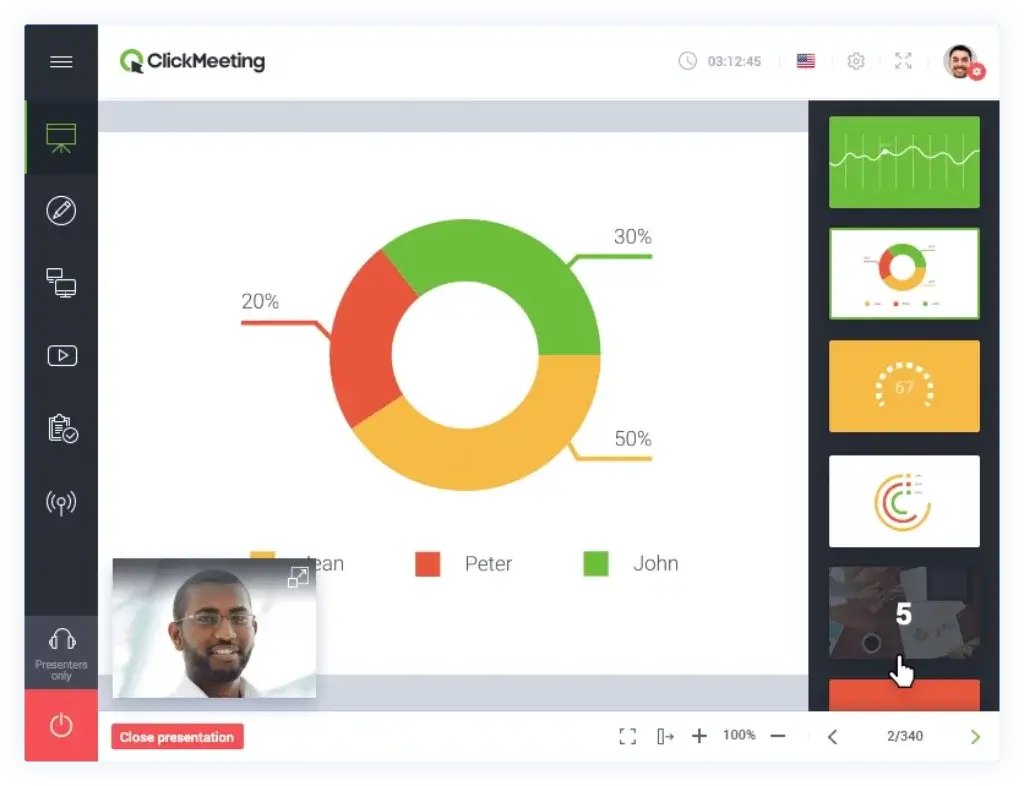
ClickMeeting is a practical choice for organizations that want more than standard webinar delivery. It is especially good for training, workshops, educational sessions, and recurring webinar programs where moderation, classroom-style tools, and flexible event formats matter. It also appeals to businesses that want to run paid webinars or offer more structured online learning experiences.
Core features and capabilities
- Live, automated, and on-demand webinars – ClickMeeting supports several event types from one platform.
- Training-friendly features – It is well suited for workshops, educational sessions, and webinar-based learning.
- Interactive tools – Polls, chat, Q&A, whiteboards, and screen sharing support live participation.
- Customization options – Registration pages, webinar rooms, and communications can be tailored to your brand.
- Monetization support – Businesses can use it for paid webinars, which is valuable for coaches, educators, and consultants.
- Browser-based experience – Like several newer tools, it minimizes download friction for attendees.
Ideal use cases
ClickMeeting is one of the better options when your webinar strategy includes training or education, not just top-of-funnel marketing. It is also a sensible choice for businesses that want good versatility without moving to an expensive enterprise platform.
- Online workshops and training webinars
- Coaching and educational sessions
- Recurring webinar programs with structured moderation
- Paid webinars and expert-led events
Strengths and limitations
Strengths:
- Very flexible for different webinar use cases
- Good option for trainers and educators
- Useful interactive features and room controls
- Can support both free and paid webinar strategies
Limitations:
- Interface may feel less modern than Demio or Livestorm
- May require more setup and configuration than simpler tools
- Not as strong in content repurposing or high-end production workflows
Pricing and plans
ClickMeeting pricing varies depending on attendee volume and event requirements. It often offers good value for webinar educators and businesses that need flexibility more than sleek design.
GoTo Webinar

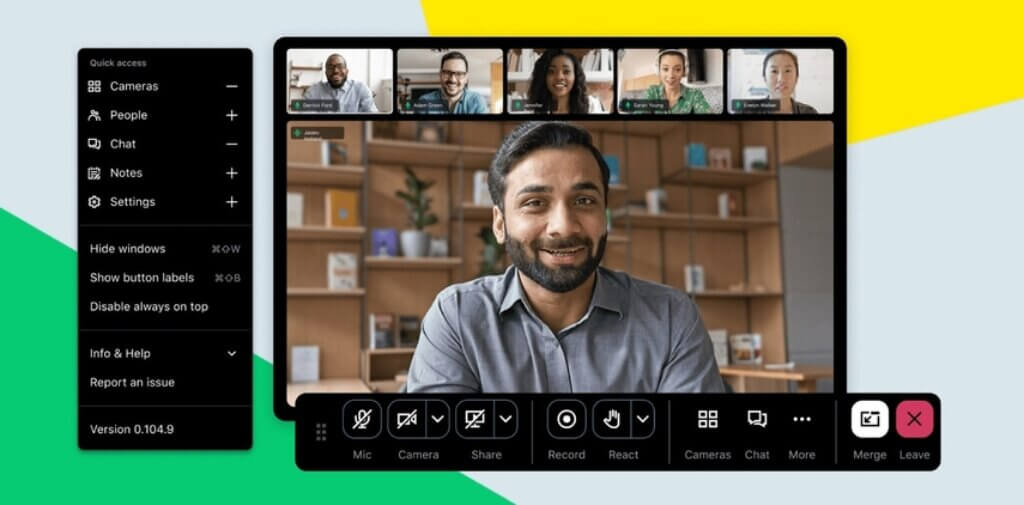
GoTo Webinar has been in this category for a long time, and that maturity still matters. It remains one of the safer choices for organizations that value reliability, structured admin controls, and the ability to host high-attendance events with confidence. While it may not feel as modern as some newer tools, it continues to perform well for corporate webinars, training sessions, customer communications, and larger formal events.
Core features and capabilities
- Scalable webinar hosting – GoTo Webinar is designed for organizations that need dependable delivery at higher attendee volumes.
- Registration and event management – It covers scheduling, reminders, attendee tracking, and event organization well.
- Polls, Q&A, and engagement tools – These features support structured audience participation during the session.
- Reporting and analytics – The platform provides useful post-event reporting for attendance and engagement.
- Enterprise-friendly controls – It offers a more traditional admin-oriented structure than many newer tools.
- Integrations – GoTo Webinar connects with a range of CRM and marketing systems used by larger teams.
Ideal use cases
GoTo Webinar is best for mid-size and enterprise organizations that want a proven, dependable platform for large-scale or operationally important webinars. It is particularly relevant when stability matters more than design flair.
- Enterprise marketing webinars
- Customer training and enablement sessions
- Internal communications and company-wide presentations
- Large-scale formal webinars with multiple stakeholders
Strengths and limitations
Strengths:
- Reliable and proven at scale
- Strong fit for corporate and enterprise use
- Useful reporting and event management capabilities
- Well suited for teams that need consistency over novelty
Limitations:
- Interface feels less modern than leading browser-native competitors
- Not the most exciting option for brand-led content experiences
- Pricing can climb as requirements become more advanced
Pricing and plans
GoTo Webinar typically uses attendee-capacity-based pricing. It makes the most sense for organizations that run webinars regularly and need a stable solution with a strong operational track record.
Zoho Webinar

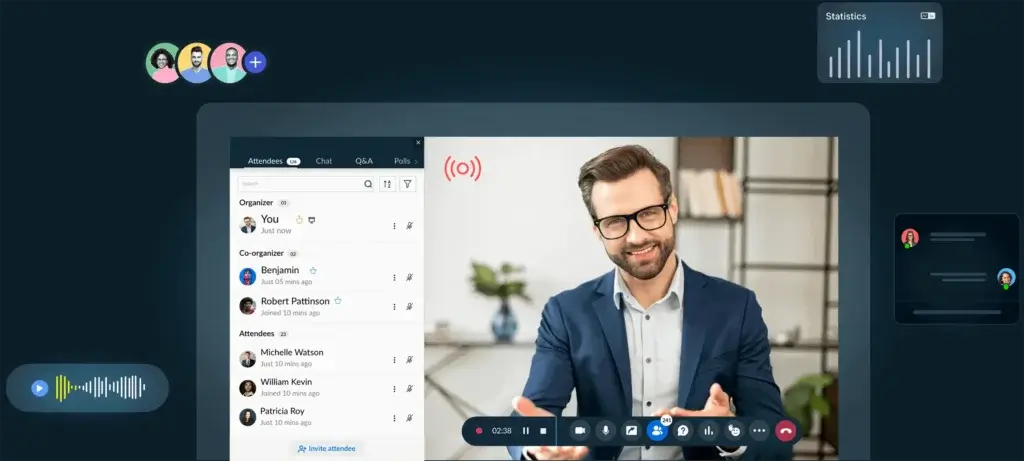
Zoho Webinar is a sensible option for businesses that want dependable webinar functionality without paying premium platform prices. It may not lead this category in design or advanced webinar innovation, but it covers the essentials well and becomes significantly more attractive if your business already uses Zoho CRM, Zoho Campaigns, or other Zoho products.
Core features and capabilities
- Core webinar essentials – Zoho Webinar covers registration, reminders, live hosting, screen sharing, chat, Q&A, and polls.
- On-demand and replay options – Businesses can extend webinar value beyond the live event.
- Zoho ecosystem integration – This is one of its biggest advantages for companies already invested in Zoho.
- Affordable entry point – It is often one of the more accessible tools in this category.
- Browser-based attendance – Like other modern webinar tools, it aims to keep joining simple for attendees.
- Useful for small to mid-size businesses – Especially for recurring educational and promotional webinars.
Ideal use cases
Zoho Webinar is a strong match for smaller teams, growing businesses, and organizations that want good value and integration rather than advanced production or premium event design.
- Budget-conscious webinar programs
- Customer education and product walkthroughs
- Zoho-based sales and marketing operations
- Teams that need a practical and easy-to-manage webinar tool
Strengths and limitations
Strengths:
- Affordable compared with many competitors
- Good feature coverage for common webinar needs
- Strong value for Zoho ecosystem users
- Straightforward choice for smaller teams and growing businesses
Limitations:
- Less advanced than top-tier platforms in production and engagement depth
- Not the strongest option for premium webinar branding or sales-focused event funnels
- Best value is often tied to broader use of Zoho tools
Pricing and plans
Zoho Webinar includes a free tier and paid plans that scale based on attendance and feature needs. It is one of the more attractive options when cost control is a major factor.
How to choose the right webinar software for your business
The best webinar software depends less on headline features and more on how well the platform matches your webinar strategy. Start by deciding whether your main goal is content creation, lead generation, customer education, internal training, or large-scale event delivery. Then narrow your choice based on the workflow that matters most to you.
Key criteria
- Choose Riverside if webinar quality and content repurposing are central to your strategy.
- Choose WebinarJam if your webinars are closely tied to selling, pitching, and conversion funnels.
- Choose Demio if you want a modern marketing webinar platform with strong engagement and a polished user experience.
- Choose Livestorm if you want a simple browser-based platform that works well for multiple event types.
- Choose ClickMeeting if training, workshops, and webinar flexibility are your priorities.
- Choose GoTo Webinar if reliability, scale, and enterprise readiness matter most.
- Choose Zoho Webinar if affordability and Zoho ecosystem integration are your top considerations.
Decision matrix
This quick comparison can help you narrow down the best fit faster.
| Feature | Riverside | WebinarJam | Demio | Livestorm | ClickMeeting | GoTo Webinar | Zoho Webinar |
| Best For | Content-led webinars | Sales webinars | Marketing teams | Easy browser events | Training webinars | Enterprise events | Budget-friendly webinars |
| Primary Strength | Recording quality | Conversion tools | Engagement and UX | Simplicity | Flexibility | Reliability | Affordability |
| Event Types | Live and recorded | Live and replay | Live, automated, on-demand | Live, automated, on-demand | Live, automated, paid | Primarily live | Live and replay |
| Attendee Experience | High-quality and polished | Conversion-focused | Modern and smooth | Very easy to join | Structured and interactive | Stable and formal | Simple and practical |
| Best Fit Size | Small to large teams | Growth-focused teams | Small to mid-size teams | Small to mid-size teams | Small to mid-size teams | Mid-size to enterprise | Small to mid-size teams |
Conclusion
If you want the best webinar software for 2026, there is no single platform that wins for every use case. The better choice depends on how your business uses webinars and where you expect the most value to come from.
Riverside is the best choice when quality and content repurposing matter most. WebinarJam is one of the strongest options for conversion-focused webinar funnels. Demio offers the most balanced experience for marketing teams that care about usability and engagement. Livestorm is excellent for teams that want simplicity and a clean browser-based workflow. ClickMeeting is especially useful for training and structured educational webinars. GoTo Webinar remains a dependable enterprise option for larger events. Zoho Webinar is the practical budget choice, especially if you already use the Zoho ecosystem.
For most modern B2B teams, Demio and Livestorm are often the easiest platforms to recommend broadly because they balance ease of use, attendee experience, and marketing value well. But if your strategy is content-first, Riverside has a clear edge. If your strategy is funnel-first, WebinarJam deserves serious consideration.
The smartest next step is to shortlist two tools based on your main use case, test the attendee flow, review the registration and reminder experience, and compare how easily each platform fits into your existing stack.
FAQs
What is the best webinar software for 2026?
The best webinar software for 2026 depends on your use case. Riverside is best for high-quality production and repurposing, WebinarJam is strong for conversion-focused webinars, Demio is excellent for marketing teams, Livestorm is ideal for ease of use, and GoTo Webinar is a dependable enterprise option.
Which webinar platform is best for marketing teams?
Demio and WebinarJam are among the best webinar platforms for marketing teams. Demio offers a clean user experience and strong engagement features, while WebinarJam is especially useful for live selling, promotions, and webinar funnel campaigns.
What webinar software is best for recording high-quality content?
Riverside is the strongest choice if recording quality matters most. It is designed for teams that want studio-style audio and video, along with editing and repurposing tools for turning webinars into reusable content.
Which webinar software is easiest for attendees to join?
Livestorm and Demio are both very strong choices for attendee ease of use because they offer browser-based access and a smooth joining process with minimal friction.
Is GoTo Webinar still worth using in 2026?
Yes, GoTo Webinar is still worth considering in 2026, especially for businesses that value reliability, scale, and a more traditional enterprise webinar environment. It may not feel as modern as some competitors, but it remains dependable.
What is the best affordable webinar platform?
Zoho Webinar is one of the best affordable webinar software options, especially for small businesses and teams already using Zoho products. It covers the essentials well without pushing you into a high price range.
Can webinar platforms help with lead generation?
Yes, many webinar tools support lead generation through registration pages, reminder emails, engagement tools, integrations, and post-event analytics. WebinarJam, Demio, and Livestorm are particularly useful for this.
What features should I look for in webinar software?
You should look for stable video delivery, browser-based access, registration pages, reminder emails, engagement tools like polls and Q&A, analytics, integrations, and support for automated or on-demand webinars if those matter to your strategy.
Which webinar software is best for training and education?
ClickMeeting is a strong choice for training and education because it supports structured sessions, interactive tools, and flexible webinar formats that work well for workshops and learning-focused events.
How do I choose between Demio, Livestorm, and WebinarJam?
Choose Demio if you want a balanced marketing webinar platform, choose Livestorm if you want browser-based simplicity and ease of use, and choose WebinarJam if your priority is conversion-focused webinars with stronger selling and promotional features.