
Introduction
If you need more than a simple brainstorming diagram, the best concept map tools can help you turn loose ideas into structured knowledge. A good concept map is not just a web of connected topics. It shows relationships, hierarchy, and meaning, which makes it useful for project planning, research, education, training, and team collaboration.
The challenge is that many tools marketed for concept mapping are really just basic mind map makers. That is not always enough. Concept maps usually require more flexibility for cross-linking, labeling relationships, arranging multiple idea layers, and collaborating with others. Some teams also need a way to turn those maps into documentation, action items, or project plans.
In this guide, I compare the best concept map tools for different use cases. Some are better for collaborative whiteboarding, some are stronger for structured diagramming, and some are best when you want to connect ideation with actual execution. If you want my opinion upfront, Miro is the strongest choice for teams that want concept mapping to lead into real work, while Lucidchart is one of the best picks for more formal, structured concept diagrams.
7 Best Concept Map Tools
Miro

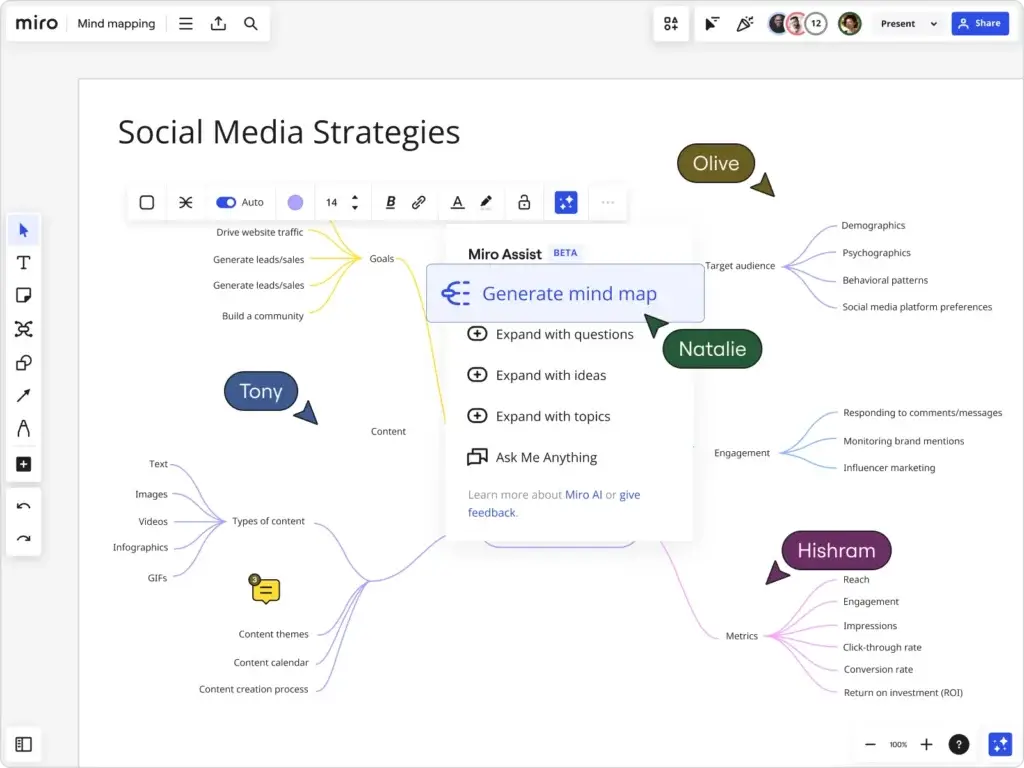
Miro is one of the best concept map tools for teams that work visually and collaboratively. Its concept map template support, infinite canvas, sticky notes, comments, and workshop-friendly interface make it especially useful for remote teams, classroom collaboration, and strategy sessions.
I would not call Miro the most formal concept mapping tool on this list, but it is one of the most flexible. If your team needs to explore a topic, map relationships, refine understanding together, and present the result in a shared workspace, Miro is a strong fit.
This is the tool I would choose when concept mapping is part of a broader collaborative process rather than a standalone diagramming exercise.
Pros and cons
Positive
✅ Excellent for live collaboration and workshops
✅ Infinite canvas gives plenty of mapping freedom
✅ Strong template support
✅ Easy to combine concept maps with notes and other visuals
✅ Great for remote and hybrid teams
Negatives
❌ Less structured than Lucidchart for formal diagrams
❌ Can feel too broad if you only want concept maps
❌ Larger teams may find pricing adds up
Pricing and best use cases
Miro offers a free plan, with Starter pricing beginning at $8 per member per month when billed annually. It is a strong option for collaborative concept mapping, facilitation, and idea development.
Best for: workshops, remote teams, education, brainstorming sessions, and collaborative knowledge mapping.
Creately

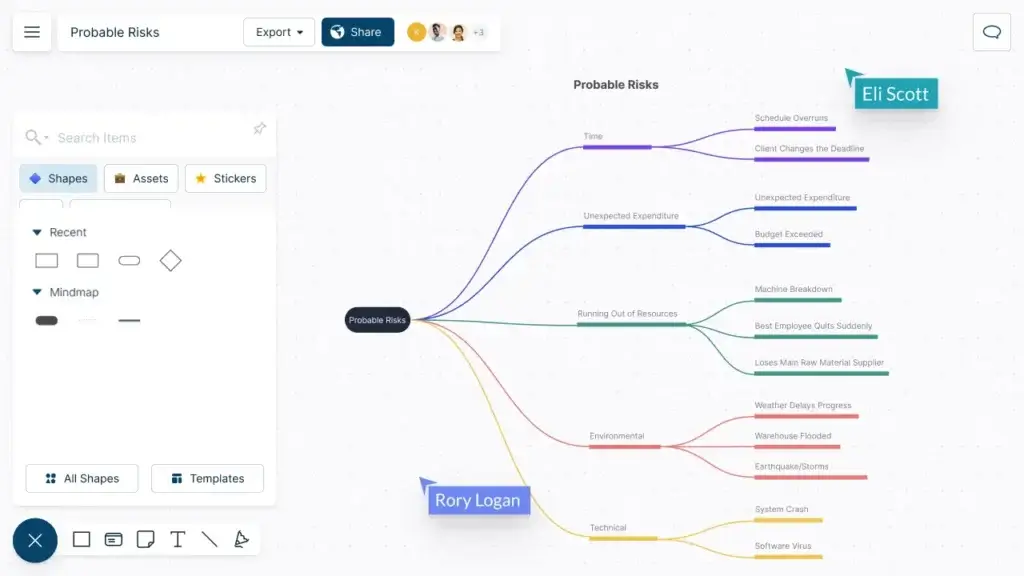
Creately is a strong choice if you want a concept map tool that also handles diagrams, planning boards, and other visual workflows. It sits between whiteboarding tools and structured diagramming tools, which makes it attractive for teams that want flexibility without jumping to a heavy enterprise platform.
For concept maps specifically, Creately works well because it supports a broad visual canvas, multiple object types, and connectors that help you go beyond a simple branch layout. It is useful when your visual work does not stop at concept maps, and you want a tool that can also support process diagrams, workflows, and business visuals.
I see Creately as a very practical middle-ground option. It may not be the category leader for concept mapping alone, but it covers a lot of adjacent needs well.
Pros and cons
Positive
✅ Good blend of diagramming and whiteboarding
✅ Flexible for concept maps and related workflows
✅ Useful for teams that want one visual tool for many needs
✅ Good value for smaller teams
✅ More structured than basic whiteboard apps
Negatives
❌ Interface can feel busy at times
❌ Less polished than Lucidchart for formal diagrams
❌ Less widely adopted than Miro or Canva
Pricing and best use cases
Creately offers a free plan, and its Personal plan starts at $5 per month. That makes it one of the better-value options for users who want concept mapping plus broader visual planning.
Best for: small teams, business planning, education, operations, and mixed visual workflows.
ClickUp

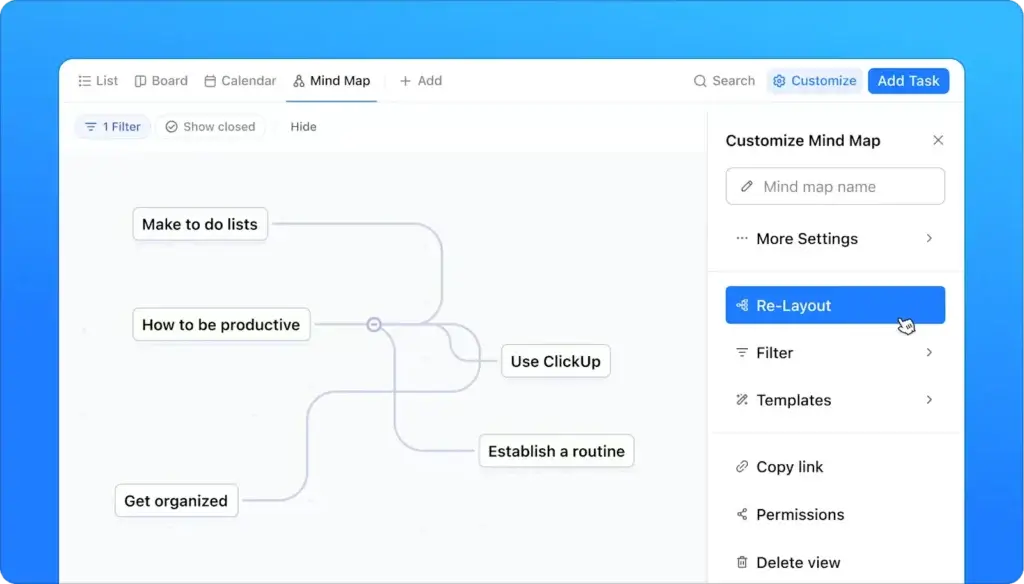
ClickUp is not a traditional concept map tool first, but it deserves a place here because of what happens after the map is created. If your goal is to connect concepts to projects, tasks, owners, timelines, and documentation, ClickUp is a strong workflow-driven alternative.
Its visual workspace includes whiteboards and mind maps, and while that is not identical to a formal concept map environment, it is useful for teams mapping processes, campaigns, systems, or dependencies that later need to become actual work. That makes it especially relevant for project managers and operations teams.
I would not rank it above Lucidchart for structured concept diagrams, but I would put it ahead of many lighter tools for teams that care about execution.
Pros and cons
Positive
✅ Strong bridge from concept mapping to execution
✅ Includes docs, tasks, whiteboards, and workflow tools
✅ Good fit for project-driven teams
✅ Useful when concepts need ownership and deadlines
✅ Free entry point available
Negatives
❌ Less specialized for formal concept mapping
❌ Can feel complex for simple use cases
❌ Best visual features expand on paid plans
Pricing and best use cases
ClickUp offers a free plan. Paid plans start at $7 per user per month billed yearly for Unlimited, while Mind Map view is unavailable on Free and limited on lower paid tiers before becoming unlimited on higher plans. That makes it more suitable when concept mapping is part of a broader work management workflow.
Best for: project management, campaign planning, operations, internal planning, and execution-oriented teams.
Lucidchart

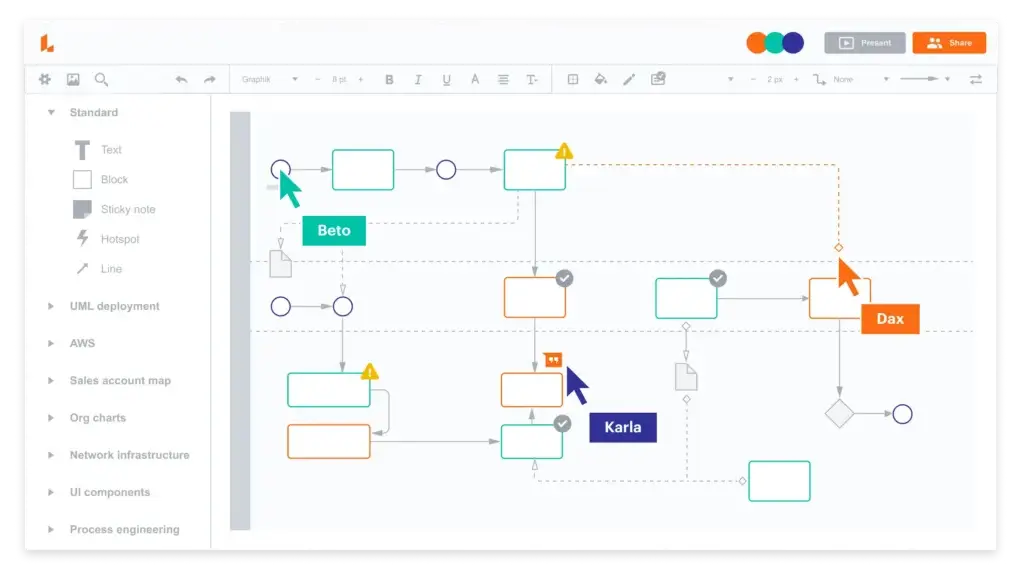
Lucidchart is one of the best concept map tools if you want a more formal and structured result. This is not just a brainstorming board. It is a full diagramming platform, which makes it a strong choice for users who need concept maps for training materials, process explanations, systems thinking, business documentation, or academic work.
Compared with lighter mind mapping tools, Lucidchart gives you more control over shape libraries, connectors, layout, and presentation quality. That matters because concept maps often include cross-links and labeled relationships, which benefit from a more disciplined diagramming environment.
My view is that Lucidchart is a smarter choice than most pure mind map tools when clarity, structure, and presentation matter more than speed alone.
Pros and cons
Positive
✅ Excellent for structured concept diagrams
✅ Strong connector and diagram formatting options
✅ Better for formal communication than lightweight mind map tools
✅ Real-time collaboration for teams
✅ Works well for education, operations, and documentation
Negatives
❌ Less fluid for freeform brainstorming
❌ Can feel heavier than a basic concept map maker
❌ Better for structured work than creative ideation
Pricing and best use cases
Lucidchart offers a free trial, and its Individual plan is listed at $9 per month plus tax. It is one of the strongest choices for users who want polished, professional concept diagrams.
Best for: educators, technical teams, operations, systems documentation, training, and structured visual mapping.
WorkCanvas by monday.com

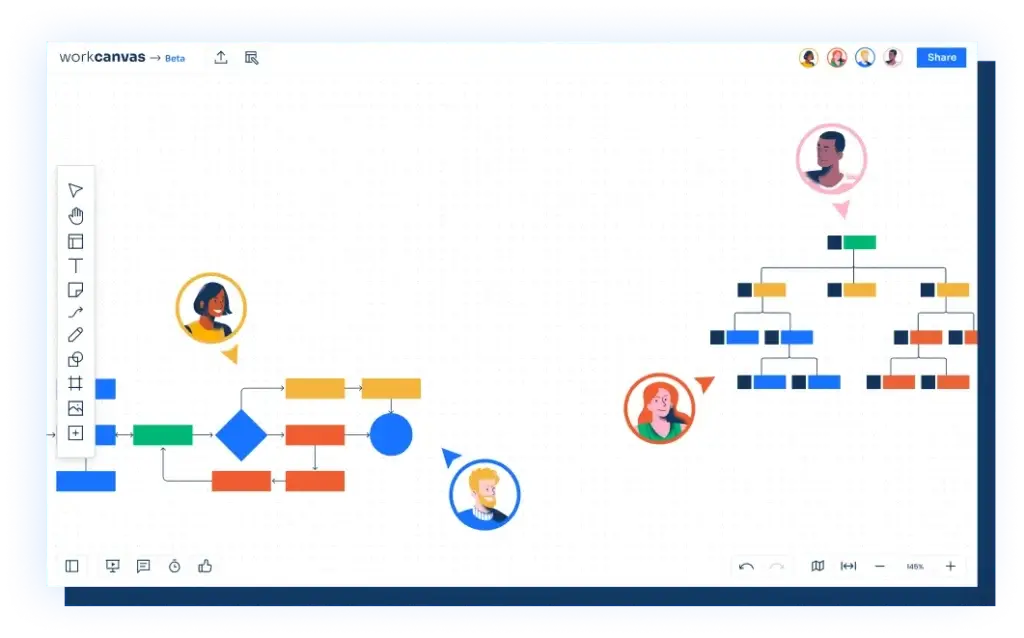
WorkCanvas by monday.com is my top recommendation for teams that want concept mapping to go beyond ideation. Many concept mapping tools are good at organizing information visually, but they stop once the map is done. WorkCanvas is more useful if your team wants to brainstorm, connect ideas, discuss structure, and then move those concepts into actual work.
Its visual canvas gives you the flexibility to build maps organically, link related ideas, and collaborate in real time. What makes it stand out is the bridge into the broader monday ecosystem. That means your concept map can support workshops, planning sessions, strategy mapping, campaign planning, and project execution instead of living as a disconnected diagram.
If you are a student or solo user who only wants a pure concept map maker, this may be more platform than you need. But for project teams, operations teams, and marketers, it is one of the most practical options in this category.
Pros and cons
Positive
✅ Strong link between ideation and execution
✅ Flexible whiteboard format works well for concept maps
✅ Great for collaboration, workshops, and planning sessions
✅ Fits naturally into monday.com workflows
✅ Better than most tools if your map needs to become action
Negatives
❌ Less specialized than a dedicated diagramming tool
❌ Best value comes when you already use monday.com
❌ May feel broader than necessary for simple academic use
Pricing and best use cases
WorkCanvas offers a free Basic plan and a Pro plan starting at $10.90 per seat per month. It is best suited to teams that want concept maps to support planning, alignment, and execution, not just visual note-taking.
Best for: project teams, marketing teams, operations, workshops, and collaborative planning.
MindMeister

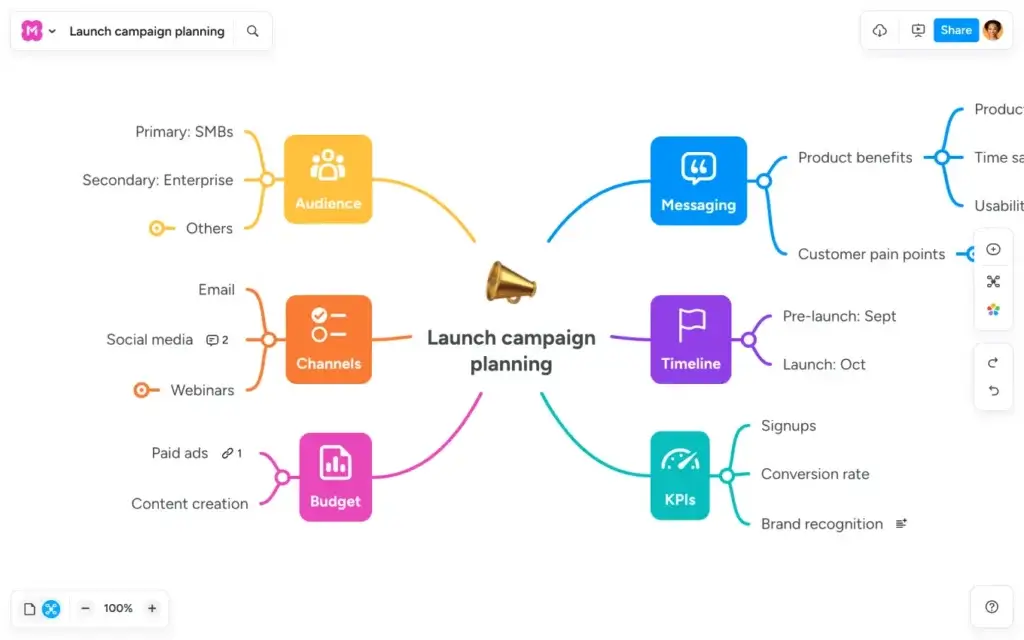
MindMeister is a practical choice if you want a clean, easy-to-use visual mapping tool and your concept maps do not need heavy formal diagramming. It is closer to mind mapping than strict concept mapping, but it works well for education, group learning, and simple knowledge organization.
Its biggest strength is usability. Teams and students can get started quickly, collaborate in real time, and build maps without a steep learning curve. It also benefits from light integrations that help you move from ideas to basic action.
I would choose MindMeister when adoption matters more than power. It is not the most advanced option, but it is one of the easiest to use well.
Pros and cons
Positive
✅ Easy to learn and share
✅ Good real-time collaboration
✅ Suitable for schools and small teams
✅ AI-assisted mapping support
✅ Clean and approachable interface
Negatives
❌ Less formal than Lucidchart
❌ Less flexible than Miro for mixed whiteboard work
❌ Better for simple maps than complex concept systems
Pricing and best use cases
MindMeister has a free plan limited to three mind maps, and its Personal plan starts at about €6 per user per month. It is a good fit for users who want a straightforward, collaborative mapping experience.
Best for: students, teachers, small teams, workshops, and simple shared concept maps.
Xmind
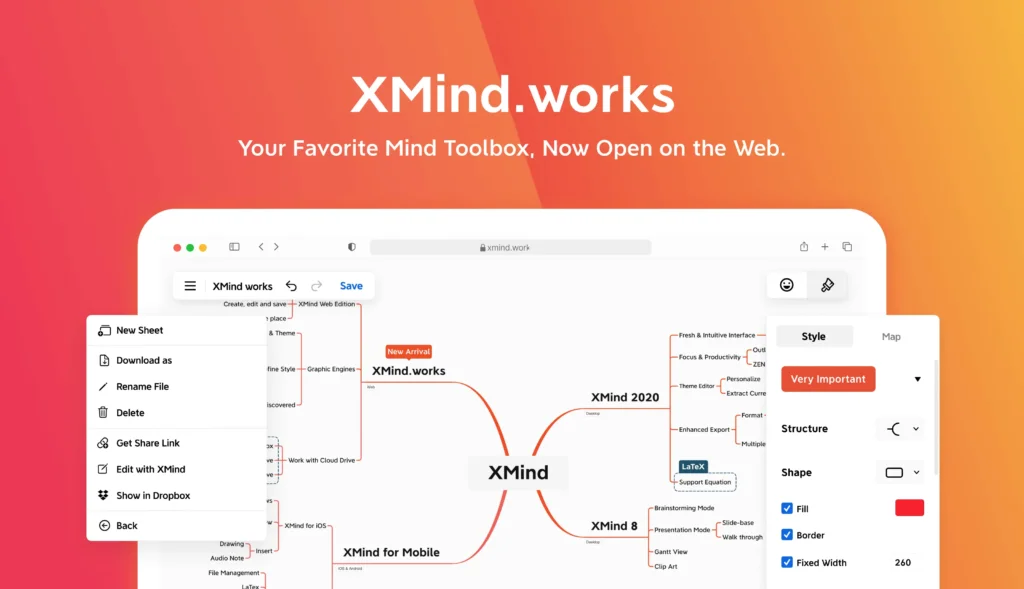
Xmind is best known as a dedicated mind mapping tool, but it still deserves consideration for concept mapping if you are a solo user who values structure, visual polish, and focused mapping workflows. It is stronger than many lightweight tools when you want to build dense visual maps and present them clearly.
Where Xmind stands out is the depth of the core mapping experience. It feels more purpose-built than broader whiteboard tools. That said, it is better for personal planning, research, and structured thinking than for collaborative team concept mapping.
I would choose Xmind over simpler tools if you are an individual professional, consultant, or student who wants more control and a stronger mapping experience.
Pros and cons
Positive
✅ Strong dedicated mapping experience
✅ Clean visual presentation
✅ Better for deep solo work than many web-first tools
✅ Good export and presentation support
✅ Helpful for research and structured note-making
Negatives
❌ Collaboration is not its strongest point
❌ Less workshop-oriented than Miro or WorkCanvas
❌ More mind map-first than formal concept map-first
Pricing and best use cases
Xmind has a free plan, with Premium listed from $8.25 per month. It is a strong choice for people who want a polished mapping tool and do not need a broad team collaboration platform.
Best for: solo professionals, researchers, consultants, students, and structured personal planning.
Comparison Table
If you want the short version, the best concept map tool depends on whether you need structured diagrams, collaborative whiteboarding, or a better connection between ideas and execution.
| Tool | Best For | Why It Stands Out | Starting Price |
| Miro | Collaborative workshops | Excellent whiteboarding, templates, and live collaboration | Free, Starter from $8/member/month |
| Creately | Mixed visual workflows | Strong blend of concept maps, diagrams, and planning tools | Free, Personal from $5/month |
| ClickUp | Workflow-driven teams | Connects visual mapping with tasks, docs, and projects | Free, paid from $7/user/month billed yearly |
| Lucidchart | Structured concept diagrams | Better formal diagramming, connectors, and presentation quality | Trial, Individual from $9/month |
| WorkCanvas by monday.com | Turning ideas into work | Best connection between concept mapping, collaboration, and execution | Free, Pro from $10.90/seat/month |
| MindMeister | Simple collaborative maps | Easy to learn, easy to share, good for education and small teams | Free, Personal from about €6/user/month |
| Xmind | Solo structured mapping | Strong dedicated mapping experience for deep personal work | Free, Premium from $8.25/month |
| Canva | Quick visual concept maps | Very easy templates and presentation-friendly output | Free |
How to Choose the Best Concept Map Tool
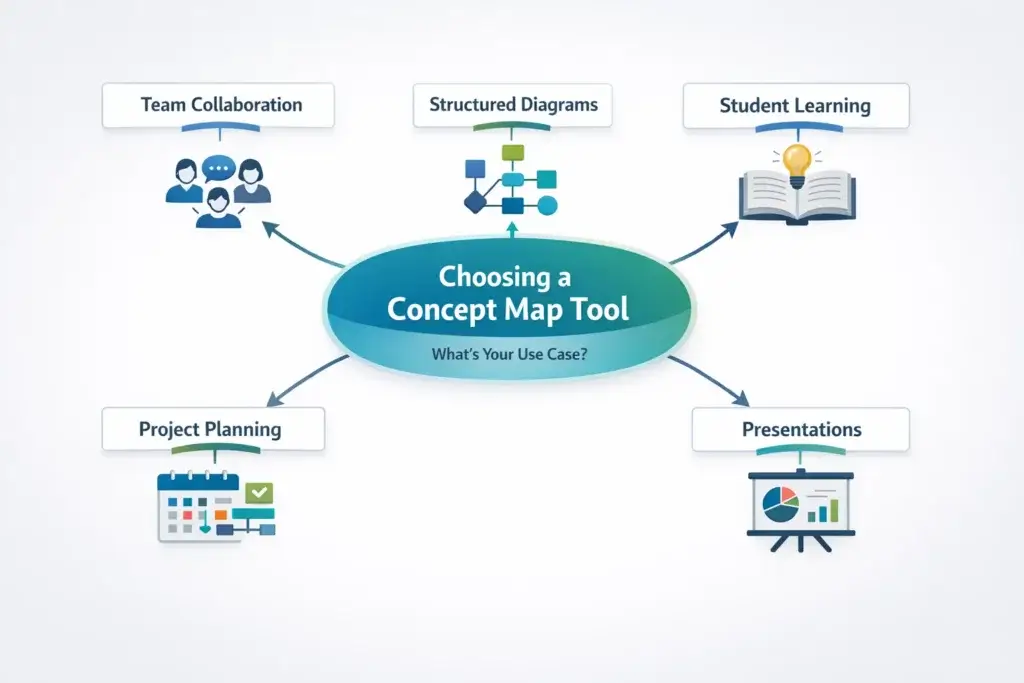
The right tool depends on what you want your concept map to do after it is created.
Choose a structured diagramming tool if clarity matters most
If you need concept maps for training, documentation, systems thinking, or business communication, choose a tool like Lucidchart. It gives you more control over relationships, labeling, connectors, and overall structure.
Choose a collaborative whiteboard if mapping happens in group sessions
If your concept maps are built in workshops, classrooms, or team discussions, Miro and WorkCanvas are usually better choices. They are designed for shared visual work and fast iteration.
Choose workflow integration if ideas need to become tasks
This is where WorkCanvas by monday.com and ClickUp stand out. If your main frustration is that the concept map ends as a static diagram, you need a tool that helps move from understanding to action.
Choose simplicity if adoption is the biggest concern
MindMeister and Canva are strong picks if you want a tool that is easy to learn and easy to roll out. They work well when the goal is clarity and participation, not advanced diagram logic.
Choose a dedicated mapping tool if you work mostly alone
Xmind is a strong option for individual users who want a more focused visual thinking environment. It is especially useful for research, planning, and structured note-making.
Final Thoughts
The best concept map tools do more than place ideas on a screen. They help you show how concepts relate, where knowledge gaps exist, and what should happen next.
My top overall recommendation is Miro for teams that want concept maps to support real planning and execution. It is the best option here if your visual thinking needs to connect with actual work.
If your priority is structure and professional diagramming, Lucidchart is one of the best picks. If you need live collaboration and workshop flexibility, Creatley is a very strong choice. And if you want the easiest possible starting point, ClickUp and MindMeister are both accessible options.
The right concept map tool is not necessarily the most feature-rich one. It is the one that best fits how you learn, explain, collaborate, and move ideas forward.
Frequently Asked Questions
What is the best concept map tool overall?
For teams, WorkCanvas by monday.com is one of the strongest overall choices because it connects concept mapping with actual work. For more formal diagramming, Lucidchart is a top option.
What is the difference between a concept map and a mind map?
A concept map usually shows relationships between ideas across multiple directions, often with labeled links and cross-connections. A mind map is usually more radial and centered around one main idea.
Which concept map tool is best for students?
MindMeister, Canva, and Xmind are all strong options for students. Canva is easiest for simple assignments, while Xmind is better for deeper structured work.
What is the best concept map tool for teams?
Miro and WorkCanvas are two of the best options for teams because they support real-time collaboration, workshops, and shared visual work.
Is Lucidchart good for concept maps?
Yes. Lucidchart is especially good for concept maps when you want a more structured, professional result with stronger diagramming control.
Can I make a concept map for free?
Yes. Canva, Miro, WorkCanvas, ClickUp, MindMeister, Xmind, and Creately all offer free entry points, although each free plan has different limits.
What is the best concept map tool for project planning?
WorkCanvas by monday.com is the best fit when your concept map needs to support planning and execution. ClickUp is also a strong option for workflow-driven teams.
Which tool is easiest for beginners?
Canva and MindMeister are among the easiest tools for beginners. They have simpler interfaces and a gentler learning curve than more advanced platforms.
Which concept map tool is best for remote collaboration?
Miro is one of the best options for remote collaboration because of its strong live editing, workshop support, templates, and shared canvas environment.
Should I choose a whiteboard or a diagramming tool for concept maps?
Choose a whiteboard if your concept maps are collaborative, exploratory, and workshop-based. Choose a diagramming tool if structure, precision, and formal presentation are more important.