
Introduction
Selecting project management software can feel like navigating a maze. With so many tools promising to streamline your projects and supercharge collaboration, it’s easy to feel overwhelmed. The right platform supports your team’s workflow, keeps tasks organized, and helps you track budgets and resources. Choosing the wrong tool, however, can cause confusion and inefficiency.
This guide walks you through a proven process for choosing the right project management software. You’ll learn which features matter most, how to align the tool with your methodology, and why trial periods are essential. Whether you manage a small marketing team or oversee portfolios of client projects, you’ll find insights tailored to your situation.
With dozens of tools on the market, reviewing the best project management software side by side is often the fastest way to narrow down your options.
Understand Your Goals and Requirements
Define Your Goals and Pain Points
Before diving into features and pricing, you need to define what you want to achieve with project management software. Are you seeking better visibility into who’s doing what? Do you need more control over deadlines and milestones? Maybe your pain point is scattered information across emails and spreadsheets. Writing down these goals will guide your search and help you avoid tools that look appealing but don’t solve your actual problems.
Consider the following when defining your goals:
- Visibility and accountability – do you struggle to see how tasks are progressing?
- Collaboration and communication – are team members missing messages or working in silos?
- Budget and resource control – do you need to track hours and costs closely?
- Client collaboration – do clients need access to project data?
Clear goals set the foundation for evaluating features and ultimately deciding on a platform.
Assess Team and Project Size
The size of your team and the complexity of your projects influence which software will work best. Small teams usually need simple task tracking, whereas larger teams managing multiple projects or portfolios require advanced planning and reporting features. If you oversee dozens of concurrent projects, you’ll likely need time and resource management tools built into the platform.
Large organizations should also consider permission controls, user roles, and secure access. Smaller teams may prioritize ease of use over granular controls. Knowing the scale of your work prevents you from overspending on a tool you’ll outgrow or buying a complex system when a straightforward tool will suffice.
Match Methodology and Workflow
Project management methodologies fall into two broad categories: linear and iterative. Linear approaches, such as Waterfall, rely on fixed plans and milestones, while iterative methods like Agile and Scrum emphasize flexibility, regular reviews, and continuous improvement. Choose software that supports how your team works now rather than forcing you to adopt a new methodology.
For example, if you use Agile, look for features such as backlogs, sprints, and Kanban boards. If your projects follow the Waterfall model, prioritize tools with Gantt charts and dependencies. Teams often use a hybrid of both; a flexible tool allows you to customize workflows and switch views.
Identify Your Must‑Have Features
Task Management Essentials
Effective project management begins with clear task management. Look for software that allows you to create tasks, assign them to specific team members, set deadlines, and track progress. The ability to break complex projects into manageable tasks or subtasks is crucial. You should also be able to prioritize tasks and categorize them by status, such as “to do,” “in progress”, and “done.”
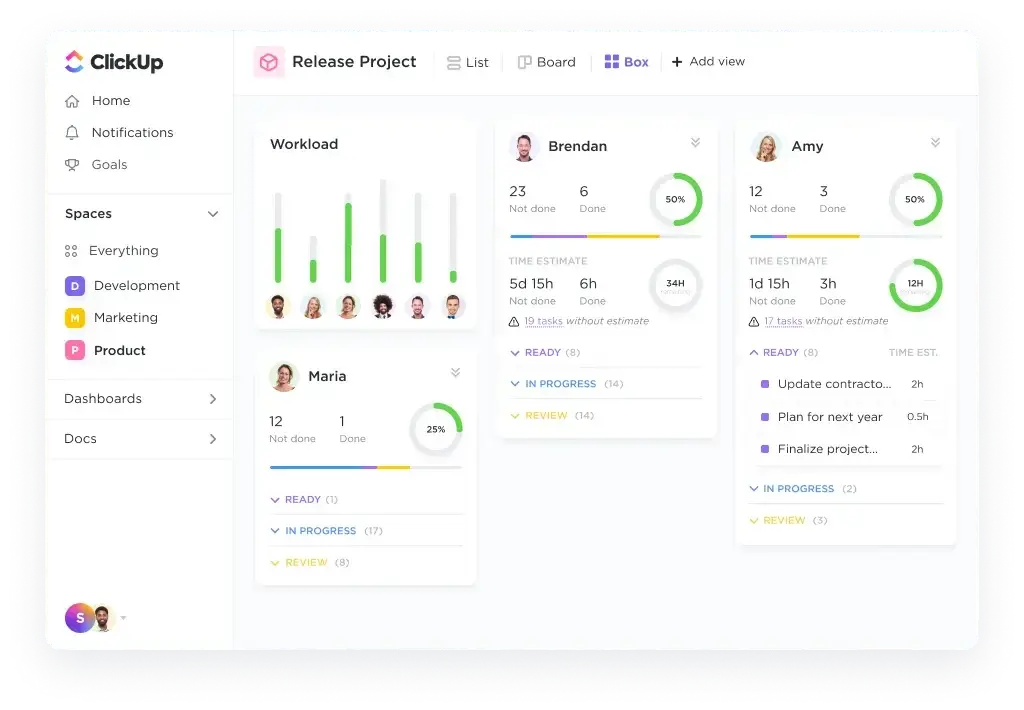
A customizable task board is another must‑have. Tools like ClickUp offer multiple views, including Kanban, list, and timeline. This lets each team member visualize work in a way that makes sense to them. A drag‑and‑drop interface speeds up updates and encourages adoption because it’s so intuitive.
Collaboration and Communication Tools
Centralized communication prevents information from falling through the cracks. Search for platforms that support:
- In‑task comments and @mentions to keep discussions tied to the work
- File sharing and document management with version control
- Real‑time notifications so stakeholders are updated automatically
- Native chat or integration with tools like Slack for quick conversations
These features ensure everyone stays aligned without bouncing between multiple apps. If you frequently work with external stakeholders or clients, pick software that allows guest access or client portals. This keeps feedback in one place and reduces the need for lengthy email chains.
Integration Capabilities
Your project management software should integrate seamlessly with the tools you already use. Popular integrations include:
- Email and calendars (Gmail, Outlook) to sync deadlines and reminders
- Cloud storage (Google Drive, Dropbox, OneDrive) for file attachments
- CRM systems (HubSpot, Salesforce) to turn deals into projects automatically
- Accounting or time tracking tools for billing and budget control
- Communication platforms like Slack and Microsoft Teams
Native integrations save time and prevent manual data entry. Look for an open API or a robust integration marketplace if you rely on specialized apps. Backlog excels in this area with integrations for development workflows, issue tracking, Git repositories, and automation that tie your ecosystem together.
Reporting and Dashboards
Reports and dashboards provide visibility into project status, budgets, and resource utilization. You should be able to generate or customize reports showing:
- Task progress and completion rates
- Resource workloads and capacity
- Budget versus actual spend
- Milestones and deadlines
Dashboards visualize data at a glance. They might show a burndown chart for an upcoming release or a portfolio summary for executives. A good dashboard updates in real time and is easy to share with stakeholders. Solutions like monday.com and ClickUp include built‑in dashboards; choose a tool where data is easily accessible, and you can create custom widgets.
Time Tracking and Resource Management
For teams billing by the hour or tracking utilization, time tracking and resource management features are essential. Look for:
- Timesheets that capture billable and non‑billable hours
- Resource planning tools to allocate people according to capacity
- Workload balancing to prevent burnout
These features help agencies, consulting firms, and multi‑project teams monitor profitability and ensure the right person is assigned to each task. Without resource visibility, it’s easy to overcommit or underutilize team members.
Automation and Customization
Automation reduces manual work and frees up time for more strategic tasks. Common automations include:
- Automatic assignment of tasks based on rules
- Notification triggers for due date changes
- Status changes based on completed tasks
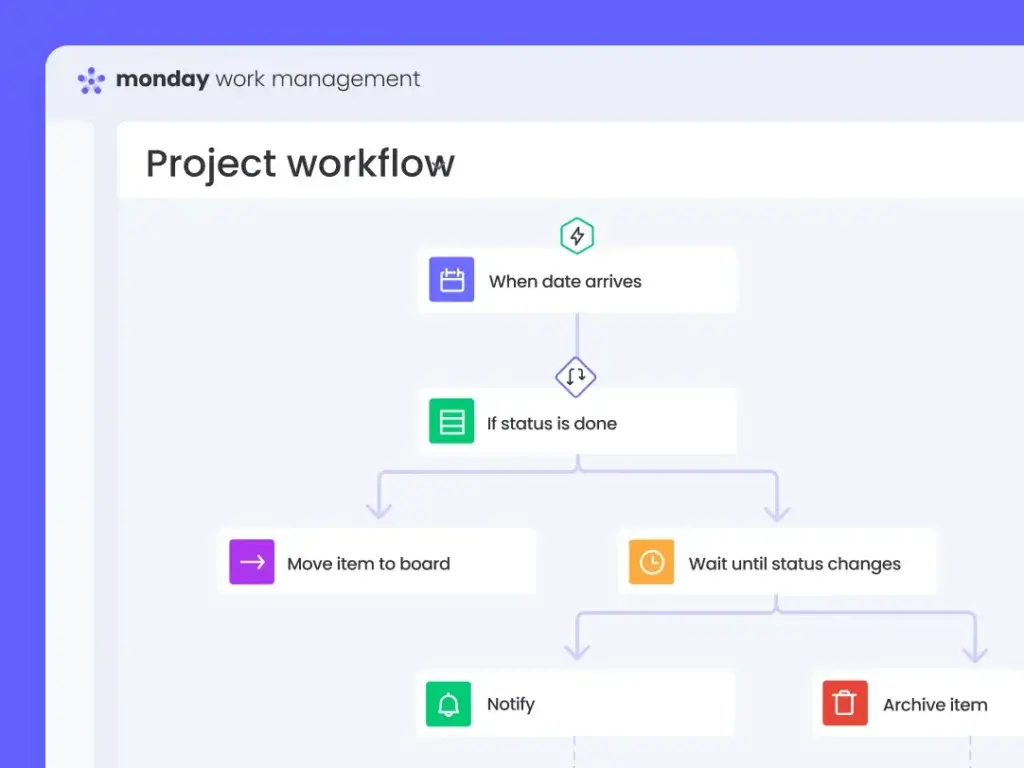
Customization goes beyond color schemes. Being able to create custom fields, workflows, and templates allows you to adapt the software to your processes. monday.com provides an easy‑to‑use automation builder and formula columns that update fields automatically. Using these features not only saves time but also reduces errors.
Evaluate Software Types and Use Cases
Gantt Chart Tools
Gantt chart software visualizes a project’s timeline as a series of tasks laid out horizontally on a timeline. This view highlights dependencies and critical paths, making it ideal for complex projects such as construction, event planning, or hardware development, where certain tasks can’t start until others finish. Tools like Smartsheet and Teamwork excel in Gantt functionality.
Kanban Boards and Agile Tools
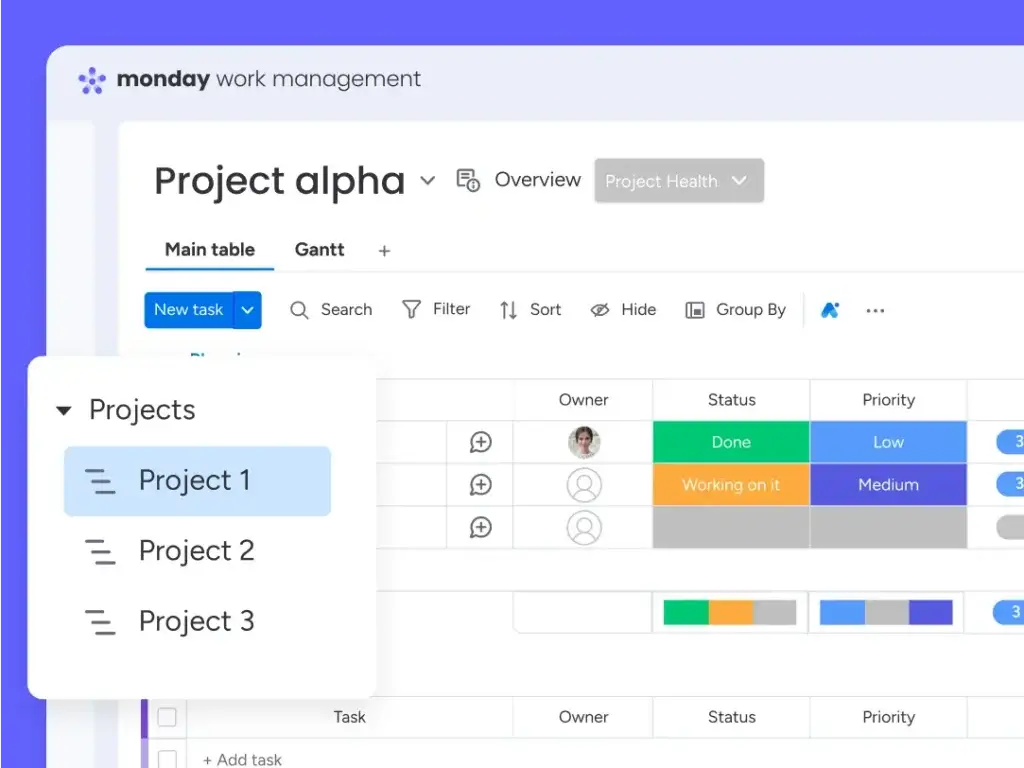
Agile teams benefit from Kanban boards and Scrum boards that organize tasks into columns representing workflow stages. This format is useful for software development, marketing campaigns, or any work requiring continuous delivery. Jira and Trello are popular Agile tools, while monday.com provides Kanban, Scrum, and timeline views in one place. You can switch between list and board views depending on the type of task.
Portfolio and Resource Management Platforms
Portfolio management software provides a high‑level view of multiple projects. This is critical for organizations juggling dozens of concurrent initiatives. It allows managers to see project health, budgets, and resource allocation in one dashboard, enabling informed decisions about priorities and staffing. Tools like Wrike and Microsoft Project Online cater to portfolio needs, while monday.com offers a portfolio view in higher‑tier plans.
Specialized Software for Client Services
Agencies and consulting firms need tools that handle client billing, profitability tracking, and unlimited client seats. Teamwork.com and monday.com (with add‑ons) offer time tracking, invoicing, and budget management tailored to service businesses. Their client access options let you share project dashboards without paying for extra licenses.
Lightweight Tools for Small Teams
If you’re a small team managing straightforward projects, look for lightweight tools focused on simplicity. Trello and Notion provide visual boards and basic task tracking without complex setup. They’re great for startups or teams that want to experiment before committing to a more robust solution. However, be aware that you may outgrow them as your team scales or as your need for reporting and integration grows.
Create a Shortlist and Compare Options
Research and Reviews
After outlining your requirements, compile a shortlist of 3–5 tools. Use customer reviews, expert comparisons, and product documentation to understand real‑world strengths and weaknesses. Pay attention to common complaints about performance, customer support, or hidden costs. For example, some tools may charge extra for guest access or key integrations.
Test with Real Projects
Free trials and demos are the best way to see whether software fits your workflow. During trials:
- Set up a real project rather than a dummy one to see how the tool performs under typical conditions.
- Invite team members to gauge adoption; if team members can’t find tasks quickly, adoption will suffer.
- Test integrations with your core systems, like CRM or file storage, to verify they work as expected.
- Explore reports and dashboards to ensure they provide meaningful insights.
A tool that looks perfect in marketing material may not fit well in practice. Involving team members early ensures your final decision isn’t based solely on top‑down requirements.
Analyze Pricing and ROI
Pricing models vary widely, from per‑user monthly subscriptions to tiered plans based on features. Look at more than the base price; consider what features are included at each tier and whether additional costs (like per‑guest fees, automation quotas or integration charges) will affect your budget.
Consider the return on investment (ROI). Project management software can reduce time spent on coordination and reporting by 5–15 hours a week per person. With average team costs, even a mid‑priced tool can pay for itself quickly. Evaluate whether the time saved justifies the monthly cost and whether the tool scales as your needs grow.
Evaluate Support and Training
A tool’s success hinges on how easily your team can learn it and how responsive the vendor is to support requests. Review the following:
- Onboarding and training resources – documentation, webinars, and knowledge bases
- Customer support channels – live chat, email, phone, or ticketing systems
- Community forums – active communities can provide tips and best practices
Look for vendors that offer responsive 24/7 support and accessible resources. monday.com, for example, provides webinars, tutorials, and a community forum, which shortens the learning curve.
Why monday.com Is Often the Best Choice
monday.com stands out because it balances ease of use with deep functionality. It’s ideal for teams of all sizes, from startups to enterprises, and offers a flexible platform with endless customization. Here’s why many teams choose monday.com:
- Intuitive interface – the drag‑and‑drop board makes task management approachable, even for non‑technical users.
- Multiple views – Kanban, Gantt, timeline, and calendar views let you switch perspectives effortlessly.
- Powerful automations – built‑in automation recipes can assign tasks, notify stakeholders, and move items based on triggers.
- Robust integrations – connect to hundreds of apps, including Slack, Google Drive, Salesforce, and Zapier, to streamline your workflow.
- Scalability – from small teams to enterprises, monday.com scales with additional features like portfolio management, advanced reporting, and customizable dashboards.
- Client‑friendly – share boards and dashboards with clients without exposing internal tasks, making collaboration simple and secure.
By adopting monday.com, organizations often reduce coordination time, improve visibility, and gain a central source of truth for all their projects. While other tools excel in specific areas, monday.com’s breadth of features and flexibility make it a reliable default option.
Practical Tips for a Successful Implementation
Set Clear Objectives
Before launching any software, align your team on what success looks like. Set measurable goals, such as cutting status meetings by half or hitting project delivery rates above 90%. These targets help you gauge whether the software delivers the expected benefits.
Standardize Your Process
Agree on a standard way to create projects, name tasks, and track progress. Consistency prevents confusion and makes reporting easier. Many tools let you build templates to enforce naming conventions, default assignees, or recurring tasks.
Foster Collaboration Within the Tool
Encourage your team to communicate within the project management platform instead of using separate channels. Keep feedback on tasks, upload files to the right cards, and use @mentions to notify colleagues. Centralizing communication eliminates the need to search through emails or chat logs to find key decisions.
Review and Adjust Regularly
Schedule regular reviews to assess whether the software meets your needs. Ask for team feedback and identify any friction. Adjust workflows, experiment with new features, and refine your process. A software platform isn’t static; it should evolve with your team’s requirements.
Train Your Team and Seek Support
Provide training resources and encourage team members to explore help centers and community forums. Many vendors offer free webinars or video tutorials that shorten the learning curve. Don’t hesitate to contact support if you encounter issues; a swift resolution keeps your project on track.
Conclusion
Choosing the right project management software requires thoughtful consideration of your team’s goals, workflow, and must‑have features. By defining your requirements, understanding the benefits of task management, collaboration tools, integrations, and reporting, and testing your shortlisted options, you can select a tool that empowers your team and supports successful project delivery.
monday.com often emerges as the leading choice due to its intuitive interface, customization capabilities, and deep integration ecosystem. Nevertheless, the best tool is the one that aligns with your workflow and scales with your growth. Use the steps outlined in this guide to evaluate your options, involve your team, and make an informed decision.
Frequently Asked Questions (FAQs)
What is project management software?
Project management software is a digital platform that helps teams plan, organize, and track work. It centralizes tasks, timelines, resources, and communication so teams can collaborate more efficiently and stay aligned.
Why is choosing the right project management tool important?
Choosing the right project management tool helps ensure tasks are clearly assigned, deadlines are met, and budgets stay under control. The right platform also improves collaboration and reduces time wasted searching for information.
How do I know which features I need?
Start by identifying your biggest pain points, such as missed deadlines, weak communication, or lack of visibility. Then match those problems to features like task tracking, dashboards, automations, integrations, or reporting tools.
Is monday.com suitable for small teams?
Yes. monday.com works well for small teams because it has an intuitive interface and can scale as the team grows. Smaller teams can start with simple workflows, then expand into more advanced features over time.
How does pricing work for project management software?
Most project management tools use per-user monthly pricing and offer several plans based on features. When comparing options, look at the total cost, including important add-ons, and weigh that against the time savings and productivity gains the software can provide.
Should I choose a tool that supports Agile or Waterfall?
Choose a tool that matches the way your team already works. Agile teams usually need features like sprints, backlogs, and Kanban boards, while Waterfall teams often need Gantt charts, timelines, and dependency tracking. Many platforms, including monday.com, can support both approaches.
How long should I test software before deciding?
A practical trial period is usually two to four weeks, ideally using a real project. During that time, involve your team and evaluate usability, reporting quality, integration performance, and support responsiveness.
Do I need built-in time tracking?
Built-in time tracking is useful if you bill clients by the hour or need to monitor team utilization closely. If time tracking is not central to your workflow, you may want to prioritize other features instead. Some tools also offer it as an optional add-on.
How do integrations enhance project management?
Integrations help keep data synchronized across your tools, which reduces manual work and improves consistency. For example, connecting your CRM, cloud storage, or communication tools can automate updates and keep project information organized.
What if my team resists using the software?
Adoption usually improves with good training, clear guidance, and the right tool choice. Pick a platform that feels intuitive, support your team during onboarding, and gather feedback regularly so you can remove friction and improve the rollout process.