Introduction
A project can finish on time and still leave behind avoidable friction, repeated mistakes, missed opportunities, and process problems that will show up again in the next initiative. That is why a project retrospective matters. Instead of moving straight into the next deadline, a retrospective gives your team a structured way to reflect on what happened, identify what should change, and carry those improvements forward into future work.
A strong retrospective is not just a wrap-up meeting. It is a practical review process that helps teams improve collaboration, communication, planning, execution, and decision-making. Whether you manage software projects, marketing campaigns, client delivery, operations, or internal change initiatives, a retrospective helps you turn project experience into better future performance.
In this guide, you will learn what a project retrospective is, why it matters, when to run one, who should attend, and how to facilitate it in a way that leads to real change. You will also see several effective retrospective formats, common mistakes to avoid, a lightweight documentation framework, and a brief look at software that can help you track follow-up actions without turning the meeting into administrative overhead.
What Is a Project Retrospective?
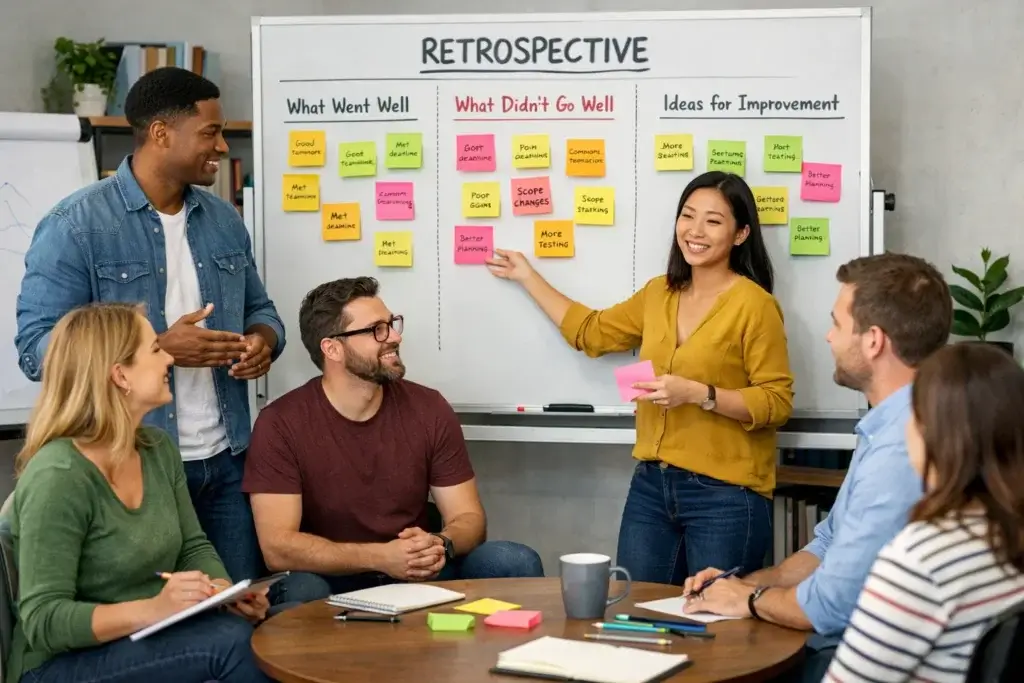
A project retrospective is a structured meeting or review session held after a project, project phase, milestone, sprint, or major work cycle. Its purpose is to help the team reflect on what went well, what did not go well, and what should be improved the next time similar work is planned or executed. The focus is not simply on discussing outcomes, but on learning from the way the work was done.
In practice, a project retrospective creates a dedicated moment for honest reflection. Teams often move so quickly from one deliverable to the next that process issues remain unresolved. A retrospective creates space to identify those issues before they become habits. It also helps capture successful practices that deserve to be repeated, standardized, or scaled across future projects.
What a Retrospective Tries to Achieve
The main goal of a retrospective is continuous improvement. That means your team is not only looking backward, but also using reflection to improve future planning, execution, and collaboration. A useful retrospective should leave you with clearer insight into what helped the project move forward, what slowed it down, and which changes will make the next project more effective.
A good retrospective also creates alignment. Different team members often experience the same project in very different ways. One person may think communication was clear, while another felt blocked by missing context. Bringing those perspectives together helps teams identify the real patterns behind project friction instead of relying on assumptions.
Benefits of Running a Project Retrospective
A retrospective is valuable because it turns project experience into operational learning. When it is facilitated well, the benefits go beyond reflection and lead to stronger execution in future work.
Stronger Continuous Improvement
Retrospectives help teams improve incrementally instead of waiting for major problems to force change. Even small refinements, such as clearer handoffs, tighter approval workflows, better kickoff preparation, or more realistic timelines, can meaningfully improve future project performance when applied consistently.
Better Team Communication and Trust
A retrospective gives people a formal opportunity to say what they experienced during the project. This can surface blockers that were never fully discussed during execution. It also helps normalize constructive feedback, especially when the facilitator frames the session around process improvement rather than fault-finding.
Fewer Repeated Mistakes Across Projects
One of the clearest benefits of a retrospective is preventing repetition. If unclear scope, delayed approvals, shifting priorities, late stakeholder input, or weak documentation caused problems in one project, a retrospective helps the team identify those patterns and decide how to reduce them next time. That is how learning becomes operational, not theoretical.
More Effective Project Planning Later
Retrospectives improve future planning because they expose the gap between assumptions and reality. Teams often learn that estimates were too optimistic, dependencies were not fully mapped, or stakeholders were brought in too late. Those lessons improve the quality of future kickoff plans, timelines, risk assessments, and ownership models.
Higher Accountability for Improvement
Without a retrospective, improvement conversations tend to stay vague. People say things like “we need better communication” or “we should plan earlier,” but no one defines what that means in practice. A strong retrospective converts those observations into specific next steps, owners, and timelines so that learning becomes something measurable.
When Should You Run a Project Retrospective?
Many teams think retrospectives only belong at the very end of a project. In reality, they are often more useful when they happen at several points in the work cycle. Current project learning guidance emphasizes that lessons should be identified not only at project close, but also at the end of phases and in real time when teams learn something important.
At the End of a Completed Project
This is the most common timing. Once deliverables are complete, the team can step back and reflect on planning quality, execution, communication, risks, timelines, and outcomes. End-of-project retrospectives work especially well for one-time initiatives such as launches, migrations, implementations, campaigns, onboarding programs, or internal transformation work.
At the End of a Phase or Major Milestone
Long projects benefit from phase-based retrospectives because people remember details more clearly and improvements can be applied before the project is over. If your project includes discovery, planning, build, launch, and optimization phases, you can run shorter retrospectives after each one. This prevents valuable learning from being delayed until it is less useful.
During Ongoing or Iterative Work Cycles
For recurring work, such as monthly campaigns, quarterly planning cycles, sprint-based product work, or recurring client delivery, retrospectives should become a routine part of how the team operates. This keeps process learning active and makes improvement feel normal rather than reactive.
After a Difficult or Unexpected Project Event
You do not need to wait until the end of the work if something important happens. A major delay, approval breakdown, budget issue, client escalation, team bottleneck, or failed rollout can justify a focused retrospective. In many cases, the fastest route to recovery is understanding what happened while the details are still fresh.
Who Should Attend?
The most effective retrospectives include the people who directly shaped the work and can influence how future work is done. The exact attendee list depends on project type, but the group should be broad enough to capture meaningful perspectives and focused enough to keep the conversation practical.
Core Project Team Members
Anyone who worked closely on planning, execution, review, approvals, delivery, or handoffs should be included. These are usually the people with the clearest view of what helped and what hindered progress. Excluding them reduces the accuracy of the retrospective and often leads to shallow conclusions.
Project Manager or Delivery Lead
The project manager often organizes the retrospective, but that person should not dominate the conversation. If the project manager also facilitated many of the decisions being reviewed, it can be helpful to use a neutral facilitator so that people feel more comfortable giving honest input.
Key Cross-Functional Contributors
If the project depended on design, development, operations, finance, marketing, legal, customer success, procurement, or leadership input, the retrospective should include those contributors when their involvement materially affected the project. Their perspective often explains issues that the core team could not fully see.
When to Keep the Group Smaller
Not every retrospective should include every stakeholder. If the purpose is honest team reflection on process friction, too many attendees can make the discussion cautious and less useful. In that case, keep the working session small and share a summary afterward with sponsors or leadership. That approach often produces more candid feedback and more useful action items.
How to Prepare
Preparation makes a major difference. The best retrospectives do not begin when the meeting starts. They begin earlier, when the facilitator defines the scope, gathers context, and helps the team arrive ready to reflect. That is especially important in larger or more complex projects where discussion can easily become unfocused.
Clarify the Review Window
Decide exactly what period the retrospective covers. Is it the full project, a sprint, a launch phase, a month of campaign activity, or a client onboarding cycle? Clear boundaries help people recall the same body of work and prevent the conversation from drifting into unrelated issues or older frustrations.
Collect Input Before the Meeting
Pre-work can dramatically improve the quality of the discussion. A lightweight survey or shared board gives people time to think before the meeting and allows quieter contributors to provide input. It also helps the facilitator spot recurring themes in advance, which leads to a more organized conversation instead of a loose brainstorm.
Bring the Right Project Context
Useful retrospectives are grounded in what actually happened. Bring a short timeline, milestone list, status summary, or project highlights so the team can anchor their reflections to real events. This is especially important if the project ran over several months or involved multiple teams, because memory alone can distort what people think happened and when.
Set Expectations Before the Session
People contribute more honestly when they understand the goal. Make it clear that the retrospective is designed to improve systems, habits, communication, and ways of working. It is not a meeting to assign blame or reopen every emotional moment from the project. That framing makes it much easier to have a candid and constructive discussion.
How to Run an Effective Project Retrospective
A retrospective does not need to be complicated, but it does need structure. The goal is to guide the team from reflection to decision-making without losing focus. The following process works well for both project-based and recurring team retrospectives.
Step 1: Set the Stage
Start by explaining the purpose of the session, the time period being reviewed, and how the conversation will work. Remind the team that the goal is to improve future work, not to criticize individuals. Establish simple ground rules such as listening fully, staying specific, challenging the process rather than the person, and aiming for practical takeaways.
Step 2: Reconstruct What Happened
Review the timeline at a high level. Summarize major milestones, approval points, delivery moments, changes in scope, handoffs, incidents, delays, or successes. This creates a shared factual baseline and reduces the risk of the meeting becoming a battle of personal recollections. It also helps the team see patterns across the full project rather than isolated moments.
Step 3: Surface What Worked Well
Ask the team to identify what supported progress, quality, or team alignment. This matters because strong retrospectives should preserve effective practices, not only solve problems. Good examples might include a well-run kickoff, fast decision-making, strong stakeholder communication, useful documentation, realistic scoping, or efficient cross-functional collaboration.
Step 4: Identify Friction and Weaknesses
Next, examine what slowed the project down or made execution harder than it needed to be. Encourage people to focus on patterns, not single complaints. Useful discussion areas might include unclear ownership, shifting priorities, approval bottlenecks, resource gaps, late feedback, weak documentation, poor visibility, or dependencies that were discovered too late.
Step 5: Look for Root Causes
This is where many retrospectives fall short. Teams often stop at surface observations. Instead of saying “communication was poor,” ask what specifically caused the communication problem. Was there no clear update rhythm? Were key stakeholders missing from the workflow? Did ownership change mid-project? Root-cause thinking leads to stronger action items.
Step 6: Decide What to Change Next Time
Once the themes are clear, the team should define specific changes. These should be concrete enough to implement, not abstract statements about doing better. For example, “create a kickoff checklist before project start,” “require scope sign-off before creative production,” or “hold a cross-functional status review every Monday” are far more useful than “improve communication.”
Step 7: Assign Owners and Dates
Every action item should have an owner and a review point. Improvement work that belongs to everyone often ends up belonging to no one. Assigning ownership turns learning into accountability and makes it possible to revisit whether a change was actually implemented and whether it made a difference.
Step 8: Document and Share the Outcome
A retrospective should end with a usable record. Capture the main strengths, weaknesses, decisions, action items, owners, and any recommendations that should inform future projects. Keep the summary clear enough that someone who was not in the room can understand both what was learned and what will happen next.
A Practical Retrospective Meeting Agenda
A simple agenda helps keep the session focused and prevents discussion from drifting into general project storytelling. The exact timing depends on the size of the project, but the format below works well for many teams.
| Agenda Step | Purpose | Suggested Time |
| Opening and ground rules | Set expectations, scope, and tone | 5-10 minutes |
| Project recap | Review milestones, changes, and key events | 10-15 minutes |
| What worked well | Identify effective practices worth repeating | 10-15 minutes |
| What did not work well | Surface blockers, inefficiencies, and pain points | 15-20 minutes |
| Root-cause discussion | Clarify why issues happened | 10-20 minutes |
| Action-item planning | Define improvements, owners, and next steps | 10-15 minutes |
| Wrap-up | Confirm decisions and follow-up | 5 minutes |
This kind of agenda is especially helpful for teams that struggle with either too much discussion or too little specificity. It keeps the meeting moving while making sure the most important part, action planning, does not get rushed at the very end when attention starts to drop.
Best Project Retrospective Formats
Different formats help teams reflect in different ways. Rotating the format can also keep retrospectives from feeling repetitive. The right choice depends on the size of the project, the maturity of the team, and the kind of discussion you want to encourage.
Start, Stop, Continue
This is one of the simplest and most effective formats. The team identifies what it should start doing, stop doing, and continue doing. It works especially well when you want the discussion to stay practical and forward-looking. Because the categories are easy to understand, this format works well across departments, not only in Agile teams.
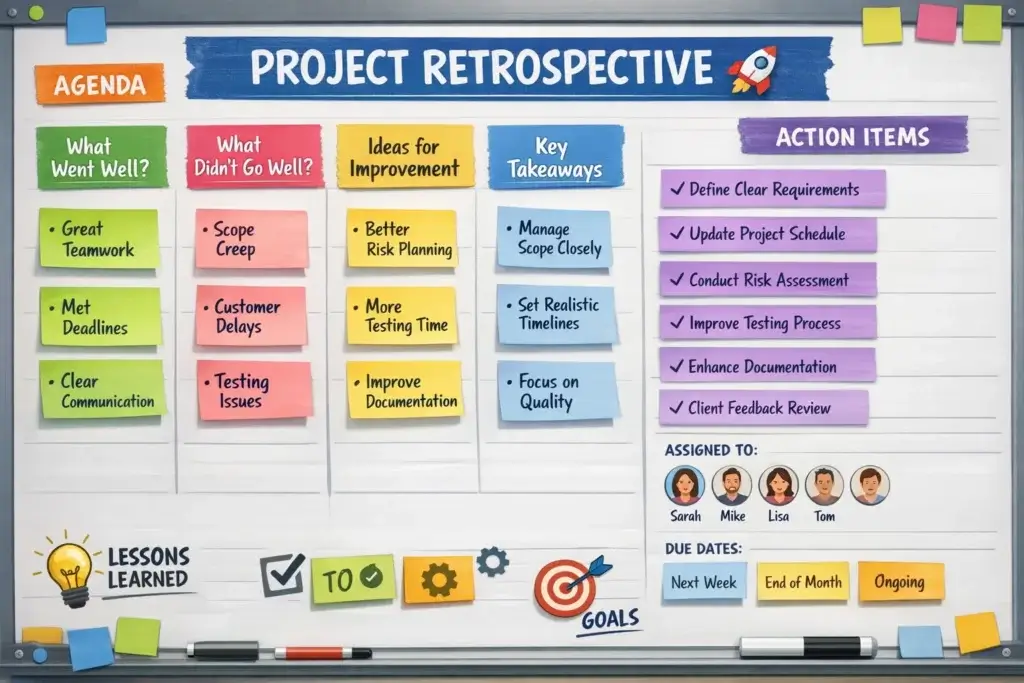
What Went Well, What Did Not, Next Time
This classic structure is direct and easy to facilitate. It works well for project-based retrospectives because it naturally maps to reflection and improvement. It also keeps the discussion balanced by making space for both strengths and weaknesses rather than turning the session into a problem-only meeting.
4Ls
The 4Ls format explores what the team liked, learned, lacked, and longed for. This structure is slightly more reflective and can surface richer insights than a standard good-versus-bad discussion. It is particularly useful when you want to explore team experience, missed support, and improvement opportunities in a more nuanced way.
Mad, Sad, Glad
This format invites emotional reflection by asking what made the team feel frustrated, disappointed, or pleased. It can be useful after high-pressure projects, difficult launches, or periods of change, especially when morale and collaboration need attention. It works best in teams that already have a reasonable level of trust.
Timeline Retrospective
A timeline retrospective maps significant project events in chronological order and then invites reflection around those moments. This is especially useful for long or complex projects where people may remember issues but struggle to place them in context. It helps the team connect insights to specific stages of the work instead of discussing everything in the abstract.
There is no single best format for every team. The most useful approach is the one that helps people contribute honestly, spot patterns clearly, and leave the session with a manageable number of meaningful improvements. Simplicity usually beats complexity, especially if the team is still building its retrospective habit.
How to Document
Documentation matters because learning disappears quickly if it stays only in conversation. At the same time, most teams do not need a long report full of generic observations. The best retrospective documentation is concise, structured, and easy to retrieve when the next similar project begins.
What to Capture in the Summary
A practical retrospective summary should include the project name or review window, the participants, a short recap of the scope, the main themes that emerged, the most important strengths, the most important weaknesses, and the action items that the team agreed to implement.
How Detailed the Notes Should Be
Avoid trying to document every spoken point. That usually creates clutter and makes future retrieval harder. Instead, summarize the decisions and lessons clearly enough that another team or a future version of your own team could understand what happened and what should change. The point is reuse, not transcript-level detail.
A Simple Template for Capturing Outcomes
A lightweight retrospective record might include the following fields:
- Project or phase reviewed – What work period the session covered
- Attendees – Who participated in the discussion
- What worked well – Practices or decisions worth repeating
- What did not work well – Friction points, blockers, or breakdowns
- Why it happened – Root-cause notes where useful
- Action items – Specific improvements to implement
- Owner – Person responsible for follow-through
- Target date – When progress will be reviewed
If your team runs recurring projects, it is also helpful to store these summaries in a searchable workspace. A retrospective has far more value when it can be retrieved before the next kickoff, planning cycle, or handoff process begins. That is what turns isolated learning into an organizational advantage.
How to Turn Retrospective Insights Into Real Change
This is where many retrospectives fail. Teams have a good conversation, everyone nods in agreement, and then nothing changes. To avoid that outcome, you need a simple system for prioritizing, assigning, and revisiting action items after the meeting ends.
Limit the Number of Action Items
A retrospective usually works best when it ends with a small number of meaningful changes rather than a long wishlist. If the team identifies fifteen good ideas, that is still useful, but focus on the two to five improvements that will create the most impact in the next cycle of work. Overloading follow-up is a common reason improvement stalls.
Make Every Action Item Concrete
Each action item should describe a behavior, workflow, checklist, meeting rhythm, approval step, or documentation change that can actually be implemented. Vague resolutions such as “communicate better” or “plan more carefully” sound reasonable but rarely change behavior. The more observable the action, the easier it is to complete and evaluate later.
Assign Ownership and Review Progress
Action items should have owners and a clear review point. That review can happen at the next project kickoff, at the next retrospective, during the next sprint, or in a dedicated follow-up check-in. The important thing is that improvement work becomes visible. Once teams know their action items will be revisited, they are much more likely to follow through.
Connect Learning to Future Execution
The best retrospective action items are the ones that can be embedded into existing workflows. If the lesson is about approvals, update the approval process. If the issue was poor kickoff clarity, change the kickoff template. If handoffs were weak, add a standardized handoff checklist. Improvement becomes sustainable when it is built into how the work actually happens.
Common Mistakes to Avoid
Even teams that value retrospectives can undermine them with a few common mistakes. Avoiding these issues makes the process much more effective.
Turning It Into a Blame Session
Once people feel personally attacked, the quality of the discussion drops quickly. A retrospective should examine systems, workflows, handoffs, assumptions, and decisions, not turn into a performance review. That does not mean avoiding accountability. It means discussing accountability in a way that leads to better design of the work.
Staying Too General or Abstract
Teams often say things like “we had communication issues” without identifying what that means. Was the real issue missing context, inconsistent updates, too many channels, or unclear stakeholder ownership? If the team stays abstract, the action items will stay abstract too. Specificity is what makes retrospectives useful.
Skipping Preparation Entirely
A retrospective can be lightweight, but it should not be improvised. Without a clear review window, project recap, or some form of pre-collected input, the discussion tends to become uneven and driven by whatever happened most recently or felt most emotional. Preparation helps the team review the full picture more fairly.
Trying to Solve Everything
Some retrospectives identify so many problems that the meeting becomes discouraging. The goal is not to solve every weakness in one session. The goal is to identify the patterns that matter most and leave with a few improvements that are realistic enough to implement. Progress beats perfection here.
Failing to Follow Up Afterward
This is probably the most damaging mistake. When teams do not act on retrospective outcomes, people quickly stop taking the process seriously. Over time, retrospectives start to feel ceremonial. The fastest way to protect the value of the practice is to revisit previous action items at the start of the next review cycle.
Using Software to Support Retrospectives Briefly
You do not need specialized software to run a good retrospective, but the right platform can make it much easier to collect input, organize discussion points, assign action items, and revisit past decisions. The best choice depends on whether your team mainly needs documentation, visual collaboration, or workflow follow-through.
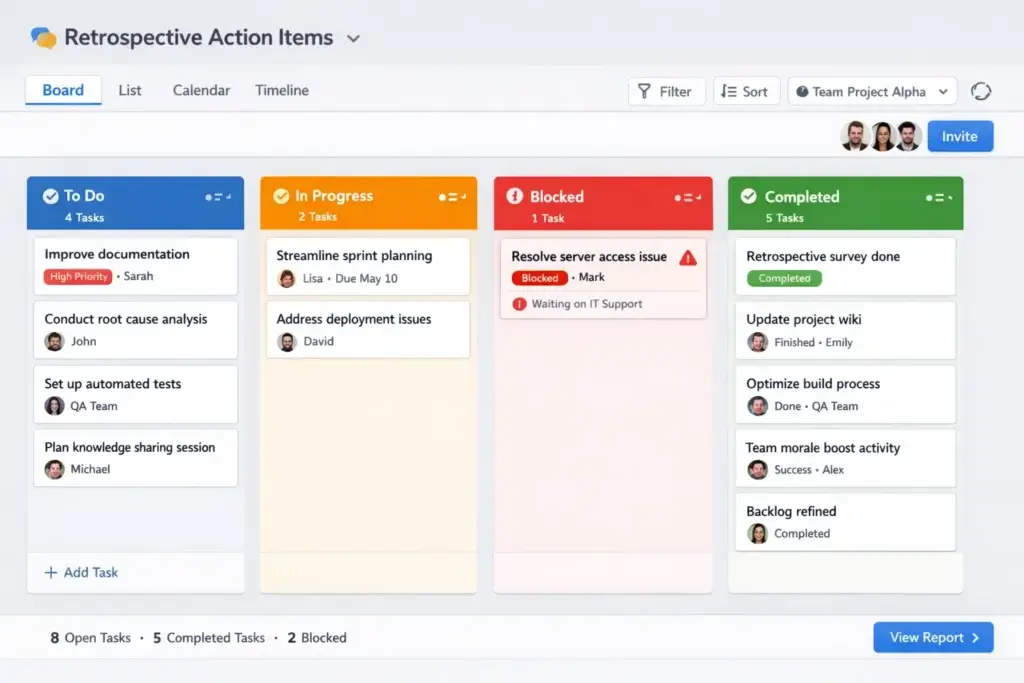
monday.com (visit site) is especially useful when you want to turn retrospective insights into visible, trackable work. Its retrospective template and related workflow support make it easier to capture ideas, vote on priorities, assign owners, and carry agreed changes into the next cycle of execution. For teams that struggle with follow-through, that is a meaningful advantage.
ClickUp (visit site) is a strong option if your team wants to connect retrospective actions to tasks, docs, and ongoing project work in one system. Miro works well when you want a more visual, workshop-style session, especially for collaborative brainstorming and clustering themes.
If your main need is simple documentation and retrieval, a shared workspace like Confluence or Notion may be enough. The key is not choosing the most advanced tool. It is choosing one that makes it easy to capture input, assign follow-up, and revisit what the team said it would improve.
Conclusion
A project retrospective is one of the simplest and most effective ways to improve how your team works over time. It helps you move beyond surface-level wrap-ups and create a repeatable system for reflection, learning, and follow-through. Instead of letting hard-won project experience disappear, you capture it in a form that can improve future planning, communication, execution, and collaboration.
The most successful retrospectives are not the ones with the longest discussion. They are the ones that create a safe environment, focus on meaningful patterns, produce clear action items, and revisit those actions later. If you approach retrospectives this way, they stop feeling like an extra meeting and start becoming a practical engine for continuous improvement across projects.
Frequently Asked Questions
What is a project retrospective in simple terms?
A project retrospective is a structured review where a team reflects on completed work to identify what went well, what did not go well, and what should be improved in the future.
When should you run a project retrospective?
You can run a retrospective at the end of a project, after a major phase, after a milestone, or during recurring work cycles when your team wants to review performance and improve future execution.
Who should attend a project retrospective?
The best attendees are the people directly involved in planning, executing, reviewing, or approving the work. Cross-functional contributors should join when their role significantly affected the project outcome.
How long should a project retrospective be?
It depends on the size and complexity of the work, but many retrospectives last between 45 and 90 minutes. Larger or more complex projects may require longer sessions or multiple focused reviews.
What makes a retrospective effective?
An effective retrospective has clear scope, honest participation, structured facilitation, specific discussion points, and action items with owners and follow-up.
What is the main goal of a project retrospective?
The main goal is continuous improvement. A retrospective helps teams learn from project experience and apply those lessons to future work in a practical way.
Should a retrospective focus only on problems?
No. A strong retrospective should also identify practices that worked well so the team can preserve and repeat them in future projects.
How many action items should a retrospective produce?
Usually a small number of meaningful action items is better than a long list. Two to five well-defined improvements are often more realistic and more likely to be completed.
Do non-Agile teams need retrospectives too?
Yes. Retrospectives are valuable for marketing, operations, client services, product, and other project-based teams because the practice is about learning and improving, not about following one specific methodology.
What should happen after the retrospective ends?
After the session, the team should document the main insights, assign owners to action items, track progress, and revisit those actions in the next relevant work cycle or review meeting.