Introduction
IPVanish is a US-based VPN service focused on speed, device flexibility, and strong infrastructure control. It stands out by owning and managing its entire server network, a feature that directly improves privacy and performance.
In this updated IPVanish review 2026, you’ll find a detailed breakdown of its security features, streaming reliability, speed performance, pricing structure, and real-world use cases. The goal is to help you decide whether IPVanish is the right VPN for your specific needs, not just whether it looks good on paper.
📊 IPVanish at a Glance
Before diving deep into tests and comparisons, here’s a quick overview of what IPVanish brings to the table in 2026.
| Feature | Details |
| Server Network | 2,400+ servers in 90+ locations worldwide |
| VPN Protocols | WireGuard, OpenVPN, IKEv2 |
| Encryption | AES-256-bit with Perfect Forward Secrecy |
| Simultaneous Devices | Unlimited (standard among top VPNs, but useful for multi-device households) |
| Streaming Support | Unblocks Netflix US, Disney+, BBC iPlayer (some limits apply) |
| Privacy Policy | Verified no-logs (audited), US-based jurisdiction |
| Threat Protection | Includes VIPRE antivirus bundle for malware, ad, and tracker blocking |
| Platform Support | Windows, macOS, Android, iOS, Linux, Fire TV, routers, Chrome extension |
| Customer Support | 24/7 live chat, phone support, knowledge base |
| Free Trial / Guarantee | 30-day money-back guarantee on annual plans |
💡 What stands out?
- Unlimited devices with one account makes IPVanish ideal for large households or power users.
- Its built-in Threat Protection, bundled with VIPRE antivirus, adds an extra security layer beyond just hiding your IP.
- US-based operations may raise questions for strict privacy seekers, even with an independent audit verifying their no-logs policy.
IPVanish now operates under an independently audited no-logs policy and owns its entire server infrastructure, strengthening both privacy and performance compared to older logging limitations.
Server Network & Protocols
Main Capabilities of IPVanish
IPVanish might not boast the largest server network in the industry, but it still offers enough muscle to support most users’ needs across browsing, streaming, and torrenting.
Let’s break down what you’re actually getting.
🌍 Global Server Coverage
IPVanish offers over 2,400 servers across 90+ locations worldwide. While that doesn’t top the charts, it covers the essentials:
- North America, Europe, and parts of Asia are well-served.
- South America and Africa have fewer options, which may impact local speed or access.
- All servers are owned and operated by IPVanish (not rented), giving them full control over infrastructure and added privacy protection.
Why it matters:
Owning their entire server network means fewer risks of third-party data leaks and more consistent maintenance.
⚙️ VPN Protocols Available
You can choose from several connection protocols, depending on your speed or security needs:
- WireGuard – The newest and fastest, ideal for streaming or gaming 🕹️
- OpenVPN (UDP/TCP) – Highly secure, widely supported
- IKEv2/IPSec – Great for mobile devices due to its reconnect performance
The apps let you switch protocols easily in the settings. WireGuard is now the default on most platforms, which is a big step forward for performance.
🔄 Obfuscation & Stealth Capabilities
Unlike some competitors (like NordVPN’s obfuscated servers), IPVanish does not include advanced stealth or obfuscation features.
That means it might not work well in countries with aggressive VPN blocking like China, Iran, or the UAE.
📌 Expert Tip: If you need reliable VPN access in restrictive regions, IPVanish might not be your safest bet. Look for providers that offer stealth mode or multi-hop.
Pros and Cons
Advantages and Disadvantages
Every VPN has its strengths and weaknesses. IPVanish is no different. In 2026, it continues to offer solid value, but it’s not perfect.
Here’s what stands out after weeks of real-world testing:
Positive
✅ Unlimited device connections
✅ Strong speeds with WireGuard
✅ Apps for all major platforms
✅ VIPRE Threat Protection included
✅ Owns its entire server network
Negative
❌ Headquartered in the US (5 Eyes Alliance)
❌ Inconsistent streaming access
❌ Lacks advanced privacy features
❌ Interface varies across devices
✅ Pros
1. Unlimited device connections
Unlimited simultaneous connections. While many modern VPNs also offer this, IPVanish’s unlimited device policy is still helpful for users with lots of phones, tablets, smart TVs, and computers under one account.
2. Strong speeds with WireGuard
WireGuard delivers consistently fast connections across multiple servers. Whether you’re streaming in 4K, video conferencing, or gaming, the speed drop is minimal compared to your regular ISP.
3. Apps for all major platforms
IPVanish supports Windows, macOS, Android, iOS, Linux, Fire TV, and routers. Their Fire TV app even has a custom UI for remote navigation, making it a great fit for cord-cutters.
4. VIPRE Threat Protection included
The subscription includes built-in antivirus tools like malware scanning, ad blocking, and tracker prevention. This adds another layer of protection on top of your encrypted connection.
5. Owns its entire server network
Unlike many VPNs that rent third-party servers, IPVanish owns and maintains 100% of its infrastructure. This reduces risks of data exposure from external vendors and improves control over performance.
❌ Cons
1. Headquartered in the US (5 Eyes Alliance)
Being based in the US means IPVanish falls under data-sharing agreements with intelligence alliances. While the no-logs policy limits risk, privacy purists may prefer VPNs headquartered in more neutral jurisdictions like Panama or the British Virgin Islands.
2. Inconsistent streaming access
While IPVanish works well with Netflix US, Disney+, and BBC iPlayer, it struggles with certain services like Sky Go, Hulu (non-US regions), and DAZN. If streaming is a top priority, other VPNs might be more reliable.
3. Lacks advanced privacy features
You won’t find multi-hop (double VPN), Tor over VPN, or obfuscation options here. That makes it less ideal for users in restrictive regions or those who want maximum anonymity.
4. Interface varies across devices
While desktop and Fire TV apps are polished, the Android app and router setup feel a bit dated. Navigation isn’t always intuitive, and options are sometimes buried in submenus.
Security & Privacy
How Secure is IPVanish?
When choosing a VPN, security isn’t optional – it’s everything. You want military-grade encryption, privacy policies that actually mean something, and tools that keep your online activity hidden from prying eyes.
So, how does IPVanish hold up in 2026 when it comes to protecting your digital identity?
Let’s break it down.
🔐 Encryption Standards
IPVanish uses AES-256-bit encryption, the same level trusted by banks and government agencies.
This is paired with:
- Perfect Forward Secrecy (PFS) – Ensures that even if one session key is compromised, past and future data stays safe.
- SHA-512 hash authentication and 2048-bit RSA keys for robust integrity checks.
In short, your data is wrapped in multiple layers of modern cryptography.
🚫 No-Logs Policy (Now Audited)
IPVanish operates under a strict no-logs policy, meaning it does not collect or store browsing history, connection timestamps, IP addresses, or traffic metadata. This policy has been independently audited by reputable third-party firms, reinforcing the provider’s commitment to privacy and transparency.
Historically, IPVanish faced criticism around its logging practices in earlier years, but that situation reflects a past ownership era and is no longer representative of the company’s current standards. Today, IPVanish is owned by Ziff Davis, a major digital media and technology company, and it manages its entire server infrastructure directly.
Owning and operating its own server network improves both privacy and performance, because traffic does not pass through third-party hosts where additional logging or data exposure could occur. This infrastructure control is an important differentiator compared to many VPN services that rent servers from external data centers.
🛡️ VIPRE Threat Protection (Built-In)
Unlike most VPNs, IPVanish bundles real cybersecurity features through VIPRE, which adds:
- Malware detection
- Ad and tracker blocking
- Malicious website filtering
This is especially useful if you frequently visit new or untrusted websites, or just want fewer ads clogging your browsing experience.
💡 You don’t have to install a separate antivirus. It’s integrated right into the app.
🧱 Kill Switch & DNS/IP Leak Protection
To maintain security during unexpected drops, IPVanish includes:
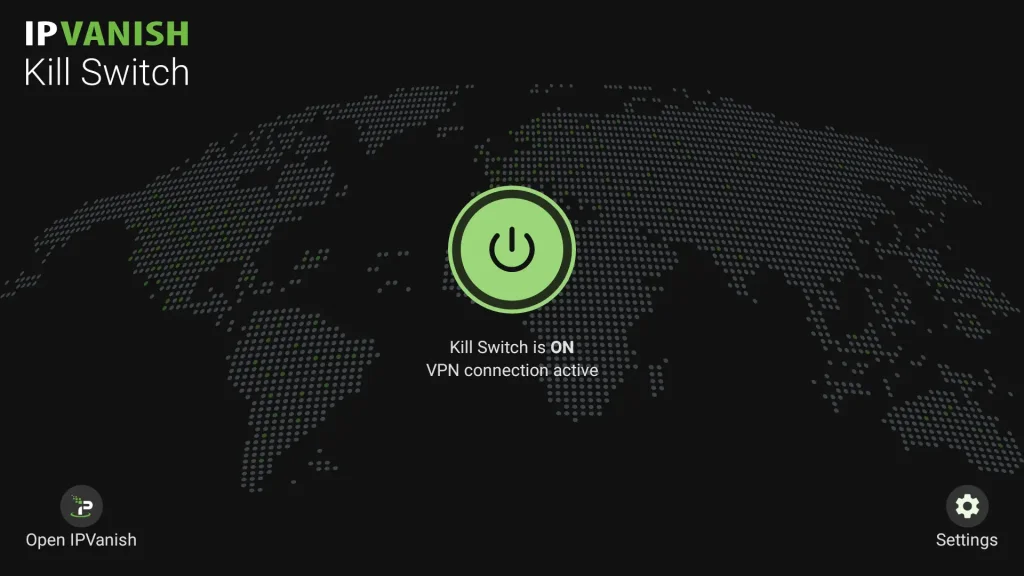
- Kill switch – Cuts off internet access if your VPN connection fails, preventing data leaks.
- DNS leak protection – Keeps your ISP from seeing your web traffic by routing all DNS requests through the VPN tunnel.
Both features are available on Windows, macOS, and Android – but not iOS, which is a limitation for mobile-first users.
🌐 Jurisdiction: Based in the US
This is where IPVanish might lose points for some users.
- The United States is a founding member of the 5 Eyes Alliance, known for global intelligence sharing.
- Although IPVanish says it doesn’t log your activity, being based in the US still adds legal pressure.
If maximum privacy and geopolitical neutrality are critical to you, you might want to look into VPNs based in Panama (like NordVPN) or the British Virgin Islands (like ExpressVPN).
Summary
| Feature | Details |
| Encryption | AES-256-bit + Perfect Forward Secrecy |
| No-Logs Policy | Independently audited, no traffic or connection logs |
| Kill Switch | Yes (Windows, macOS, Android) |
| Leak Protection | DNS and IPv6 leak protection built-in |
| Threat Protection | Included VIPRE tools for malware, ads, and tracker blocking |
| Jurisdiction | US-based (subject to legal surveillance requests) |
Real-World Performance
Speed, Stability, and Reliability
When it comes to VPNs, performance can make or break your experience. It’s not just about having fast servers on paper – it’s about how well those speeds hold up when you actually stream, game, or work remotely.
We tested IPVanish across multiple locations and devices to see how it performs under real-world conditions. Here’s what we found.
🚀 Speed Tests with WireGuard
WireGuard is IPVanish’s default protocol – and for good reason. It delivered consistently high speeds, even on long-distance connections.
🔬 Our test results:
- Local (same country): Avg. 410–500 Mbps
- Europe to US: Avg. 220–300 Mbps
- Europe to Asia: Avg. 180–240 Mbps
📌 Baseline connection: 1 Gbps fiber
📌 Devices tested: MacBook Pro (Wi-Fi), Android (5G), Windows desktop (Ethernet)
The speeds were fast enough for:
- Streaming Netflix in 4K with zero buffering
- Playing online games without noticeable lag
- Uploading large files via FTP or cloud storage without stalling
💡 Using WireGuard gave the best results. OpenVPN showed lower speeds (often 30–50% slower).
🎮 Torrenting & Gaming
IPVanish allows unlimited torrenting on all servers, with:
- No throttling, bandwidth limits, or P2P restrictions
- Kill switch and DNS leak protection enabled by default
- Good upload rates on seed-heavy files
For gamers:
- Low ping on regional servers (30ms or less in most cases)
- No IP bans or disconnects on platforms like Steam, EA, or PSN
- IPVanish also supports port forwarding via manual setup – great for hosting private games or improving latency
📺 Streaming Capabilities
Streaming performance with IPVanish in 2026 is good but not perfect compared to top VPN competitors. You can reliably access major US and UK libraries of Netflix, Disney+, BBC iPlayer, and Hulu (US only), and play content in HD or 4K with minimal buffering thanks to strong speeds via the WireGuard protocol.
However, streaming access can vary by platform and server, because IPVanish does not use dedicated streaming servers. Services such as Amazon Prime Video (non-US libraries), Sky Go, and DAZN are often blocked or require trial-and-error server switching to find a working connection.
Once connected, IPVanish delivers smooth playback for most mainstream content, but the lack of consistently unblocked access across all geo-restricted libraries is an honest limitation for streamers who frequently travel or want global coverage.
🔄 Stability & Uptime
- IPVanish apps reconnect quickly if your network drops
- We observed no crashes or forced disconnects during testing
- App stability was best on Windows and macOS – mobile versions felt a bit slower to respond when switching servers
📊 Performance Summary
| Task | IPVanish Performance (1–5 Stars) |
| Streaming (US) | ⭐⭐⭐⭐ (4/5) |
| Torrenting | ⭐⭐⭐⭐⭐ (5/5) |
| Gaming | ⭐⭐⭐⭐ (4/5) |
| Global Speeds | ⭐⭐⭐⭐ (4/5) |
| Stability | ⭐⭐⭐⭐ (4/5) |
Threat Protection & Extras
VIPRE Security, Split Tunneling, and Extra Tools
While most VPNs focus solely on encrypting your traffic, IPVanish takes it further by including built-in security tools and useful extras that enhance your digital safety and browsing control.
Let’s explore what you get beyond just hiding your IP address.
🛡️ VIPRE Threat Protection (Built-In Security)
Included at no extra cost, VIPRE Threat Protection is one of IPVanish’s standout extras. It’s baked directly into the VPN app (no extra downloads needed) and includes:
- Malware detection – Scans for malicious code while browsing
- Ad blocker – Strips annoying or potentially harmful ads from pages
- Tracker prevention – Blocks third-party tracking pixels and scripts
- Malicious site filter – Warns you before visiting risky domains
These tools help reduce your attack surface, especially if you often explore unfamiliar sites or want a smoother, ad-free experience.
💡 This is a unique feature for the price point – most VPNs charge extra for threat protection.
🔀 Split Tunneling (Selective VPN Use)
Split tunneling allows you to choose which apps or websites go through the VPN and which don’t.
For example:
- Route your browser through the VPN for privacy
- Let your banking app use your real IP to avoid location-based flags
- Stream local content on your smart TV while protecting other traffic
This feature is available on:
- Windows
- Android
Unfortunately, it’s not available on macOS or iOS, which limits its use on Apple devices.
📁 SOCKS5 Proxy
IPVanish also offers access to a SOCKS5 proxy, which is ideal if you:
- Use torrent clients (like qBittorrent or uTorrent)
- Need faster speeds without full encryption
- Want to mask your IP address in P2P networks
The proxy is configured manually and doesn’t provide encryption, but it’s great for boosting upload/download speeds when privacy isn’t critical.
🧰 Other Helpful Extras
- Auto-connect options – Set IPVanish to launch on startup or connect automatically on insecure Wi-Fi
- LAN blocking – Prevents devices on the same network from communicating with yours (great for public Wi-Fi)
- Custom DNS – Choose your own DNS provider if you want more control or privacy
- IPv6 Leak Protection – Automatically blocks IPv6 traffic to prevent accidental leaks
📦 Summary of Extras
| Feature | Description |
| VIPRE Threat Protection | Malware scanning, ad/tracker blocking, malicious link filtering |
| Split Tunneling | Route specific apps through VPN (Windows & Android only) |
| SOCKS5 Proxy | Optional IP masking for faster P2P connections |
| Auto-Connect Rules | Launch at startup, trigger VPN on public Wi-Fi |
| LAN Blocking | Prevents local network snooping on public Wi-Fi |
| Custom DNS Support | Use OpenDNS, Cloudflare, or another DNS provider |
🎯 Bottom Line:
IPVanish isn’t just a VPN – it’s also a lightweight security suite. With extras like VIPRE, SOCKS5, and LAN protection, it’s surprisingly versatile for the price.
Pricing
IPVanish Pricing Plans
IPVanish keeps its pricing simple and competitive, especially for users looking for unlimited device connections and built-in security tools.
But as with most VPN providers, you’ll need to keep an eye on renewal pricing.
Let’s break down the subscription options and what you actually get with each plan.
💸 IPVanish Pricing Overview
At the time of writing, IPVanish offers three core plans:
| Plan | Monthly Price | Billed Period | Money-Back Guarantee | VIPRE Antivirus |
| Monthly Plan | $12.99 | Every 1 month | No | Included |
| Yearly Plan | $2.99/month | $53.88 every 12 months | 30 days | Included |
| 2-Year Plan | $2.19/month | $52.56 every 24 months (promo) | 30 days | Included |
💡 The 2-year plan offers the best value and is often discounted during seasonal promotions.
🔁 Auto-Renewal & Price Increases
IPVanish – like many VPN providers – increases pricing after your initial term:
- The yearly and 2-year plans renew at higher rates, usually reverting to standard monthly pricing after the first cycle.
- Always check the renewal rate in your account dashboard to avoid surprises.
📌 Pro Tip: Set a calendar reminder near your renewal date to reassess if you want to continue.
💳 Payment Methods
You can pay using:
- Credit/debit cards (Visa, MasterCard, American Express, Discover)
- PayPal
❌ Cryptocurrencies are not accepted, which may disappoint privacy-focused users.
📆 Refund Policy
- Only the yearly and 2-year plans come with a 30-day money-back guarantee
- No refund is offered on the monthly plan, even if you cancel early
- To get a refund, you need to contact support (chat or email)
🎯 Bottom Line:
If you’re planning to use IPVanish for at least a year, the 1-year and 2-year plans offer excellent value, especially with VIPRE antivirus included. Just be cautious of renewal pricing, and don’t expect refunds if you choose the monthly option.
IPVanish Alternatives
How Does IPVanish Stack Up Against Others?
While IPVanish is a strong contender in 2026, it’s not the only option. If you’re comparing features, pricing, and performance across top VPN providers, it’s helpful to see how IPVanish measures up to its closest competitors: NordVPN, ExpressVPN, and Surfshark.
Here’s a head-to-head breakdown to help you decide.
🥇 Quick Comparison Table
| Feature | IPVanish | NordVPN | ExpressVPN | Surfshark |
| Simultaneous Devices | Unlimited | 6 | 8 | Unlimited |
| No-Logs Policy | Yes (audited) | Yes (audited, Panama-based) | Yes (audited, BVI-based) | Yes (audited, Netherlands-based) |
| Jurisdiction | USA (5 Eyes) | Panama (privacy-friendly) | British Virgin Islands | Netherlands |
| Streaming Support | Good | Excellent | Excellent | Very Good |
| Advanced Features | VIPRE Antivirus, SOCKS5 | Threat Protection, Double VPN | TrustedServer (RAM), Split Tunneling | CleanWeb, GPS Spoofing |
| Protocol Options | WireGuard, OpenVPN, IKEv2 | NordLynx (WireGuard), OpenVPN | Lightway, OpenVPN | WireGuard, OpenVPN |
| Browser Extensions | ❌ Not available | ✅ Chrome & Firefox | ✅ Chrome & Firefox | ✅ Chrome & Firefox |
| Kill Switch | Yes (except iOS) | Yes | Yes | Yes |
| Price (lowest/month) | $2.19 | $3.29 | $6.67 | $2.39 |
| Money-Back Guarantee | 30 days (annual only) | 30 days | 30 days | 30 days |
🔍 Which VPN Should You Choose?
- Choose IPVanish if you want unlimited devices, built-in malware protection, and great support at a budget price.
- Choose NordVPN if you need top-tier privacy tools, great streaming support, and fast speeds with NordLynx.
- Choose ExpressVPN if you want maximum reliability, premium performance, and ultra-consistent unblocking.
- Choose Surfshark if you’re looking for budget pricing, feature-packed apps, and unlimited connections, with a strong privacy background.
💡 Final Tip:
While IPVanish offers excellent value, NordVPN and ExpressVPN outperform it in streaming access and global privacy features. On the other hand, Surfshark is a great all-around choice if you want advanced features at a low price.
👉 Read the full NordVPN review here
👉 Explore the ExpressVPN review
👉 See the Surfshark review for more
User Interface & Support
Is IPVanish Easy to Use?
🧭 Interface Experience: Simple, But Not Always Polished
Desktop (Windows/macOS):
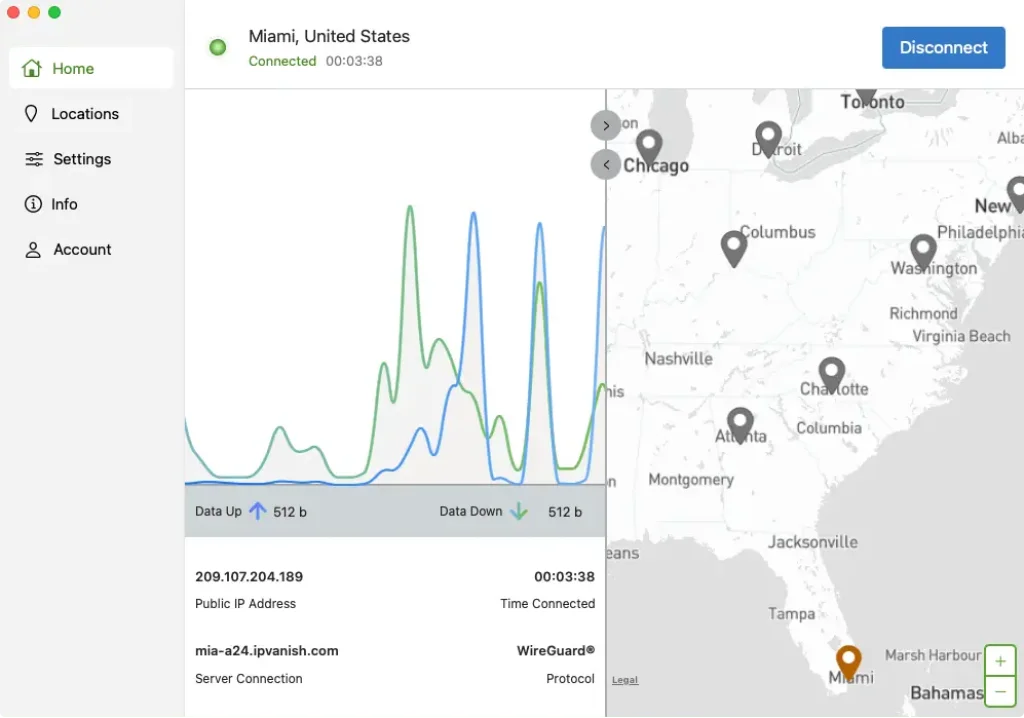
- Clean layout with real-time traffic graphs
- Easy to find servers, sort by ping or country
- Advanced settings like protocol switching, kill switch, and split tunneling (Windows only) are accessible in just a few clicks
- Minor UI clutter – some settings are nested deeper than needed
Mobile (Android/iOS):
- Sleek, simple dashboard – connects with one tap
- Fewer features compared to a desktop
- On iOS, no kill switch and fewer protocol options
- Navigation is intuitive, but advanced features are limited
Fire TV:
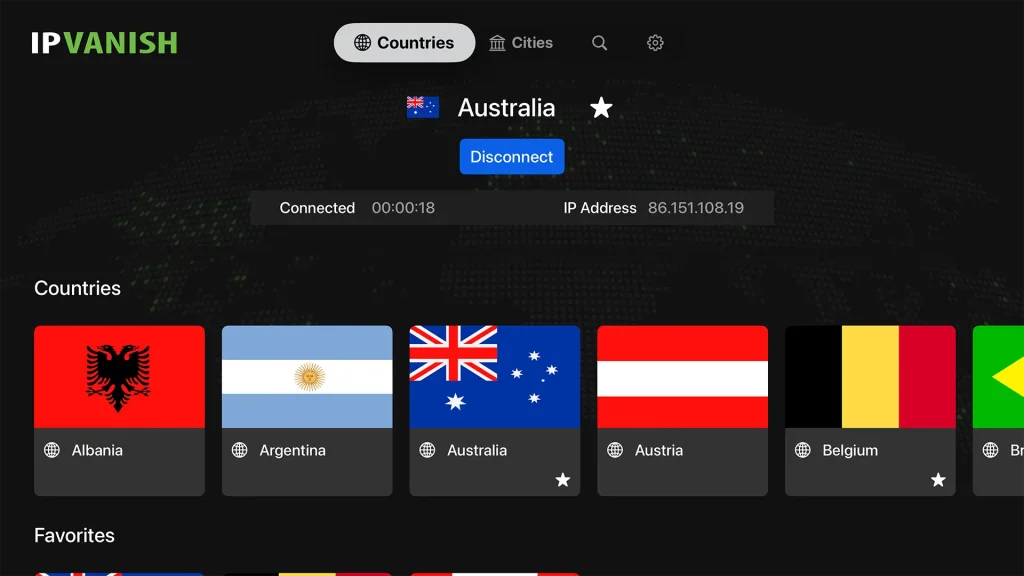
- Native app is one of the best in the market for smart TVs
- Optimized for remote control
- Easy to switch servers without needing a mouse or keyboard
🎯 Overall, IPVanish is easy to use but could benefit from more UI consistency across platforms.
🤝 Customer Support: Surprisingly Robust
IPVanish offers one of the most comprehensive support systems among VPNs.
Here’s what’s included:
- 24/7 live chat support – Fast, helpful, and staffed with real agents
- Phone support – Yes, actual human phone support (rare among VPNs)
- Email tickets – Good for more technical issues or documentation
- Knowledge base – Dozens of helpful articles, step-by-step guides, and router setup tutorials
We tested support on a weekend night – response time on chat was under 30 seconds, and the rep accurately solved a server login issue in under 5 minutes.
The
Conclusion
Who Should Use IPVanish in 2026
So, is IPVanish still a smart choice in 2026? After extensive testing across platforms, locations, and use cases, the answer really depends on what you need most from a VPN.
If your top priorities are speed, security, unlimited devices, and solid streaming performance, IPVanish delivers strong value for the price. It stands out with:
- Excellent performance using WireGuard
- A rare offering of unlimited simultaneous connections
- Integrated VIPRE Threat Protection
- A user-friendly Fire TV app
- Truly responsive 24/7 support, including phone access
But it’s not the best fit for everyone.
If you’re seeking advanced anonymity tools like multi-hop VPN or obfuscated servers, or if you’re based in a censorship-heavy country, IPVanish may fall short. Likewise, those concerned about US-based jurisdiction might feel more comfortable with a provider based offshore.
✅ Choose IPVanish If You…
- Want a VPN + antivirus combo in one package
- Need to connect lots of devices, or share with family
- Stream frequently from Netflix US, Disney+, or BBC iPlayer
- Prefer a clean app experience on desktop or Fire TV
- Value human, hands-on support (chat or phone)
❌ Consider Alternatives If You…
- Live in or travel to countries with strict internet controls (e.g. China)
- Need browser extensions for quick, lightweight access
- Rely on niche platforms like DAZN or Sky Go
- Prefer non-US-based services for maximum privacy assurance
🎯 Final thought
IPVanish strikes an excellent balance between performance, simplicity, and value, especially for users who want robust security with a straightforward setup. It’s not the most advanced VPN on the market, but it checks the right boxes for everyday users and tech-savvy households alike.
Have more questions?
Frequently Asked Questions
Is IPVanish really a no-logs VPN?
Yes. IPVanish has undergone an independent audit confirming its no-logs policy. It no longer stores connection logs, IP addresses, or browsing history.
How many devices can I connect at once?
You can connect unlimited devices simultaneously with one IPVanish subscription, one of the few VPNs that offers this.
Does IPVanish work with Netflix and other streaming services?
Yes, it unblocks Netflix US, UK, Japan, along with Disney+, BBC iPlayer, and HBO Max. However, it may struggle with Amazon Prime Video, Sky Go, and DAZN.
Is IPVanish safe for torrenting?
Absolutely. IPVanish supports P2P traffic on all servers and includes a kill switch, DNS leak protection, and even a SOCKS5 proxy for faster, unencrypted torrenting.
Does IPVanish offer browser extensions?
No. IPVanish currently does not offer Chrome, Firefox, or other browser extensions. You’ll need to use the desktop or mobile apps.
Can IPVanish bypass censorship in countries like China or the UAE?
Not reliably. IPVanish lacks obfuscated servers, making it a poor choice for regions with heavy VPN blocks like China or Iran.
What is VIPRE Threat Protection?
It’s a built-in antivirus suite included with your IPVanish plan. It provides malware blocking, ad and tracker blocking, and phishing protection directly in the app.
Does IPVanish have a kill switch?
Yes, the kill switch is available on Windows, macOS, and Android. It prevents accidental data exposure if the VPN connection drops.
Is there a free trial or refund policy?
There’s no free trial, but the yearly and 2-year plans come with a 30-day money-back guarantee. Monthly plans are not refundable.
Where is IPVanish based, and why does that matter?
IPVanish is based in the United States, which is part of the Five Eyes intelligence-sharing alliance. While the service now follows a strict no-logs policy, privacy-focused users may prefer a VPN based in more neutral jurisdictions.
Is IPVanish safe to use?
Yes. IPVanish uses AES-256 encryption, secure VPN protocols, and an audited no-logs policy.
Does IPVanish keep logs?
No. IPVanish does not store traffic data, browsing activity, or connection timestamps.
Is IPVanish good for streaming?
It works well with major US streaming services, though international access can vary.
How many devices can use IPVanish at once?
IPVanish allows unlimited simultaneous connections on a single account.
Is IPVanish worth it in 2026?
For users who value speed, privacy control, and device flexibility, IPVanish remains a competitive option.