Introduction
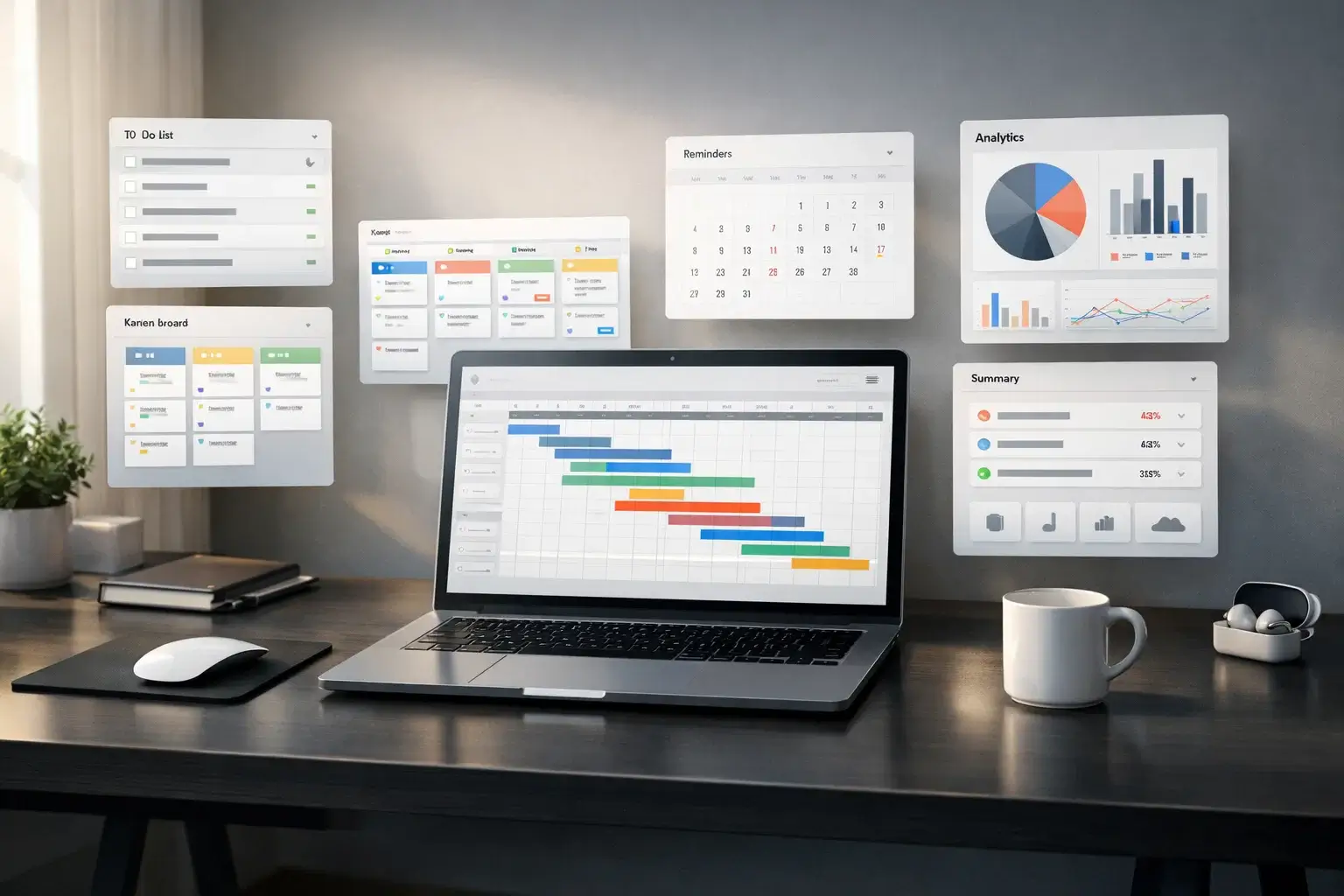
Staying organized is no longer optional. Whether you’re managing personal tasks or running complex projects, a reliable to-do list app helps you stay focused, meet deadlines, and reduce mental overload.
A modern to-do list app goes far beyond simple checklists. You can prioritize tasks, automate workflows, collaborate with teams, and track progress in real time. The right tool doesn’t just organize your work—it improves how you think about productivity.
That said, not all to-do list apps are built the same. You’ll typically find two main categories:
- 🧩 Simple to-do list apps – lightweight, fast, and ideal for personal productivity
- 🏢 Advanced task and project management tools – designed for teams, automation, and complex workflows
This guide covers both types, so you can find the right solution whether you need a minimalist task manager or a powerful work management platform.
Quick Summary
Best To-Do List Apps by Use Case
If you’re short on time, here are the top tools based on different needs:
- ⭐ Best overall: monday.com
- 🆓 Best free to-do list app: Todoist
- ⚡ Best simple to-do list: TickTick
- 👥 Best for teams: ClickUp
- 🤖 Best AI to-do list app: Motion
- 🍏 Best for Apple users: OmniFocus
- 💼 Best for agencies and client work: Teamwork.com
This quick breakdown helps you jump straight to the right tool based on your workflow and priorities.
Best To-Do List Apps for Teams and Work Management
If you manage work across multiple people, a basic checklist usually is not enough. Teams need more structure, better visibility, and stronger collaboration tools to keep projects moving without losing track of priorities.
The tools in this category go beyond simple personal task tracking. They typically include shared workspaces, multiple project views, automations, reporting, integrations, and task assignment features that help teams stay aligned and accountable. That is why platforms like monday.com, ClickUp, Miro, Smartsheet, and Connecteam are often positioned as broader task or work management tools, not just classic to-do list apps.
If your goal is to improve coordination, manage team workloads, or run more structured workflows, this group is the better place to start. The table below compares the strongest options for teams, client work, operations, and business task management.
To-Do List Apps Comparison Table
Before diving into detailed reviews, use this table to quickly compare the top tools side by side.
| Tool | Best For | Free Plan | Starting Price | Key Strength |
| monday.com | All-in-one work management | Yes | $8/seat/month billed yearly | Custom workflows and strong automations |
| ClickUp | Team productivity | Yes | $7/user/month billed yearly | Broad feature set for tasks and docs |
| Miro | Visual planning and brainstorming | Yes | $8/user/month billed yearly | Collaborative whiteboards and visual workflows |
| Smartsheet | Spreadsheet-style planning | Yes | $9/user/month billed yearly | Grid-based planning and reporting |
| Connecteam | Deskless and mobile teams | Yes | $29/month for first 30 users | Scheduling, communication, and field team management |
monday.com

Top Traits
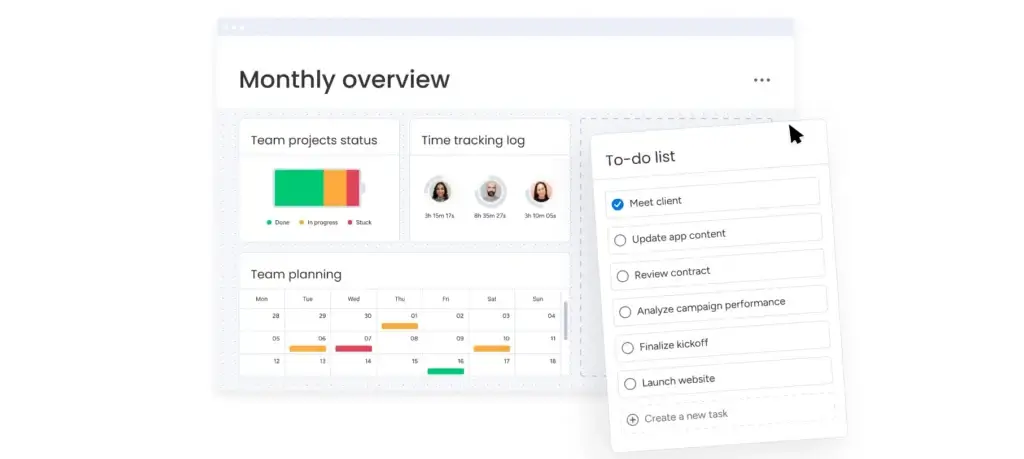
✅ User-Friendly Work OS – Clean interface that helps teams adopt it quickly.
✅ Highly Customizable – Flexible boards, dashboards, and workflows fit many use cases.
✅ Strong Automations – Built-in automations and integrations reduce repetitive work.
Why Choose monday.com?
monday.com is one of the best choices for teams that want more than a simple task list. It combines project tracking, dashboards, automations, docs, multiple views, and integrations in a platform that still feels approachable for non-technical users.
Its biggest strength is flexibility. Teams can use it for project management, operations, marketing workflows, cross-functional planning, and internal collaboration without forcing every team into the same setup.
The main drawback is value for simpler use cases. monday.com is excellent for structured team workflows, but it can feel like more platform than you need if you only want lightweight task tracking or personal productivity.
Pros and Cons ⚖️
Positive
✅ Easy to adopt
✅ Strong automations
✅ Flexible workflows
✅ Great dashboards
Negatives
❌ Can get expensive
❌ Overkill for simple use
❌ Some depth needs upgrades
ClickUp

Top Traits
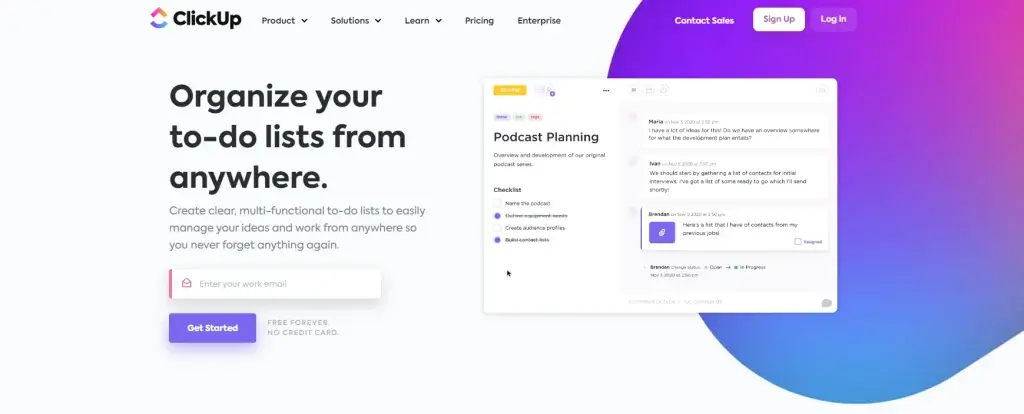
✅ All-in-One Workspace – Combines tasks, docs, chat, dashboards, and whiteboards.
✅ Strong Feature Depth – Supports advanced planning, reporting, and collaboration.
✅ Good Free-to-Paid Range – Offers strong value as teams grow into paid plans.
Why Choose ClickUp?
ClickUp is a strong fit for teams that want to centralize work in one platform instead of spreading it across separate tools. It connects tasks, docs, chat, whiteboards, dashboards, and automations, which makes it especially appealing for fast-moving teams that value context in one place.
Its biggest advantage is breadth. You can use ClickUp for day-to-day task management, process tracking, documentation, sprint planning, and cross-team collaboration without switching platforms constantly.
The tradeoff is complexity. ClickUp can do a lot, but that also means onboarding and setup take more effort than with simpler tools, especially for teams that only need straightforward task tracking.
Pros and Cons ⚖️
Positive
✅ Broad feature set
✅ Great team visibility
✅ Strong docs and chat
✅ Good value
Negatives
❌ Steeper learning curve
❌ Interface can feel crowded
❌ Setup takes time
Miro
Top Traits
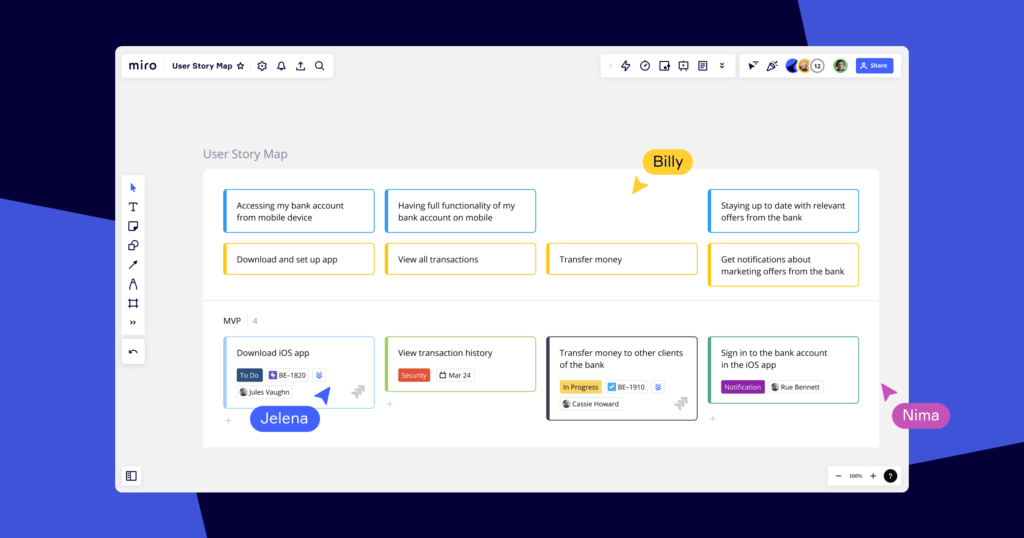
✅ Best Visual Collaboration – Excellent for brainstorming, mapping, and collaborative planning.
✅ Flexible Canvas – Supports boards, docs, tables, slides, and visual workflows.
✅ Strong Workshop Tool – Great fit for product, design, and strategy teams.
Why Choose Miro?
Miro works best when your team thinks visually. It is especially useful for brainstorming, process mapping, discovery work, workshops, sprint planning, and collaborative strategy sessions where a standard task list feels too limiting.
What makes Miro stand out is flexibility around ideation and alignment. Teams can move from rough thinking to structured planning with boards, docs, tables, slides, and AI-supported workflows in one environment.
Its limitation is depth in task execution. Miro is excellent for planning and collaboration, but it is not the strongest choice if your main priority is detailed ongoing task management, reporting, or structured operational workflows.
Pros and Cons ⚖️
Positive
✅ Excellent visual planning
✅ Strong workshop experience
✅ Great for product teams
✅ Flexible canvas tools
Negatives
❌ Weaker task execution depth
❌ Less suited for operations
❌ Can feel open-ended
Connecteam

Top Traits
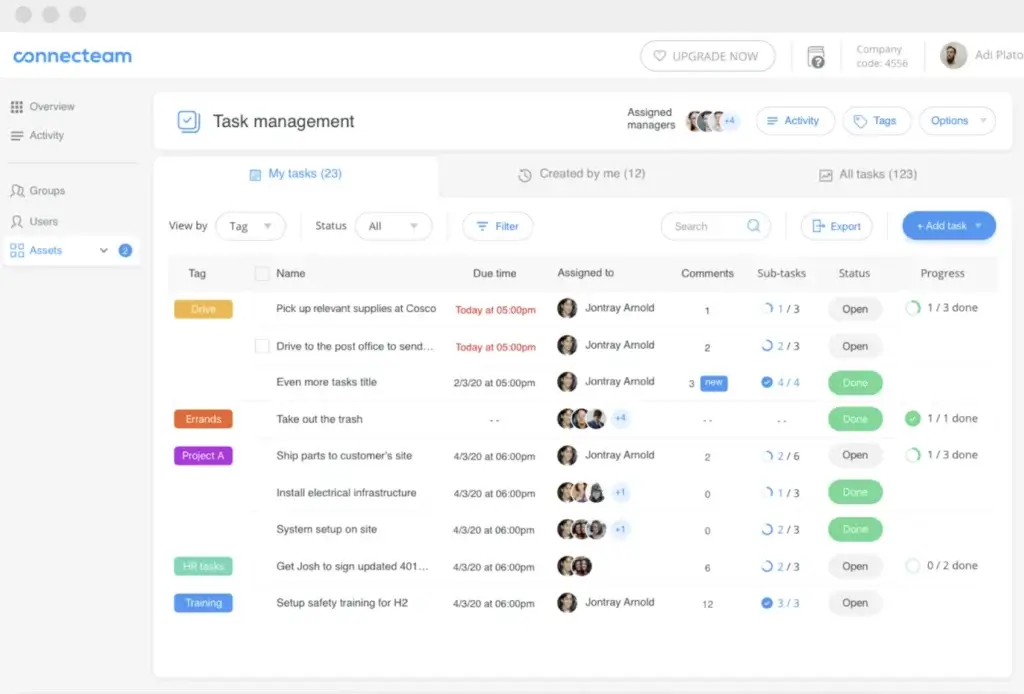
✅ Built for Frontline Teams – Designed around deskless work, mobile access, and operational clarity.
✅ Strong Scheduling and Time Tracking – Helps manage shifts, time clock, and workforce coordination.
✅ All-in-One Employee App – Brings communication, forms, checklists, and operations together.
Why Choose Connecteam?
Connecteam is a much better fit for deskless teams than a traditional project management tool. It is built for scheduling, time tracking, team communication, checklists, forms, and field operations, all in a mobile-first environment that works well for frontline work.
Its strength is practicality. Instead of forcing operations teams into a generic task tool, Connecteam focuses on real shift-based workflows, workforce communication, and daily execution for industries like retail, hospitality, cleaning, logistics, and field services.
The main limitation is category fit. Connecteam is excellent for employee management and operational coordination, but it is not the best option if you want a classic office-style project platform with deep portfolio planning or whiteboard-style collaboration.
Pros and Cons ⚖️
Positive
✅ Great for deskless teams
✅ Strong scheduling tools
✅ Built-in time tracking
✅ Good mobile experience
Negatives
❌ Less suited for office PM
❌ Hub pricing can add up
❌ Lighter strategic planning
Smartsheet

Top Traits
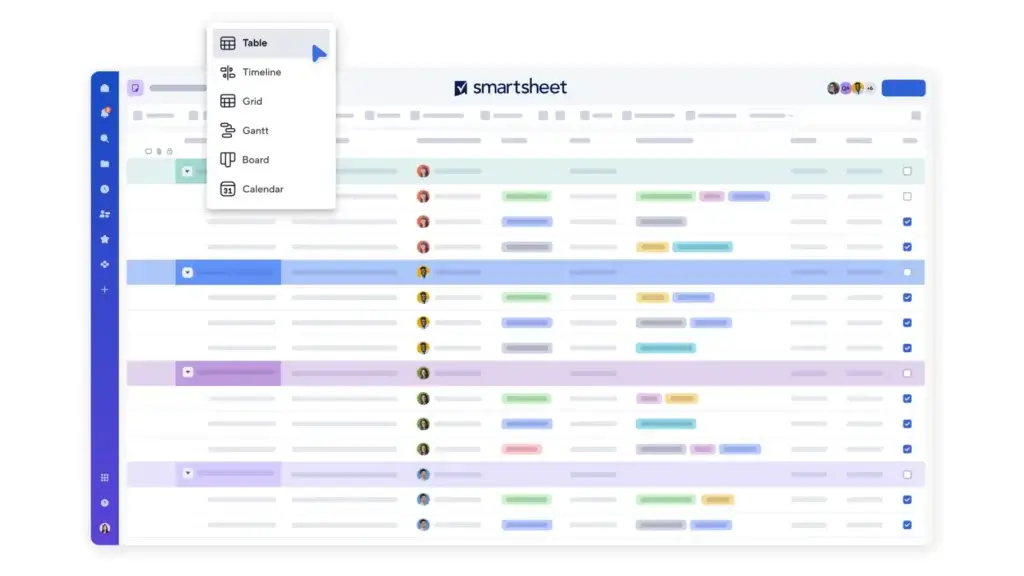
✅ Spreadsheet-Like Planning – Familiar grid-based structure works well for complex planning.
✅ Strong Reporting – Dashboards, work insights, and visual reporting support better oversight.
✅ Good for Structured Operations – Well suited for process-heavy teams and larger workstreams.
Why Choose Smartsheet?
Smartsheet is a strong choice for teams that like the logic of spreadsheets but need more control, automation, reporting, and project structure than a basic sheet can provide. It is especially useful for operations, PMOs, and teams managing large, process-heavy work.
Its biggest strength is structured visibility. You get grid-based planning, dashboards, Gantt support, automations, and portfolio-style oversight, which makes it easier to manage complex initiatives with a lot of moving parts.
The downside is usability for casual teams. Smartsheet is powerful, but it feels more structured and less intuitive than more visual tools, so it is usually a better fit for teams that already think in rows, columns, timelines, and reporting layers.
Pros and Cons ⚖️
Positive
✅ Strong reporting tools
✅ Familiar spreadsheet logic
✅ Good Gantt support
✅ Great for structured teams
Negatives
❌ Less intuitive visually
❌ Can feel rigid
❌ Higher learning effort
Best To-Do List Apps for Personal Productivity
Not everyone needs a full work management platform. If you mainly want to organize your own tasks, plan your day, or keep a lighter system for personal productivity, a simpler to-do list app is often the better choice.
This category focuses on tools that are faster to learn, easier to maintain, and better suited for individuals or small teams. Many of the strongest personal apps now go beyond simple lists by adding features like recurring tasks, reminders, calendar views, habit tracking, visual boards, or AI scheduling. Recent roundups still highlight tools like Todoist, TickTick, Any.do, Motion, and OmniFocus as leading choices for these more focused use cases.
If you want a tool that helps you capture tasks quickly and stay organized without the overhead of a larger platform, the options below are the ones to compare first.
| Tool | Best For | Free Plan | Starting Price | Key Strength |
| Todoist | Simple task management | Yes | $5/month billed yearly | Best balance of simplicity and depth |
| TickTick | Personal productivity | Yes | $35.99/year | Calendar, habits, and focus tools |
| Any.do | Task and calendar planning | Yes | $7.99/month | Strong reminders and daily planning |
| Motion | AI scheduling | No | $19/month billed yearly | Automatic daily planning with AI |
| OmniFocus | Apple power users | No | $9.99/month | Deep task organization and GTD support |
| Trello | Visual task management | Yes | $5/user/month billed yearly | Simple Kanban boards and automation |
Todoist

Top Traits
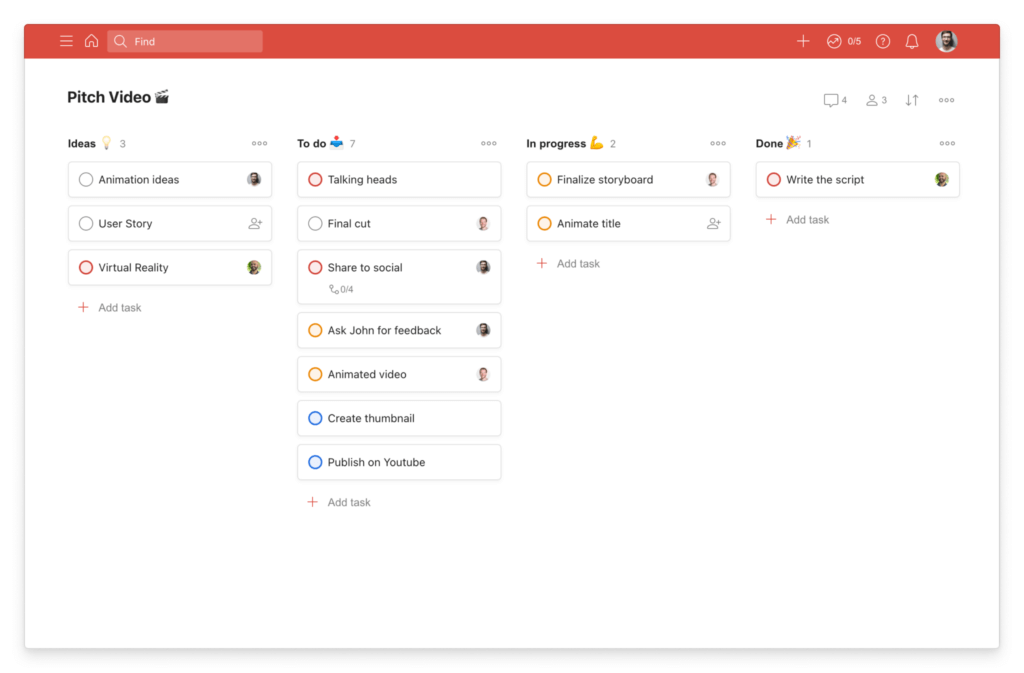
✅ Clean Interface – Simple layout that feels fast and easy to use.
✅ Smart Task Planning – Strong support for recurring tasks, due dates, and reminders.
✅Balanced Feature Set – Powerful enough for daily planning without feeling too complex.
Why Choose Todoist?
Todoist is still one of the strongest choices if you want a true to-do list app, not a full project management platform. It keeps task capture fast and simple, but still gives you enough depth to manage recurring tasks, calendar planning, priorities, and shared work without making the interface feel heavy.
What makes Todoist stand out is balance. You get the clean experience that personal users want, plus practical features for small teams, including shared spaces, collaboration tools, and a broad integration library. That makes it a strong fit if you want something more capable than a basic checklist, but less overwhelming than tools like ClickUp or monday.com.
Its main drawback is value at the paid tier. Todoist remains polished and reliable, but pricing increased in late 2025, with Pro now at $5 per month billed yearly or $7 billed monthly, and Business at $8 per user per month billed yearly or $10 billed monthly. Even so, for users who care most about speed, ease of use, and everyday task management, Todoist is still one of the safest picks in this category.
Pros and Cons ⚖️
Positive
✅ Easy to use
✅ Clean design
✅ Strong recurring tasks
✅ Powerful Integrations
Negatives
❌ Key features cost extra
❌ Limited for complex teams
❌ Less advanced automation
TickTick

Top Traits
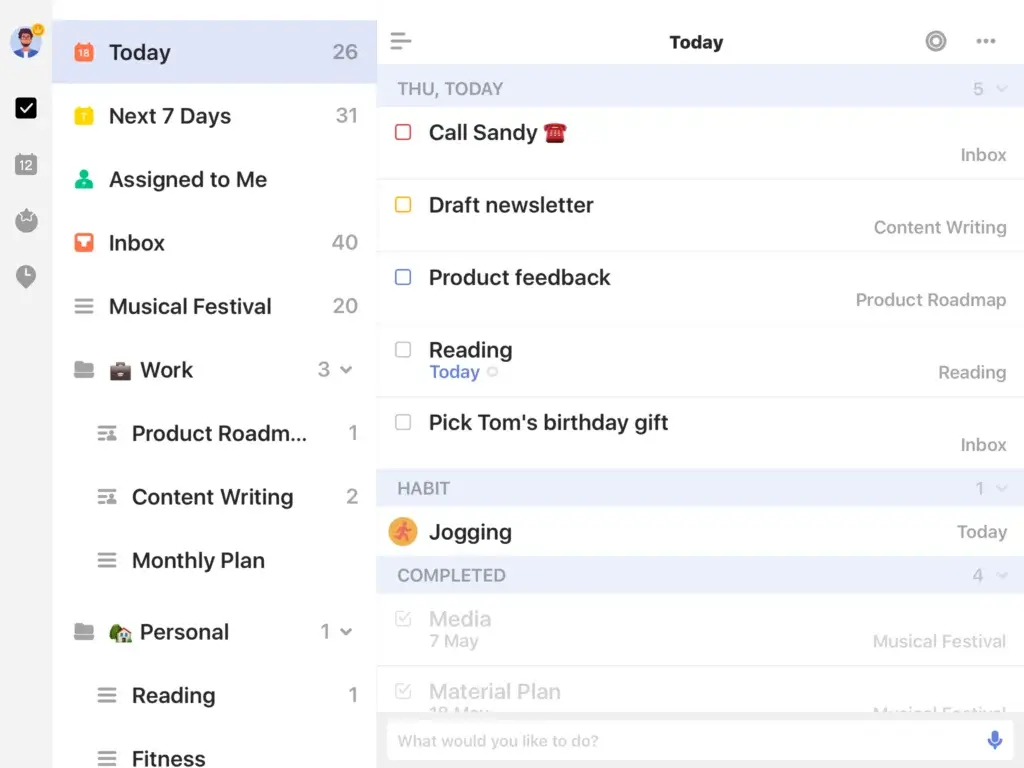
✅ All-in-One Productivity – Combines tasks, calendar, habits, and focus tools in one app.
✅ Strong Personal Planning – Great for recurring tasks, reminders, and daily task organization.
✅ Excellent Value – Premium stays affordable compared with many competing tools.
Why Choose TickTick?
TickTick is one of the strongest alternatives to Todoist if you want more built-in productivity tools without moving into full project management software. It combines task management with calendar views, habit tracking, a Pomodoro timer, and smart filters, which makes it especially appealing for personal use.
Its biggest strength is how much it packs into a relatively lightweight experience. You can manage everyday tasks, long-term habits, and your schedule in one place, without the app feeling overly technical or bloated for individual users.
The main tradeoff is that TickTick is still more personal than collaborative. It works well for light sharing, but it is not the best option if your priority is structured team workflows or more advanced business reporting.
Pros and Cons ⚖️
Positive
✅ Built-in habit tracking
✅ Useful Pomodoro timer
✅ Strong calendar view
✅ Affordable premium plan
Negatives
❌ Lighter team collaboration
❌ Interface can feel busy
❌ Fewer business features
Any.do

Top Traits
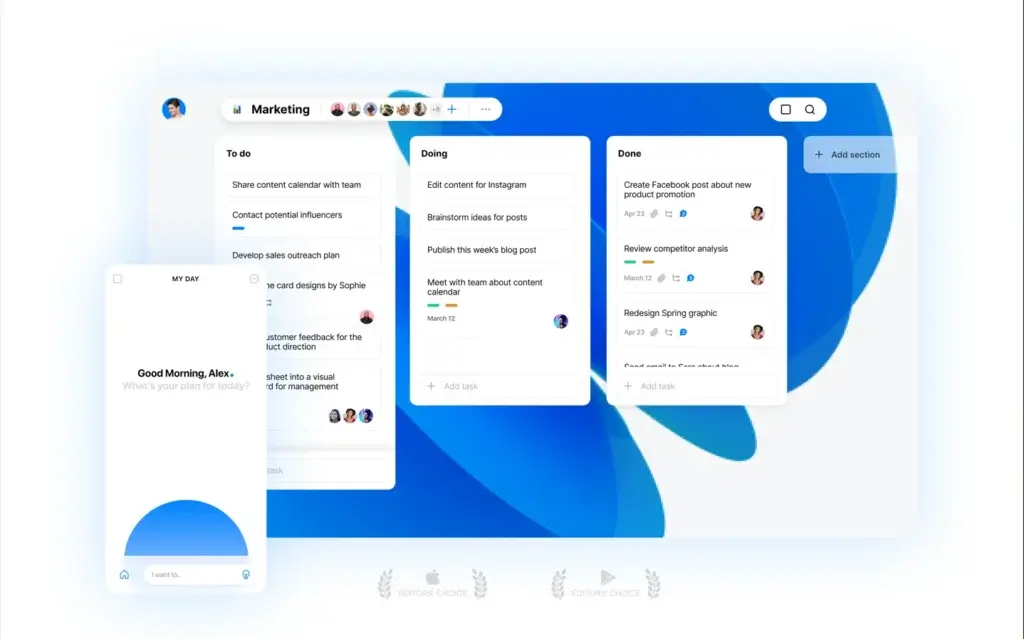
✅ Task and Calendar Mix – Brings tasks, lists, and calendar planning together smoothly.
✅ Reminder Flexibility – Strong support for recurring, time-based, and location reminders.
✅ Good Everyday Fit – Works well for personal organization and light shared use.
Why Choose Any.do?
Any.do stands out if you want your to-do list and calendar to feel closely connected. The platform is built around everyday planning, with features like reminders, a daily planner, calendar views, and simple collaboration for families or small teams.
It feels more lifestyle-oriented than some of the other tools in this roundup, which can be a positive if your goal is staying organized across work and personal life. The interface is approachable, and the product has expanded with AI features, templates, and a broader set of team views.
Its limitation is depth. Any.do is polished and practical, but it is still better for everyday task management than for complex project tracking, advanced reporting, or heavier team operations.
Pros and Cons ⚖️
Positive
✅ Strong reminder options
✅ Clean calendar integration
✅ Easy daily planning
✅ Good family use
Negatives
❌ Limited advanced workflows
❌ Less robust reporting
❌ Premium features cost more
Motion

Top Traits
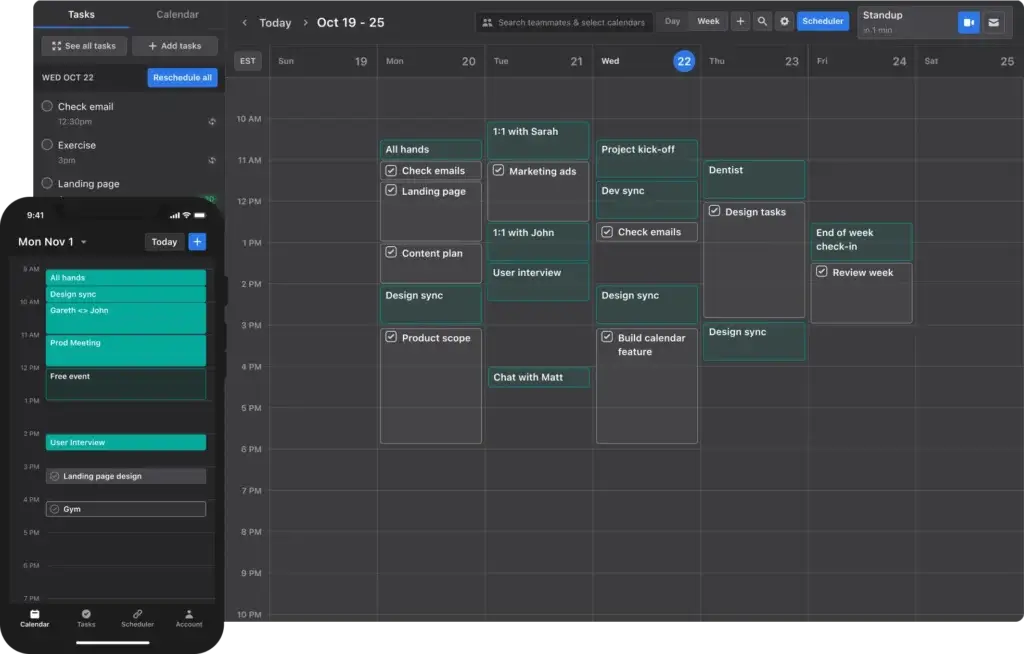
✅ AI Scheduling – Automatically rearranges work based on deadlines and availability.
✅ Strong Time Blocking – Helps turn tasks into an actual schedule, not just a list.
✅ Focused Workflow – Best for busy professionals who want less planning overhead.
Why Choose Motion?
Motion is different from most tools in this category because its value is not just task tracking, but automatic planning. Instead of simply collecting tasks, it uses AI to build your day around deadlines, meetings, and priorities, which makes it especially useful for users who struggle with planning and follow-through.
It is a strong fit for solo professionals and small teams that want more than a traditional checklist. Motion combines tasks, projects, meetings, notes, and AI planning into one workspace, which can reduce tool switching and help turn intentions into a workable schedule.
The tradeoff is price and flexibility. Motion is more expensive than classic to-do list apps, and users who prefer full manual control may find its AI-led approach less appealing than simpler tools like Todoist or TickTick.
Pros and Cons ⚖️
Positive
✅ Strong AI scheduling
✅ Great for time blocking
✅ Reduces planning friction
✅ Good for busy professionals
Negatives
❌ Expensive for individuals
❌ Less manual flexibility
❌ Overkill for simple lists
Omnifocus
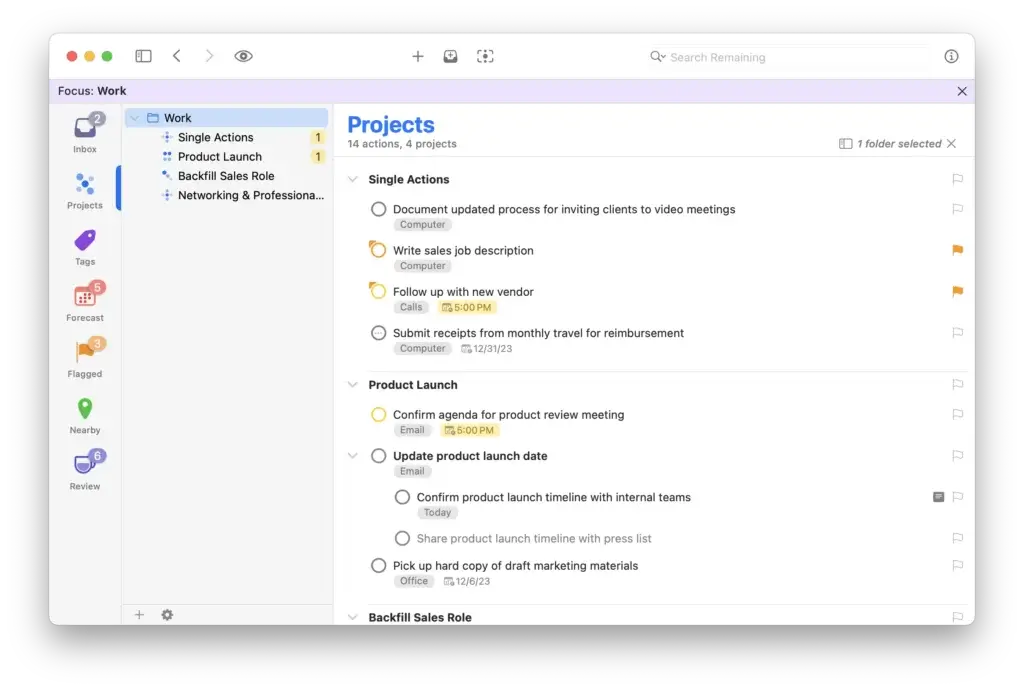
Top Traits
✅ Powerful Organization – Built for users who want detailed control over tasks and projects.
✅ Great GTD Fit – Especially strong for Getting Things Done style workflows.
✅ Apple-First Experience – Optimized for Mac, iPhone, iPad, Apple Watch, and the web.
Why Choose OmniFocus?
OmniFocus is one of the most powerful task managers in this category, but it is not built for everyone. It is best for users who want a serious productivity system, especially on Apple devices, with advanced tools like Forecast, Review, perspectives, tags, and deeper project structure.
Its strength is control. If simpler tools feel too limiting, OmniFocus gives you much more room to build a method around how you think and work. That makes it especially appealing to power users, consultants, and professionals who manage a high volume of commitments.
The downside is accessibility. OmniFocus has a steeper learning curve than most to-do list apps, and its Apple-first approach makes it a much weaker fit for users who need broader cross-platform support or simpler collaboration.
Pros and Cons ⚖️
Positive
✅ Advanced organization tools
✅ Great Forecast view
✅ Strong GTD support
✅ Excellent Apple integration
Negatives
❌ Apple-first ecosystem
❌ Steeper learning curve
❌ Limited team collaboration
Trello

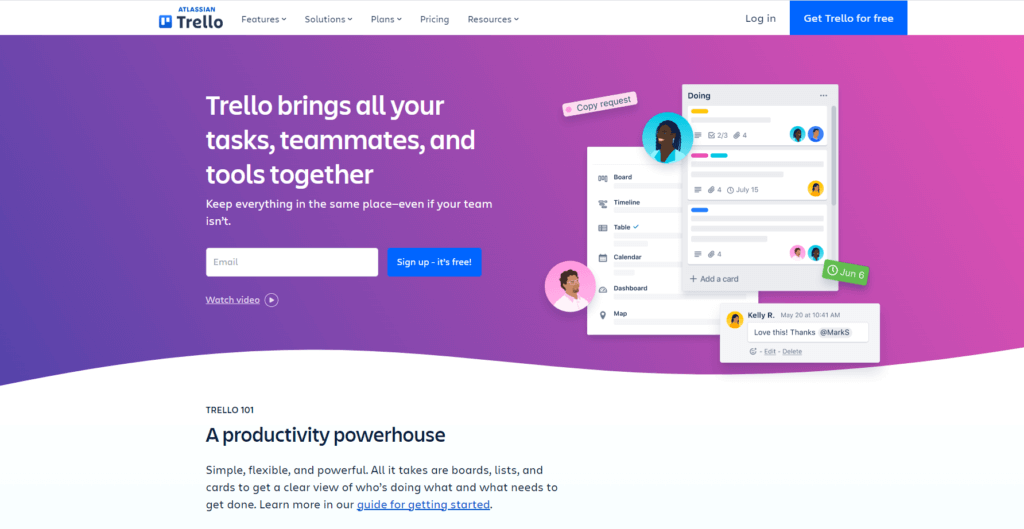
Top Traits
✅ Visual Simplicity – Kanban boards make task tracking easy to understand at a glance.
✅ Built-In Automation – Native automation helps reduce repetitive manual work.
✅ Flexible Setup – Works well for personal use, planning, and lightweight team workflows.
Why Choose Trello?
Trello remains one of the easiest tools to recommend for visual task management. Its board-and-card structure is simple to understand, fast to adopt, and flexible enough for personal planning, content workflows, and small-team coordination.
What keeps Trello relevant is its balance of simplicity and useful extensions. You get native automation, integrations, card mirroring, and more advanced views on higher plans, which gives it more depth than a basic Kanban board without turning it into a heavyweight platform.
The main limitation is structure at scale. Trello is excellent for visual task management, but teams with more complex dependencies, reporting needs, or portfolio-style planning will usually outgrow it faster than they would tools like ClickUp or monday.com.
Pros and Cons ⚖️
Positive
✅ Easy Kanban boards
✅ Strong built-in automation
✅ Helpful integrations
✅ Fast team adoption
Negatives
❌ Limited advanced reporting
❌ Weaker complex planning
❌ Can outgrow quickly
How We Evaluated the Best To-Do List Apps
Choosing the best to-do list app is not just about finding the tool with the most features. The right choice depends on how well a platform helps you capture tasks, stay organized, collaborate when needed, and keep work moving without adding unnecessary complexity.
To evaluate the tools in this guide, I looked at the factors that matter most for real-world use, both for individuals and for teams. That includes ease of use, task management depth, collaboration, automation, integrations, mobile experience, pricing, and overall value. This approach matters because the tools in this category are no longer all built for the same purpose. Some are lightweight personal apps, while others now position themselves as broader work management platforms with dashboards, docs, AI features, and advanced workflow tools. Official product pages clearly reflect that shift for tools like monday.com, ClickUp, Miro, Connecteam, and Smartsheet.
What I focused on when scoring each tool
Ease of use
A to-do list app should help you organize work quickly, not slow you down. I gave higher scores to platforms with clean navigation, fast task capture, and lower onboarding friction.
Task management features
I looked at the practical depth of each platform, including recurring tasks, reminders, subtasks, multiple views, dependencies, and the ability to structure work in a way that fits different workflows.
Collaboration and team support
For team-focused tools, I considered shared workspaces, task assignment, comments, visibility, workload tracking, and how well the platform supports cross-functional work.
Automation and AI
This category is becoming more important. monday.com, ClickUp, Miro, Smartsheet, and Motion all now emphasize automation or AI as part of their value proposition, although they apply it in different ways.
Integrations
A good to-do list app should fit into your existing workflow. I looked at how well each platform connects with calendars, communication tools, file storage, and business apps.
Mobile usability
Many users manage tasks on the go, so mobile quality matters. This is especially important for tools like Connecteam, which is built around frontline and deskless teams, and for personal apps that are used across devices throughout the day.
Pricing and value for money
I reviewed current pricing structures and considered whether the feature set justifies the cost. That matters more than ever, because several tools have expanded their capabilities and adjusted pricing in recent updates. Todoist, for example, explicitly says its pricing changes followed investments in features like board layout, calendar layout, team workspaces, and project insights.
Why this matters
This evaluation method helps separate tools that are genuinely strong for personal task management from those that are better suited to team coordination, operations, or structured project work. That distinction is important because many “best to-do list app” articles still mix these categories together, even though the user needs behind them can be very different.
How to Choose the Right To-Do List App
The best to-do list app depends less on popularity and more on fit. A platform can be excellent on paper and still be the wrong choice if it does not match how you work.
The easiest way to choose is to start with your use case.
Choose a team-focused tool if you need structure and visibility
If you manage work across multiple people, you will usually need more than a basic list. Team-focused platforms are stronger when you need shared workspaces, automation, progress tracking, dashboards, and more advanced workflow control.
This is where tools like monday.com, ClickUp, Miro, Smartsheet, and Connecteam stand out. Each of them is positioned as more than a simple task manager. monday.com emphasizes customizable workflows, dashboards, docs, and automations. ClickUp combines tasks, docs, chat, and whiteboards. Smartsheet focuses on structured work management, automation, and reporting. Connecteam is designed for scheduling, communication, and operations for deskless teams.
Choose this category if you need:
- task assignment across teams
- reporting and visibility
- approvals or workflow automation
- operational planning
- stronger collaboration features
Choose a personal productivity app if you want speed and simplicity
If your main goal is capturing tasks quickly, organizing your day, and staying consistent, a simpler app is often the better option.
This is where tools like Todoist, TickTick, and Any.do make more sense. These tools are built around everyday usability. Todoist focuses on task clarity, recurring tasks, calendar layout, and shared team spaces. TickTick adds habits, focus tools, and calendar-based planning. Any.do blends task management with reminders and daily planning.
Choose this category if you care most about:
- fast task capture
- low friction
- recurring tasks and reminders
- calendar-based day planning
- a cleaner interface
Choose a specialized tool if your workflow is more specific
Some tools stand out not because they try to do everything, but because they solve a more specific problem.
For example:
- Motion is strongest if you want AI to build your schedule around tasks and meetings.
- OmniFocus is best for Apple users who want deep organization and a more advanced productivity system.
- Miro is strongest when visual thinking, workshops, brainstorming, and early-stage planning are central to the way your team works.
Think beyond features
Before you commit, ask yourself:
- Do you need a personal tool or a team platform?
- Do you need simple task tracking or full workflow management?
- Will your team actually use a more advanced system consistently?
- Does the pricing still make sense once you outgrow the free plan?
That last point matters because current pricing varies widely. monday.com Work Management starts at $8 or €9 per seat monthly depending on region and billing display, ClickUp paid plans start at $7 per user monthly billed annually, Miro Starter begins at $8 per member monthly billed annually, Connecteam starts at $29 per month for up to 30 users, and Smartsheet offers both a Free plan and paid tiers for broader work management.
To-Do List Apps vs Work Management Software
This is one of the most important distinctions in the article.
Not every tool on this list is a classic to-do list app. Some are true personal task managers. Others are broader work management platforms that include task tracking as only one part of the product.
That difference matters because it changes what you are actually buying.
When a to-do list app is enough
A classic to-do list app is usually enough if your main goal is to:
- capture tasks quickly
- organize daily priorities
- set reminders
- manage recurring work
- coordinate lightly with another person or a small team
For this kind of use case, simplicity is usually a strength. Tools like Todoist and TickTick focus on helping you stay organized without burying you in dashboards, layers, and workflow setup. That is exactly why they continue to perform well in this category.
When you need work management software instead
A broader work management platform makes more sense when you need:
- shared project visibility
- multiple teams working together
- dashboards and reporting
- automations and approvals
- structured planning across departments
- client delivery or operations workflows
This is where tools like monday.com, ClickUp, Smartsheet, and Connecteam move ahead. Their product pages position them around team coordination, automation, reporting, AI-assisted work, and broader business operations rather than just list-based task management.
Why your choice matters
If you choose a platform that is too simple, your team may outgrow it quickly.
If you choose a platform that is too complex, adoption can suffer because users feel like the tool adds more work than it saves.
That is why the best choice usually comes down to the level of structure you actually need. A freelancer, consultant, or solo professional may do better with Todoist, TickTick, or Motion. A growing team may get more value from monday.com or ClickUp. A deskless workforce may need Connecteam. A process-heavy team that already works comfortably in grids and reporting layers may prefer Smartsheet.
Final Thoughts
The best to-do list app is not the one with the longest feature list. It is the one that fits the way you actually work.
If you need a platform for team coordination, automation, and visibility, tools like monday.com and ClickUp are the strongest all-around options in this guide. Both have expanded far beyond basic task management and now support broader work planning, collaboration, and AI-enhanced workflows.
If you want a cleaner experience for personal productivity, Todoist and TickTick remain two of the best places to start. They are easier to adopt, quicker to use day to day, and better suited to individuals who want clarity without a lot of setup.
If your workflow is more specific, specialized tools may be the better answer. Motion is stronger for AI scheduling, Miro is stronger for visual planning, and Connecteam is stronger for deskless operations and mobile teams.
The main thing is to match the tool to the job. If you start there, it becomes much easier to choose the platform that will actually improve your workflow instead of complicating it.
FAQs
What is the best to-do list app overall?
The best overall option depends on your use case. For teams and work management, monday.com and ClickUp are among the strongest choices because they combine task tracking with collaboration, automation, and reporting. For personal productivity, Todoist and TickTick are usually better fits because they are faster to use and less complex.
What is the best free to-do list app?
Todoist, TickTick, Trello, and Microsoft To Do are strong free options, but the best choice depends on how you work. If you want a classic task manager, Todoist is one of the safest places to start. If you prefer visual boards, Trello may be a better fit.
What is the best to-do list app for teams?
For teams, the best choice is usually a broader work management platform rather than a simple to-do list app. monday.com, ClickUp, and Asana are strong options if you need shared visibility, automations, multiple project views, and more structured collaboration.
What is the difference between a to-do list app and work management software?
A to-do list app is usually designed for simple task capture, reminders, and personal organization. Work management software goes further by adding shared workspaces, automations, reporting, dashboards, and workflow structure for teams and business operations.
Are to-do list apps worth it for small businesses?
Yes, as long as the tool matches the business need. A small business with simple workflows may do well with a lightweight app, while a growing team often benefits more from a work management platform that supports collaboration, visibility, and process structure.
Which to-do list app is best for personal productivity?
Todoist and TickTick are two of the best options for personal productivity. Both make it easy to capture tasks, manage recurring work, and stay organized without the overhead of a larger project management platform.
What is the best to-do list app for Apple users?
OmniFocus is one of the best options for Apple users who want deeper task organization and a more advanced productivity system. Apple Reminders is also a strong built-in choice if you want something simpler and tightly integrated into the Apple ecosystem.
Which to-do list app has the best calendar features?
Motion is one of the strongest options if you want AI-driven scheduling and automatic time blocking. Todoist, TickTick, and Any.do are also strong picks if calendar-based planning is important to your workflow.
What is the best AI to-do list app?
Motion is one of the strongest AI-focused options in this category because it actively builds and adjusts your schedule around meetings, deadlines, and task priorities. Other platforms use AI more broadly for work management rather than personal scheduling.
Can a to-do list app replace project management software?
Sometimes, but not always. A to-do list app can replace project management software for individuals or very small teams with simple workflows. Once you need cross-team visibility, reporting, automations, or more complex planning, dedicated work management software is usually the better choice.