Introduction: ITSM vs ITOM in Modern IT Operations
As IT environments become more distributed, cloud-based, and automation-driven, IT teams need more than a help desk or monitoring tool. They need a clear way to manage both the services users depend on and the infrastructure that keeps those services running.
This is where the ITSM vs ITOM discussion becomes important.
IT Service Management (ITSM) focuses on how IT services are delivered, supported, and improved. It covers areas such as incident management, service requests, change management, knowledge management, and user support.
IT Operations Management (ITOM) focuses on the systems behind those services. It covers infrastructure monitoring, event management, alert correlation, endpoint operations, cloud visibility, automation, and service health.
The two disciplines are closely connected, but they are not the same. ITSM helps IT teams manage the service experience. ITOM helps IT teams understand and control the technical environment that supports that experience.
This guide explains the key differences between ITSM and ITOM, how they work together, where they overlap, and how tools like NinjaOne, Freshservice, and BMC Helix fit into the picture.
ITSM vs ITOM: Quick Answer
ITSM manages IT services. It gives IT teams structured processes for handling user requests, incidents, service changes, approvals, assets, and support workflows.
ITOM manages IT operations. It gives IT teams visibility into infrastructure, endpoints, applications, networks, cloud resources, events, alerts, and performance issues.
In simple terms, ITSM asks: How do we deliver and support IT services better?
ITOM asks: How do we keep the underlying technology stable, visible, secure, and available?
The strongest IT teams do not treat ITSM vs ITOM as an either-or decision. They connect both disciplines so operational signals can trigger service workflows, and service data can help operations teams prioritize the systems that matter most.
| Category | ITSM | ITOM |
| Primary Focus | IT service delivery and user support | Infrastructure, operations, monitoring, and automation |
| Main Goal | Improve service quality and user experience | Improve uptime, reliability, and operational visibility |
| Common Workflows | Incidents, requests, changes, problems, knowledge | Alerts, events, monitoring, patching, discovery, remediation |
| Typical Users | Service desk, IT support, IT service managers | IT operations, infrastructure, network, endpoint, and SRE teams |
| Best Used For | Managing requests, support, SLAs, and service processes | Detecting issues, reducing downtime, and automating operations |
What Is ITSM?
IT Service Management Definition
ITSM, or IT Service Management, is the practice of designing, delivering, managing, and improving IT services for users and the business.
Instead of treating IT as a collection of isolated technical tasks, ITSM organizes IT work around services. These services may include employee onboarding, device support, software access, application support, cybersecurity requests, cloud services, and business application availability.
The purpose of ITSM is to help IT teams deliver consistent, reliable, and measurable services. It gives structure to how issues are reported, prioritized, assigned, resolved, documented, and improved over time.
Many ITSM programs are influenced by ITIL, which provides best practices for service management. However, ITSM is broader than ITIL. ITIL is a framework, while ITSM is the overall practice of managing IT services.
Core ITSM Processes
ITSM usually includes a set of structured processes that help IT teams manage service demand and service quality.
1. Service Desk and Ticketing
The service desk is the main contact point between users and IT. It receives incidents, service requests, access requests, questions, and internal support needs.
For example, Freshservice can help IT teams route tickets, automate request handling, create service catalog items, and provide a self-service portal. This makes it easier to manage user-facing service delivery without relying on scattered email threads.
2. Incident Management
Incident management focuses on restoring normal service as quickly as possible after something breaks or stops working as expected.
Examples include a laptop that cannot connect to VPN, an application outage, a printer failure, or a cloud service disruption. The goal is not always to find the deepest root cause immediately. The first goal is to restore service with minimal disruption.
3. Problem Management
Problem management looks beyond individual incidents. It helps IT teams identify recurring issues, root causes, known errors, and long-term fixes.
If the same application outage happens every week, incident management restores service each time. Problem management investigates why it keeps happening and how to prevent it.
4. Change Enablement and Release Management
Change enablement helps IT teams assess, approve, schedule, and review changes to IT systems. This can include software updates, infrastructure changes, security patches, access policy changes, and application releases.
This process is important because poorly managed changes are a common source of outages. A strong ITSM process helps teams reduce risk without slowing every change unnecessarily.
5. IT Asset and Configuration Management
ITSM also depends on accurate information about hardware, software, services, users, and configuration items. This information supports incident resolution, change impact analysis, compliance, and cost control.
Tools such as NinjaOne can help IT teams track endpoints and device status, while ITSM platforms such as Freshservice and BMC Helix can connect asset data with service workflows.
Benefits of ITSM
- Improves service consistency by standardizing IT workflows.
- Reduces resolution time with structured ticket handling and escalation.
- Improves user experience through self-service and better communication.
- Supports compliance with documented approvals, changes, and audit trails.
- Improves IT reporting by tracking SLAs, incidents, requests, and service trends.
What Is ITOM?
IT Operations Management Definition
ITOM, or IT Operations Management, is the practice of managing the technology environment that supports IT services. It focuses on the performance, availability, health, and automation of infrastructure and operational systems.
ITOM covers areas such as servers, networks, endpoints, databases, cloud services, applications, event data, monitoring tools, and operational automation.
While ITSM is often centered around user-facing service workflows, ITOM is centered around the technical signals and systems that determine whether those services are stable.
If ITSM is the process layer of IT service delivery, ITOM is the operational visibility layer behind it.
Core ITOM Functions
1. Monitoring and Event Management
Monitoring helps IT teams observe services, applications, infrastructure, and service components. Event management helps teams identify important changes in state, such as system failures, threshold breaches, performance degradation, or unusual activity.
This is one of the clearest links between ITOM and ITSM. A monitoring event may create or update an incident in the ITSM platform when action is required.
2. Alert Correlation and Noise Reduction
Modern IT environments generate large volumes of alerts. Without correlation, teams may receive hundreds of alerts for one underlying issue.
ITOM tools help reduce noise by grouping related alerts, identifying patterns, and prioritizing issues based on service impact. This allows operations teams to focus on the problem that matters instead of chasing duplicate alerts.
3. Infrastructure and Endpoint Management
ITOM includes managing the health and performance of servers, workstations, mobile devices, networks, and cloud resources.
NinjaOne is a strong example of endpoint-centered IT operations. It focuses on remote monitoring, endpoint visibility, patching, automation, and remediation across distributed environments.
4. Discovery and Service Mapping
Discovery helps IT teams identify infrastructure components and configuration items across the environment. Service mapping shows how those components support business services.
This matters because a server issue is not just a server issue. It may affect a customer portal, internal finance system, identity service, or production application. ITOM helps teams understand that relationship.
5. Automation and Remediation
ITOM automation helps IT teams respond faster to operational problems. This can include restarting a failed service, applying patches, clearing disk space, isolating an endpoint, or escalating an alert based on severity.
Automation is especially valuable when teams want to reduce manual workload and improve response time for common operational issues.
Benefits of ITOM
- Improves uptime by detecting infrastructure issues earlier.
- Reduces alert fatigue through event correlation and prioritization.
- Improves root cause analysis by connecting events, assets, and dependencies.
- Strengthens security operations through patching and endpoint visibility.
- Reduces manual work with automated remediation and operational workflows.

ITSM vs ITOM: Key Differences at a Glance
ITSM and ITOM are often discussed together because they both support IT reliability. However, they approach IT from different angles.
ITSM starts with the service. It looks at what users need, how requests are handled, how incidents are resolved, how changes are approved, and how service quality is measured.
ITOM starts with the operational environment. It looks at whether systems are healthy, whether alerts indicate risk, whether infrastructure is available, and whether automation can prevent or resolve disruption.
When considering ITSM vs ITOM, businesses should evaluate their specific IT needs. Some teams need stronger service workflows. Others need better monitoring, endpoint control, and operational visibility. Most mature IT organizations eventually need both.
| Feature | ITSM | ITOM |
| Primary Focus | Service delivery and user support | Infrastructure operations and service health |
| Business Goal | Improve IT service quality and user satisfaction | Improve uptime, performance, and resilience |
| Common Triggers | User request, ticket, incident, approval, SLA | Alert, event, performance issue, outage, threshold breach |
| Key Processes | Incident, request, change, problem, knowledge | Monitoring, event management, patching, discovery, automation |
| Primary Data | Tickets, users, services, SLAs, knowledge articles | Metrics, logs, events, alerts, endpoints, dependencies |
| Main Teams | Service desk, IT support, IT service managers | Infrastructure, NOC, endpoint, cloud, network, SRE teams |
| Tool Examples | Freshservice, BMC Helix ITSM, Jira Service Management | NinjaOne, BMC Helix Operations Management, Datadog, SolarWinds |
Key Takeaways from the Comparison
- ITSM manages the service lifecycle, from requests to incidents and changes.
- ITOM manages the operational environment, from monitoring to remediation.
- ITSM is not only reactive, because problem management and change enablement can prevent future issues.
- ITOM is not only technical monitoring, because service mapping and automation directly affect business continuity.
- The best results come from integration, where ITOM signals feed ITSM workflows.
How ITSM and ITOM Work Together
ITSM and ITOM work best when they share context. ITOM can detect issues before users report them. ITSM can turn those issues into structured workflows with owners, priorities, communication, SLAs, and post-incident reviews.
Without ITOM, the service desk may only learn about problems after users complain. Without ITSM, operations teams may detect technical issues but struggle to manage communication, escalation, ownership, and service accountability.
An integrated approach helps IT teams move from fragmented troubleshooting to coordinated service operations.
1. Alert to Incident Workflow
A monitoring tool detects high CPU usage on a production server. ITOM correlates the alert with related events and identifies the affected service.
The system then creates an incident in the ITSM platform, assigns it to the correct group, adds priority based on service impact, and notifies stakeholders.
This creates a clear workflow from technical signal to service response.
2. Patch Management and Change Control
NinjaOne identifies endpoints missing critical patches. The operations team reviews the patch status, affected devices, and risk level.
If the patch affects a sensitive system, an ITSM workflow can create a standard or normal change request. The change can include approvals, scheduling, rollback details, and communication to affected users.
This connects endpoint operations with service governance.
3. Major Incident Response
During a major outage, ITOM helps identify which systems, services, and dependencies are affected. ITSM helps coordinate the response.
The ITSM process can manage incident ownership, stakeholder updates, SLA tracking, escalation, and post-incident review. ITOM supports the technical investigation with monitoring data, alerts, events, and infrastructure context.
Together, they help teams reduce downtime and improve future resilience.
4. Problem Management and Root Cause Analysis
Repeated incidents are often symptoms of a deeper operational issue. ITSM problem management helps organize the investigation, while ITOM provides the technical evidence.
For example, if users keep reporting slow application performance, ITSM shows the ticket pattern and user impact. ITOM may reveal database latency, network congestion, memory pressure, or a recurring infrastructure event.
This helps teams move from temporary fixes to permanent improvement.
Why Integration Matters
- Faster resolution because alerts can automatically create actionable incidents.
- Better prioritization because service impact is visible.
- Less alert noise because events are correlated before they reach support teams.
- Stronger change control because operational risk is connected to approval workflows.
- Better reporting because teams can connect incidents, changes, assets, and service health.

ITSM, ITOM, ITAM, and CMDB: Where They Overlap
ITSM and ITOM often overlap with IT Asset Management (ITAM) and the Configuration Management Database (CMDB). This overlap is important because modern IT teams need a shared view of services, assets, dependencies, and operational risk.
How ITSM Uses CMDB Data
In ITSM, the CMDB helps support teams understand which assets and configuration items are connected to a service. This improves incident resolution, change impact analysis, and problem investigation.
For example, if a payroll application is down, the CMDB can show the related servers, databases, integrations, owners, and dependent services.
How ITOM Uses CMDB Data
In ITOM, the CMDB helps operations teams connect alerts and events to real business services. Instead of seeing a server alert in isolation, IT teams can understand what service is affected and how serious the issue is.
This is especially useful for event correlation, service mapping, root cause analysis, and impact assessment.
How ITAM Fits In
ITAM focuses on asset lifecycle, ownership, cost, licensing, contracts, and compliance. It answers questions such as what assets the organization owns, where they are, who uses them, and whether they are compliant.
ITAM supports both ITSM and ITOM. ITSM uses asset data for support and service workflows. ITOM uses asset and endpoint data for monitoring, patching, and operational control.
| Discipline | Main Purpose | Example Use |
| ITSM | Manage IT services and support workflows | Resolve incidents, approve changes, manage service requests |
| ITOM | Manage infrastructure and operations | Monitor systems, correlate alerts, automate remediation |
| ITAM | Manage asset lifecycle, cost, and compliance | Track devices, software licenses, contracts, and ownership |
| CMDB | Map configuration items and service relationships | Show dependencies between services, assets, and infrastructure |
If you want to explore this topic further, read our full guide on what a CMDB is and how it supports ITSM.
How AI and Automation Are Changing ITSM and ITOM
AI and automation are making the line between ITSM and ITOM more connected. Instead of waiting for users to report issues, IT teams can now use operational signals, AI insights, and automated workflows to detect, prioritize, and resolve issues faster.
AI in ITSM
In ITSM, AI is commonly used to improve ticket handling and user support. It can help classify tickets, suggest knowledge articles, route requests, summarize incidents, identify duplicate tickets, and support virtual agents.
This allows service desk teams to reduce manual triage and spend more time on higher-value work.
AI in ITOM
In ITOM, AI is commonly used for event correlation, anomaly detection, root cause analysis, and automated remediation.
For example, an AIOps platform may detect that multiple alerts are connected to the same underlying issue. Instead of creating separate tickets for every alert, it can group them into one incident and help teams identify the likely root cause.
Where Automation Creates the Most Value
Automation is most valuable when it removes repetitive work without creating unnecessary risk.
- Low-risk automation can restart services, clear temporary files, or collect diagnostics.
- Medium-risk automation can deploy patches, update configurations, or isolate endpoints.
- High-risk automation should usually include approval workflows, change records, and rollback plans.
This is why ITSM and ITOM should work together. ITOM can automate the technical action, while ITSM can provide the governance, approval, and documentation layer.
ITSM and ITOM Tool Examples
The right tool depends on whether your biggest challenge is service management, infrastructure operations, endpoint control, enterprise workflow automation, or a mix of all of these.
Below are practical examples of how NinjaOne, Freshservice, and BMC Helix support ITSM and ITOM use cases.
| Feature | NinjaOne | Freshservice | BMC Helix |
| Best Fit | Endpoint-centered IT operations and MSPs | Modern ITSM with ITOM capabilities | Enterprise ITSM, ITOM, and AIOps |
| ITSM Strength | Ticketing, documentation, asset visibility | Incident, request, change, asset, and service catalog | Enterprise ITSM processes and workflow depth |
| ITOM Strength | RMM, endpoint monitoring, patching, remediation | Alert management, service health, CMDB, automation | AIOps, event management, monitoring, root cause analysis |
| Automation Style | Endpoint scripts, policies, patch automation | Workflow automation and AI-assisted service operations | Enterprise automation, event correlation, AI-driven operations |
| Best For | MSPs, SMBs, distributed endpoint environments | Growing IT teams and mid-market organizations | Large enterprises with complex IT environments |
Which Solution Is Right for Your Business?
- If you need endpoint visibility, remote monitoring, patching, and automation, NinjaOne is a strong choice.
- If you need ITIL-aligned ITSM with accessible ITOM features, Freshservice is a strong fit.
- If you need enterprise-scale ITSM, ITOM, AIOps, and service operations, BMC Helix is built for that level of complexity.
NinjaOne
Overview
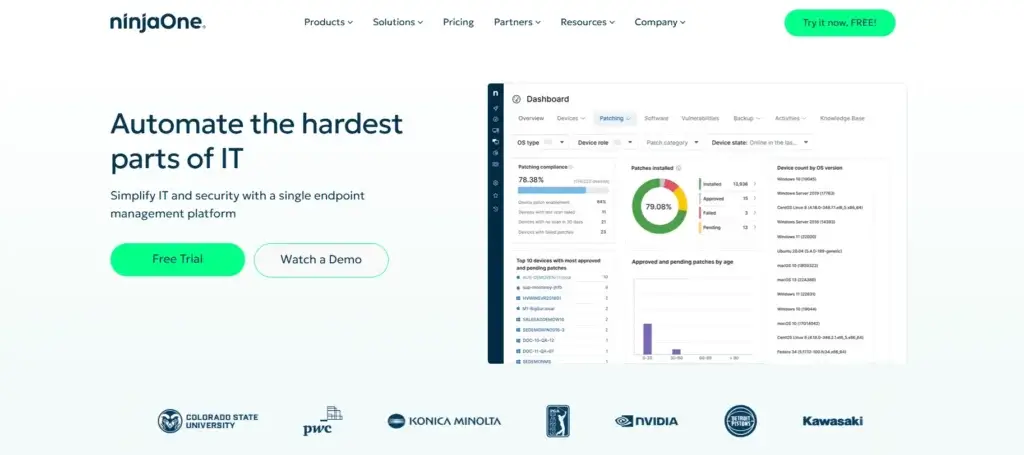
NinjaOne is best understood as an endpoint and operations-first platform. It is especially relevant for IT teams and managed service providers that need remote monitoring, patch management, endpoint visibility, automation, backup, and ticketing in one system.
In the ITSM vs ITOM discussion, NinjaOne leans more heavily toward ITOM. Its main value is helping teams monitor, manage, patch, and secure endpoints. However, its ticketing and documentation features also support service desk workflows.
ITSM Capabilities
- Ticketing helps technicians track issues and service requests.
- Documentation supports internal knowledge and operational consistency.
- Asset visibility helps support teams understand device context.
ITOM Capabilities
- Remote monitoring and management helps teams track endpoint health.
- Patch management helps automate updates across supported devices.
- Automation and scripting reduce repetitive technician work.
- Remote access supports faster troubleshooting for distributed teams.
Best For
- MSPs managing multiple client environments.
- Internal IT teams with many remote or hybrid endpoints.
- Organizations that need strong ITOM capabilities without enterprise complexity.
Limitations
- Not as deep as dedicated enterprise ITSM platforms for complex ITIL workflows.
- Best suited for endpoint operations rather than broad enterprise service management.
Freshservice

Overview
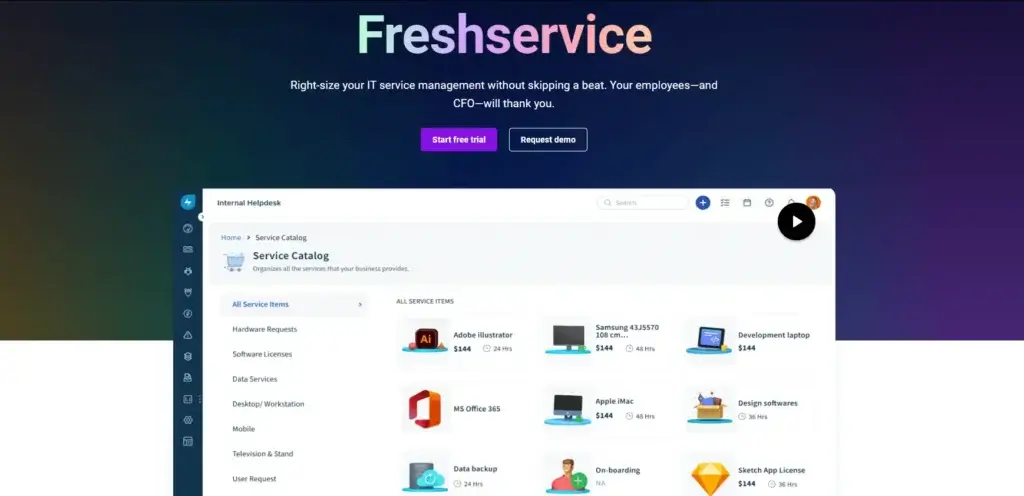
Freshservice is a cloud-based ITSM platform that also includes ITOM capabilities. It is a strong fit for IT teams that want structured service management, but also need alert management, service health, asset visibility, CMDB, and workflow automation.
In the ITSM vs ITOM conversation, Freshservice sits near the middle. It is primarily an ITSM platform, but it gives teams enough ITOM functionality to connect infrastructure alerts with service desk workflows.
ITSM Capabilities
- Incident management helps teams resolve service interruptions faster.
- Service catalog makes it easier for users to request approved services.
- Change management supports approvals, risk control, and implementation planning.
- Knowledge management helps users and agents resolve common issues.
ITOM Capabilities
- Alert management helps consolidate infrastructure alerts.
- Service health helps teams understand service impact.
- CMDB connects assets, services, and dependencies.
- Workflow automation reduces manual routing and escalation work.
Best For
- Growing IT teams that need modern ITSM without heavy enterprise complexity.
- Organizations that want to connect service desk workflows with operational alerts.
- Teams that need ITSM, ITAM, CMDB, and ITOM capabilities in one platform.
Limitations
- Not as deep as enterprise AIOps platforms for large-scale operations.
- May not replace specialized infrastructure monitoring tools in complex environments.
BMC Helix
Overview
BMC Helix is an enterprise-grade platform for ITSM, ITOM, and AIOps. It is built for organizations with complex infrastructure, high service availability needs, and mature operational processes.
Compared with NinjaOne and Freshservice, BMC Helix is generally better suited to large enterprises that need advanced monitoring, event management, AI-driven operations, service management, and automation across multiple teams and systems.
ITSM Capabilities
- Incident and problem management support structured service restoration and root cause analysis.
- Change management helps enterprise teams manage risk and approvals.
- Service request management supports internal users across business functions.
- Enterprise workflow automation connects IT services with broader business processes.
ITOM Capabilities
- Event management helps reduce alert noise and prioritize action.
- AIOps supports anomaly detection, event correlation, and root cause isolation.
- Monitoring improves visibility across infrastructure and services.
- Automation helps reduce MTTR and improve service availability.
Best For
- Large enterprises with complex IT environments.
- Organizations that need combined ITSM, ITOM, and AIOps.
- Teams that require deeper workflow customization and operational intelligence.
Limitations
- May be too complex for smaller teams with basic ITSM needs.
- Implementation and administration can require more planning and expertise.
Other ITSM and ITOM Tools to Consider
NinjaOne, Freshservice, and BMC Helix are strong examples, but they are not the only options. Depending on your environment, you may also consider tools that specialize in observability, service desk workflows, network monitoring, or DevOps-connected service management.
- Datadog is a strong option for observability, infrastructure monitoring, logs, metrics, APM, and cloud environments.
- SolarWinds is commonly used for network and infrastructure monitoring, especially in traditional IT operations environments.
- Jira Service Management is useful when ITSM needs to connect closely with development and DevOps workflows.
- ManageEngine offers a broad IT management portfolio across service desk, endpoint management, monitoring, and IT operations.
The best choice depends on your maturity level. A small team may need simple endpoint visibility and ticketing. A mid-sized team may need ITSM and alert management in one platform. A large enterprise may need service mapping, AIOps, and highly governed workflows.
When Do You Need ITSM, ITOM, or Both?
You may not need to invest in every ITSM and ITOM capability at once. The right approach depends on your current pain points.
You Need ITSM If…
- Users submit requests through email, chat, or informal channels.
- Tickets are hard to prioritize, assign, or track.
- There is no clear process for incidents, changes, or approvals.
- Users do not have a self-service portal or knowledge base.
- You need better SLA reporting and service accountability.
You Need ITOM If…
- You discover issues only after users complain.
- Your monitoring tools create too many alerts.
- You lack visibility into endpoints, servers, cloud systems, or dependencies.
- Patching and remediation require too much manual work.
- You need stronger operational resilience and availability.
You Need Both If…
- Infrastructure issues regularly become user-facing incidents.
- Support and operations teams work in separate tools with limited context.
- You need to connect alerts, incidents, assets, changes, and services.
- Your organization depends on high service availability.
- You want to reduce downtime while improving service governance.
Best Practices for Connecting ITSM and ITOM
Connecting ITSM and ITOM is not only a software decision. It also requires process design, clean data, ownership, and operational discipline.
1. Start With Critical Services
Do not try to map every asset and every alert on day one. Start with your most important business services, such as customer-facing applications, identity systems, payment systems, collaboration tools, or production infrastructure.
2. Connect Alerts to Incidents Carefully
Not every alert should become a ticket. If every minor warning creates an incident, the service desk will be overwhelmed.
Use event correlation, thresholds, and service impact rules to decide which alerts should create incidents, which should trigger automation, and which should remain informational.
3. Keep the CMDB Practical
A CMDB should support better decisions, not become an administrative burden. Focus on configuration items and relationships that help with incident impact, change risk, and service health.
4. Define Clear Ownership
ITSM and ITOM often involve different teams. Define who owns service communication, who owns technical remediation, who approves changes, and who leads post-incident reviews.
5. Automate Common Remediation Steps
Start with low-risk automations such as collecting logs, restarting non-critical services, clearing disk space, or running diagnostic scripts.
For higher-risk actions, use ITSM approval workflows before automation executes the change.
6. Review Metrics Across Both Disciplines
Do not measure ITSM and ITOM in isolation. If monitoring detects problems faster but incident resolution does not improve, the integration still needs work.
Common ITSM and ITOM Metrics to Track
Metrics help you understand whether your ITSM and ITOM processes are actually improving service reliability and IT performance.
| Metric | More Relevant To | Why It Matters |
| MTTR | Both | Measures how quickly teams restore service after an issue |
| SLA Compliance | ITSM | Shows whether IT support meets agreed service targets |
| First Response Time | ITSM | Measures how quickly users receive support acknowledgment |
| Service Availability | ITOM | Measures uptime and reliability of systems and services |
| Alert Noise Reduction | ITOM | Shows whether event correlation is reducing duplicate alerts |
| Change Failure Rate | Both | Tracks how often changes cause incidents or disruption |
| Patch Compliance | ITOM | Measures whether endpoints and systems remain current and secure |
The most useful metrics are connected to business impact. For example, reducing alert volume is helpful, but reducing service disruption is more important.
Conclusion
Understanding ITSM vs ITOM is essential for building a reliable, scalable, and well-governed IT environment.
ITSM helps you manage the service experience. It gives structure to incidents, service requests, changes, approvals, knowledge, and user communication.
ITOM helps you manage the operational foundation. It gives visibility into infrastructure, endpoints, alerts, events, service health, automation, and performance.
A well-balanced IT strategy should not treat ITSM vs ITOM as a competition. The stronger approach is to connect both disciplines, so operational issues become structured service workflows and service data helps operations teams focus on what matters most.
If your biggest challenge is endpoint control, patching, and remote monitoring, NinjaOne is a strong option. If you want modern ITSM with built-in ITOM capabilities, Freshservice is a practical choice. If you need enterprise-scale ITSM, ITOM, and AIOps, BMC Helix is better suited for complex environments.
For a deeper foundation, read our complete ITSM guide, compare ITSM vs ITIL, or explore our guide to the best ITSM software.
FAQs
What is the difference between ITSM and ITOM?
ITSM focuses on managing IT services, users, tickets, changes, and support workflows. ITOM focuses on managing infrastructure, endpoints, monitoring, events, alerts, and operational automation. ITSM manages the service experience, while ITOM manages the technology environment behind it.
What is an example of ITOM?
An example of ITOM is a monitoring tool detecting high CPU usage on a production server, correlating related alerts, identifying the affected service, and triggering an incident workflow. Other examples include endpoint patching, network monitoring, cloud discovery, and automated remediation.
Is ITOM part of ITIL?
ITOM is not usually described as a separate ITIL module, but it supports several ITIL practices, including monitoring and event management, incident management, problem management, change enablement, and service configuration management.
Is CMDB under ITSM or ITOM?
A CMDB supports both ITSM and ITOM. ITSM uses CMDB data for incident resolution, change impact analysis, and service management. ITOM uses CMDB data to understand infrastructure dependencies, service health, alert impact, and root cause analysis.
What are ITOM tools?
ITOM tools help IT teams monitor, manage, and automate infrastructure and operations. Common ITOM tool categories include endpoint management, network monitoring, event management, AIOps, cloud monitoring, patch management, and service mapping tools.
How does ITOM improve ITSM efficiency?
ITOM improves ITSM efficiency by detecting operational issues earlier, reducing alert noise, adding infrastructure context to incidents, and automating common remediation steps. This helps service desk teams resolve incidents faster and prioritize work based on real service impact.
Can ITSM and ITOM be used separately?
Yes, ITSM and ITOM can be used separately, but they deliver more value when connected. ITSM can manage tickets and service requests without ITOM, and ITOM can monitor infrastructure without ITSM. However, integration improves visibility, response time, and operational coordination.
How do AI and automation impact ITSM and ITOM?
AI and automation help ITSM teams classify tickets, route requests, suggest knowledge articles, and support virtual agents. In ITOM, they help with anomaly detection, event correlation, root cause analysis, and automated remediation.
Is ITOM only for large enterprises?
No. ITOM is useful for any organization that needs better infrastructure visibility, endpoint control, monitoring, patching, or automation. Smaller teams may use lightweight ITOM tools, while large enterprises may need advanced AIOps, service mapping, and event management.
Which is more important, ITSM or ITOM?
Neither is universally more important. ITSM is more important when your main challenge is service delivery, support, tickets, and process control. ITOM is more important when your main challenge is uptime, monitoring, endpoints, alerts, and infrastructure stability. Most mature IT teams need both.