
Introduction
If you manage IT services without a clear structure, even simple issues can become expensive business disruptions. Tickets get lost, changes create new incidents, assets become hard to track, and users start seeing IT as a bottleneck instead of a service partner.
What is ITSM? IT Service Management is the structured practice of designing, delivering, managing, and improving IT services so they support business goals and user needs. It gives your IT team a reliable operating model for handling incidents, requests, changes, assets, knowledge, and service performance.
Instead of treating IT as a reactive help desk, ITSM helps you build a proactive service function. You gain clearer workflows, measurable service levels, better visibility into IT operations, and stronger control over risk.
As cloud services, remote work, cybersecurity risk, and AI-driven automation become part of everyday IT operations, ITSM gives your organization the foundation to scale support without losing governance, security, or service quality.
What is ITSM?
ITSM, or IT Service Management, refers to the processes, frameworks, policies, and tools your organization uses to manage IT services from request to resolution and continuous improvement.
In simple terms, ITSM is how your IT team turns technology into a dependable service. It covers how users request support, how incidents are resolved, how changes are approved, how assets are tracked, and how service quality is measured.
This is different from traditional IT support. A basic support model focuses mainly on fixing technical issues after they happen. ITSM goes further by creating repeatable workflows, service ownership, accountability, automation, and long-term improvement.
For example, when an employee cannot access a business application, ITSM is the system that helps your team log the ticket, classify the issue, apply the right SLA, check related assets or known errors, route the work to the right team, resolve the issue, and document the outcome for future use.
ITSM Meaning and IT Service Management Definition
The best way to define ITSM is this: ITSM is a service-focused approach to managing IT so technology supports business outcomes, not just technical tasks.
That means your IT team is responsible for more than devices, networks, and applications. It is responsible for the quality, reliability, availability, and experience of the services people depend on every day.
A mature ITSM approach helps you answer key questions:
- How should users request IT help or services?
- Who owns each type of request or incident?
- How quickly should different issues be resolved?
- Which changes need approval before deployment?
- What assets, systems, and dependencies support each service?
- How do you measure whether IT is improving?
How ITSM Fits into IT Operations
ITSM sits between your users, your IT teams, your technology stack, and your business objectives. It creates the service layer that connects technical work to business value.
When implemented well, ITSM improves IT operations in several practical ways:
- Service orientation: IT becomes accountable for outcomes, not only technical tasks.
- Operational consistency: Requests, incidents, changes, and approvals follow defined workflows.
- Better visibility: Leaders can track service performance, backlog, SLAs, and recurring problems.
- Lower risk: Changes are reviewed before they affect production systems.
- Continuous improvement: IT teams use data to improve processes over time.
By embedding ITSM into your IT operations, you can reduce firefighting, improve service reliability, and create a more predictable experience for employees and customers.
Core ITSM Processes You Should Understand
ITSM includes many practices, but several processes form the foundation of most IT service management programs. These processes help your team move from informal support to measurable service delivery.
| ITSM Process | Purpose | Example |
| Incident Management | Restore normal service as quickly as possible | Fixing an application outage |
| Service Request Management | Handle standard user requests through repeatable workflows | Requesting software access |
| Problem Management | Identify and remove root causes of recurring issues | Investigating repeated VPN failures |
| Change Management | Control changes to reduce risk and disruption | Approving a system upgrade |
| Knowledge Management | Document reusable answers and solutions | Publishing password reset instructions |
| Asset Management | Track hardware, software, licenses, and lifecycle status | Managing laptops and software subscriptions |
Service Desk and Ticketing
Your IT service desk is the central point of contact between users and IT. It gives employees a structured way to report issues, request services, ask questions, and track progress.
A strong ticketing process ensures every request is logged, categorized, prioritized, assigned, and measured. This improves response times and gives your IT leaders better data about workload, recurring issues, and service performance.
The service desk is also where many ITSM improvements begin. Once you can see ticket trends, resolution times, and common request types, you can start automating repetitive work and improving the user experience.
Incident Management
Incident management focuses on restoring service quickly when something breaks or degrades. The goal is not always to solve the root cause immediately. The first priority is to reduce business impact and return users to normal operation.
Examples include restoring access to email, resolving a network outage, fixing a failed business application, or helping a user regain access to a critical tool.
Effective incident management usually includes priority levels, escalation rules, SLA tracking, communication templates, and post-incident review for major disruptions.
Problem Management
Problem management looks beyond individual incidents. It helps your team identify why incidents keep happening and what needs to change to prevent them.
For example, if your service desk receives repeated tickets about the same application error, problem management investigates the root cause. The issue may be an unstable integration, a configuration problem, poor documentation, or a change that was not tested properly.
This is where ITSM becomes more strategic. You are not only closing tickets. You are improving service reliability.
Service Request Management
Service request management handles standard requests that users need to perform their work. These requests are usually predictable, repeatable, and lower risk than incidents.
Common examples include requesting a new laptop, gaining access to a software tool, setting up a new employee account, resetting a password, or asking for a licensed application.
When you standardize service requests through a service catalog, you make IT easier to use. Users know what they can request, managers know what needs approval, and IT teams know how to fulfill each request efficiently.
Change and Release Management
Change management helps you introduce updates, configuration changes, infrastructure changes, and application releases with less risk.
Without a structured change process, even a small update can create downtime, security issues, or compatibility problems. With ITSM, you can evaluate the risk, define approval rules, schedule changes, communicate impact, and document results.
Release management supports this process by coordinating how new software versions, patches, and features move into production. This is especially important when IT teams work closely with development, security, and operations teams.
IT Asset and Configuration Management
IT asset management helps you track the hardware, software, licenses, cloud resources, and devices your organization owns or uses. Configuration management goes deeper by mapping how systems, applications, users, and services relate to each other.
A configuration management database, often called a CMDB, can help your team understand dependencies. For example, if one server fails, your team can see which applications, services, and users may be affected.
This improves incident response, change planning, compliance, budgeting, and security control.
Knowledge Management
Knowledge management helps your team capture solutions, known errors, troubleshooting steps, policies, and service documentation.
This improves both agent productivity and user self-service. Instead of solving the same issue repeatedly, your team can publish a verified knowledge article and use it to deflect future tickets.
Knowledge management becomes even more valuable when connected to AI-assisted search, chatbots, and service portals.

✅ Compare ITSM solutions in our full guide
Why Businesses Need ITSM
You need ITSM when IT work becomes too important to manage through emails, chat messages, spreadsheets, and informal processes.
As your organization grows, IT support becomes more complex. You manage more users, more devices, more applications, more vendors, more compliance requirements, and more security risks. ITSM gives you the structure to manage that complexity without slowing the business down.
Key Benefits of ITSM
When implemented correctly, ITSM improves both IT performance and business outcomes.
- Higher efficiency: Standard workflows reduce manual work and duplicated effort.
- Faster resolution: Tickets are routed, prioritized, and escalated more effectively.
- Better user experience: Employees get clearer request paths and status updates.
- Lower operational risk: Changes are reviewed before they affect critical services.
- Improved compliance: Processes, approvals, and activity logs support audits.
- Stronger cost control: Asset visibility helps reduce waste and license overspending.
- Better decision-making: IT leaders can use service data to improve performance.
Industries That Rely on ITSM
ITSM is useful for almost any organization that depends on technology, but it is especially important in industries where downtime, risk, or compliance failures can be costly.
- Healthcare: ITSM supports system availability, access control, and regulated service workflows.
- Finance: IT teams need strong change control, audit trails, and incident response.
- Government: Public services require reliable IT operations and structured accountability.
- Retail and ecommerce: ITSM supports payment systems, digital channels, and customer-facing platforms.
- SaaS and technology: ITSM helps connect support, operations, DevOps, and service reliability.
The more your business depends on digital services, the more valuable ITSM becomes.
ITSM vs. Other IT Disciplines: Key Comparisons
ITSM overlaps with several other IT disciplines, but it is not the same as ITIL, ITOM, or DevOps. Understanding the difference helps you build a more complete IT operating model.
ITSM vs. ITIL
ITSM is the overall practice of managing IT services. ITIL is a framework that provides best practices for implementing ITSM.
In other words, ITSM is what you are trying to achieve, while ITIL is one structured way to guide how you achieve it.
| Comparison Point | ITSM | ITIL |
| Definition | The discipline of managing IT services | A best-practice framework for ITSM |
| Scope | Broad and can include many frameworks | Specific framework with defined guidance |
| Purpose | Improve IT service delivery and business alignment | Help organizations structure and improve ITSM practices |
| Use case | Applies to service desk, assets, changes, knowledge, and more | Guides service value, governance, practices, and continual improvement |
For a deeper comparison, read our guide to ITSM vs ITIL.
ITSM vs. ITOM
ITSM focuses on the management of IT services and the user experience. ITOM, or IT Operations Management, focuses more on the infrastructure and operational systems behind those services.
ITSM answers questions like: How do users request help? How are incidents resolved? How are changes approved? ITOM answers questions like: Are servers healthy? Are networks performing? Are systems available?
| Comparison Point | ITSM | ITOM |
| Primary focus | Service delivery and user support | Infrastructure health and operational performance |
| Common workflows | Incidents, requests, changes, assets, knowledge | Monitoring, alerts, event management, performance management |
| Main audience | Users, service desk teams, IT managers | Operations, infrastructure, cloud, and network teams |
| Business value | Improves service quality and support experience | Improves system uptime and operational resilience |
Both disciplines work best together. ITOM can detect infrastructure issues, while ITSM can turn those issues into structured incidents, communications, escalations, and improvement actions. You can explore this topic in more detail in our ITSM vs ITOM comparison.
ITSM vs. DevOps
ITSM and DevOps are sometimes presented as opposites, but that is not the right way to look at them.
ITSM emphasizes stability, governance, accountability, and service quality. DevOps emphasizes speed, automation, collaboration, and continuous delivery. When combined well, DevOps helps teams move faster while ITSM ensures changes remain controlled and service impact is managed.
For example, DevOps teams may automate deployment pipelines, while ITSM provides change enablement, incident communication, service ownership, and post-incident review.
Key ITSM Frameworks and Methodologies
ITSM does not require a single framework. You can use different methodologies depending on your organization’s maturity, risk profile, culture, and compliance needs.
ITIL 4
ITIL is the most recognized ITSM framework. The modern ITIL 4 model focuses on value creation, governance, continual improvement, and the Service Value System.
Unlike older ITIL v3 language that focused heavily on five lifecycle stages, ITIL 4 is built around the Service Value Chain, guiding principles, governance, management practices, and four dimensions of service management: organizations and people, information and technology, partners and suppliers, and value streams and processes.
This makes ITIL 4 more flexible for modern environments that include cloud services, Agile teams, DevOps practices, automation, and distributed workforces.
COBIT
COBIT focuses on IT governance, risk, control, and alignment between IT and business objectives. It is especially useful when your organization operates in a regulated environment or needs stronger oversight of IT decision-making.
While ITIL is often used to improve service management practices, COBIT is more focused on governance and control.
VeriSM
VeriSM is a flexible service management approach that helps organizations combine different management practices, including Agile, Lean, DevOps, and traditional ITSM.
It can be useful when your organization wants a less rigid model and needs to support digital transformation across multiple teams.
Agile ITSM
Agile ITSM applies Agile principles to service management. The goal is to make ITSM more adaptive, iterative, and responsive to user feedback.
Instead of treating ITSM as a slow governance layer, Agile ITSM encourages continuous improvement, smaller workflow changes, faster experimentation, and closer collaboration between IT and business stakeholders.
For a more detailed breakdown, read our guide to ITSM frameworks.
ITSM Maturity Levels
Not every organization starts with mature ITSM. In most cases, ITSM develops in stages as your processes, tools, and team structure improve.
| Maturity Level | What It Looks Like | Main Improvement Goal |
| Reactive Support | IT responds manually when users report issues | Create a central ticketing process |
| Structured Service Desk | Tickets, priorities, and basic SLAs are defined | Improve routing and ownership |
| Process-Driven ITSM | Incident, request, change, and asset workflows are documented | Standardize service delivery |
| Automated ITSM | Routing, approvals, alerts, and notifications are automated | Reduce manual work |
| Predictive ITSM | AI and analytics help prevent issues before users are affected | Improve resilience and proactive support |
Your goal should not be to implement every ITSM process at once. Start with the areas that create the most operational pain, then mature the program over time.
How AI and Automation Are Changing ITSM
AI is reshaping ITSM by helping teams move from reactive ticket handling to faster, more proactive service management.
For many organizations, the biggest ITSM challenge is not a lack of effort. It is the volume of repetitive requests, manual categorization, slow routing, incomplete knowledge articles, and limited visibility into recurring issues. AI and automation help reduce that friction.
Common AI Use Cases in ITSM
- Ticket classification: AI can categorize requests based on user intent and historical data.
- Smart routing: Tickets can be assigned to the right team based on issue type and urgency.
- Virtual agents: Chatbots can resolve common requests without human intervention.
- Agent assist: AI can suggest responses, knowledge articles, and next steps.
- Predictive analytics: IT teams can identify patterns before issues become major incidents.
- Knowledge automation: AI can help recommend, improve, or generate support documentation.
AI should not replace good ITSM governance. Instead, it should support your service model by making workflows faster, improving consistency, and giving your team better insight.
For a deeper look at this shift, read our article on AI-driven ITSM.

From ITSM to Enterprise Service Management
Once your ITSM processes are mature, you can extend the same service management model beyond IT. This is often called Enterprise Service Management, or ESM.
With ESM, departments such as HR, finance, facilities, legal, procurement, and operations can manage internal requests using the same principles IT teams use: service catalogs, forms, approvals, SLAs, routing, automation, and reporting.
For example, HR can manage onboarding requests, finance can manage approval workflows, facilities can manage maintenance tickets, and legal can manage contract intake. The result is a more consistent service experience across the business.
This is one reason flexible ITSM platforms are becoming more popular. Many organizations no longer want service management to live only inside IT. They want a shared operating model for internal service delivery.
How to Choose the Right ITSM Software
Choosing an ITSM tool should start with your process needs, not a feature checklist. A platform can look powerful in a demo but still fail if it does not match your team’s maturity, workflows, integrations, and reporting requirements.
Before selecting a tool, define what ITSM means for your organization. Are you trying to improve ticket response times, control changes, manage assets, support remote endpoints, enable self-service, or expand service management beyond IT?
Important ITSM Software Features
- Service desk and ticketing
- Incident and problem management
- Service request management and service catalog
- Change and release management
- Asset and configuration management
- Knowledge base and self-service portal
- SLA tracking and reporting
- Workflow automation and AI assistance
- Integrations with monitoring, identity, collaboration, and DevOps tools
You can compare more platforms in our full guide to the best ITSM software.
Recommended ITSM Tools
Tool mentions should feel natural in this article because the main search intent is educational. The goal is not to turn the page into a full software roundup. Instead, you should introduce tools as practical examples of how different ITSM needs are supported.
NinjaOne

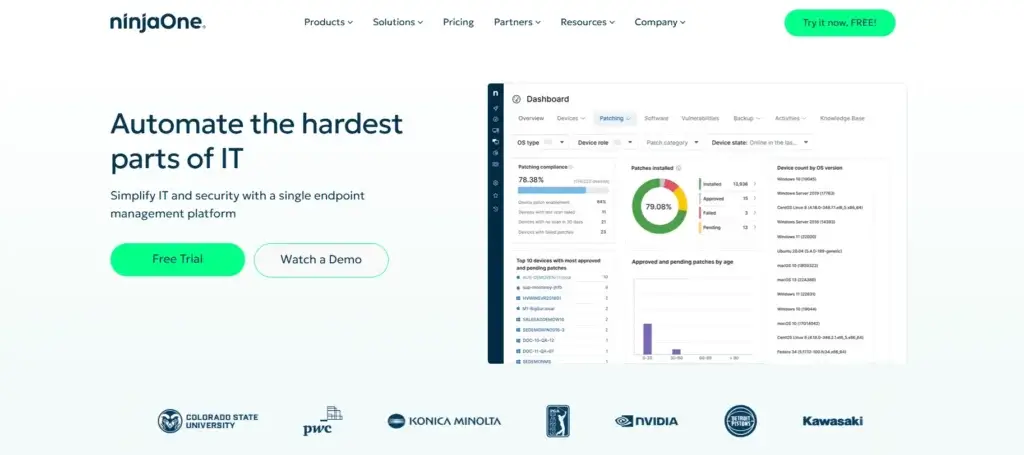
NinjaOne is a strong fit when your ITSM needs are closely tied to endpoint management. If your team supports distributed devices, remote users, patching, ticketing, and asset visibility, NinjaOne can help connect service requests with the devices behind them.
It is especially relevant for IT teams and MSPs that want service workflows, endpoint monitoring, remote access, documentation, and automation in one operational environment.
Best for: IT teams that need endpoint management and ITSM workflows in one platform.
Visit NinjaOne | Read full review
Freshservice

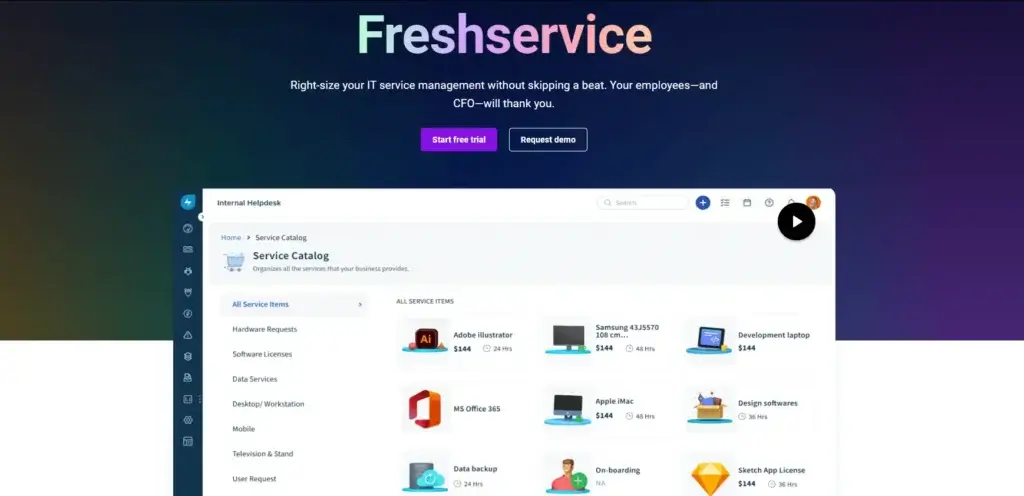
Freshservice is a strong option for IT teams that want a structured, ITIL-aligned service management platform. It supports core ITSM needs such as incident management, problem management, change management, asset management, service catalog, knowledge base, SLA tracking, and automation.
Freshservice is especially useful when you want to modernize the service desk while keeping familiar ITSM processes in place.
Best for: Organizations that want a complete ITSM platform with ITIL-aligned workflows and AI-assisted service operations.
Visit Freshservice | Read full review
monday service

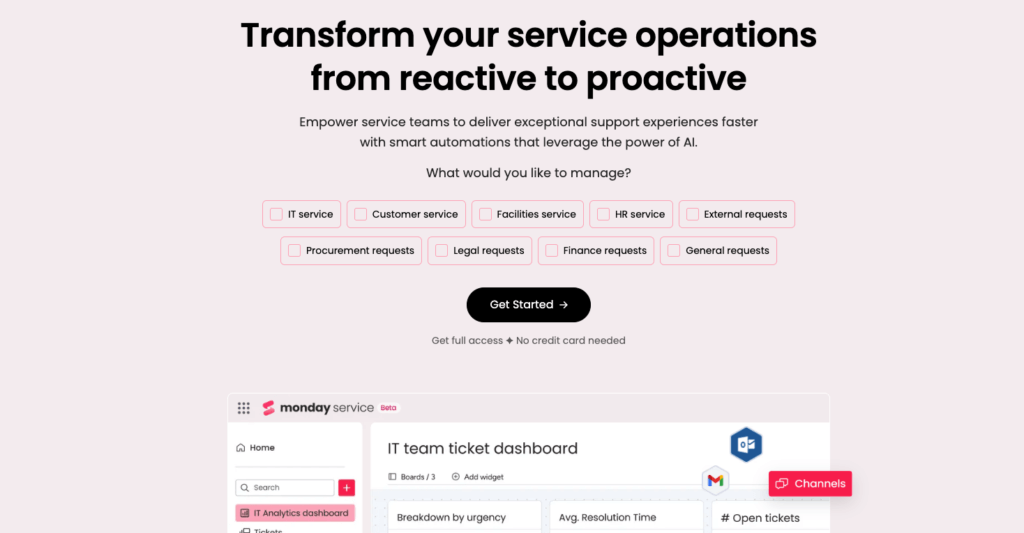
monday service is a strong fit when you want flexible service workflows that can extend beyond IT. It is useful for teams that need customizable request intake, automation, AI-supported routing, dashboards, and cross-functional service operations.
This makes it relevant for IT teams, but also for HR, operations, finance, facilities, procurement, and other departments that manage internal requests.
Best for: Companies that want a user-friendly service management platform with strong workflow customization and enterprise service management potential.
Visit monday service | Read full review
How to Implement ITSM in Your Organization
Successful ITSM implementation is not just a software rollout. It is a service improvement project that affects people, processes, data, governance, and tools.
Start small, focus on the biggest pain points, and improve in stages.
1. Assess Your Current IT Service Gaps
Review how your team currently manages tickets, incidents, requests, assets, changes, and knowledge.
Look for common issues such as unclear ownership, slow response times, repeated incidents, missing documentation, poor asset visibility, and inconsistent communication.
2. Define Your ITSM Goals and KPIs
Your goals should be specific and measurable. For example, you may want to reduce mean time to resolution, improve SLA compliance, reduce ticket backlog, increase self-service adoption, or improve change success rates.
Clear KPIs help you prove whether ITSM is improving service delivery.
3. Start with Core Processes
Most organizations should begin with incident management, service request management, knowledge management, and basic SLA tracking.
Once those are stable, you can expand into problem management, change management, asset management, configuration management, and automation.
4. Build a Useful Service Catalog
A service catalog helps users understand what they can request and how each request will be handled.
Keep it simple at first. Focus on common, repeatable services such as access requests, hardware requests, software requests, onboarding, offboarding, and password support.
5. Choose the Right ITSM Platform
Select software based on your workflows, team maturity, integration needs, reporting requirements, and future roadmap.
A small IT team may need a lightweight, easy-to-deploy platform. A larger organization may need advanced change management, asset management, governance, and automation.
6. Train IT Teams and Users
Your IT team needs training on workflows, ownership, SLAs, escalation rules, and reporting. Users also need to know how to submit requests, search the knowledge base, and track ticket status.
The easier you make the process, the more likely users are to adopt it.
7. Improve Continuously
ITSM is never finished. Review metrics, collect feedback, improve knowledge articles, automate repetitive work, and refine workflows as your business changes.
ITSM KPIs and Metrics to Track
If you want ITSM to deliver measurable value, you need to track the right metrics. These KPIs help you understand service quality, team efficiency, user satisfaction, and process health.
| Metric | What It Measures | Why It Matters |
| First Response Time | How quickly users receive an initial response | Shows responsiveness and support quality |
| Mean Time to Resolution | Average time needed to resolve tickets | Shows process efficiency |
| SLA Compliance | Percentage of tickets resolved within SLA targets | Shows service reliability |
| First-Contact Resolution | Tickets resolved without escalation | Shows knowledge and frontline effectiveness |
| Ticket Backlog | Open unresolved tickets | Shows workload pressure |
| Change Success Rate | Changes completed without incidents or rollback | Shows change management quality |
| User Satisfaction Score | User feedback after service interactions | Shows perceived service quality |
| Cost Per Ticket | Average cost of handling support requests | Shows operational efficiency |
Do not measure everything at once. Start with a small set of metrics tied to your goals, then expand as your ITSM program matures.
Best Practices for Modern ITSM
Modern ITSM should balance structure with flexibility. Too little process creates chaos. Too much process slows teams down and encourages workarounds.
Use these best practices to build a service management model that is practical, measurable, and scalable.
- Start with high-impact processes before adding complexity.
- Design workflows around user experience, not only IT convenience.
- Use automation for repetitive routing, approvals, reminders, and escalations.
- Keep your knowledge base current and easy to search.
- Connect ITSM with asset, endpoint, monitoring, identity, and collaboration tools.
- Review major incidents and recurring problems for improvement opportunities.
- Use dashboards to track service quality and team workload.
- Avoid over-customizing your ITSM platform before your processes are stable.
The strongest ITSM programs are not built around tools alone. They combine clear service ownership, well-designed workflows, accurate data, automation, and continuous improvement.
Conclusion
ITSM gives your organization a structured way to manage IT services, improve support quality, reduce risk, and align IT work with business goals.
When you understand what ITSM is and how it works, you can move beyond reactive troubleshooting. You can build a service model that improves incident response, request fulfillment, asset visibility, change control, knowledge sharing, and user experience.
The best approach is to start with your biggest service gaps, choose the right framework, select tools that match your workflows, and improve continuously. As AI and automation become more central to IT operations, ITSM will remain the foundation that keeps service delivery reliable, measurable, and business-focused.
FAQ
What is ITSM?
ITSM, or IT Service Management, is the structured practice of designing, delivering, managing, and improving IT services. It helps IT teams manage incidents, service requests, changes, assets, knowledge, and service performance in a consistent way.
What is ITSM in simple terms?
In simple terms, ITSM is how your IT team manages technology as a service. It gives users a clear way to request help, gives IT teams structured workflows, and helps the business receive more reliable IT support.
What does ITSM stand for?
ITSM stands for IT Service Management. It refers to the processes, frameworks, tools, and practices used to manage IT services across their lifecycle.
What is the difference between ITSM and ITIL?
ITSM is the broader discipline of managing IT services, while ITIL is a specific framework that provides best-practice guidance for ITSM. You can implement ITSM with ITIL, but ITSM can also include other frameworks and methodologies.
What are the main ITSM processes?
The main ITSM processes include incident management, service request management, problem management, change management, release management, asset management, configuration management, knowledge management, and service level management.
What is an example of ITSM?
A common ITSM example is an employee submitting a software access request through a service portal. The ITSM system routes the request, applies approvals, tracks progress, and documents completion for reporting and compliance.
Why is ITSM important?
ITSM is important because it helps IT teams reduce downtime, improve service quality, control changes, manage assets, support compliance, and deliver a better user experience through repeatable workflows.
How does AI improve ITSM?
AI improves ITSM by automating ticket classification, routing requests, suggesting knowledge articles, supporting virtual agents, identifying recurring issues, and helping teams resolve incidents faster.
What are the best ITSM tools?
Some strong ITSM tools include NinjaOne, Freshservice, and monday service. The right choice depends on whether you need endpoint management, ITIL-aligned service workflows, AI automation, or flexible service management across departments.
How do you implement ITSM?
To implement ITSM, assess your current service gaps, define goals and KPIs, standardize core processes, build a service catalog, choose an ITSM platform, train users and IT teams, and improve workflows continuously.