
Introduction
Artificial intelligence is doing wonders throughout the globe. From optimizing workflows and improving productivity to transforming industries, AI is spreading across every domain. However, writing is a major field where artificial intelligence is making a huge impact.
Think about it, how often do you see an AI technology that aims to replace the writers? Quite a lot, right? But the truth is, if you want to use artificial intelligence to manage the different aspects of writing, you also need the assistance of humans.
So, in this article, we’ll go over the best AI tools that anyone can use to optimize the different tedious aspects of writing. We’ll highlight the features, benefits, and drawbacks of each to give you a more realistic picture. But if you’re in a rush, you can head straight to the snapshot table.
What to Look for in an AI Tool for Writing
Not every AI writing tool is built for the same purpose. Some are great for generating drafts, while others specialize in editing, SEO, or rewriting existing content. To choose the right one, focus on these key factors:
- Output quality and readability: The tool should produce text that feels natural, clear, and structured, not generic or repetitive. If the draft needs heavy rewriting every time, it won’t actually save you time.
- Editing and rewriting capabilities: A strong AI tool should help you improve what you already wrote, including rewriting paragraphs, fixing clarity, shortening or expanding content, and polishing tone.
- Tone and voice control: Look for a tool that lets you adjust tone (professional, casual, persuasive, technical) and stay consistent across different articles or brand content.
- Accuracy and trust: AI can still make mistakes. The best tools support fact-checking workflows and reduce the risk of incorrect statements, which is critical for informational or SEO-focused content.
- Workflow and SEO support: If you publish content online, choose a tool that helps structure articles properly with headings, keyword-friendly writing, summaries, and easy formatting for blog publishing.
Focus on tools that improve your writing process, not just tools that generate words, and you’ll see a bigger impact in daily work.

Overview
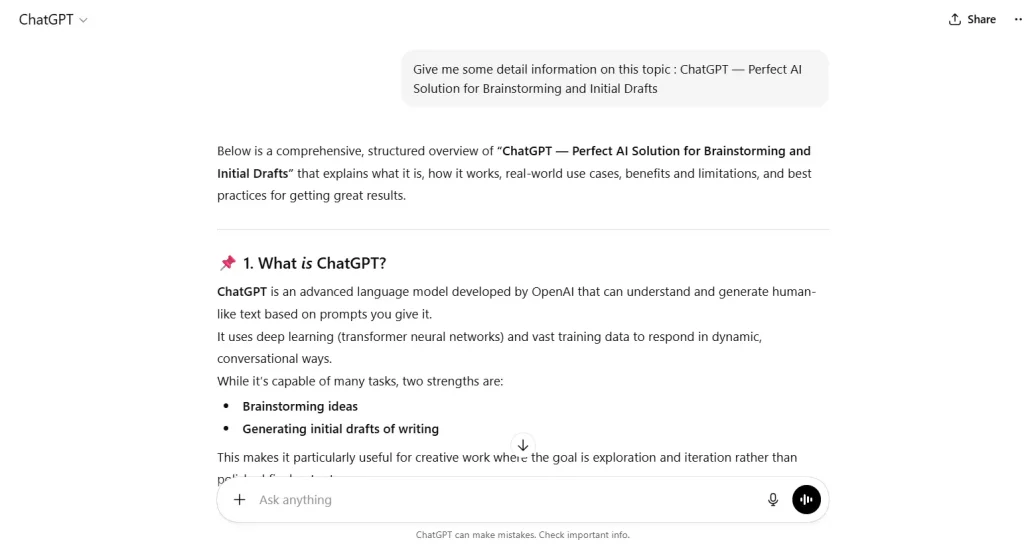
When it comes to writing, the most difficult thing to do is to get started. People spend hours looking at a blank white screen, hoping for inspiration. In fact, research suggests that writers keep staring at a blank page because they don’t know where to begin. So, if you also face the same problem, try taking assistance from ChatGPT.
ChatGPT is the pioneer of generative AI solutions. So, whether you want to use it for brainstorming, creating a whole rough draft, or taking inspiration, it can fit your use case.
Key features:
- It can quickly create ideas for the outline of any content type, be it an article, blog post, landing page, script, or something else.
- It appears advanced enough to expand on any given topic, no matter how complicated.
- There is a voice input option that comes in handy when you need to get something done quickly.
- It provides ‘Thinking,’ ‘Deep research,’ ‘Study and learn,’ and ‘Web research’ modes to cater to advanced brainstorming and idea generation cases.
Pros and Cons
Pros:
- ChatGPT is the best AI tool to overcome writer’s block, no matter how severe it is.
- It can efficiently adapt its output according to various industries and content types, especially with the availability of different modes.
Cons:
- If you want a consistent quality, you may have to input strong prompts.
- You can’t and shouldn’t use its output as-is because it sounds too generic and unoptimized for submission.
Copilot

Overview
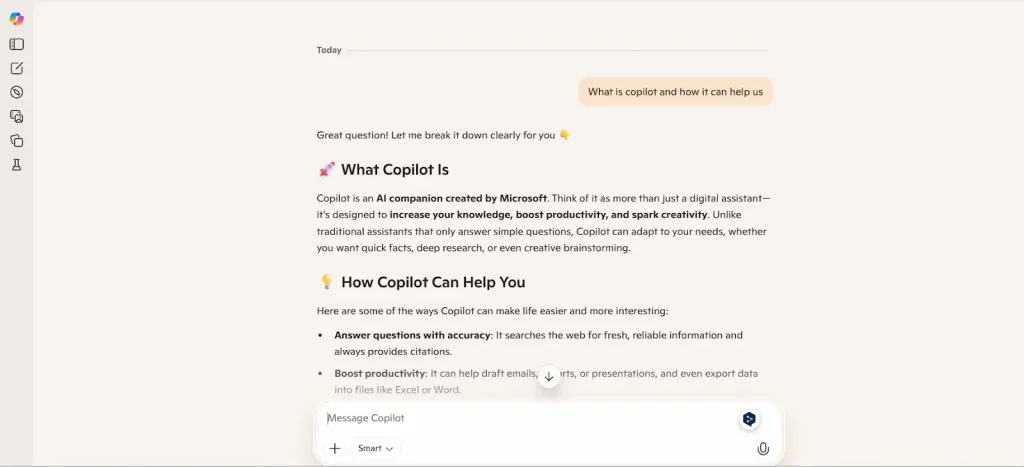
Good writing isn’t about making bold XYZ claims. It’s about supporting such statements with relevant studies, facts, and statistics. So, for this particular use case of writing, we’ve found Copilot to be the most beneficial AI tool.
Copilot is a ChatGPT-like AI-powered assistant from Microsoft. However, unlike ChatGPT, which uses a dedicated ‘Thinking’ mode, this one uses a more balanced and precise toggle by default. That’s why we often use its precise reasoning to find relevant research papers, stats, and facts, and bring our write-ups to an authoritative level.
Side Note: Always double-check a study, fact, or statistic before using it.
Key features:
- Although it has different modes, its default mode is strong enough to quickly extract relevant facts, statistics, or studies from all over the internet.
- When Copilot shares a statistic, fact, or research, it automatically includes the source from where it extracted that information.
- Copilot can directly access your files to integrate smoothly with your workflow, especially on a Windows system.
Pros and Cons
Pros:
- Copilot’s ability to extract correct facts, data, and studies can save hours of research.
- If you use a Windows system, Copilot feels like a few taps away. So, it integrates well into the workflow of people who use a Windows system to write something.
- You don’t need to explicitly ask it to share the original source, as it automatically does that.
Cons:
- There is no way to edit a message. It must be sent again, which occasionally causes complications.
- You need a Microsoft account to store your conversation history.
- Copilot crashes and restarts from the welcome screen when the internet connection breaks. So, if you don’t use it with an account, you can lose your entire chat.
Gemini

Overview
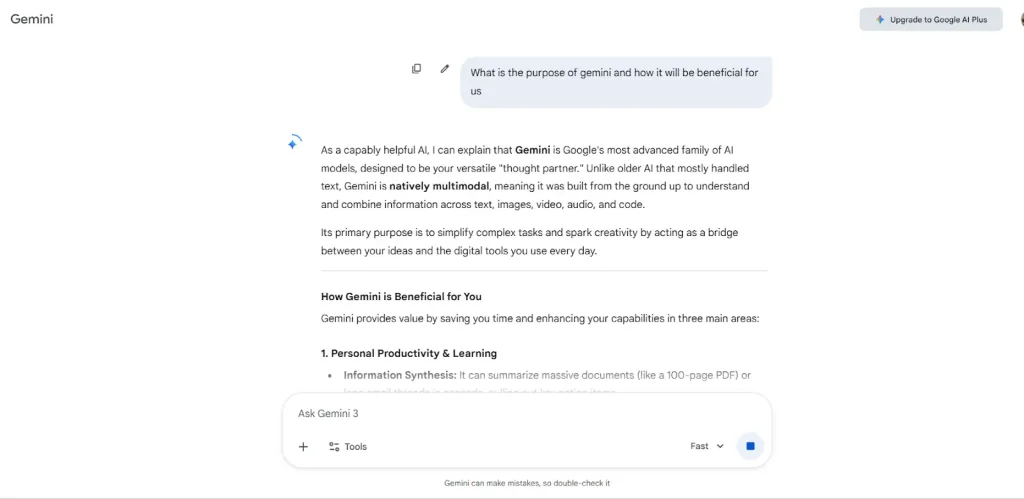
The problem with content marketing is that it can’t be just information stacked on top of information. You also need to optimize your content for search engines. And metadata and keywords (both long tail and semantic) are two of the important components that make this possible. For that, Google’s AI-powered assistant called ‘Gemini’ is the best AI tool, based on our hands-on experience.
Gemini is similar to ChatGPT. However, its output seems more search engine-focused because Google controls it. Therefore, if your primary focus is content marketing, you should consider its assistance, particularly when:
- Writing meta titles and descriptions.
- Finding long-tail and semantic keywords.
And to do so, you can just ask it to:
Search long-tail and semantic keywords for “your topic/main keyword.”
Write a meta title and description for “your topic.”
Key features:
- It generates SEO-optimized meta titles and descriptions without requiring detailed instructions.
- The voice mode allows you to use Gemini from the comfort of your smartphone.
- It uses four different modes to handle queries for different use cases.
Pros and Cons
Pros:
- Its search-intent understanding is quite strong. In fact, that’s the major reason why it generates SEO-optimized metadata and relevant keyword suggestions.
- Gemini is an excellent option for early SEO structuring as well as aligning content with discoverability goals.
Cons:
- It’s not the perfect choice for full-length content creation.
Plagiarism Remover
Overview
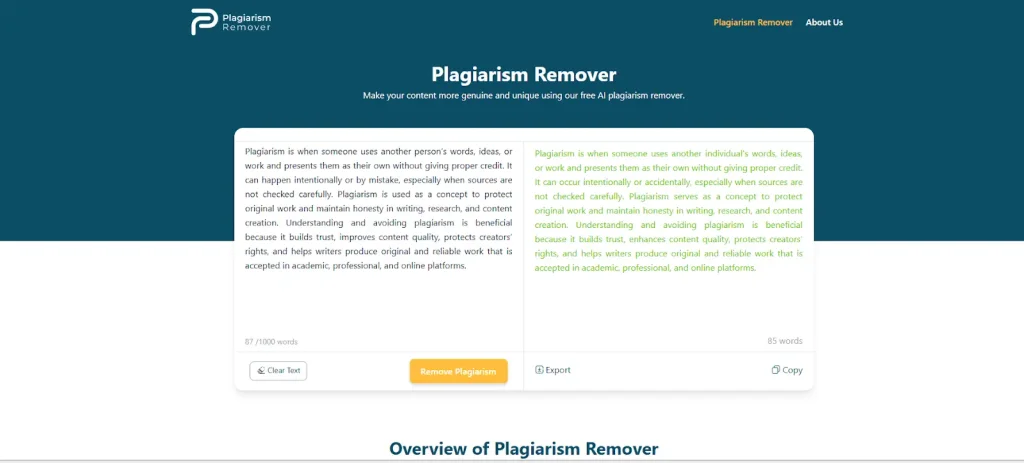
Plagiarism is a serious issue in writing, which often requires rewriting. But despite their expertise, most people fail to revamp the unoriginal content, even after several revisions. This is where Plagiarism-remover.org can be useful.
This plagiarism remover is an AI-powered automated solution that rewrites the given text while maintaining its original meaning. It combines the traditional content revamping techniques with the advancement of artificial intelligence. So, it doesn’t spin the text randomly. Instead, it makes smart and contextually-appropriate rewrites.
Key features:
- Its core functionality uses the power of artificial intelligence, which is the main reason behind its smart results.
- There is no clutter, as the entire interface is simple and looks cleanly organized.
- Its rewriting engine approaches the given text with a unique angle while keeping the original meaning unchanged.
Pros and Cons
Pros:
- It can save you a lot of time, mainly because of its efficient rewriting.
- You don’t need to create an account or log in with your socials to use the functionality of this AI tool.
- Its rewrites are not only smart but also effective enough to bypass even the most advanced plagiarism checkers.
Cons:
- Sometimes, you may need to add human personalization to the rewritten text.
- There is no way to drag-and-drop a file, which feels like a huge disappointment.
Humanize AI Text

Overview
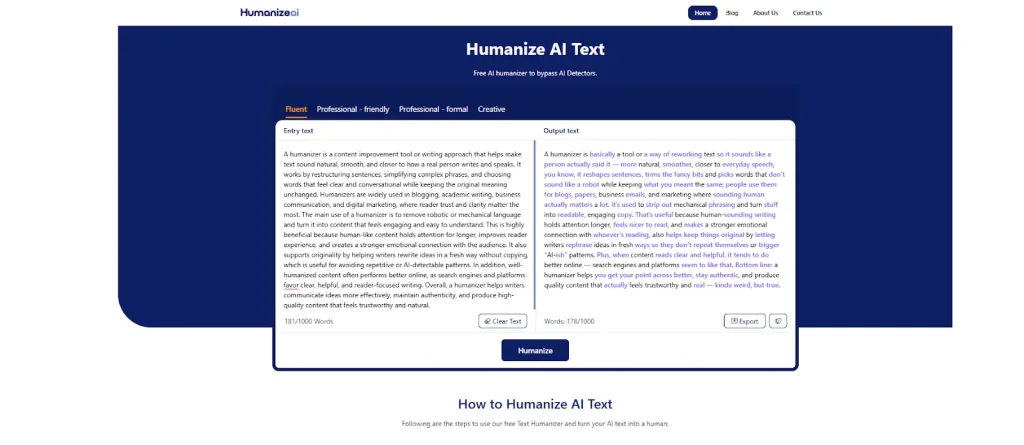
Previously, plagiarism was the only major problem for people who wrote any sort of text. But nowadays, they are equally concerned about AI detection. So, if your content gets frequently flagged by AI, you can use Humanizeai-text.
This online text humanizer, as the name suggests, is an automated solution for rewriting texts in the style of humans. It takes inspiration from the samples of real human writing and tries to replicate that style while maintaining the original intent.
Key features:
- It converts all types of mechanical or robotic text into natural language without altering the intended meaning.
- During rewriting, it even works on improving the rhythm and tone of sentences.
- There are different modes that work on the reader’s engagement by automatically replacing boring words with contextually relevant synonyms.
Pros and Cons
Pros:
- Its algorithms improve the content’s readability and flow while also humanizing it. Therefore, it is one of the best AI tools available in this very AI-dominated era.
- You don’t have to be tech-savvy or a writer to use it because it’s easy to use for everyone.
- Since this is an online AI humanizer, you can use it from any device, be it a laptop, Android, iOS, macOS, or Windows system.
Cons:
- You may need human judgment to finalize the revamped version of a text.
Grammarly
Overview
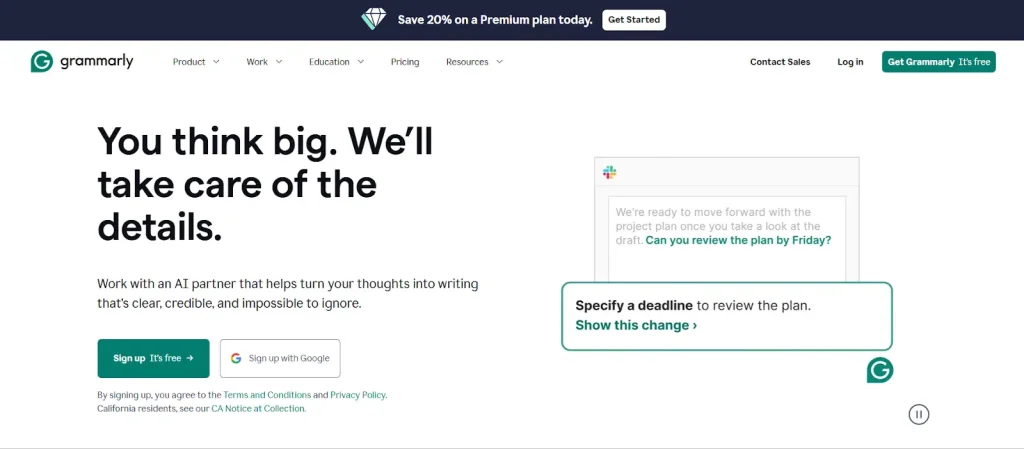
Before finalizing any write-up, it is essential to make sure that there are no grammatical or structural errors in the phrases. However, manual proofreading is time-consuming and vulnerable to mistakes. This is where Grammarly can be useful.
Grammarly is the best AI tool for proofreading, mainly because it uses:
- Natural language processing (NLP) to understand the provided text like humans.
- Machine learning (ML) models to suggest recommendations on a detected writing flaw.
Key features:
- Its AI-driven system empowers it to analyze the context and give suggestions for clarity, consistency, readability, and tone improvements.
- Although the name suggests that this tool only addresses grammatical problems, it also helps with punctuation and spelling.
- Its suggestions are appropriate for all writing contexts, be it academic, professional, informal, or technical.
Pros and Cons
Pros:
- It highlights errors using different colors. So, you can quickly identify the type of writing error by judging from color.
- Grammarly has a built-in plagiarism and AI detector. So, you don’t need to use separate tools to check your content for originality or AI traces issues.
- There is a dedicated web dashboard, a desktop application, and a browser plugin. So, you can easily integrate it into your writing workflow.
Cons:
- Its suggestion often conflicts with intentional stylistic choices.
Comparison Table
If you’re in a hurry, the following table will provide you with an overview of all the best AI tools that anyone who writes can use:
AI Tool | Addressed Pain Point | How It Helps | Limitations |
ChatGPT | Writer’s block | Generates drafts, ideas, and outlines | Prompts require strong consistency |
Copilot | Lack of credible sources | Extracts facts, statistics, studies, and references | Conversations disappear without internet or an account |
Google Gemini | Metadata and SEO optimization | Suggests metadata and long-tail, semantic keywords | Unsuitable for full-length content creation |
Plagiarism-Remover | Duplicate content | Rewrites plagiarized text for originality | Results may need a humanized touch |
Humanize AI Text | Robotic AI tone | Makes text sound more natural and human | Output needs human judgment for finalizing |
| Grammarly | Grammar and clarity issues | Fixes clarity, grammar, and spelling | Conflicts with stylistic choices |
Conclusion
AI tools have become a crucial part of most writing workflows. However, none of them can fully handle all aspects of writing. If one is strong at brainstorming, the other can help correct grammatical flaws. If one helps with SEO optimization, the
other aids to provide authority to content. So, if you truly want to benefit from artificial intelligence, you should integrate all of them into your workflow. However, use them strategically because overreliance might harm your natural skills.
Frequently Asked Questions
What are the best AI tools for writing in 2026?
The best AI tools for writing in 2026 depend on what part of the writing process you want to improve. For example, ChatGPT is excellent for brainstorming and first drafts, while Copilot helps find reliable facts and studies. Gemini is ideal for meta titles and long-tail keyword ideas, Grammarly is best for proofreading, and tools like plagiarism removers and text humanizers help improve originality and tone.
Can AI replace human writers completely?
No, AI cannot fully replace human writers, especially for content that requires original insights, strong storytelling, brand voice, and real-world experience. AI tools are best used as writing assistants that speed up drafting, rewriting, editing, and research, but final quality still depends on human judgment and refinement.
Which AI tool is best for overcoming writer’s block?
ChatGPT is one of the strongest tools for overcoming writer’s block because it can generate topic ideas, outlines, introductions, and rough drafts in seconds. It helps you start writing faster and gives you multiple angles to work with, even if you feel stuck.
Is ChatGPT good for writing full articles?
ChatGPT can help write full articles, but it works best for creating first drafts and structured content quickly. For publishing-quality results, writers typically need to improve tone, originality, examples, and SEO alignment. It is most effective when paired with editing tools like Grammarly and research support from Copilot.
What AI tool is best for finding facts, statistics, and studies?
Copilot is one of the best AI tools for finding relevant facts, statistics, and studies because it often provides direct sources alongside the information. This makes it useful for writers who want to add credibility and authority to blog posts, reports, and professional content.
Should you trust AI-generated statistics and research?
You should not blindly trust AI-generated statistics. Even if an AI tool provides sources, it is still important to double-check the study, confirm the context, and verify that the statistic is up to date. AI can speed up research, but accuracy still depends on human validation.
What is the best AI tool for SEO writing?
Gemini is particularly useful for SEO writing because it can generate optimized meta titles, meta descriptions, and long-tail keyword ideas. It is a great choice for building content structure and improving discoverability, even if you plan to write the full article manually.
Can AI tools help with meta titles and meta descriptions?
Yes, AI tools can help a lot with metadata. Gemini, in particular, is useful for quickly generating meta titles and meta descriptions that match search intent, include keywords naturally, and stay within length best practices.
How do I remove plagiarism from my writing using AI?
You can remove plagiarism by using an AI-powered rewriting tool such as Plagiarism-remover.org. It rewrites your text while keeping the original meaning, which helps make the content more unique. However, you should still review the final result to ensure it matches your intended voice and remains accurate.
Do plagiarism remover tools change the meaning of the text?
Good plagiarism remover tools aim to preserve the original meaning while rewriting the structure and phrasing. However, results can vary, especially with technical or complex content. It is always recommended to review the output and adjust any sentences that feel unclear or unnatural.