
Introduction
Meetings, interviews, sales calls, and client conversations contain valuable information, but most teams still lose important details after the call ends. You may leave a meeting with a rough summary, a few scattered action items, and several follow-up tasks that never make it into your CRM, ATS, inbox, or project management system.
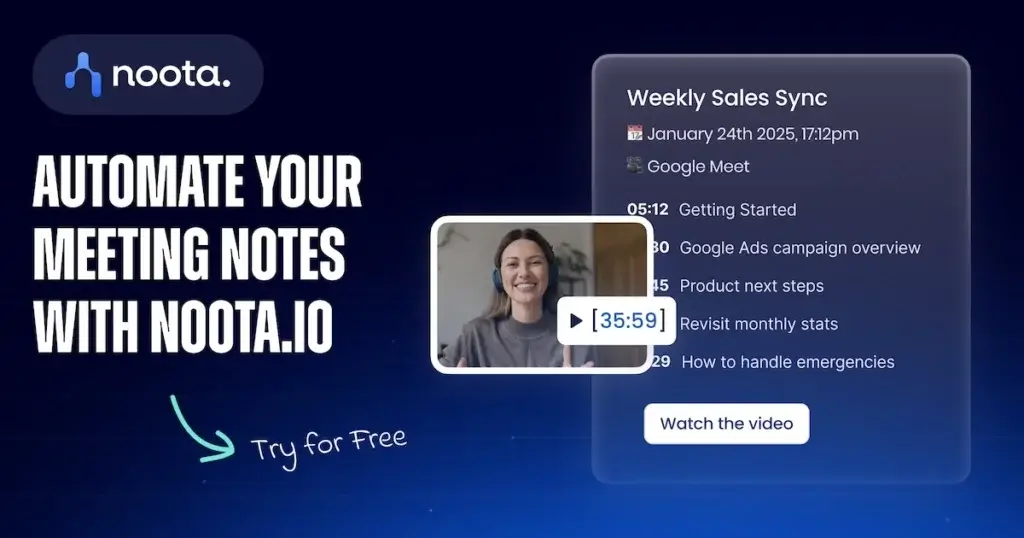
Noota aims to solve this problem by turning conversations into structured notes, transcripts, reports, follow-up emails, and searchable company knowledge. It is not only an AI meeting notetaker. It also combines AI transcription, email automation, phone call recording, workspace collaboration, and conversation intelligence.
In this Noota review, you will learn what Noota does well, how its main features work, where it may fall short, how much it costs, and how it compares with other AI note-taking tools in 2026.
What Is Noota?
Noota is an AI-powered meeting assistant that helps you record, transcribe, summarize, organize, and analyze conversations. It works across online meetings, phone calls, in-person conversations, and uploaded audio or video files.
The platform is designed for professionals who spend a lot of time in conversations, such as sales teams, recruiters, consultants, customer success teams, managers, agencies, and executives. Instead of manually writing notes, you can use Noota to capture the conversation, generate summaries, extract action items, draft follow-up emails, and search past discussions with AI.
What Makes Noota Different?
Many AI meeting tools focus mainly on Zoom or Google Meet notes. Noota takes a wider approach. It includes AI meeting notes, email automation, phone calls, Ask AI, CRM and ATS integrations, and bot-free recording options.
This makes it especially useful if your workflow depends on more than one communication channel. For example, a recruiter can record an interview, generate a candidate report, sync notes with an ATS, and later ask AI to compare candidates. A sales team can capture calls, draft follow-up emails, and send important conversation details into a CRM.
Core Features
Main Features Breakdown
Noota includes several feature groups that work together: AI notetaking, transcription, conversation intelligence, email automation, phone calls, integrations, and team collaboration. The strongest part of the platform is that it connects meeting information with the tools you already use.
AI Notetaker for Online, In-Person, and Phone Conversations
Noota automatically records and transcribes conversations from online meetings, in-person discussions, phone calls, and uploaded files. This makes it more flexible than tools that only capture video meetings through a meeting bot.
You can use it for sales calls, interviews, internal syncs, customer onboarding sessions, discovery calls, podcasts, and team updates. After the meeting, Noota creates a transcript and structured notes so you can review the conversation without replaying the full recording.
- Online meetings – Capture calls from tools such as Zoom, Google Meet, Teams, and Webex.
- In-person meetings – Record face-to-face conversations through the web or mobile app.
- Phone calls – Use Noota for business calls and VoIP workflows.
- Uploaded files – Transcribe existing audio or video recordings.
Transcription, Speaker Labels, and Searchable Records
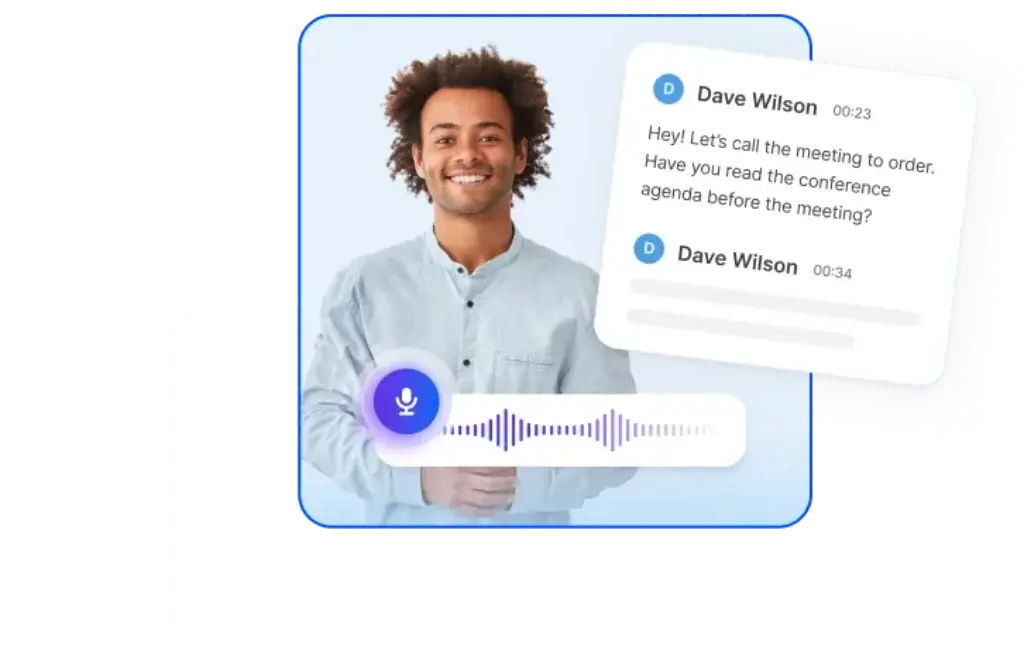
Noota converts conversations into searchable transcripts with speaker identification and timestamps. This helps you find exact moments, clarify what was said, and keep a reliable record of customer calls, interviews, and internal meetings.
For teams, searchable transcripts are more than documentation. They become a source of business intelligence. You can revisit objections from sales calls, compare candidate responses, review customer pain points, or extract insights from past meetings.
- Speaker identification – Understand who said what during the conversation.
- Timestamps – Jump back to important moments quickly.
- Transcript editing – Clean up speaker names and wording after the meeting.
- Searchable library – Find insights across meetings, calls, and folders.
Bot-Free Recording and Meeting Bot Options
One of Noota’s most practical advantages is its support for bot-free recording. Some AI meeting assistants require a visible bot to join the meeting, which can feel awkward in sensitive client calls, interviews, or executive conversations.
With Noota, you can record in different ways depending on the situation. If your organization prefers transparency, the bot-based option is available. If you need a smoother experience, bot-free capture can be more comfortable for everyday conversations.
This flexibility matters because meeting culture differs between companies. Some teams are comfortable with AI bots, while others prefer quieter recording workflows, especially in sales, recruiting, consulting, and leadership meetings.
AI Summaries, Reports, and Action Items
Noota turns long conversations into concise AI-generated summaries. These summaries help you understand the key points without reading the full transcript. They can include decisions, blockers, next steps, follow-up tasks, and important topics discussed during the call.
The platform is especially helpful when your meetings follow repeatable patterns. For example, sales calls, candidate interviews, customer success calls, and project updates each require different output formats. Noota’s custom templates make it easier to standardize those reports.
- Meeting summaries – Get a clear overview of the conversation.
- Action items – Extract next steps from the discussion.
- Decisions and blockers – Identify what was agreed and what needs attention.
- Custom templates – Adapt outputs for sales, recruiting, consulting, or internal meetings.
Email Agent and Follow-Up Automation
Noota goes beyond meeting notes by helping you automate follow-up emails. After a conversation, the platform can draft replies or follow-up messages based on what was discussed.
This is valuable for customer-facing teams because follow-up quality directly affects conversion, retention, and trust. Instead of relying on memory, you can generate a message that reflects the actual conversation, then edit it before sending.
For sales reps, this can reduce admin work after discovery calls. For recruiters, it can help draft candidate follow-ups. For consultants, it can turn client meetings into structured recap emails without starting from a blank page.
Phone Calls and Business Telephony
Noota also supports phone call workflows, which separates it from many AI notetakers that focus only on video meetings. Paid plans can include business calling features, call recording, transcription, and conversation insights.
This makes Noota more relevant for sales development, customer success, recruiting, and service teams that still rely heavily on phone conversations. If your team handles a mix of meetings, calls, and emails, Noota can become a centralized conversation workspace.
- Call recording – Capture phone conversations for review and documentation.
- VoIP workflows – Manage calls through web or mobile options.
- Call transcription – Convert phone discussions into searchable notes.
- Follow-up automation – Use call context to draft next-step messages.
Ask AI and Conversation Intelligence
Noota includes an AI assistant that lets you ask questions about your conversations. Instead of manually searching through meeting notes, you can ask for decisions, customer objections, candidate comparisons, blockers, or summaries from a specific folder.
This is one of the most useful features for teams that run many similar conversations. Sales managers can identify recurring objections. Recruiters can compare candidates against a scorecard. Customer success teams can surface common product issues. Managers can review team conversations without joining every call.
Ask AI becomes more valuable as your conversation library grows. Over time, Noota can help you turn scattered meetings into a searchable knowledge base.
CRM, ATS, Calendar, and Productivity Integrations
Noota is designed to connect meeting intelligence with operational tools. It supports integrations with CRMs, ATS platforms, calendars, email tools, and productivity apps. Business users can also access API and Zapier options, depending on the plan.
This is important because AI notes are only useful when they move into the systems where work happens. A sales note should reach the CRM. A candidate interview summary should reach the ATS. A follow-up task should reach the right workspace.
- CRM workflows – Useful for sales calls, account notes, and follow-up tracking.
- ATS workflows – Helpful for recruiters managing interviews and candidate reports.
- Calendar sync – Connect scheduled meetings with automated capture.
- Zapier and API – Extend automation into other business systems.
User Experience and Interface
How Does Everyday Work with Noota Look?
Noota’s user experience is built around reducing manual work after conversations. The workflow is simple: connect your tools, record or import conversations, review AI-generated outputs, edit where needed, and send the information into the right system.
Clean Workspace for Conversation Records
The main dashboard acts as a central library for your meetings, calls, and reports. You can organize conversations in workspaces, folders, or projects, making it easier to separate clients, teams, departments, or hiring processes.
This structure is useful if you handle many conversations each week. Instead of searching through recordings, inboxes, calendar events, and meeting notes, you can keep everything in one searchable environment.
Fast Review After Each Meeting
After a meeting, Noota generates the transcript and summary so you can quickly review the conversation. You can scan the main points, check the action items, edit the text, and share the report with your team.
This is where Noota can save meaningful time. You do not need to rewrite notes from memory or manually build a follow-up email. The first draft is already there, and your role becomes reviewing, refining, and approving.
Useful for Teams, Not Just Individuals
Noota is suitable for individual professionals, but its stronger use case is team-based work. Shared workspaces, external viewers, templates, integrations, and admin controls make it more useful for companies that want consistent documentation across departments.
For example, a recruiting team can create a standard interview report template. A sales team can create a discovery call template. A consulting team can create client recap templates. This keeps meeting outputs consistent and easier to review.
Mobile and On-the-Go Capture
Noota also supports mobile usage, which is important for in-person meetings, events, interviews, and field conversations. You can capture discussions outside your desk and bring them into the same workspace as your online meetings.
This is a valuable advantage if your team mixes online calls with offline conversations. Many AI meeting tools are strongest in virtual meetings, but Noota is more flexible across conversation formats.
Pros And Cons
Advantages and Disadvantages
Positive
✅ Covers meetings, calls, emails, and uploaded files
✅ Bot-free recording option
✅ Strong CRM and ATS workflow potential
✅ Useful AI reports and follow-up automation
Negative
❌ Free plan has limited monthly AI note minutes
❌ Best automation features require paid plans
❌ Pricing can rise for larger teams
❌ Some advanced controls are Enterprise-only
✅ Pros
Covers more than standard meeting notes – Noota combines meeting capture, phone calls, email automation, AI search, and integrations, making it broader than a simple transcription tool.
Bot-free recording option – You can use Noota without always relying on a visible meeting bot, which can make client calls and interviews feel more natural.
Strong fit for sales and recruiting – CRM and ATS workflows make Noota especially useful for teams that need structured conversation reports after every call or interview.
Custom report templates – You can adapt outputs for different workflows, such as sales discovery, candidate interviews, consulting calls, or internal team meetings.
Useful AI follow-up support – Noota can help draft follow-up emails based on the conversation, reducing the admin work that usually happens after meetings.
Good free plan for testing – The free plan includes 300 minutes per month, which is enough to test the tool across real meetings before upgrading.
❌ Cons
Free plan is still limited – While 300 minutes is useful for testing, it may not be enough if you run several long calls each week.
Best features sit behind paid tiers – Unlimited transcription, API and Zapier, analytics, SSO, private hosting, and advanced admin controls require higher plans.
May be more than solo users need – If you only want basic personal meeting notes, Noota may feel broader than necessary.
Pricing can scale quickly – At $19 or $39 per user per month, team-wide adoption should be measured against time saved and workflow value.
Some security controls are Enterprise-focused – Organizations needing SSO, private hosted AI, custom retention, or dedicated account support may need a custom Enterprise plan.
Pricing and Plans
How Much Does Noota Cost?
Noota uses a tiered pricing model. The free plan is useful for testing, the Pro plan is designed for individuals and small teams, the Business plan is better for growing teams with heavier usage, and Enterprise is intended for organizations that need advanced security, custom integrations, and dedicated support.
Pricing can change, so you should always check Noota’s official pricing page before purchasing. Based on the current public pricing structure, here is the simplified plan comparison:
| Plan | Price | Best For | Key Features |
| Free | $0 per user/month | Individuals testing AI notes | Unlimited meetings, 300 minutes of AI notes/month, 1 month storage, iOS and Android app, email automation |
| Pro | $19 per user/month | Professionals and small teams | 1,000 minutes of AI notes/month, team workspace up to 10 seats, unlimited integrations, AI agents, 12 months storage |
| Business | $39 per user/month | Growing businesses with heavier usage | Unlimited transcription, unlimited paid seats, unlimited AI features, custom templates, analytics, API and Zapier |
| Enterprise | Custom pricing | Recruiting teams and larger organizations | Unlimited usage, custom integrations, SSO, private hosted AI options, dedicated support, custom security policies |
| Business telephony | $5 per user/month | Teams adding phone workflows | Unlimited national calls, local numbers from the US and 30+ countries, mobile calling, browser click-to-call |
Which Noota Plan Offers the Best Value?
For most individuals, the free plan is enough to test Noota’s transcription quality, summaries, and general workflow. It gives you a realistic sense of whether the tool fits your meeting habits.
The Pro plan is the best starting point for professionals who need more minutes, integrations, and a small team workspace. This includes consultants, recruiters, founders, sales reps, and managers who run frequent meetings but do not yet need unlimited usage.
The Business plan is the better option if your team wants unlimited transcription, custom templates, analytics, API access, and Zapier. For companies that want Noota to become part of their sales, recruiting, or customer operations workflow, Business is likely the most practical plan.
Enterprise is best for organizations with stricter requirements around SSO, private hosted AI, custom retention, dedicated support, and security documentation.
Who Is It Best For?
Is Noota The Right Fit For Your Workflow?
Noota is best for teams that want to reduce the manual work around conversations. It is especially valuable when notes need to become follow-up emails, CRM updates, ATS reports, internal summaries, or searchable business knowledge.
Best Fit Profiles
Noota is a strong fit for the following users:
- Sales teams that need call notes, follow-ups, CRM updates, and conversation insights
- Recruiters who want interview transcripts, candidate reports, and ATS documentation
- Consultants and agencies that need client meeting recaps and searchable records
- Customer success teams that track customer pain points and next steps
- Managers who want better visibility into meetings they cannot attend
- Founders and executives who want cleaner meeting summaries and faster follow-ups
- Teams that need phone call recording, not only video meeting notes
Why Sales Teams Benefit
Sales teams often lose time after calls updating CRM records, writing follow-up emails, and summarizing customer needs. Noota helps shorten that process by capturing the conversation and turning it into structured notes.
This can improve sales discipline because every important objection, next step, and customer detail is easier to document. If your team uses call notes as part of pipeline management, Noota can help make those records more consistent.
Why Recruiting Teams Benefit
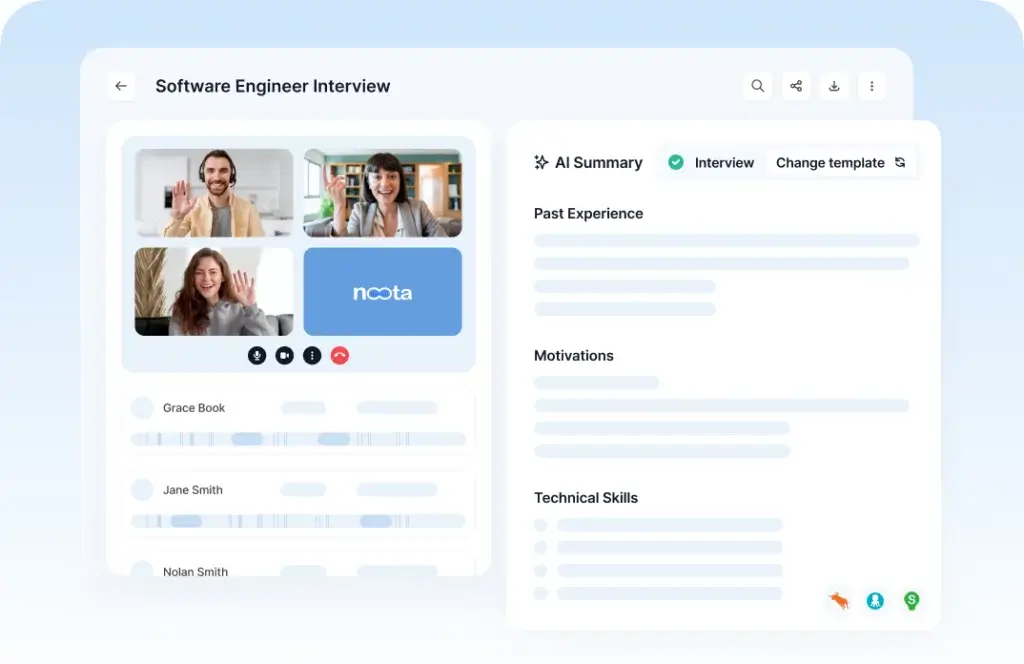
Noota is also well-positioned for recruiting. Interview notes need to be accurate, structured, and comparable across candidates. With custom templates and ATS-oriented workflows, recruiters can create more consistent candidate reports.
The Ask AI feature can also be helpful when reviewing multiple interviews. Instead of scanning every transcript manually, you can ask questions about candidate strengths, concerns, requirements, or scorecard alignment.
Where Noota May Not Be the Best Fit
Noota may not be ideal if you only need a lightweight personal notepad for occasional meetings. In that case, simpler tools like Granola AI or a free individual tool may be easier to adopt.
It may also be less suitable if your organization requires advanced security controls but does not want to move to an Enterprise plan. In that case, you should compare data hosting, retention, privacy, and compliance options carefully before choosing any AI meeting assistant.
Noota VS Alternatives
Comparison With Other AI Note Takers
Noota competes with a growing number of AI meeting assistants. The best alternative depends on whether you value unlimited free notes, sales coaching, CRM integrations, bot-free recording, or a broader communication workspace.
Top Alternatives to Noota
You may want to compare Noota with these tools:
- Fireflies AI – Strong for meeting transcription, searchable notes, collaboration, and integrations.
- Fathom – Excellent free option for individuals who want fast AI meeting summaries.
- Otter.ai – Popular transcription-first tool for meetings, lectures, and team notes.
- Granola AI – Great for lightweight, bot-free meeting notes with a simple interface.
- ClickUp Note Taker – Best if you want AI notes connected directly to task and project workflows.
Noota vs Competitors: Comparison Table
| Tool | Best For | Key Strength | Potential Limitation |
| Noota | Sales, recruiting, calls, meetings, and email follow-ups | Broad conversation intelligence across meetings, calls, email, CRM, and ATS workflows | Best automation and security features require paid or Enterprise plans |
| Fireflies AI | Teams needing searchable meeting transcripts and collaboration | Strong meeting library, integrations, and team knowledge capture | Can feel more bot-centered and meeting-focused |
| Fathom | Individuals wanting free AI meeting summaries | Very generous free plan for recording, transcription, and summaries | Advanced team, CRM, and coaching features require paid plans |
| Otter.ai | Transcription-first users and meeting documentation | Simple live transcription and meeting assistant workflow | Monthly minute limits may restrict heavier users |
| Granola AI | Professionals who want a clean bot-free notepad | Lightweight and natural meeting note experience | Less broad than Noota for calls, email automation, and ATS workflows |
| ClickUp Note Taker | Teams already using ClickUp for work management | Meeting notes can connect directly to tasks, docs, and projects | Best value depends on whether your team already uses ClickUp |
My Take on the Comparison
If you need a simple free meeting assistant, Fathom is hard to ignore. If you need a strong shared meeting library, Fireflies AI is a mature option. If you want a lightweight bot-free note-taking experience, Granola AI is very appealing.
Noota is more compelling when you need a broader conversation automation layer. It is not just trying to summarize meetings. It is trying to connect meetings, phone calls, emails, CRM updates, ATS reports, and AI search into one workflow. That makes it strongest for revenue teams, recruiting teams, and service-based businesses.
Setup Guide
Getting Started with Noota
Getting started with Noota is straightforward, but you will get better results if you set it up around a real workflow instead of testing it randomly.
- Create your account – Start with the free plan or trial and access the Noota dashboard.
- Connect your calendar – Allow Noota to detect upcoming meetings and simplify recording setup.
- Connect email and workspace tools – Add Gmail, Outlook, CRM, ATS, or productivity integrations where relevant.
- Choose recording preferences – Decide whether to use bot-based recording, bot-free capture, in-person recording, or file uploads.
- Create templates – Build report templates for sales calls, interviews, client meetings, or team updates.
- Run a real test meeting – Use Noota in a normal workflow and review the transcript, summary, and follow-up draft.
- Refine the output – Edit speaker names, adjust summary templates, and connect the output to your CRM or ATS.
The best way to evaluate Noota is to use it on a meeting where the outcome matters. For example, test it on a sales discovery call, candidate interview, or client consultation. This will show whether the AI output saves time in your actual workflow.
Tips & Best Practices for Using Noota
Noota can save time, but the results depend on how intentionally you use it. A few simple habits can improve transcript quality, reporting consistency, and team adoption.
- Use templates for repeatable meetings – Create different formats for sales calls, interviews, client calls, and internal syncs.
- Connect your CRM or ATS early – The biggest productivity gain comes when notes move into your operational tools.
- Review the first few outputs manually – Fine-tune summaries and speaker labels before relying on automation.
- Standardize team workflows – Decide when to record, how to name files, and where reports should be stored.
- Use Ask AI for review sessions – Ask questions across folders to find trends, objections, blockers, or candidate insights.
- Be transparent about recording – Get proper consent before recording meetings, calls, or interviews.
- Measure time saved – Compare time spent on manual notes before and after Noota adoption.
Best Practice for Sales Teams
Create a sales call template that captures pain points, objections, budget signals, decision-makers, next steps, and follow-up commitments. Then connect Noota to your CRM so call insights do not stay trapped in meeting notes.
Best Practice for Recruiting Teams
Create a candidate interview template based on your role scorecard. This helps recruiters compare candidates more consistently and reduces the risk of relying only on memory or informal notes.
Best Practice for Agencies and Consultants
Create a client recap template that includes goals, decisions, risks, requests, and action items. After each meeting, send a polished summary to the client to improve accountability and trust.
Conclusion
Final Thoughts – Is Noota Worth It in 2026?
Noota is worth considering if your team wants more than basic AI meeting notes. Its biggest strength is the way it connects conversations with follow-up work. You can record meetings, transcribe calls, generate reports, draft emails, search past conversations, and push information into business systems.
For sales teams, Noota can reduce time spent writing CRM notes and follow-up emails. For recruiting teams, it can standardize interview documentation and candidate reviews. For consultants and agencies, it can turn client conversations into organized summaries and action plans.
The free plan is a good way to test the platform, but most business users will likely need Pro or Business to get the full value. If you only need occasional personal meeting notes, a simpler tool may be enough. But if your work depends on calls, meetings, emails, and structured follow-up, Noota is one of the more complete AI conversation intelligence tools to evaluate in 2026.
My recommendation is to test Noota with one high-value workflow first, such as sales discovery calls, recruiting interviews, or client meetings. If it saves time after those conversations and improves follow-up quality, it can justify the cost more easily than a basic transcription-only tool.
Frequently Asked Questions
Have more questions?
What is Noota?
Noota is an AI-powered meeting assistant that records, transcribes, summarizes, and organizes conversations from online meetings, phone calls, in-person meetings, and uploaded files. It also supports AI reports, follow-up emails, Ask AI, and CRM or ATS workflows.
Is Noota only an AI meeting notetaker?
No. Noota includes AI meeting notes, transcription, email automation, phone call recording, Ask AI, workspace collaboration, and integrations. This makes it broader than a basic meeting transcription tool.
How much does Noota cost?
Noota has a free plan, a Pro plan at $19 per user per month, a Business plan at $39 per user per month, and custom Enterprise pricing. There is also a business telephony option listed at $5 per user per month. Always check Noota’s official pricing page for the latest details.
What does Noota’s free plan include?
Noota’s free plan includes unlimited meetings, 300 minutes of AI notes per month, 1 month of storage, email automation, iOS and Android apps, and AI notetaker access. It is useful for testing the tool before upgrading.
Can Noota record meetings without a bot?
Yes. Noota supports no-bot recording, which can be useful for client calls, interviews, and sensitive conversations where a visible meeting bot may feel intrusive. Teams should still follow consent and recording laws.
Who is Noota best for?
Noota is best for sales teams, recruiters, consultants, customer success teams, managers, agencies, and executives who need to turn meetings, calls, and emails into structured notes, follow-ups, reports, and searchable knowledge.
Does Noota support CRM and ATS integrations?
Yes. Noota is built for CRM and ATS workflows, making it useful for sales teams and recruiting teams. Higher plans include more integration and automation options, including API and Zapier access on Business and above.
Is Noota good for recruiting?
Yes. Noota is a strong option for recruiting teams because it can transcribe interviews, generate structured candidate reports, support custom templates, and help compare interview insights through AI search and workspace organization.
What are the best Noota alternatives?
The best Noota alternatives include Fireflies AI, Fathom, Otter.ai, Granola AI, and ClickUp Note Taker. Fireflies is strong for searchable team transcripts, Fathom is excellent for free individual summaries, Granola is useful for lightweight bot-free notes, and ClickUp works well for teams already using ClickUp.
Is Noota worth it in 2026?
Noota is worth it if your team needs more than simple meeting notes. It is especially valuable when conversations need to become CRM updates, ATS reports, follow-up emails, team summaries, or searchable company knowledge. Solo users with occasional meetings may prefer a simpler tool.