
Introduction
If you like Coggle’s clean interface but have started to feel constrained by its limited diagramming depth, presentation options, or broader workflow features, you are not alone. Coggle is still a good lightweight tool for simple mind maps, but many teams eventually need more than a fast branching diagram. They want stronger collaboration, better templates, richer whiteboarding, more export options, or a clearer path from brainstorming to execution.
That is where the right Coggle alternative can make a real difference. Some tools focus on pure mind mapping and do it better than Coggle. Others expand beyond mind maps into project planning, workshops, whiteboards, diagramming, or task management. The best choice depends on whether you mainly want better brainstorming, stronger collaboration, or tighter integration with the rest of your work stack.
In this guide, I compare eight of the best Coggle alternatives for different use cases. I look at where each tool stands out, where it falls short, and who should use it. If you want my view upfront, monday WorkCanvas is the most compelling option if you want to move from brainstorming to actual work in one connected environment, while Xmind is the strongest pick if you want a more dedicated mind mapping experience.
Best Coggle Alternatives
Miro

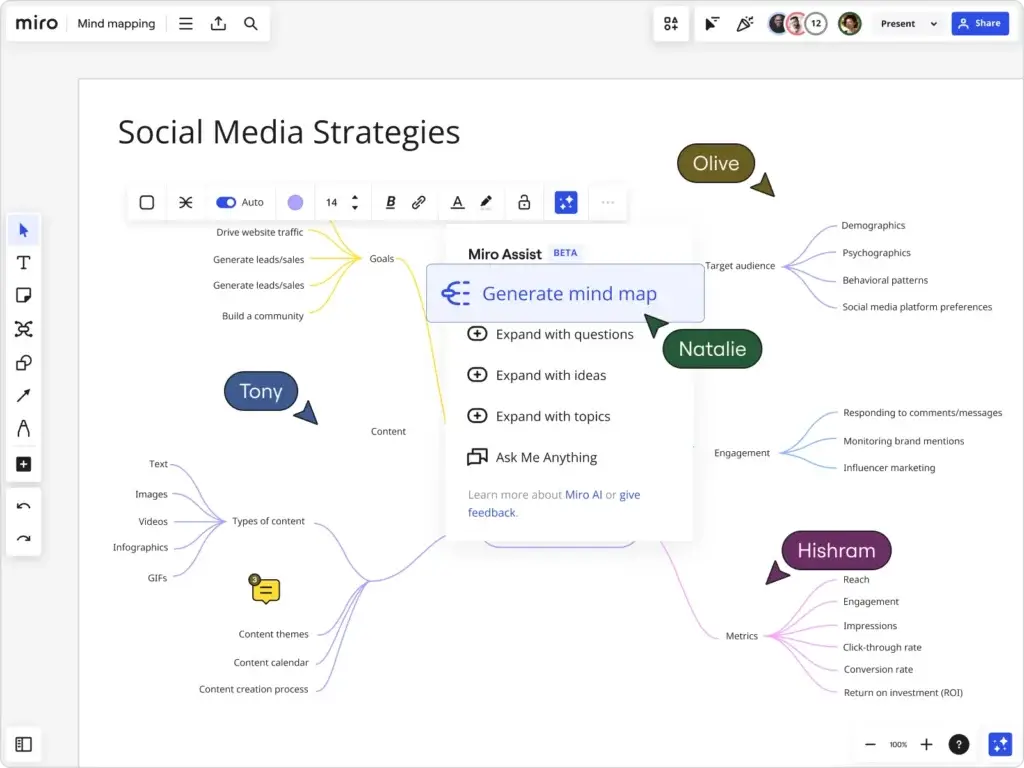
Miro is one of the most obvious Coggle alternatives because it handles collaborative ideation at a much larger scale. If Coggle feels too narrow or too simple for your team, Miro is often the next logical step. It offers mind maps, templates, diagrams, sticky notes, workshops, presentations, and a far more flexible canvas.
What Miro does especially well is group collaboration. Remote and hybrid teams can brainstorm live, comment asynchronously, and work across templates that go far beyond classic mind maps. If your use case involves retrospectives, product planning, journey mapping, or facilitation, Miro is far more versatile than Coggle.
My view is that Miro is one of the best all-around alternatives, but it is not always the best dedicated mind mapping experience. It wins when your team wants a visual collaboration platform, not just a mind map maker.
Pros and cons
Positive
✅ Excellent for real-time collaboration
✅ Infinite canvas with strong visual flexibility
✅ Large template library
✅ Better workshop and presentation use cases than Coggle
✅ Strong integrations for team workflows
Negatives
❌ Can feel overwhelming for users who only want simple mind maps
❌ Less focused than pure mind mapping tools
❌ Larger teams may find pricing climbs quickly
Pricing and best use cases
Miro offers a free plan with three editable boards. Its Starter plan begins at $8 per member per month when billed annually. For many teams, that is a fair step up from Coggle if the added collaboration and whiteboarding range matters.
Best for: distributed teams, design sprints, workshops, collaborative planning, and cross-functional brainstorming.
ClickUp

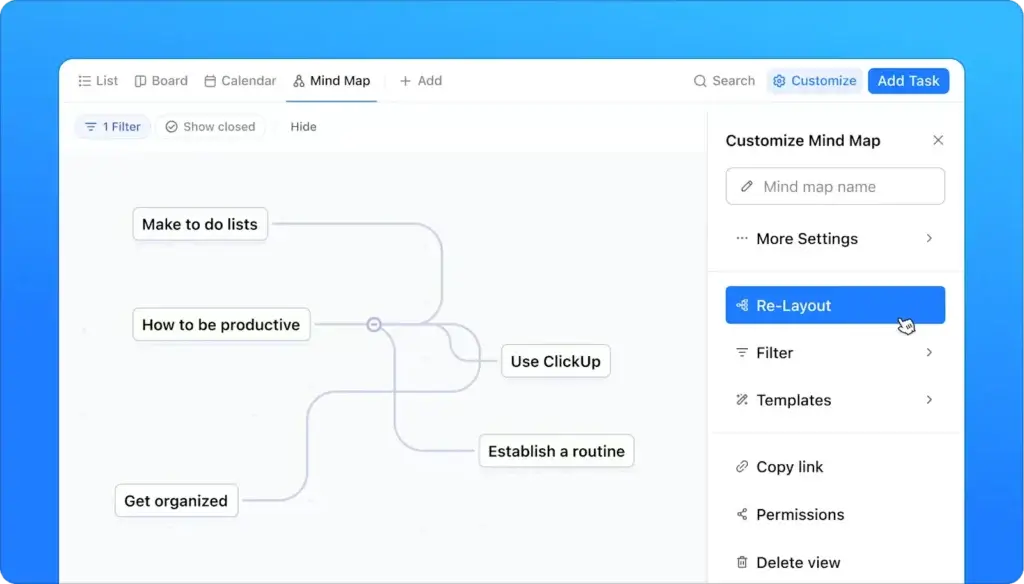
ClickUp is a strong Coggle alternative if your team wants to do more than brainstorm visually. While Coggle is primarily focused on simple collaborative mind maps, ClickUp takes a broader approach by connecting mind maps to tasks, whiteboards, docs, and project workflows in one workspace. ClickUp’s official Mind Maps feature is designed to help you diagram ideas, workflows, and campaigns, then turn those steps into tasks without leaving the platform.
This is where ClickUp stands out. If you often start with a loose idea map but eventually need owners, deadlines, and execution, ClickUp offers a more practical path than Coggle. Its Whiteboards also expand the use case beyond classic mind mapping, giving teams a more flexible visual planning area connected to the rest of their work. ClickUp positions its whiteboards as a way to turn ideas into coordinated action, which makes it especially relevant for project managers, operations teams, and marketing teams.
That said, ClickUp is not the best choice for everyone. If you want a lightweight, dedicated mind mapping tool with a simpler interface, Xmind or MindMeister may still feel easier. ClickUp is better when your real goal is not just mapping ideas, but managing what happens next. In that sense, it is one of the most workflow-oriented alternatives to Coggle on this list.
Pros and cons
Positive
✅ Turns mind maps into tasks
✅ Strong connection between brainstorming and execution
✅ Includes whiteboards, docs, and workflow tools in one platform
✅ Good fit for project-driven teams
✅ Free entry point available
Negatives
❌ Less lightweight than Coggle
❌ Can feel more complex for users who only want basic mind maps
❌ Mind map and whiteboard limits vary by plan
❌ Not as specialized for pure mind mapping as Xmind
Pricing and best use cases
ClickUp offers a free plan, and its pricing page promotes free access with paid plans for teams that need more scale and advanced functionality. According to ClickUp’s current feature limits page, Mind Map view is not included on the Free Forever plan, is limited on lower paid tiers, and becomes unlimited on higher plans. Whiteboards are available in limited quantities on lower tiers and unlimited on higher plans.
Best for: teams that want to connect brainstorming with task management, project planning, documentation, and execution inside one platform. If your main frustration with Coggle is that it stops at the idea stage, ClickUp is one of the better upgrades to consider.
Xmind
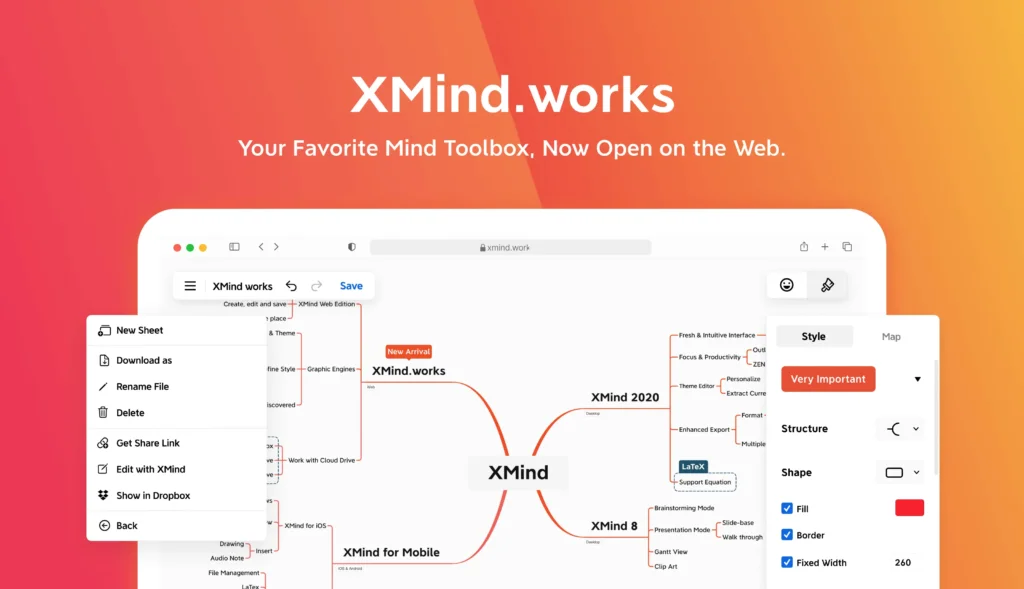
If your main complaint with Coggle is that it feels too lightweight, Xmind is probably the best alternative to look at first. Unlike broader collaboration tools, Xmind stays focused on mind mapping as a core discipline. It supports multiple structures, cleaner visual customization, better presentation support, and a more polished experience for people who think in maps all day.
Xmind stands out with features like Pitch mode, richer export options, and stronger structure choices than Coggle. It is one of the few tools that still feels purpose-built for serious mind mappers rather than being just one feature inside a broader whiteboard app.
In my opinion, Xmind is the strongest Coggle alternative for individual professionals, consultants, students, and planners who want a better mind mapping tool without drifting into full whiteboarding complexity.
Pros and cons
Positive
✅ More advanced mind mapping than Coggle
✅ Strong presentation and export options
✅ Better for deep solo thinking and structured planning
✅ Good balance between polish and power
✅ Cross-platform availability
Negatives
❌ Collaboration is not its strongest differentiator
❌ Less workshop-oriented than Miro or WorkCanvas
❌ Some advanced features sit behind paid plans
Pricing and best use cases
Xmind offers a free plan, with Pro starting at $4.92 per month and Premium at $8.25 per month. That makes it competitively priced if your priority is better mind mapping rather than a broader whiteboard suite.
Best for: solo professionals, researchers, students, consultants, and anyone who wants a dedicated mind mapping upgrade from Coggle.
Creately

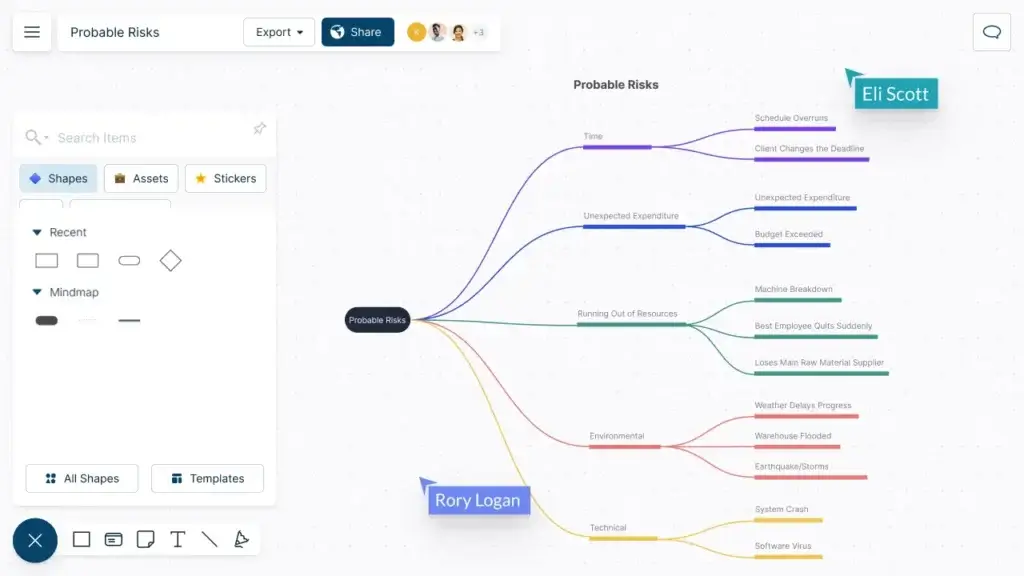
Creately sits in an interesting middle ground. It is broader than Coggle, more structured than Xmind, and more diagram-friendly than many whiteboard-first tools. If you want a Coggle alternative that can support mind maps but also expand into workflows, databases, project visuals, and collaboration, Creately is a very sensible option.
What I like most about Creately is that it can grow with your use case. You can start with mind maps, then move into process diagrams, linked data visuals, or project planning without changing platforms. That gives it more long-term value than Coggle for growing teams.
It is not the most specialized winner in any one category, but it is one of the better all-around alternatives if you want range without going fully enterprise.
Pros and cons
Positive
✅ Broad visual collaboration beyond mind maps
✅ Useful blend of whiteboarding and diagramming
✅ Good template and diagram support
✅ Strong value for mixed visual workflows
Negatives
❌ Interface can feel busier than Coggle
❌ Not as elegant as Xmind for pure mind mapping
❌ Less brand recognition than Miro or Lucidchart
Pricing and best use cases
Creately offers a free plan and paid tiers starting from $5 per user per month. It is especially appealing for teams that want flexibility without jumping to enterprise-level software.
Best for: growing teams, mixed visual planning, operations, business diagrams, and teams that want one tool for multiple visual workflows.
MindMeister

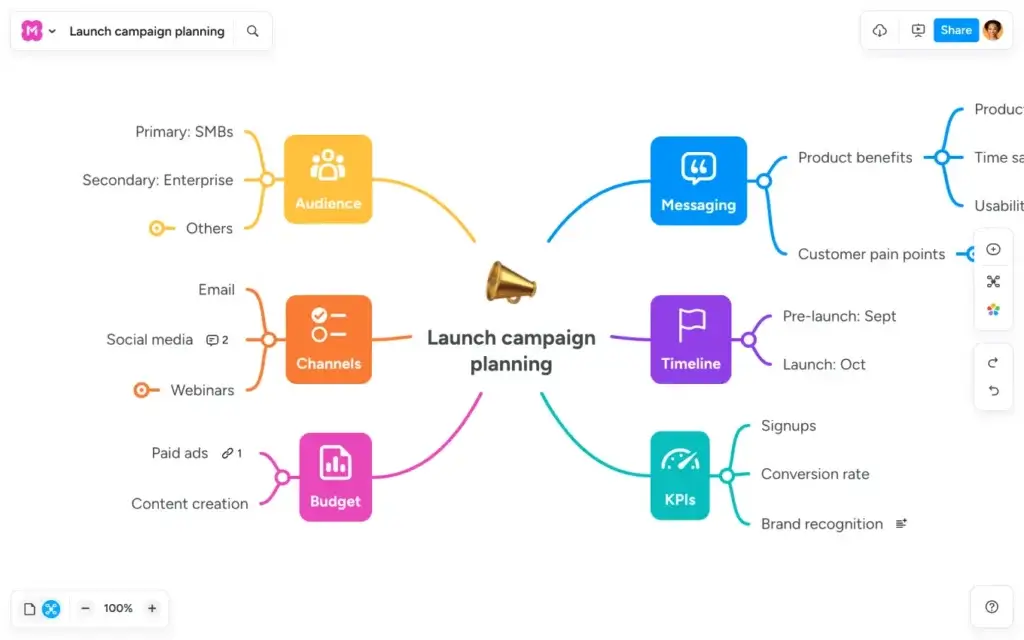
MindMeister is one of the closest direct alternatives to Coggle because it keeps the experience focused, web-based, and relatively easy to learn. If you like Coggle’s simplicity but want a more polished collaboration story, MindMeister is a strong option.
Its interface is clean, it supports real-time collaboration, and it does a good job of helping teams move from brainstorming to basic action through its MeisterTask connection. It does not try to become a full visual operating system the way Miro does, and that is part of its appeal.
I would choose MindMeister over Coggle when a team wants a straightforward shared mind mapping tool, but not necessarily a broad whiteboard platform. It is simple in the right way.
Pros and cons
Positive
✅ Easy to learn and easy to share
✅ Strong collaboration for a dedicated mind map tool
✅ Templates and AI-assisted map creation
✅ Good fit for teams that want clarity over complexity
Negatives
❌ Less flexible than Miro or FigJam
❌ Less advanced than Xmind for power users
❌ Free plan is limited to three mind maps
Pricing and best use cases
MindMeister’s free plan includes three mind maps, and the Personal plan starts at €6 per user per month. It is a practical mid-range option for teams that want more than Coggle without moving into a larger whiteboard suite.
Best for: small teams, educators, simple collaborative planning, and buyers who want a clean step up from Coggle.
Lucidchart

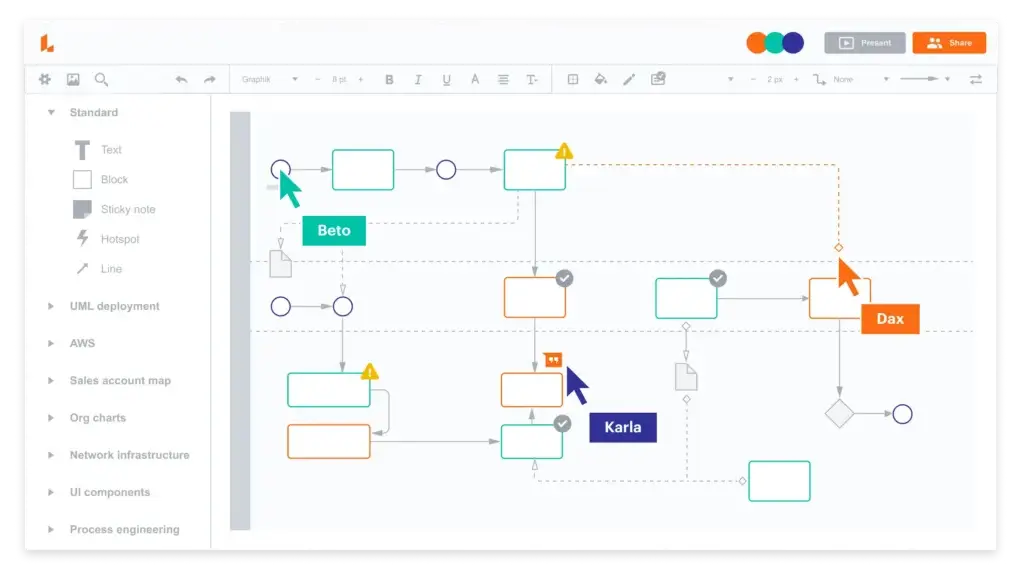
Lucidchart is a good Coggle alternative when your needs go beyond brainstorming and into more formal process documentation. Coggle is excellent for organic branch-based thinking, but Lucidchart is better when your team needs diagrams that are more structured, business-facing, and presentation-ready.
It supports mind maps, but its real strength is broader diagramming. That makes it valuable for operations, IT, process design, technical documentation, and teams that need to move from early ideas into formal workflows. If Coggle feels too casual for your environment, Lucidchart is a more professionalized option.
My take is that Lucidchart is not the most exciting alternative for creative ideation, but it is one of the smartest for teams that need disciplined diagrams and stronger business documentation.
Pros and cons
Positive
✅ Stronger formal diagramming than Coggle
✅ Good for process mapping and operations work
✅ Real-time collaboration and sharing
✅ AI-assisted diagram generation adds value
Negatives
❌ Less intuitive for freeform brainstorming
❌ Not as visually fluid as Miro or FigJam
❌ Better for structured diagrams than creative ideation
Pricing and best use cases
Lucidchart promotes a free trial and shows an Individual plan at $9 per month plus tax. It is a solid option for businesses that need diagramming breadth in addition to mind maps.
Best for: operations, IT, systems documentation, technical teams, and process-heavy organizations.
WorkCanvas by monday.com

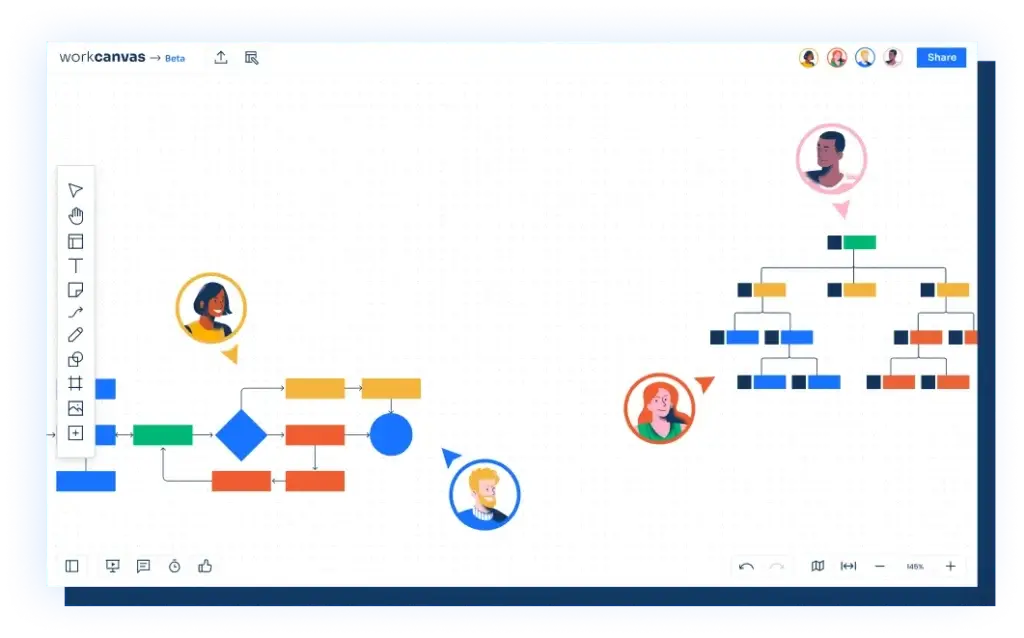
WorkCanvas by monday.com is my top recommendation for teams that want more than a standalone mind mapping tool. Coggle is great when you need a quick visual outline, but it starts to feel limiting when your brainstorming needs to turn into tasks, owners, timelines, and execution. WorkCanvas solves that gap better than most alternatives because it combines whiteboarding, mind mapping, and task creation inside the monday ecosystem.
Its Mind Map tool lets you create vertical or horizontal mind maps on an infinite canvas, which is helpful for teams that want more flexibility in how ideas are structured. You can brainstorm visually, add comments, draw freehand, organize workshops, and then connect what you mapped to broader monday workflows. That makes it especially attractive for operations teams, marketing teams, and project managers who do not want their ideation to live in a separate app.
It is worth being transparent here: if you want the deepest dedicated mind mapping feature set on the market, Xmind is still stronger. But if your real goal is not just mapping ideas, but making them useful, WorkCanvas is one of the smartest upgrades from Coggle.
Pros and cons
Positive
✅ Strong bridge between brainstorming and execution
✅ Vertical and horizontal mind maps
✅ Infinite canvas for workshops and team sessions
✅ Fits naturally into monday.com workflows
✅ Very strong choice for project-driven teams
Negatives
❌ Less specialized than dedicated mind map tools
❌ Best value comes when you already use monday.com
❌ Heavy solo users may find it broader than they need
Pricing and best use cases
WorkCanvas has a free registration path and multiple plans, with monday positioning it as a separate visual whiteboarding product. It is best for teams already using monday.com, or for buyers who want a visual planning layer that does not stop at ideation.
Best for: project teams, marketing teams, workshops, collaborative planning, and organizations that want brainstorming tied directly to execution.
Comparison Table
If you want the short version, the best Coggle alternative depends on what you are trying to improve. Choose WorkCanvas if you want action after brainstorming, Miro if you want better team collaboration, and Xmind if you want a stronger, dedicated mind mapping experience.
| Tool | Best For | Why It Beats Coggle | Starting Price |
| Miro | Collaborative whiteboarding | Stronger templates, workshops, async collaboration, and infinite canvas | Free, Starter from $8/member/month |
| ClickUp | Teams that want to turn brainstorming into actionable project work | Mind maps linked to tasks, whiteboards, docs, and project workflows | Free plan available; paid plans from $7/user/month billed yearly |
| Xmind | Dedicated mind mapping | More advanced map structures, better exports, stronger solo power use | Free, Pro from $4.92/month |
| Creately | Mixed visual workflows | Combines mind maps, diagrams, and planning more effectively | Free, paid from $5/user/month |
| MindMeister | Simple team mind mapping | Cleaner team collaboration and better task handoff than Coggle | Free, Personal from €6/user/month |
| Lucidchart | Process and systems diagrams | Stronger formal diagramming and documentation workflows | Trial, Individual from $9/month |
| WorkCanvas by monday.com | Turning ideas into work | Better connection between mind maps, collaboration, and execution | Free signup, multiple paid plans |
How to Choose the Best Coggle Alternative
The right choice depends less on mind maps alone and more on what happens before and after the map is created.
Choose a dedicated mind mapping tool if structure matters most
If you mainly use mind maps for personal thinking, research, planning, or structured note-making, a purpose-built tool like Xmind will usually give you more value than a broader whiteboard platform.
Choose a collaboration-first platform if your maps happen in group sessions
If your team brainstorms together, runs workshops, or needs comments and async input, Miro, WorkCanvas, or ClickUp will often outperform Coggle because they are designed for shared visual work.
Choose workflow integration if ideas need to become tasks
This is where WorkCanvas by monday.com stands out. If your current issue with Coggle is that the work stops once the map is finished, you need a platform that makes execution easier, not just a prettier diagram.
Choose diagramming depth if your work is more formal
Lucidchart and Creately are stronger picks if you use mind maps as a starting point for process mapping, systems design, org charts, or internal documentation.
Choose simplicity if adoption is your main concern
If your team liked Coggle because it was easy, avoid overbuying. MindMeister is often a better next step than moving straight into a heavyweight visual collaboration platform.
Final Thoughts
Coggle still deserves credit for being one of the easiest ways to create a mind map quickly. But if you have outgrown it, there are better tools now depending on what you need next.
My top overall recommendation is Miro for teams that want brainstorming to lead directly into action. It is the strongest option here for project-driven organizations that do not want ideation and execution to live in separate systems.
If your focus is pure mind mapping, Xmind is the better specialist choice. If your priority is collaborative workshops and team ideation, Lucidchart is still one of the strongest options on the market.
The best Coggle alternative is not the one with the most features. It is the one that fits how you actually think, collaborate, and move work forward.
Frequently Asked Questions
What is the best alternative to Coggle?
The best alternative depends on your needs. Miro is best for teams that want to connect brainstorming to execution, while Xmind is the best pick for dedicated mind mapping.
Which Coggle alternative is best for teams?
Miro and ClickUp are two of the strongest choices for teams because they support collaborative visual work better than Coggle in broader workshop and planning scenarios.
Is there a free alternative to Coggle?
Yes. Miro, Xmind, MindMeister, ClickUp, and Creately all offer free entry points, although each has different limits on boards, maps, or premium features.
What is better than Coggle for project management?
WorkCanvas by monday.com is better if you want mind maps to feed directly into tasks and workflows. ClickUp can also be useful, but WorkCanvas feels more natural for visual planning.
Which Coggle alternative is best for students?
Xmind is an excellent option for students who want a stronger dedicated mind mapping experience, while MindMeister is a good choice for lighter collaboration and easy sharing.
What is the best Coggle alternative for remote teams?
Miro is one of the best choices for remote teams because it supports live collaboration, async participation, templates, and broader whiteboarding beyond mind maps.
Is Coggle better than MindMeister?
Coggle is often simpler and faster for basic maps, but MindMeister is generally stronger for team collaboration and for users who want a more polished shared experience.
Is Xmind better than Coggle?
For dedicated mind mapping, yes. Xmind offers more structure options, better exports, and a more advanced overall mapping experience than Coggle.
Which Coggle alternative is best for diagramming?
Lucidchart and Creately are better than Coggle if you need more formal diagrams, process flows, or business documentation in addition to mind maps.
Should I switch from Coggle?
You should switch if you need more collaboration depth, better presentations, stronger exports, more diagram types, or a clearer way to turn ideas into real work.