
Introduction
A form builder can look simple until your process needs payments, file uploads, approvals, signatures, generated documents, conditional routing, and a reliable place to manage every submission.
Jotform is designed for that broader requirement. It combines a no-code form builder with payment collection, Jotform Tables, Workflows, Sign, Apps, Store Builder, Report Builder, PDF tools, and a growing set of AI capabilities.
This breadth makes Jotform a capable choice for small businesses, nonprofits, schools, healthcare organizations, and operational teams. Its account-wide submission, storage, payment, and signature limits still require planning.
In this Jotform review, you will learn:
- How Jotform performs for forms, surveys, registrations, applications, and orders
- Whether its AI tools provide practical workflow value
- How payments, approvals, e-signatures, PDFs, and data management work together
- What the current plan limits mean for individuals and organizations
- When Typeform, SurveyMonkey, Google Forms, Cognito Forms, or Formstack may be a better fit
Bottom line: Jotform is one of the best choices when a form is the entry point to a wider business process. It is less compelling when you only need unlimited basic responses, deep survey research, or multiuser collaboration on a standard paid plan.
| Category | Jotform Review Summary |
| Best For | Small businesses, nonprofits, schools, healthcare teams, service providers, and operations teams managing form-led workflows |
| Free Plan | Available with 5 active forms, 100 monthly submissions, 100 MB upload space, and Jotform branding |
| Strongest Features | Form customization, payments, conditional logic, approvals, e-signatures, PDFs, Tables, apps, and AI-assisted creation |
| Main Limitation | Usage limits apply across the account, and Starter through Gold are single-user plans |
| Best Alternative | Typeform for conversational experiences, SurveyMonkey for research, Google Forms for simple free collection |
| Our Recommendation | Best for organizations that want one platform to collect information and move it through an operational workflow |
Who Is Jotform Best For?
Identify whether your process needs more than a basic form
Jotform is flexible enough for many use cases, but its strongest fit is a process where submitted information must trigger another action.
✅ Best For
- Small and midsize businesses collecting leads, bookings, orders, payments, applications, or service requests
- Operations and HR teams routing approvals, onboarding documents, expense requests, and internal forms
- Schools and nonprofits managing registrations, permission slips, donations, applications, and event workflows
- Healthcare organizations requiring HIPAA-enabled forms on eligible Gold or Enterprise configurations
- Service providers combining intake forms, signatures, PDFs, scheduling, and payments
❌ When It Might Not Be the Right Fit
- You need unlimited responses at no cost and can accept limited design and workflow features
- You need deep survey research with respondent panels, advanced crosstabs, and research methodology tools
- Several people need full account access but Enterprise pricing is outside your budget
- You want a dedicated e-commerce platform with advanced inventory, fulfillment, and merchandising
- Your process is highly customized and requires a full low-code application platform rather than form-led automation
Real Scenarios Where Jotform Performs Well

You can collect a client intake, calculate a price, accept payment, request an e-signature, generate a PDF, send the submission for approval, and store the result in a table. That connected workflow is where Jotform provides more value than a basic survey or contact-form tool.
Key Features
Build detailed forms without depending on developers
Jotform’s core Form Builder supports a wide range of business data-collection scenarios. You can start from a template, generate a form with AI, import an existing form, or build from a blank canvas.
Templates, Form Types, and Widgets
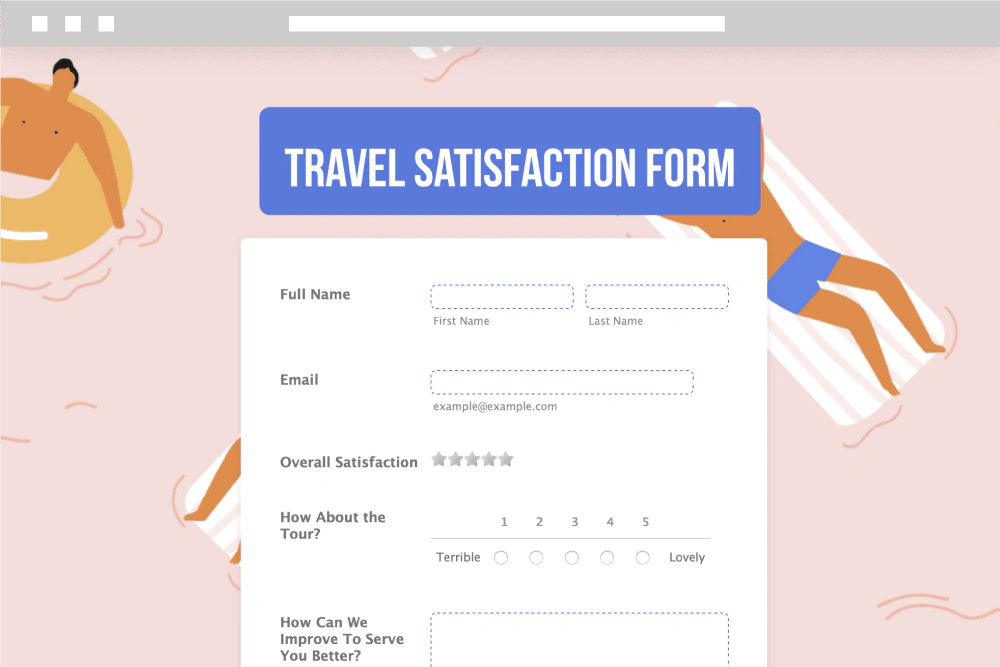
The template library covers contact forms, registrations, applications, order forms, surveys, evaluations, bookings, requests, waivers, and industry-specific workflows. You can add standard fields, file uploads, signatures, calculations, product lists, appointment slots, image choices, and specialized widgets.
The library provides a fast starting point, but remove every field that does not influence a decision or action.
Classic Forms and Card Forms
Classic Forms display several fields on a page and suit detailed applications, orders, and administrative processes. Card Forms present one question at a time and create a more conversational experience for lead capture, feedback, and mobile completion.
Use Card Forms for focused completion and Classic Forms when respondents need more context.
Conditional Logic and Calculations
Conditional logic can show or hide fields, skip pages, update calculations, change recipients, display different messages, and route submissions based on answers. This supports quote requests, eligibility checks, product configuration, personalized registrations, and internal request forms.
Calculation fields are especially useful for pricing, scores, quantities, taxes, order totals, or weighted evaluations. Complex logic should still be documented and tested across mobile and desktop before publishing.
Branding, Publishing, and Mobile Forms
You can customize colors, fonts, layouts, logos, backgrounds, and thank-you pages. Forms can be shared through a direct link, embedded on a website, published through a QR code, or accessed through Jotform’s mobile apps.
The mobile app can also support offline data collection, which is useful for inspections, events, field visits, and locations with unreliable connectivity.
AI Features
Assess whether the new AI layer improves the complete workflow
Jotform’s AI strategy extends beyond generating a few questions. It now includes form creation, conversational editing, AI Agents, workflow generation, app creation, and specialized tools.
AI Form Generator and Jotform AI Autopilot
You can describe the form you need and receive a structured draft with fields and basic styling. Jotform AI Autopilot can then modify fields, create conditional logic, adjust design settings, search forms and submissions, and provide product guidance through conversation.
It is useful when you know the outcome but not the exact fields or conditions. Verify consent language, calculations, routing, and regulated-data requirements.
Jotform AI Agents
AI Agents add a conversational layer to forms and customer interactions. An agent can answer questions, guide a user through form completion, collect information, process supported payments, and connect with tools or workflows. Jotform supports channels such as website chat, phone, voice, SMS, WhatsApp, and QR-based access.
The strongest use case is guided intake, where a visitor can resolve questions before submitting.
AI Workflow, App, and Store Builders
The AI Workflow Builder turns a plain-language process into a visual flow with forms, tasks, approvals, notifications, and branches. AI tools can also generate apps and simple stores from a description or uploaded information.
This reduces setup time, but generated workflows should be treated as drafts. Review permissions, failure paths, duplicate-submission handling, approval ownership, and the data passed to external systems.
Where Jotform AI Is Most Valuable
Jotform’s AI is more operational than analytical. It is strongest when it helps you create an intake process, guide a respondent, or automate follow-up. Dedicated survey platforms may still provide deeper AI-assisted research analysis for large feedback programs.
Payments, Approvals, E-Signatures, and Documents
Move from form submission to a completed business process
Jotform stands out because it connects data collection with transactional and document-based work. You can build a process without immediately adding separate tools for payment, approval, signature, and PDF generation.
Payment Forms and Store Builder
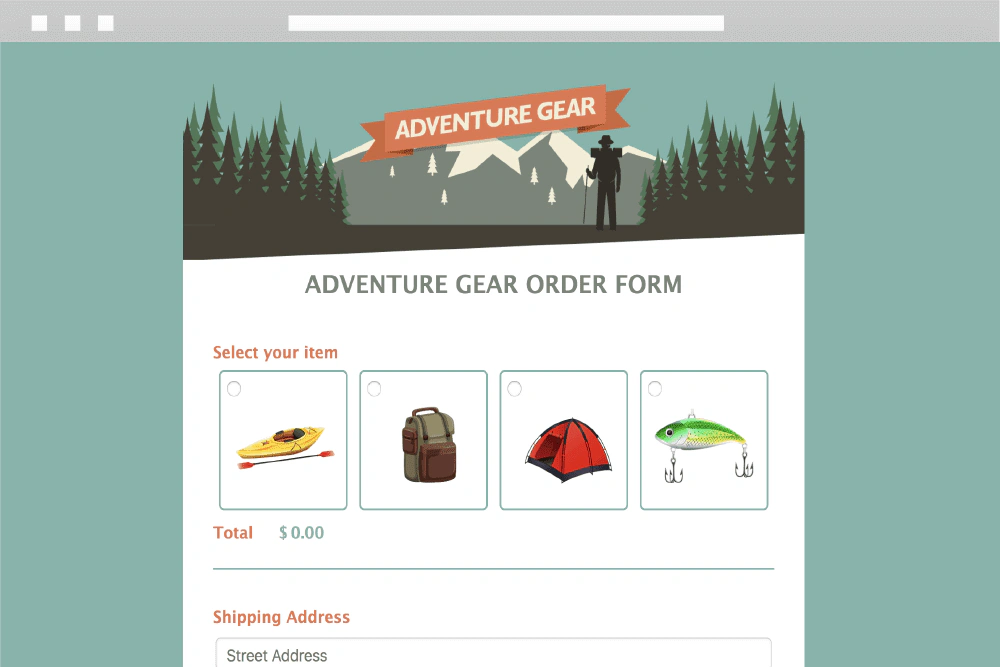
Jotform connects with numerous payment gateways, including Stripe, PayPal, Square, Authorize.Net, Apple Pay, Google Pay, Mollie, and regional providers. You can accept one-time payments, donations, registration fees, product orders, and recurring payments where the selected gateway supports them.
Jotform does not add its own transaction fee, although the payment processor still charges its normal fees. Each plan also has a monthly payment-submission limit, so a low-tier subscription can become restrictive even when your total form-submission volume is modest.
Store Builder supports simple mobile-friendly selling, but it does not replace advanced commerce platforms.
Jotform Workflows and Approvals
Workflows can route submissions to one or more reviewers, branch based on conditions, request additional information, assign tasks, send emails, collect payments, and request signatures. You can use sequential, parallel, internal, or external approval steps.
This is a practical fit for purchase requests, leave approvals, content review, scholarship applications, vendor onboarding, expense reimbursement, and client acceptance processes.
Jotform Sign
Jotform Sign lets you upload or build documents, add signature and data fields, define signer order, send reminders, and track activity through an audit trail. Signed-document allowances vary by plan and are counted separately from normal form submissions.
It is convenient when signatures are one step in a wider form workflow. A dedicated contract-lifecycle platform may be better when you need advanced negotiation, clause management, repositories, and legal workflow controls.
PDF Editor and Smart PDF Forms
Jotform can map online submissions into branded PDF documents such as certificates, invoices, agreements, inspection reports, applications, and approval records. Smart PDF Forms can convert an existing PDF into an online form while preserving the original document layout.
Complex PDFs still require testing for alignment, page breaks, long answers, and multilingual content.
Data Management and Reporting
Organize submissions without exporting every response immediately
Collecting responses is only useful when your team can find, review, assign, and report on them.
Jotform Tables
Jotform Tables turns submissions into a spreadsheet-style database with filters, formulas, labels, assignments, revision history, and several views. You can use spreadsheet, card, calendar, upload, and report views depending on the data.
Tables is useful for managing applications, leads, orders, inspections, event registrations, and internal requests. It is more operational than a static response export, although it does not replace a full CRM, project management platform, or relational database for every use case.
Inbox and Submission Management
Jotform Inbox presents submissions in a review-friendly format where you can add comments, reply, assign items, and take approval actions. This is helpful when the next step depends on a person reviewing the complete entry rather than editing spreadsheet cells.
Report Builder and Exports
Report Builder converts form data into charts, tables, infographics, and presentations that update as new submissions arrive. You can also export data to formats such as CSV, Excel, and PDF or send it to analytics and storage tools through integrations.
Our assessment: Reporting is strong for operational summaries, while advanced cross-source analysis still belongs in specialist analytics software.
Pros and Cons
Balance exceptional breadth against limits and account complexity
Users frequently praise Jotform’s ease, templates, and flexibility, while criticizing pricing, usage limits, and ecosystem complexity.
Positive
✅ Extensive templates and flexible form design
✅ Payments, approvals, signatures, PDFs, and apps in one platform
✅ Powerful conditional logic and integration options
✅ AI tools support forms, agents, apps, and workflows
Negative
❌ Submission, payment, storage, and signature limits can be restrictive
❌ Standard plans are limited to one account user
❌ The broad product suite can feel fragmented at first
❌ Advanced survey research and analytics are not its main strength
✅ What You Will Appreciate
A complete form-led workflow
You can collect data and continue directly into payment, approval, signature, document generation, reporting, or automation.
Fast creation with deep customization
Templates and AI reduce setup time, while logic, widgets, calculations, themes, and integrations support more advanced requirements.
Strong value for diverse use cases
One subscription can support registrations, orders, surveys, applications, internal requests, e-signatures, and lightweight apps.
Practical mobile and offline capabilities
Field teams can collect information on mobile devices and continue working when connectivity is limited.
❌ What Could Be Better
Limits require account-wide capacity planning
Submissions, views, uploads, payments, and signatures are shared across your forms. A successful campaign can consume limits faster than expected.
Collaboration is expensive for smaller teams
Starter, Bronze, Silver, and Gold are individual plans. Organizations that need separate user access and centralized administration must consider Enterprise.
The product family can create navigation friction
Forms, Tables, Inbox, Sign, Workflows, Apps, PDFs, and AI Agents are powerful, but understanding where each task belongs takes time.
Research analytics are comparatively limited
SurveyMonkey and Qualtrics provide stronger capabilities for advanced survey analysis, respondent panels, and formal research programs.
Pricing and Plans
Choose a plan based on total workflow volume, not only form count
Jotform offers Starter, Bronze, Silver, Gold, and Enterprise plans. The public annual prices below are based on current US pricing and may change by region, currency, billing period, tax, or promotion.
Current Public Pricing Overview
| Plan | Public US Price* | Core Limits | Best For |
| Starter | $0 | 5 forms, 100 monthly submissions, 100 MB upload space, Jotform branding | Testing, personal use, and very small processes |
| Bronze | $34/month, billed annually | 25 forms, 1,000 monthly submissions, 1 GB upload space | Freelancers and small businesses with recurring form use |
| Silver | $39/month, billed annually | 50 forms, 2,500 monthly submissions, 10 GB upload space | Growing businesses that need better capacity |
| Gold | $99/month, billed annually | 100 forms, 10,000 monthly submissions, 100 GB upload space, HIPAA features available | High-volume individual accounts and eligible healthcare workflows |
| Enterprise | Custom quote | Custom or unlimited capacity, multiple users, SSO, local data residency, dedicated support | Organizations requiring governance, collaboration, security, and scale |
The Free Plan Is Feature-Rich but Capacity-Limited
Starter gives you access to many standard features, including templates, widgets, integrations, payments, and signatures. Its limitations are primarily volume and branding: five active forms, 100 monthly submissions, limited upload space, account-wide view limits, and small monthly allowances for payment submissions and signed documents.
Standard Plans Are Single-User Plans
Bronze, Silver, and Gold increase capacity and remove Jotform branding, but they remain individual plans. Sharing a login is not a sound substitute for role-based access, especially when forms contain customer, employee, financial, or health information.
Watch More Than the Submission Limit
Estimate active forms, submissions, views, stored entries, uploads, payments, signatures, and fields. Exceeding limits may require cleanup or an upgrade.
Which Plan Offers the Best Value?
Silver is the strongest general-value plan because it provides 50 active forms, 2,500 monthly submissions, and substantially more storage for a small price increase over Bronze. Gold is appropriate when you need much higher volume or HIPAA-enabled features. Enterprise is the realistic choice for teams that need multiple users, SSO, custom domains, local data residency, and dedicated support.
Pricing assessment: Jotform can replace several tools, but choose a plan for your busiest month and complete workflow volume.
Integrations, Collaboration, and Automation
Connect form data with the systems where work continues
Jotform integrates with CRM, payment, email marketing, communication, storage, productivity, and automation tools. Common options include Salesforce, HubSpot, Pipedrive, Google Sheets, Microsoft Excel, Slack, Microsoft Teams, Google Drive, Dropbox, Mailchimp, Zapier, Make, and Power Automate.
Native Integrations and Payment Gateways
Native connections can send a submission directly to a spreadsheet, CRM, calendar, cloud folder, email list, or payment processor. Confirm the exact fields, update behavior, error handling, and plan requirements before relying on an integration for a critical workflow.
Zapier, Make, Webhooks, and APIs
Automation platforms and webhooks extend Jotform when a native integration is unavailable or too limited. A qualified lead can create a CRM record, notify sales, add a task, store an attachment, and send a personalized confirmation. Read our Zapier review for a closer look at multi-app automation.
Collaboration and Enterprise Administration
Standard accounts can share forms, tables, reports, and submission access in limited ways, but they do not provide the same multiuser administration as Enterprise. Enterprise adds users and teams, role-based access, admin controls, SSO, dedicated support, and broader governance.
Implementation advice: Define who owns each form, who can view submissions, who approves changes, and where completed records should live before connecting multiple departments.
Security, Privacy, and Customer Support
Review the controls before collecting sensitive information
Forms often collect personal, financial, employee, education, or health information. Your configuration and internal process matter as much as the vendor’s platform controls.
Encryption and Account Security
Jotform uses HTTPS and encryption to protect data in transit and provides security features such as form passwords, encrypted forms, access controls, spam protection, and audit capabilities depending on the product and plan. Enterprise environments add stronger administrative and identity controls.
PCI, GDPR, CCPA, and SOC 2
Jotform supports payment collection through PCI-compliant integrations and publishes information about GDPR and CCPA readiness. Jotform Enterprise offers a SOC 2 Type II compliant environment and related governance controls.
These capabilities do not make every form automatically compliant. You remain responsible for lawful notices, consent, data minimization, retention, deletion, access requests, and secure downstream integrations.
HIPAA-Enabled Forms
HIPAA-related features are available on Gold and Enterprise plans. You must enable the appropriate features, accept the required agreement, restrict access, and ensure every connected service is suitable for protected health information.
Enterprise Security and Data Residency
Enterprise can add SSO with providers such as Microsoft, Google, Okta, Duo, and OneLogin, plus custom domains, role-based permissions, local data residency options, and dedicated administration. These capabilities are important when several departments use forms across one organization.
Customer Support
Jotform provides 24/7 online support and a large help center. Standard plans rely on online support, while Enterprise adds dedicated assistance and service options. User feedback commonly praises usability and template flexibility, while criticism often focuses on pricing, limits, and occasional complexity when troubleshooting advanced forms.
Alternatives
Compare platforms based on the job that begins after submission
The closest Jotform alternative depends on whether you prioritize design, survey research, free collaboration, advanced calculations, or enterprise process automation.
| Software | Best For | Where It Beats Jotform | Where Jotform Is Stronger |
| Typeform | Conversational lead forms and polished respondent experiences | More consistent one-question-at-a-time design and brand-led interaction | Broader payments, approvals, PDFs, signatures, apps, and operational tools |
| SurveyMonkey | Professional surveys and recurring research programs | Deeper survey analytics, research controls, and audience recruitment | Stronger transactional forms and end-to-end operational workflows |
| Google Forms | Simple forms for Google Workspace users | Unlimited basic creation and responses at no additional cost | Customization, payments, logic, approvals, signatures, and integrations |
| Cognito Forms | Calculation-heavy forms and value-conscious teams | Competitive pricing, strong calculations, and flexible entry management | Larger ecosystem of templates, products, apps, and integrations |
| Formstack | Enterprise forms, documents, and digital process automation | More structured enterprise process and document automation packages | Easier self-service adoption and a broader free-to-paid entry path |
Jotform vs Typeform
Typeform is the better choice when the respondent experience is the product. Its conversational design is especially effective for lead generation, quizzes, and branded campaigns.
Jotform is stronger when the submission must connect with payments, approvals, signatures, PDFs, tables, or apps. Read our Typeform review for a detailed comparison of design, logic, AI, pricing, and analytics.
Jotform vs SurveyMonkey
SurveyMonkey is better for survey methodology, audience recruitment, crosstabs, recurring feedback, and research analysis.
Jotform is better for operational forms and transactions. Read our SurveyMonkey review to compare research depth, AI analysis, distribution, and pricing.
Jotform vs Google Forms
Google Forms is difficult to beat for simple internal questionnaires, classroom use, and fast collaboration through Google Sheets.
Jotform justifies its cost when you need professional design, payment processing, advanced logic, generated documents, approvals, signatures, or broader integrations. Compare both in our best online form builders guide.
Jotform vs Cognito Forms
Cognito Forms is a strong alternative for calculations, repeating sections, document generation, and workflow features at competitive prices. Jotform provides a larger ecosystem and more adjacent products.
Jotform vs Formstack
Formstack is designed for organizations investing in enterprise forms, document generation, e-signatures, and process automation. Jotform is generally easier to start with and offers a more accessible free plan.
Conclusion
Final Recommendation
⭐ Overall Rating: 9.2/10
Jotform is one of the most complete form-led workflow platforms available. Its strength is not one isolated feature, but the connection between form creation, AI, payments, approvals, signatures, PDFs, data management, reporting, apps, and integrations.
Choose Jotform when a submission should start a structured business process. Choose a simpler alternative when you only need basic free forms, a specialist survey platform, or affordable multiuser collaboration without moving to an Enterprise plan.
Frequently Asked Questions
Have More Questions?
What is Jotform used for?
Jotform is used to create online forms, surveys, applications, registrations, order forms, payment forms, approval workflows, e-signature documents, PDFs, reports, lightweight apps, and other form-led business processes.
Is Jotform free?
Yes. Jotform’s Starter plan is free and includes five active forms and 100 monthly submissions. It also has limits for views, uploads, payment submissions, signed documents, stored entries, and fields per form.
How much does Jotform cost?
Current annual US pricing is $34 per month for Bronze, $39 per month for Silver, and $99 per month for Gold. Enterprise uses custom pricing. Prices and promotions can vary by region and billing period.
What are the limitations of the Jotform free plan?
The free plan is limited to five active forms, 100 monthly submissions, 100 MB of upload space, Jotform branding, and small monthly allowances for payments and signed documents. Limits apply across the account.
Does Jotform charge transaction fees?
Jotform does not add its own transaction fee to payments collected through supported integrations. Your payment gateway still charges its standard processing fees, and Jotform plan limits restrict monthly payment submissions.
Does Jotform support electronic signatures?
Yes. Jotform Sign lets you create or upload documents, add signature fields, define signer order, send reminders, and track activity. Each plan has a monthly signed-document allowance.
Is Jotform HIPAA compliant?
Jotform provides optional HIPAA-enabled features on Gold and Enterprise plans. Your organization must configure the account correctly, accept required terms, restrict access, and use suitable integrations and data practices.
Can multiple users collaborate in Jotform?
Jotform supports sharing and collaboration, but Starter, Bronze, Silver, and Gold are single-user account plans. Enterprise is the appropriate plan for multiple managed users, teams, role-based access, SSO, and centralized administration.
What is the best alternative to Jotform?
Typeform is better for conversational design, SurveyMonkey for advanced research, Google Forms for simple free collection, Cognito Forms for calculations and value, and Formstack for enterprise process automation.
Is Jotform worth paying for?
Jotform is worth paying for when you use its forms, logic, payments, approvals, signatures, PDFs, tables, apps, integrations, or AI tools as part of a repeatable workflow. Basic forms may not justify the cost.