Introduction
Google Forms is often treated as the default answer when you need to collect information quickly. You open a blank form, add a few questions, share a link, and watch responses appear in a spreadsheet.
That simplicity is the product’s greatest advantage, but it can also hide an important decision. Google Forms is excellent for straightforward surveys, registrations, quizzes, applications, and internal requests. It becomes less convincing when you need advanced branding, payments, sophisticated branching, research-grade analysis, or a polished customer-facing experience.
The platform has also changed meaningfully. Eligible Google Workspace and Google AI accounts can now use Gemini to generate a draft form, suggest additional questions, and summarize open-ended responses. These additions reduce setup and review time, although they do not turn Google Forms into a complete experience-management platform.
In this Google Forms review, you will learn:
- Where Google Forms delivers exceptional value and where it reaches its limits
- How question types, quizzes, branching, validation, and sharing work
- What Gemini adds to form creation and response analysis
- How Google Sheets, Apps Script, add-ons, and Workspace collaboration extend the product
- When SurveyMonkey, Typeform, Jotform, Qualtrics, or Zoho Survey is a better choice
Bottom line: Google Forms is one of the best free tools for uncomplicated data collection, especially when you already work in Google Workspace. It is not the best option for complex research, high-conversion lead forms, payment workflows, or tightly branded experiences.
| Category | Google Forms Review Summary |
| Best For | Simple surveys, quizzes, registrations, internal requests, education, and Google Workspace teams |
| Free Plan | Core Google Forms features are available with a free Google account |
| Strongest Features | Ease of use, Google Sheets integration, collaboration, quizzes, validation, and low-cost response collection |
| Main Limitation | Limited branding, analytics, workflow depth, and advanced survey logic |
| AI Availability | Gemini features are available on eligible Google Workspace and Google AI plans |
| Our Recommendation | Best for teams that value speed, simplicity, and Google ecosystem integration over specialist survey capabilities |
Who Is Google Forms Best For?
Understand where simplicity becomes a competitive advantage
Google Forms serves a broad audience, but its best fit is not defined by company size. It is defined by how much complexity surrounds the data collection process.
✅ Best For
- Google Workspace teams collecting internal requests, approvals, feedback, registrations, and structured updates
- Teachers and trainers creating quizzes, assignments, knowledge checks, and course evaluations
- Small businesses and nonprofits that need reliable forms without a separate software budget
- Event organizers collecting RSVPs, attendance details, dietary requirements, and post-event feedback
- Researchers and marketers running simple surveys before exporting data to Google Sheets for analysis
❌ When It Might Not Be the Right Fit
- You need highly branded forms with custom layouts, domains, CSS, or white-label presentation
- You need payments, e-signatures, generated documents, or approval workflows inside the form platform
- You are running complex market research with quotas, randomization, piping, crosstabs, weighting, or panel recruitment
- You need native CRM routing and campaign attribution without relying on add-ons or automation tools
- You require advanced respondent analytics such as drop-off reporting, conversion funnels, or cross-survey dashboards
Real Scenarios Where Google Forms Performs Well
You can create an equipment request, customer poll, quiz, volunteer application, or event registration in minutes, then use Sheets to sort, score, assign, and report on submissions. The product is strongest when Forms collects the data and another Google tool manages the next step.
Key Features
Build practical forms, quizzes, and surveys with minimal training
The editor is intentionally simple. You add questions, choose a response format, mark fields as required, and organize longer forms with sections. Google allows up to 300 content items and 75 sections.
Templates and Form Setup
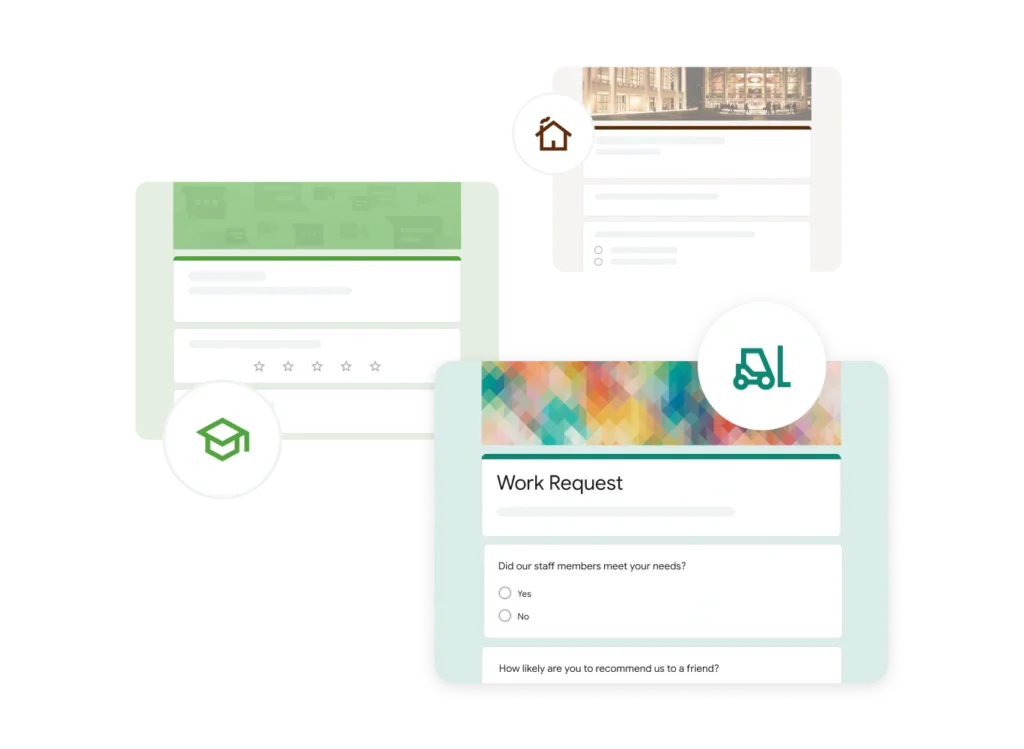
The template gallery covers contact information, events, feedback, applications, orders, quizzes, and education. You can also import approved questions from an existing form to keep recurring surveys consistent.
Sections and Conditional Branching
Sections divide a long form into manageable pages. You can send a respondent to a particular section or end the form based on a multiple-choice or dropdown answer.
This works for eligibility checks and simple routing, but it lacks answer piping, quotas, calculations, and multi-condition rules.
Quizzes, Scoring, and Feedback
Any form can become a quiz. You can assign points, define correct answers, add answer feedback, release scores immediately or later, and manually grade open-ended responses. This makes Google Forms especially useful for education, employee training, compliance checks, and certification practice.
File Uploads and Important Friction
File upload questions are useful for applications, expense receipts, assignments, and proof-of-completion workflows. However, respondents must sign in to a Google Account to upload files. The form owner can restrict file type, number, and size.
The sign-in requirement can reduce completion rates, so test public-facing forms before launch.
Question Types and Response Validation
Google Forms supports short answer, paragraph, multiple choice, checkboxes, dropdown, file upload, linear scale, multiple-choice grid, checkbox grid, date, time, and rating questions. You can add images to questions or answer options and place YouTube videos between questions.
Validation can require numeric ranges, text patterns, answer lengths, or a set number of checkbox selections. Custom error messages reduce cleanup after submission.
Gemini AI Features
Measure whether Gemini improves the workflow or only the first draft
Gemini has made Google Forms more capable, but the AI features are not available to every free user. Google lists availability for eligible Business Standard and Plus, Enterprise Standard and Plus, education packages, and Google AI Pro or Ultra accounts.
Help Me Create a Form
You can describe the form you need in a prompt or reference supporting Docs, Sheets, Slides, or PDF files. Gemini generates a ready-to-edit draft with suggested questions and answer choices.
This is useful when an event brief, training document, research plan, or policy already contains the requirements. Treat the result as a draft and review accuracy, neutrality, and completeness.
AI Question Suggestions
After a form contains at least two questions, eligible users can ask Gemini to suggest additional questions. It proposes relevant question types, wording, and answer options based on the existing form.
Suggestions can reveal gaps, but you should still remove leading questions, duplicated concepts, and unnecessary fields.
Summaries for Open-Ended Responses
Gemini can summarize short-answer and paragraph responses into themes and key takeaways. This is valuable when a feedback form receives dozens or hundreds of comments that would otherwise require manual reading.
For deeper work, send responses to Sheets and use Gemini to categorize comments, compare segments, or prepare a reporting table.
AI Limitations You Should Consider
Google’s rollout guidance notes limitations around multi-section forms, quiz settings, and response-summary eligibility. Our assessment: Gemini makes Forms faster, not fundamentally more advanced. Human review remains essential for methodology, privacy, logic, and decisions.
Control access, reduce friction, and avoid accidental data exposure
Google Forms provides several distribution options, but access settings deserve careful attention. A technically correct form can still fail if respondents cannot open it or if the wrong people can view sensitive information.
Publishing and Responder Access
Before people can respond, you publish the form and choose who has access. You can allow anyone with the link, restrict access to a domain, share with named users or groups, or use eligible Workspace target audiences.
You can also set access expiration for time-limited applications, registrations, and assessments.
Links, Email, Embeds, and Pre-Filled Forms
You can distribute a form by email, copy a responder link, shorten the URL, share it on social channels, or embed it in a website. Pre-filled links let you populate known fields such as department, event name, account owner, or campaign source before the respondent opens the form.
Forms with file uploads, rating questions, secured quizzes, or certain images may need to open in a browser rather than inside an email.
Identity, One-Response Limits, and Anonymous Collection
You can collect verified email addresses, ask respondents to enter an email address, or collect no identifying information. Turning on the one-response limit requires respondents to sign in to a Google Account, although their usernames are not automatically recorded unless email collection is enabled.
Anonymous collection depends on settings and question design. Do not request identifying fields if you promise anonymity.
Draft Saving and Response Editing
Signed-in respondents can save draft progress for 30 days. You can disable autosave or allow post-submission editing when appropriate.
A Privacy Setting That Deserves Extra Caution
The response-summary option can expose full text answers and charts to anyone who can respond. Leave it disabled unless shared results are intentional.
Responses, Analytics, and Reporting
Use built-in summaries for speed and Sheets for serious analysis
Google Forms provides immediate response summaries, individual submission views, and question-level results. Automatic charts make it easy to understand multiple-choice, scale, and grid questions without configuring a dashboard.
Built-In Response Views
The Summary tab shows overall results, the Question tab isolates one question, and the Individual tab lets you inspect each submission. You can turn on email notifications for new responses, stop accepting submissions, delete responses, and download a CSV file.
These views work for quick checks, but Forms lacks crosstabs, weighting, statistical tests, response-quality filters, and reusable research dashboards.
Google Sheets Integration
The Sheets connection is the product’s most important analytical advantage. You can create a new spreadsheet or connect an existing destination, then use formulas, filters, pivot tables, charts, conditional formatting, and lookup functions.
Keep the raw response tab unchanged and analyze data in separate tabs. This protects the source while you clean categories, calculate scores, and build reports.
Collaboration and Ownership
You can share the form with editors so colleagues can add questions, review responses, and change settings. Remember that access to the linked Sheet is managed separately. Removing a collaborator from the form does not automatically remove spreadsheet access.
Store important forms in an organizational account and document ownership of the form, Sheet, and automation.
Where Reporting Falls Short
Forms lacks multi-survey dashboards, panel management, NPS programs, and executive-ready reporting. You can build more in Sheets or compare the best business intelligence software.

Pros and Cons
A balanced assessment of value, usability, and operational limits
Google Forms succeeds because it removes cost and technical friction from routine data collection. Its weaknesses appear when your process needs more design control, research depth, automation, or customer-facing polish.
Positive
✅ Core features are free and easy to learn
✅ Excellent Google Sheets and Workspace integration
✅ Strong quizzes, validation, and collaboration
✅ Gemini reduces drafting and review time for eligible users
Negative
❌ Branding and layout customization are limited
❌ Analytics and advanced survey logic remain basic
❌ No native payments, signatures, or document workflows
❌ Some useful settings force respondents to sign in
✅ What You Will Appreciate
Fast adoption across almost any team
You can create, test, and publish a useful form without training or implementation support.
Exceptional value for routine collection
Core features are available without a dedicated form-builder subscription.
Sheets turns a simple form into a flexible workflow
Responses can become task lists, scoring systems, queues, or dashboards in Sheets.
Collaboration feels consistent with Google Workspace
Sharing and co-editing follow familiar Workspace patterns.
❌ What Could Be Better
Forms still look recognizably like Google Forms
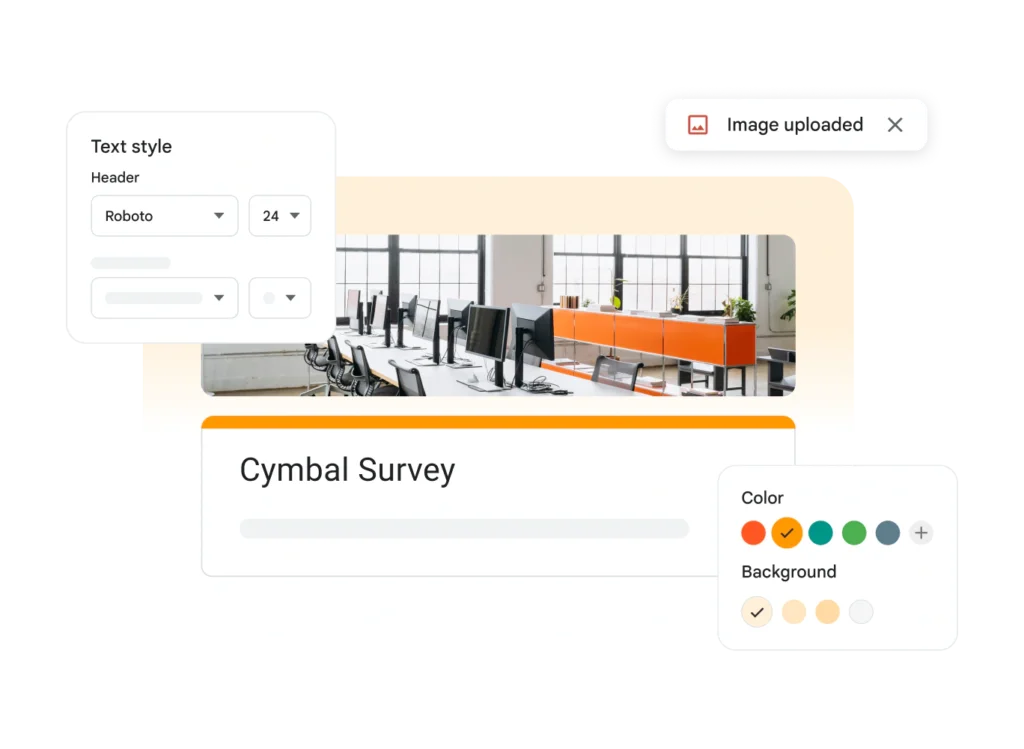
Colors, fonts, and header images cannot match the branding freedom of advanced builders.
Branching is useful but shallow
Complex conditions, calculations, and answer recall require another tool or custom scripting.
Operational features depend on extensions
Payments, signatures, documents, approvals, and CRM actions require extensions or automation.
Free does not mean governance is automatic
You still need policies for ownership, access, retention, and spreadsheet sharing.
Pricing and Plans
Separate the free form builder from the wider Workspace subscription
Google Forms does not have a standalone paid plan. Core form creation is available through a free Google account, while business administration, storage, support, security controls, and Gemini availability depend on your Google Workspace or Google AI subscription.
Google Forms Pricing Overview
| Account or Plan | Google Forms Cost | Best For | Important Differences |
| Personal Google Account | $0 for core Forms | Individuals, students, clubs, and basic public forms | Core editor, quizzes, sharing, Sheets connection, and collaboration |
| Workspace Business Starter | Included with Workspace subscription | Small teams needing business email and administration | Core Forms with organizational ownership and Workspace controls; Gemini in Forms is not listed for this tier |
| Workspace Business Standard | Included with Workspace subscription | Teams wanting more storage and eligible Gemini features | Includes access to supported Gemini creation, suggestions, and response summaries |
| Workspace Business Plus | Included with Workspace subscription | Organizations requiring stronger security and administration | Higher storage, advanced Workspace controls, and eligible Gemini features |
| Enterprise Standard or Plus | Custom Workspace pricing | Large organizations with governance and compliance requirements | Enterprise administration, security, support, and eligible Gemini features |
| Google AI Pro or Ultra | Consumer AI subscription | Individuals wanting Gemini capabilities in supported apps | Eligible access to Gemini features in Forms, subject to account and regional availability |
What the Free Version Actually Includes
The free experience includes forms, quizzes, standard question types, validation, sections, basic branching, collaboration, CSV export, and Sheets integration. Practical capacity is still affected by storage, file uploads, and connected-service limits.
When Paying for Workspace Makes Sense
Buy Workspace when you also need business email, administration, storage, support, identity controls, and governance. Business Standard is the practical starting point when Gemini in Forms matters; higher tiers are justified by organization-wide security needs.
Pricing assessment: Google Forms offers outstanding value because its core product is free. Paid Workspace plans improve the environment around Forms more than the form-building experience itself.
Integrations and Workflow Automation
Extend a simple form with Google tools, add-ons, and automation
Google Forms has fewer packaged business integrations than specialist form platforms. Its real integration model is built around Sheets, Google Workspace, Apps Script, Marketplace add-ons, and third-party automation.
Google Sheets as the Workflow Hub
Sheets is where most practical workflows begin. A response can be assigned, categorized, scored, enriched, or matched with another dataset. You can use filters and protected ranges to create department-specific views without giving everyone edit access to the form.
Google Apps Script
Apps Script lets technical users automate actions when a form is submitted. You can send customized emails, create calendar events, generate documents, update another spreadsheet, route requests by department, or connect with external APIs.
Scripts create maintenance responsibility, so document triggers, permissions, ownership, errors, and API dependencies.
Workspace Marketplace Add-Ons
Add-ons can provide certificates, notifications, choice limits, documents, approvals, and dynamic fields. Review permissions, privacy, support, and pricing first.
Zapier and Other Automation Platforms
Automation tools can send responses to a CRM, project platform, help desk, database, or team chat when another system owns follow-up.
Read our Zapier review for a closer look at no-code workflow automation.
Collaboration Limits to Plan Around
Forms lacks formal approvals, locked question libraries, and granular research roles. Use documented change control for compliance, hiring, research, or financial forms.
Security, Privacy, and Customer Support
Protect respondent data with deliberate settings and ownership
Google Forms operates within Google’s consumer or Workspace environment. The security and governance experience therefore depends heavily on the account type, administrator configuration, sharing choices, connected Sheets, and third-party add-ons.
Security and Compliance Framework
Google Workspace maintains independent certifications and attestations including ISO 27001, ISO 27017, ISO 27018, ISO 27701, SOC 2, and SOC 3. Workspace customers can access compliance resources, data-processing terms, administration, and security controls according to their edition.
Certifications do not make every form compliant. You remain responsible for lawful collection, consent, access, retention, deletion, and question design.
HIPAA and Sensitive Data
Google provides a HIPAA Business Associate Addendum for eligible Workspace customers and identifies covered services and implementation requirements. A personal Google account should not be treated as a compliant healthcare configuration.
Before collecting protected health information, confirm the edition, BAA, covered functionality, settings, add-ons, and workflow.
Permissions and Linked Spreadsheet Risk
The response Sheet often becomes the highest-risk asset because it contains complete submissions in a sortable table. Limit editor access, avoid public sharing, review link settings, and remove former team members from both the form and spreadsheet.
Gemini Data Considerations
Google states that Workspace data and prompts are not used for advertising or to train Gemini outside the domain without permission. Administrators should still review AI settings and retention.
Customer Support
Free users rely on the Help Center and community. Workspace subscriptions include administrator support. Implementation advice: Use organizational ownership, test external access, and review connected add-ons.
Alternatives
Compare specialist tools when free simplicity is no longer enough
The best Google Forms alternative depends on the reason you are leaving. You may need deeper research, better design, transactional workflows, enterprise governance, or stronger automation.
| Software | Best For | Where It Beats Google Forms | Where Google Forms Is Stronger |
| SurveyMonkey Read our review | Professional surveys and recurring research | Advanced logic, analysis, distribution, and audience recruitment | Lower cost, simpler setup, and stronger native Sheets workflow |
| Typeform Read our review | Conversational forms and branded lead experiences | More polished design, logic, embeds, and conversion-focused presentation | Faster internal use and more generous free data collection |
| Jotform Read our review | Payments, approvals, documents, and operational forms | Broader templates, widgets, payment options, signatures, and workflow features | Simpler learning curve and cleaner Google ecosystem integration |
| Qualtrics Read our review | Enterprise experience management and complex research | Research methodology, governance, analytics, and multi-program management | Far easier adoption and no specialist implementation requirement |
| Zoho Survey Read our review | Affordable surveys in the Zoho ecosystem | Stronger survey customization, reporting, and business integrations | Better fit for teams centered on Google Sheets and Workspace |
Google Forms vs SurveyMonkey
SurveyMonkey is the stronger choice for structured research, audience recruitment, survey logic, filters, crosstabs, and presentation-ready reports. Google Forms is better when your priority is free, fast collection with immediate Sheets access. Read our SurveyMonkey review.
Google Forms vs Typeform
Typeform creates a more engaging, conversational respondent experience and offers better branding for campaigns, onboarding, and lead generation. Google Forms is more practical for internal requests, education, and high-volume basic collection. Read our Typeform review.
Google Forms vs Jotform
Jotform is better when the form must collect payments, capture signatures, generate documents, manage approvals, or use specialized widgets. Google Forms is easier when you only need questions, responses, and a spreadsheet. Read our Jotform review.
Google Forms vs Qualtrics
Qualtrics is designed for enterprise research and experience-management programs that require governance, advanced analysis, complex methodology, and multiple listening channels. Google Forms is the sensible choice for low-complexity use cases. Read our Qualtrics review.
Google Forms vs Zoho Survey
Zoho Survey provides more dedicated survey features, stronger customization, and connections with the wider Zoho business suite. Google Forms remains better for teams that live in Drive and Sheets. Read our Zoho Survey review.
Conclusion
Final Recommendation
⭐ Overall Rating: 8.7/10
Google Forms earns a high score because it solves common data-collection problems with almost no cost, setup, or training. Its quizzes, validation, sharing, collaboration, and Sheets integration are strong enough for a wide range of schools, nonprofits, teams, and small businesses.
Gemini adds useful drafting, question suggestion, and text-summary capabilities for eligible users. However, the product still lacks the design freedom, workflow features, research analytics, and advanced logic that justify specialist form and survey platforms.
Choose Google Forms when you need a dependable form quickly and the next step happens in Google Sheets or another Workspace tool. Choose a specialist alternative when the respondent experience, analytical depth, branding, payments, governance, or automation is central to the project.
Frequently Asked Questions
Have More Questions?
What is Google Forms used for?
Google Forms is used to create surveys, quizzes, registrations, applications, feedback forms, and internal requests. Responses can be reviewed in Forms or sent to Google Sheets.
Is Google Forms completely free?
Yes. Core form creation, sharing, quizzes, validation, collaboration, and response collection are available with a free Google account. Paid Workspace plans add administration, support, storage, and eligible AI features.
Does Google Forms have a response limit?
Google Forms does not present the small monthly submission quotas common in commercial form builders. Practical capacity depends on account storage, file uploads, and connected Google service limits.
Can Google Forms create a form with AI?
Yes, on eligible plans. Gemini can generate a draft form from a prompt or referenced file, suggest additional questions, and summarize qualifying open-ended responses.
Can Google Forms use conditional logic?
Yes. Multiple-choice and dropdown answers can send respondents to different sections or submit the form. It does not support the advanced multi-condition logic of specialist survey platforms.
Can Google Forms collect payments?
Google Forms does not provide native payment processing. You need a third-party add-on, external payment link, Apps Script workflow, or a form builder with built-in payments.
Can Google Forms be anonymous?
Yes, when email collection and identifying questions are disabled. Review access, one-response, file-upload, and sign-in settings carefully before promising respondents anonymity.
Is Google Forms secure?
Google Forms benefits from Google account and Workspace security controls. Security still depends on permissions, administrator settings, linked Sheets, add-ons, retention practices, and the sensitivity of collected data.
What is the main disadvantage of Google Forms?
Its main disadvantage is limited depth. Branding, advanced logic, payments, workflow automation, respondent analytics, and research reporting are weaker than specialist survey and form platforms.
What is the best Google Forms alternative?
SurveyMonkey is stronger for research, Typeform for conversational design, Jotform for operational forms and payments, Qualtrics for enterprise programs, and Zoho Survey for affordable business surveys.