
Why Accounting Software Is a Must-Have for Freelancers
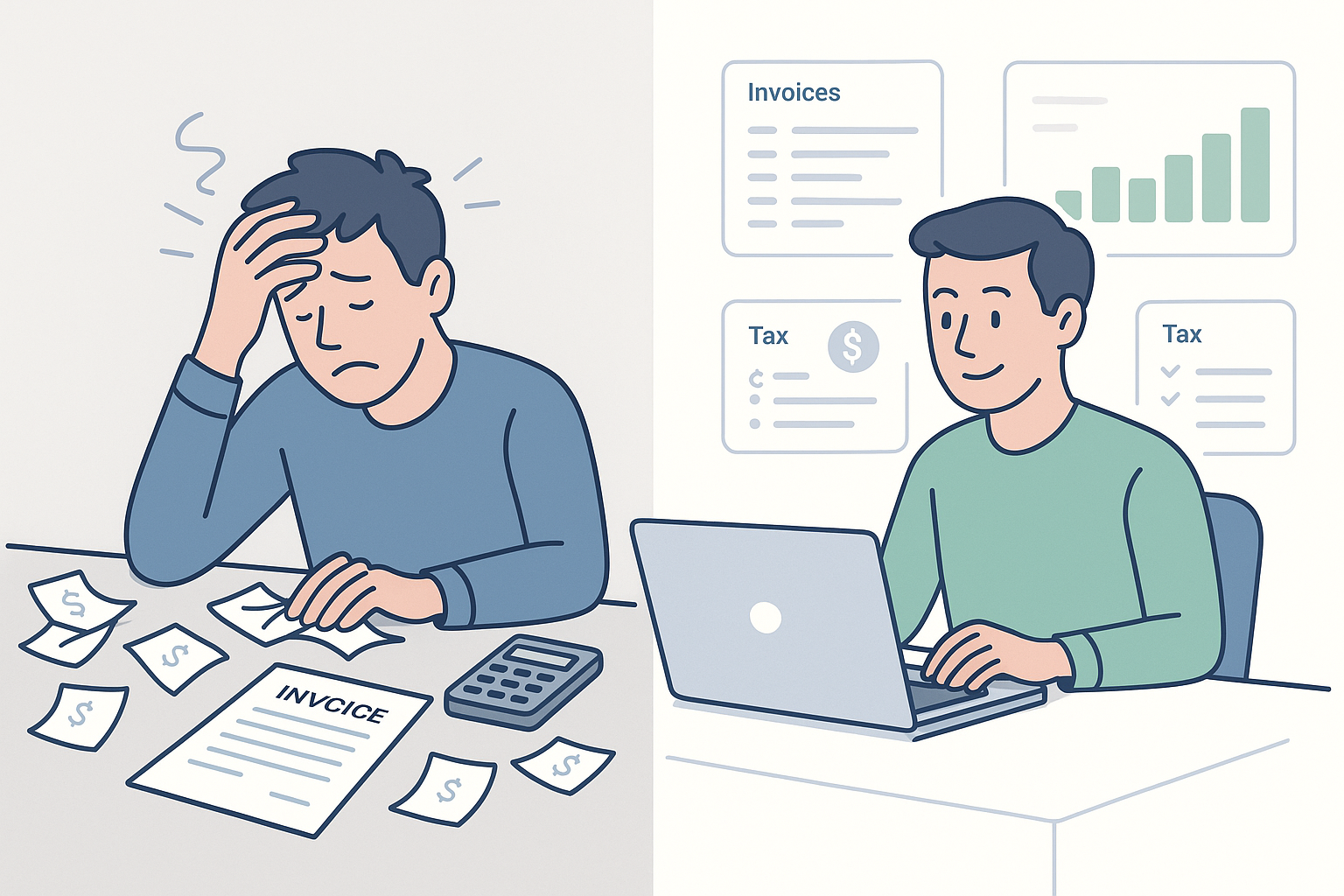
Still using spreadsheets to manage your freelance income?
You are not alone, but spreadsheets become risky once your freelance business has more than a few moving parts.
At first, a spreadsheet can feel good enough. You may only need to record a few invoices, track some software subscriptions, and keep a list of client payments.
But once you work with multiple clients, use PayPal or Stripe, bill hourly, track mileage, pay subcontractors, or prepare quarterly taxes, manual bookkeeping becomes harder to trust.
Accounting software built for freelancers gives you a cleaner way to manage money without becoming your own full-time bookkeeper.
It helps you:
- Track freelance income from different clients and platforms
- Create professional invoices and follow up on late payments
- Separate business expenses from personal spending
- Organize tax deductions before tax season
- Monitor cash flow, profit, and unpaid invoices
- Share cleaner records with your accountant
The main benefit is not only saving time. It is financial clarity.
When you know what you earned, what you spent, what clients still owe you, and what tax obligations may be coming, you can make better decisions with less stress.
If you want a broader comparison of accounting platforms for small businesses, growing teams, and more advanced use cases, see our Top 10 Accounting Software guide.
How We Evaluated
Choosing accounting software for freelancers is different from choosing accounting software for a larger company.
You do not need a complex ERP system, multi-department workflows, or heavy inventory controls. You need software that fits how you actually work: solo, client-facing, project-based, and often mobile.
For this guide, we focused on the features that matter most to freelancers, consultants, creators, contractors, gig workers, and independent service providers.
✅ Our Evaluation Criteria
- Ease of use: Can you manage your books without accounting experience?
- Invoicing: Can you send, customize, track, and automate invoices?
- Expense tracking: Can you import transactions and capture receipts?
- Tax readiness: Does it help with deductions, reports, and mileage?
- Time tracking: Can you turn billable hours into invoices?
- Automation: Does it reduce repetitive admin work?
- Scalability: Can it grow if you add contractors or form a small agency?
- Pricing value: Does the cost make sense for freelance income?
- Integrations: Does it connect with payment, banking, CRM, or project tools?
Pricing changes frequently and may vary by country, billing cycle, promotions, and plan limits. Always check the vendor’s current pricing page before choosing a plan.
What Makes Great Accounting Software for Freelancers?
Not all accounting platforms are built with freelancers in mind.
Some tools are designed for accountants. Others are built for larger businesses with finance teams. As a freelancer, you need something lean, practical, and easy to use without losing the accounting structure that keeps your records accurate.
Here’s what to look for in 2026:
✅ Must-Have Features
When comparing accounting software for freelancers, start with the features you will use every week.
🧾 Invoicing and payment tracking
You should be able to create branded invoices, send payment links, track unpaid invoices, and send automatic reminders.
📥 Expense tracking
A good tool should import bank transactions, capture receipts, and help you categorize expenses like software, travel, equipment, and marketing.
💼 Tax prep and deduction tracking
Look for profit and loss reports, tax summaries, mileage tracking, and clear expense categories. These features help you prepare cleaner records for tax filing.
📊 Simple dashboards and reports
You need a quick view of cash flow, profit, unpaid invoices, monthly income, and expense trends without building your own spreadsheet reports.
📱 Mobile app access
A strong mobile app lets you send invoices, upload receipts, check payment status, and track mileage while you are away from your desk.
🔁 Automation for recurring work
Recurring invoices, bank feeds, payment reminders, and auto-categorization can save hours every month.
💡 Nice-to-Have Extras That Can Save You Time
If your freelance workflow is more advanced, these features can make a big difference.
- Time tracking: Useful if you bill hourly or by project
- Client portals: Helpful for invoice history and payment visibility
- Project costing: Shows which jobs are actually profitable
- Multi-currency: Important if you work with international clients
- Accountant access: Makes year-end reporting much easier
- Payment integrations: Helps track Stripe, PayPal, and card payments
🧠 Pro tip: Do not choose the most advanced tool just because it has more features. Choose the tool that fits your freelance workflow. Wave may be enough for simple invoicing. FreshBooks is stronger for service billing. QuickBooks Solopreneur is useful for taxes and mileage. Xero and Zoho Books are better if you plan to scale.
Best Accounting Software for Freelancers
💡 Every freelancer works differently. A freelance designer, consultant, developer, coach, photographer, and delivery driver will not all need the same accounting setup.
Here are the top accounting software options for freelancers in 2026, selected for usability, freelancer-specific features, pricing value, automation, and scalability.
This updated list also reflects a major naming change: many older resources still mention QuickBooks Self-Employed, but Intuit now promotes QuickBooks Solopreneur for one-person businesses and self-employed users.
Quick Summary: Best Accounting Software by Freelancer Need
| Freelancer Need | Best Software | Why It Fits |
| Best overall for service freelancers | FreshBooks | Excellent invoicing, time tracking, proposals, and client billing |
| Best for taxes and mileage | QuickBooks Solopreneur | Strong fit for deduction tracking, expenses, and one-person businesses |
| Best for scaling freelancers | Xero | Better for automation, accountant access, integrations, and multi-currency |
| Best value for growing freelancers | Zoho Books | Affordable accounting, automation, project billing, and mobile access |
| Best free starting point | Wave | Free invoicing and basic bookkeeping for simple freelance businesses |
| Best for UK freelancers | FreeAgent | Good fit for contractors, sole traders, tax timelines, and project tracking |
| Best for gig workers | Hurdlr | Strong mileage, expense, income, and deduction tracking |
FreshBooks

Why freelancers love it
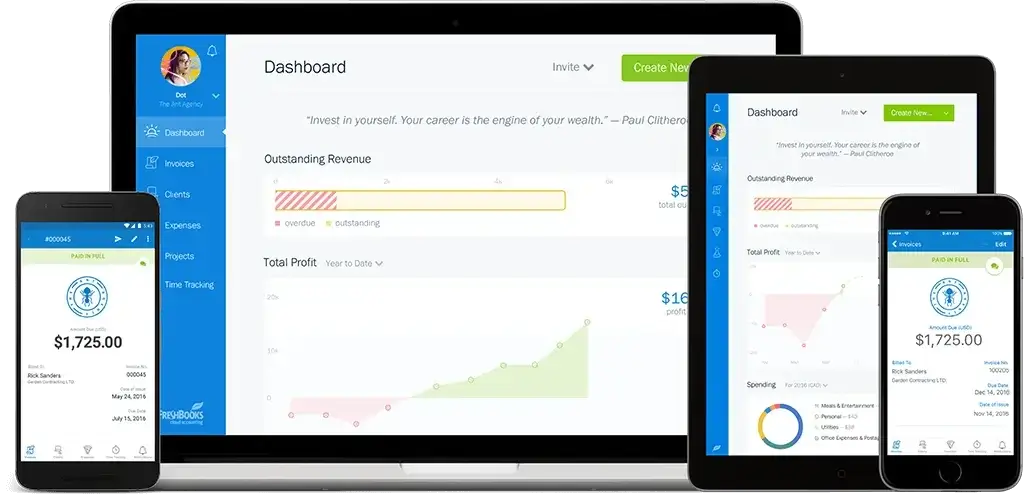
FreshBooks is one of the strongest accounting software options for freelancers who bill clients for services, time, or project-based work.
Its biggest advantage is how naturally it connects the workflow from tracked time to client invoice to online payment. You can track billable hours, add them to an invoice, include expenses, send payment reminders, and monitor what is still unpaid without building a manual process around spreadsheets.
That makes FreshBooks especially useful for consultants, designers, writers, marketers, developers, coaches, and small creative service providers. It is less about complex accounting controls and more about helping you get paid, stay organized, and keep your client work profitable.
Key Benefits
- Built-in time tracking that can be added directly to invoices
- Professional invoices, estimates, proposals, and payment reminders
- Expense tracking with bank imports and receipt capture
- Mobile mileage tracking and tax-time reports
- Project profitability tools available on higher plans
- Double-entry accounting reports and accountant access on supported plans
Pricing
FreshBooks uses tiered pricing, with plans commonly structured around Lite, Plus, Premium, and Select. The lower plans are best for freelancers with a smaller client base, while higher plans unlock stronger accounting, automation, project profitability, and team features.
Pricing note: FreshBooks pricing, discounts, and plan limits can change by country and billing cycle. FreshBooks also offers a 30-day free trial, according to its support documentation. Always check the current pricing page before publishing final pricing details.
👍 Pros
- Excellent for service-based freelancers and hourly billing
- Very easy to use, even without accounting experience
- Strong invoicing, payment reminders, and client-facing features
- Good mobile experience for expenses, mileage, and quick updates
👎 Cons
- Client limits can push freelancers into higher plans
- Not as deep as Xero or QuickBooks for advanced accounting
- Project profitability and stronger accounting tools may require higher tiers
- Not ideal for inventory-heavy or highly complex businesses
QuickBooks Solopreneur

Why freelancers love it
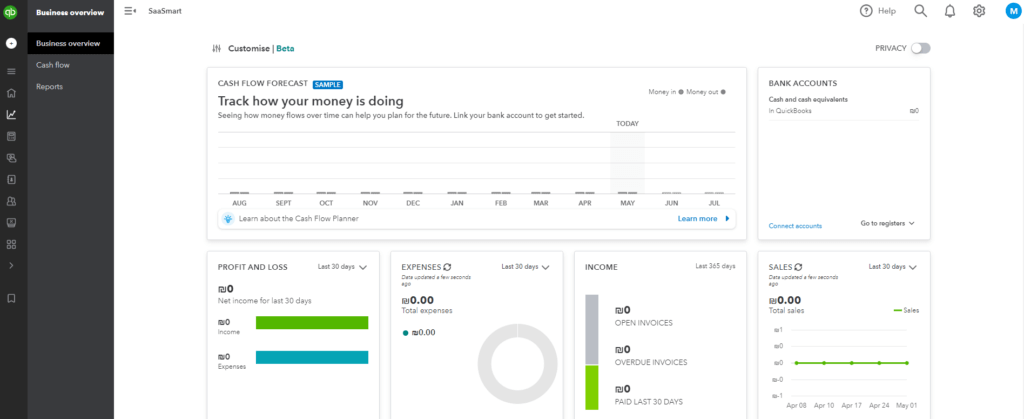
QuickBooks Solopreneur is a strong fit if your freelance business is mainly about tracking income, expenses, deductions, invoices, and mileage without moving into a full small-business accounting system.
It replaces the older QuickBooks Self-Employed positioning for many solo users, which matters because freelancers searching for tax-focused accounting software may still see both names online. In practice, Solopreneur is best for one-person businesses that want cleaner records, better expense separation, and more control before tax season.
It is especially useful for consultants, independent contractors, gig workers, coaches, mobile professionals, and freelancers who need to track business spending throughout the year instead of cleaning everything up at the last minute.
Key Benefits
- Tracks self-employed income and expenses in one place
- Helps separate business and personal transactions
- Supports receipt capture and expense organization
- Includes mileage tracking for work-related driving
- Helps organize deductions for tax preparation
- Provides a clear upgrade path to QuickBooks Online
Pricing
QuickBooks pricing changes frequently and promotions are common. QuickBooks Solopreneur is a paid plan designed for self-employed users, while QuickBooks Online plans are better if you need double-entry accounting, multiple users, payroll, inventory, or deeper reporting.
Pricing note: Always confirm current pricing on the official QuickBooks page before publishing exact plan costs, since discounts and plan names may change.
👍 Pros
- Strong fit for tax-focused freelancers and 1099 workers
- Useful mileage and receipt tracking features
- Good for separating business and personal expenses
- Trusted QuickBooks ecosystem with room to upgrade
👎 Cons
- Less flexible for project billing than FreshBooks
- Not as deep as QuickBooks Online for advanced accounting
- May feel limited if you hire contractors or build a small team
- Not the best choice for freelancers who need strong time tracking
Xero


Why freelancers love it
Xero is a strong choice for freelancers who are moving beyond basic invoicing and need a more scalable accounting system.
It is especially useful when you work with subcontractors, manage multiple revenue streams, collaborate with an accountant, or invoice international clients. Xero gives you more accounting depth than simple freelancer tools, including bank reconciliation, reporting, app integrations, and optional add-ons for expenses, projects, and analytics.
The trade-off is that Xero can feel more advanced than a beginner-first tool like Wave or FreshBooks. But if your freelance business is becoming a small agency or a more structured operation, that extra depth can be a real advantage.
Key Benefits
- Strong bank feeds and reconciliation workflows
- Useful reports for cash flow, profit, and business performance
- Good fit for accountant collaboration
- Multi-currency support on higher plans
- Large app marketplace for payments, payroll, CRM, and ecommerce
- Project and expense tools available through add-ons or higher plans
Pricing
Xero’s US pricing page currently lists Starter, Standard, and Premium plans, with promotional discounts often available. The Starter plan is positioned for sole traders, new businesses, and the self-employed, while Standard and Premium are better suited for growing businesses with higher transaction needs.
Pricing note: Some features freelancers may want, such as project tracking, advanced expenses, or analytics, may require add-ons or higher-tier plans. Check Xero’s current pricing page before listing exact prices.
👍 Pros
- Scales well as freelance work becomes a real business
- Strong reporting, bank feeds, and automation
- Good for international freelancers and multi-currency needs
- Excellent integration ecosystem
👎 Cons
- Can feel complex for brand-new freelancers
- Some useful features require add-ons or higher plans
- Less focused on client-facing proposals than FreshBooks
- Not the cheapest choice for simple freelance bookkeeping
Zoho Books


Why freelancers love it
Zoho Books is one of the best value picks for freelancers who want more than basic invoicing but do not want to overpay for accounting software.
It combines invoicing, expense tracking, bank feeds, automation, project billing, time tracking, client portals, and reporting in one platform. That makes it useful for freelancers who want a more complete business system, especially if they already use Zoho CRM, Zoho Projects, Zoho Invoice, or other apps in the Zoho ecosystem.
It is not quite as instantly simple as Wave, and it may take more setup than FreshBooks. But if you want affordable accounting software that can grow with you, Zoho Books is a very strong option.
Key Benefits
- Free plan available with annual usage limits
- Strong invoicing, estimates, and client portal tools
- Time tracking and project billing for service work
- Workflow automation on supported plans
- Mobile app for invoicing, expenses, and updates
- Native connection with Zoho CRM, Projects, and other Zoho apps
Pricing
Zoho Books offers a free plan with annual limits, plus paid plans that increase usage allowances and unlock more advanced features. According to Zoho’s pricing page, plan limits vary by expenses, bills, users, and advanced functionality.
Pricing note: Zoho Books can be very cost-effective, but the right plan depends on your invoice volume, expense volume, automation needs, and whether you want advanced features like inventory, custom workflows, or deeper reporting.
👍 Pros
- Excellent value for freelancers and small businesses
- Strong feature set for the price
- Good for project billing and automation
- Works especially well inside the Zoho ecosystem
👎 Cons
- Can feel more complex than beginner-first tools
- Best experience comes when using other Zoho apps
- Some advanced features require higher plans
- External accountant adoption may be lower than QuickBooks or Xero
Wave

Why freelancers love it
Wave is one of the best accounting software options for freelancers who want to keep costs low while still moving beyond spreadsheets.
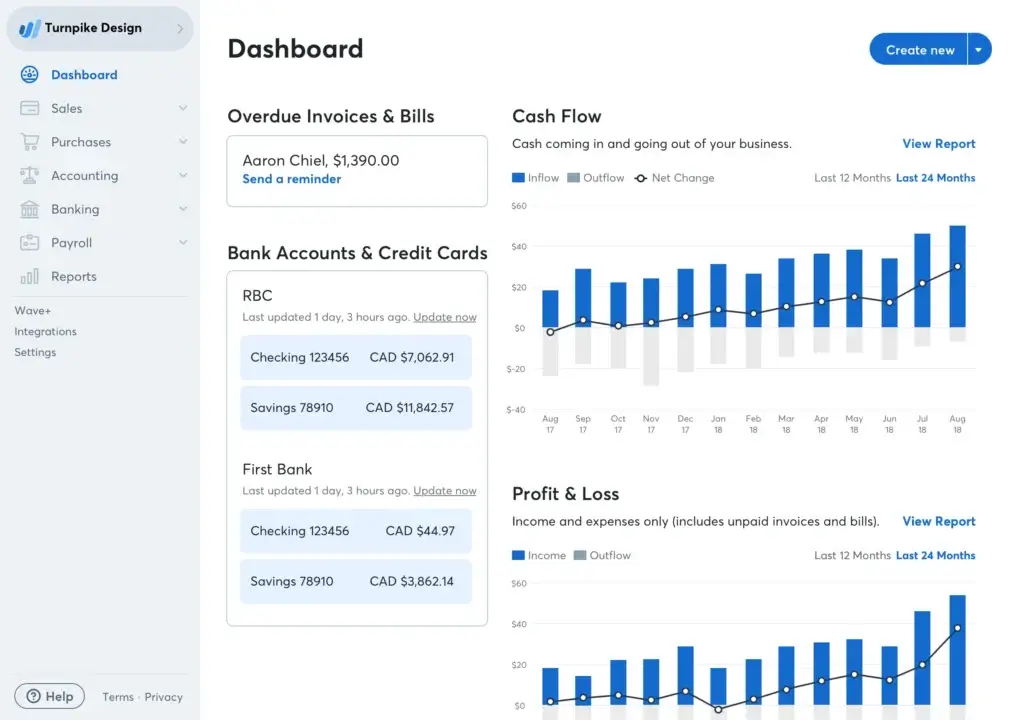
Its biggest appeal is simple: you can create invoices, track basic bookkeeping records, manage bills, and monitor cash flow without starting with a monthly software subscription. That makes it a natural choice for new freelancers, side hustlers, solo creators, and very small service businesses.
Wave is not built for complex project accounting, deep time tracking, or advanced integrations. But if you need a clean, low-cost way to send invoices and organize basic financial activity, it is one of the easiest tools to start with.
Key Benefits
- Free starter option for core invoicing and bookkeeping
- Unlimited estimates, invoices, bills, and bookkeeping records
- Simple dashboard for cash flow and customer activity
- Online payment options available with processing fees
- Mobile invoicing for freelancers working on the go
- Paid Pro plan available for more automation and support
Pricing
Wave offers a free Starter option and a paid Pro plan. Its pricing page highlights unlimited estimates, invoices, bills, and bookkeeping records, with online payment processing fees applying when clients pay through Wave.
Pricing note: Wave is very attractive for simple freelance bookkeeping, but costs can increase if you add online payments, payroll, bookkeeping support, or the Pro plan.
👍 Pros
- Excellent free starting point for new freelancers
- Simple invoicing and basic bookkeeping tools
- Easy to use without accounting experience
- Good option for side hustlers and low-volume freelancers
👎 Cons
- No strong built-in time tracking for hourly freelancers
- Limited project management and profitability tracking
- Fewer integrations than Xero or QuickBooks
- May feel too basic as your freelance business grows
Quick Comparison Table
Best Accounting Software for Freelancers
Use this table as a quick starting point. The best accounting software for freelancers depends on how you bill clients, how complex your expenses are, whether you need tax support, and how much room you need to grow.
Pricing note: Software pricing changes often and may vary by country, billing cycle, discounts, and plan limits. Always check the vendor’s current pricing page before making a final decision.
| Software | Best For | Pricing Position | Time Tracking | Tax Tools | Mobile App | Free Plan |
| FreshBooks | Service-based freelancers and hourly billing | Paid plans | Yes | Basic to moderate | Yes | No |
| QuickBooks Solopreneur | Taxes, deductions, expenses, and mileage | Paid plan | Limited | Strong | Yes | No |
| Xero | Freelancers scaling into small businesses | Paid plans | Add-on or integration | Good reports | Yes | No |
| Zoho Books | Budget-conscious freelancers who want automation | Free and paid plans | Yes | Good reports | Yes | Yes |
| Wave | New freelancers and side hustlers | Free starter option | No | Basic | Yes | Yes |
Which Accounting Software Fits Your Freelance Niche?
Accounting needs vary widely depending on the type of freelance work you do.
A designer who invoices monthly retainers does not need the same setup as a delivery driver tracking mileage, or a consultant working with international clients. Use the sections below to match the tool to your real workflow.
Creative Freelancers: Designers, Writers, Photographers, and Marketers
You need polished invoices, time tracking, project billing, and simple client payment options.
Go with: FreshBooks
FreshBooks is the best fit for creatives because it connects billable time, expenses, estimates, proposals, and invoices in one workflow. It is especially useful when your work is project-based and you want your invoices to look professional without spending time designing them manually.
Consultants, Coaches, and Independent Professionals
You likely need clean income tracking, expense categorization, tax reports, and a simple way to separate business activity from personal spending.
Go with: QuickBooks Solopreneur
QuickBooks Solopreneur is a better fit than the older QuickBooks Self-Employed positioning for many one-person businesses. It helps you track self-employed income, expenses, deductions, invoices, and mileage, which makes it practical for consultants and professionals who want better tax-time organization.
International Freelancers and Digital Nomads
If you work with clients in different countries, you may need multi-currency support, bank feeds, payment integrations, and stronger reporting.
Go with: Xero
Xero is a strong option for freelancers who need more accounting depth than a beginner tool can provide. It is especially useful when you work with an accountant, manage higher transaction volume, or want a platform that can support a transition from solo freelancing to a small business.
Freelancers on a Tight Budget
If you are just starting out, cost may matter more than advanced features.
Go with: Wave or Zoho Books Free Plan
Wave is simpler if you mainly need free invoicing and basic bookkeeping. Zoho Books is stronger if you want a free entry point with more structure and a path toward automation, project billing, and broader business management features.
Freelancers Ready to Scale
If you are managing larger projects, recurring retainers, subcontractors, or multiple income streams, you need more than basic invoicing.
Go with: Xero or Zoho Books
Xero is stronger for accountant collaboration, app integrations, and multi-currency needs. Zoho Books is excellent if you want strong value, automation, and project billing, especially if you already use Zoho CRM, Zoho Projects, or other Zoho tools.
Gig Workers and Mileage-Heavy Freelancers
If your freelance work involves driving, delivery, field visits, client meetings, or multiple income platforms, mileage and deduction tracking become more important.
Go with: Hurdlr or QuickBooks Solopreneur
Hurdlr is useful for tracking mileage, income, expenses, and deductions from a mobile-first workflow. QuickBooks Solopreneur is a better fit if you also want a broader accounting ecosystem and a clearer path toward more advanced bookkeeping later.
UK Freelancers, Contractors, and Sole Traders
If you are based in the UK, local tax workflows and compliance support matter more than general global accounting features.
Go with: FreeAgent
FreeAgent is especially useful for UK freelancers and contractors because it combines invoicing, expenses, time tracking, project tracking, and tax visibility in a friendly interface. It is a strong option if you want accounting software that feels built around sole traders and micro-businesses.
How to Choose
Still not sure which platform fits your freelance workflow? Start with how you work, not with the longest feature list.
The best accounting software for freelancers is the one that helps you get paid, track expenses, prepare for taxes, and understand your cash flow without adding unnecessary complexity.
1. Define Your Freelance Workflow
Before choosing a tool, ask yourself:
- Do you bill by the hour, project, retainer, or platform?
- Do you work with local clients, international clients, or both?
- Do you need mileage tracking or only expense tracking?
- Do you sell services, products, digital downloads, or subscriptions?
- Do you plan to stay solo or hire subcontractors later?
Your answers will quickly show whether you need a simple invoicing tool, a tax-focused app, or a more complete accounting platform.
2. Set a Realistic Monthly Budget
Free software can be a smart starting point, but it is not always the best long-term option.
If a paid tool helps you collect payments faster, avoid missed deductions, reduce manual admin, and give your accountant cleaner records, it can easily justify the cost.
- Just starting? Consider Wave or Zoho Books Free Plan.
- Billing clients often? FreshBooks is easier for invoices and time tracking.
- Focused on tax organization? QuickBooks Solopreneur is a strong fit.
- Growing into a business? Xero or Zoho Books may scale better.
🧠 Tip: Do not compare only the starting price. Check client limits, invoice limits, user limits, add-ons, payment fees, and whether annual billing changes the total cost.
3. Match Features to Your Day-to-Day Work
If you spend more time invoicing than analyzing reports, your needs are different from a freelancer managing international clients or tax-heavy deductions.
Here’s a quick decision filter:
| If You… | You’ll Want… | Best Fit |
| Bill by the hour | Time tracking and project invoicing | FreshBooks or Zoho Books |
| Drive for work | Mileage and deduction tracking | QuickBooks Solopreneur or Hurdlr |
| Work with global clients | Multi-currency and stronger reporting | Xero |
| Want a free tool | Basic invoicing and bookkeeping | Wave or Zoho Books Free Plan |
| Plan to hire contractors | Scalable accounting and integrations | Xero or Zoho Books |
| Work in the UK | Local tax visibility and contractor-friendly workflows | FreeAgent |
4. Test Before You Commit
Most platforms offer a free trial or free starting point, so use it before paying.
Create a sample invoice, connect a bank account, upload a receipt, test a report, and check the mobile app. If the software feels confusing during the trial, it will probably feel harder when you are busy with client work.
🙌 You are the one using it every week. Choose the tool that makes bookkeeping feel lighter, not the tool with the most features on paper.
How to Set Up Your Accounting Software the Right Way
Once you choose a platform, setup matters. A clean setup helps you avoid messy reports, missed deductions, and confusing tax records later.
Here’s how to start the right way.
1. Connect Your Bank Accounts Securely
Most accounting software lets you sync your bank and credit card accounts. This allows transactions to import automatically, which reduces manual entry and helps keep your books up to date.
💡 Tip: If you still mix personal and business spending, consider opening a separate business bank account. It makes reconciliation, tax preparation, and expense tracking much easier.
2. Set Up Professional Invoice Templates
Your invoice is part of your client experience. It should look professional, clearly explain what was delivered, and make payment easy.
- Add your logo, business name, and contact details
- Include payment terms and due dates
- Add accepted payment methods
- Use automatic reminders for overdue invoices
- Save common services or rates for faster billing
FreshBooks and Zoho Books are especially useful here because they support client-friendly invoices, recurring billing, and service-based workflows.
3. Create Simple Income and Expense Categories
Do not overcomplicate your chart of accounts. Use categories that reflect your freelance business clearly.
Examples include:
- Income: Client work, retainers, consulting, affiliate income, platform payments
- Expenses: Software, subscriptions, marketing, travel, equipment, internet, contractor payments
📌 Keep categories simple enough to maintain. Too many custom categories can make your reports harder to understand.
4. Enable Mileage Tracking If You Travel for Work
If you drive to client meetings, events, shoots, coworking spaces, job sites, or deliveries, mileage tracking can be valuable.
QuickBooks Solopreneur and Hurdlr are especially relevant if mileage is a meaningful part of your freelance deductions.
5. Set Up Automations and Recurring Tasks
Automation is one of the biggest reasons to use accounting software instead of spreadsheets.
- Recurring invoices for retainer clients
- Automatic reminders for unpaid invoices
- Bank rules for recurring expenses
- Receipt capture for deductible purchases
- Monthly reports for cash flow review
🧠 The goal is simple: spend less time fixing your books and more time doing paid work.
Making the Most of Your Accounting Software
After setup, the real value comes from using your software consistently.
You do not need to become a bookkeeper. You only need a few simple habits that keep your freelance finances clean throughout the year.
Automate Repetitive Admin Work
Freelancers lose a lot of time to small admin tasks. Use your software to remove as many of them as possible.
- Use recurring invoices for monthly clients
- Enable payment reminders before and after due dates
- Create bank rules for recurring software subscriptions
- Save service items for work you bill often
⚡ This reduces manual work and helps prevent small mistakes from becoming bigger bookkeeping issues.
Schedule a Weekly Money Check-In
Set aside 15 minutes each week to review your finances.
- Check new income and expenses
- Categorize uncategorized transactions
- Review overdue invoices
- Upload missing receipts
- Check your cash flow dashboard
💡 A weekly habit is much easier than trying to fix months of messy records before tax season.
Use Reports to Make Better Freelance Decisions
Most accounting software for freelancers includes reports like profit and loss, income by client, expense summaries, and unpaid invoices.
Use those reports to answer practical business questions:
- Which clients are most profitable?
- Which services take too much time for the money?
- Which months are your slowest?
- Are expenses rising faster than income?
- How much should you set aside for taxes?
📈 These insights help you raise rates, cut unnecessary costs, and focus on better client work.
Review Your Setup Every 3 to 6 Months
Your freelance business will change over time. Your accounting setup should change with it.
- Add new income categories when you launch new services
- Connect new payment accounts like Stripe or PayPal
- Upgrade if your free plan becomes limiting
- Invite your accountant before tax season
- Review whether your current tool still fits your workflow
🧠 Do not set it and forget it. Treat accounting software as part of your business system, not just a place to store numbers.
Final Thoughts
As a freelancer, you already manage the client work, deadlines, communication, marketing, and delivery. Your accounting system should make the financial side easier, not more complicated.
With the right accounting software for freelancers, you gain:
- Clear visibility into income and expenses
- Better control over invoices and late payments
- Cleaner records for taxes and deductions
- Less manual spreadsheet work
- More confidence when making business decisions
If you bill clients by time or project, FreshBooks is one of the strongest choices. If taxes, deductions, and mileage matter most, QuickBooks Solopreneur is a better fit. If you want a free starting point, Wave is a strong option. If you are growing, Xero and Zoho Books give you more room to scale.
For UK freelancers, FreeAgent deserves serious consideration. For gig workers and mileage-heavy freelancers, Hurdlr can also be a smart addition to your financial toolkit.
✅ Choose the tool that supports your workflow today, but make sure it can also support where your freelance business is going next.
FAQs
What is the best accounting software for freelancers?
The best accounting software for freelancers depends on your workflow. FreshBooks is best for service-based freelancers, QuickBooks Solopreneur is strong for taxes and mileage, Wave is a good free starting point, and Xero or Zoho Books are better if you plan to scale.
Can I use free accounting software as a freelancer?
Yes. Wave and Zoho Books Free Plan can work well for freelancers with simple invoicing and bookkeeping needs. However, you may need a paid plan if you want stronger automation, time tracking, tax reports, or accountant collaboration.
Is QuickBooks Solopreneur good for freelancers?
Yes. QuickBooks Solopreneur is a strong fit for freelancers who want help tracking self-employed income, expenses, deductions, invoices, and mileage. If you need deeper accounting, QuickBooks Online may be a better long-term option.
Is FreshBooks better than QuickBooks for freelancers?
FreshBooks is usually better for freelancers who bill by time, send proposals, and manage client projects. QuickBooks Solopreneur is usually better if your priority is tax tracking, mileage, deductions, and expense organization.
What is the best accounting software for freelance writers or designers?
FreshBooks is a strong choice for freelance writers, designers, photographers, and marketers because it combines invoicing, time tracking, estimates, proposals, and client payment tools in a simple interface.
Do freelancers need accounting software if they only have a few clients?
Even with a few clients, accounting software can help you stay organized, send professional invoices, track expenses, and prepare cleaner records for tax season. A free or low-cost tool may be enough at the beginning.
How do freelancers track income from Upwork, PayPal, Stripe, and Fiverr?
Freelancers can track platform income by connecting payment accounts, importing bank feeds, or uploading CSV files. It is important to separate gross income, platform fees, payment processing fees, and net deposits for cleaner reporting.
What features help freelancers get paid faster?
The most useful features are online payment links, automated invoice reminders, recurring invoices, saved service items, and clear payment terms. These reduce friction and make it easier for clients to pay on time.
Is it safe to connect a bank account to accounting software?
Reputable accounting software providers use secure bank connections and encryption to protect financial data. You should still use a strong password, enable two-factor authentication, and review user permissions carefully.
When should a freelancer upgrade from free accounting software?
You should upgrade when you need recurring invoices, time tracking, stronger tax reports, accountant access, multi-currency support, project profitability, or better automation. Free tools are useful early, but paid software often saves more time as your business grows.







